Skip to content

[App] Suggestions and Discussion

789 Topics 6.1k Posts
  • Zichtbaarheid zijwegen in app

    4
    0 Votes
    4 Posts
    1k Views
    Paul Gerrits
    @Marinus-van-Deudekom thanks voor het meedenken!
  • Elektrische motoren

    16
    1 Votes
    16 Posts
    4k Views
    Con Hennekens
    @Koen-Keevel, je zegt het wat krom maar ik denk dat je hetzelfde bedoeld. de web-planner bevat HERE, TomTom en OSM kaarten. Die eerste twee allen met betaald abonnement. zowel de in-app-planner als Navigation Next werken op basis van de HERE SDK en kennen daarom alleen de HERE kaarten. het gratis deel van de app (inclusief follow-the-line navigatie) werkt alleen met de online OSM kaart.
  • Snelheid

    4
    0 Votes
    4 Posts
    1k Views
    Michel 1130
    @Marinus-van-Deudekom Dat zou super zijn!
  • Travel direction

    Moved
    3
    0 Votes
    3 Posts
    830 Views
    Koen Sloof
    @Nick-Carthew thx, ik ga dit proberen
  • naar startpunt rijden zonder snelweg te gebruiken.

    Moved
    3
    0 Votes
    3 Posts
    797 Views
    Derk 0
    @Nick-Carthew
  • Feature request: Trafic information

    1
    2 Votes
    1 Posts
    396 Views
    No one has replied
  • Offline Navigation issue

    6
    0 Votes
    6 Posts
    2k Views
    LennyO
    @Nick-Carthew Got it! Seems it had trouble downloading... Thanks again!
  • New to site

    Moved
    3
    0 Votes
    3 Posts
    884 Views
    Con Hennekens
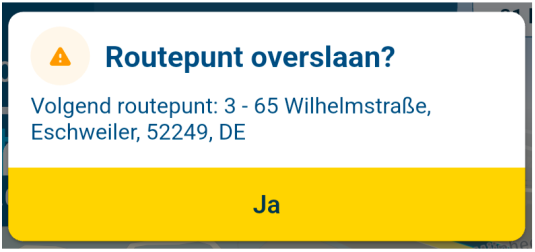
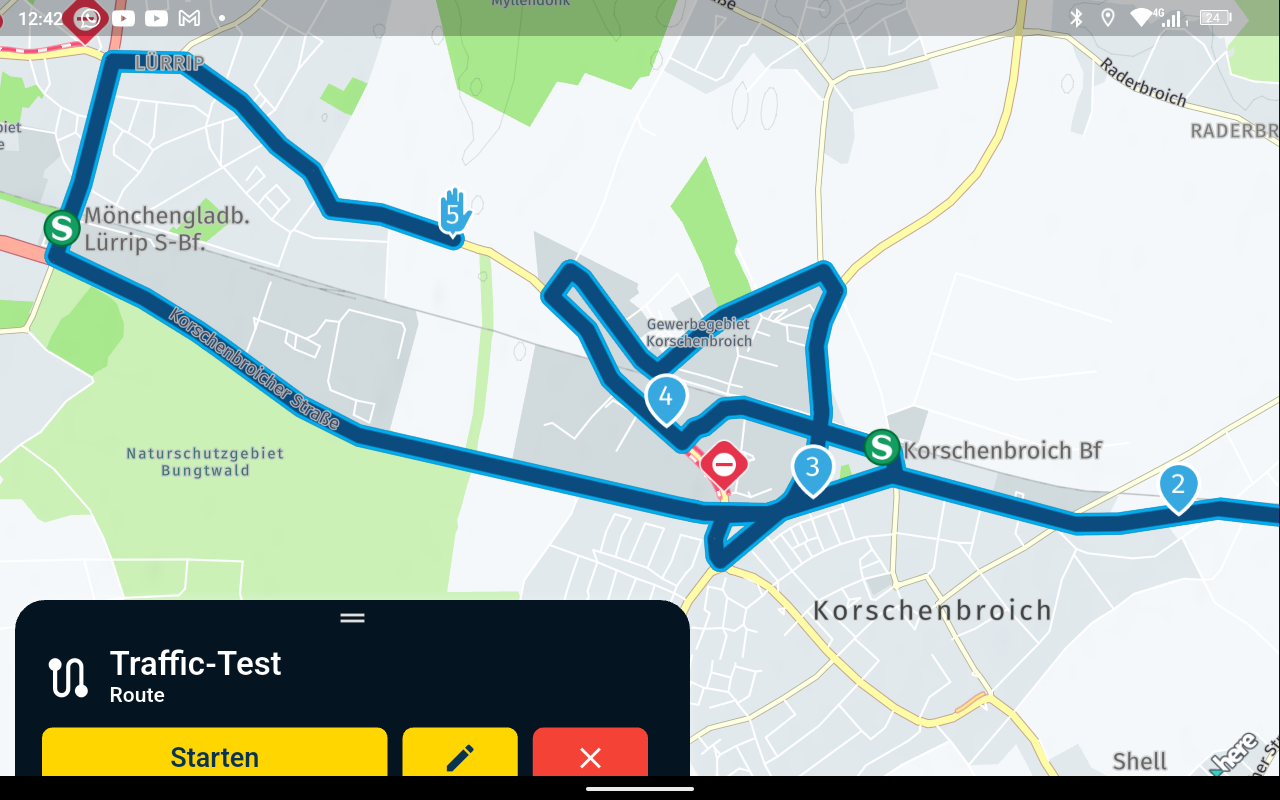
    @D-Griffin, I assume you are navigating your routes with the MRA app? In that case, yes, the tile that shows the next waypoint can be pressed to skip a waypoint. Also, if you do not press anything but simply deviate from the route, sooner or later a waypoint will be skipped, except for the obligatory hand shaped VIA point.
  • Feature Request: Ability to increase road font size

    1
    2 Votes
    1 Posts
    481 Views
    No one has replied
  • Ability to record?

    2
    0 Votes
    2 Posts
    741 Views
    Nick Carthew
    Hi @Mike-wiruth The record feature that you mention is not new, it’s called tracking and it will record every movement your phone makes and at the end of the day, you choose to save it and it will appear in your Tracklog folder. As far as I know, there’s no video but it’s quite intuitive, just tap the Red button when you start. You can even set the app to automatically record your tracklogs in the Navigation settings.
  • Recording??

    1
    0 Votes
    1 Posts
    370 Views
    No one has replied
  • 0 Votes
    9 Posts
    2k Views
    paul69
    @BertM said in How to insert fuel stops coffee stops and places of interest when planning a route: I do not understand why someone would only use Via points. hi @BertM if you are referring to that small route of mine, i understand your confusion. i know the route above shows all via's but this was not finished i was merely using it as an example for the OP. when i make a route i do not us via points at all, save for start and finish obviously. personally, i find via points a pain in the a*%e, hence why I never use them, however, it is nice to have the option, for those who do use them, which is a major plus point for MRA.
  • Adding pinpoints/stops on a route

    1
    2 Votes
    1 Posts
    424 Views
    No one has replied
  • Sharing a route created with in-app route planner?

    Moved
    8
    0 Votes
    8 Posts
    3k Views
    LennyO
    @Nick-Carthew Well deserved!
  • Single beep before it's too late

    5
    2 Votes
    5 Posts
    2k Views
    CD130
    This is exactly why I don't use the beep function either. I would also like to hear 1 beep per instruction, but not at the last second
  • automatically download Offline Maps for your route

    3
    0 Votes
    3 Posts
    950 Views
    Alex Weiss
    @Nick-Carthew said in automatically download Offline Maps for your route: @Alex-Weiss The only way is to download the offline maps manually. Thank you for your Answer! Greetings Alex
  • making more than 1 track visible in same view

    14
    0 Votes
    14 Posts
    3k Views
    Con Hennekens
    @Guzzist said in making more than 1 track visible in same view: But it was the Unic Selling Point for the whole platform MyRoute-App, to be like a "Swiss Army knife" Haha, yes, that's true I know devs are thinking about more offroad compatibility. I think when that gets developed it makes more sense to have tracks visible in the background. But it is probably a long term wish I am afraid.
  • Hiding waypoints when animate

    6
    0 Votes
    6 Posts
    2k Views
    Christian Siegel
    @Marinus-van-Deudekom , thanks for confirming. Would be nice though if one could hide the waypoints while recording the animation.
  • The first 1500 km with "Route as Track" navigation

    3
    3
    1 Votes
    3 Posts
    864 Views
    Con Hennekens
    @Erdna, Track navigation performs better with an internet connection. Hopefully that will change in the future, but for now the offline method can only "mimic" a track, hence smaller discrepancies can occur. Shapingpoints on a track don't do the same thing like in a route. They are merely there for reference, and as a target to skip to. Automatic skipping is not functional at all while navigating a track. When deviating from a track, a sensible re-entry point is calculated, but shapingpoints are not prefered within that logic, as far as I know.
  • Text size too small

    12
    3 Votes
    12 Posts
    3k Views
    Kenny Thierens
    @Marinus-van-Deudekom In de instellingen van de T865x kun je weergavegrootte (≠lettergrootte) aanpassen. Dit helpt al een stuk. Nadeel, geen splitscreen meer mogelijk. Dus hopelijk komt in de toekomst MRA nog met een iets groter lettertype.
ACTIVE USERS POPULAR TOPICS MY GROUPS