I'm a recent convert from Garmin and Basecamp, MRA is the best Nav/Planning app I have used. took me 2 weeks of use to decide to upgrade to the Gold/Next options.
@Duco-van-Engelen-0-0 Thank you! Gload I could help!
Now as to the second part of youe wish - good news! It is totally possible!
Just watch this video: link text
Make sure to watch from the beginning to the end!
Let me know if that helps any...
Best!
How i like that idea very much. I do not thing it will be the case.
On a active route in the navigation. Zoom in on a waypoint. You'll see kind of two routelines overlapping eachother.
What this tells me. A route is a chain of mulitple miniroutes. Where every waypoint is both start and endoint. As long as the deviation stays with in the same miniroute. MRA is flexibel doesn't do strange things overall. But when the deviation causes to interact with two (or more) of these miniroutes (skipping waypoints). Things starting to be complicated. To start a new (mini)route, you need to end the previous one first.
It looks like this the basic structure how the Here platform works.
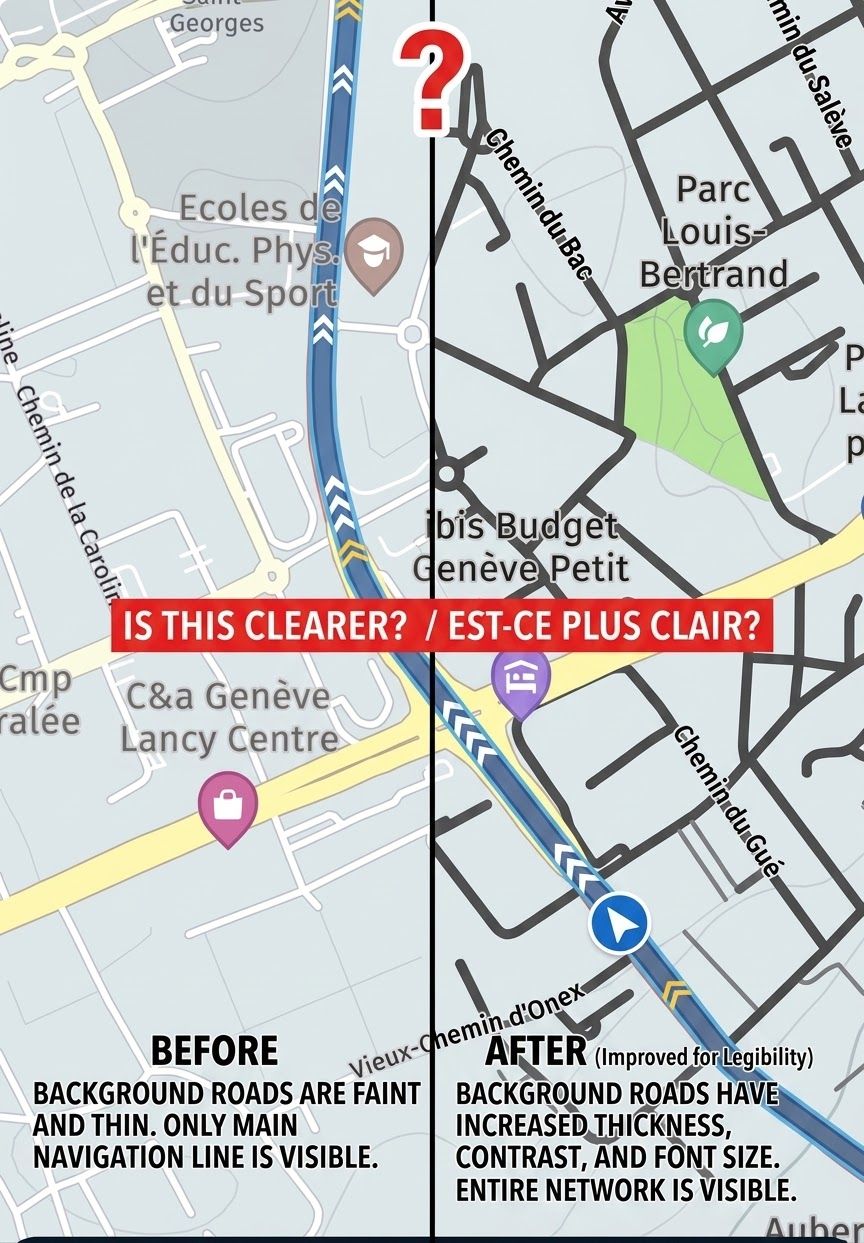
I agree! Other forum users and I made the same request in another thread... let's hope it gets taken into consideration... because right now, they really are far too small...
It all depends on the underlying maps and what sort of route you want to follow! On-road, soft-road, dirt, off-road, enduro, and so on.
What information needs to be visible?
Is it suitable for people with colour blindness?
[image: Schermafbeelding 2026-09-28 om 12.47.03.jpg] [image: Schermafbeelding 2026-09-28 om 12.47.22.jpg] [image: Schermafbeelding 2026-09-28 om 12.47.39.jpg] [image: Schermafbeelding 2026-09-28 om 12.48.00.jpg]
@Rob-Verhoeff ik had er hij mijn laatste trip 1 teveel overgeslagen en op de manier zoals heeft uitgelegd het overgeslagen punt weer makkelijk weten te bereikem
@Nick-Carthew said:
The app will switch automatically if you have your routes synced too.
I don't understand the relevance of synced routes against the use of offline maps?
And maybe this topic should be moved to some self help category.
Hey you,
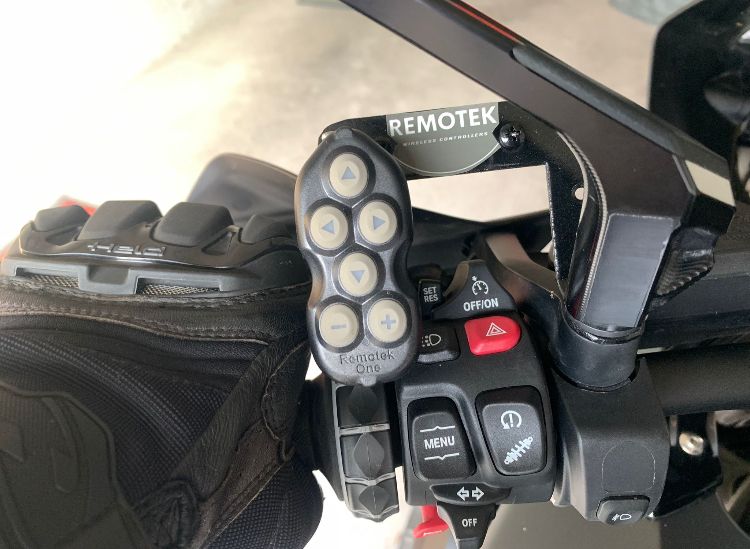
With the Remotek One you can switch the compass between the three possible functions with version V2.1.0 with double click (DC) left = "L" .. with each DC the compass view changes.
Camera with north orientation ( with automatic zoom )
Dynamic camera (The recommended mode with automatic zoom)
Top-down camera ( fixed zoom level )
—-###—-
Hey ihr,
mit der Remotek One kann man mit der Version V2.1.0 mit Doppelklick (DC) links = „L“ den Kompass umschalten zwischen den drei möglichen Funktionen .. mit jedem DC wechselt die Kompass Sicht.
Kamera mit Nordausrichtung ( Mit automatischem Zoom )
Dynamische Kamera ( Der empfohlene Modus mit automatischem Zoom )
Top-Down-Kamera ( Feste Zoomstufe )
[image: IMG_1564.jpeg]
[image: IMG_1563.jpeg]
@Jörgen yes in the app it can be changed BUT you have no option to change it quickly while you’re actually riding. If you read my initial post again you’ll see I had it set to what I wanted. The app crashed/reset and reverted back to miles instead of KM’s. I had nowhere to pull over to then have to mess around with the menus. My thoughts are an option where you touch the units showing on the screen and it would let you change quickly from there. I also post on another thread about have a “automatic” option which means it would default to the units applicable to the country your in
In addition to that, it would be helpful, to have a single button, to save all the app-preferences. When switching to another phone, you could import the settings by click, instead of walk through all the various settings.
After a bit of experimentation I've settled on the Dart and Explore combination which gives reasonable contrast and certainly a lot more usable than the default settings.




















 08213
08213