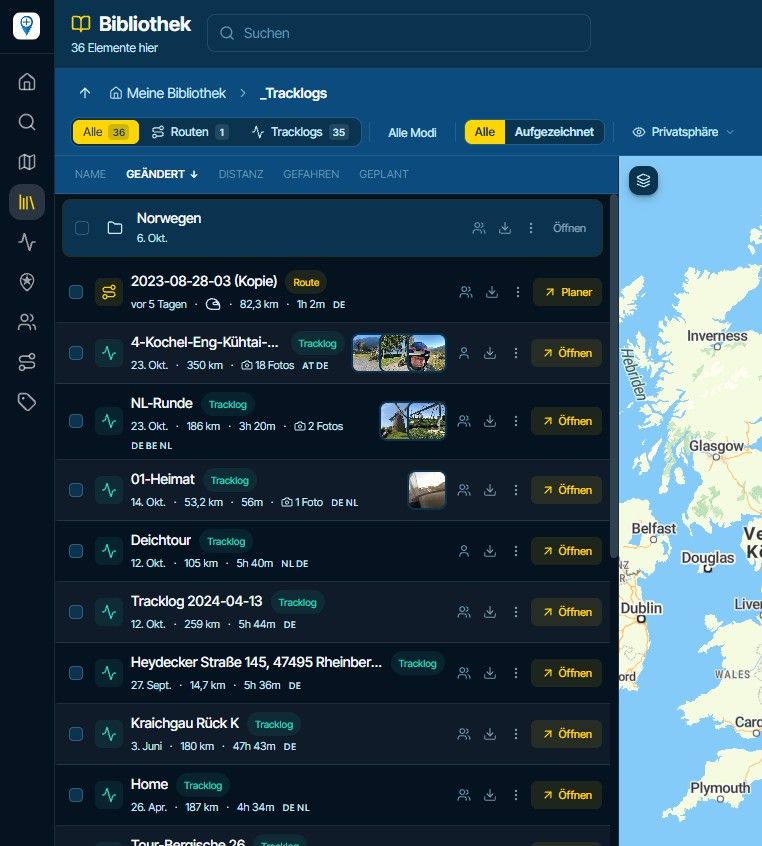
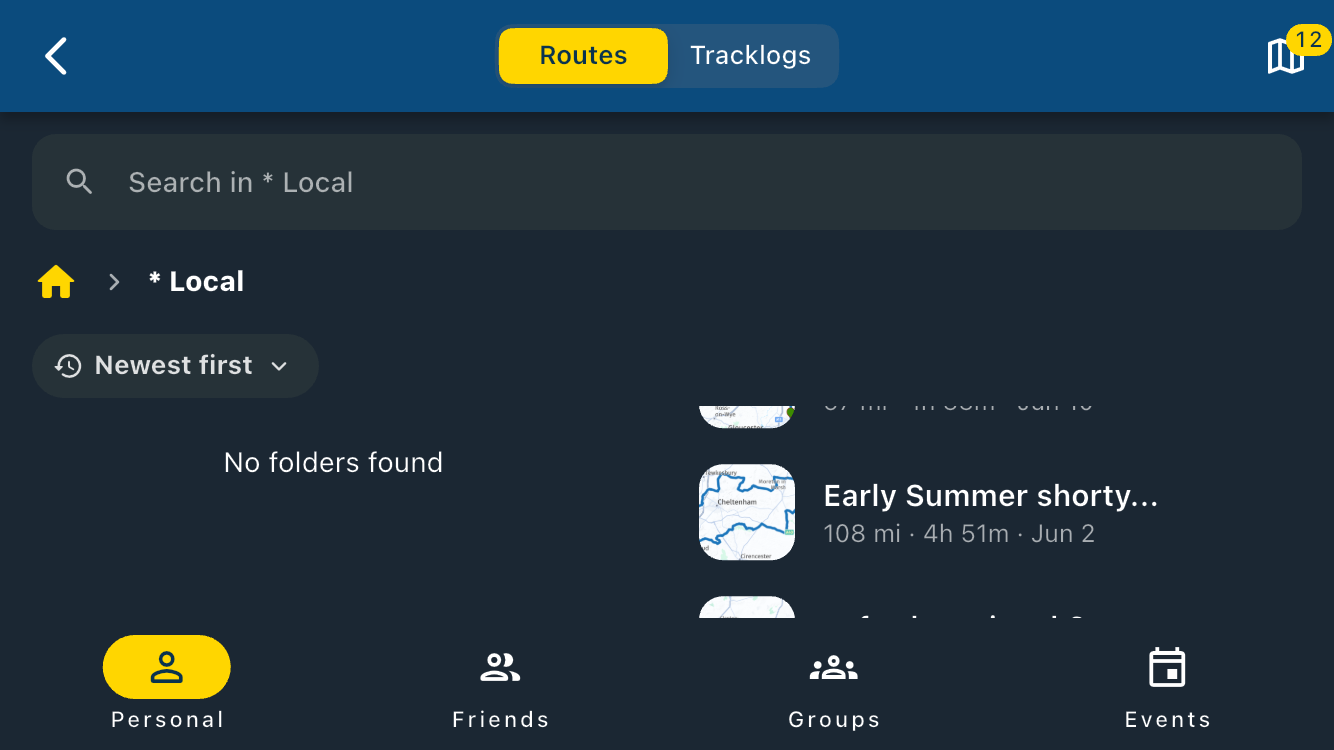
Reading out the name of the waypoint and associated notes
-
For me it is fine that Via points cannot be skipped automatic. I don't like that feature but i'm not obligated to use Viapoint when planning.
@con-hennekens You say, when the name field of a waypoint meet some terms, it is not being announced. I can tell you there is something wrong with those terms or how those terms are implemented.
When i make a route. All my default (blue) waypoints have their default name given by the MRA Planner. 98% of them are being announced in de navigation. It can be an address but also just a waypoint number.
@M.-Schrijver, yes they are announced, if you have that enabled, but what I meant is that the name of a waypoint is not being spoken if it contains numerical characters (indicating an address) AND the note field is empty. They do get announced indeed, but only with: "Route point xx has been reached" (or similar wording).
-
@M.-Schrijver, yes they are announced, if you have that enabled, but what I meant is that the name of a waypoint is not being spoken if it contains numerical characters (indicating an address) AND the note field is empty. They do get announced indeed, but only with: "Route point xx has been reached" (or similar wording).

@Con-Hennekens said:
Route point xx has been reached" (or similar wording).
Since I manually move each waypoint on every route to align it exactly with the line, the waypoint's address is accompanied by numbers during this maneuver.
I can confirm what Con said... the only message given is “Waypoint xx reached.”
-
@M.-Schrijver, yes they are announced, if you have that enabled, but what I meant is that the name of a waypoint is not being spoken if it contains numerical characters (indicating an address) AND the note field is empty. They do get announced indeed, but only with: "Route point xx has been reached" (or similar wording).

@Con-Hennekens said:
They do get announced indeed, but only with: "Route point xx has been reached" (or similar wording).
Hi, Con!
Not arguing, just please help me out here. What is the significance of this announcement in general?
I would expect a user to know approximately where they are, and if one needs to know the next waypoint - it is right there, in the upper right corner of the screen.
I, personally, would much prefer the meaningful info that I set up to hear, instead of unwanted info forced upon me that constantly interruptions my conversation with the group or music I am listening to.
Thanks, buddy!Positive emotions are worth every penny ;)
-
@Con-Hennekens said:
They do get announced indeed, but only with: "Route point xx has been reached" (or similar wording).
Hi, Con!
Not arguing, just please help me out here. What is the significance of this announcement in general?
I would expect a user to know approximately where they are, and if one needs to know the next waypoint - it is right there, in the upper right corner of the screen.I, personally, would much prefer the meaningful info that I set up to hear, instead of unwanted info forced upon me that constantly interruptions my conversation with the group or music I am listening to.
Thanks, buddy!
@Lenny-O said:
I, personally, would much prefer the meaningful info that I set up to hear
Exactly that is what you get of you alter the name or fill the notes field

Also I find it reassuring to hear that I reached a waypoint every now and then. If it gets annoying, you probably use too many waypoints? If you do not want to hear the announcements, you can disable it for shaping points, but you will need to turn route points with extra info into VIA points to hear them on the road. So there is plenty to choose from.
-
I think it should be quite easy to implement the distinction between the points having Notes and the ones that do not for read-outs. (I am a retired IT programmer).
Another super annoying thing when it reads out ALL shaping points is that it first reads out the location of the waypoint, and I mean FULL ADDRESS, including the Country and the postal code..... before it actually reads the Notes.
To prevent that you'd have to rename or blank out the address of EVERY shaping point, which is crazy
So, in combination the great, needed and very usefull feature is not used by many because of not being "user-friendly" (as we call it in the IT world).
@Lenny-O said:
So, in combination the great, needed and very usefull feature is not used by many because of not being "user-friendly" (as we call it in the IT world).In the settings, you can select, if a newly entered waypoint should have the full postal address or not. If not, you can leave it blanc, than it will not be audible...
Nothing is impossible ;-)
In past: GARMIN Zumo 210->GARMIN Zumo 395->GARMIN XT=> now: DMD T865-X + MyRoute-App, LocusMaps, OsmAnd.
In past: GARMIN MapSource ->GARMIN BaseCamp->Tyre->Kurviger->Calimoto=> now: MRA-Routplanner. -
@Lenny-O said:
So, in combination the great, needed and very usefull feature is not used by many because of not being "user-friendly" (as we call it in the IT world).In the settings, you can select, if a newly entered waypoint should have the full postal address or not. If not, you can leave it blanc, than it will not be audible...
-
@Lenny-O I think he's referring to the editor settings in the toolkit on the website.
There's an option there......Ask for the route point name.
If you enable this option, when you place the waypoint, you can choose whether to keep the default name, assign a name of your choice, or delete everything right away.
-
@Lenny-O I think he's referring to the editor settings in the toolkit on the website.
There's an option there......Ask for the route point name.
If you enable this option, when you place the waypoint, you can choose whether to keep the default name, assign a name of your choice, or delete everything right away.
@Peter-Zehentreiter With that option if you just highlite the address and Delete it, it goes into a stupor...
Seems like you have to actually hit the space bar at least once for it to take the empty address / name. -

-
@Peter-Zehentreiter With that option if you just highlite the address and Delete it, it goes into a stupor...
Seems like you have to actually hit the space bar at least once for it to take the empty address / name.
@Lenny-O Just highlight the text provided, enter any number, and then click “Accept.”
That way, when you're navigating, you should only hear the prompt... “Waypoint xx reached.”
-
[[topic:post-is-deleted]]
This post is deleted!
-
This post is deleted!
-
@Lenny-O said:
@Guzzist Thank you! What setting is that, please?
If you enter a new waypoint in MRA-Routeplanner, it will be set without any comment:
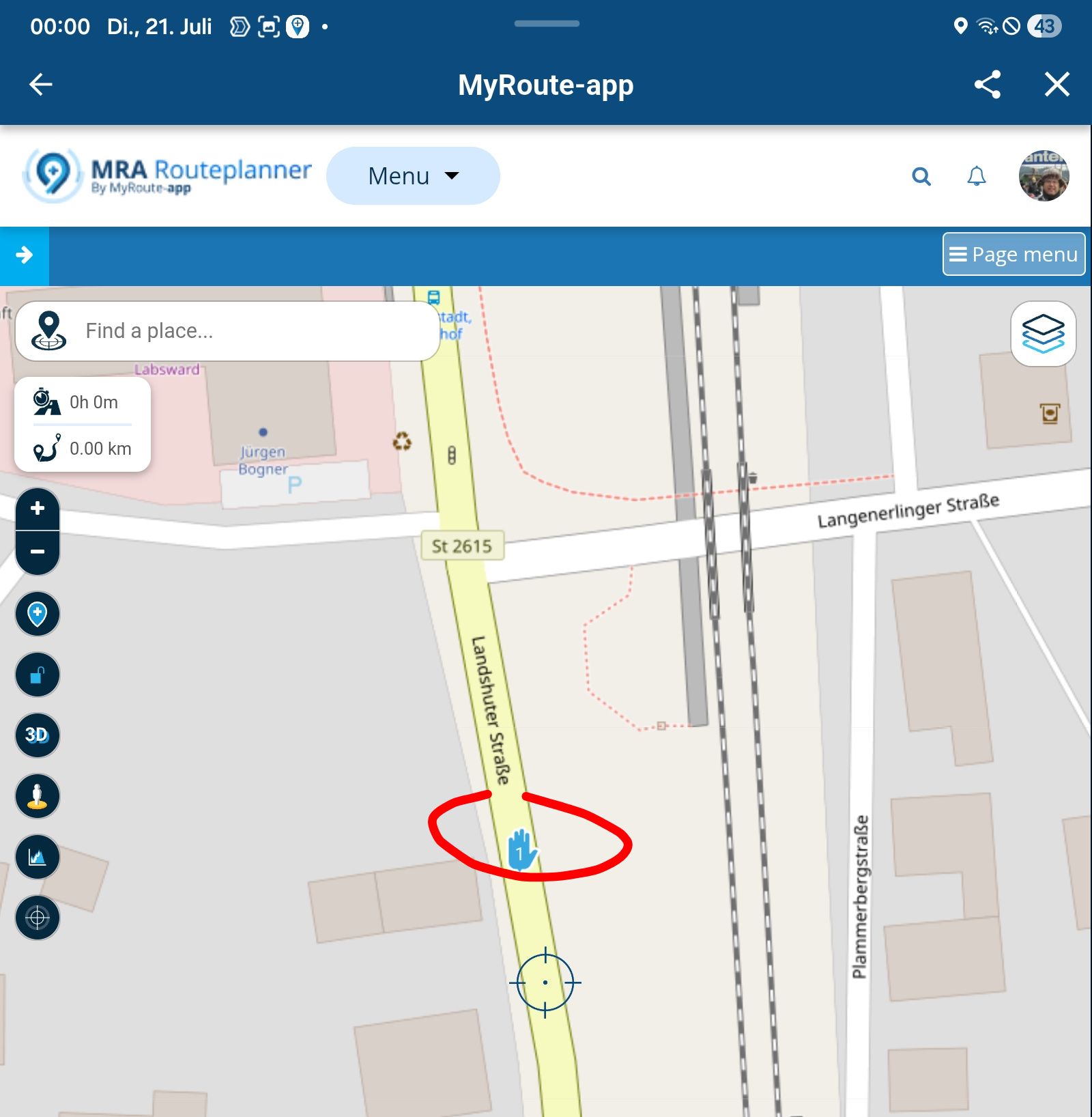
If you click onto the waypoint icon, you will see the name of it:
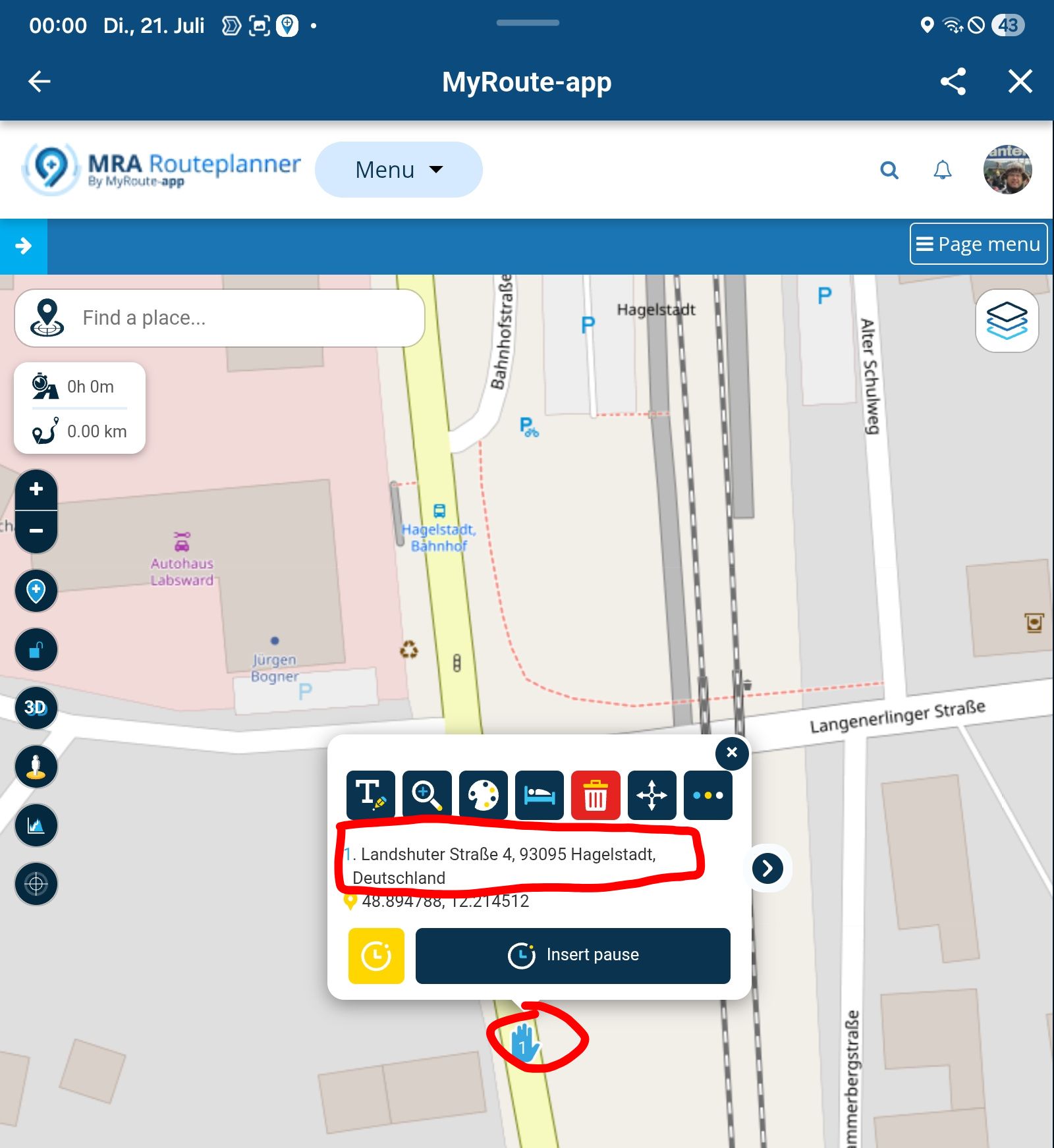
but goto "Page menue", scroll down to "Editor settings", select "Ask for waypoint name":
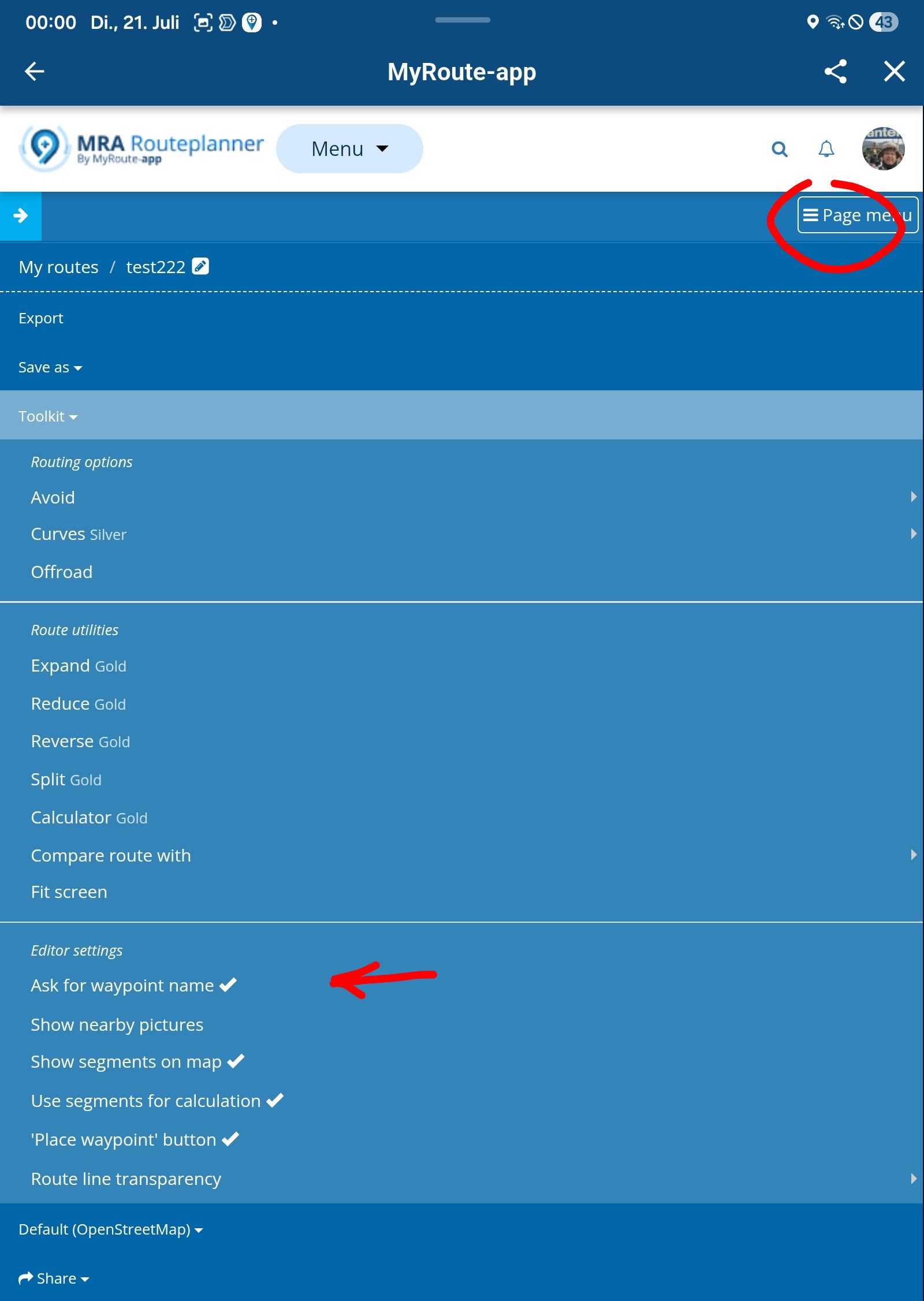
then if you enter a new waypoint, there comes a popup, showing the postal address of this waypoint as suggestion. But you can simply delete it by hit the blanc space key. Then the waypoint will not have a name anymore:
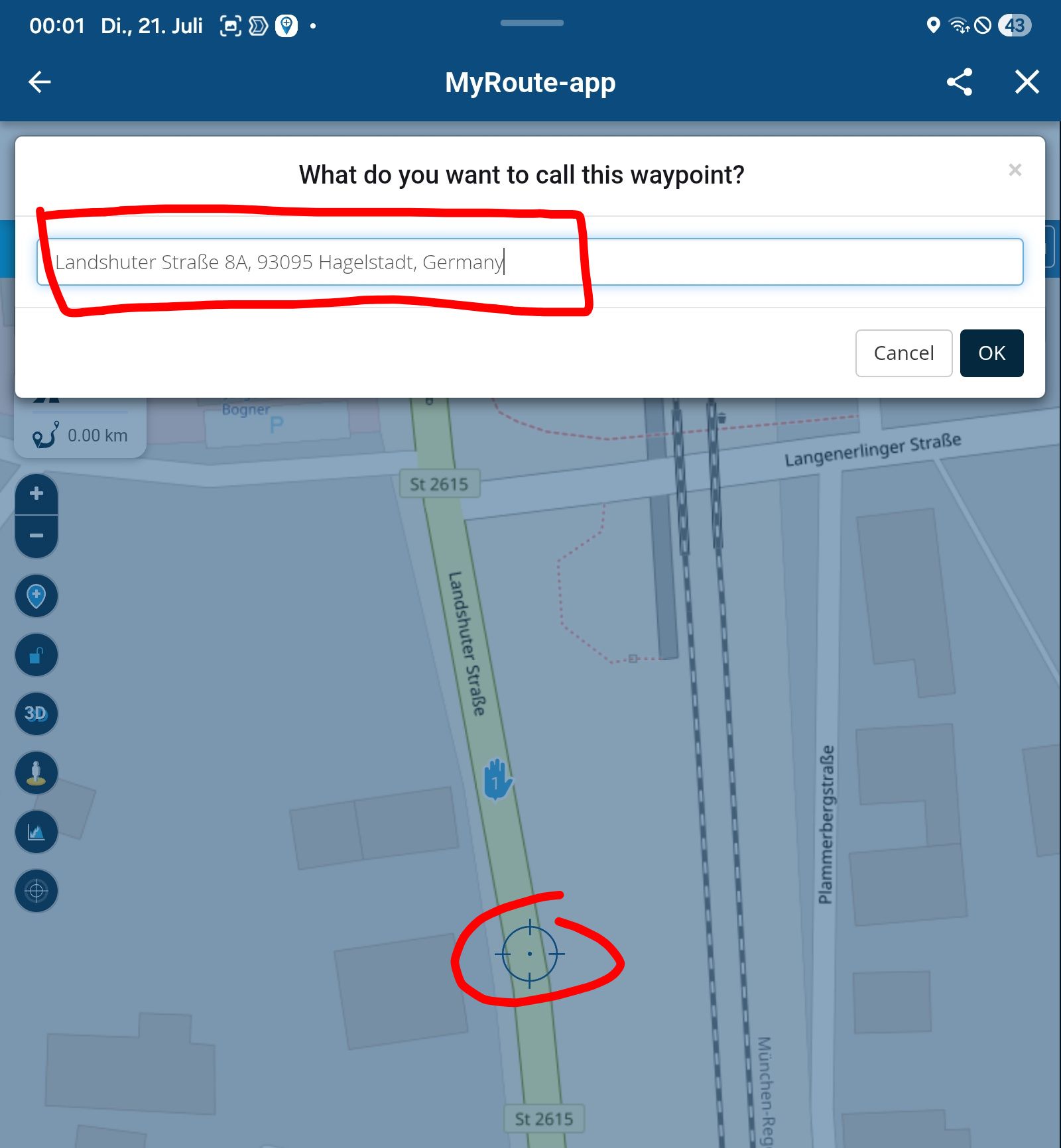
-
Just to be clear: In this case:
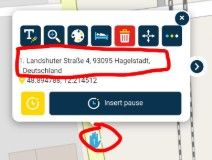
The name will not be spoken (if the note field is empty), since any numerical character in that field will indicate it as an (uninteresting) address. Only the "Waypoint xx reached" messagage will be audible. Therefore it is unnecessary to put a space in the name field instead.
I am just an enthusiastic MRA user, and hope you will be one too!
Most motorcycle problems are caused by the nut that connects the handlebar to the saddle.
Check out RideSleepRepeat.eu, a biker community for sharing stays across Europe
-
Just to be clear: In this case:
The name will not be spoken (if the note field is empty), since any numerical character in that field will indicate it as an (uninteresting) address. Only the "Waypoint xx reached" messagage will be audible. Therefore it is unnecessary to put a space in the name field instead.
@Con-Hennekens said:
"Waypoint xx reached"
Absolutely correct!
Yet, I still see zero value in this announcement. Do you see ANY value in it ?
I am trying to come up with the scenario where it would be useful, but can not so far...Positive emotions are worth every penny ;)
-
@Con-Hennekens said:
"Waypoint xx reached"
Absolutely correct!
Yet, I still see zero value in this announcement. Do you see ANY value in it ?
I am trying to come up with the scenario where it would be useful, but can not so far...
@Lenny-O no and yes. yes because the spoken instructions are then consistent with the UI. I would not like to see a solution which only omits the spoken message, as I would like to see the ETA info and the display on the map being omitted as well.
-
@Lenny-O no and yes. yes because the spoken instructions are then consistent with the UI. I would not like to see a solution which only omits the spoken message, as I would like to see the ETA info and the display on the map being omitted as well.
@Herman-Veldhuizen Hi, Herman!
I am sorry, but you lost me.... would you please clarify what you mean.
I am referring specifically to zero value in my mind for the "Waypoint xx reached" announcement, not what you see on the screen.Positive emotions are worth every penny ;)
-
@Herman-Veldhuizen Hi, Herman!
I am sorry, but you lost me.... would you please clarify what you mean.
I am referring specifically to zero value in my mind for the "Waypoint xx reached" announcement, not what you see on the screen.
@Lenny-O i would find it confusing if some shaping points would not be announced, while being visible.
-
@Lenny-O i would find it confusing if some shaping points would not be announced, while being visible.
@Herman-Veldhuizen Ah, OK. Got it!
I personally do not share your view because you clearly see your progress on the moving map.
If you do not listen to music or talk to your riding buddies, then it may be OK for you.
For me these particular announcements that are meaningless to me just cause interruptions every time. SUPER annoying!
But, to each his own...Positive emotions are worth every penny ;)
-
@Herman-Veldhuizen Ah, OK. Got it!
I personally do not share your view because you clearly see your progress on the moving map.
If you do not listen to music or talk to your riding buddies, then it may be OK for you.
For me these particular announcements that are meaningless to me just cause interruptions every time. SUPER annoying!
But, to each his own...
@Lenny-O said:
because you clearly see your progress on the moving map.
It may well be that you have the time to track the progress of your trips on the screen.
It may also be that you like to listen to music while driving and talk or listen to your friends about the beautiful scenery.
Here, however, we have to look at it from a different perspective.
Our roads are narrower, we have more curves, and if we had to constantly look at the screen, the accident rate would be significantly higher; that’s why it’s important for us to receive audio information as well.
There are also areas around here where you can listen to music and chat with a friend or two.
But most of the time, we have to pay attention to the street here.
If you don't want to hear announcements about the shaping points, that's fine—it might not be relevant to you, and I accept that—but that's exactly why there's an option to limit the announcements to the Via points.
Hello! It looks like you're interested in this conversation, but you don't have an account yet.
Getting fed up of having to scroll through the same posts each visit? When you register for an account, you'll always come back to exactly where you were before, and choose to be notified of new replies (either via email, or push notification). You'll also be able to save bookmarks and upvote posts to show your appreciation to other community members.
With your input, this post could be even better 💗
Register Login


-
 1552
1552
-
 0527
0527
-
18192
-
 138451
-
0321
-
0258
-
03160
-
 713169