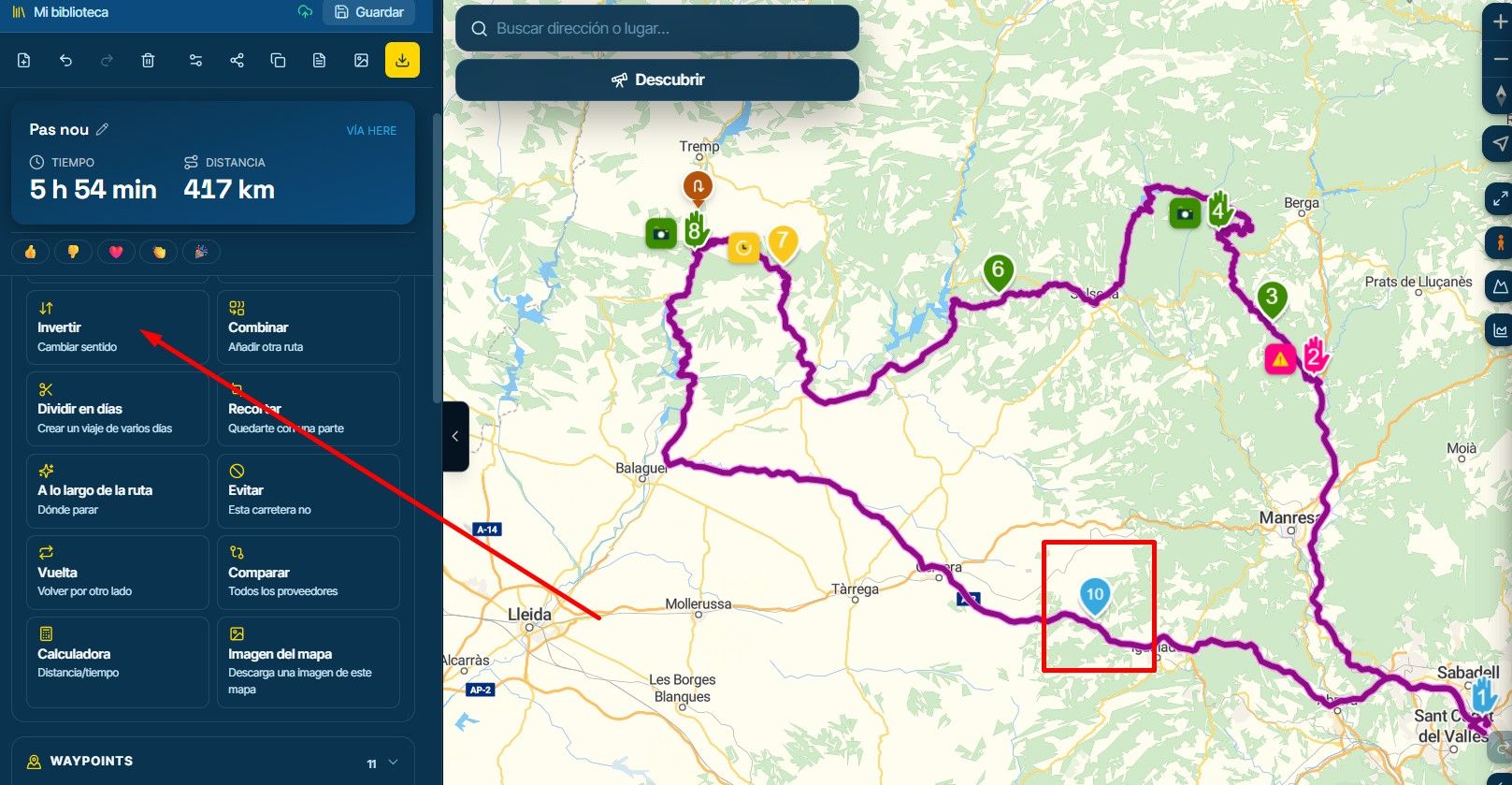
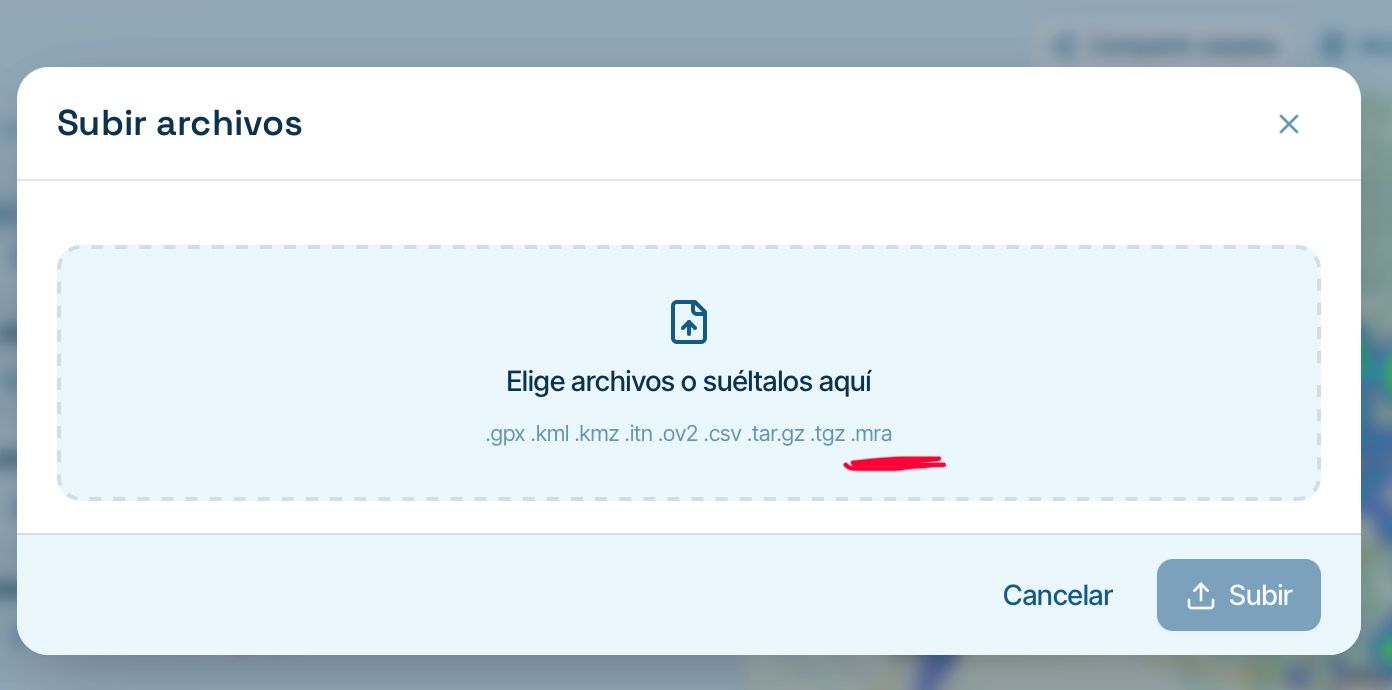
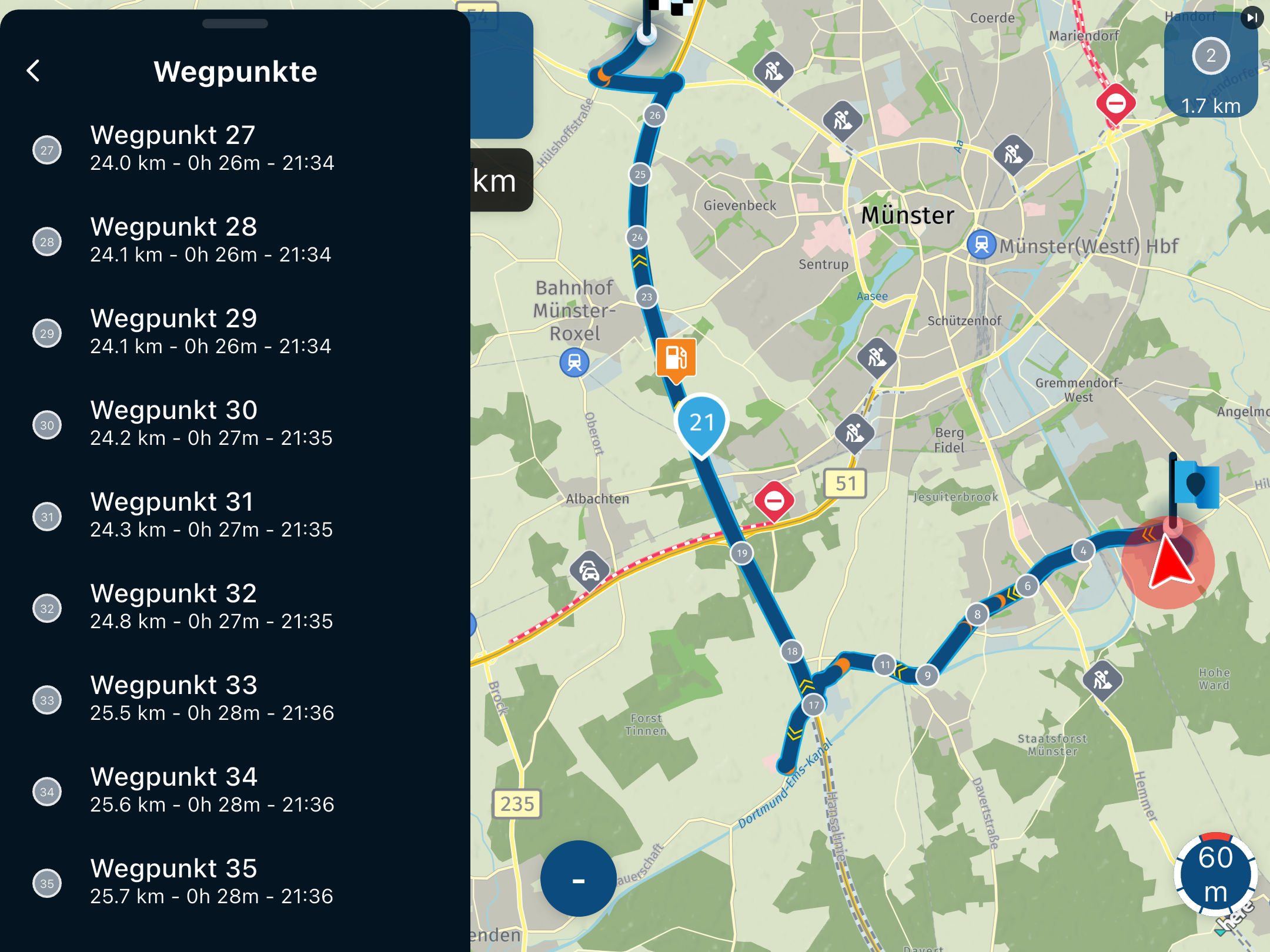
GPX Versions 1.1 vs 1.2 for Garmin Visually Explained
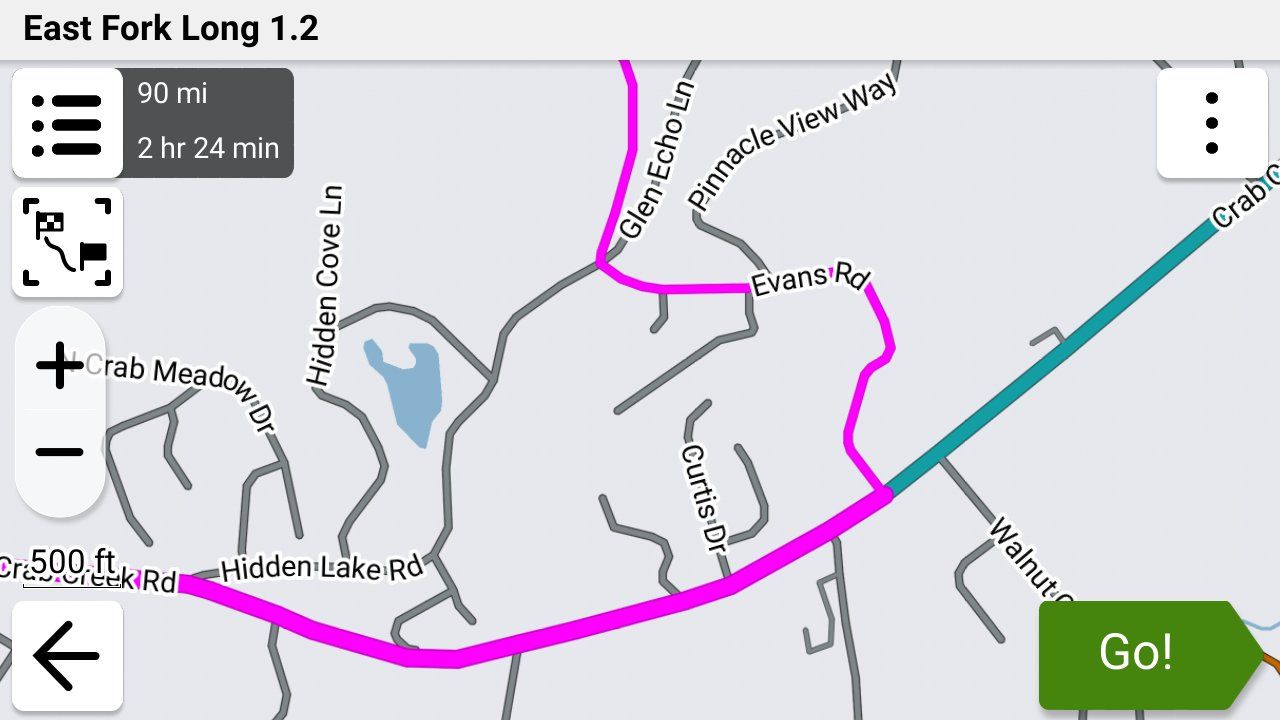
-

@steve-jarrell that was a huge typo on my part. It was meant to read “and even if you are not using Tread”. I must have been tired. I’m all Zumo’d out.
-
@steve-jarrell that was a huge typo on my part. It was meant to read “and even if you are not using Tread”. I must have been tired. I’m all Zumo’d out.

@Carl-Lee Been there. Done that. Have the t-shirt!

-
I'd like to add something about recalculation. I haven't played with 'Up Ahead' places by inserting them into my route but on a normal deviation from a 1.2 route with recalculation left on, I've found there is a recalculation but it logically puts you back on your intended route - maybe with a u-turn or merging with it a little further along.
@simon-james-hancock, which Zumo do you have? On the XT2, you can change the colour in Tread or the Zumo but the width is done on the Zumo. And if you are using Tread, the track must be put in a collection that is visible. I've found red on the widest to be very visible on the XT2. If you don't see the track underneath when zoomed in, just zoom out a little and you'll see it. I wouldn't want it any wider as otherwise it would obscure junctions etc.
" I'd like to add something about recalculation. I haven't played with 'Up Ahead' places by inserting them into my route but on a normal deviation from a 1.2 route with recalculation left on, I've found there is a recalculation but it logically puts you back on your intended route - maybe with a u-turn or merging with it a little further along."
This got me thinking about recalculation to get the Zumo to return you to the route. So I had to go out and check.

You're correct that going off route, with recalculation left on, will simply attempt to return you to the route. It does not recalculate the whole route and trash your custom shaping up ahead. I performed conscious off-route deviations at least three separate times, and they all did nothing other than try to return me to the route. A few of the Zumo decisions on returning me were head scratchers, but they worked, and the route continued as normal.
The recalculations that are a NO-NO are actions that modify the route itself. As discussed, that can be through using "Up Ahead" and inserting a new via point as the next stop. Using Search to find a POI and inserting that via point as the next stop is equally disastrous. In short, don't do anything that modifies your route and triggers a recalculation.
From my perspective, using 1.2 GPX files in the Zumo works very well if you understand the behavior.
-
" I'd like to add something about recalculation. I haven't played with 'Up Ahead' places by inserting them into my route but on a normal deviation from a 1.2 route with recalculation left on, I've found there is a recalculation but it logically puts you back on your intended route - maybe with a u-turn or merging with it a little further along."
This got me thinking about recalculation to get the Zumo to return you to the route. So I had to go out and check.
You're correct that going off route, with recalculation left on, will simply attempt to return you to the route. It does not recalculate the whole route and trash your custom shaping up ahead. I performed conscious off-route deviations at least three separate times, and they all did nothing other than try to return me to the route. A few of the Zumo decisions on returning me were head scratchers, but they worked, and the route continued as normal.
The recalculations that are a NO-NO are actions that modify the route itself. As discussed, that can be through using "Up Ahead" and inserting a new via point as the next stop. Using Search to find a POI and inserting that via point as the next stop is equally disastrous. In short, don't do anything that modifies your route and triggers a recalculation.
From my perspective, using 1.2 GPX files in the Zumo works very well if you understand the behavior.
@John-S-Parry "In short, don't do anything that modifies your route and triggers a recalculation."
I think that sums it up perfectly!
I leave auto-recalculation turned off just from habit using so many different versions of the Garmin, and I'd rather just get back on the route by myself, but off-route re-calculation does not seem to trigger the dreaded "ok, you changed the route manually so that gives me (the Garmin) permission to do whatever I want to to your route".
-
Still some more testing to be done I think. I’m wondering if “shaping” the route on the Zumo just by adding some more shaping points (not vias) will damage it. In reality, this is something I would rarely, if ever, do but it would be nice to know.
When I get chance……And anyway, even leaving auto recalculation off, if you’re struggling to get back on the route (it happens!), stopping it and restarting with CEP is a fine and still won’t destroy the route.
-
Still some more testing to be done I think. I’m wondering if “shaping” the route on the Zumo just by adding some more shaping points (not vias) will damage it. In reality, this is something I would rarely, if ever, do but it would be nice to know.
When I get chance……And anyway, even leaving auto recalculation off, if you’re struggling to get back on the route (it happens!), stopping it and restarting with CEP is a fine and still won’t destroy the route.
@Carl-Lee Yep, you're right. Restarting the route from any point is FAR better than doing ANYTHING that signals the Garmin that it's ok to change your route as it sees fit.
As far as adding the shaping points goes I really don't know. I've never done that as I've never had the need to do so. For that matter I've never created a route directly on the Garmin either, so for me there are still a lot of unturned stones!
-
@John-S-Parry "In short, don't do anything that modifies your route and triggers a recalculation."
I think that sums it up perfectly!
I leave auto-recalculation turned off just from habit using so many different versions of the Garmin, and I'd rather just get back on the route by myself, but off-route re-calculation does not seem to trigger the dreaded "ok, you changed the route manually so that gives me (the Garmin) permission to do whatever I want to to your route".
@Steve-Jarrell Yes, it seems with a high degree of confidence, that 1.2 off-route recalculation does not seem to trigger a complete recalculation of the route. It's simply a re-calculation to get you back to the route. I don't think there is an overt amount of intelligence within the Zumo. In each case where I intentionally went off-route to trigger auto recalculation, it tried to turn me around back to the off-route spot for route re-entry. Even when there was a shorter re-entry point a little further up. In a way it makes sense, because it wants you hit all points on the route. But it's not always optimal if all you want is to get back to a point on the route as quickly as possible.
To the last observations made by @carl-lee, I don't know for sure if adding shaping points on the Zumo will destroy the route. But my best guess is that it will. I think that playing with the track sections of a 1.2 route, with adding either Shaping points or Vias, will communicate to the Zumo that all bets are off and trigger a total route recalculation.
Why do I say this? It's not 100% apples-to-apples, but when I export the track of a MRA route as a GPX and then import it into Garmin Basecamp, everything is fine after converting the Track to a Route. If at that point I try to make any modifications, either Shaping or Via, I get a BC warning message to the effect that a total recalculation will take place. I'm guessing this logic also applies to 1.2 routes on the Zumo. An example of Garmin being Garmin.
It might be an interesting experiment to conduct, but someone else will have to pick up that torch. -

Adding shaping points to the route on the Zumo will likely destroy the route as the complete route is recalculated to include the applied shaping point. When you convert a track to a route in Basecamp it gives a start and finish and includes any Via points. But on the XT at least if you go route and haven't switched off automatic recalculation it will recalculate the route on the zumo according to the preferences set. There is a way round this on Basecamp to force a track to create a load of shaping points but its not really relevant to an MRA discussion.
-
Adding shaping points to the route on the Zumo will likely destroy the route as the complete route is recalculated to include the applied shaping point. When you convert a track to a route in Basecamp it gives a start and finish and includes any Via points. But on the XT at least if you go route and haven't switched off automatic recalculation it will recalculate the route on the zumo according to the preferences set. There is a way round this on Basecamp to force a track to create a load of shaping points but its not really relevant to an MRA discussion.
@Mzokk Thanks for the confirmation. I'm a simple man who doesn't want to get bogged down in the nuances of possible exceptions to what happens most of the time. In my short period of testing and use of 1.2 GPX routes, my firm conclusion is not to make any modifications that would trigger a route recalculation. Off-route recalculation for re-entry is OK, because the base route itself is not modified. My first instinct will still be to reenter a route under my own control, but the option for the Zumo to do that for you is clearly there.
Everybody has their own approach to route planning/creation/execution. At a high level, my separation of duties is that all route modifications happen at the MRA Routeplanner level. If I want to make any Shaping/Via point changes, I go back to Routeplanner, perform the updates, and then re-copy the route back to the Zumo. In other words, Routeplanner is the repository for managing my routes. I have my own folder system for keeping everything sorted out. I view the Zumo as the execution layer. Similar in concept to the old IT Client/Server model. It's just one way of doing things, but it's a simple separation of duties and it works for me.
As a side note, in being active on this forum, it seems like many members view routes as a "suggestion" that should be flexible to change through repeated skipping of waypoints. That seems to me where a lot of people get tripped up. I guess different views on things are what makes the world go around.
-
I'm new to MRA but I've been working to understand gpx and zumo for a long time. I think I can offer a bit of clarification here.
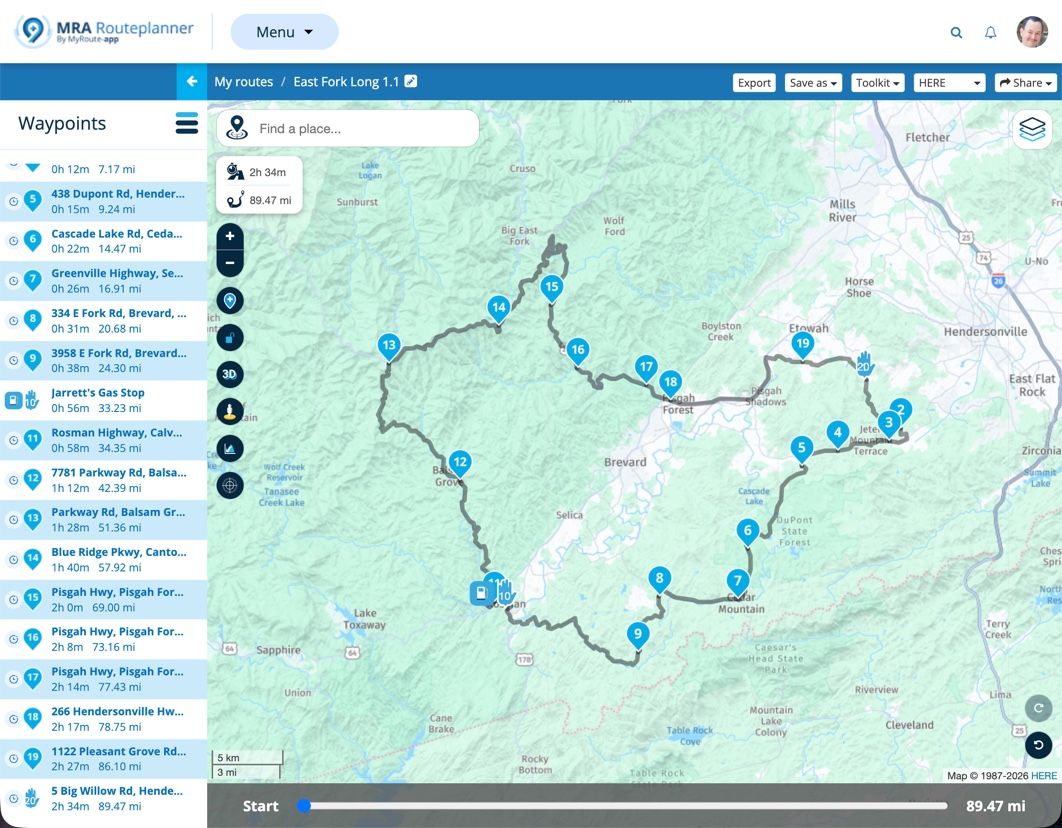
From a zumo perspective, the key difference between MRA's 1.1 and 1.2 is not that shaping points are eliminated, but that route point extensions are included. They are essentially track points, just formatted and handled differently.
If a route is transferred into the zumo without route point extensions (e.g. MRA's gpx 1.1), it will be calculated based on all available route points, both via and shaping. If the route does include route point extensions (e.g. MRA's gpx 1.2), it will not be recalculated unless the route is subsequently changed.
If a route is fully recalculated by the zumo, the route point extensions are discarded, the route is calculated based on all available route points, both via and shaping. New route point extensions will be generated. Route point extensions are the result of route calculation, never an input to the calculation.
When using CEP, or going off-route with recalculation allowed, the zumo will indicate that it is calculating, but is is not recalculating the entire route. It is only calculating a small route segment. Route point extensions are preserved.
Adding or removing a route point, via or shaping, will result in a full route recalculation, discarding all previous route point extensions. Since MRA's 1.2 discards shaping points, only the via points are available to recalculate the route.
This implies that it would be better to import a route which includes via, shaping, and route point extensions.
I should also note that recent firmware version 6.60 for the zumo XT2 improved off-route recalculation behavior.
-
I'm new to MRA but I've been working to understand gpx and zumo for a long time. I think I can offer a bit of clarification here.
From a zumo perspective, the key difference between MRA's 1.1 and 1.2 is not that shaping points are eliminated, but that route point extensions are included. They are essentially track points, just formatted and handled differently.
If a route is transferred into the zumo without route point extensions (e.g. MRA's gpx 1.1), it will be calculated based on all available route points, both via and shaping. If the route does include route point extensions (e.g. MRA's gpx 1.2), it will not be recalculated unless the route is subsequently changed.
If a route is fully recalculated by the zumo, the route point extensions are discarded, the route is calculated based on all available route points, both via and shaping. New route point extensions will be generated. Route point extensions are the result of route calculation, never an input to the calculation.
When using CEP, or going off-route with recalculation allowed, the zumo will indicate that it is calculating, but is is not recalculating the entire route. It is only calculating a small route segment. Route point extensions are preserved.
Adding or removing a route point, via or shaping, will result in a full route recalculation, discarding all previous route point extensions. Since MRA's 1.2 discards shaping points, only the via points are available to recalculate the route.
This implies that it would be better to import a route which includes via, shaping, and route point extensions.
I should also note that recent firmware version 6.60 for the zumo XT2 improved off-route recalculation behavior.
@smfollen-0 "From a zumo perspective, the key difference between MRA's 1.1 and 1.2 is not that shaping points are eliminated, but that route point extensions are included. They are essentially track points, just formatted and handled differently."
Exactly! For the person who doesn't clearly understand this yet, this key difference is VERY important when the Garmin calculates the route. I'll illustrate here what happens during a 1.1 vs. 1.1 route import.
Let's take a route created with created in MRA that includes 4 via points (starting via point + ending via point + 2 more) and 6 shaping points for a total of 10 total reference points as an example:
In simple terms, a 1.1 route in the .gpx file looks like this:
starting via point 1 -> shaping point 1 -> shaping point 2 -> via point 2 -> shaping point 3 -> shaping point 4 -> via point 3 -> shaping point 5 -> shaping point 6 -> ending via point 4.
When this 1.1 route is imported into the Garmin it will calculates its own route using its own logic between each of these 10 shaping and via points based on its settings (fastest, shortest, etc). Many times that route doesn't go exactly where you planned or how it looked in MRA, and it does not match the track.
On the other hand, a 1.2 route in the .gpx file looks like this
(For simplicity's sake I'm going to refer to "route extensions" as "track points" as both of them are simply latitude/longitude pairs that are like breadcrumbs that precisely mark the desired path between two points.)
starting via point 1 -> track points -> via point 2 -> track points -> via point 3 -> track points -> ending via point 4.
When the route is imported there are no shaping points in the 1.2 .gpx format as you pointed out. Instead, the 1.2 route includes a large number (for a normal route many hundreds or even thousands) of track points that force the Garmin to calculate the route EXACTLY as you had planned and EXACTLY the same as your track file.
Good discussion. Thanks for the input!
Steve Jarrell
Western North Carolina USLifetime Routeplanner Gold & Navigation Next
2025 BMW R1300GS
2025 Can-Am Spyder
DMD T865-X 8" Tablet
Garmin XT3 -
@smfollen-0 "From a zumo perspective, the key difference between MRA's 1.1 and 1.2 is not that shaping points are eliminated, but that route point extensions are included. They are essentially track points, just formatted and handled differently."
Exactly! For the person who doesn't clearly understand this yet, this key difference is VERY important when the Garmin calculates the route. I'll illustrate here what happens during a 1.1 vs. 1.1 route import.
Let's take a route created with created in MRA that includes 4 via points (starting via point + ending via point + 2 more) and 6 shaping points for a total of 10 total reference points as an example:
In simple terms, a 1.1 route in the .gpx file looks like this:
starting via point 1 -> shaping point 1 -> shaping point 2 -> via point 2 -> shaping point 3 -> shaping point 4 -> via point 3 -> shaping point 5 -> shaping point 6 -> ending via point 4.
When this 1.1 route is imported into the Garmin it will calculates its own route using its own logic between each of these 10 shaping and via points based on its settings (fastest, shortest, etc). Many times that route doesn't go exactly where you planned or how it looked in MRA, and it does not match the track.
On the other hand, a 1.2 route in the .gpx file looks like this
(For simplicity's sake I'm going to refer to "route extensions" as "track points" as both of them are simply latitude/longitude pairs that are like breadcrumbs that precisely mark the desired path between two points.)
starting via point 1 -> track points -> via point 2 -> track points -> via point 3 -> track points -> ending via point 4.
When the route is imported there are no shaping points in the 1.2 .gpx format as you pointed out. Instead, the 1.2 route includes a large number (for a normal route many hundreds or even thousands) of track points that force the Garmin to calculate the route EXACTLY as you had planned and EXACTLY the same as your track file.
Good discussion. Thanks for the input!
Instead, the 1.2 route includes a large number (for a normal route many hundreds or even thousands) of track points that force the Garmin to calculate the route EXACTLY as you had planned ...
Actually, for 1.2 the Garmin does NOT calculate the route (on import and for [some] off-route or Closest Entry Point cases). It just uses what was imported without change, which is why it matches the original.
In cases where it does recalculate the 1.2 route, it would use only starting via point 1 -> via point 2 -> via point 3 ending via point 4. This is why, when a full route calculation occurs on the zumo, a 1.1 route with both via and shaping points would produce a result closer to the original than a 1.2 route.
Which is why
smfollen-0 said:
... it would be better to import a route which includes via, shaping, and route point extensions.
-
My input here is to agree with @steve-jarrell in that a quick revision of the route in MRA is probably the best way here (easy with Tread syncing). I’ve had some less than agreeable results adding shaping points to a GPX1.1 test route on the Zumo trying to revise it. I gave up on the idea, especially as I’ve never needed to do it in anger.
We’re still surmising what might happen here without a full test. In truth, I’ll probably never need to do it but it’ll be nice to know.
-
My input here is to agree with @steve-jarrell in that a quick revision of the route in MRA is probably the best way here (easy with Tread syncing). I’ve had some less than agreeable results adding shaping points to a GPX1.1 test route on the Zumo trying to revise it. I gave up on the idea, especially as I’ve never needed to do it in anger.
We’re still surmising what might happen here without a full test. In truth, I’ll probably never need to do it but it’ll be nice to know.
My input here is to agree with @steve-jarrell in that a quick revision of the route in MRA is probably the best way here (easy with Tread syncing)
I agree entirely. I was only trying to shed a little light on what the zumo is, and isn't, doing.
I'm new to MRA, but so far I'm impressed. -
Instead, the 1.2 route includes a large number (for a normal route many hundreds or even thousands) of track points that force the Garmin to calculate the route EXACTLY as you had planned ...
Actually, for 1.2 the Garmin does NOT calculate the route (on import and for [some] off-route or Closest Entry Point cases). It just uses what was imported without change, which is why it matches the original.
In cases where it does recalculate the 1.2 route, it would use only starting via point 1 -> via point 2 -> via point 3 ending via point 4. This is why, when a full route calculation occurs on the zumo, a 1.1 route with both via and shaping points would produce a result closer to the original than a 1.2 route.
Which is why
smfollen-0 said:
... it would be better to import a route which includes via, shaping, and route point extensions.
@smfollen-0 smfollen-0 said:
"... it would be better to import a route which includes via, shaping, and route point extensions."
I don't believe that's possible with our currently available .gpx file export options.
There simply isn't a .gpx format that includes via, shaping and route extensions (track points) all in the route section of the same .gpx file. They are mutually exclusive
The 1.1 .gpx format includes VIA and SHAPING POINTS embedded in the route section of the .gpx file. It does NOT include "route extensions" (track points) in the route section.
The 1.2 gpx format includes VIA and TRACK COORDINATES (route extensions) embedded in the route section It does NOT include shaping points in the route section.
Neither the 1.1 nor the 1.2 .gpx format contain BOTH shaping points AND track points (route extensions) in the route section of the .gpx file. If I'm wrong, I'll gladly admit it.
We are all here to learn, and I'm no exception!!
-
When I use my Garmin devices for navigation for navigation I tend to use GPX1.1 (plus a track of the route) because for me it's more flexible, as I often lead groups and want the option to use route recalculation and to be able to manually skip optional route loops which may or may not contain via points (when time becomes tight). For example, routes round Lochs, Loughs, Lakes or up and down valleys. If using my XT, or my Zumo 390/340 on the other bike, skipping a via point will force a route recalculation and destroy the rest of the route. If you have shaping points then the route is only altered to the next shaping point and the rest of the route is maintained.
This means that quite a few shaping points are required to pin the route to the intended roads. For the XT this is more important as its "Faster Time" routing algorithm now equals "faster roads" whereas the older Zumo 390/340 will route on any road that it determines is producing a "Faster Time" between points. I think this change has been effected as Garmin just use car navigation device firmware and software in their motorcycle units these days. To ensure that routes are pinned for use on my (Now Backup) XT these days I often use the MRA expand function to increase the number of shaping points on a route before I export it to the Zumo XT.
For me the easiest way to avoid all the faff with Garmin units is to use MRA for navigation on my Africa Twin screen then the routes are WYSIWYG. Bottom line is there are no right or wrong answers just find a strategy that gets you where you want to be. This was true even when we used maps some folk marked a line on the map and kept it in a clear pocket on the tank. I made a "tulip road book" with road numbers left and right turns and rough distances in between.......the map only came out when I got lost
-
When I use my Garmin devices for navigation for navigation I tend to use GPX1.1 (plus a track of the route) because for me it's more flexible, as I often lead groups and want the option to use route recalculation and to be able to manually skip optional route loops which may or may not contain via points (when time becomes tight). For example, routes round Lochs, Loughs, Lakes or up and down valleys. If using my XT, or my Zumo 390/340 on the other bike, skipping a via point will force a route recalculation and destroy the rest of the route. If you have shaping points then the route is only altered to the next shaping point and the rest of the route is maintained.
This means that quite a few shaping points are required to pin the route to the intended roads. For the XT this is more important as its "Faster Time" routing algorithm now equals "faster roads" whereas the older Zumo 390/340 will route on any road that it determines is producing a "Faster Time" between points. I think this change has been effected as Garmin just use car navigation device firmware and software in their motorcycle units these days. To ensure that routes are pinned for use on my (Now Backup) XT these days I often use the MRA expand function to increase the number of shaping points on a route before I export it to the Zumo XT.
For me the easiest way to avoid all the faff with Garmin units is to use MRA for navigation on my Africa Twin screen then the routes are WYSIWYG. Bottom line is there are no right or wrong answers just find a strategy that gets you where you want to be. This was true even when we used maps some folk marked a line on the map and kept it in a clear pocket on the tank. I made a "tulip road book" with road numbers left and right turns and rough distances in between.......the map only came out when I got lost
@Mzokk Excellent points. In an ideal world everyone on a group ride would have the exact same GPS with the current maps and most current sw version. Since that's never going to be the case the lowest common denominator is the track file and that's what I see being distributed most often for these rides.
If you're leading a ride I can see where your 1.1 gpx file route combined with the track file would be a better option than a 1.2 file. I hadn't thought of that before.
Thanks!!
-
Ok, I've been having another play.
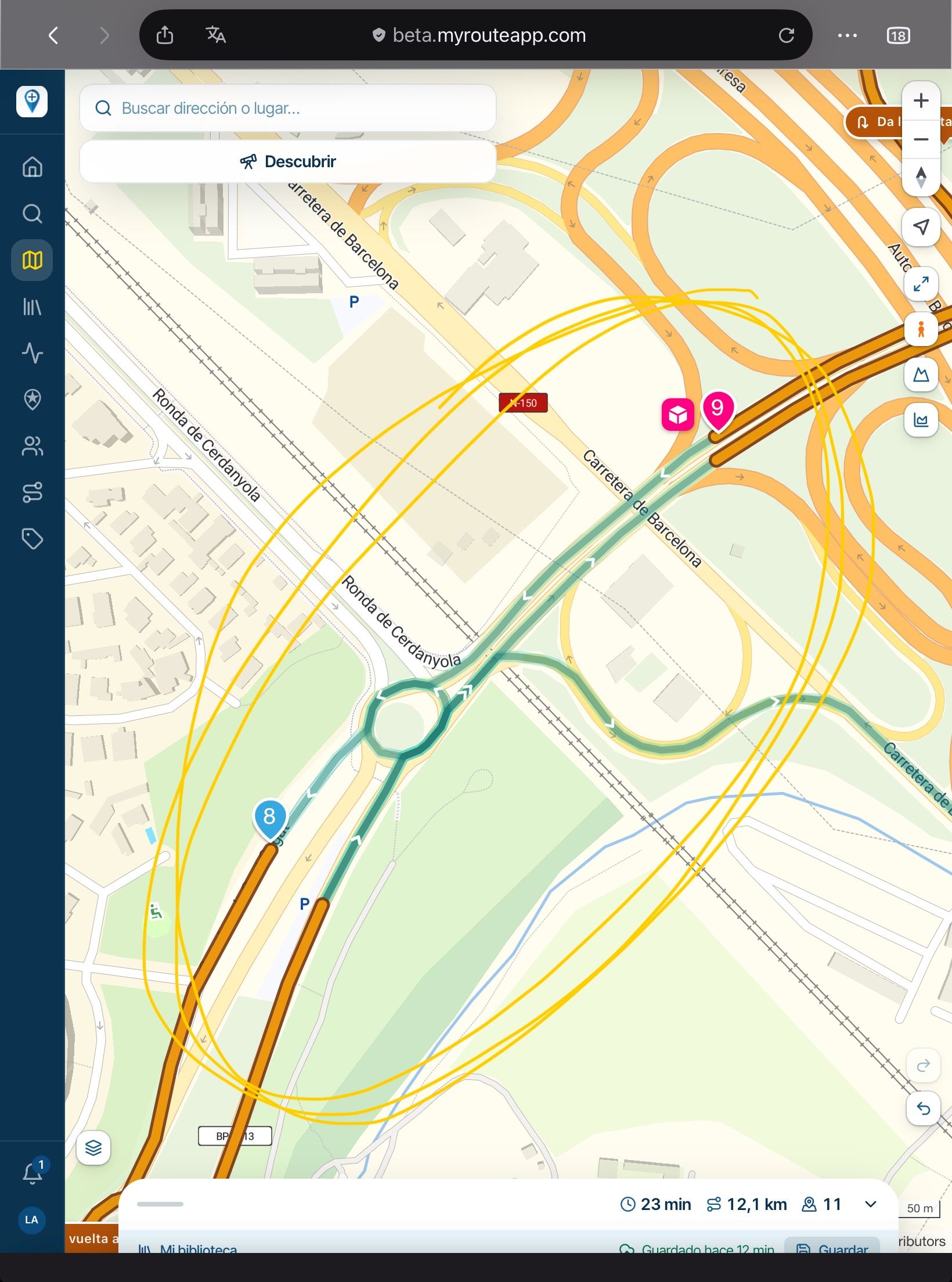
I loaded my local GPX1.2 test route through Tread and with it syncing all the way. I then started a simulation and let it run a little. After a while, I edited the route by adding a couple of shaping points. I was issued with a warning that "editing will discard the route settings and calculate a standard route". Nevertheless, I did it to see what occurred.
This:
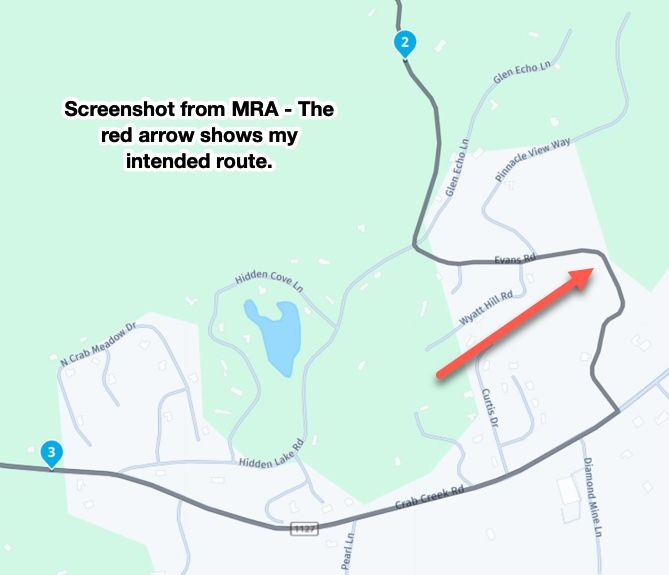
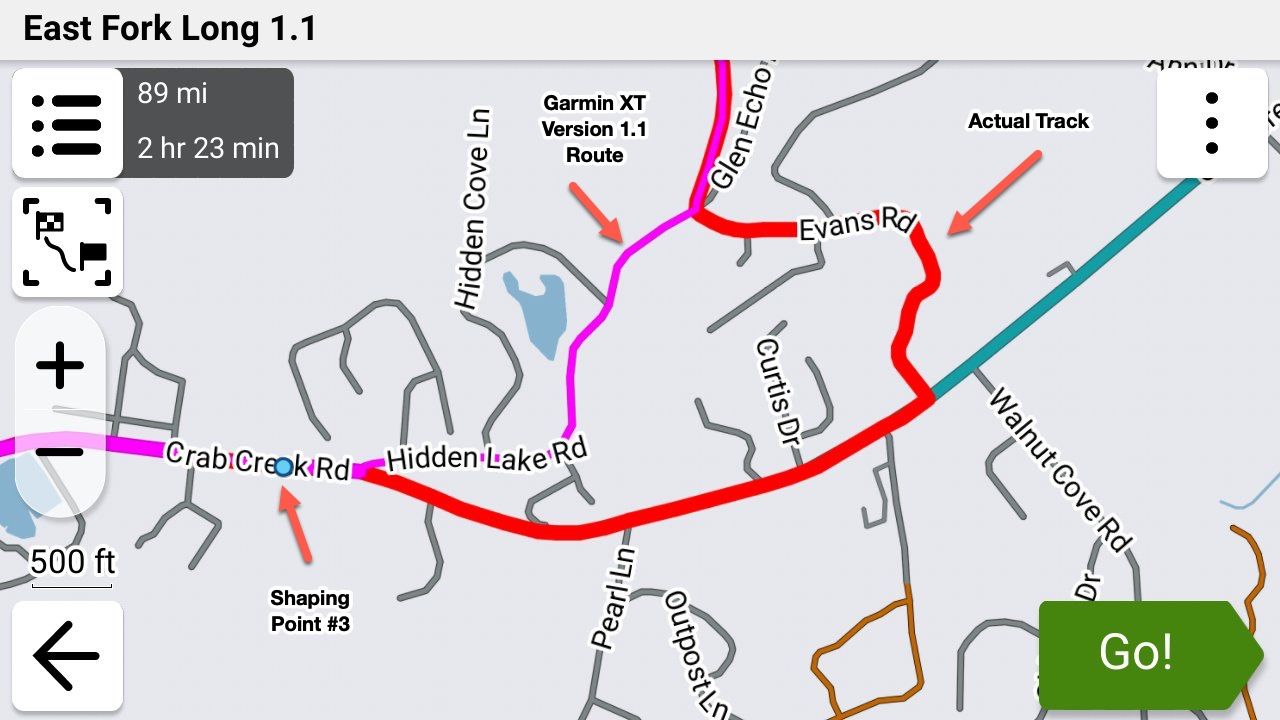
It both did and did not destroy the original route. Yes, it went by my new shaping point diversions and then headed for the next via point, discarding the rest of the planned convoluted route to get me there. But - both the original track (obviously) and the original route overlaying it are still there on the XT2 map screen. What I was unable to do on the simulation was to ignore the new route to the via point and rejoin my original just by riding to it. However, what I could do was to stop the route and restart with CEP. Success, the route was still there and it navigated me back to it and onto the rest of my original MRA planned route.I did try adding another shaping point after my diversion ones, this time back onto the original route but it still wanted to route around and back after it to take me to the next via point. Just a thought but it still gets you onto the route where you can restart with CEP.
I had to know as even though a quick replan with MRA on my iPhone would do the trick easily, there may be that time with no phone signal so it won't open. All worst-case scenario stuff that I've not needed before and it does prove that a replan on the Garmin stops your planned route but it's still there. Schrodinger's route!
-
@steve-jarrell I lead rides regularly. We're all on MRA so riders can load there route however they like on all the different Garmins that we have. So long as the track is available (which it is) and visible, everyone can see where we are going. None of this "my satnav says down there" anymore. The track don't lie.
If I'm leading, I'm keen to have the best and quickest option available. 1.2 routes load really quickly and don't make their own minds up.
Another con I had found when planning away from home is that plotting a shaping point exactly on the road on either a phone or tablet can be tricky and with GPX1.1 there must be many of them to pin your route. This can often lead to your track being sent over correctly but the route not calculating on the Zumo. The answer is to convert the track to a route but with all the pitfalls. 1.2 seems to calculate through Tread quite easily.
There's probably more to find out but so far, so reasonable.
-
@carl-lee Whether it's 1.1 or 1.2 if you realize their limitations AND you supplement them with the track (that never changes...) you're in good shape.
With 1.2 it is FAR easier to initially create a route in MRA that goes exactly where you intend for it to go on the Garmin. There's absolutely no question about that.
Hello! It looks like you're interested in this conversation, but you don't have an account yet.
Getting fed up of having to scroll through the same posts each visit? When you register for an account, you'll always come back to exactly where you were before, and choose to be notified of new replies (either via email, or push notification). You'll also be able to save bookmarks and upvote posts to show your appreciation to other community members.
With your input, this post could be even better 💗
Register Login








-
 912612.1k
-
 01039
01039
-
01336
-
0622
-
 0522
0522
-
 0520
0520
-
 0517
0517
-
 04124
04124