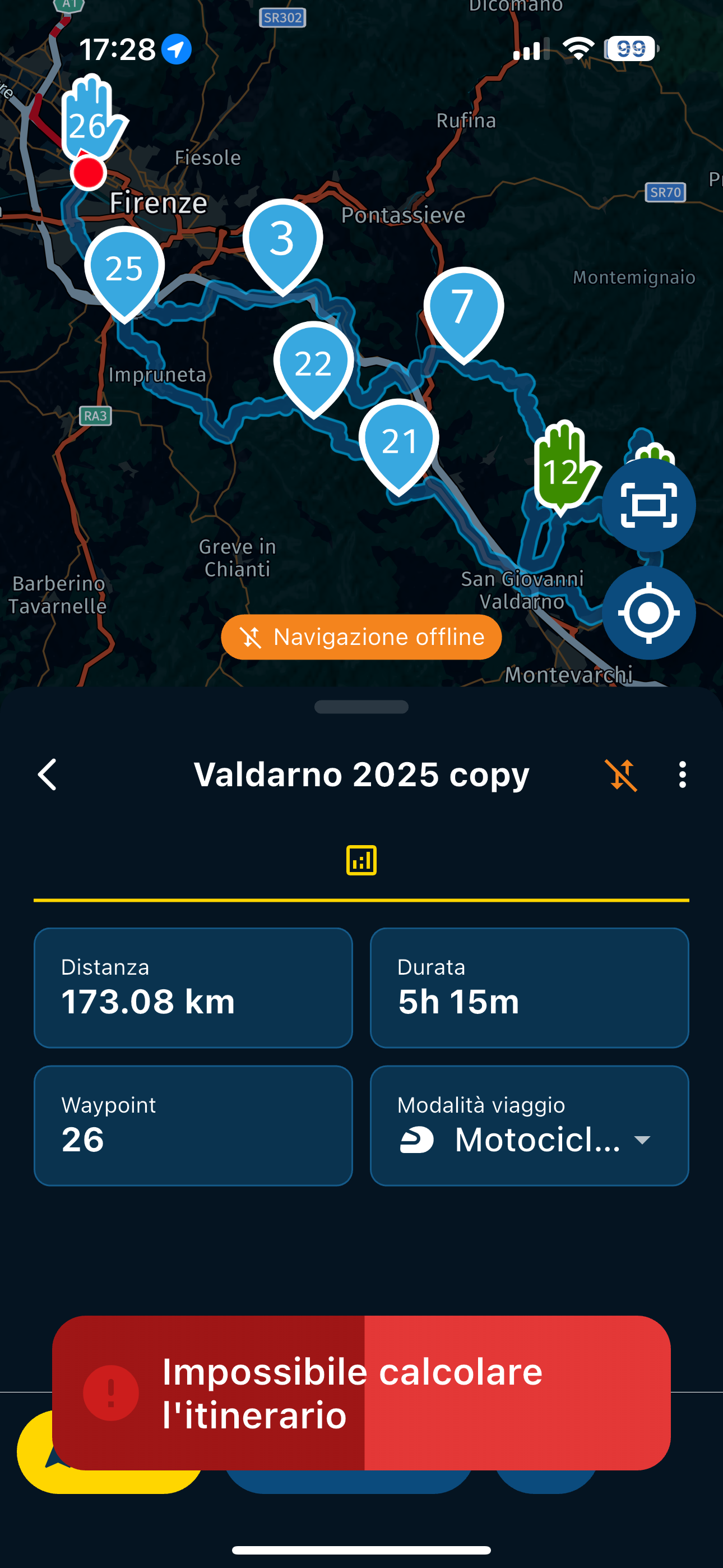
Unable to calculate route
-
So if you are in a place where there is no connection, even if there are offline maps, do you risk not being able to follow an itinerary because there is no connection?

@Aiello-antonino If you end up in a place where there's no internet available for you you can turn to navigating off line. Make shure that the sync. your routes is enabled so you can start those route anywhere
-

Everything you write was already done when what I wrote happened...
-
I did some tests, I put it in airplane mode to recreate yesterday's situation and this is what comes out, 2 different behaviors if you change certain settings, but IMPOSSIBLE to be able to use the app if there is no signal
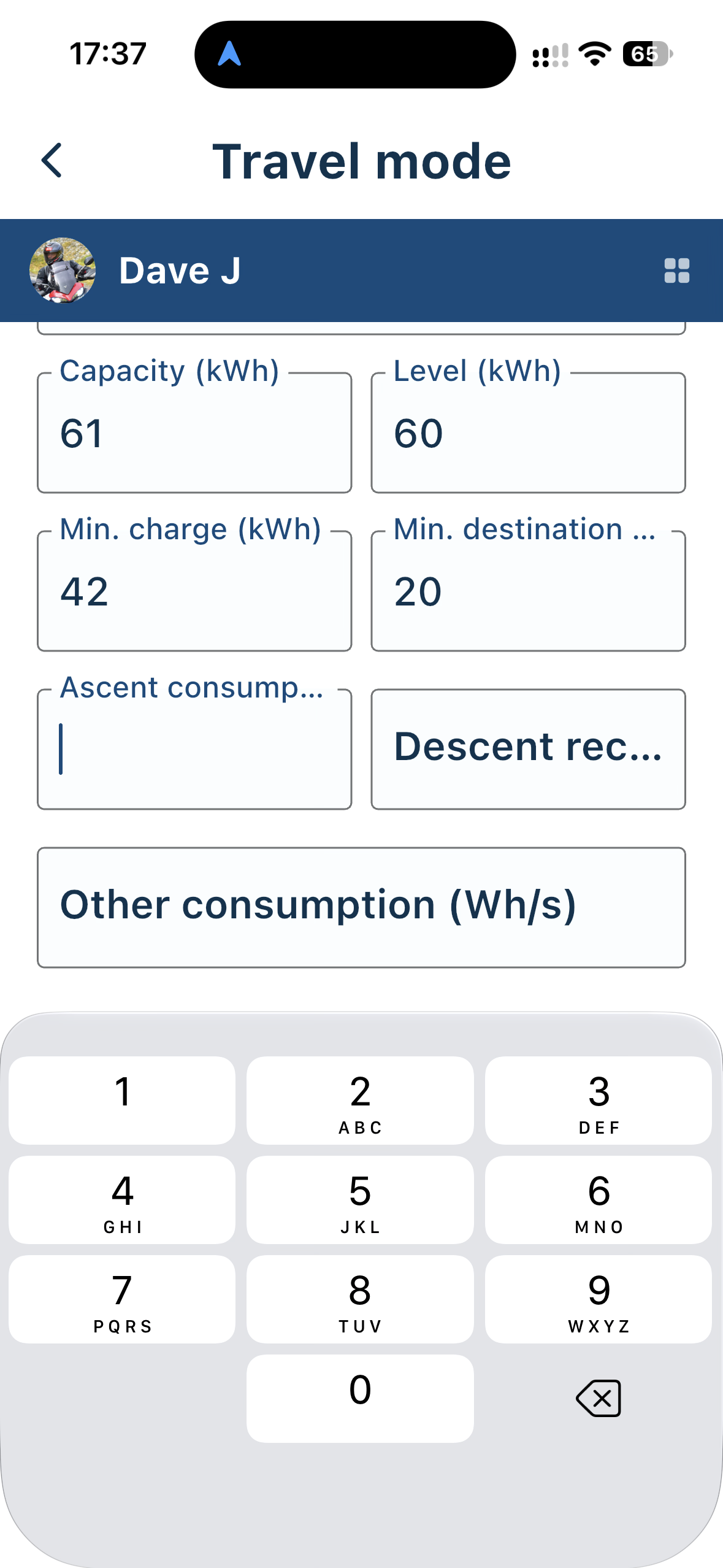
With these settings
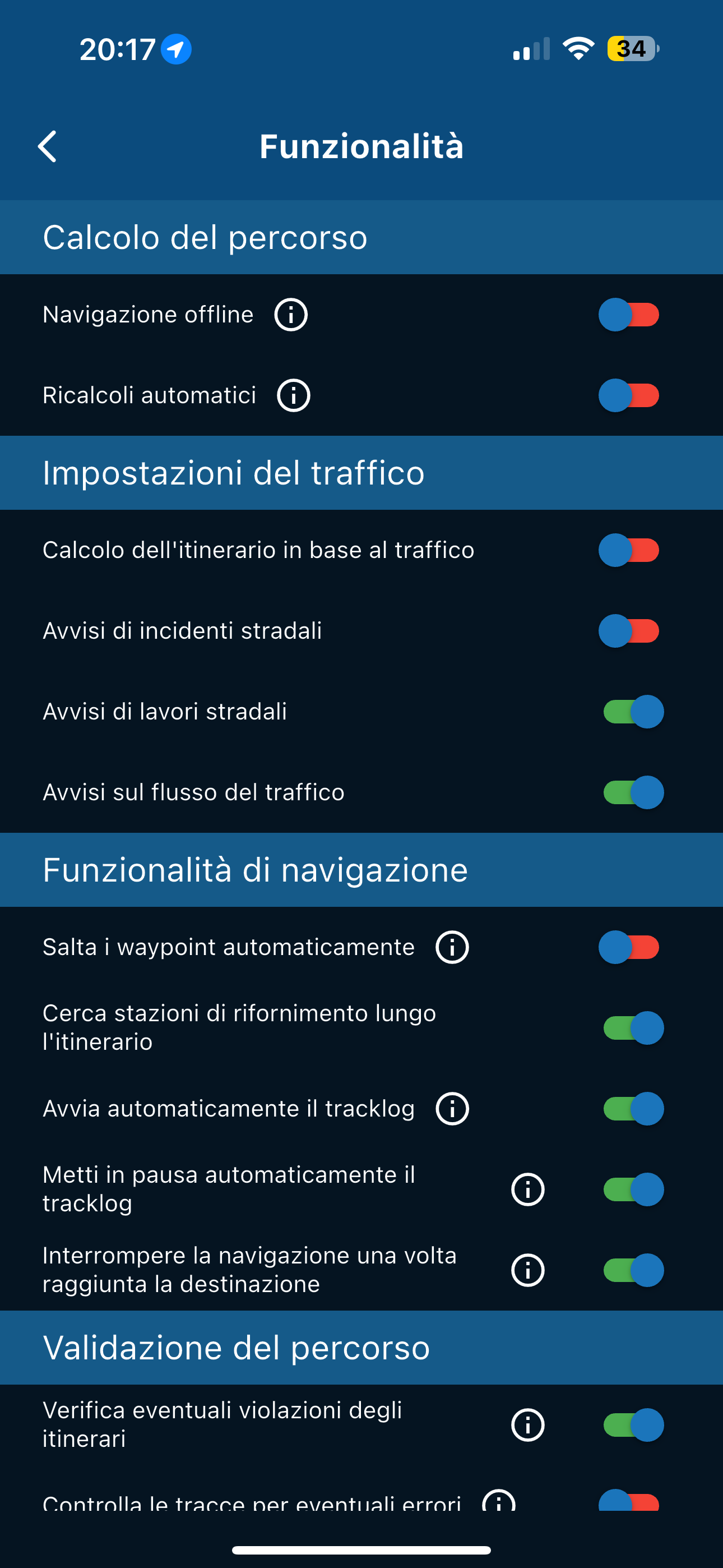
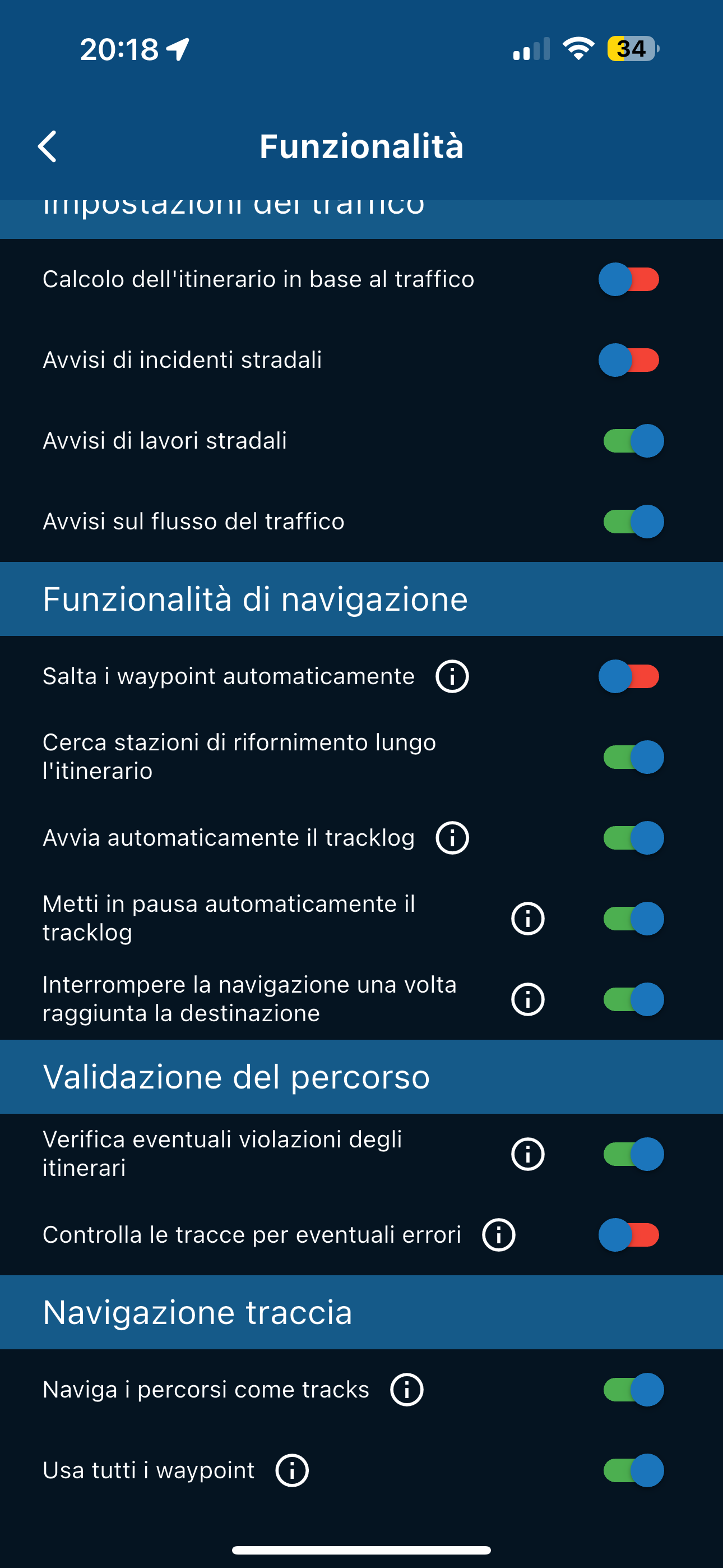
THIS HAPPENS
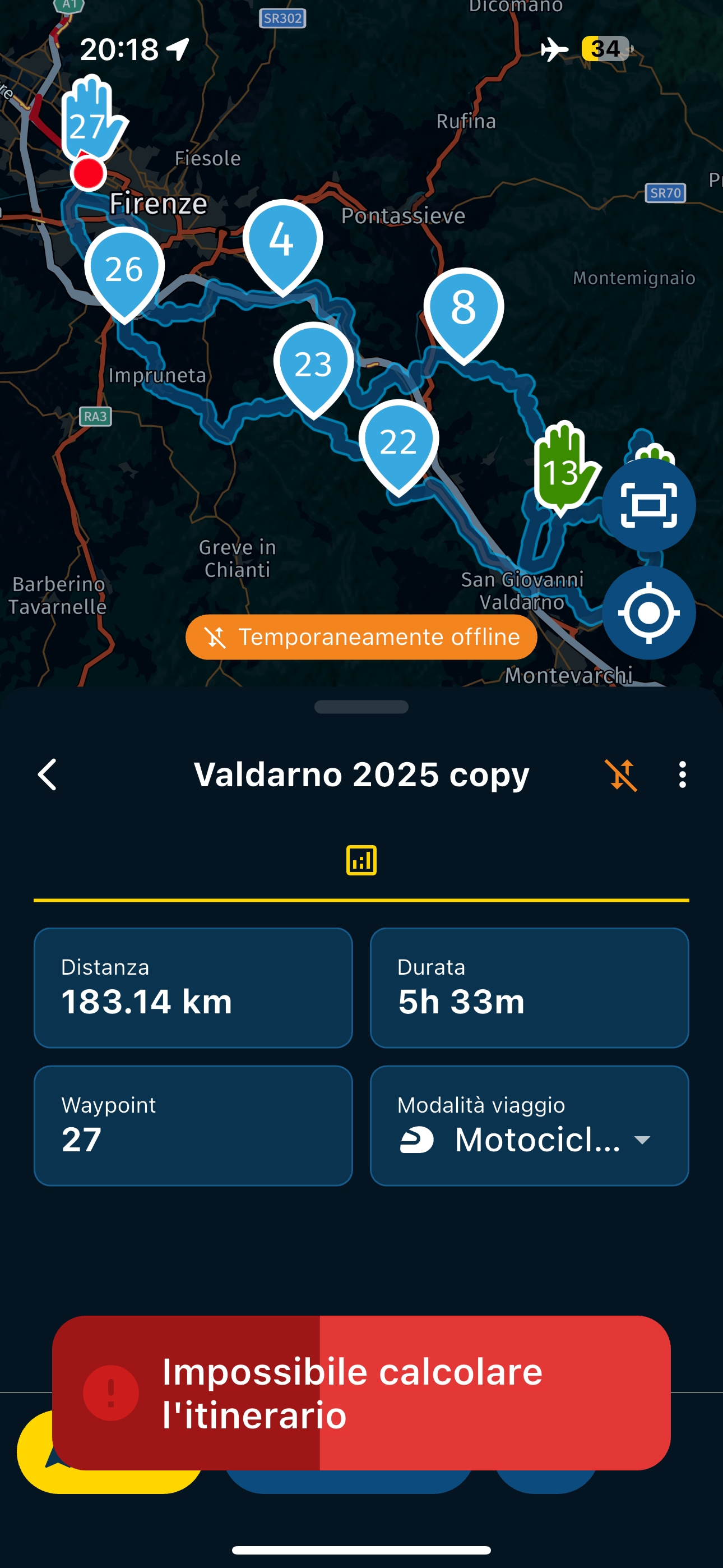
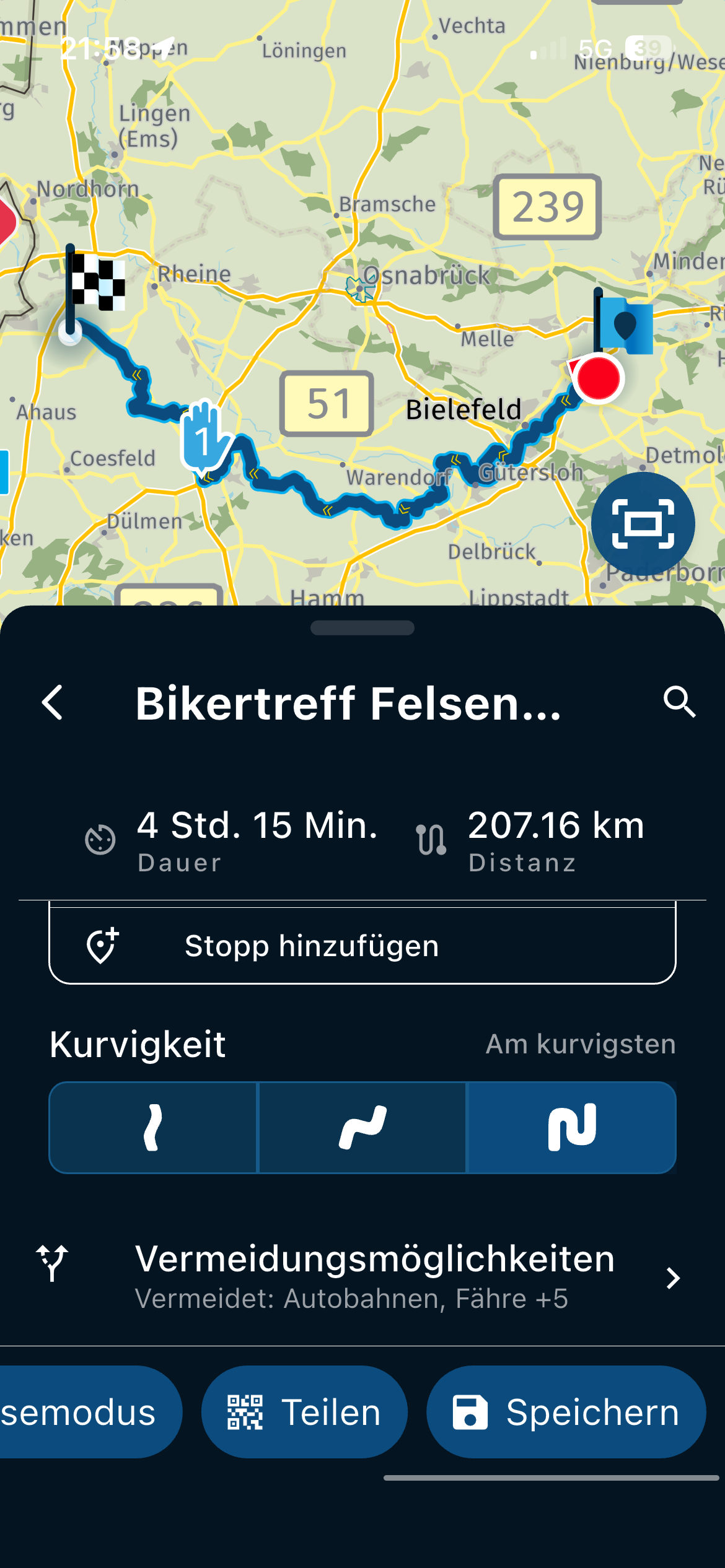
IF I CHANGE THE SETTINGS IN THE PHOTO BOX
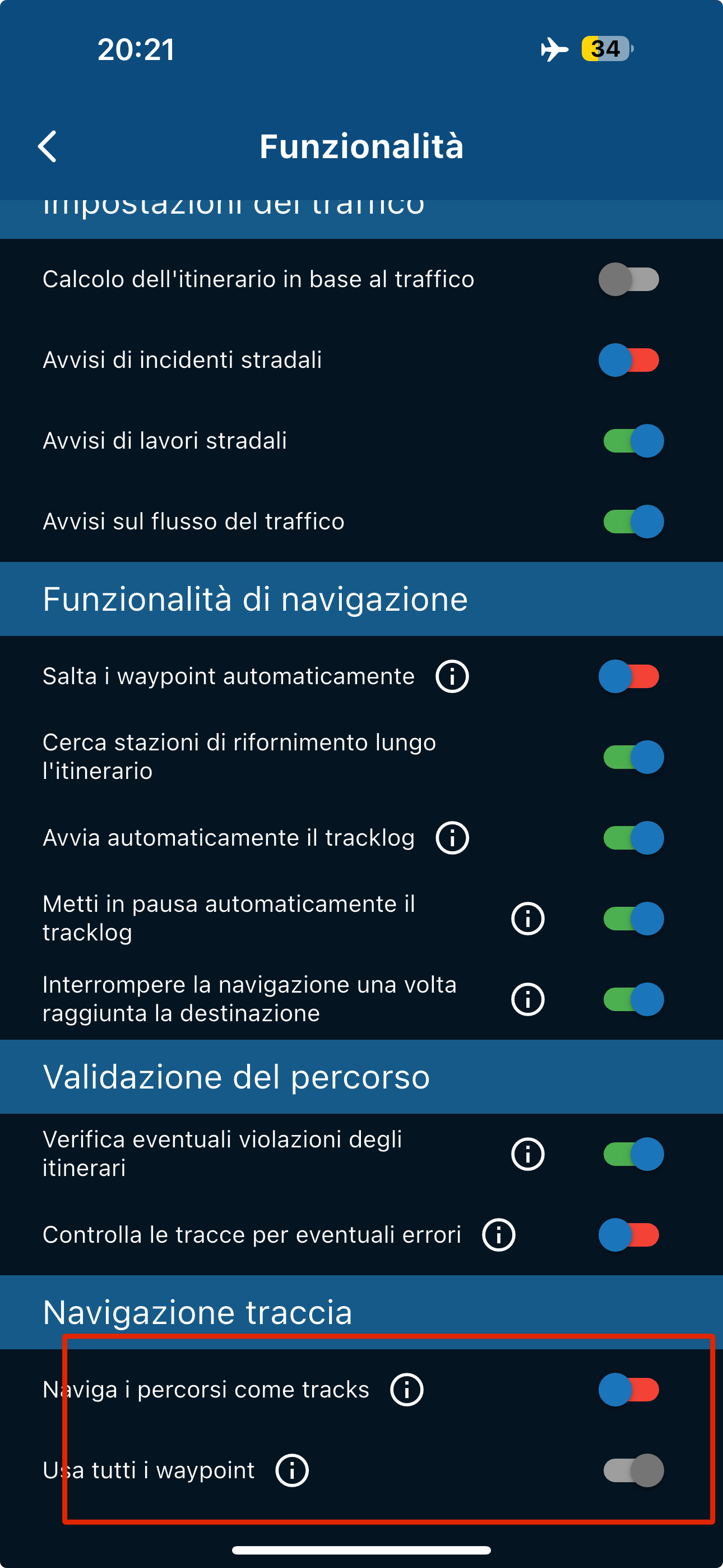
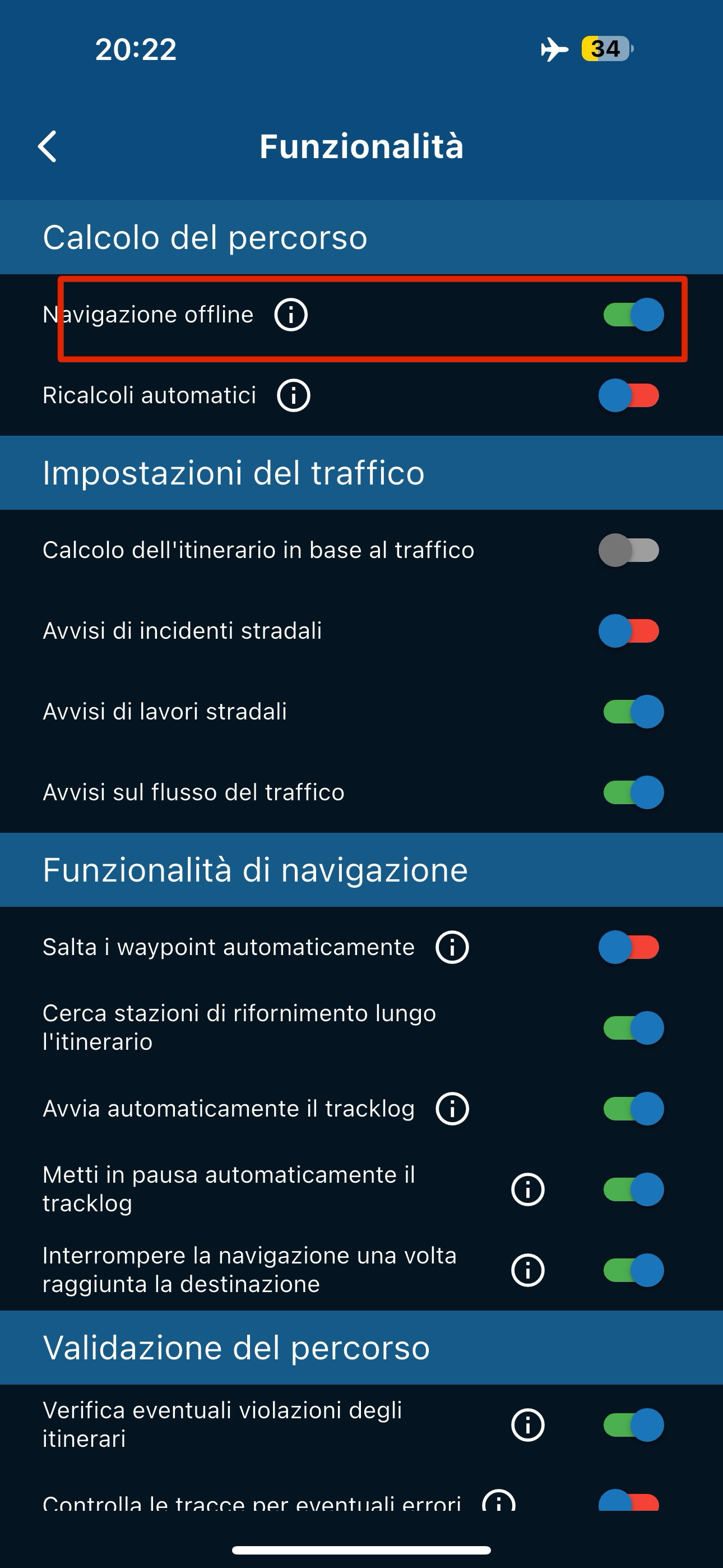
THIS HAPPENS
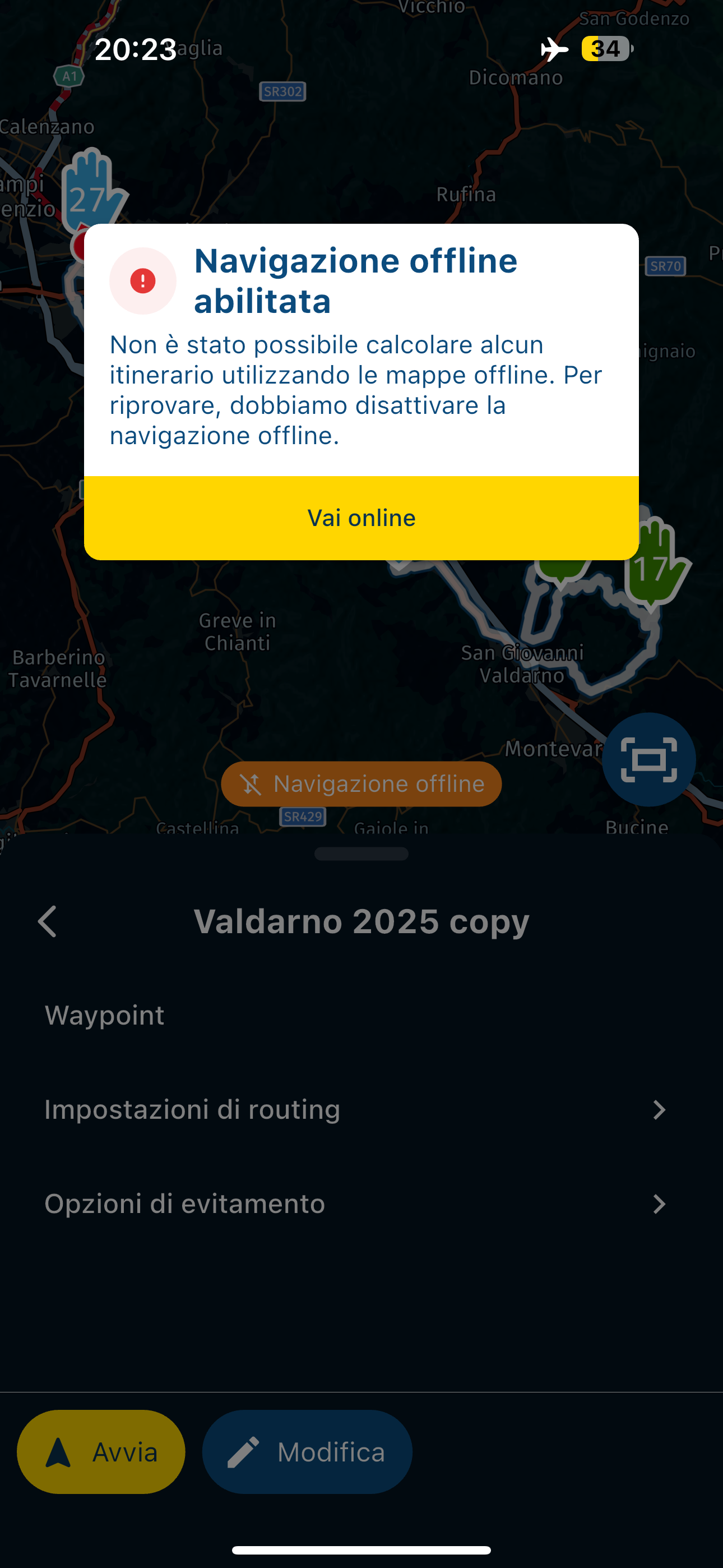
So in these conditions, if I were to find myself somewhere (I'm planning a trip to Turkey and I don't know if I'll always have an internet connection) where there's no connection, I wouldn't be able to navigate with the app...
-
I did some tests, I put it in airplane mode to recreate yesterday's situation and this is what comes out, 2 different behaviors if you change certain settings, but IMPOSSIBLE to be able to use the app if there is no signal
With these settings
THIS HAPPENS
IF I CHANGE THE SETTINGS IN THE PHOTO BOX
THIS HAPPENS
So in these conditions, if I were to find myself somewhere (I'm planning a trip to Turkey and I don't know if I'll always have an internet connection) where there's no connection, I wouldn't be able to navigate with the app...

@Aiello-antonino said in Unable to calculate route:
I did some tests, I put it in airplane mode to recreate yesterday's situation
So in these conditions, if I were to find myself somewhere (I'm planning a trip to Turkey and I don't know if I'll always have an internet connection) where there's no connection, I wouldn't be able to navigate with the app...
You need 3 things to navigate offline.
All of the offline maps that you will use.
All of the routes should be synced
Offline navigation selected in the functional section of Navigation settings.With all these in place you can navigate entirely offline without any data connection.
-
I did some tests, I put it in airplane mode to recreate yesterday's situation and this is what comes out, 2 different behaviors if you change certain settings, but IMPOSSIBLE to be able to use the app if there is no signal
With these settings
THIS HAPPENS
IF I CHANGE THE SETTINGS IN THE PHOTO BOX
THIS HAPPENS
So in these conditions, if I were to find myself somewhere (I'm planning a trip to Turkey and I don't know if I'll always have an internet connection) where there's no connection, I wouldn't be able to navigate with the app...

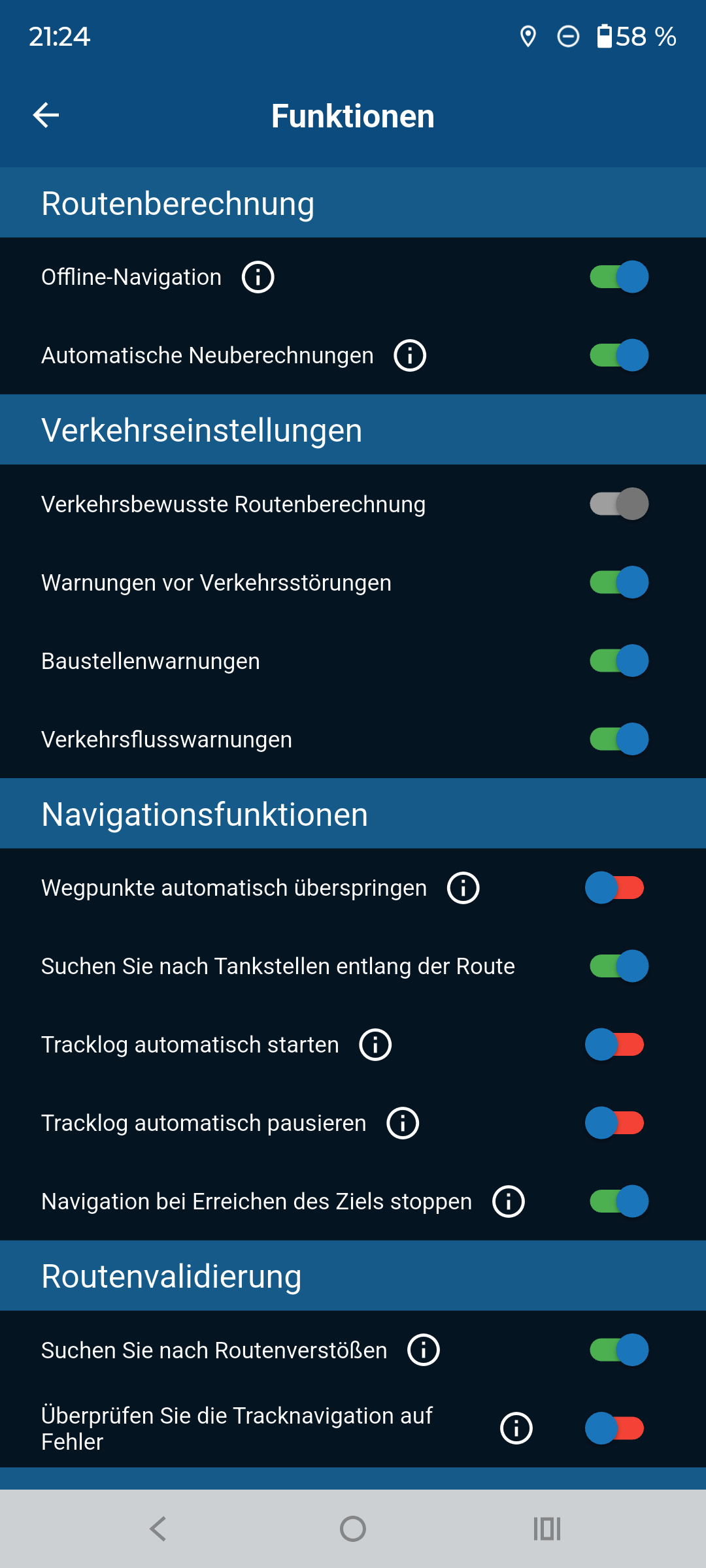
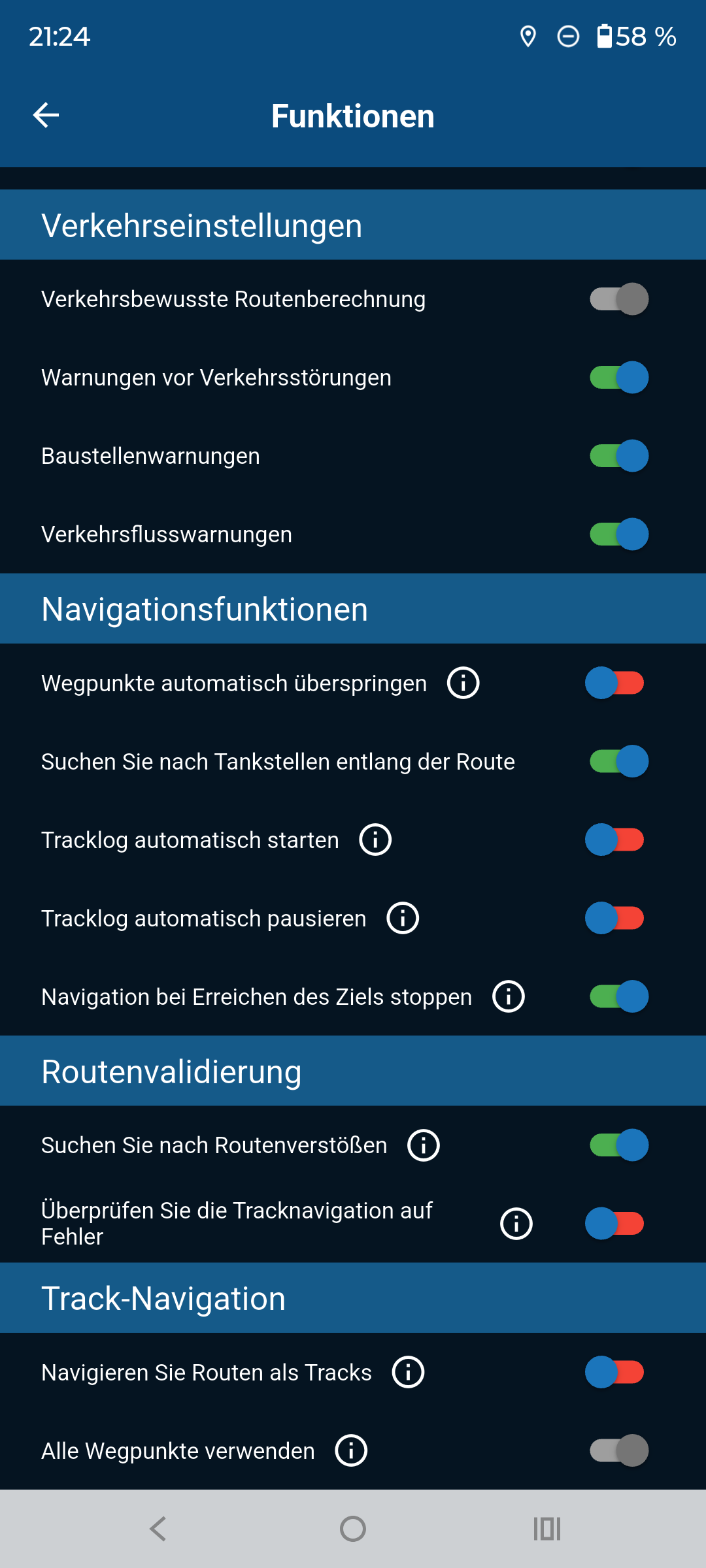
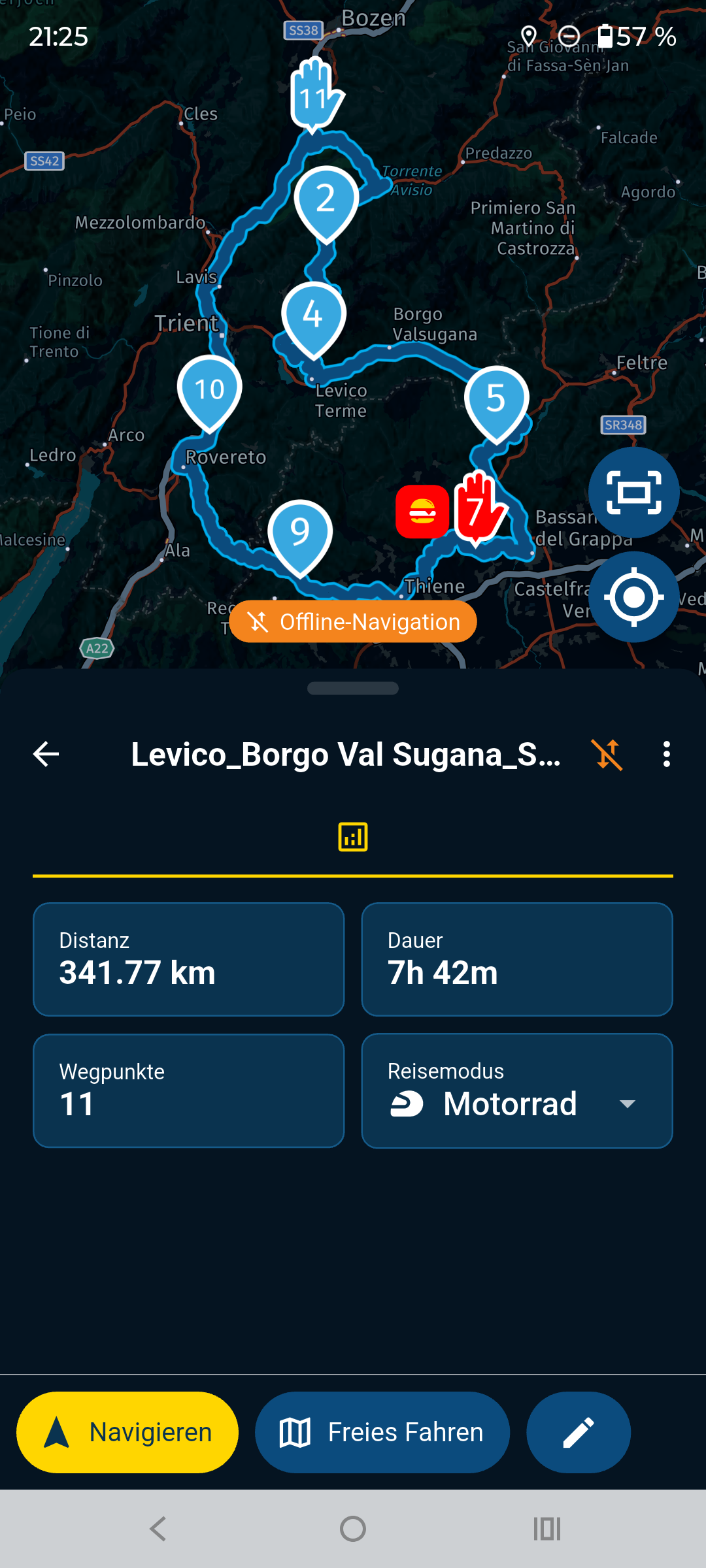
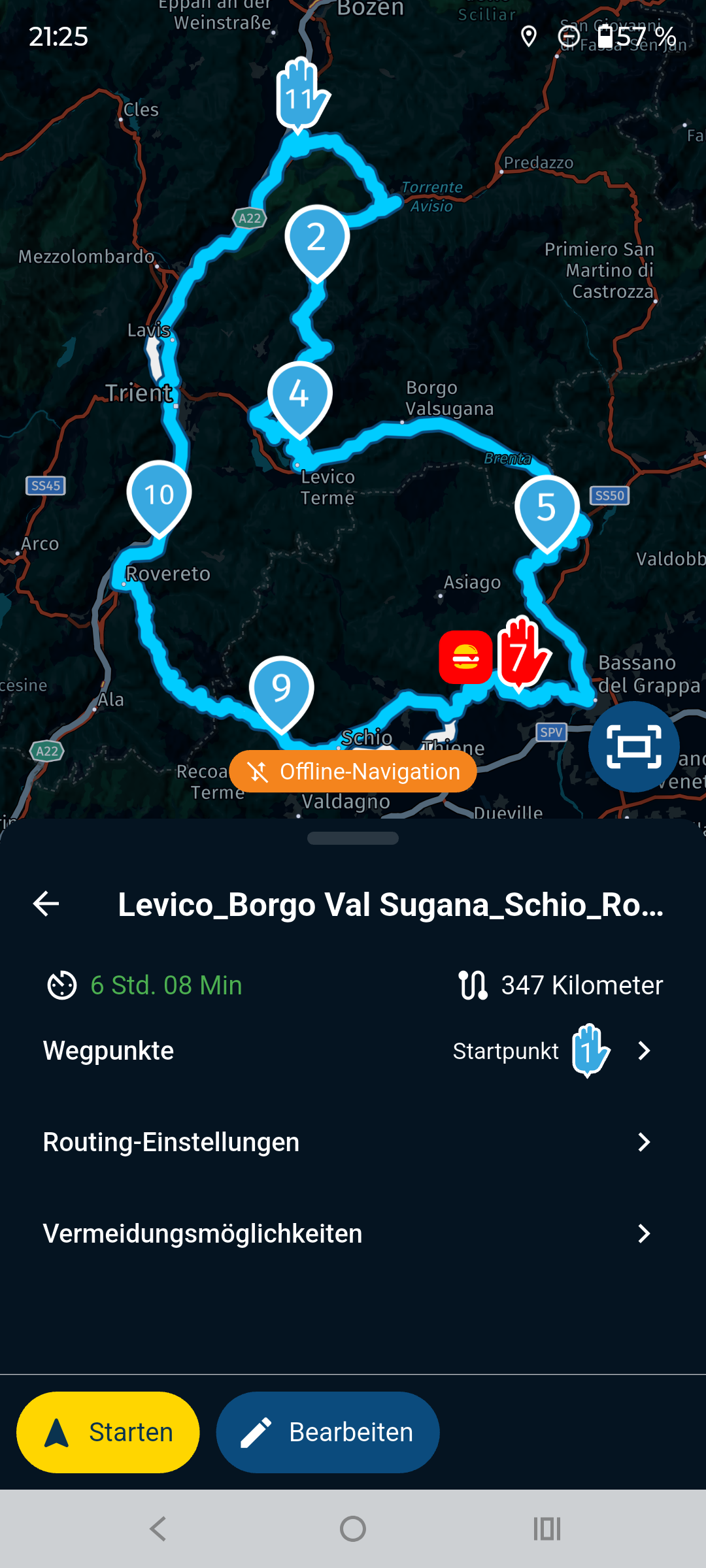
@Aiello-antonino I tried to recreate your problems, but was unable to get the error you mentioned.
Please try the following settings; they work perfectly for me.
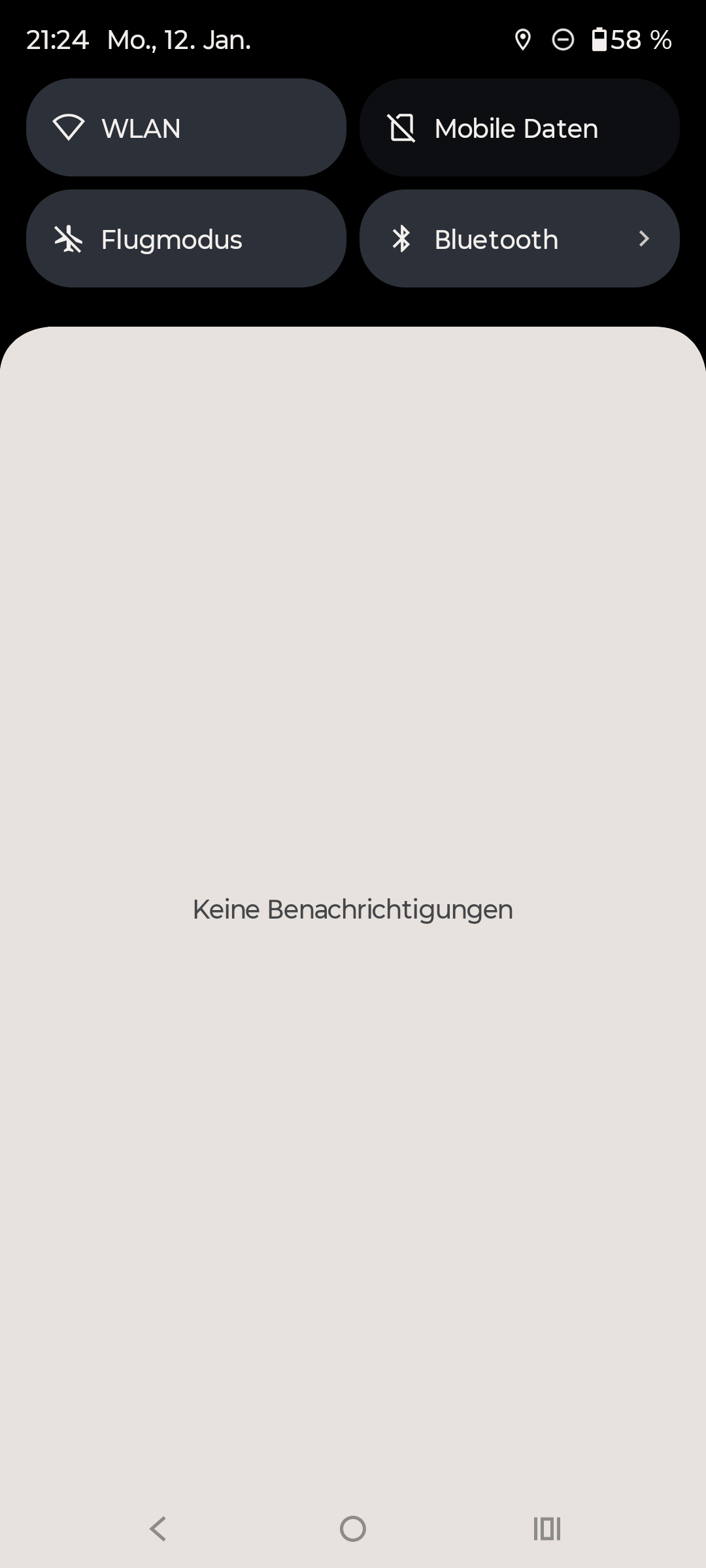
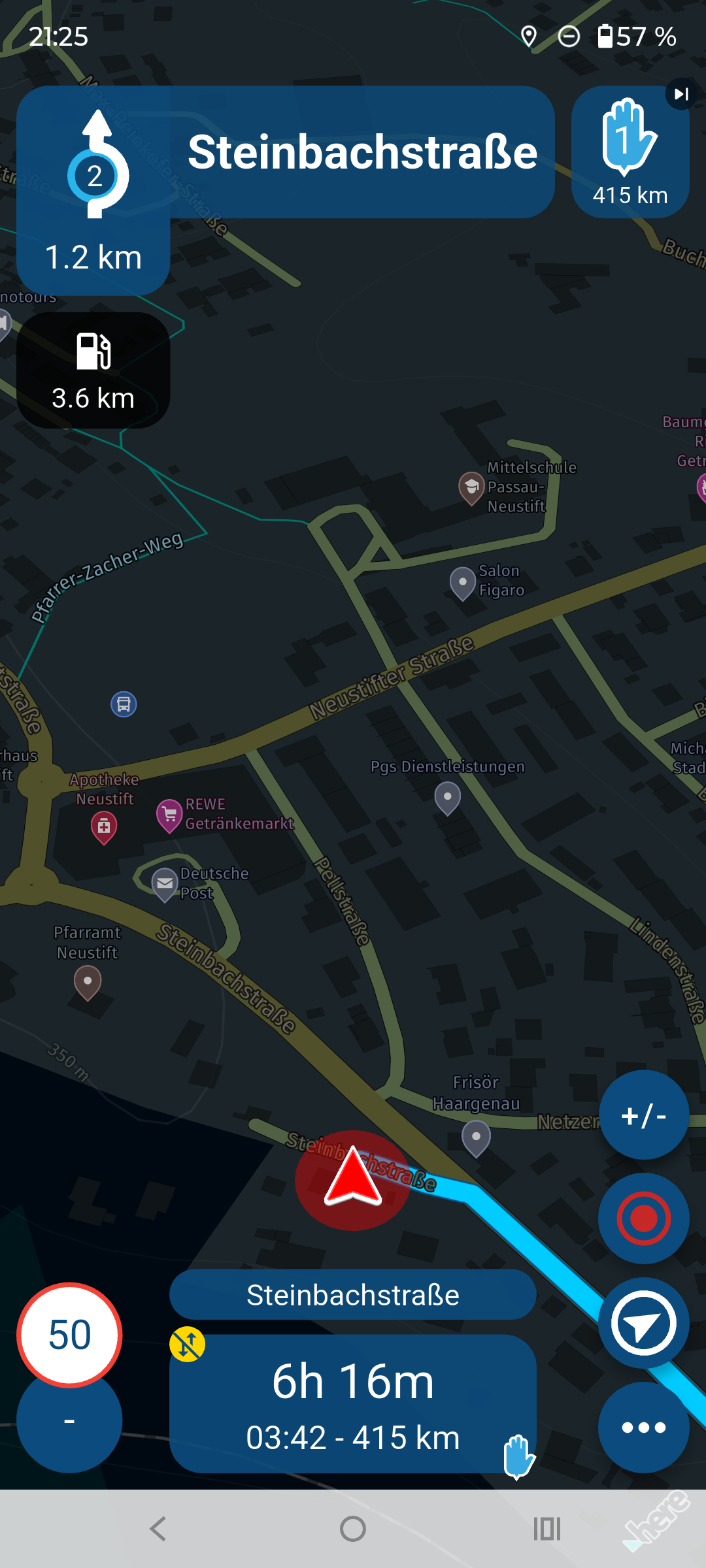
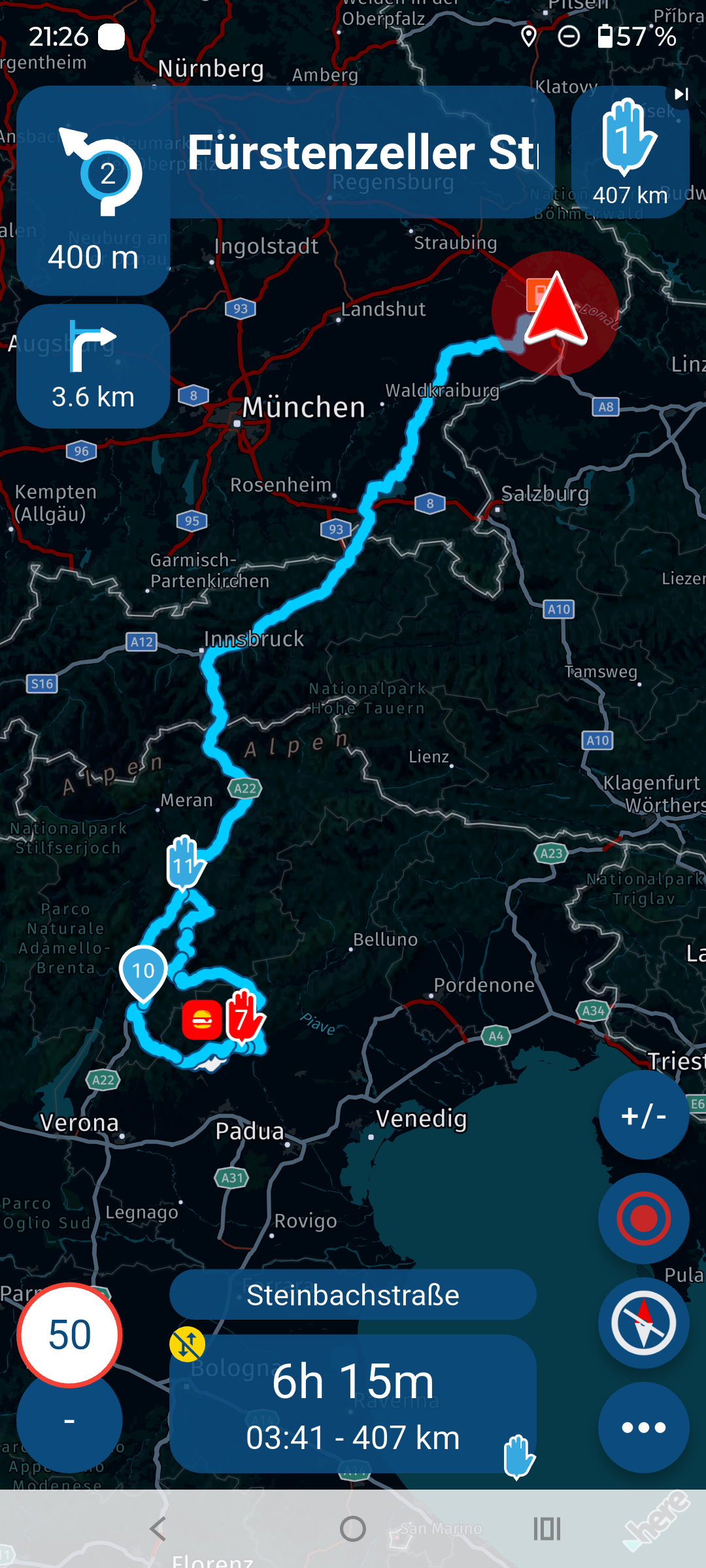
Im currently in Germany and the Route I opened is in Italy, without any problems.
You can see from the screenshot that this mobile phone is completely offline, without a SIM card and without Wi-Fi.
-
@Aiello-antonino said in Unable to calculate route:
I did some tests, I put it in airplane mode to recreate yesterday's situation
So in these conditions, if I were to find myself somewhere (I'm planning a trip to Turkey and I don't know if I'll always have an internet connection) where there's no connection, I wouldn't be able to navigate with the app...
You need 3 things to navigate offline.
All of the offline maps that you will use.
All of the routes should be synced
Offline navigation selected in the functional section of Navigation settings.With all these in place you can navigate entirely offline without any data connection.
@Nick-Carthew As you can see from the photos I did everything you write, I forgot to upload the photo where you can see that I have all the maps offline, but here it is...!
-
@Aiello-antonino I tried to recreate your problems, but was unable to get the error you mentioned.
Please try the following settings; they work perfectly for me.
Im currently in Germany and the Route I opened is in Italy, without any problems.
You can see from the screenshot that this mobile phone is completely offline, without a SIM card and without Wi-Fi.
@Peter-Zehentreiter I just checked your settings and they are the same as mine in the various tests, but it doesn't work for me…

-
@Aiello-antonino I tried to recreate your problems, but was unable to get the error you mentioned.
Please try the following settings; they work perfectly for me.
Im currently in Germany and the Route I opened is in Italy, without any problems.
You can see from the screenshot that this mobile phone is completely offline, without a SIM card and without Wi-Fi.
@Peter-Zehentreiter can you please try this route?
https://www.myrouteapp.com/it/social/route/12491866?mode=share -

Try to use Car modus instead of Motorcycle modus. See what's happens
-
I don't understand...now it's working perfectly as I thought it should be...
-
Try to use Car modus instead of Motorcycle modus. See what's happens
@M.-Schrijver I didn't change anything and now it works...I don't know what to think...
-
It's behaving very strangely. Although all the library's openings and paths are synced, it seems some aren't. The one I was trying earlier, which I linked to, started working, and I don't understand why. Now I'm trying to load others, but some work, and others don't... I just don't understand. I'll leave you with one that can't calculate the path at the moment. Could it be that I'm doing something wrong?
https://www.myrouteapp.com/it/social/route/558376? -
It's behaving very strangely. Although all the library's openings and paths are synced, it seems some aren't. The one I was trying earlier, which I linked to, started working, and I don't understand why. Now I'm trying to load others, but some work, and others don't... I just don't understand. I'll leave you with one that can't calculate the path at the moment. Could it be that I'm doing something wrong?
https://www.myrouteapp.com/it/social/route/558376?
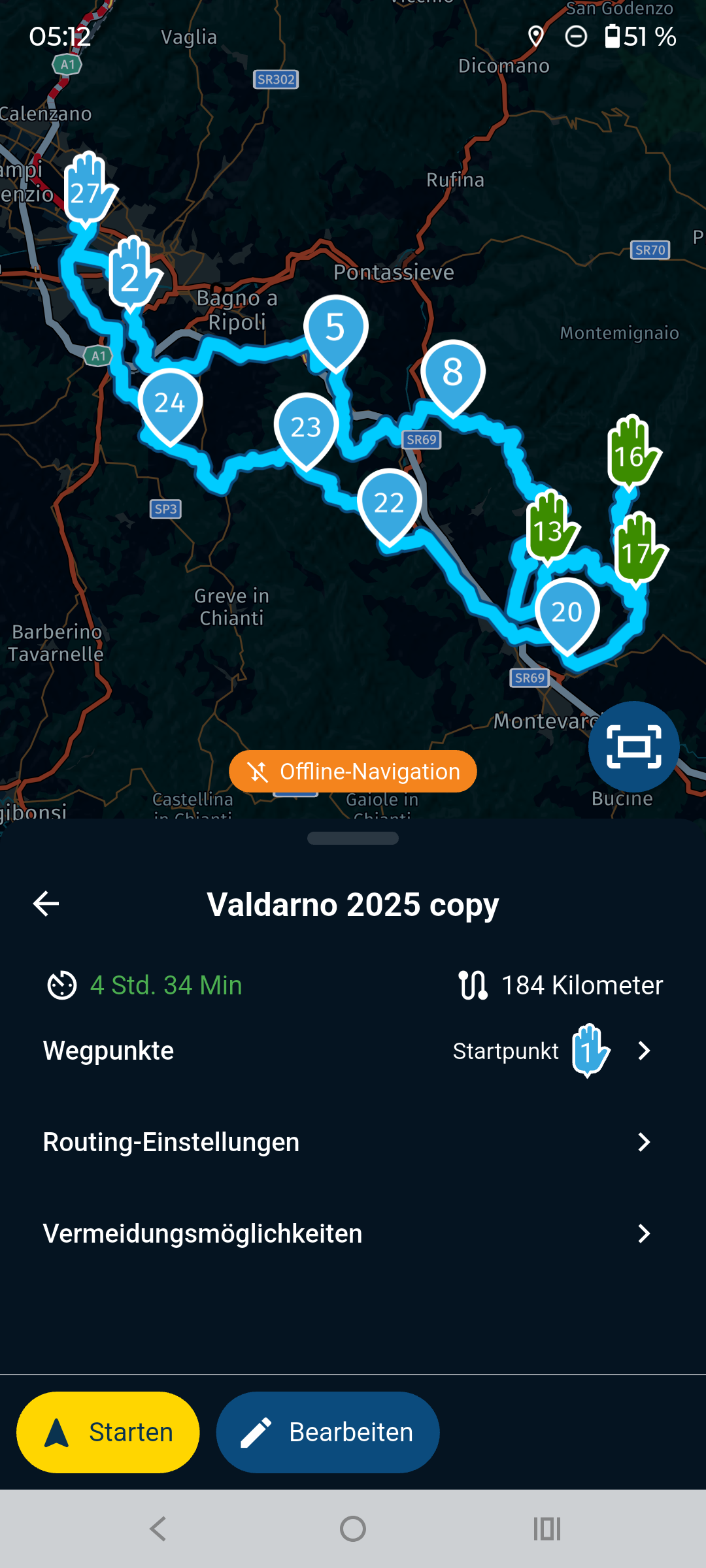
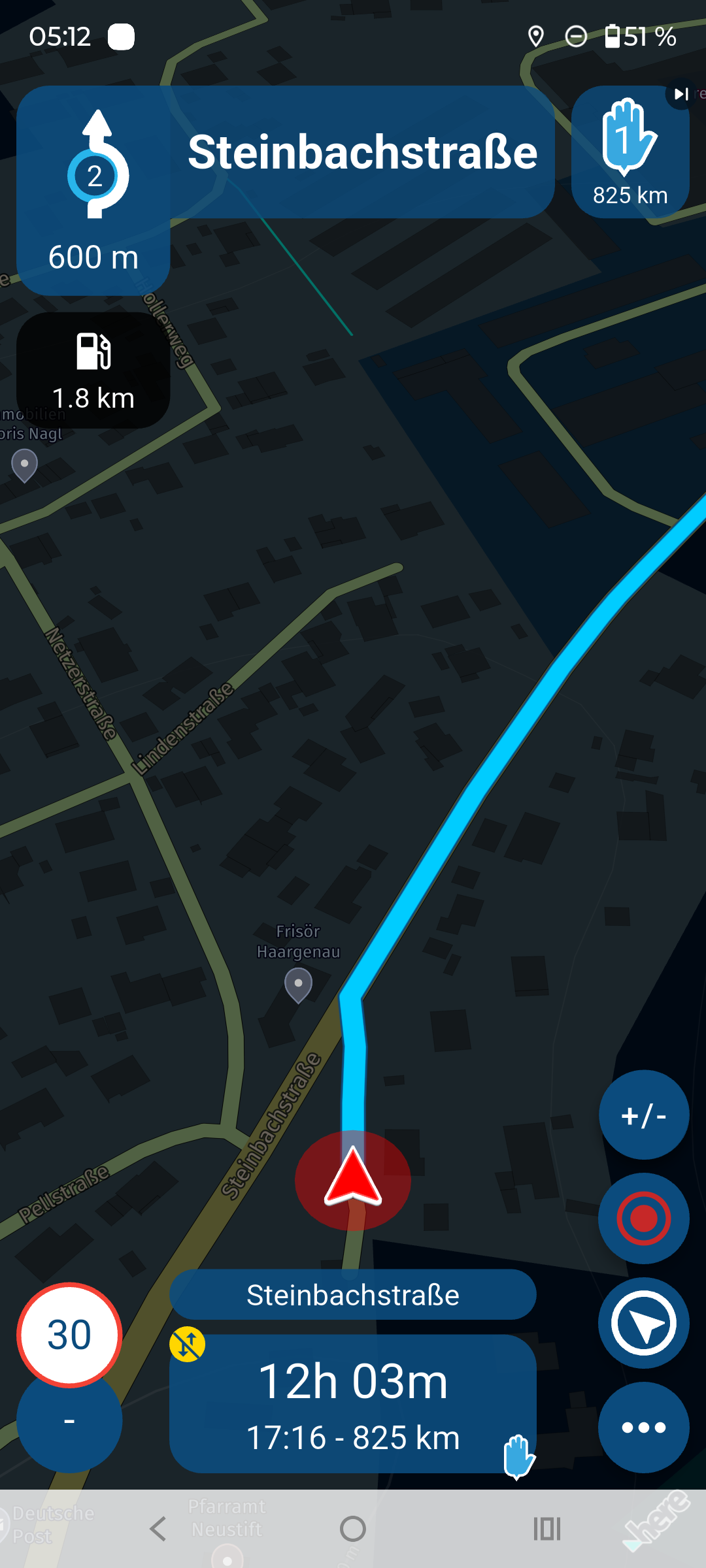
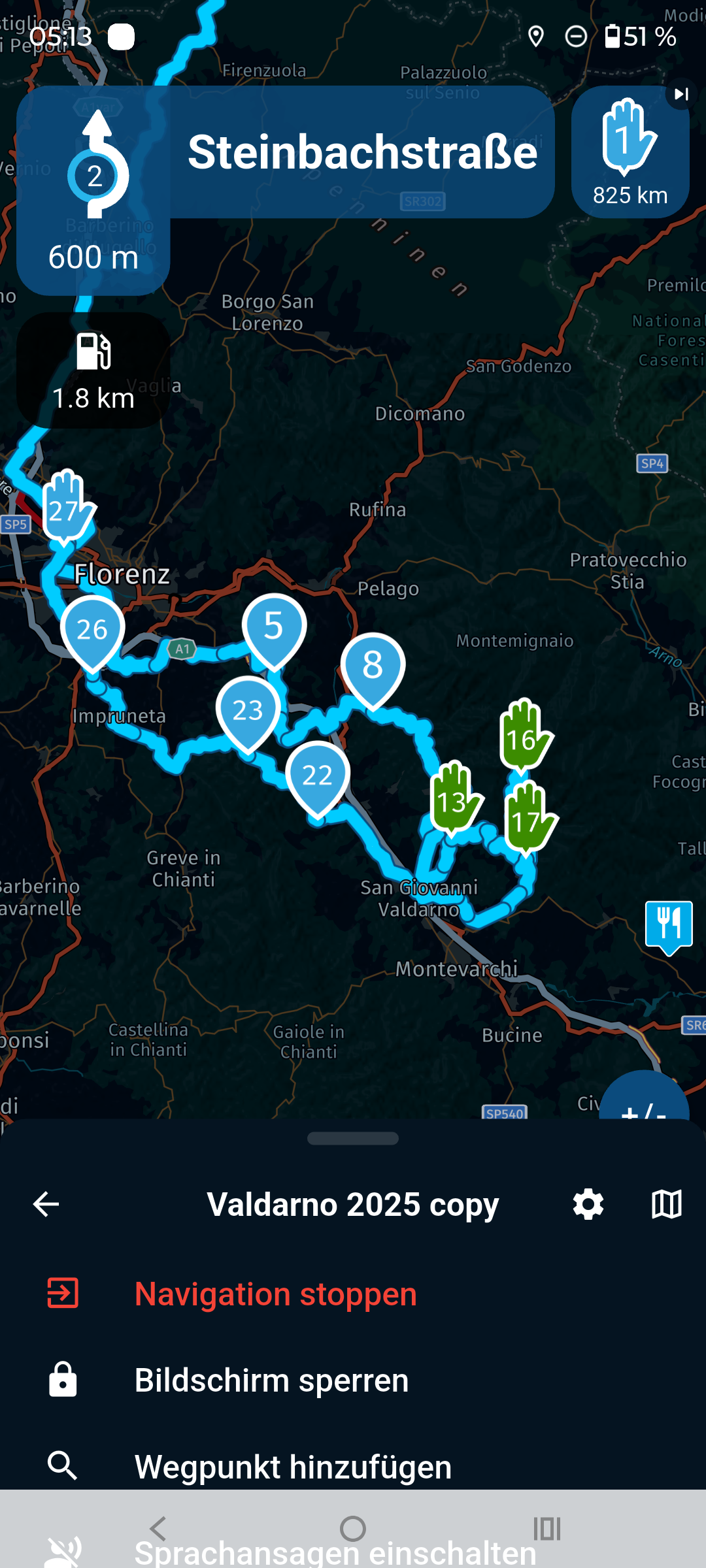
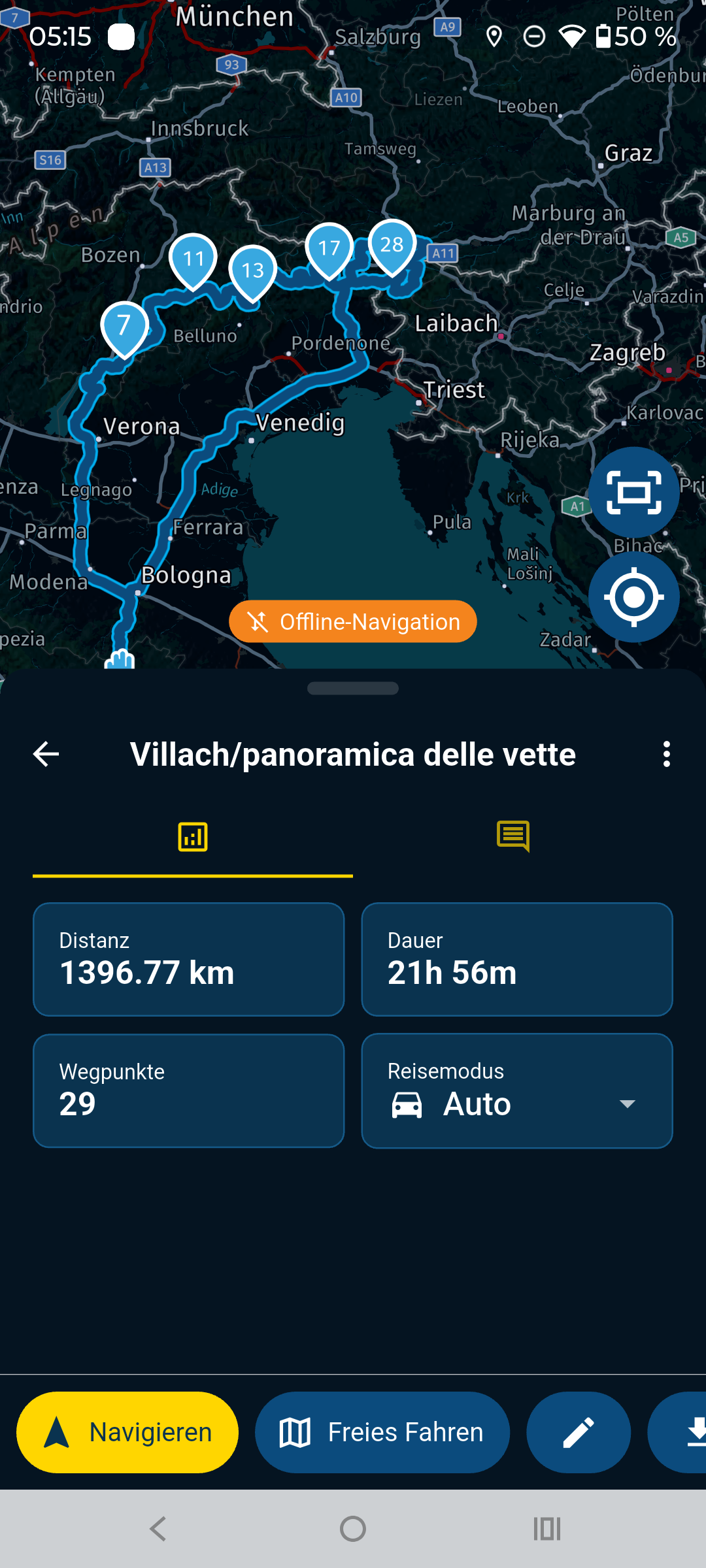
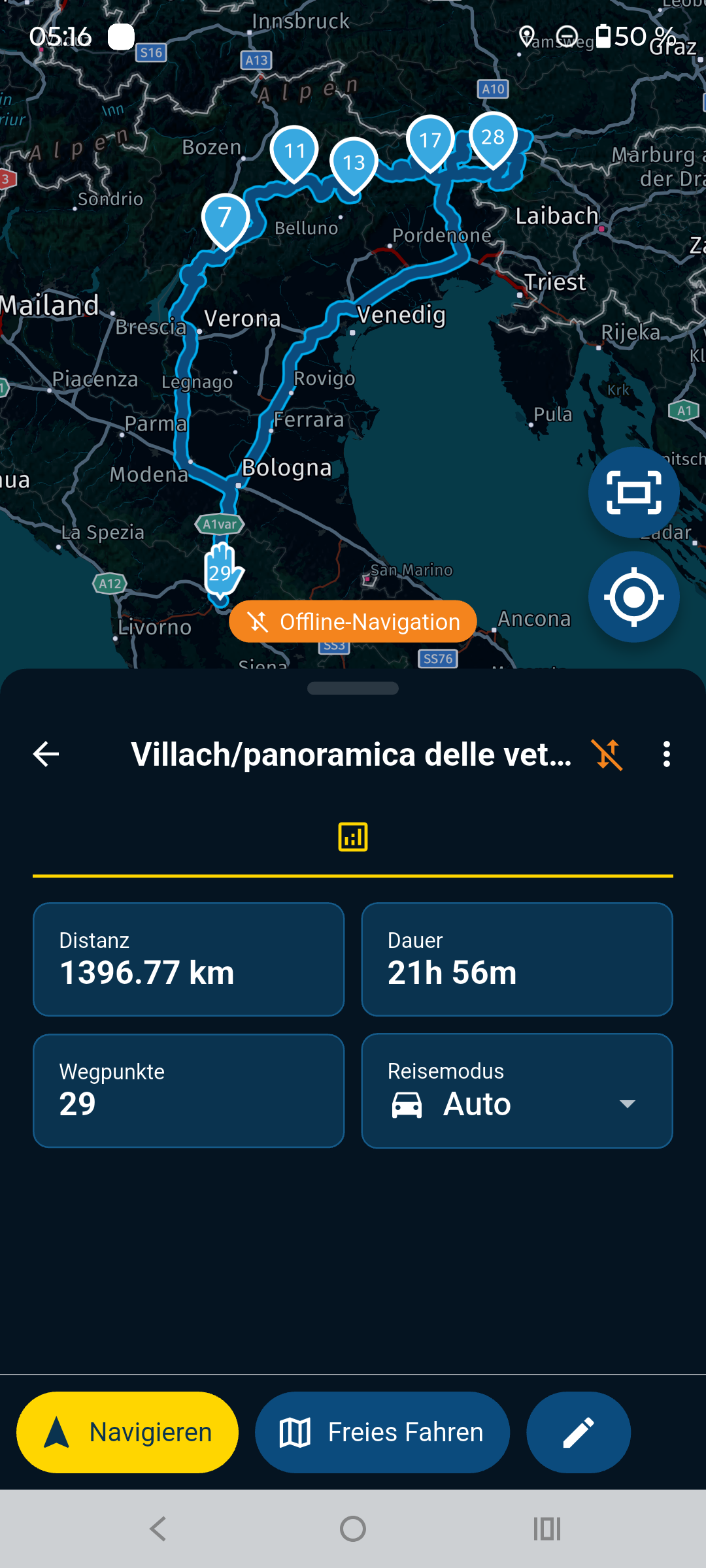
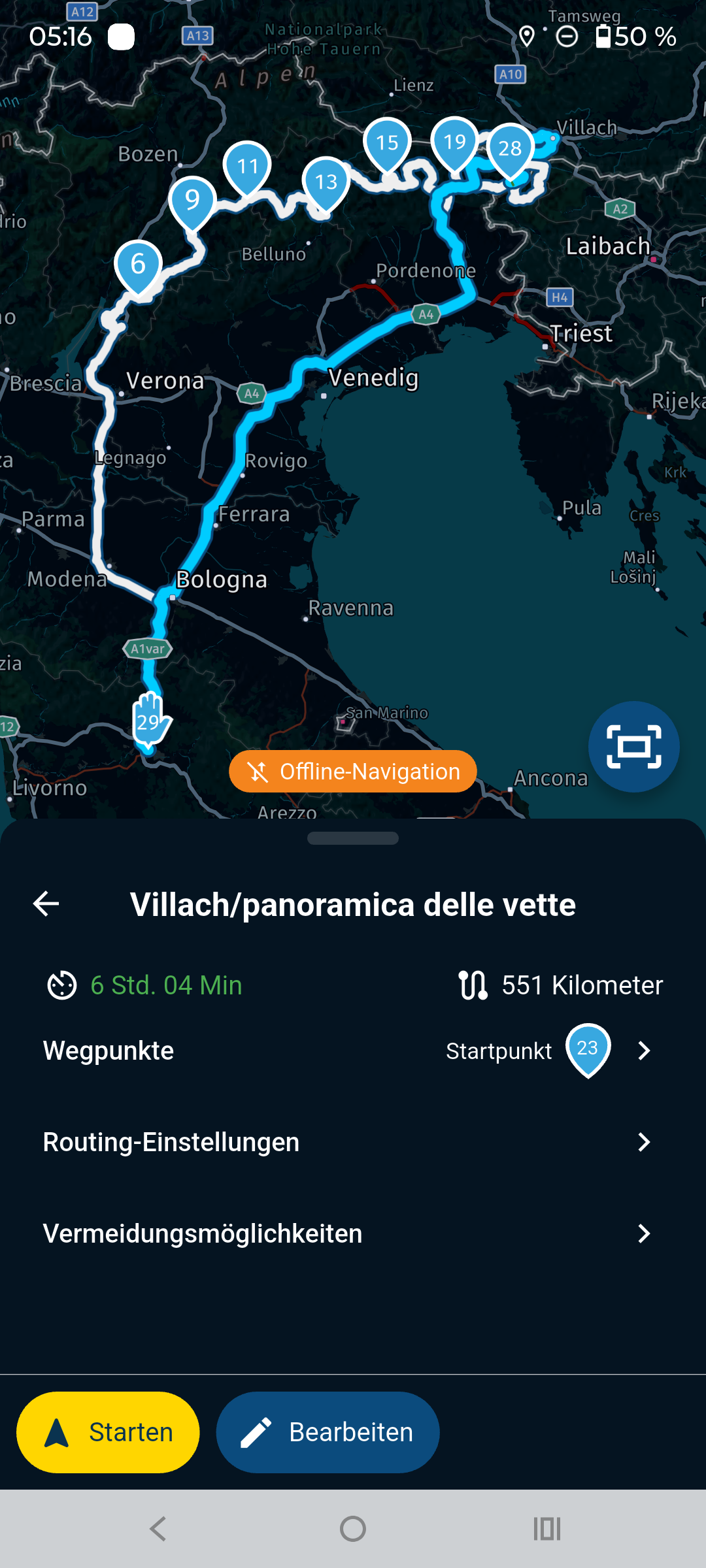
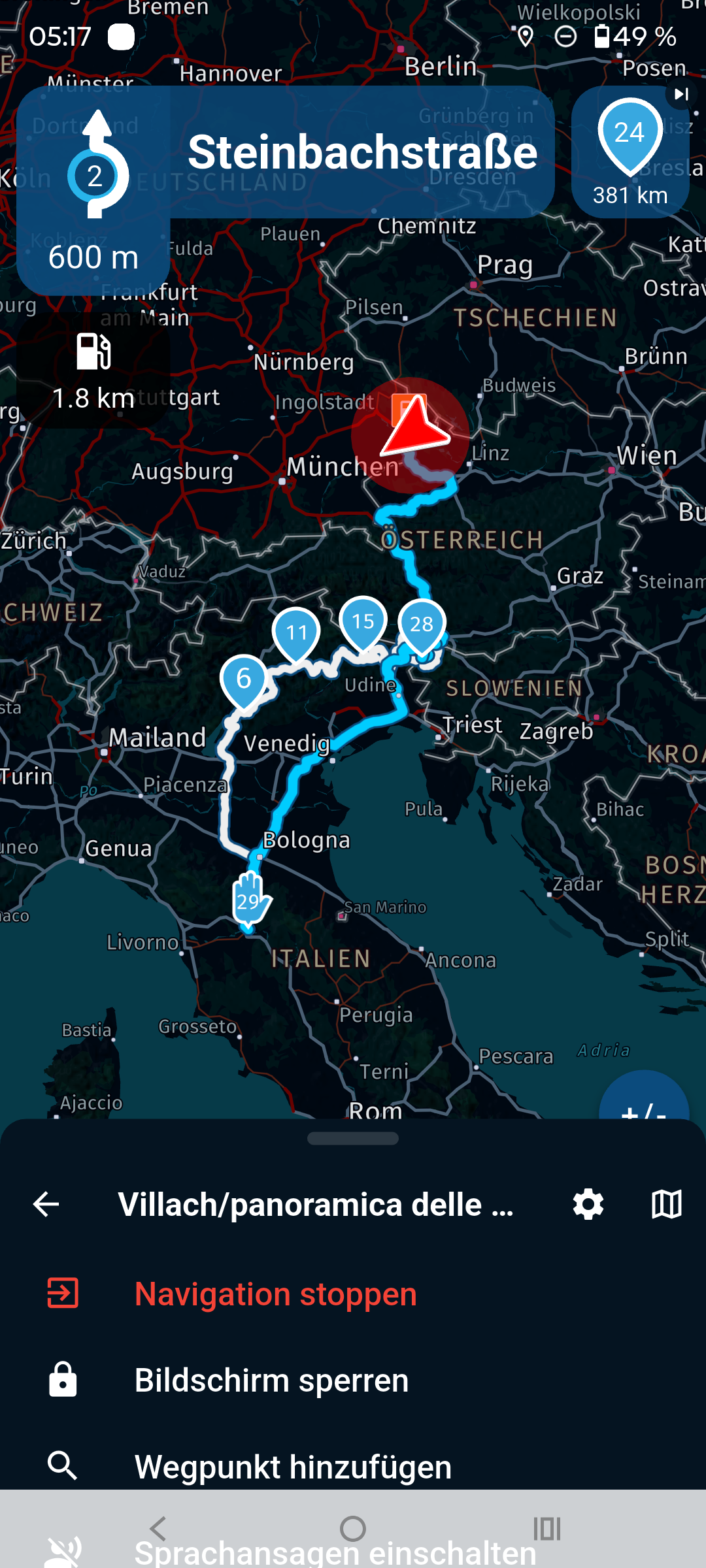
@Aiello-antonino Both routes you set up for us to test, work for me.
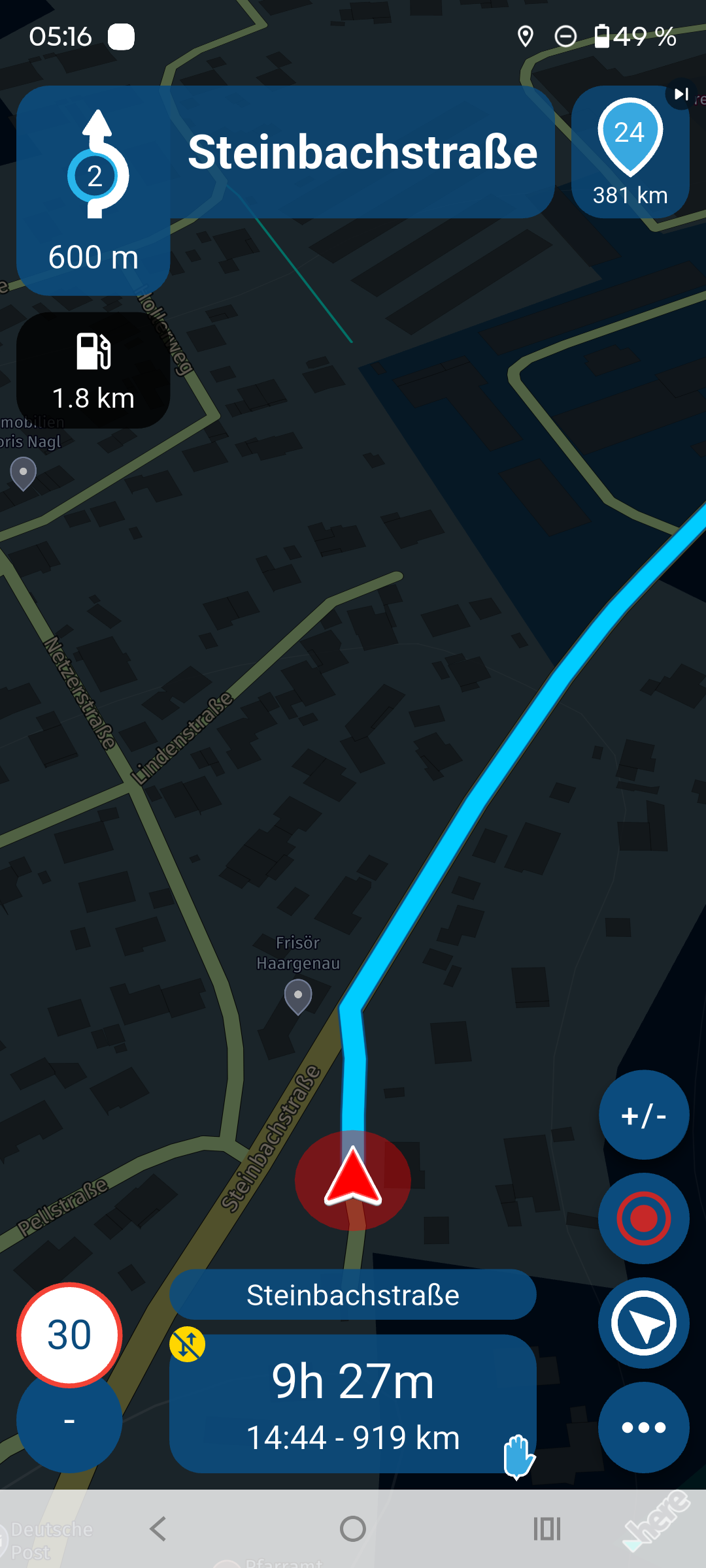
However, for the route “Villach/panoramica delle vette,” there is a note that routes with off-road points only work online.
I briefly checked your waypoints, and some of them are not correct on the line.
When setting your waypoints, you should also make sure not to place them in the middle of an intersection or roundabout, but rather after them.
-
Quando c’è stata la nota, dopo il percorso è partito anche se eri offline?
-
So if you are in a place where there is no connection, even if there are offline maps, do you risk not being able to follow an itinerary because there is no connection?

@Aiello-antonino said in Unable to calculate route:
So if you are in a place where there is no connection, even if there are offline maps, do you risk not being able to follow an itinerary because there is no connection?
This is very explicitly NOT the case.
I will not repeat all that has been said by others, but solely what I said myself earlier:It is not phone signal that is the problem here. You are probably too far away from any road for the app to decide where to start. Once you are at your bike or car, it will most likely just work. I get this also sometimes when in my backyard testing things.
I regularly are confronted with this issue, when testing things from the couch or in my backyard with a too large distance from any road. Lack of GPS signal could probably also cause this, or being on an uncharted road. In reality, where you start a route from within your car or near your bike that is actually ON a road, this will not happen.
-
Quando c’è stata la nota, dopo il percorso è partito anche se eri offline?
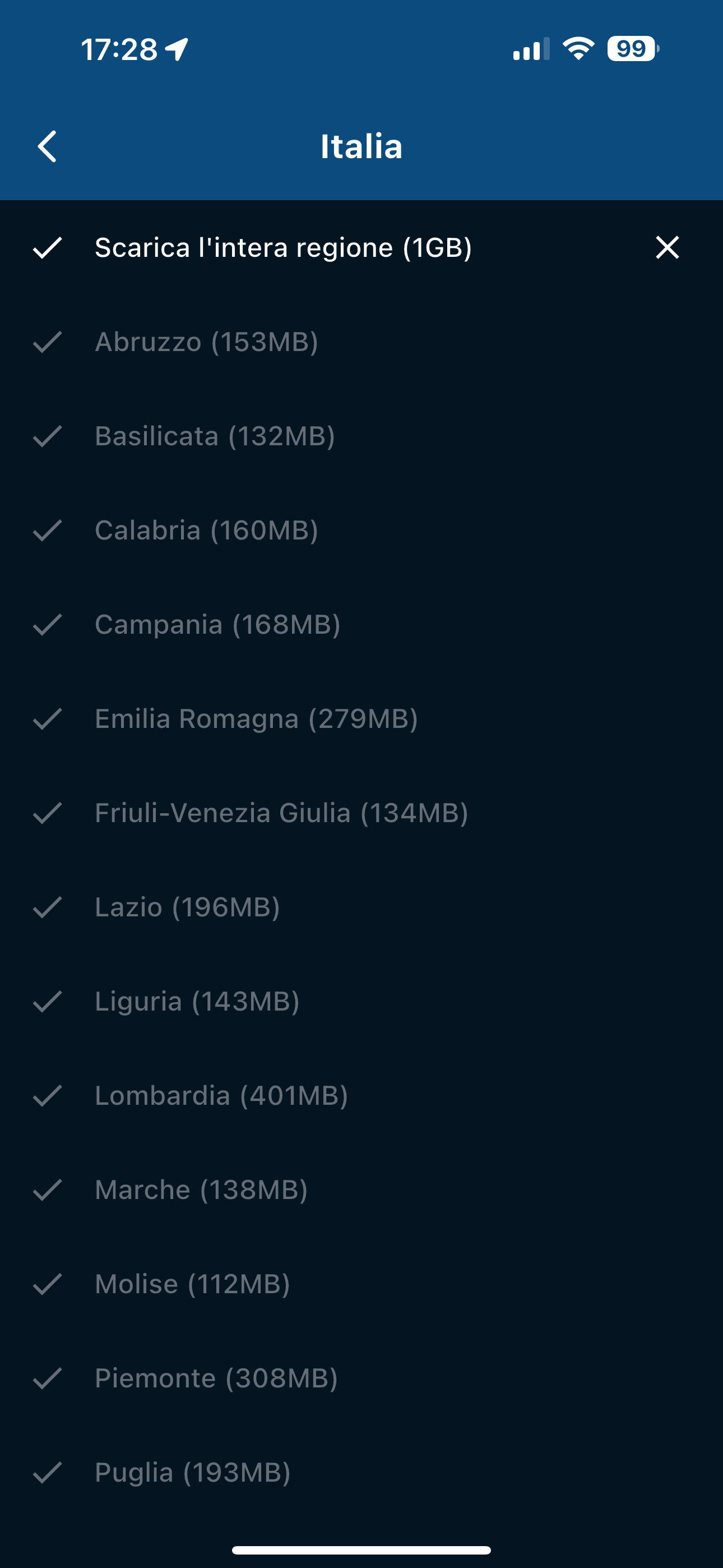
@Aiello-antonino, another thing to check is if you really have ALL segments of the needed maps offline. Sometimes it happens when a map update is interrupted, that some segments are skipped. So check your maps, and see if ALL needed segments have a checkmark.
-
Quando c’è stata la nota, dopo il percorso è partito anche se eri offline?
@Aiello-antonino said in Unable to calculate route:
Quando c’è stata la nota, dopo il percorso è partito anche se eri offline?
Yes the route started after the information!
And again the phone is completly offline, no simcard, no wifi.
-
@Aiello-antonino said in Unable to calculate route:
So if you are in a place where there is no connection, even if there are offline maps, do you risk not being able to follow an itinerary because there is no connection?
This is very explicitly NOT the case.
I will not repeat all that has been said by others, but solely what I said myself earlier:It is not phone signal that is the problem here. You are probably too far away from any road for the app to decide where to start. Once you are at your bike or car, it will most likely just work. I get this also sometimes when in my backyard testing things.
I regularly are confronted with this issue, when testing things from the couch or in my backyard with a too large distance from any road. Lack of GPS signal could probably also cause this, or being on an uncharted road. In reality, where you start a route from within your car or near your bike that is actually ON a road, this will not happen.
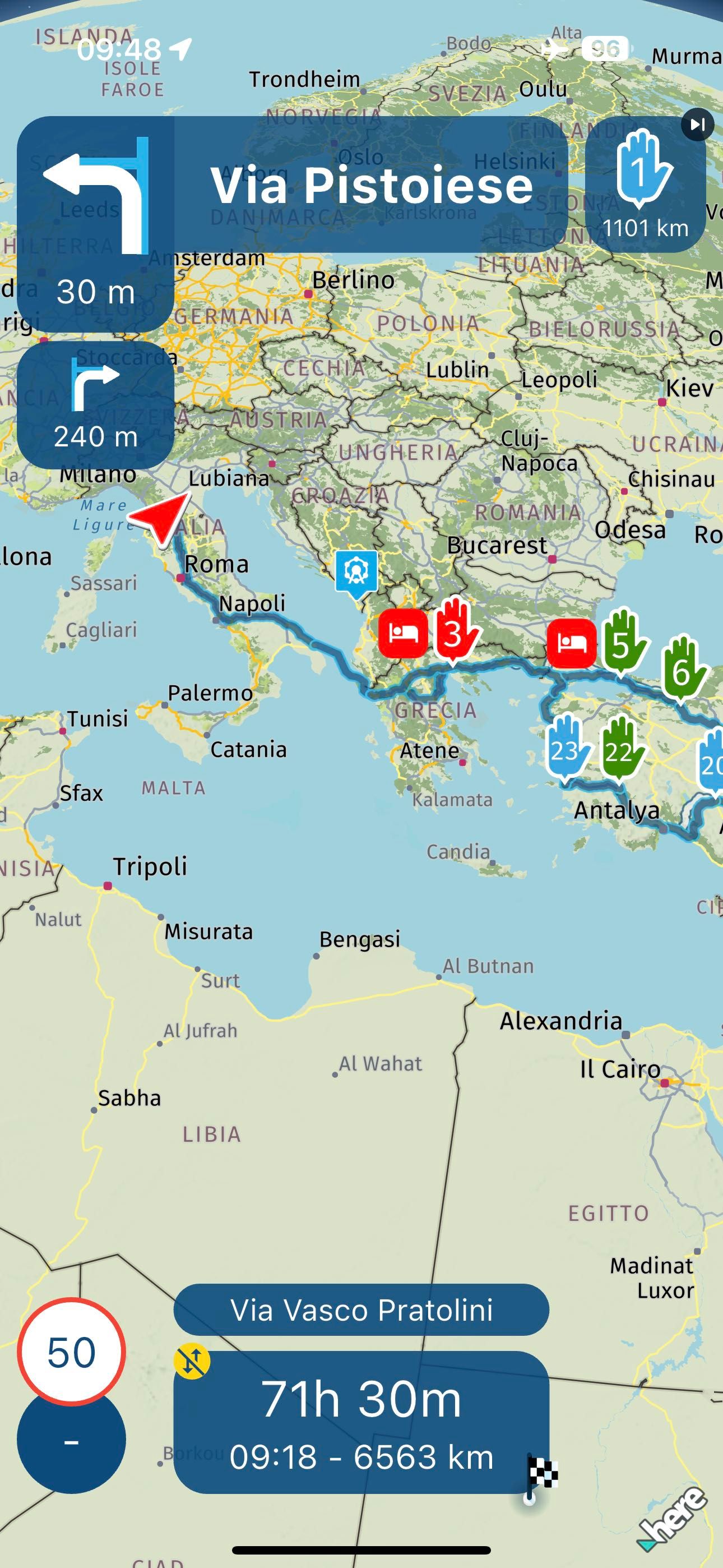
@Con-Hennekens As you say, however, it is not always like this, this is my route in Turkey, despite being very far, the 1º WP is igoumenitsa, the trip is calculated despite the ferry, and starting the navigation leaves... Yes, I don't understand what it can depend on, sometimes it works sometimes it doesn't... In the tests done I always had the maps downloaded on the device
 elemento elenco
-
@Con-Hennekens As you say, however, it is not always like this, this is my route in Turkey, despite being very far, the 1º WP is igoumenitsa, the trip is calculated despite the ferry, and starting the navigation leaves... Yes, I don't understand what it can depend on, sometimes it works sometimes it doesn't... In the tests done I always had the maps downloaded on the device
- elemento elenco
@Aiello-antonino Like Con mentioned, download Maps again, it could be that it looks like the maps are downloaded but during an interruption while downloading something went wrong with a map.
In addition, have you set all the way points on the route "panoramic del vette" accurat on the line and did you test the route again?
BMW R 1250 GS
MRA Navigation & SilverFox C1 Controller
DMD-NOR7E 7"
SPC Universal mount
Motorola Edge 40 "offline"
Sena SLR 3
Sena 50 R -
@Aiello-antonino Like Con mentioned, download Maps again, it could be that it looks like the maps are downloaded but during an interruption while downloading something went wrong with a map.
In addition, have you set all the way points on the route "panoramic del vette" accurat on the line and did you test the route again?
@Peter-Zehentreiter I haven't moved anything but it works...


 ️
️
Hello! It looks like you're interested in this conversation, but you don't have an account yet.
Getting fed up of having to scroll through the same posts each visit? When you register for an account, you'll always come back to exactly where you were before, and choose to be notified of new replies (either via email, or push notification). You'll also be able to save bookmarks and upvote posts to show your appreciation to other community members.
With your input, this post could be even better 💗
Register Login




-
 925225
-
 523170
-
 18251.7k
-
57489
-
0641
-
07123
-
 0631
0631
-
1226213