GPX Versions 1.1 vs 1.2 for Garmin Visually Explained
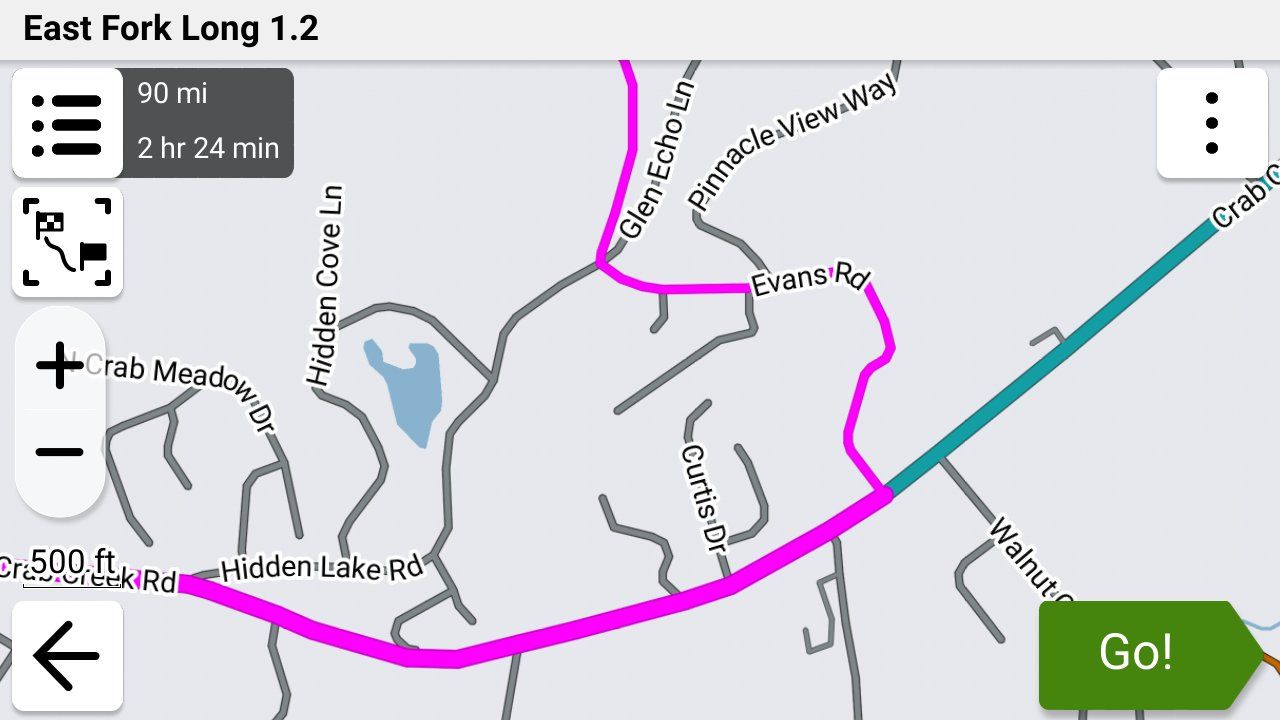
-
I have been reading up on all of your post and trying to lean as much as possible.
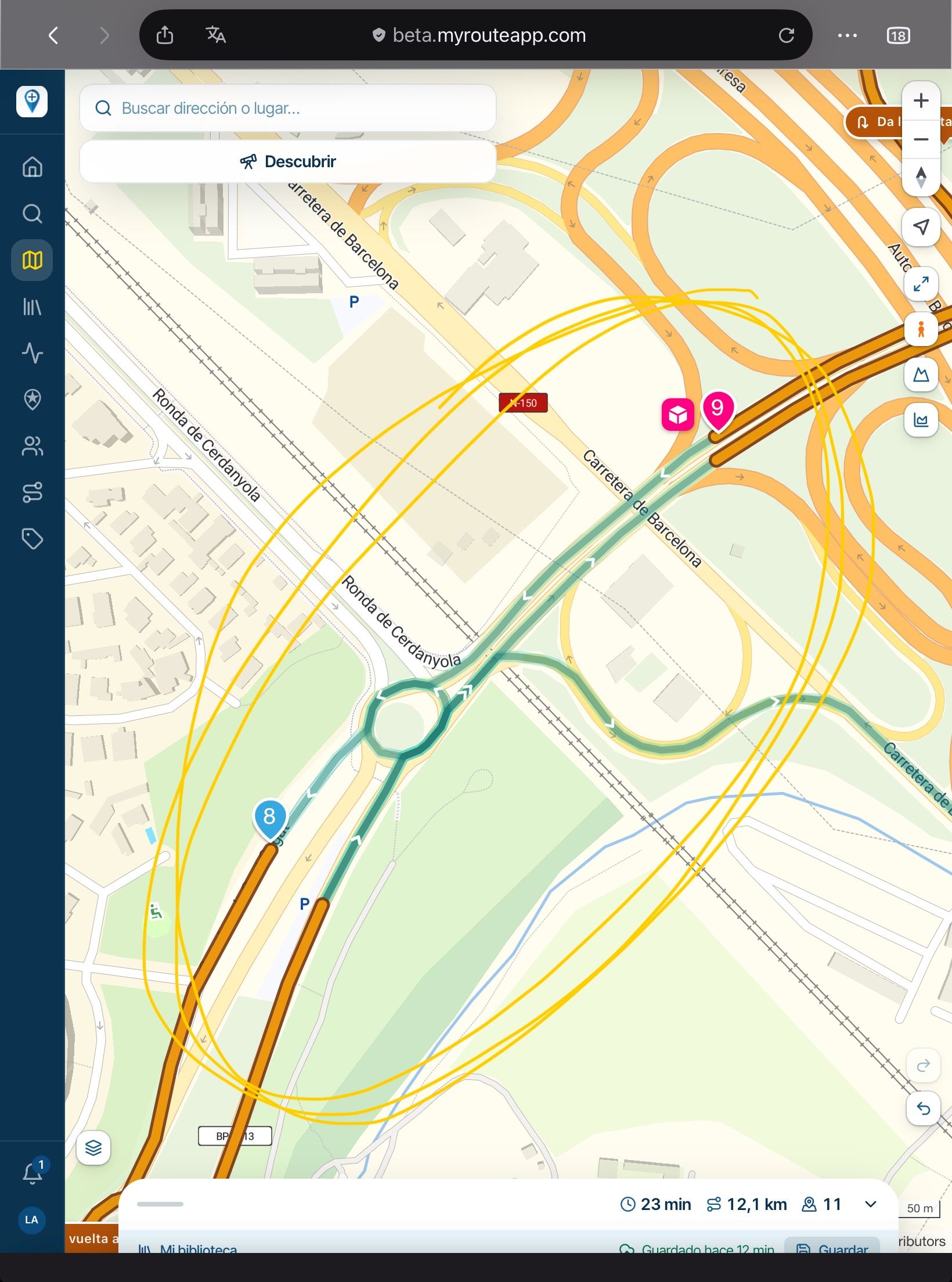
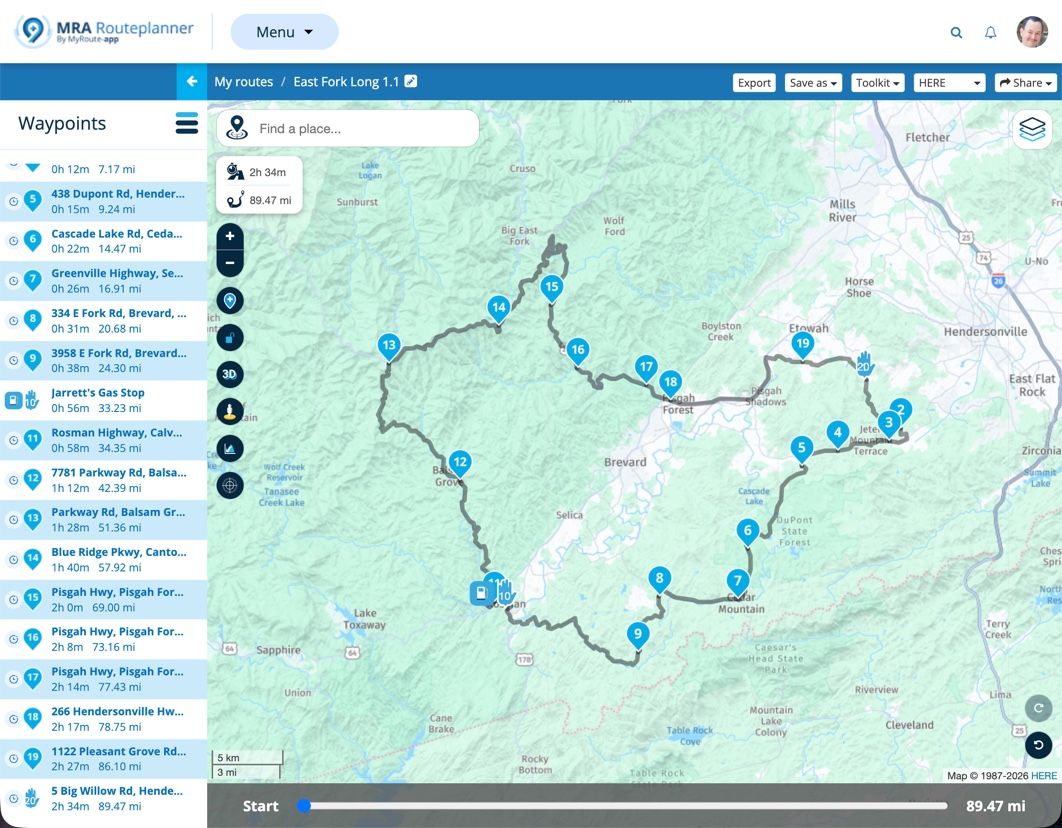
I created a route with all via points and when I set off it did not take me to via point 2 which is just a couple of hundred meters down the road from point 1, It kept trying to send me back to via point 1. Attached is a foto of the firts waypoints. Any help would be much appreciated. I saved the route as 1.2.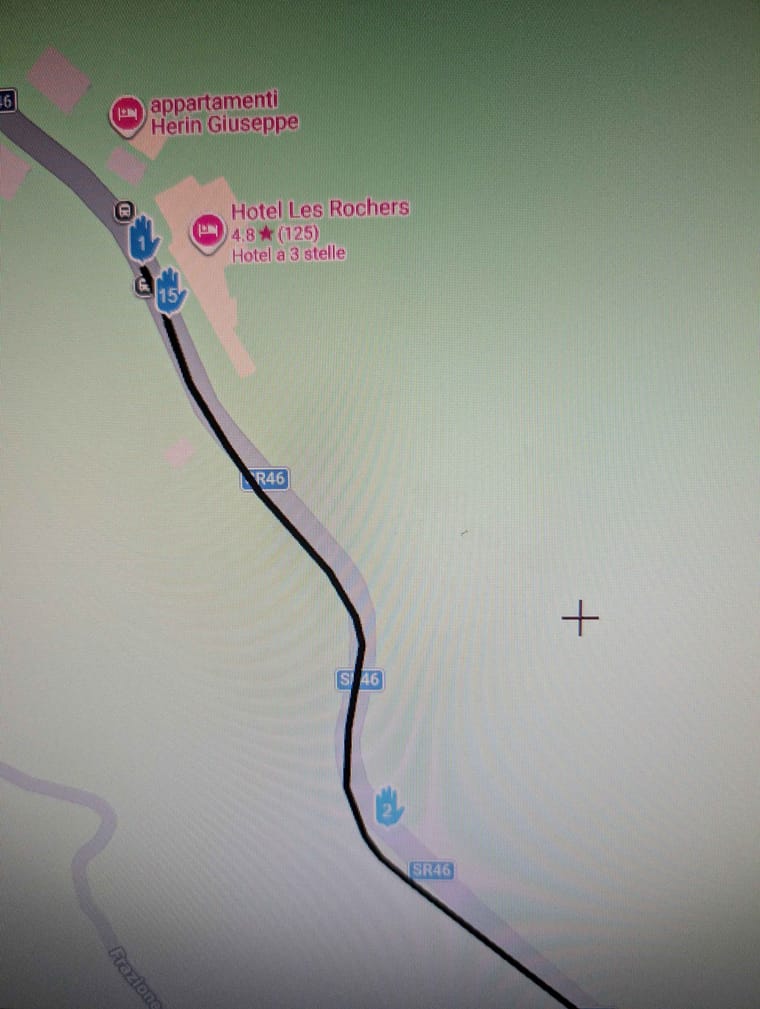

@Simon-James-Hancock It is always advisable to position the first waypoint 100+ metres from the actual start point, this ensures that the first point is registered as being passed. You were being directed back because the first point was missed.
-

Thanks Nick for all of your help and work.
Even when I passed the second via point it was sending me back to the first.
Will it always try and send me back to the first via poin regardless on how far down the route i am?
I would like to upload my GPX file for further inspection but I am still not allowed. -
Thanks Nick for all of your help and work.
Even when I passed the second via point it was sending me back to the first.
Will it always try and send me back to the first via poin regardless on how far down the route i am?
I would like to upload my GPX file for further inspection but I am still not allowed.
@Simon-James-Hancock Yes, you’ll always be sent back to missed via points, via points are never automatically skipped you would need to manually skip a missed via point.
-
How do I manually skip a missed via point.
In the situation I found myself was their anyway I could have carried on my route without having had to go back to the first via point? -
@Simon-James-Hancock It is always advisable to position the first waypoint 100+ metres from the actual start point, this ensures that the first point is registered as being passed. You were being directed back because the first point was missed.

@Nick-Carthew Exactly. I think we all learn that the hard way!

-
How do I manually skip a missed via point.
In the situation I found myself was their anyway I could have carried on my route without having had to go back to the first via point?
@Simon-James-Hancock Refer to this help page for this answer and many others...
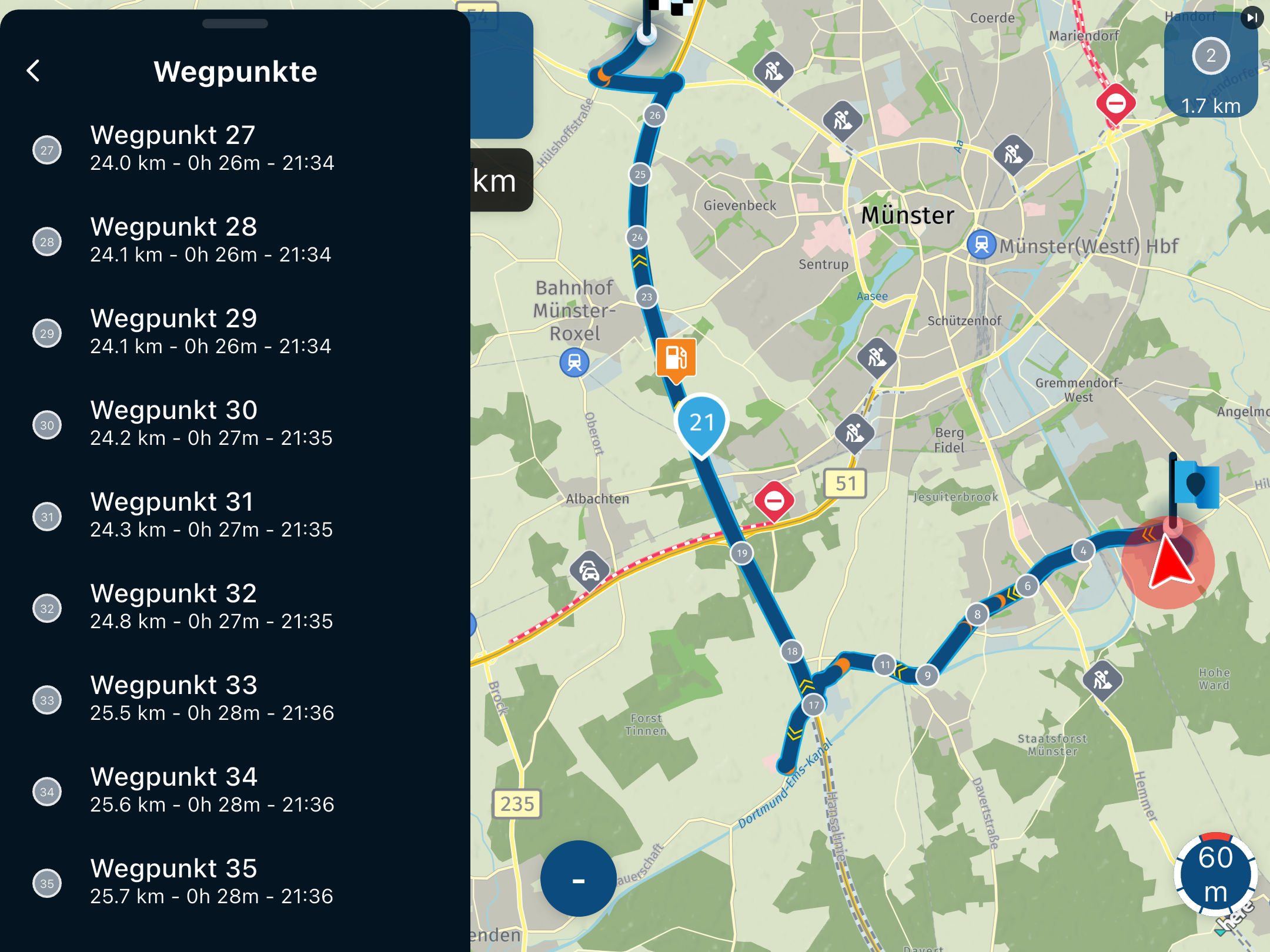
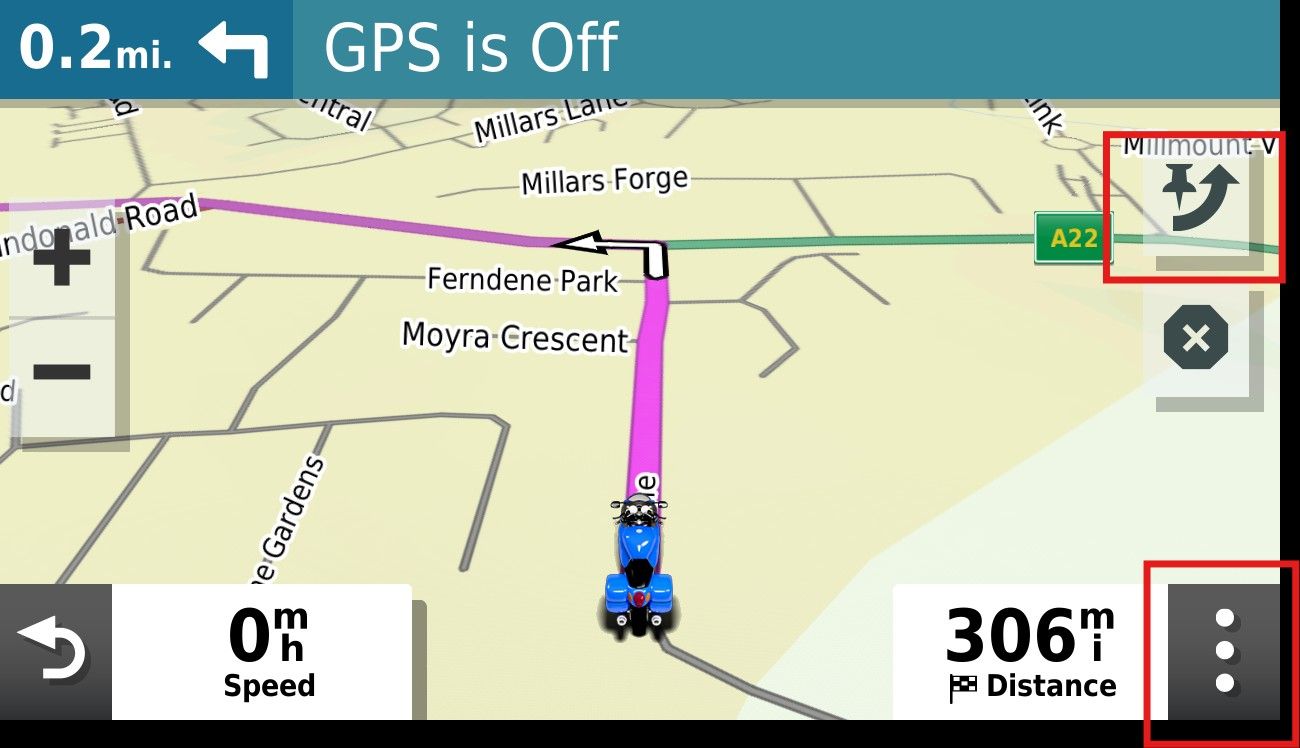
"When navigating, you can skip a waypoint by clicking on the next waypoint (top right button - screen 4). When pressing briefly, you must confirm the choice; when pressed for a long time, it is skipped immediately;
You can also skip multiple waypoints by going to the list of waypoints (three dots at the bottom right - screen 4) and clicking on the waypoint where the navigation should go directly;
Just like when starting up, you can also hold down the waypoint/point on the route line during navigation on the map to navigate directly there." -
My route is saved as 1,2 and all od my points are via points.
I do not see the top right button. -
My route is saved as 1,2 and all od my points are via points.
I do not see the top right button.
@Simon-James-Hancock I'm sorry.... I wasn't thinking. Those instructions are for the MRA app, not the Garmin. I need to pay closer attention!!
As @nick-carthew said, ideally you will avoid this situation by placing your starting location at least a couple of hundred yards/meters beyond where you actually want to start and that way you'll always past through your starting point. That will completely eliminate this issue in the future.
However, as a workaround you can try this.....
When you press "Go" to start a route in the Garmin, you're given three options as to where you want to start..... The beginning point, closest point (shaping point) or the destination. You had no doubt selected the beginning point and as far as I know there's no way to skip that once you've told the Garmin to go there
Since you don't have any shaping points in your route to select as your "closest" point, I THINK in this situation the only way to skip the beginning point if you had entered the route beyond it would be to stop the route in the Garmin, re-enter it and when asked where you want to start tell it the destination.
I'm not 100% sure that would work but I just created a test route of a couple of hundred miles from my house without any shaping points in MRA, saved the route in 1.2 format and imported it into my Garmin XT3 and told the Garmin to make the starting point the destination, and it followed my planned 1.2 route exactly as it was shown in MRA, so I'm fairly certain that will work.
I thought about suggesting turning off auto-recalculation, but since your starting point is a via point and you've told the Garmin that's where you want to start, I don't think that's going to work.
I'm sure there are others here with far more experience with MRA and Garmin than I have, so if there are other methods I'm sure they'll let us know and we'll all learn something new!
-
How do I manually skip a missed via point.
In the situation I found myself was their anyway I could have carried on my route without having had to go back to the first via point?
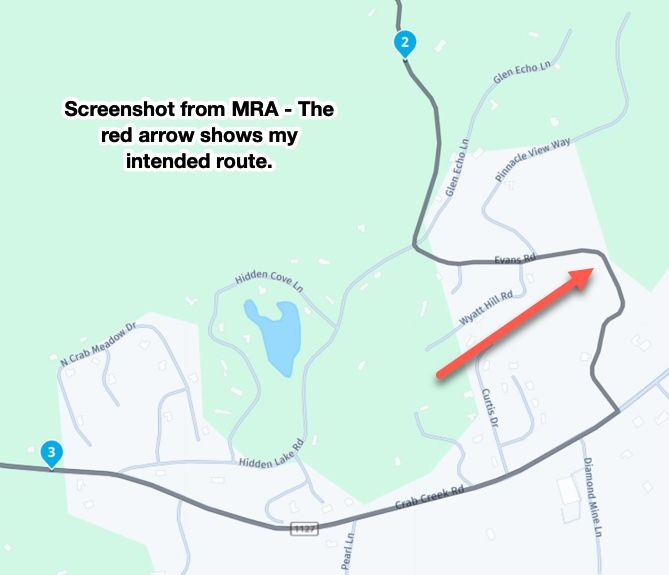
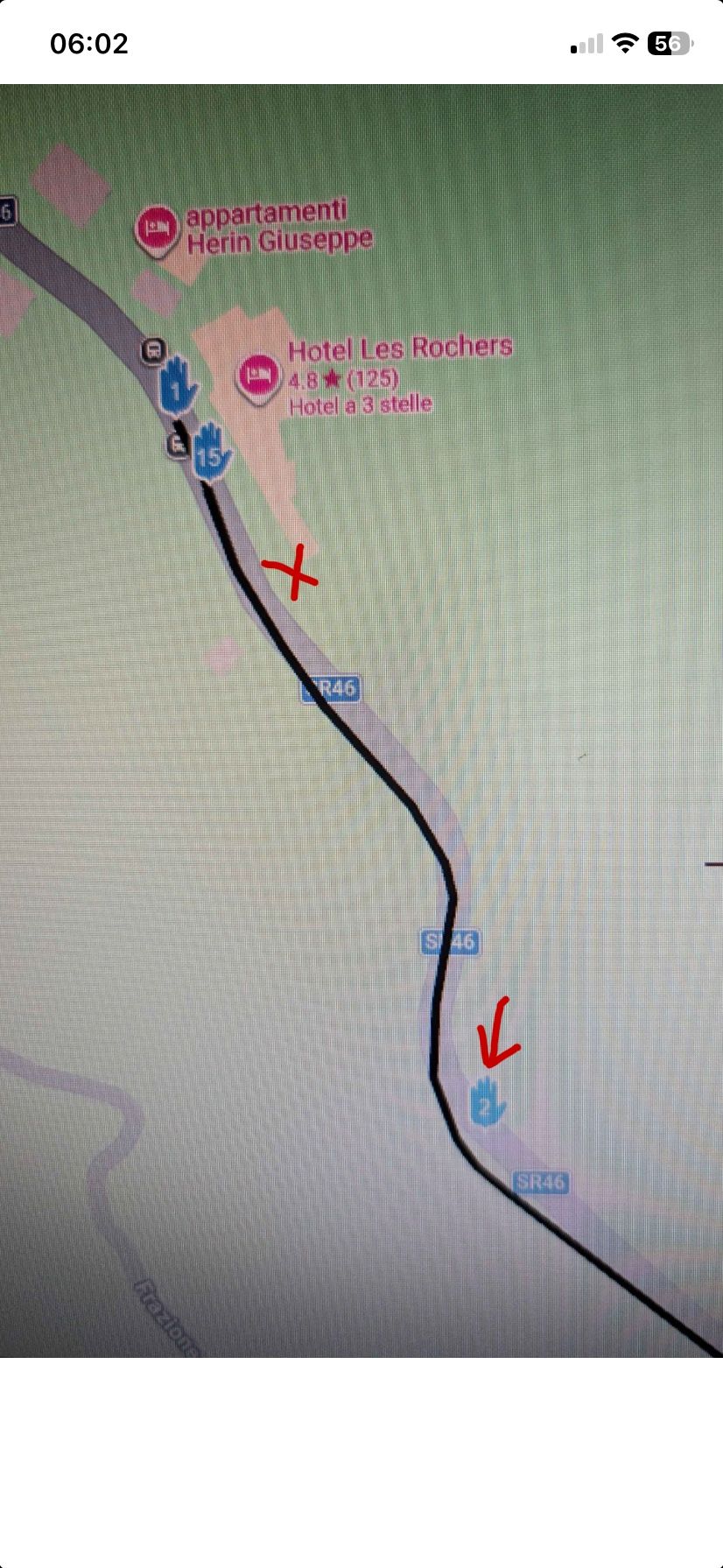
@Simon-James-Hancock I think @steve-jarrell has explained how to deal with a missed via point on a Garmin device. But to be clear about the positioning of your first waypoint. I’m not familiar with the hotel where the route starts from, but let’s say that you leave from where I have placed the red cross, this is clearly in front of waypoint 1 which is why you are sent back. Better to position the start point where waypoint 2 is.
Always willing to help if I can.
Triumph Tiger 1200 XRT called Tina.
MRA Navigation Next and SilverFox BJ8 -
@Simon-James-Hancock I think @steve-jarrell has explained how to deal with a missed via point on a Garmin device. But to be clear about the positioning of your first waypoint. I’m not familiar with the hotel where the route starts from, but let’s say that you leave from where I have placed the red cross, this is clearly in front of waypoint 1 which is why you are sent back. Better to position the start point where waypoint 2 is.
@Nick-Carthew Yes, and I would add for @simon-james-hancock's information.... there's absolutely no need for the Waypoint 2 (via point) in this route. A via point means to MRA and to the Garmin unit "I really want to stop here or go past this particular point", and that's clearly not the intent in this route.
If you're trying to force the route in a certain direction you should use a shaping point, not a via point. If you need help in understanding the differences there are a LOT of really good threads here, and help documents here that explain the differences and their pros and cons.
The bottom line is that this is a self-inflicted problem (I'm not criticizing.... I've done it myself) that can easily be avoided as @nick-carthew pointed out by the proper placement of the starting via point, and the proper use of via points vs shaping points.
The question shouldn't be "How do I skip my initial starting point after I skipped it?" but rather "Where should I place my initial starting point to avoid navigation issues?".
-
The Hotel is my place where I started from. I will Place the start point where via point 2 is and try that.
After having read many of your articles on the subject I came to the conclusion that in order to make sure that the route passes over a certain section you have to use via points and that shaping points can be skipped by the navigation device. If I want to put a petrol station on the route for reference but mot necessarily to stop do I make it a via point or a shaping point?
Thanks for the help. -
I have also only placed the points I want to stop at as via points and changed all the others as shaping points. I will give it a go this afternoon.
-
Ok , I have just come back from a test ride where I had one Garmin xt and one Garmin xt2 connected to the bike.
On the Xt i loaded 1.1 file and the Xt2 a 1.2 file Obviuosly both the same route.
Both routes had the first and last points as via points and all the others were shaping points.
After placing the first via point further down the road from where I started both units came up immediatly with a messag if I wanted to recalculta the route. I said no to both of them. As soon as i reached the first via points both units navigated successfully my loaded route.
However when I stopped and turned the bike off and the units off for a drink at a bar on the route and then turned them back on again I had problems carrying on back along the route. I have to point out that the route is an out and return along the same road.
Any suggestions on how to get back on the route after stopping? -
The Hotel is my place where I started from. I will Place the start point where via point 2 is and try that.
After having read many of your articles on the subject I came to the conclusion that in order to make sure that the route passes over a certain section you have to use via points and that shaping points can be skipped by the navigation device. If I want to put a petrol station on the route for reference but mot necessarily to stop do I make it a via point or a shaping point?
Thanks for the help.
@Simon-James-Hancock Use via points for any spot where you want to either stop OR pass by. They basically mean "unless I manually skip this point go to it". I think of them as "mini destinations" on my route. On the Garmin after you press "Go" you can use any one of these via points as the starting point of your route.
Shaping points are just that.... they shape your route, and if you do get off route for any reason and do go past them you do not have to skip them manually and you won't be routed back to them. In other words, they're not mandatory points in your route like via points are.
With .gpx 1.1 you have to use a LOT of shaping points to ensure that the route that the Garmin calculates is the same as what you're seeing in MRA as the Garmin uses it's own logic to route (fastest, shortest, etc.) between the via and shaping points.
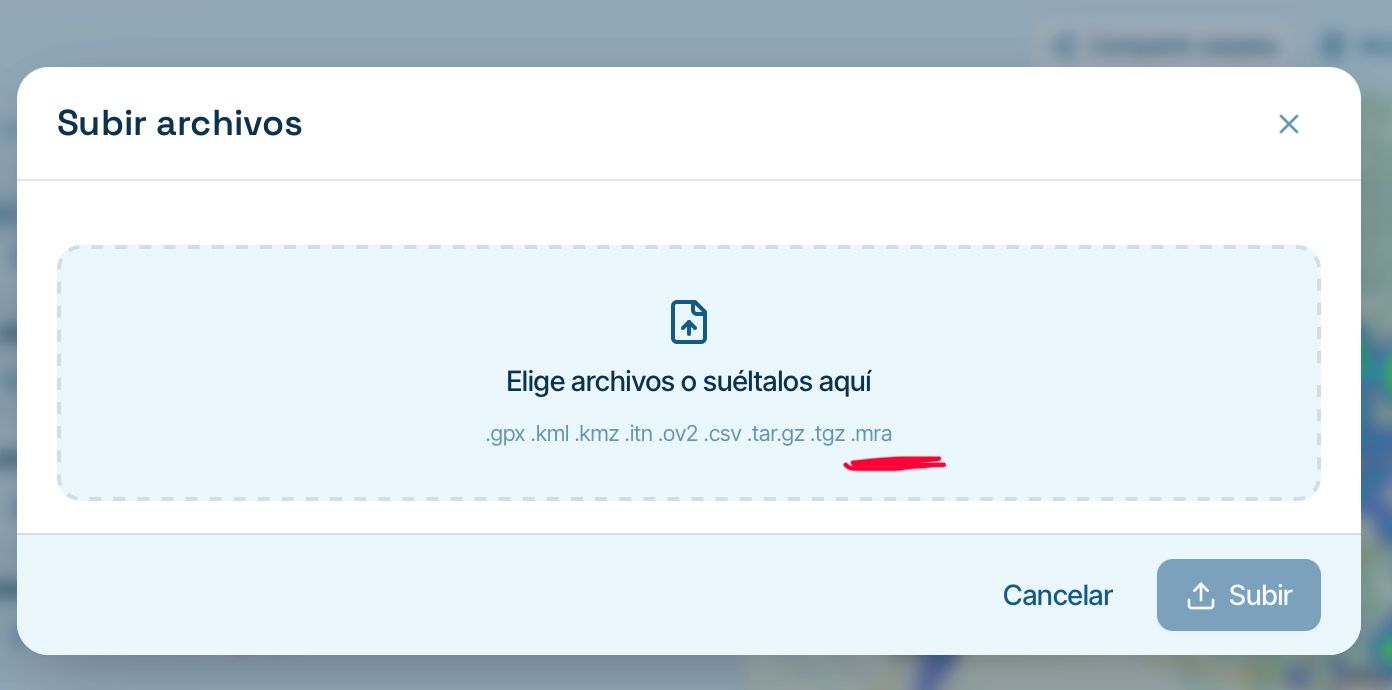
With 1.2 MRA creates a track that's included in the route information which forces the Garmin to ignore its own logic and follow the route exactly as you intended.
I personally use Via points to indicate the points that I don't want to bypass unless I manually skip them, and I use shaping points to shape the route. When I am happy with the route that I see on my computer screen, I export it in 1.2 format, import it into my Garmin and the route will be JUST LIKE it was in MRA.
-
Thanks Steve that is all clear now.
On an out and return route in order not to have any problems when restarting the route is it best to put a few via points that you can use to get started in the right direction again, and if so how to you tell garmin to go to a selected via point? -
How do I manually skip a missed via point.
In the situation I found myself was their anyway I could have carried on my route without having had to go back to the first via point?
@Simon-James-Hancock I replied earlier that you'd need to stop the route then restart it to skip the first via point. That's not completely true.... I hereby correct myself!
On the bottom right corner of the Garmin you'll see three lines. Press this area and it will bring up a menu that will allow you to skip the next via point. On my Garmin 595 there's simply a "Skip" option on that menu, and on my XT3 there's an "Edit Route" option that will allow you to select a "Skip Next Destination" option. It may be a little different on your Garmin but you'll find it.
I haven't ever used this option myself (hence the reason why I forgot that it was even there) but based on my testing here it looks like if you're not on your route already and you delete the next via point that the Garmin then uses its own logic to get to the following via point.
I'm ASSUMING (but I very well could be wrong, so I'm going to test it for myself and verify) that if you are on your route and you simply skip the next via point that the Garmin will continue to follow your desired route. That's easy to verify if you're showing your route and track simultaneously, and you can also watch and see if your distance and / or time changes when you make the change.
Perhaps someone with more experience skipping via points with the Garmin with the 1.2 .gpx format can verify or refute my assumption. I will report back with what I find.
-
Ok I have just managed to find the Skip option on my Xt2 under edit. I also made my tracke wide and yellow to make it visible when navigating.
I am trying to get the hang of this before I take the wife on the bike to Marocco in September. The My Route app is fantastic for planning everything. I just don't want to be faffing around trying to find out what to do when I am there.I have a friend coming with his Nissan pickup and I will give him my XT. He is even less of an expert than me and I was thinking of loading just a track for him to follow, to make it easier if we get seperated.
As I will not be connecting the Garmin to my phone or headset I could just use a track too, what do you think?Simon-James-Hancock said in GPX Versions 1.1 vs 1.2 for Garmin Visually Explained:
g
-

You have the option to keep up to three "Function" buttons on the screen of the Zumo XT (and my old 340and 390) I keep a skip waypoint button and stop route button on the screen. These can be displayed permanently while navigating.
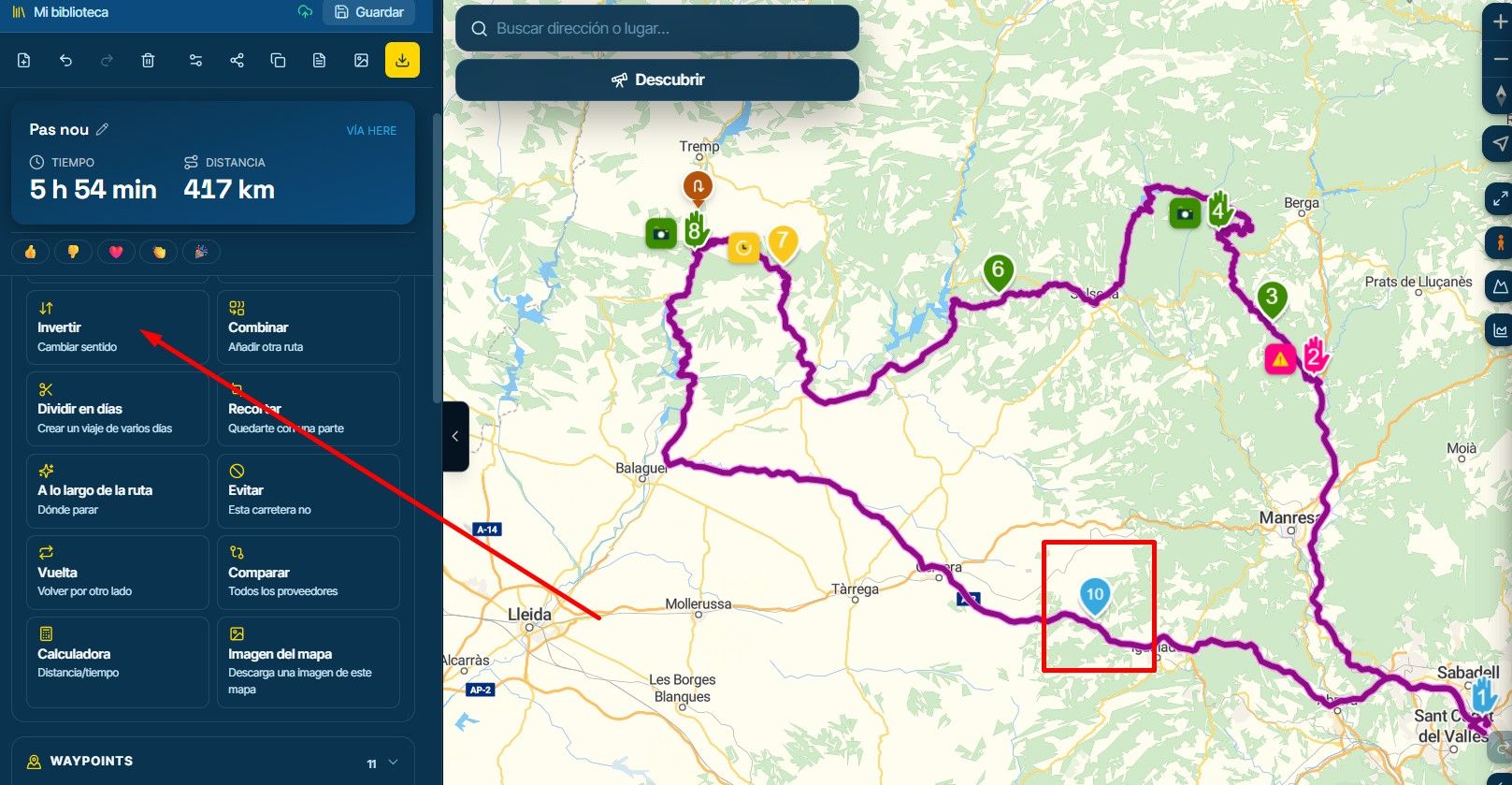
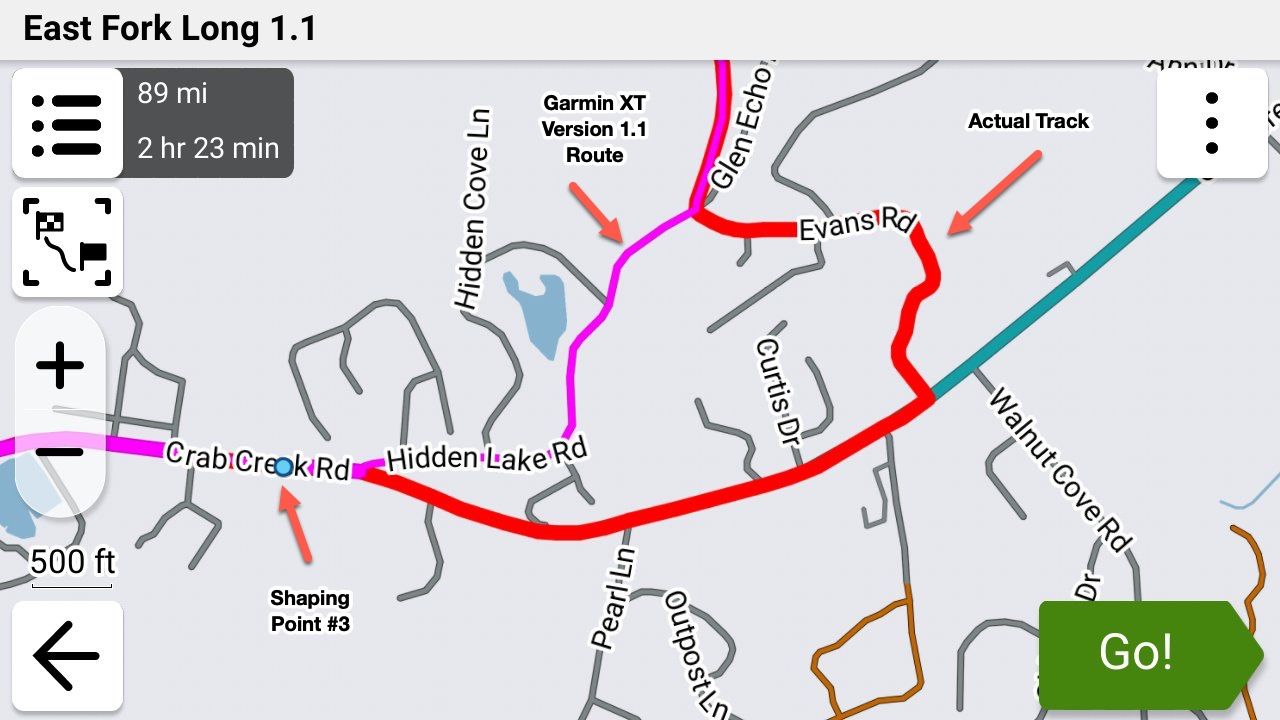
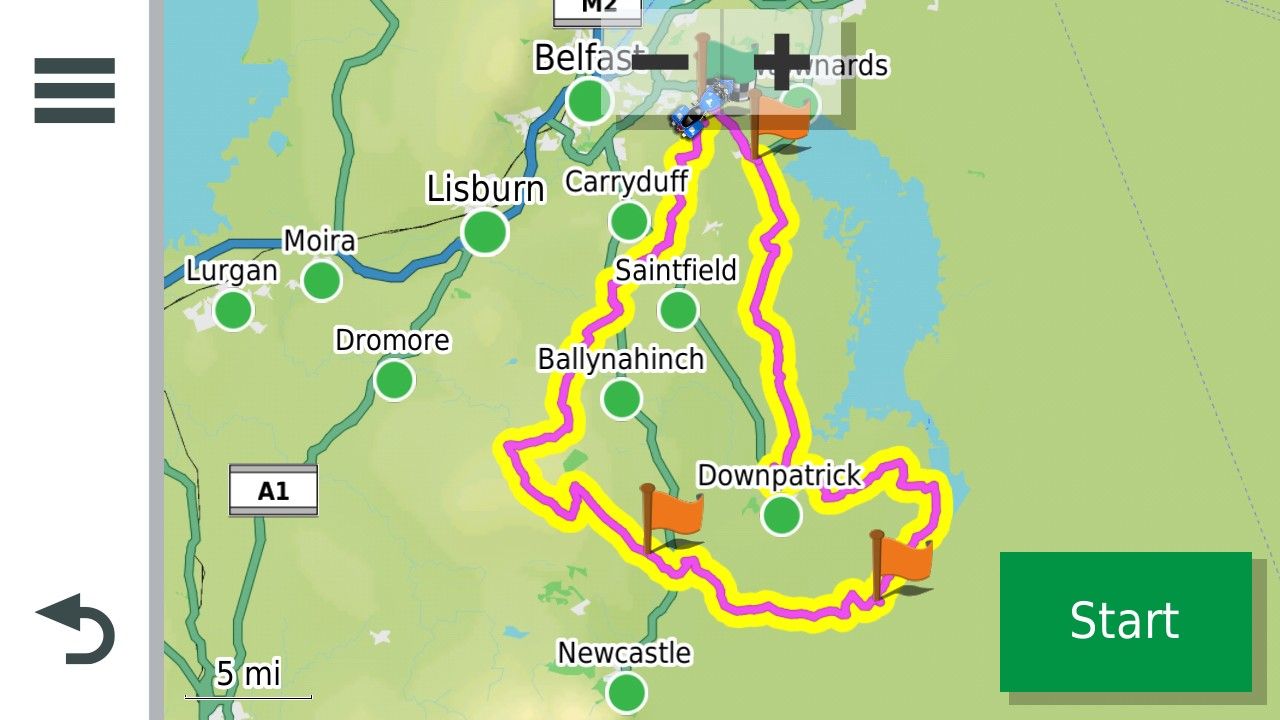
This is a route and track with a Start Finish and two via points.
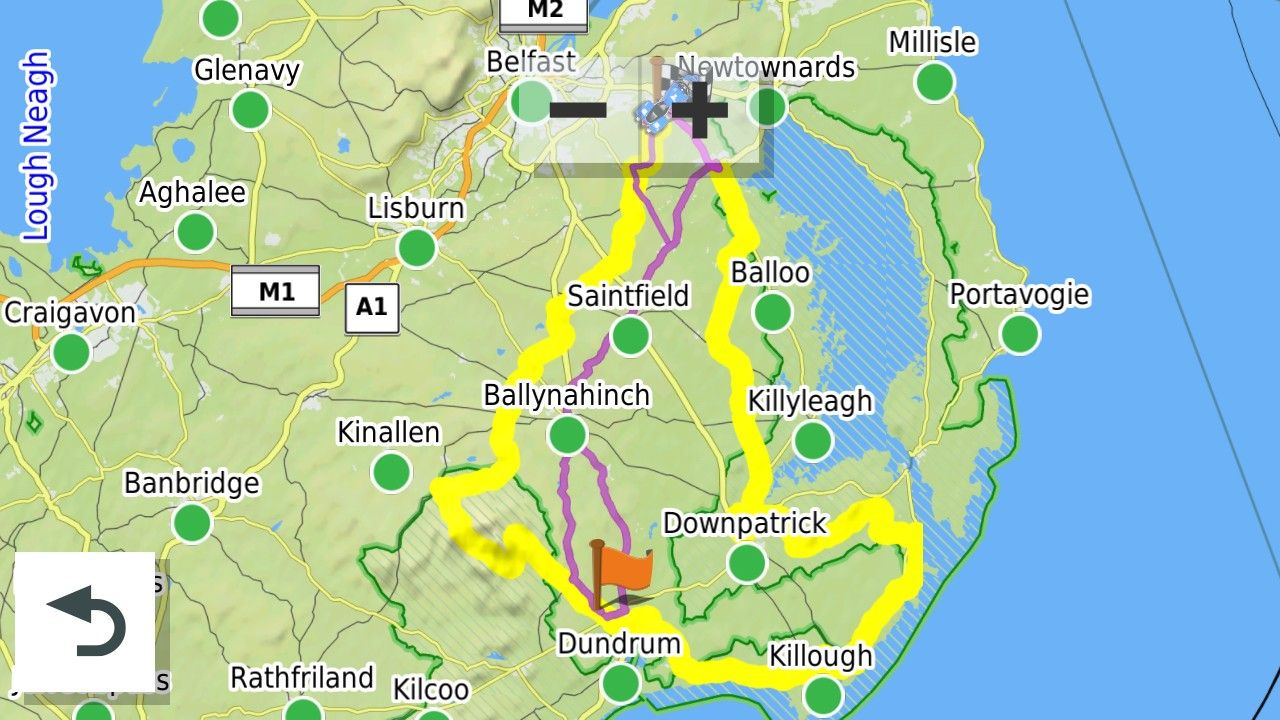
 .
.If you skip the first via point the route becomes this as the GArmin XT recalculates the route using its own parameters.
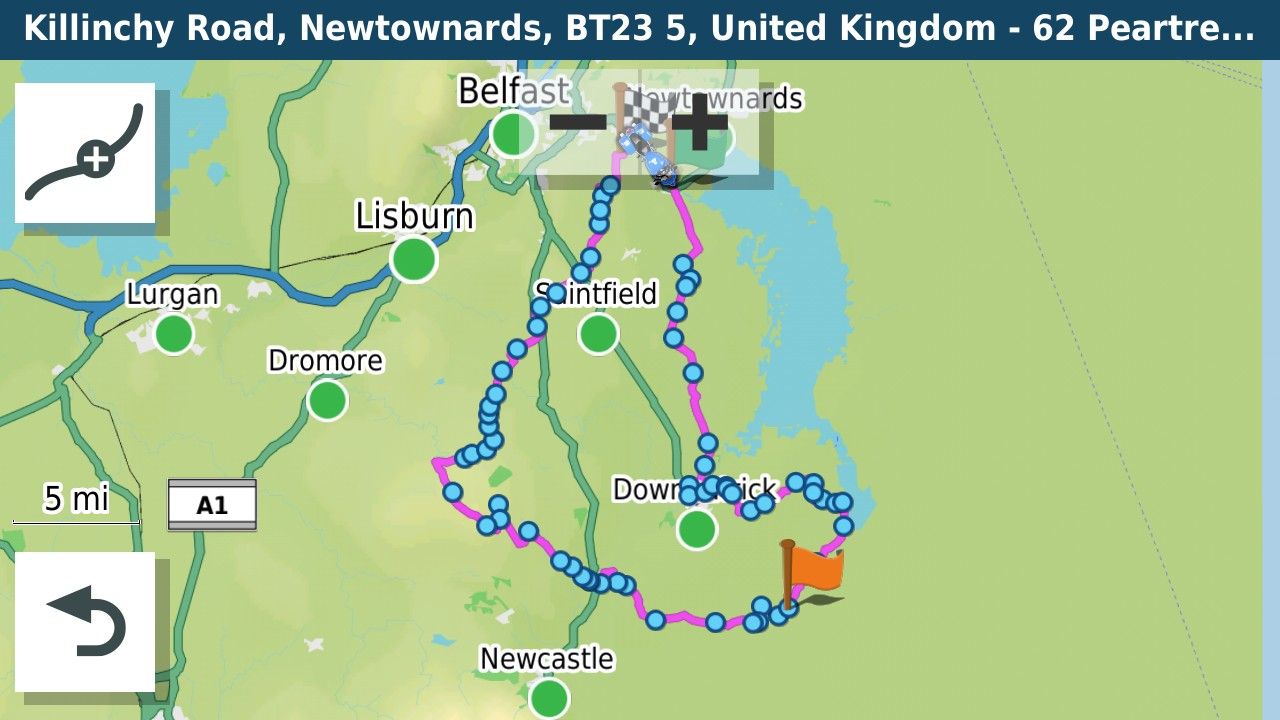
The track is shown on the screen. You can test this from the comfort of your sofa by simulating the route.
-
As far as I can tell, gpx1.2 from MRA removes shaping points (in Garmin speak), but includes route point extensions. Those are generated as the result of routing calculations. They are in the same locations as track points would be if you exported a track generated from the route. Route point extensions are ignored on route recalculation however. That means an imported gpx 1.2 route will look just fine on import, but if it is recalculated, only the via points(Via points,stopping points known as Waypoints in Garmin speak with a flag), will be used in the recalculation. How close the recalculated route will be to the original route depends on differences between MRA and the zumo in terms of maps, routing algorithm and user settings for preferences (e.g. shortest vs fastest route) and avoidances (e.g. highways, tolls, ...).
This is the same route as a GPX1.1 with loads of shaping points to pin it to the route. I use this format together with the track of the route as I often lead groups of riders on unknown roads and want to know that if I go astray and have to use automatic recalculation that I will be returned to the route to the nearest shaping point.
Garmin in their wisdom (or otherwise) have changed the routing behaviour with regard to shaping points somewhere between my Zumo 340/390 and the XT. On the old units the recalculation directed you to the next shaping point along the route. The XT routes to the closest shaping point, that on an out and back route might be on the way back. Therefore now with the XT you have to put a Via point at the farthest extent of an out and back route to ensure that the unit does not route back if a recalculation takes place.
Bottom line if you use GPX1.2 turn recalculations off on the XT. If you use GPX1.1 you can use recalculation as long as the route is carefully designed.
-
Ok I have just managed to find the Skip option on my Xt2 under edit. I also made my tracke wide and yellow to make it visible when navigating.
I am trying to get the hang of this before I take the wife on the bike to Marocco in September. The My Route app is fantastic for planning everything. I just don't want to be faffing around trying to find out what to do when I am there.I have a friend coming with his Nissan pickup and I will give him my XT. He is even less of an expert than me and I was thinking of loading just a track for him to follow, to make it easier if we get seperated.
As I will not be connecting the Garmin to my phone or headset I could just use a track too, what do you think?Simon-James-Hancock said in GPX Versions 1.1 vs 1.2 for Garmin Visually Explained:
g
@Simon-James-Hancock A track can't go wrong but you will have no visual warning of turns. OSMand+ is good for track navigation but has a hell of a learning curve. In all honesty whatever navigation device you use they all have a learning curve......practice, practice, practice to find out what works best for you and how to get the best from the device you are using.
Hello! It looks like you're interested in this conversation, but you don't have an account yet.
Getting fed up of having to scroll through the same posts each visit? When you register for an account, you'll always come back to exactly where you were before, and choose to be notified of new replies (either via email, or push notification). You'll also be able to save bookmarks and upvote posts to show your appreciation to other community members.
With your input, this post could be even better 💗
Register Login







-
 912612.1k
-
 01039
01039
-
01336
-
0622
-
0522
-
 0520
0520
-
 0517
0517
-
 04124
04124