Skip to content
  • Categories
  • Recent
  • Popular
  • Support
  • MyRoute-app
Collapse
Brand Logo

MRA Community Forum

  1. Home
  2. General Discussion
  3. My route is broken - Something went wrong while calculating the route

My route is broken - Something went wrong while calculating the route

Scheduled Pinned Locked Moved General Discussion
16 Posts 4 Posters 2.1k Views 1 Watching
  • Oldest to Newest
  • Newest to Oldest
  • Most Votes
Reply
  • Reply as topic
Log in to reply
This topic has been deleted. Only users with topic management privileges can see it.
  • Jack van Tilburg Jack van Tilburg

    @paul-slater-0
    I suspect you got the following message:
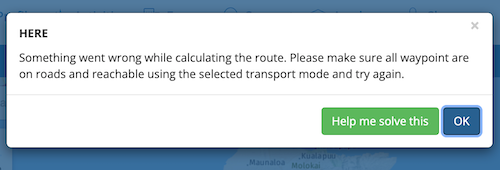
    Schermafbeelding 2022-05-23 om 22.53.15.png
    Have you already clicked on the green field?
    There is a good chance that you will then receive a clue about the error that has arisen:
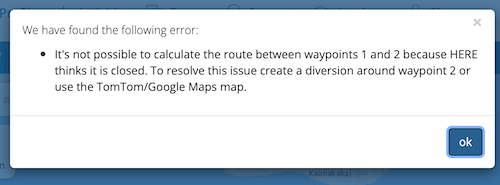
    Schermafbeelding 2022-05-23 om 22.53.29.png
    There is a good chance that a waypoint has been placed in an inaccessible place. Check your waypoints to see if they are. be well positioned.

    Paul Slater 0 Offline
    Paul Slater 0 Offline
    Paul Slater 0
    wrote on last edited by
    #3

    @jack-van-tilburg Hi, the error message doesn't offer the option to fix the route:
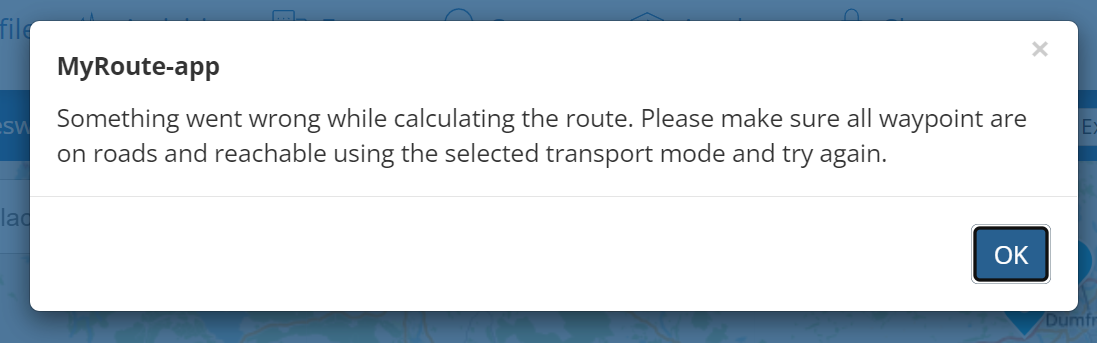
    fe893520-8bc8-4587-ba6f-a40b17c3ea0a-image.png

    Ive tried checking each waypoint to make sure it is centred exactly on a road but as soon as I try and adjust one I get the same error once more

    Hans van de Ven MR.MRA 1 Reply Last reply
    0
    • Paul Slater 0 Paul Slater 0

      @jack-van-tilburg Hi, the error message doesn't offer the option to fix the route:

      fe893520-8bc8-4587-ba6f-a40b17c3ea0a-image.png

      Ive tried checking each waypoint to make sure it is centred exactly on a road but as soon as I try and adjust one I get the same error once more

      Hans van de Ven MR.MRA Offline
      Hans van de Ven MR.MRA Offline
      Hans van de Ven MR.MRA
      Valued contributor
      wrote on last edited by
      #4

      @paul-slater-0

      Hi Paul, please share tje url of your route here. Make sure it is set on Public

      Garmin Zumo XT3/XT2/XT/BMW Connected Ride Navigator/Tourstart/ MyRouteapp (The App)/...
      Een dag niet gelachen is een dag niet geleefd / Een route is net zo goed als deze uitgezet is.

      Paul Slater 0 1 Reply Last reply
      0
      • Hans van de Ven MR.MRA Hans van de Ven MR.MRA

        @paul-slater-0

        Hi Paul, please share tje url of your route here. Make sure it is set on Public

        Paul Slater 0 Offline
        Paul Slater 0 Offline
        Paul Slater 0
        wrote on last edited by Paul Slater 0
        #5

        @hans-van-de-ven-mra-master It is currently Private, how do I set it to Public please?

        OK I found out how 🙂

        Here is the route https://www.myrouteapp.com/route/open/5935324

        Paul Slater 0 1 Reply Last reply
        0
        • Paul Slater 0 Paul Slater 0

          @hans-van-de-ven-mra-master It is currently Private, how do I set it to Public please?

          OK I found out how 🙂

          Here is the route https://www.myrouteapp.com/route/open/5935324

          Paul Slater 0 Offline
          Paul Slater 0 Offline
          Paul Slater 0
          wrote on last edited by
          #6

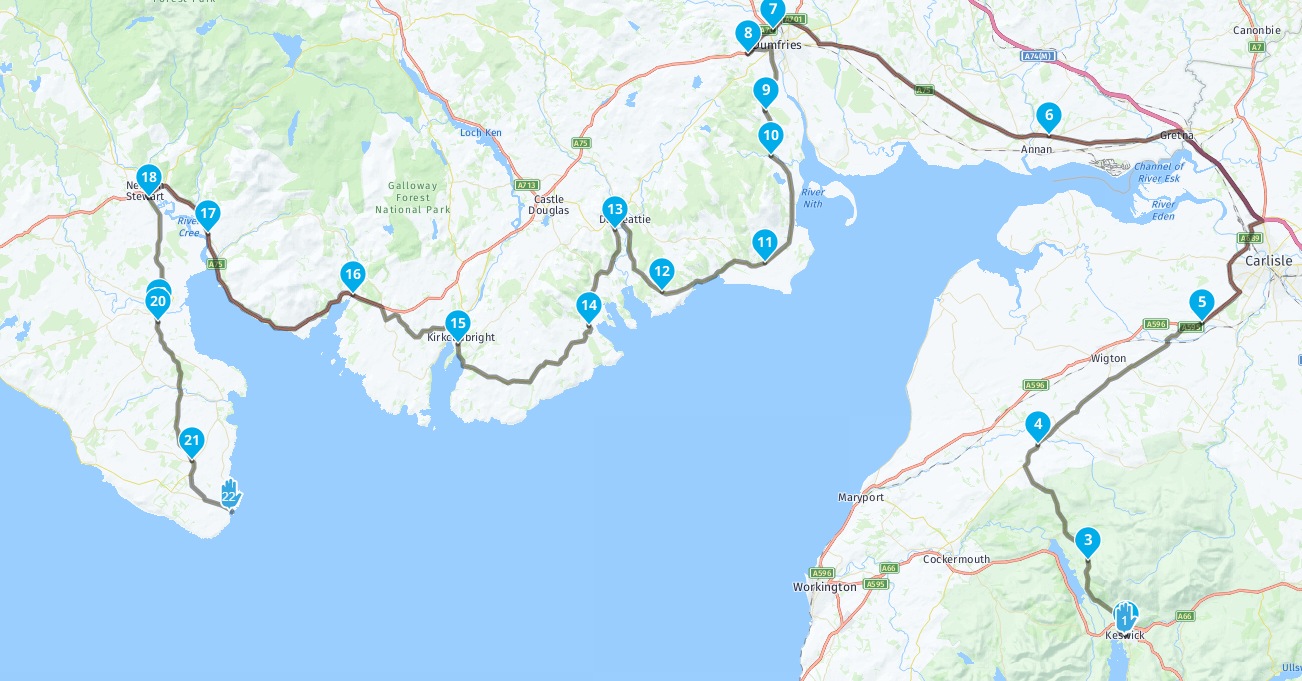
          @paul-slater-0 I have been to each waypoint and zoomed right in to ensure each is centred on a road. But it still gave the same issue with each waypoint I moved a quarter of an inch.
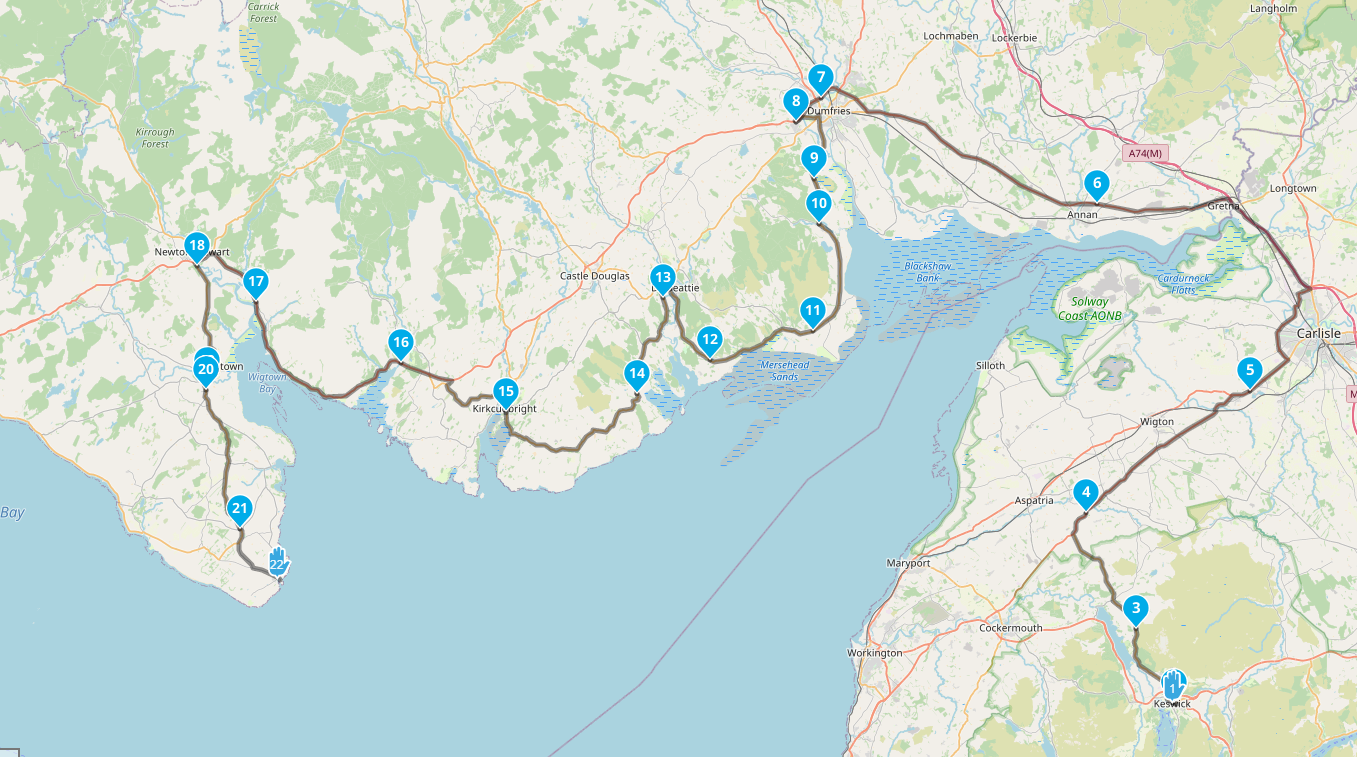
          Now I have just added a new waypoint after (5) to aid the route, and it is now only calculating the route between points 21 and 22 as far as I can tell

          Hans van de Ven MR.MRA Nick Carthew 2 Replies Last reply
          0
          • Paul Slater 0 Paul Slater 0

            @paul-slater-0 I have been to each waypoint and zoomed right in to ensure each is centred on a road. But it still gave the same issue with each waypoint I moved a quarter of an inch.
            Now I have just added a new waypoint after (5) to aid the route, and it is now only calculating the route between points 21 and 22 as far as I can tell

            Hans van de Ven MR.MRA Offline
            Hans van de Ven MR.MRA Offline
            Hans van de Ven MR.MRA
            Valued contributor
            wrote on last edited by Hans van de Ven MR.MRA
            #7

            @paul-slater-0
            No problem here:
            OSM Map:
            d7d12f63-2d8d-4a46-8f28-6047058fd57d-image.png

            TomTom map:
            c72004c8-8be5-4360-ae19-6dcbfa94f809-image.png

            Here Map:
            b55e12e7-63fa-481c-9a6b-d8cc16d3aa59-image.png

            Garmin Zumo XT3/XT2/XT/BMW Connected Ride Navigator/Tourstart/ MyRouteapp (The App)/...
            Een dag niet gelachen is een dag niet geleefd / Een route is net zo goed als deze uitgezet is.

            1 Reply Last reply
            0
            • Paul Slater 0 Paul Slater 0

              @paul-slater-0 I have been to each waypoint and zoomed right in to ensure each is centred on a road. But it still gave the same issue with each waypoint I moved a quarter of an inch.
              Now I have just added a new waypoint after (5) to aid the route, and it is now only calculating the route between points 21 and 22 as far as I can tell

              Nick Carthew Offline
              Nick Carthew Offline
              Nick Carthew
              RouteXpert
              wrote on last edited by
              #8

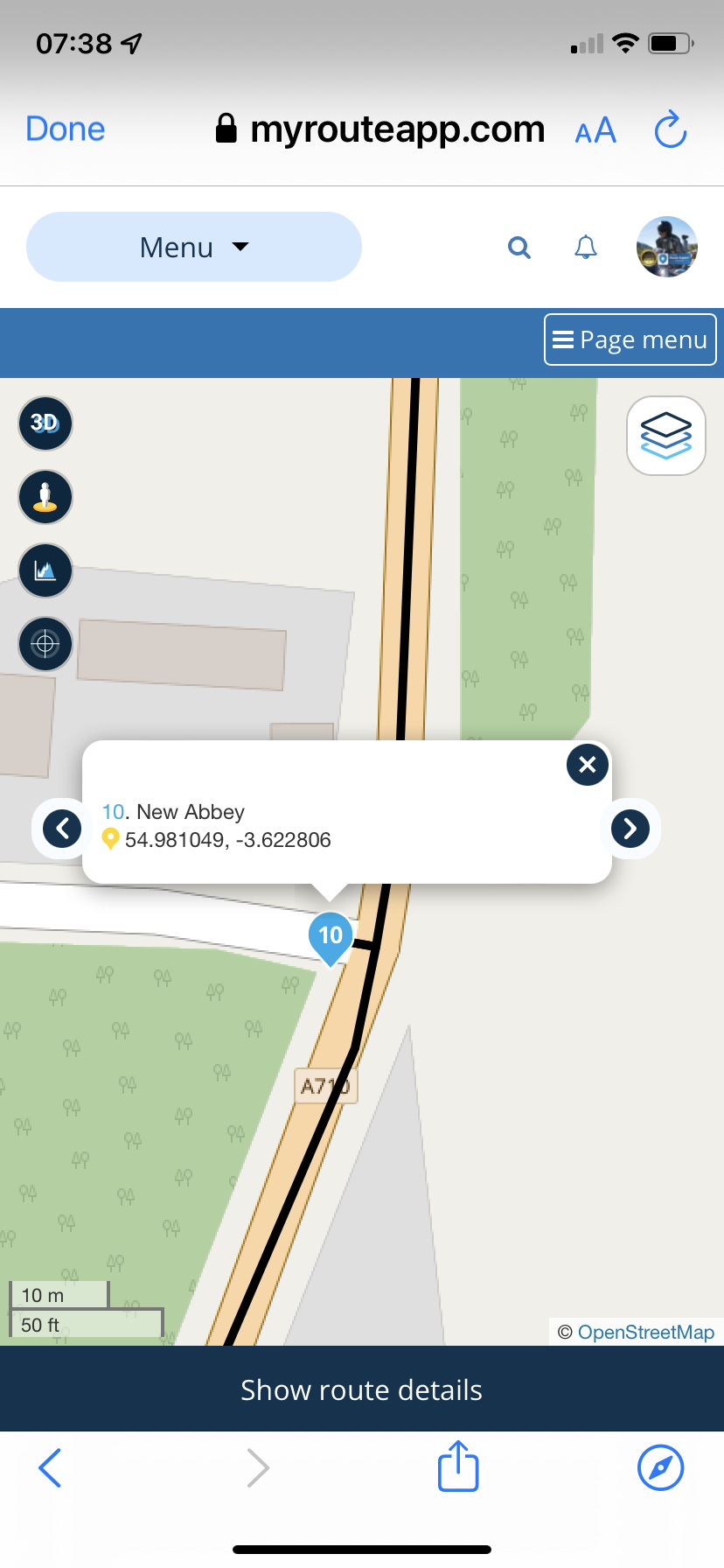
              @paul-slater-0 When I FULLY zoom in some route points are off the road. If you look at route point 10 you will notice that you will get one of those annoying turns that immediately tell you to turn back.
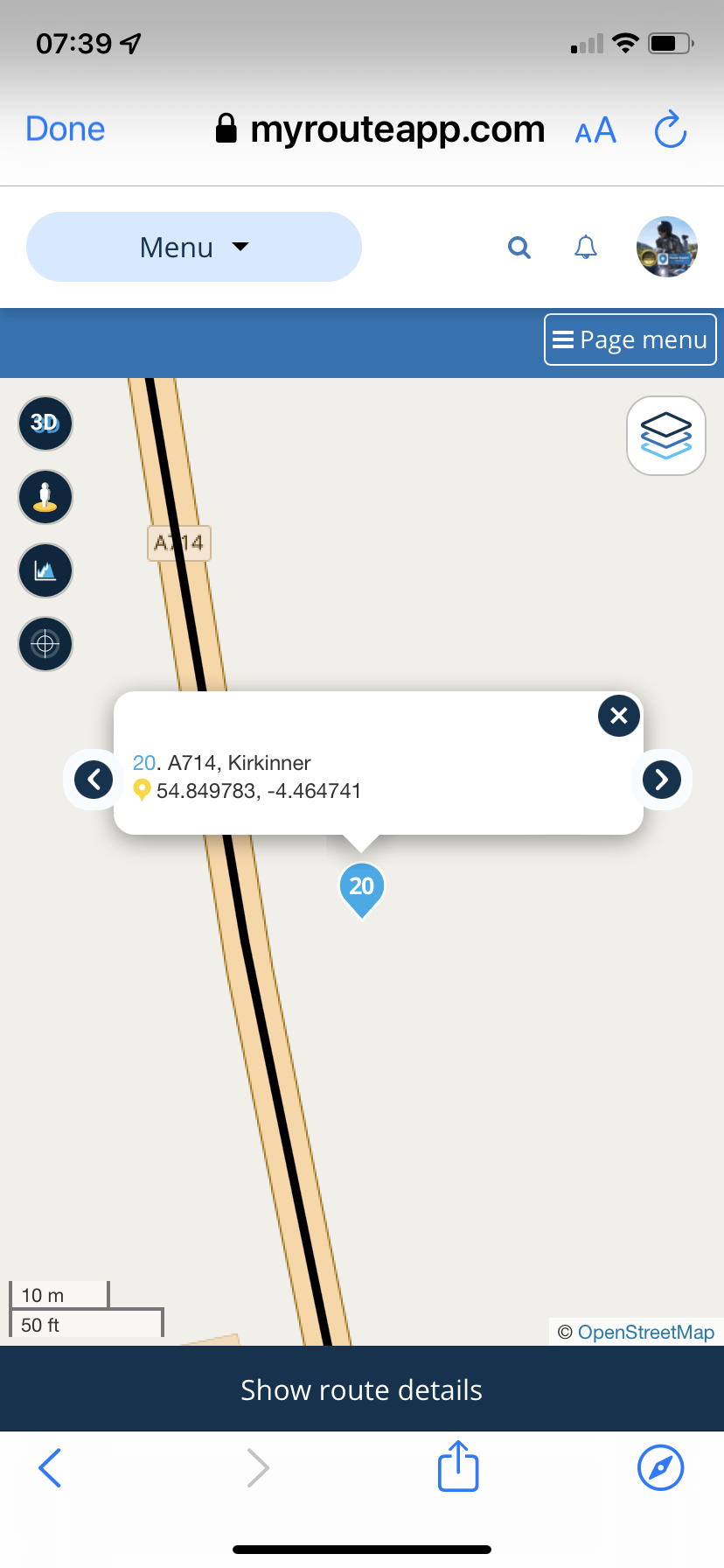
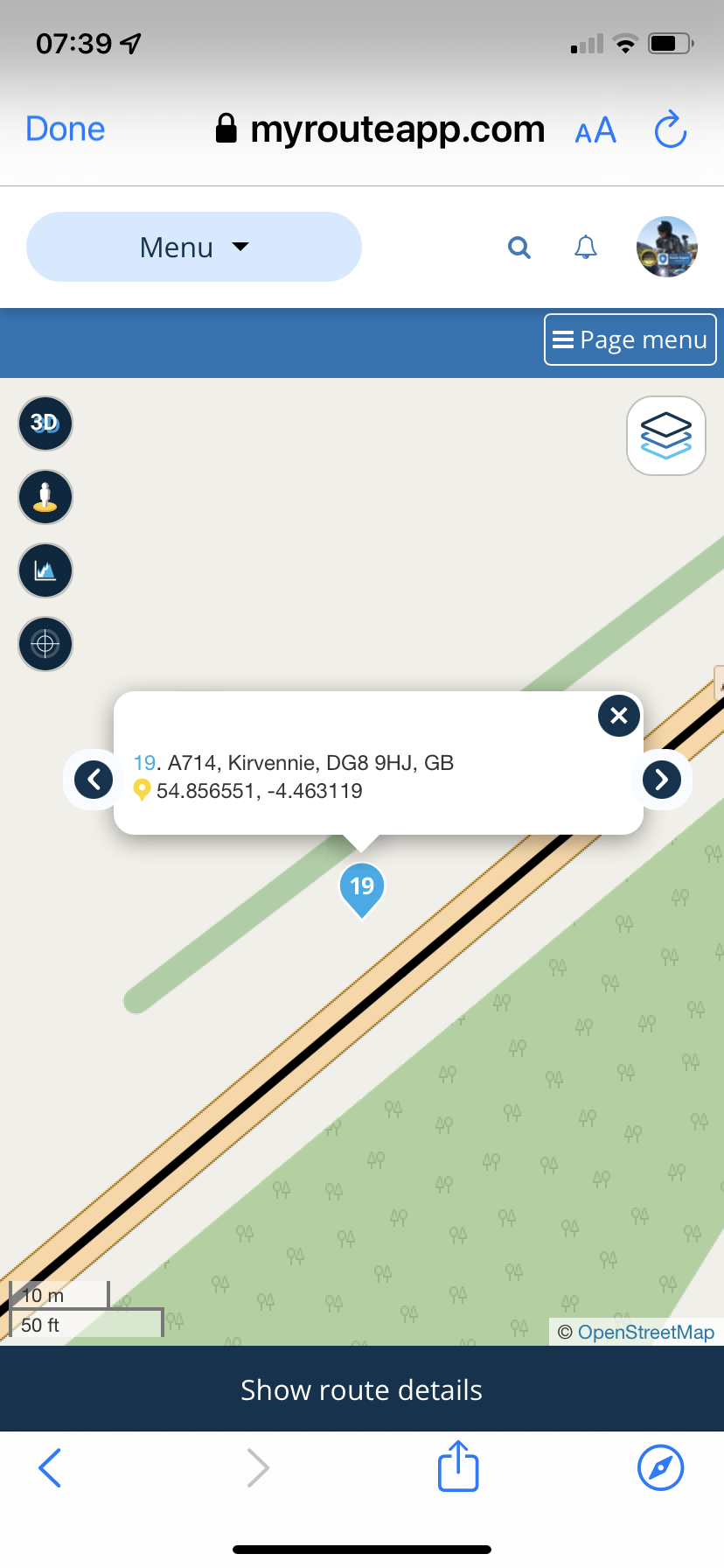
              912FF036-8CB8-46EE-A6AF-154FF5009ABE.png B915DBCF-8627-4178-8324-772D46EB7024.png 46F9755A-8CF4-4B26-B533-366B6D47E485.png 360C0A61-0552-4387-9C7A-DBF8F67B6B79.png

              Always willing to help if I can.
              Triumph Tiger 1200 XRT called Tina.
              MRA Navigation Next and SilverFox BJ8

              Hans van de Ven MR.MRA 1 Reply Last reply
              0
              • Nick Carthew Nick Carthew

                @paul-slater-0 When I FULLY zoom in some route points are off the road. If you look at route point 10 you will notice that you will get one of those annoying turns that immediately tell you to turn back.
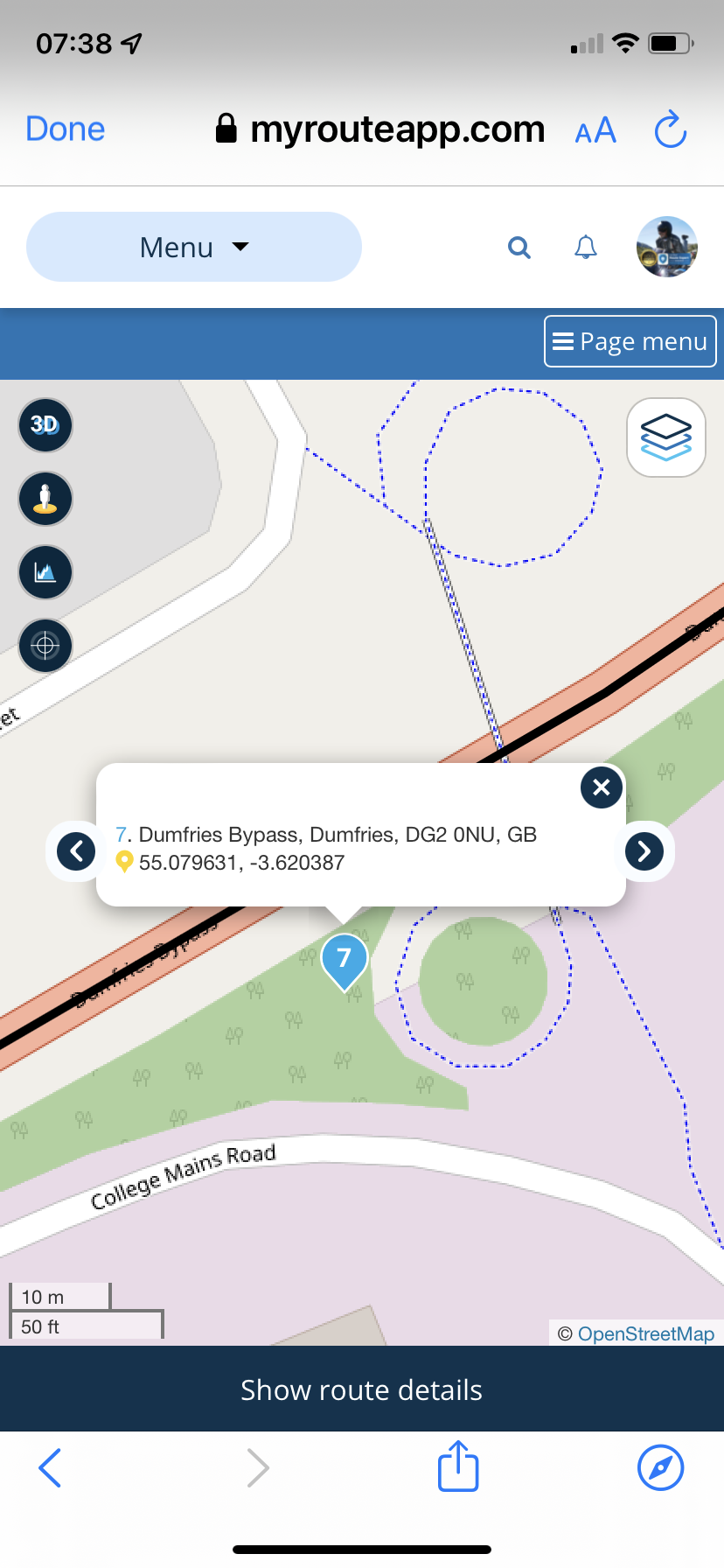
                912FF036-8CB8-46EE-A6AF-154FF5009ABE.png B915DBCF-8627-4178-8324-772D46EB7024.png 46F9755A-8CF4-4B26-B533-366B6D47E485.png 360C0A61-0552-4387-9C7A-DBF8F67B6B79.png

                Hans van de Ven MR.MRA Offline
                Hans van de Ven MR.MRA Offline
                Hans van de Ven MR.MRA
                Valued contributor
                wrote on last edited by
                #9

                @Paul-Slater-0
                I haven't checked the waypoints, as @Nick-Carthew points out, I just opened the route in the different maps, and as you can see it's just being calculated.

                Garmin Zumo XT3/XT2/XT/BMW Connected Ride Navigator/Tourstart/ MyRouteapp (The App)/...
                Een dag niet gelachen is een dag niet geleefd / Een route is net zo goed als deze uitgezet is.

                Paul Slater 0 1 Reply Last reply
                0
                • Hans van de Ven MR.MRA Hans van de Ven MR.MRA

                  @Paul-Slater-0
                  I haven't checked the waypoints, as @Nick-Carthew points out, I just opened the route in the different maps, and as you can see it's just being calculated.

                  Paul Slater 0 Offline
                  Paul Slater 0 Offline
                  Paul Slater 0
                  wrote on last edited by
                  #10

                  @hans-van-de-ven-mra-master
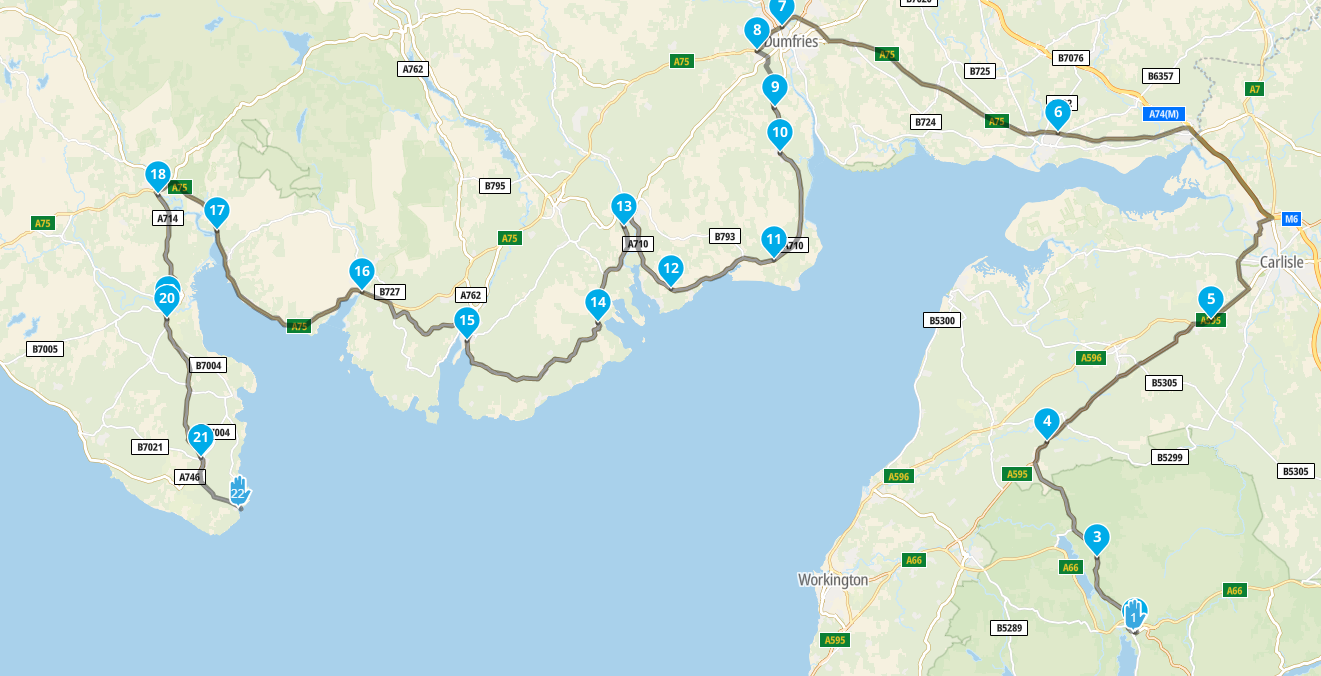
                  I checked them using Google Maps, not OSM, but the problem I have now is that the roite is not calculating at all and only showing the connection between the final two points
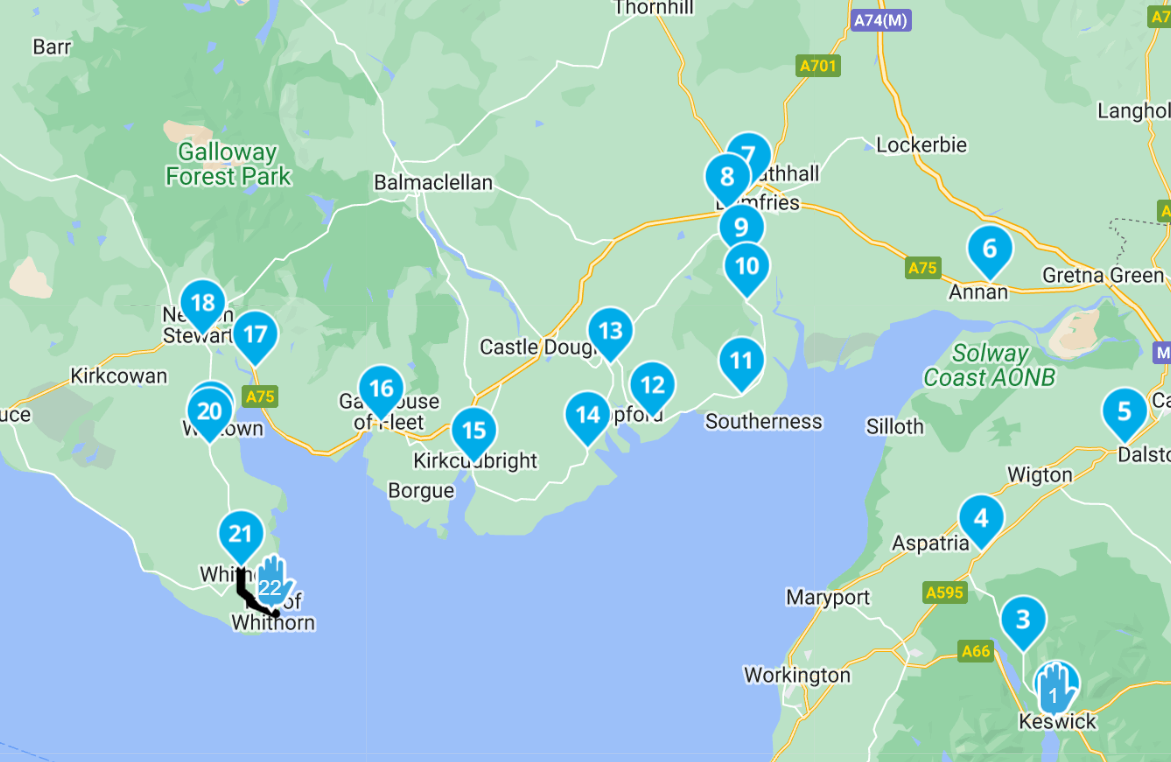
                  2b5e5fa4-6279-47cd-9df7-84961725472d-image.png

                  Is there a way to "force" a recalc of the whole route from 1 to 22 ?

                  Paul Slater 0 Hans van de Ven MR.MRA 2 Replies Last reply
                  0
                  • Paul Slater 0 Paul Slater 0

                    @hans-van-de-ven-mra-master
                    I checked them using Google Maps, not OSM, but the problem I have now is that the roite is not calculating at all and only showing the connection between the final two points

                    2b5e5fa4-6279-47cd-9df7-84961725472d-image.png

                    Is there a way to "force" a recalc of the whole route from 1 to 22 ?

                    Paul Slater 0 Offline
                    Paul Slater 0 Offline
                    Paul Slater 0
                    wrote on last edited by
                    #11

                    @paul-slater-0 also the waypoints are now unnamed
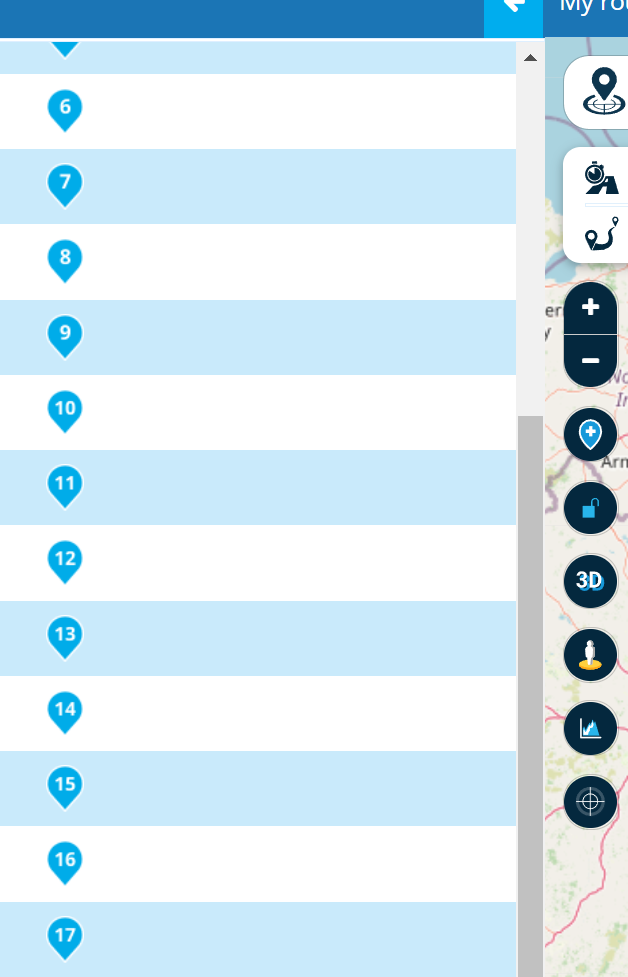
                    f6b70fc9-b142-4f9e-905c-fae5cffbf76f-image.png

                    1 Reply Last reply
                    0
                    • Paul Slater 0 Paul Slater 0

                      @hans-van-de-ven-mra-master
                      I checked them using Google Maps, not OSM, but the problem I have now is that the roite is not calculating at all and only showing the connection between the final two points

                      2b5e5fa4-6279-47cd-9df7-84961725472d-image.png

                      Is there a way to "force" a recalc of the whole route from 1 to 22 ?

                      Hans van de Ven MR.MRA Offline
                      Hans van de Ven MR.MRA Offline
                      Hans van de Ven MR.MRA
                      Valued contributor
                      wrote on last edited by
                      #12

                      @paul-slater-0

                      Open the route in the OSM map, go to point 1, zoom in to the max and set the point on the right position on the road, then point 2 etc

                      Garmin Zumo XT3/XT2/XT/BMW Connected Ride Navigator/Tourstart/ MyRouteapp (The App)/...
                      Een dag niet gelachen is een dag niet geleefd / Een route is net zo goed als deze uitgezet is.

                      Paul Slater 0 1 Reply Last reply
                      0
                      • Hans van de Ven MR.MRA Hans van de Ven MR.MRA

                        @paul-slater-0

                        Open the route in the OSM map, go to point 1, zoom in to the max and set the point on the right position on the road, then point 2 etc

                        Paul Slater 0 Offline
                        Paul Slater 0 Offline
                        Paul Slater 0
                        wrote on last edited by Paul Slater 0
                        #13

                        @hans-van-de-ven-mra-master Hi, I lready did this. I was using the Google Maps overlay not OSM, but I zoomed in to the maximum on each point (all 22 of them) and made sure it was on a road. The problem seemed to be that even when I dragged the ones that were slightly misplaced, the program then recalcluated for 20 seconds each time, and each time produced the error message as originally posted, so I'm not certain that the adjustments have "stuck", particualrly as the points are still showing as off the road.

                        The thing is, the route was working fine until yesterday evening, all the points were connected and all the waypoints had names.

                        It's beginning to seem like I might need to replot the route from start to finish

                        Jack van Tilburg 1 Reply Last reply
                        0
                        • Paul Slater 0 Paul Slater 0

                          @hans-van-de-ven-mra-master Hi, I lready did this. I was using the Google Maps overlay not OSM, but I zoomed in to the maximum on each point (all 22 of them) and made sure it was on a road. The problem seemed to be that even when I dragged the ones that were slightly misplaced, the program then recalcluated for 20 seconds each time, and each time produced the error message as originally posted, so I'm not certain that the adjustments have "stuck", particualrly as the points are still showing as off the road.

                          The thing is, the route was working fine until yesterday evening, all the points were connected and all the waypoints had names.

                          It's beginning to seem like I might need to replot the route from start to finish

                          Jack van Tilburg Offline
                          Jack van Tilburg Offline
                          Jack van Tilburg
                          wrote on last edited by Jack van Tilburg
                          #14

                          @paul-slater-0
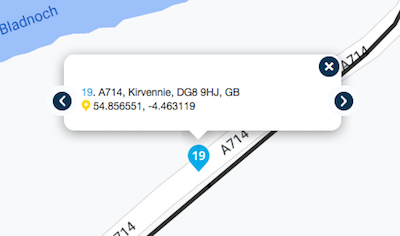
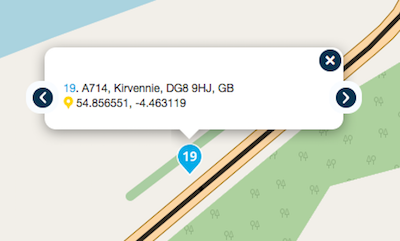
                          Same route point, different maps.
                          You have to organise your route points with the OSM map and without an other overlay.

                          Google Maps
                          Schermafbeelding 2022-05-24 om 09.29.25.png

                          Opem Source Map
                          Schermafbeelding 2022-05-24 om 09.29.43.png

                          Paul Slater 0 Jack van Tilburg 2 Replies Last reply
                          0
                          • Jack van Tilburg Jack van Tilburg

                            @paul-slater-0
                            Same route point, different maps.
                            You have to organise your route points with the OSM map and without an other overlay.

                            Google Maps
                            Schermafbeelding 2022-05-24 om 09.29.25.png

                            Opem Source Map
                            Schermafbeelding 2022-05-24 om 09.29.43.png

                            Paul Slater 0 Offline
                            Paul Slater 0 Offline
                            Paul Slater 0
                            wrote on last edited by
                            #15

                            @jack-van-tilburg ahh okay, I didn't realise that. Thanks for the tip!

                            1 Reply Last reply
                            0
                            • Jack van Tilburg Jack van Tilburg

                              @paul-slater-0
                              Same route point, different maps.
                              You have to organise your route points with the OSM map and without an other overlay.

                              Google Maps
                              Schermafbeelding 2022-05-24 om 09.29.25.png

                              Opem Source Map
                              Schermafbeelding 2022-05-24 om 09.29.43.png

                              Jack van Tilburg Offline
                              Jack van Tilburg Offline
                              Jack van Tilburg
                              wrote on last edited by
                              #16

                              @jack-van-tilburg said in My route is broken - Something went wrong while calculating the route:

                              You have to organise your route points with the OSM map and without an other overlay.

                              And of course the Here map if you use Garmin or MRA Nav
                              And the TomTom map when using TomTom navigation.
                              But the same always applies and that is that you should not use a different overlay.
                              1 Reply Last reply
                              0

                              Hello! It looks like you're interested in this conversation, but you don't have an account yet.

                              Getting fed up of having to scroll through the same posts each visit? When you register for an account, you'll always come back to exactly where you were before, and choose to be notified of new replies (either via email, or push notification). You'll also be able to save bookmarks and upvote posts to show your appreciation to other community members.

                              With your input, this post could be even better 💗

                              Register Login
                              Reply
                              • Reply as topic
                              Log in to reply
                              • Oldest to Newest
                              • Newest to Oldest
                              • Most Votes


                              ACTIVE USERS
                              Nick Carthew
                              Nick Carthew
                              Hans van de Ven MR.MRA
                              Hans van de Ven MR.MRA
                              Jack van Tilburg
                              Jack van Tilburg
                              Paul Slater 0
                              Paul Slater 0
                              POPULAR TOPICS
                              • Rondrit maken lukt niet
                                Rob Vonk
                                Rob Vonk
                                0
                                13
                                148

                              • Giving folders its own color
                                Stevedo 6 0
                                Stevedo 6 0
                                0
                                22
                                782

                              • GPX1.2 & Garmin Tread
                                Stevedo 6 0
                                Stevedo 6 0
                                0
                                12
                                393

                              • Missing option to avoid "unplaned" closed road
                                Banshees
                                Banshees
                                0
                                5
                                81

                              • High Contrast Maps
                                John S Parry
                                John S Parry
                                3
                                17
                                1.5k

                              • Omweg door afgesloten weg
                                Marinus van Deudekom
                                Marinus van Deudekom
                                0
                                5
                                94

                              • Search from AA Auto not working
                                Stevedo 6 0
                                Stevedo 6 0
                                0
                                4
                                67

                              • MRA V5.2.2 (489) POI Navigieren Kurvenreich ?
                                Hubert Thoring
                                Hubert Thoring
                                0
                                4
                                22

                              MY GROUPS
                              • Login

                              • Login or register to search.
                              • First post
                                Last post
                              0
                              • Categories
                              • Recent
                              • Popular
                              • Support
                              • MyRoute-app