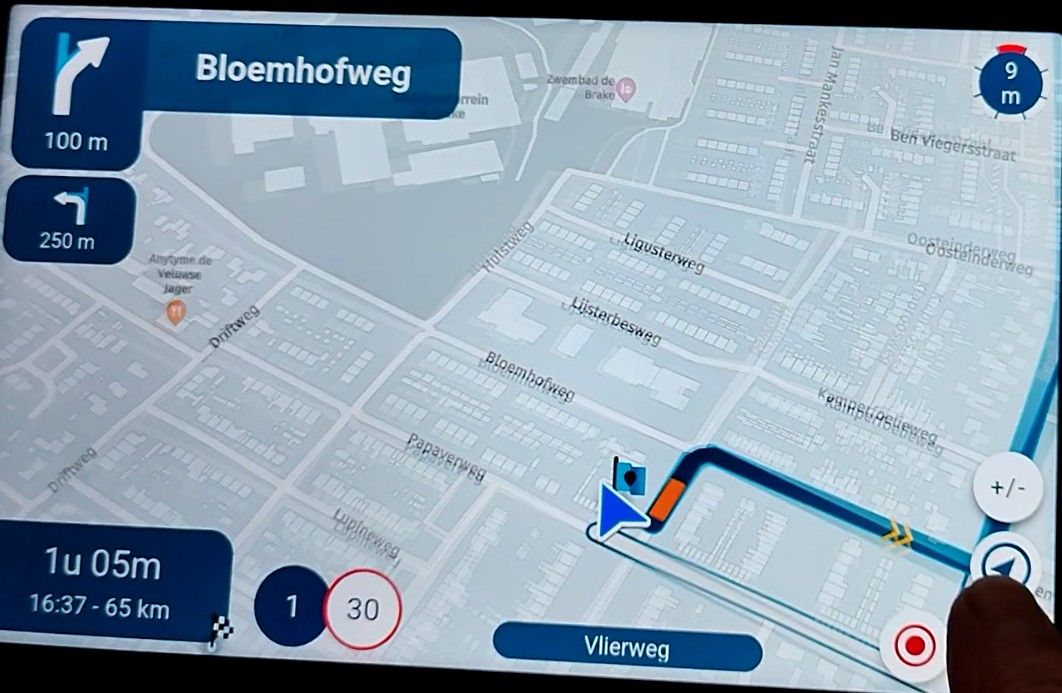
No tracklog on Android phone
-

Hello!
I‘ve been using MRA for a while to planning of routes. The GPX files were then loaded into Garmin Zumo XT (I hadn‘t been pleased with that device), which I sold and instead got me a Gigaset GX6 Smartphone with Android operating system, and installed the Myroute-app.
To my great chagrin I could never get a tracklog when navigating using that app. I tried different settings, de- and re-installed the app. I did sent my complaint to the developers of Myroute and since we’re trying to find a solution. Thank you, dear Jarnick!
However, until to date we’re not having any idea as to how to fix the problem. Thus I’m posting this request asking whether anybody else would have or have had a similar problem of being unable to record and to save a tracklog on Android smartphones.
Left hand to greeting!
Reinhard
-
Hello!
I‘ve been using MRA for a while to planning of routes. The GPX files were then loaded into Garmin Zumo XT (I hadn‘t been pleased with that device), which I sold and instead got me a Gigaset GX6 Smartphone with Android operating system, and installed the Myroute-app.
To my great chagrin I could never get a tracklog when navigating using that app. I tried different settings, de- and re-installed the app. I did sent my complaint to the developers of Myroute and since we’re trying to find a solution. Thank you, dear Jarnick!
However, until to date we’re not having any idea as to how to fix the problem. Thus I’m posting this request asking whether anybody else would have or have had a similar problem of being unable to record and to save a tracklog on Android smartphones.
Left hand to greeting!
Reinhard

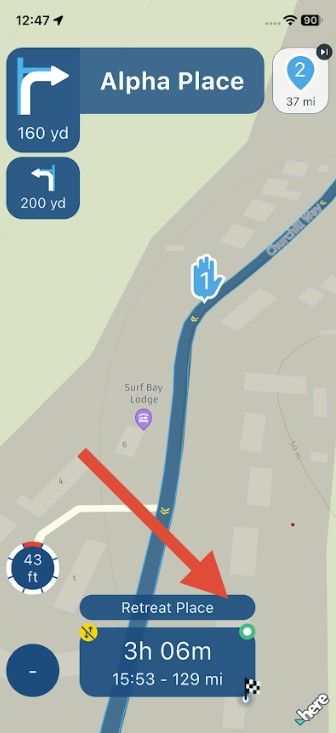
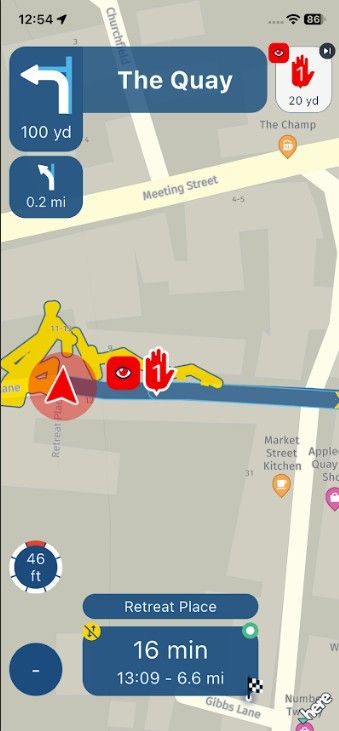
@Reinhard-Grossmann-h-0 Do you see a green spot in the ETA box after you start navigating? This indicates that you are tracking your route. And have you selected to Show tracklog in Navigation settings > Screen layout > Lines? This will show a yellow line when you are tracking.
-
@nick-carthew
Thank you.
No, I never saw that green dot, which puzzles me ever from the beginning.
Yes, I’ve switched on “Lines” -
@nick-carthew
Thank you.
No, I never saw that green dot, which puzzles me ever from the beginning.
Yes, I’ve switched on “Lines”
@Reinhard-Grossmann-h-0 Do you have location services set to allow all the time?
And do you have Accuracy set to use precise location?
-
@Reinhard-Grossmann-h-0 Do you have location services set to allow all the time?
And do you have Accuracy set to use precise location?
@Reinhard-Grossmann-h-0 Do you have location services set to allow all the time?
And do you have Accuracy set to use precise location?
To both questions the answers are YES, I did
-
@Reinhard-Grossmann-h-0 Do you have location services set to allow all the time?
And do you have Accuracy set to use precise location?
@Nick-Carthew
The answers to both of your quwstions are YES, I did. -
@Nick-Carthew
The answers to both of your quwstions are YES, I did.
@Reinhard-Grossmann-h-0 I suspect the problem lies within your phone then.
Hello! It looks like you're interested in this conversation, but you don't have an account yet.
Getting fed up of having to scroll through the same posts each visit? When you register for an account, you'll always come back to exactly where you were before, and choose to be notified of new replies (either via email, or push notification). You'll also be able to save bookmarks and upvote posts to show your appreciation to other community members.
With your input, this post could be even better 💗
Register Login-
0790
-
 07111
07111
-
 017144
-
 04114
04114
-
06222
-
0143.0k
-
16208