New Zealand Routes
-
@Bull-Tahr It’s not MRA standards that your routes need to follow. But they do need to be accurately defined and if your intention is for other users to use them, then the routes should also be adjusted so that all planning maps follow the same routes.
These are of course the minimum standards that MRA RouteXpert routes use but they are also standards that as route planners we should all follow.
@Bull-Tahr It’s not MRA standards that your routes need to follow. But they do need to be accurately defined and if your intention is for other users to use them, then the routes should also be adjusted so that all planning maps follow the same routes.
These are of course the minimum standards that MRA RouteXpert routes use but they are also standards that as route planners we should all follow.Could you spare a few minutes and check a few of mine for format etc, esp since you have ridden some of these roads.....
-

@bull-tahr To get your routes visible in your route libary you must use the Car profile and not the motor profile, this is a bug in the program that hopefully will be solved in the upcomming version.
routes are looking good, one comments and this is what I prefer.
On the below you have the stop as a Via point, I personal do not use via points for that, as it is a choice to stop. with a via point you must always hit the point otherwise the program will always lead you back to that point. To hit the point on a busy carpark will be a challange.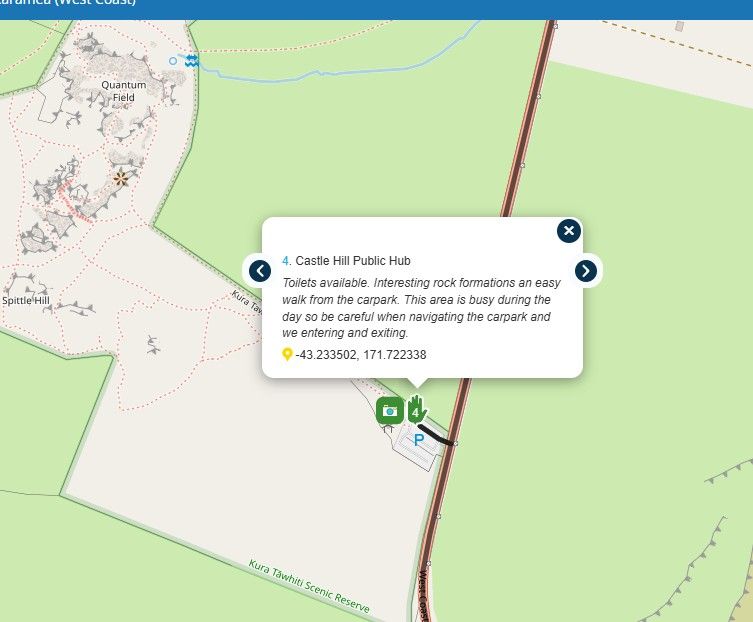
-
True that, I can adjust the Via back to the highway. I thought that Photo stops are preferred as Vias and not just points, this is why, but I understand what you are saying about having to go thru a very busy carpark! I will adjust. Thanks so much.
-
All adjusted, I think. 1 thing, Viewpoint and Camera POIs, just wondering why these are 2 seperate POI catergories and not the same thing really. If it's worth looking at, you might want to stop and take a photo??
-
True that, I can adjust the Via back to the highway. I thought that Photo stops are preferred as Vias and not just points, this is why, but I understand what you are saying about having to go thru a very busy carpark! I will adjust. Thanks so much.
True that, I can adjust the Via back to the highway. I thought that Photo stops are preferred as Vias and not just points, this is why, but I understand what you are saying about having to go thru a very busy carpark! I will adjust. Thanks so much.
You are right that it should be a via point with your explanation
-
All adjusted, I think. 1 thing, Viewpoint and Camera POIs, just wondering why these are 2 seperate POI catergories and not the same thing really. If it's worth looking at, you might want to stop and take a photo??

All adjusted, I think. 1 thing, Viewpoint and Camera POIs, just wondering why these are 2 seperate POI catergories and not the same thing really. If it's worth looking at, you might want to stop and take a photo??
At Every viewpoint you can take a photo but not every place you take a photo is a viewpoint

-
@bull-tahr To get your routes visible in your route libary you must use the Car profile and not the motor profile, this is a bug in the program that hopefully will be solved in the upcomming version.
routes are looking good, one comments and this is what I prefer.
On the below you have the stop as a Via point, I personal do not use via points for that, as it is a choice to stop. with a via point you must always hit the point otherwise the program will always lead you back to that point. To hit the point on a busy carpark will be a challange.
To get your routes visible in your route libary you must use the Car profile and not the motor profile, this is a bug in the program that hopefully will be solved in the upcomming version.
To see the routes of a friend you must be friends and the routes must be set to at least friends to see them in your friends library.
The car or bike profile is of no interest.
However if you use the bike profile bare in mind that those routes, once exported by the recipiënt to their nav can't be used since Garmin does not allow the bike profile. Therefore the carefully composed route will be recalculated by the Garmin and thus messed up.
My advise use the car profile like all the RouteXperts do -
To get your routes visible in your route libary you must use the Car profile and not the motor profile, this is a bug in the program that hopefully will be solved in the upcomming version.
To see the routes of a friend you must be friends and the routes must be set to at least friends to see them in your friends library.
The car or bike profile is of no interest.
However if you use the bike profile bare in mind that those routes, once exported by the recipiënt to their nav can't be used since Garmin does not allow the bike profile. Therefore the carefully composed route will be recalculated by the Garmin and thus messed up.
My advise use the car profile like all the RouteXperts do
To see the routes of a friend you must be friends and the routes must be set to at least friends to see them in your friends library.
The car or bike profile is of no interest.I do not know why you mentioned this as it is confirmed a bug in the webapplication.
@bull-tahr :
if you want to get the routes visible in your libary you have to set them to "Public", use the Car profile AND you have to publish you route.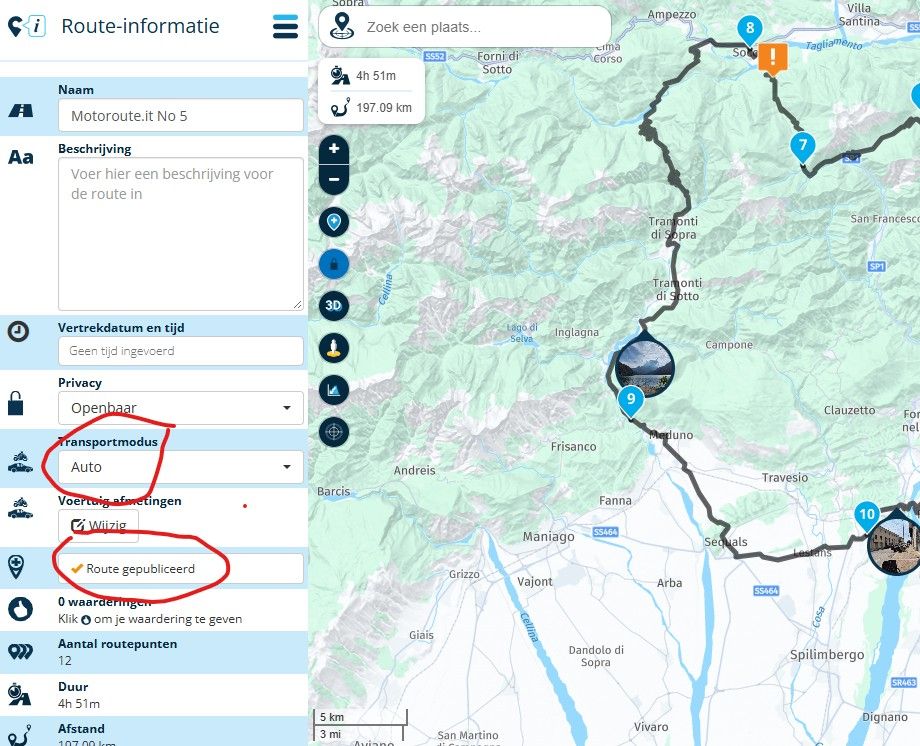
your libary is still not visable so I presume you have not published your routes.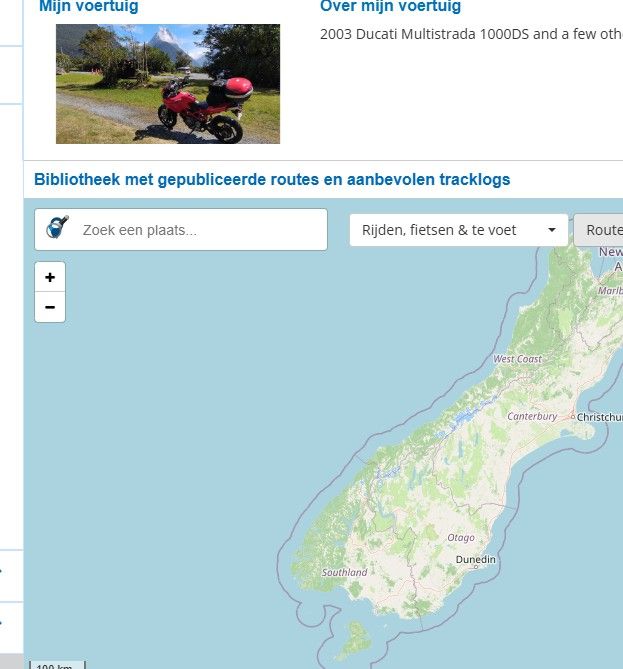
I can see you still have some routes with the motor profile
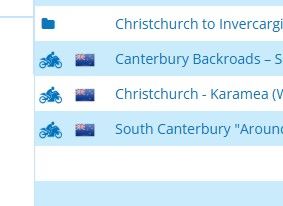
if the above criteria are met , you should see the routes in your profile:
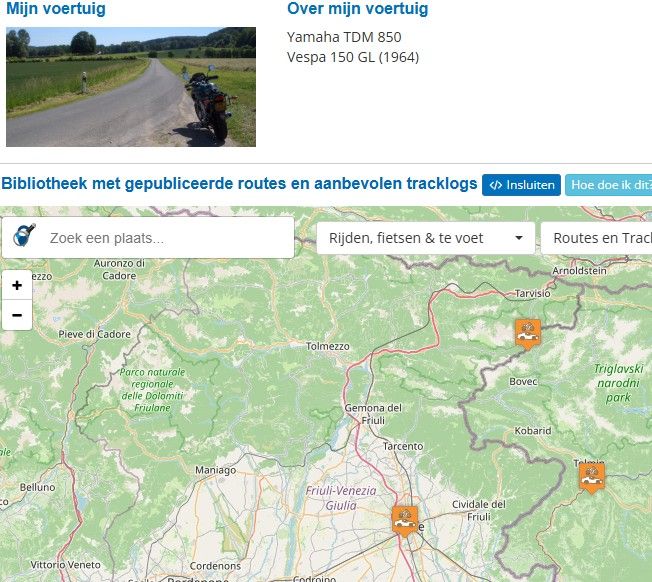
To prove the remark about the bug, when the routes are visible in your libary, switch one back to the "motor" modus and you will see it will not pop-up anymore in your libary.
-
To see the routes of a friend you must be friends and the routes must be set to at least friends to see them in your friends library.
The car or bike profile is of no interest.I do not know why you mentioned this as it is confirmed a bug in the webapplication.
@bull-tahr :
if you want to get the routes visible in your libary you have to set them to "Public", use the Car profile AND you have to publish you route.
your libary is still not visable so I presume you have not published your routes.I can see you still have some routes with the motor profile
if the above criteria are met , you should see the routes in your profile:
To prove the remark about the bug, when the routes are visible in your libary, switch one back to the "motor" modus and you will see it will not pop-up anymore in your libary.
@BertM Thanks for all that. The South Island folder is now all published, car mode and public to view. In library tab I only see 30 routes in New Zealand all RouteXpert, none of mine. Maybe it's Route Expert only or I am on the basic account ATM.... Either way, you should be able to see the South Island folder and routes now.
Thanks for all the help! -
To see the routes of a friend you must be friends and the routes must be set to at least friends to see them in your friends library.
The car or bike profile is of no interest.I do not know why you mentioned this as it is confirmed a bug in the webapplication.
@bull-tahr :
if you want to get the routes visible in your libary you have to set them to "Public", use the Car profile AND you have to publish you route.
your libary is still not visable so I presume you have not published your routes.I can see you still have some routes with the motor profile
if the above criteria are met , you should see the routes in your profile:
To prove the remark about the bug, when the routes are visible in your libary, switch one back to the "motor" modus and you will see it will not pop-up anymore in your libary.
To see the routes of a friend you must be friends and the routes must be set to at least friends to see them in your friends library.
The car or bike profile is of no interest.I do not know why you mentioned this as it is confirmed a bug in the webapplication.
@bull-tahr :
if you want to get the routes visible in your libary you have to set them to "Public", use the Car profile AND you have to publish you route.
your libary is still not visable so I presume you have not published your routes.I can see you still have some routes with the motor profile
if the above criteria are met , you should see the routes in your profile:
To prove the remark about the bug, when the routes are visible in your libary, switch one back to the "motor" modus and you will see it will not pop-up anymore in your libary.
I did notHonda Goldwing GL1500,
Honda Silverwing GL 650
DMD2 T865X 8 inch Android tablet using MRA next for navigation
Garmin XT sold
Samsung S24FE mounted on a Quadlock and using Android Auto in my car -
To see the routes of a friend you must be friends and the routes must be set to at least friends to see them in your friends library.
The car or bike profile is of no interest.I do not know why you mentioned this as it is confirmed a bug in the webapplication.
@bull-tahr :
if you want to get the routes visible in your libary you have to set them to "Public", use the Car profile AND you have to publish you route.
your libary is still not visable so I presume you have not published your routes.I can see you still have some routes with the motor profile
if the above criteria are met , you should see the routes in your profile:
To prove the remark about the bug, when the routes are visible in your libary, switch one back to the "motor" modus and you will see it will not pop-up anymore in your libary.
I did not
To see the routes of a friend you must be friends and the routes must be set to at least friends to see them in your friends library.
The car or bike profile is of no interest.I do not know why you mentioned this as it is confirmed a bug in the webapplication.
What the word says: it is conformed by the Developers that it is a bug in the system.
If you want to publish your routes in the libary and do not know this bug and as @bull-tahr use the motor mode they will never show up.
It that simple. -
Try them now Bert, All edited to the settings you mentioned... Thanks.
-
Try them now Bert, All edited to the settings you mentioned... Thanks.
Try them now Bert, All edited to the settings you mentioned... Thanks.
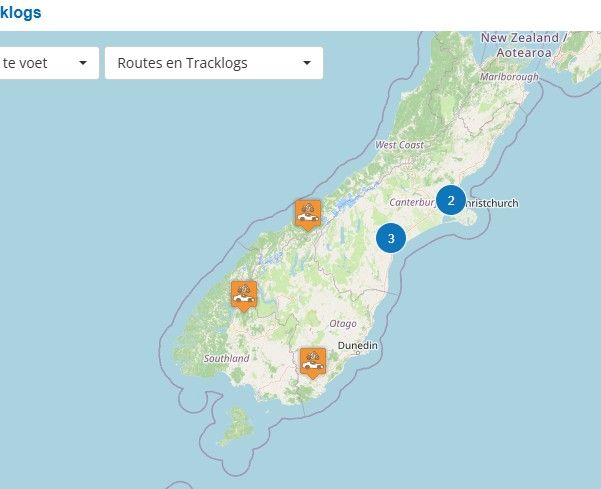
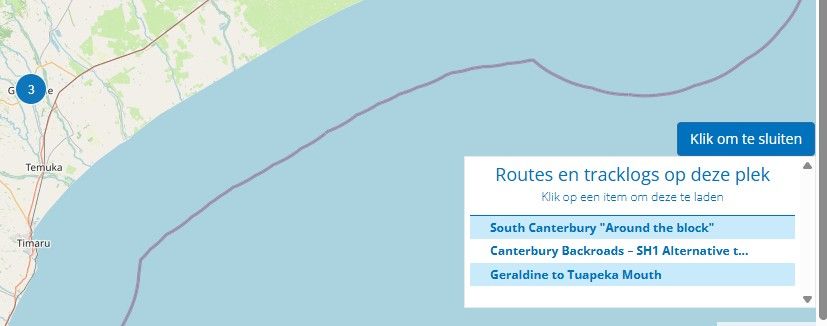
Succes! I can see the routes now
-
-
Maybe I have magical fingers because I could see all of his routes from the start


Hello! It looks like you're interested in this conversation, but you don't have an account yet.
Getting fed up of having to scroll through the same posts each visit? When you register for an account, you'll always come back to exactly where you were before, and choose to be notified of new replies (either via email, or push notification). You'll also be able to save bookmarks and upvote posts to show your appreciation to other community members.
With your input, this post could be even better 💗
Register Login-
 02042
02042
-
 0737
0737
-
 11759
11759
-
013203
-
0732
-
1687
-
 15143
15143
-
 08335
08335