Skip to content
  • Categories
  • Recent
  • Popular
  • Support
  • MyRoute-app
Collapse
Brand Logo

MRA Community Forum

  1. Home
  2. The MyRoute-app
  3. [App] Problems, Bugs and other Issues
  4. Unable to calculate route

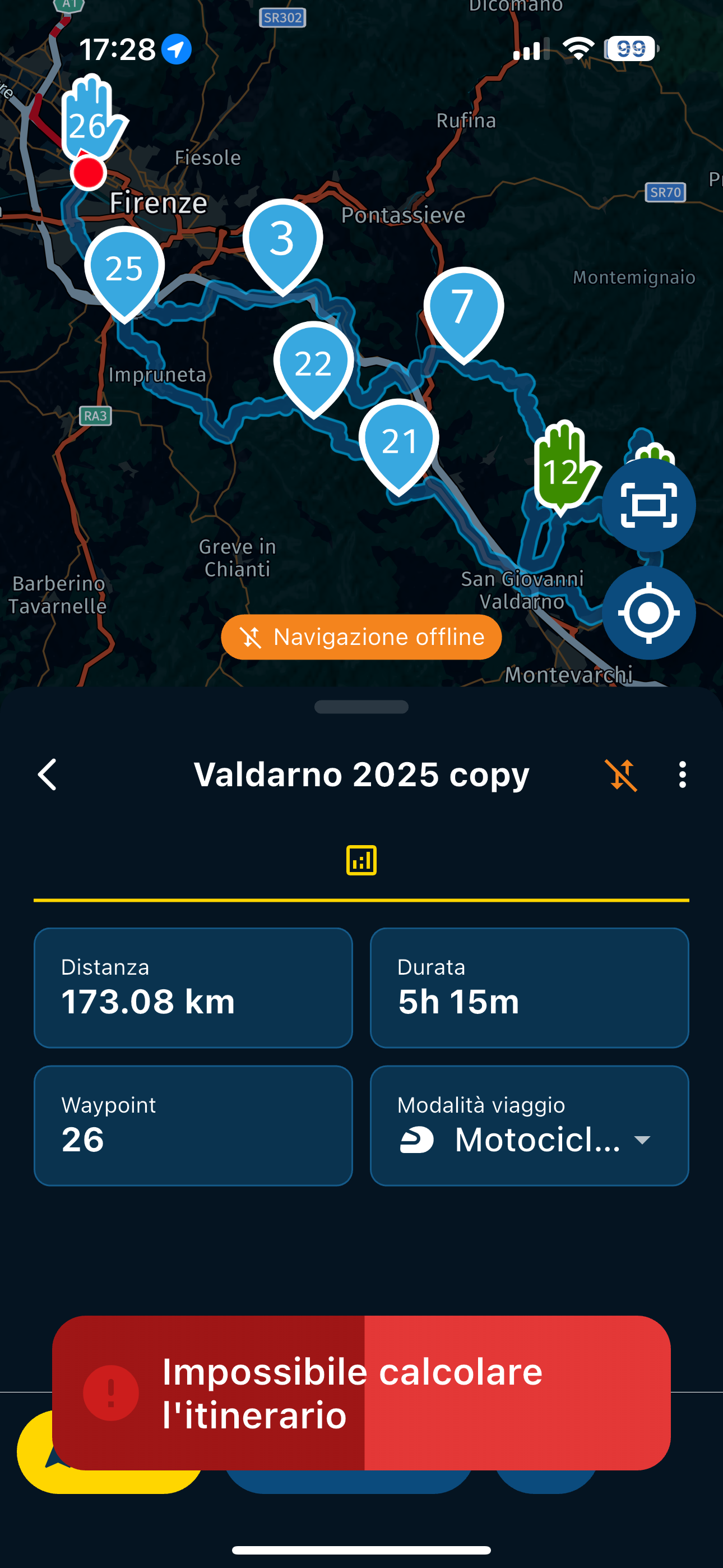
Unable to calculate route
Scheduled Pinned Locked Moved [App] Problems, Bugs and other Issues
56 Posts 12 Posters 2.4k Views 5 Watching
  • Oldest to Newest
  • Newest to Oldest
  • Most Votes
Reply
  • Reply as topic
Log in to reply
This topic has been deleted. Only users with topic management privileges can see it.
  • white.mouseundefined Offline
    white.mouseundefined Offline
    white.mouse
    Valued contributor
    wrote last edited by white.mouse
    #46

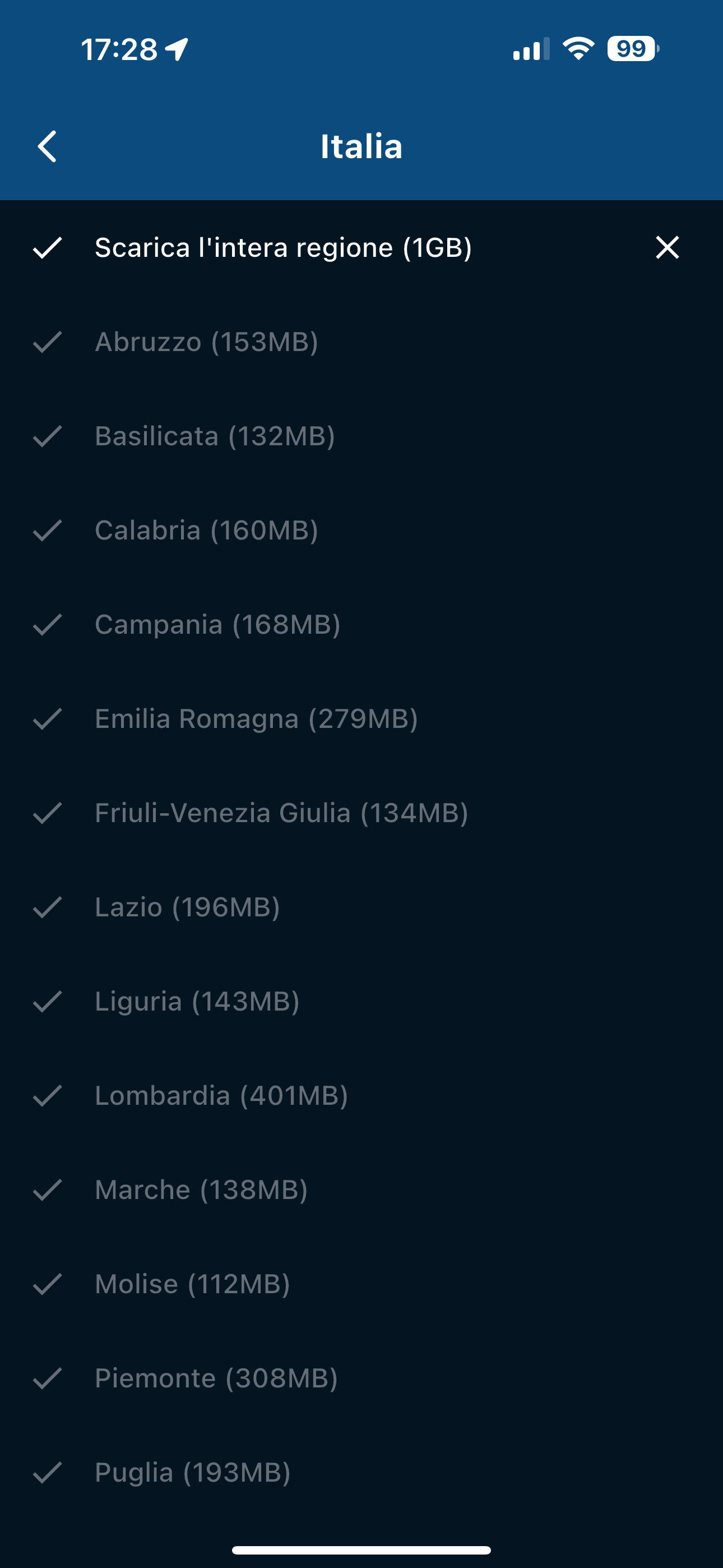
    Still the best is to check all your offline maps after the update!
    I have encountered the issue a few times that one or more cards were still missing after the update. Please do not ask me why.

    met een R1250RT met TFT en BMW Connected Ride App (die dus nog steeds niet voldoet!) ;
    de Garmin Zumo XT en M.R.A. in combinatie met de Carpuride W702 (voor Android op de Motor!)

    1 Reply Last reply
    0
    • Hubert Thoringundefined Offline
      Hubert Thoringundefined Offline
      Hubert Thoring
      Valued contributor
      wrote last edited by Hubert Thoring
      #47

      @Con-Hennekens @white.mouse
      Thanks for this info, I haven't had the problem so far,...

      VG Hubert
      Info Beta Test "Next App" dazu die Hardware .
      iPad 9. Gen iOS 26.2.1 / iPhone 16e iOS 26.2.1 / iPhone Xr iOS 18.7.3 / PC mit MS Win11 /❗️MyRoute-App im Cradel und Remotek-One❗️ Info zu MRA & Remotek One

      1 Reply Last reply
      0
      • Aiello antoninoundefined Aiello antonino

        @David-Rudgley Yes, I understand what you mean, but I take very complex routes, and I don't remember all the turns. Maybe I would start and, until I found the signal, I would have traveled many kilometers, maybe I would have had to turn back. Yesterday I was at the end of the tour in an area where there was no signal for perhaps more than 10 km, a really closed valley, I didn't even have a phone signal, not just an internet signal.

        David Rudgleyundefined Offline
        David Rudgleyundefined Offline
        David Rudgley
        wrote last edited by
        #48

        @Aiello-antonino Yes I appreciate I presented a simplistic solution but I too have had exactly the same experience where I leave a stop and the app has refused work as expected on a complex route through a city for example.

        Another thing I try to do now is when I stop I look to see if there's WiFi available, I then connect, check that I'm synched and maps are all up to date, I start the route again in online mode, just before I set off I go into offline mode and it all works again.

        MRA Gold Planner + App + Navigation Next user
        Android Pixel 9 Pro XL
        TomTomGo as backup

        KTM 1290 Super Adventure S
        Quad Lock + Phone +Carpuride W702

        KTM 790 Duke
        Quad Lock + Phone

        1 Reply Last reply
        0
        • Con Hennekensundefined Con Hennekens

          @Aiello-antonino said in Unable to calculate route:

          I noticed that 3 maps from northern Italy were missing, but I'm sure I downloaded them because I had downloaded all of Italy the first time I did it, so I don't know why they weren't checked with the flag

          Yes that's exactly what I thought...
          I have seen this often, and seems to be about interrupted map updates. Therefore I made it a habit of checking my maps after each update, to make sure all is checked. To be completely honest, the update mechanism could profit from some TLC.

          Aiello antoninoundefined Offline
          Aiello antoninoundefined Offline
          Aiello antonino
          wrote last edited by Aiello antonino
          #49

          @Con-Hennekens So, even if the missing maps weren't for the area I was in, could that have caused the problem?

          1 Reply Last reply
          0
          • b0hd1undefined b0hd1

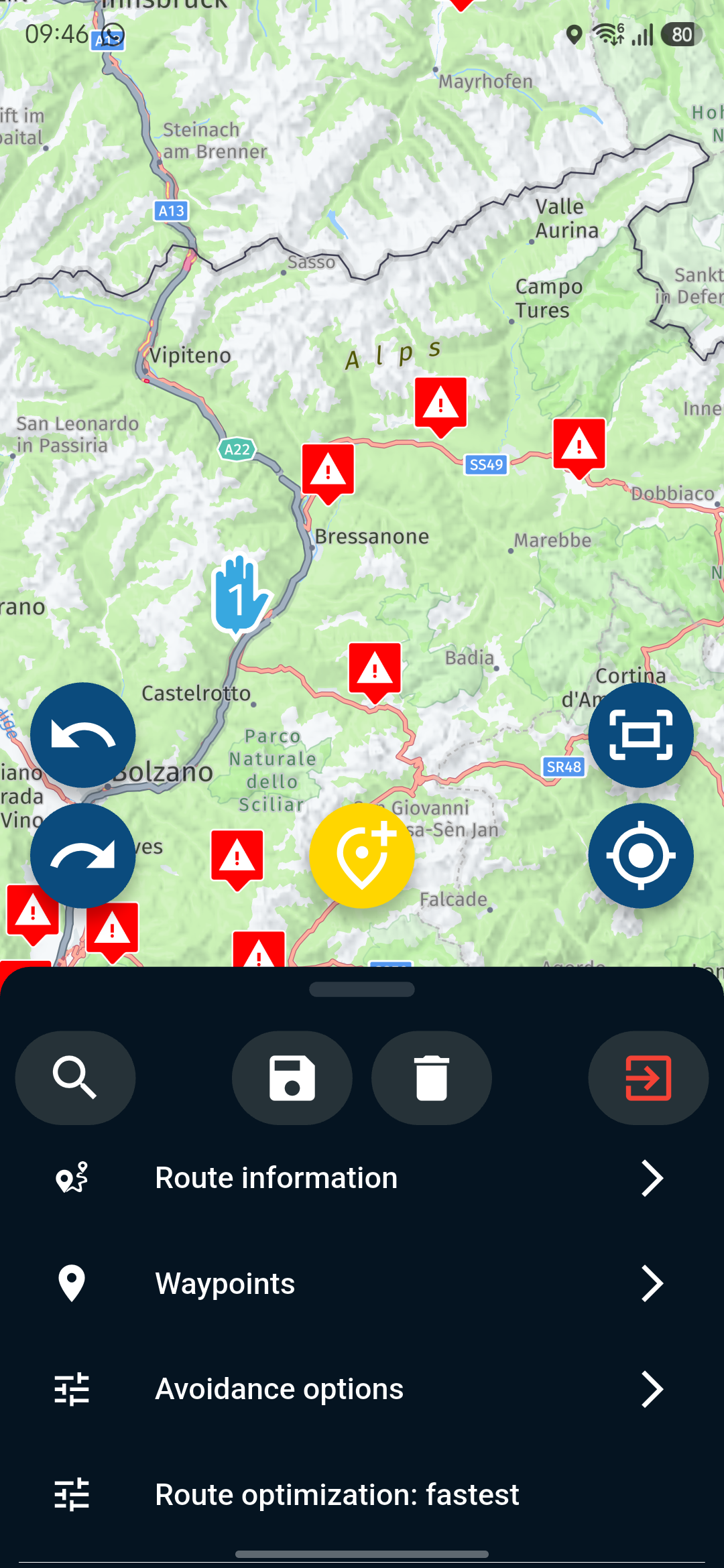
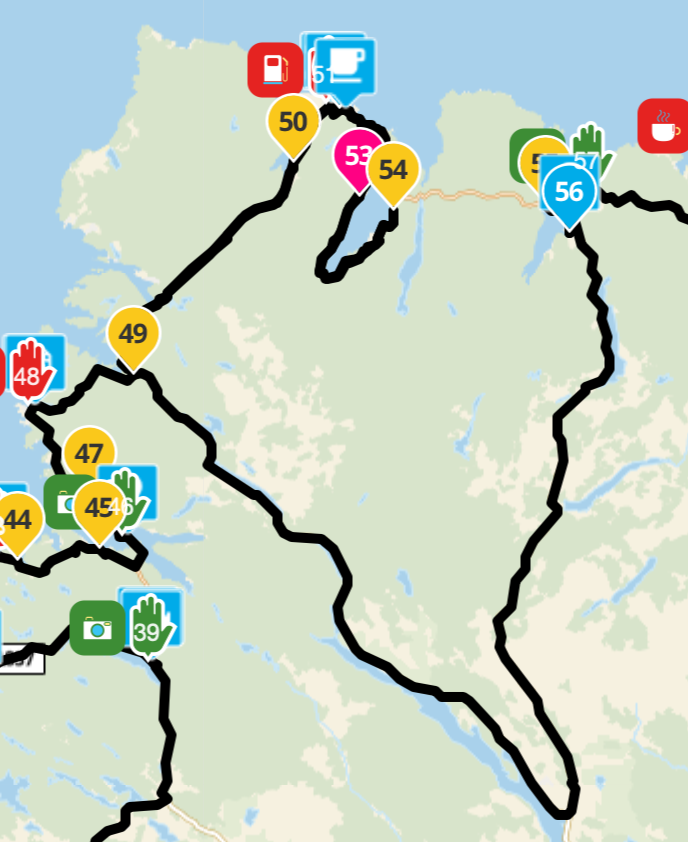
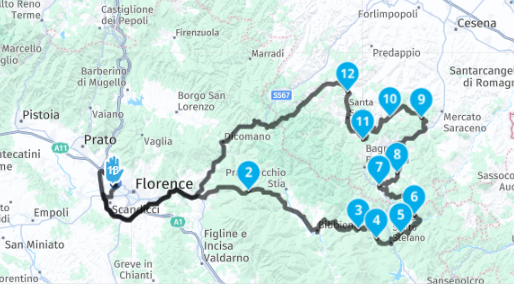
            Hi! What exactly is the problem? I've loaded the route in both the planner and the browser and it hasn't given me any problems.
            19d4bead-003c-40c0-a09e-eb6268683cd0-image.png

            ee27b248-6613-4f8a-815a-ef9a82a95281-image.png

            Grettings!

            Aiello antoninoundefined Offline
            Aiello antoninoundefined Offline
            Aiello antonino
            wrote last edited by
            #50

            @b0hd1 If you've read the discussion from the beginning, you understand what this is about: not being able to calculate the route when you have no data connection...

            b0hd1undefined 1 Reply Last reply
            0
            • Aiello antoninoundefined Aiello antonino

              @b0hd1 If you've read the discussion from the beginning, you understand what this is about: not being able to calculate the route when you have no data connection...

              b0hd1undefined Offline
              b0hd1undefined Offline
              b0hd1
              wrote last edited by
              #51

              @Aiello-antonino okk!!

              Creador y admin. de los mayores grupos de MRa.
              https://t.me/MRa_by_b0hd1
              https://www.myrouteapp.com/group/messages/7007
              YouTube: @demco17
              Ex-routexpert, actual beta tester y experto en MRa
              Creador de tutoriales, manuales y formador experto de usuarios MRa

              1 Reply Last reply
              0
              • Lluis Arasanzundefined Offline
                Lluis Arasanzundefined Offline
                Lluis Arasanz
                wrote last edited by Lluis Arasanz
                #52

                @Aiello-antonino

                I've been testing with two devices (iOS and Android), and I'd almost say it's a problem with using offline maps.

                Make sure all the areas along the route are downloaded (just in case a small section of the route passes through an area you don't have). This is essential.

                On the other hand, even with the areas downloaded, I've been getting errors when I use airplane mode. It was resolved when I activated offline navigation while still having an internet connection. It's as if the first time you use offline mode, it needs to be activated via an online connection. 🙄

                Once you enter offline navigation (while still connected), you can exit and use it offline without any further problems. 😊

                It sounds strange, I know. But once I got past the error (with a connection and offline navigation enabled), the error doesn't recur even if I change routes. However, the map is still essential, or it will continue to malfunction.

                Lluis Arasanz

                • BMW F750GS
                  MotoMediaLink HW Interface for BMW's WonderWheel device
                • Samsung A14 with Beta MyRoute-App (primary bike use)
                  Tasker and MMLink SW for Android App Control
                • iPhone 14 with Beta MyRoute-App (personal and primary CP use)
                Con Hennekensundefined Aiello antoninoundefined 2 Replies Last reply
                0
                • Lluis Arasanzundefined Lluis Arasanz

                  @Aiello-antonino

                  I've been testing with two devices (iOS and Android), and I'd almost say it's a problem with using offline maps.

                  Make sure all the areas along the route are downloaded (just in case a small section of the route passes through an area you don't have). This is essential.

                  On the other hand, even with the areas downloaded, I've been getting errors when I use airplane mode. It was resolved when I activated offline navigation while still having an internet connection. It's as if the first time you use offline mode, it needs to be activated via an online connection. 🙄

                  Once you enter offline navigation (while still connected), you can exit and use it offline without any further problems. 😊

                  It sounds strange, I know. But once I got past the error (with a connection and offline navigation enabled), the error doesn't recur even if I change routes. However, the map is still essential, or it will continue to malfunction.

                  Con Hennekensundefined Offline
                  Con Hennekensundefined Offline
                  Con Hennekens
                  Alpha tester
                  wrote last edited by
                  #53

                  @Lluis-Arasanz, the only thing I can think of looking a little bit what you describe, is when you disabled offline navigation. In that case you will get a massage asking you to go offline, since it cannot access a live connection. But that is not the same as "Cannot calculate". If you think it is different than this, could you place a screenshot?

                  I am just an enthusiastic MRA user, and hope you will be one too!

                  Most motorcycle problems are caused by the nut that connects the handlebar to the saddle.

                  Streetpilot 2610 / Zumo 660 / Zumo 395 / Motorola Thinkphone + MRA app

                  Lluis Arasanzundefined 1 Reply Last reply
                  0
                  • Con Hennekensundefined Con Hennekens

                    @Lluis-Arasanz, the only thing I can think of looking a little bit what you describe, is when you disabled offline navigation. In that case you will get a massage asking you to go offline, since it cannot access a live connection. But that is not the same as "Cannot calculate". If you think it is different than this, could you place a screenshot?

                    Lluis Arasanzundefined Offline
                    Lluis Arasanzundefined Offline
                    Lluis Arasanz
                    wrote last edited by Lluis Arasanz
                    #54

                    @Con-Hennekens

                    The message to return to "online navigation" is a different thing. This message is shown, yes, but after it, the error "cannot calculate route" appears again.

                    At this moment I can't reproduce it, because once I went to offline maps with internet connection, phone (or app) remembers this decision and works fine. Perhaps, in other moment I'll try with iPad that is not ever user to navigate any route (and even less, a offline one)

                    That's (sure) why you can't reproduce this behavior with your app, 'cause is already "in working state" 😊

                    Regards

                    Lluis Arasanz

                    • BMW F750GS
                      MotoMediaLink HW Interface for BMW's WonderWheel device
                    • Samsung A14 with Beta MyRoute-App (primary bike use)
                      Tasker and MMLink SW for Android App Control
                    • iPhone 14 with Beta MyRoute-App (personal and primary CP use)
                    1 Reply Last reply
                    0
                    • Lluis Arasanzundefined Lluis Arasanz

                      @Aiello-antonino

                      I've been testing with two devices (iOS and Android), and I'd almost say it's a problem with using offline maps.

                      Make sure all the areas along the route are downloaded (just in case a small section of the route passes through an area you don't have). This is essential.

                      On the other hand, even with the areas downloaded, I've been getting errors when I use airplane mode. It was resolved when I activated offline navigation while still having an internet connection. It's as if the first time you use offline mode, it needs to be activated via an online connection. 🙄

                      Once you enter offline navigation (while still connected), you can exit and use it offline without any further problems. 😊

                      It sounds strange, I know. But once I got past the error (with a connection and offline navigation enabled), the error doesn't recur even if I change routes. However, the map is still essential, or it will continue to malfunction.

                      Aiello antoninoundefined Offline
                      Aiello antoninoundefined Offline
                      Aiello antonino
                      wrote last edited by
                      #55

                      @Lluis-Arasanz I had downloaded all the maps, I had downloaded the whole of Italy, when it happened I checked all the maps, 3 did not have the flag, but they were still grayed out, as if they were physically on the phone, however they were regions distant from where I was, I was in Tuscany, while the missing maps were Trentino, Veneto and another one in the north that I don't remember... do you think it could have influenced the problem?

                      Lluis Arasanzundefined 1 Reply Last reply
                      0
                      • Aiello antoninoundefined Aiello antonino

                        @Lluis-Arasanz I had downloaded all the maps, I had downloaded the whole of Italy, when it happened I checked all the maps, 3 did not have the flag, but they were still grayed out, as if they were physically on the phone, however they were regions distant from where I was, I was in Tuscany, while the missing maps were Trentino, Veneto and another one in the north that I don't remember... do you think it could have influenced the problem?

                        Lluis Arasanzundefined Offline
                        Lluis Arasanzundefined Offline
                        Lluis Arasanz
                        wrote last edited by
                        #56

                        @Aiello-antonino

                        Not really. You only need t'he maps where the route is defined.

                        Have you tried to set “offline navigation” in settings while connected to internet before navigate?. If no, try it. The route must start with offline symbol on time pad.

                        After that, stop navigation and exit MRA. When done, set airplane mode and close WiFi. Open MRA again and start route.

                        Works?

                        Lluis Arasanz

                        • BMW F750GS
                          MotoMediaLink HW Interface for BMW's WonderWheel device
                        • Samsung A14 with Beta MyRoute-App (primary bike use)
                          Tasker and MMLink SW for Android App Control
                        • iPhone 14 with Beta MyRoute-App (personal and primary CP use)
                        1 Reply Last reply
                        0
                        Reply
                        • Reply as topic
                        Log in to reply
                        • Oldest to Newest
                        • Newest to Oldest
                        • Most Votes


                        • 1
                        • 2
                        • 3
                        ACTIVE USERS
                        Lluis Arasanzundefined
                        Lluis Arasanz
                        Aiello antoninoundefined
                        Aiello antonino
                        Lex.Kloet.RXundefined
                        Lex.Kloet.RX
                        Nick Carthewundefined
                        Nick Carthew
                        Con Hennekensundefined
                        Con Hennekens
                        Marinus van Deudekomundefined
                        Marinus van Deudekom
                        b0hd1undefined
                        b0hd1
                        David Rudgleyundefined
                        David Rudgley
                        Hubert Thoringundefined
                        Hubert Thoring
                        white.mouseundefined
                        white.mouse
                        M. Schrijverundefined
                        M. Schrijver
                        Peter Zehentreiterundefined
                        Peter Zehentreiter
                        POPULAR TOPICS
                        • Unable to calculate route
                          Lluis Arasanzundefined
                          Lluis Arasanz
                          0
                          56
                          2.4k

                        • iPhone v Carplay: Definitive list of differences/limitations?
                          white.mouseundefined
                          white.mouse
                          0
                          10
                          163

                        • stops
                          Stanisławundefined
                          Stanisław
                          0
                          11
                          285

                        • tekst op mijn garmin XT uploaden
                          Arno van Lochem - Senior RXundefined
                          Arno van Lochem - Senior RX
                          0
                          4
                          96

                        • Error code 2 while importing track
                          Hans van de Ven MR.MRAundefined
                          Hans van de Ven MR.MRA
                          0
                          2
                          44

                        • Senic route,
                          Con Hennekensundefined
                          Con Hennekens
                          -1
                          2
                          22

                        • Underwhelmed by the Route Library
                          David Rudgleyundefined
                          David Rudgley
                          0
                          8
                          223

                        • Problem? Question? Read this first!
                          Jörgenundefined
                          Jörgen
                          -2
                          4
                          3.5k
                        MY GROUPS
                        • Login

                        • Login or register to search.
                        • First post
                          Last post
                        0
                        • Categories
                        • Recent
                        • Popular
                        • Support
                        • MyRoute-app