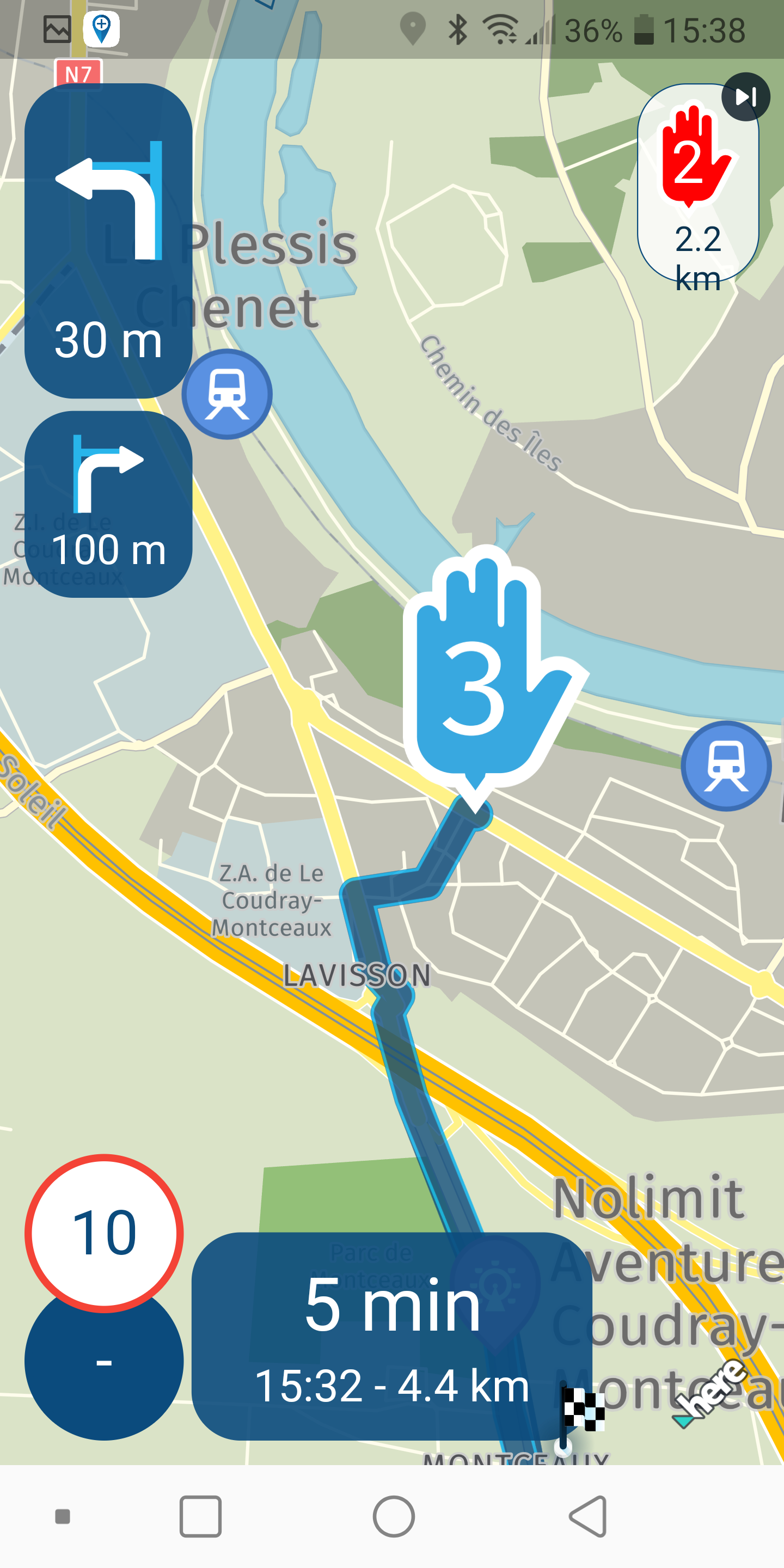
Waypoints icones too big during navigation (Android 9)
-

I have a new request for the end of this year.
May I have smaller icones than those displayed ?
They take too much place on the screen.
I've seen screenshots made by some of you, they are of good size.
I'm jalous.
-
 Nick Carthew moved this topic from [App] Problems, Bugs and other Issues on
-

I have the same complain. It is possible tot change the size. But when i make the symbols smaller. Some other POI symbols shrink also while these already had the correct size.
-
I have a new request for the end of this year.
May I have smaller icones than those displayed ?
They take too much place on the screen.
I've seen screenshots made by some of you, they are of good size.
I'm jalous.

@Forest You can set the size of the waypoints yourself in this menu: Upper right corner, click your profile > Navigation settings > Map layer (actually Map style) > Map layer > (scroll down) POI size.
-
Nick Carthew locked this topic on
Hello! It looks like you're interested in this conversation, but you don't have an account yet.
Getting fed up of having to scroll through the same posts each visit? When you register for an account, you'll always come back to exactly where you were before, and choose to be notified of new replies (either via email, or push notification). You'll also be able to save bookmarks and upvote posts to show your appreciation to other community members.
With your input, this post could be even better 💗
Register Login-
 0815
0815
-
 0718
0718
-
 1514
1514
-
0615
-
 0524
0524
-
 0461
0461
-
0420
-
 24112
24112