
Routes List Menu, Select Multiple Routes and ‘Save as’
-

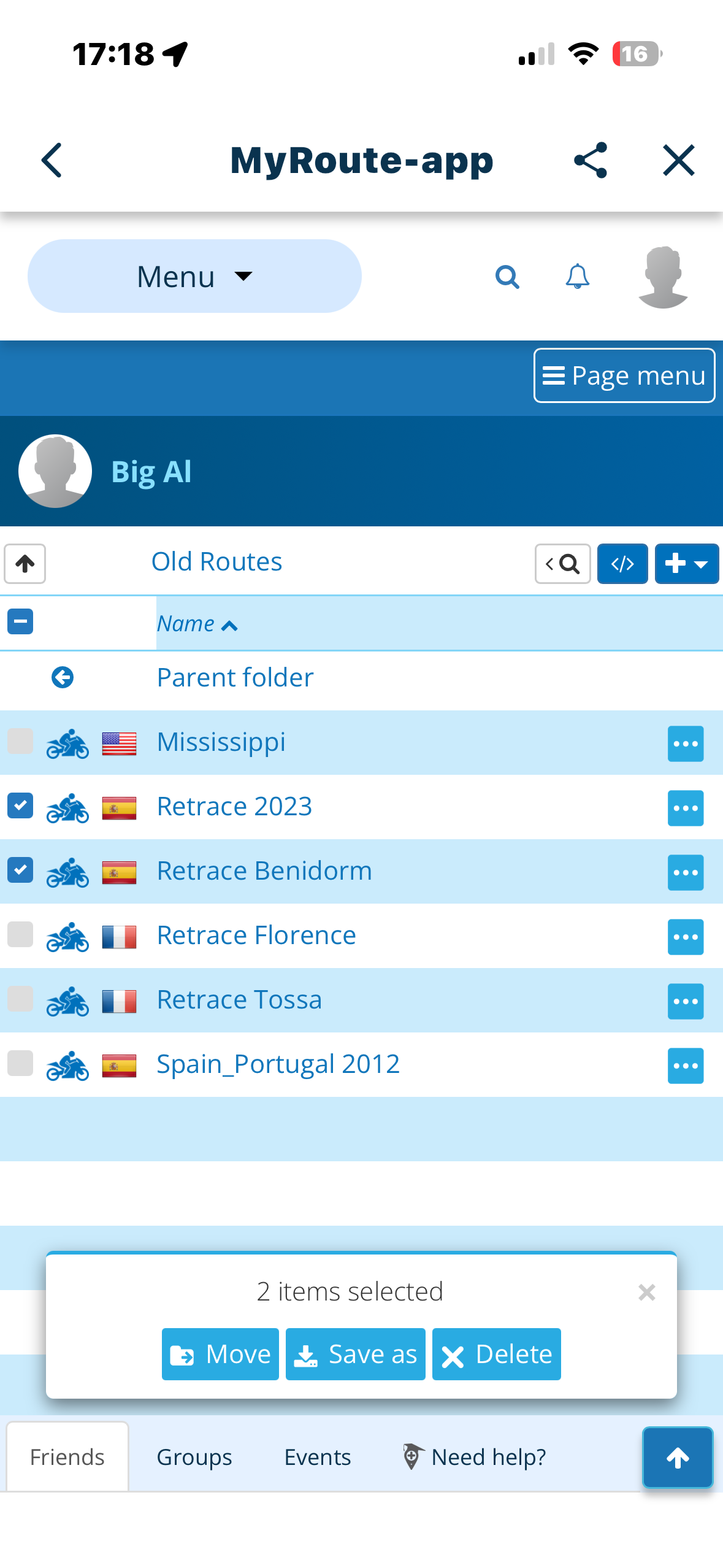
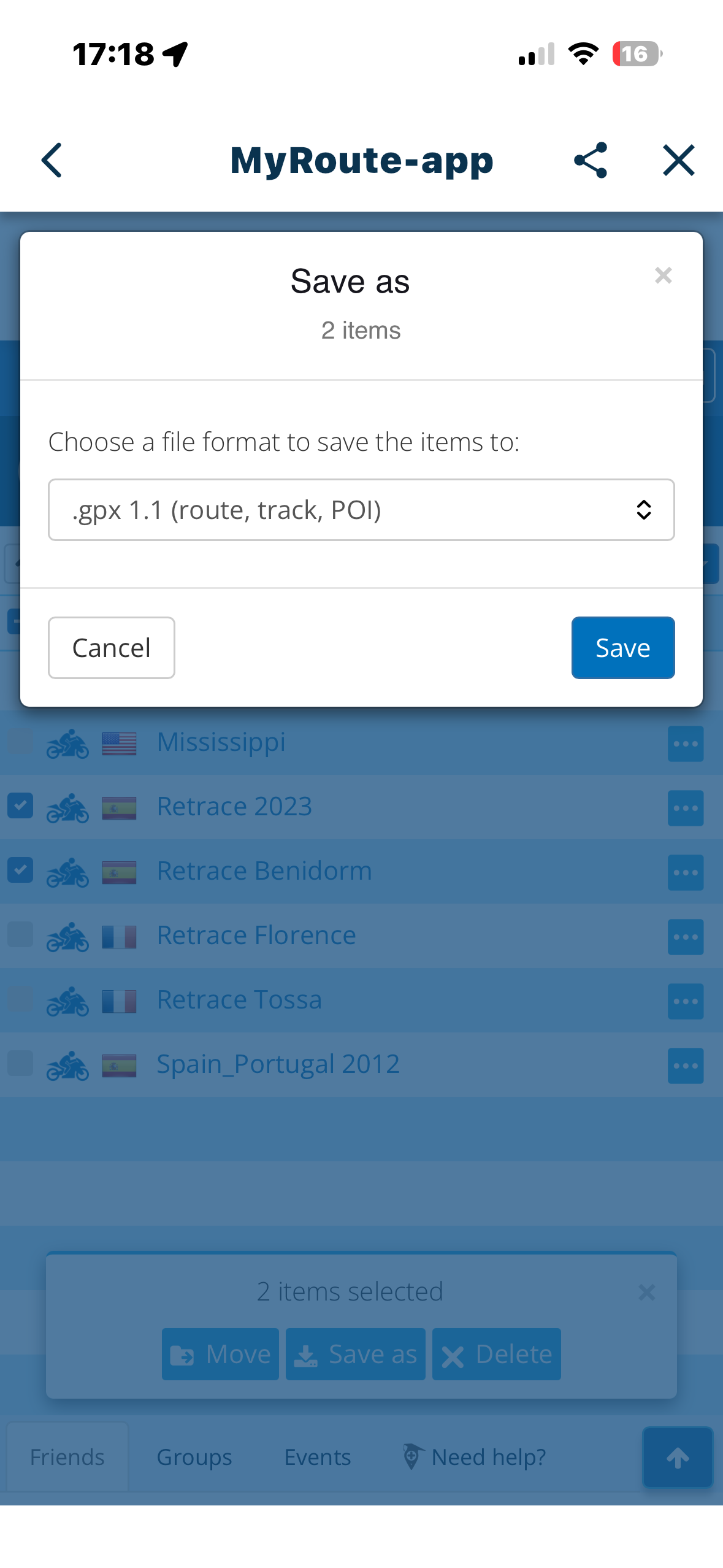
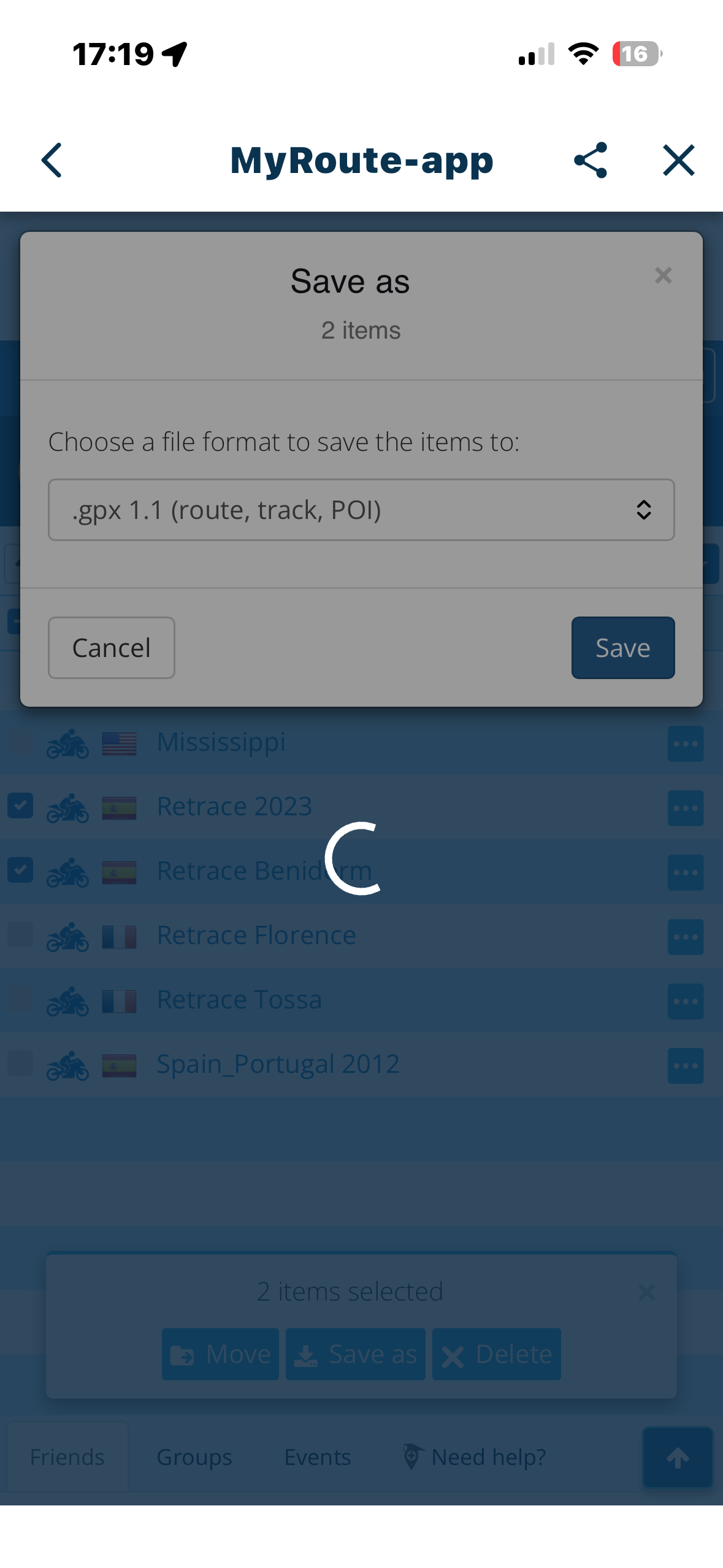
From the “Routes” list, ‘select’ more than one route by ticking in the leftmost box. Click ‘Save as’ at the bottom of the screen and select the type (.GPX 1.1 etc). This results in a ‘Please Wait’ meassge followed closely by the rotating circle (busy)…..and that’s it. Seems like the program is in a loop.
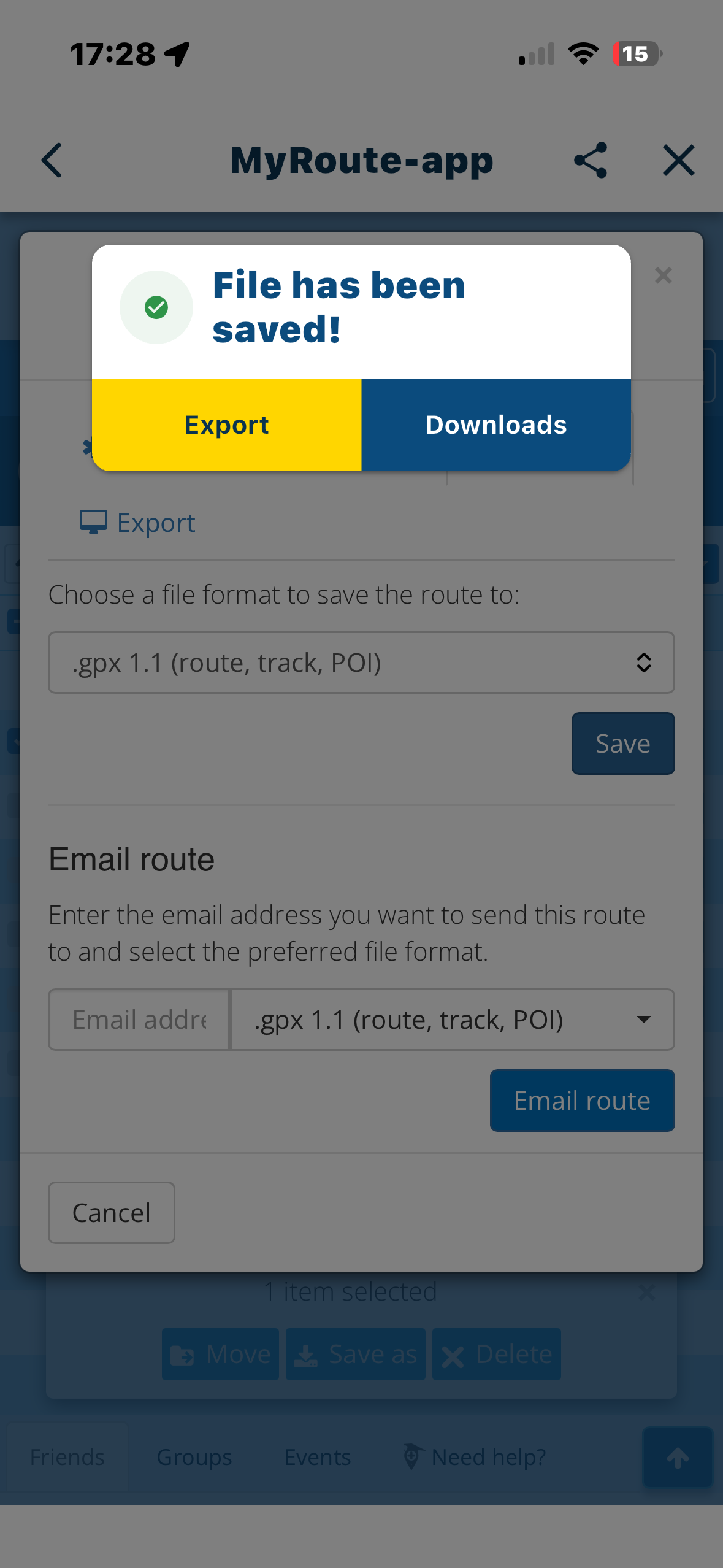
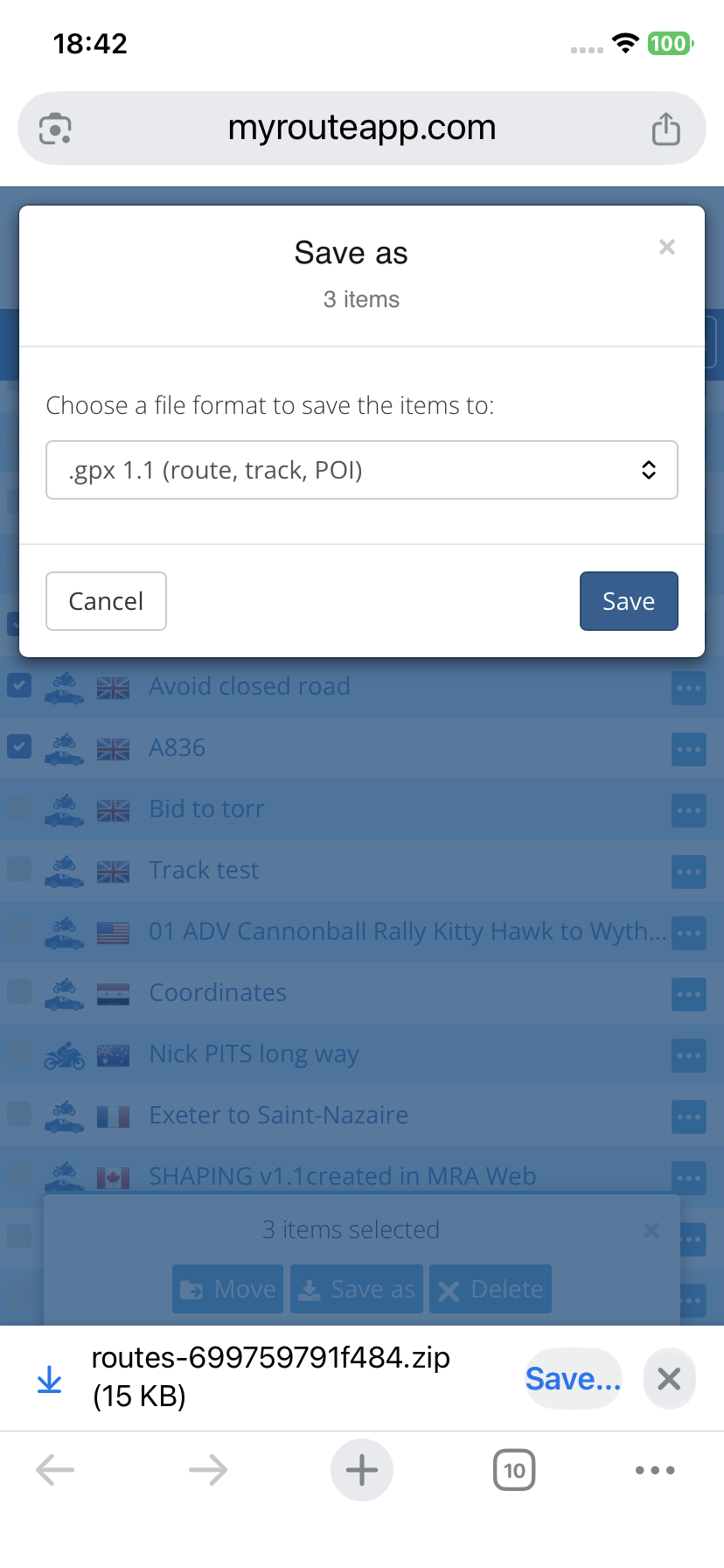
I suspect there is a hidden “File has been saved……..Export/Download” (see photo) dialogue in the background going unanswered on multiple selects . Works OK when only one file is selected.
-
From the “Routes” list, ‘select’ more than one route by ticking in the leftmost box. Click ‘Save as’ at the bottom of the screen and select the type (.GPX 1.1 etc). This results in a ‘Please Wait’ meassge followed closely by the rotating circle (busy)…..and that’s it. Seems like the program is in a loop.
I suspect there is a hidden “File has been saved……..Export/Download” (see photo) dialogue in the background going unanswered on multiple selects . Works OK when only one file is selected.

@Big-Al-1 I have never saved multiple files from my phone so I replicated your test. I get the option to save the 3 chosen files in a Zip folder to my Files folder.
-

...the behavior demands on used browser. If "system browser" in MyRoute-App is used - this indeed will not save multiple selected routes. Other browsers will act more or less similar an will in such cases simply create a zip file.
-
...the behavior demands on used browser. If "system browser" in MyRoute-App is used - this indeed will not save multiple selected routes. Other browsers will act more or less similar an will in such cases simply create a zip file.
-
Guzzist -I don’t understand ‘system browser’. I used Apple products, IPhone 14 and IPad. The multiple save doesn’t work. Tried my bike phone, a Google Pixel 8a and same again, doesn’t work. I don’t get any dialogues to choose where I save the files. I invoke MyRoute Web from the app and I only use the web route planner.
So to sum it all up…..the multiple route save doesn’t work on my mobile hardware.
Obviously, I can individually save the routes, but I typically split my rides into days, resulting in a lot of individual files. And the app obviously thinks it can be done or else there wouldn’t be a ‘save as’ option at the foot of the screen. -
Guzzist -I don’t understand ‘system browser’. I used Apple products, IPhone 14 and IPad. The multiple save doesn’t work. Tried my bike phone, a Google Pixel 8a and same again, doesn’t work. I don’t get any dialogues to choose where I save the files. I invoke MyRoute Web from the app and I only use the web route planner.
So to sum it all up…..the multiple route save doesn’t work on my mobile hardware.
Obviously, I can individually save the routes, but I typically split my rides into days, resulting in a lot of individual files. And the app obviously thinks it can be done or else there wouldn’t be a ‘save as’ option at the foot of the screen.
@Big-Al-1 said in Routes List Menu, Select Multiple Routes and ‘Save as’:
I invoke MyRoute Web from the app and I only use the web route planner.
Try invoking the planner from your internet browser instead of from your app.
Chrome, Firefox, Safari, whatever.I am just an enthusiastic MRA user, and hope you will be one too!
Most motorcycle problems are caused by the nut that connects the handlebar to the saddle.
Check out RideSleepRepeat.eu, a biker community for sharing stays across Europe
-
@Big-Al-1 said in Routes List Menu, Select Multiple Routes and ‘Save as’:
I invoke MyRoute Web from the app and I only use the web route planner.
Try invoking the planner from your internet browser instead of from your app.
Chrome, Firefox, Safari, whatever.
@Con-Hennekens said in Routes List Menu, Select Multiple Routes and ‘Save as’:
@Big-Al-1 said in Routes List Menu, Select Multiple Routes and ‘Save as’:
I invoke MyRoute Web from the app and I only use the web route planner.
Try invoking the planner from your internet browser instead of from your app.
Chrome, Firefox, Safari, whatever.You’ve nailed it @Con-Hennekens, I get the same results as @Big-Al-1 when I use Route lab from the mobile app. In my original test I accessed my route library via the Safari browser on my iPhone.
-

With iPad Air 4 and Safari browser, I tried selecting 3 paths and everything works perfectly
-
OK - using just Safari and selecting multiple files, the web version creates a zip file in the Downloads folder, which when unzipped, creates a folder with the GPX files in there.
Using the app directly on an Apple device, and doing the ‘save as’ from the route itself, the system saves the file on the iPad in the MyRoute-App folder. So it seems we have 2 different types of operation here…and one doesn’t work. Is this Ok with you guys that at My-Route?
No great sweat for me and I’m sure there are bigger fish to fry on the development front. Nice if it were fixed in the rewrite version. -
Ok! Exporting multiple files from the app's browser doesn't work, but it does work with individual files.
-
OK - using just Safari and selecting multiple files, the web version creates a zip file in the Downloads folder, which when unzipped, creates a folder with the GPX files in there.
Using the app directly on an Apple device, and doing the ‘save as’ from the route itself, the system saves the file on the iPad in the MyRoute-App folder. So it seems we have 2 different types of operation here…and one doesn’t work. Is this Ok with you guys that at My-Route?
No great sweat for me and I’m sure there are bigger fish to fry on the development front. Nice if it were fixed in the rewrite version.
@Big-Al-1 said in Routes List Menu, Select Multiple Routes and ‘Save as’:
OK - using just Safari and selecting multiple files, the web version creates a zip file in the Downloads folder, which when unzipped, creates a folder with the GPX files in there.
Using the app directly on an Apple device, and doing the ‘save as’ from the route itself, the system saves the file on the iPad in the MyRoute-App folder. So it seems we have 2 different types of operation here…and one doesn’t work......as I mentioned


Hello! It looks like you're interested in this conversation, but you don't have an account yet.
Getting fed up of having to scroll through the same posts each visit? When you register for an account, you'll always come back to exactly where you were before, and choose to be notified of new replies (either via email, or push notification). You'll also be able to save bookmarks and upvote posts to show your appreciation to other community members.
With your input, this post could be even better 💗
Register Login-
 9912.4k
-
 5862.2k
-
021710
-
 05105
05105
-
0428
-
 0482
0482
-
0395
-
0226

