Skip to content
  • Categories
  • Recent
  • Popular
  • Support
  • MyRoute-app
Collapse
Brand Logo

MRA Community Forum

  1. Home
  2. The MyRoute-app
  3. [App] Problems, Bugs and other Issues
  4. Use POI as a waypoint

Use POI as a waypoint

Scheduled Pinned Locked Moved [App] Problems, Bugs and other Issues
5 Posts 2 Posters 1.3k Views
  • Oldest to Newest
  • Newest to Oldest
  • Most Votes
Reply
  • Reply as topic
Log in to reply
This topic has been deleted. Only users with topic management privileges can see it.
  • Scott Horton Offline
    Scott Horton Offline
    Scott Horton
    wrote on last edited by
    #1

    I've got some POI's built but I don't see any way to use a POI as a waypoint? Am I missing something?

    Nick Carthew 1 Reply Last reply
    0
    • Scott Horton Scott Horton

      I've got some POI's built but I don't see any way to use a POI as a waypoint? Am I missing something?

      Nick Carthew Online
      Nick Carthew Online
      Nick Carthew
      RouteXpert
      wrote on last edited by Nick Carthew
      #2

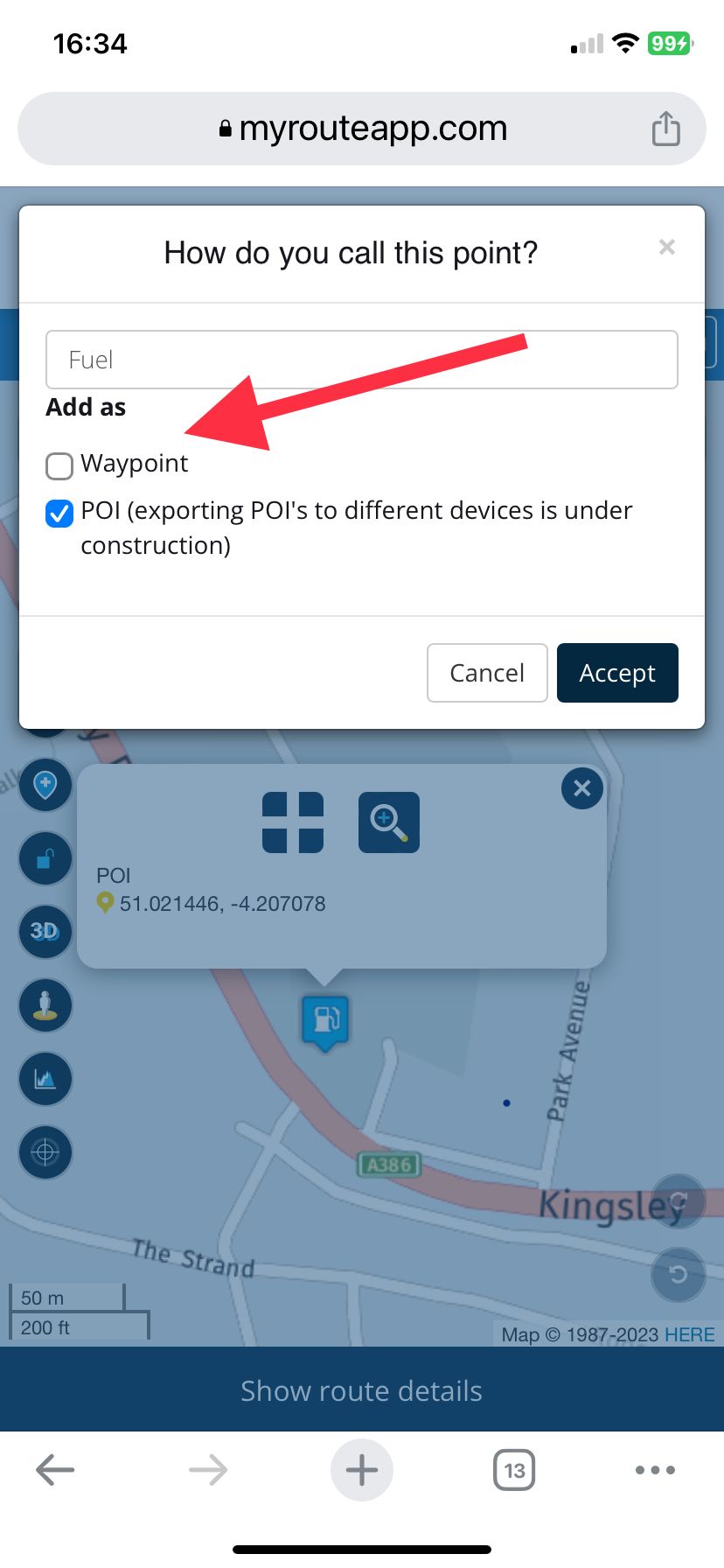
      @Scott-Horton When you click on a POI to use it, first click the + add button then you have a choice to add as a POI or waypoint. It’s better to add as a POI because normally they are positioned off of the road. Add as a POI and place a route point on the road.
      IMG_2364.jpeg

      Always willing to help if I can.
      Triumph Tiger 1200 XRT called Tina.
      MRA Navigation Next and SilverFox BJ8

      1 Reply Last reply
      0
      • Scott Horton Offline
        Scott Horton Offline
        Scott Horton
        wrote on last edited by Scott Horton
        #3

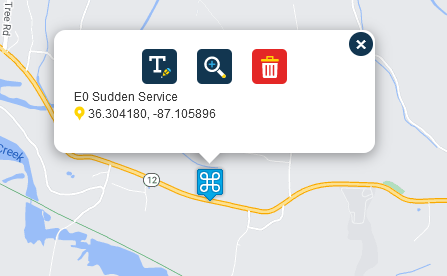
        Hmm, I'm not getting that option. I am on a PC using the tool via the web interface. The POI already exists. I'm making a route that is near it and I want to make it a waypoint. If I click on the (alrady existing) POI, I get this:
        e1ec1deb-39d3-4569-9c48-1a3bd79e0f9d-image.png

        Nick Carthew 1 Reply Last reply
        0
        • Scott Horton Offline
          Scott Horton Offline
          Scott Horton
          wrote on last edited by
          #4

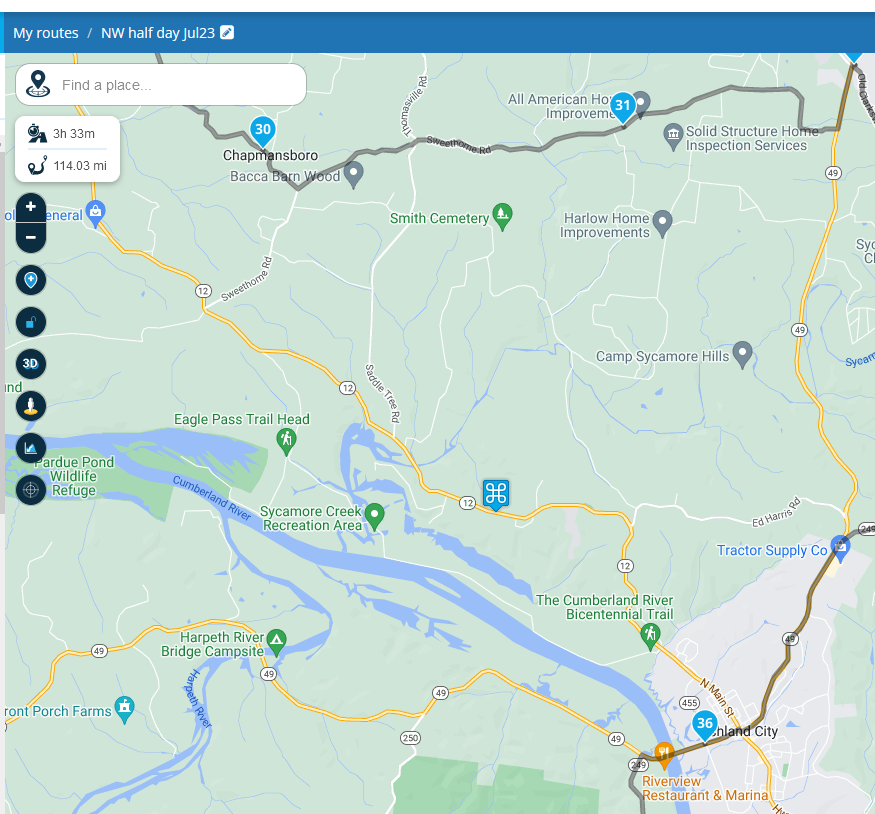
          I see no "+" button on the web interface..
          872685af-8be7-47aa-a6c5-8a09215df385-image.png

          1 Reply Last reply
          0
          • Scott Horton Scott Horton

            Hmm, I'm not getting that option. I am on a PC using the tool via the web interface. The POI already exists. I'm making a route that is near it and I want to make it a waypoint. If I click on the (alrady existing) POI, I get this:

            e1ec1deb-39d3-4569-9c48-1a3bd79e0f9d-image.png

            Nick Carthew Online
            Nick Carthew Online
            Nick Carthew
            RouteXpert
            wrote on last edited by
            #5

            @Scott-Horton This is because the POI has been added manually via the manage tab and not added via the MRA POI library. The option to use the POI as a waypoint is only available for POIs that come from the library.
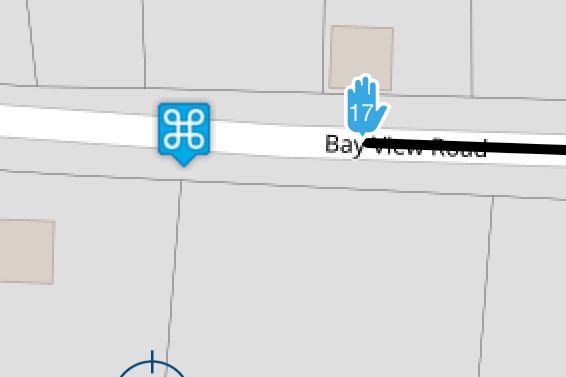
            My advice re: not using a POI as a route point still stands. Just click on the road (before) by the POI and add a route point.
            IMG_2366.jpeg

            Always willing to help if I can.
            Triumph Tiger 1200 XRT called Tina.
            MRA Navigation Next and SilverFox BJ8

            1 Reply Last reply
            0

            Hello! It looks like you're interested in this conversation, but you don't have an account yet.

            Getting fed up of having to scroll through the same posts each visit? When you register for an account, you'll always come back to exactly where you were before, and choose to be notified of new replies (either via email, or push notification). You'll also be able to save bookmarks and upvote posts to show your appreciation to other community members.

            With your input, this post could be even better 💗

            Register Login
            Reply
            • Reply as topic
            Log in to reply
            • Oldest to Newest
            • Newest to Oldest
            • Most Votes


            ACTIVE USERS
            Nick Carthew
            Nick Carthew
            Scott Horton
            Scott Horton
            POPULAR TOPICS
            • HERE maps updates
              Peter Zehentreiter
              Peter Zehentreiter
              0
              4
              120

            • GPX Versions 1.1 vs 1.2 for Garmin Visually Explained
              Guzzist
              Guzzist
              7
              166
              11.9k

            • Linker in MRA kleurt blauw (alles geselecteerd)
              Alfred Schrittwieser
              Alfred Schrittwieser
              0
              10
              198

            • Auto skip many waypoints by itself while I was on route. [5.2.0 - 474]
              Brian McG
              Brian McG
              0
              34
              1.3k

            • Route maken in TomTom kaart en vervolgens met de app navigeren
              Bruno 7
              Bruno 7
              0
              6
              136

            • Straatnamen worden uitgesproken
              Theo Lammerts
              Theo Lammerts
              0
              5
              310

            • The compas direction on the elevation circle is wrong
              Dave J 0
              Dave J 0
              0
              23
              632

            • Useful Speed Camera Information
              Marinus van Deudekom
              Marinus van Deudekom
              3
              3
              158

            MY GROUPS
            • Login

            • Login or register to search.
            • First post
              Last post
            0
            • Categories
            • Recent
            • Popular
            • Support
            • MyRoute-app