Skip to content
  • Categories
  • Recent
  • Popular
  • Support
  • MyRoute-app
Collapse
Brand Logo

MRA Community Forum

  1. Home
  2. General Discussion
  3. No Desktop function with Apple Pencil on iPad?

No Desktop function with Apple Pencil on iPad?
Scheduled Pinned Locked Moved General Discussion
13 Posts 6 Posters 1.9k Views 3 Watching
  • Oldest to Newest
  • Newest to Oldest
  • Most Votes
Reply
  • Reply as topic
Log in to reply
This topic has been deleted. Only users with topic management privileges can see it.
  • Jörgen Offline
    Jörgen Offline
    Jörgen
    Valued contributor
    wrote on last edited by
    #1

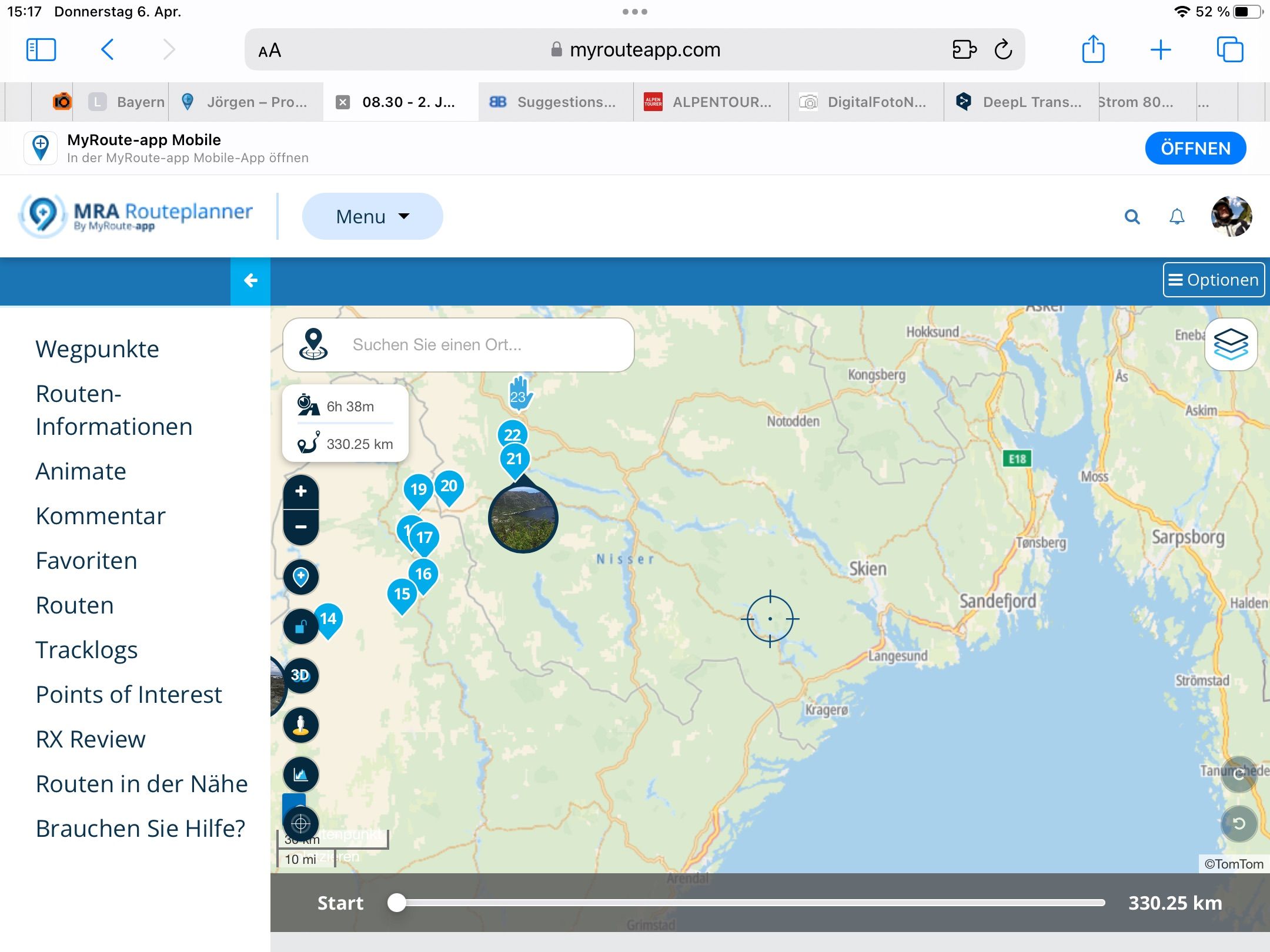
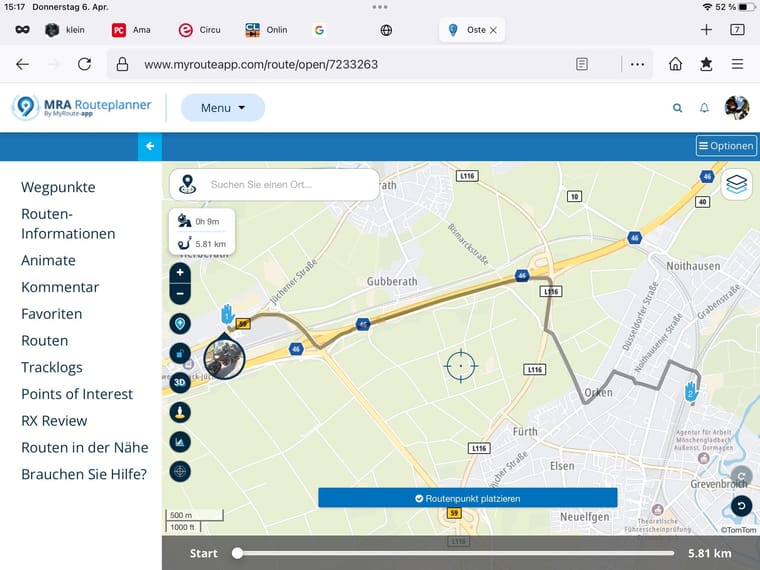
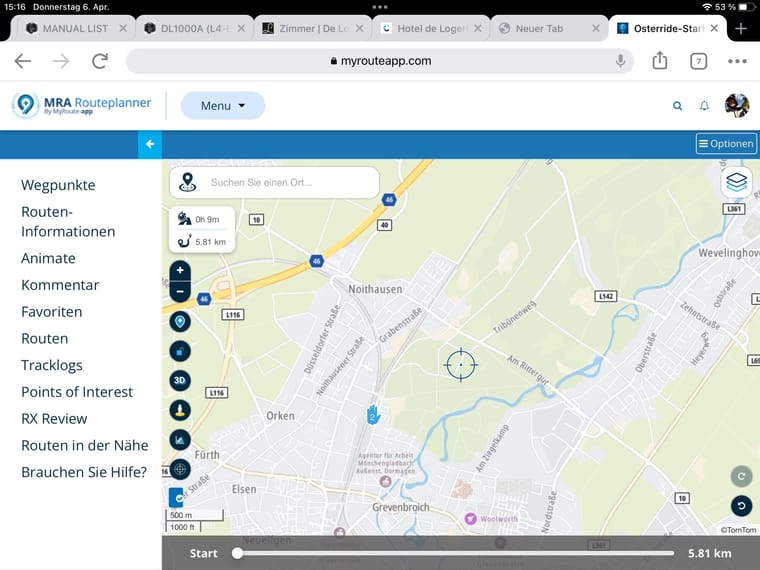
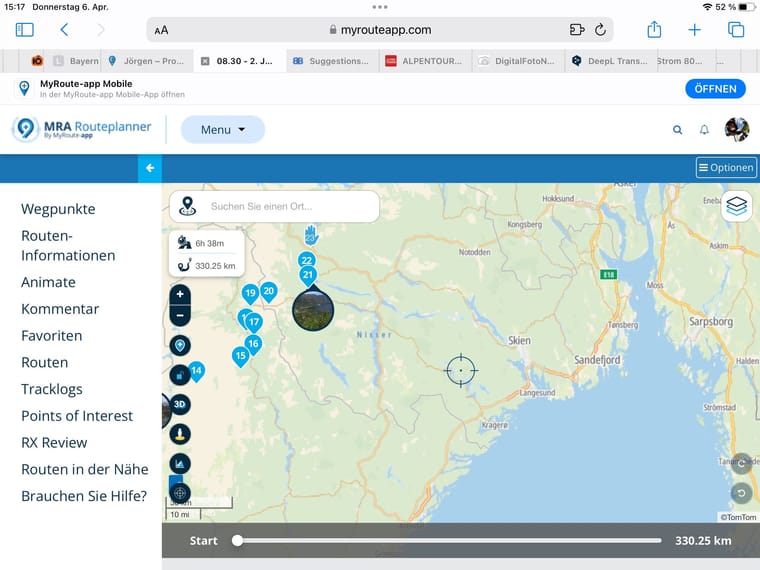
    Hi, why is it not possible to use Pencil on iPad with MRA?
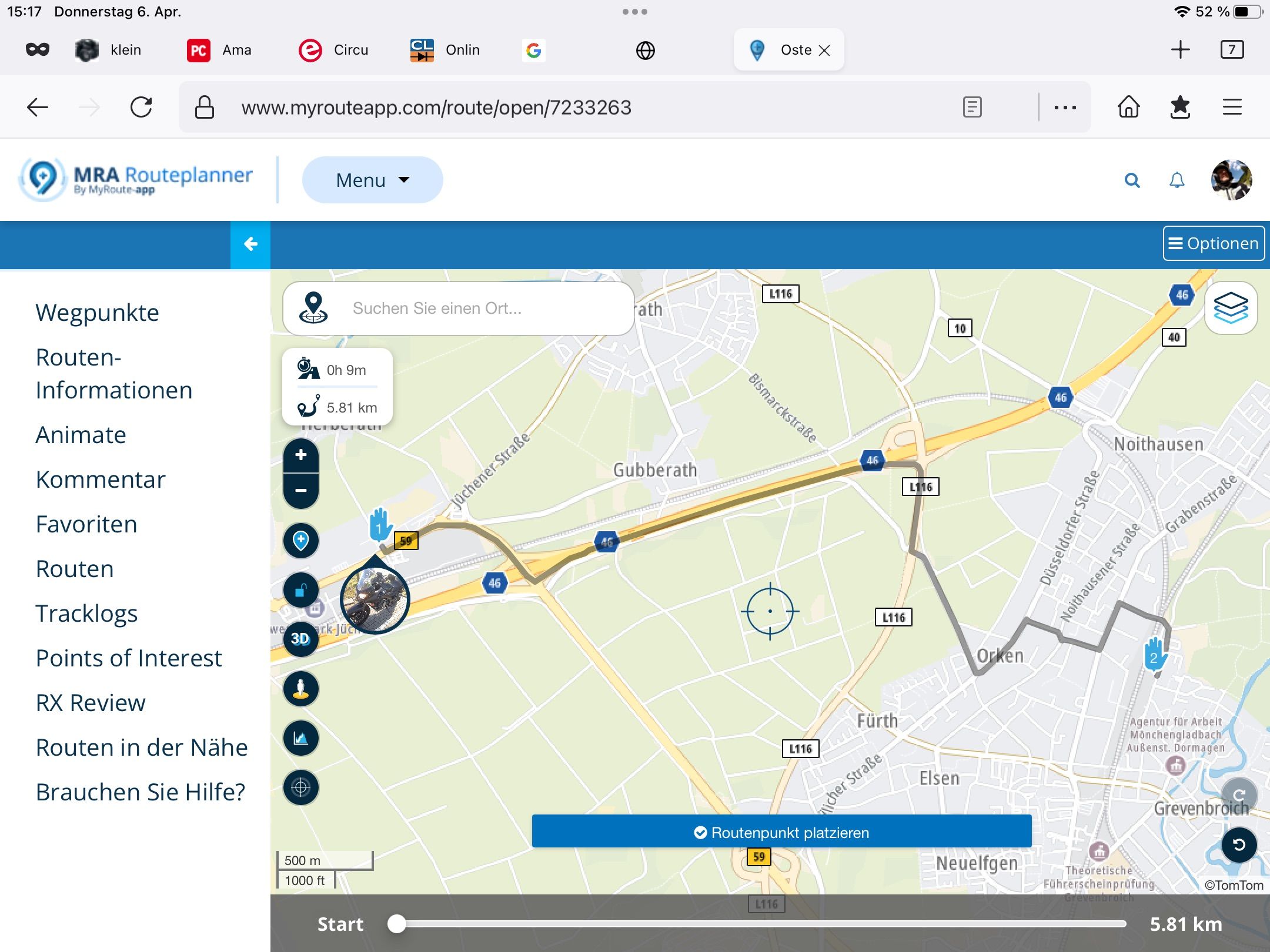
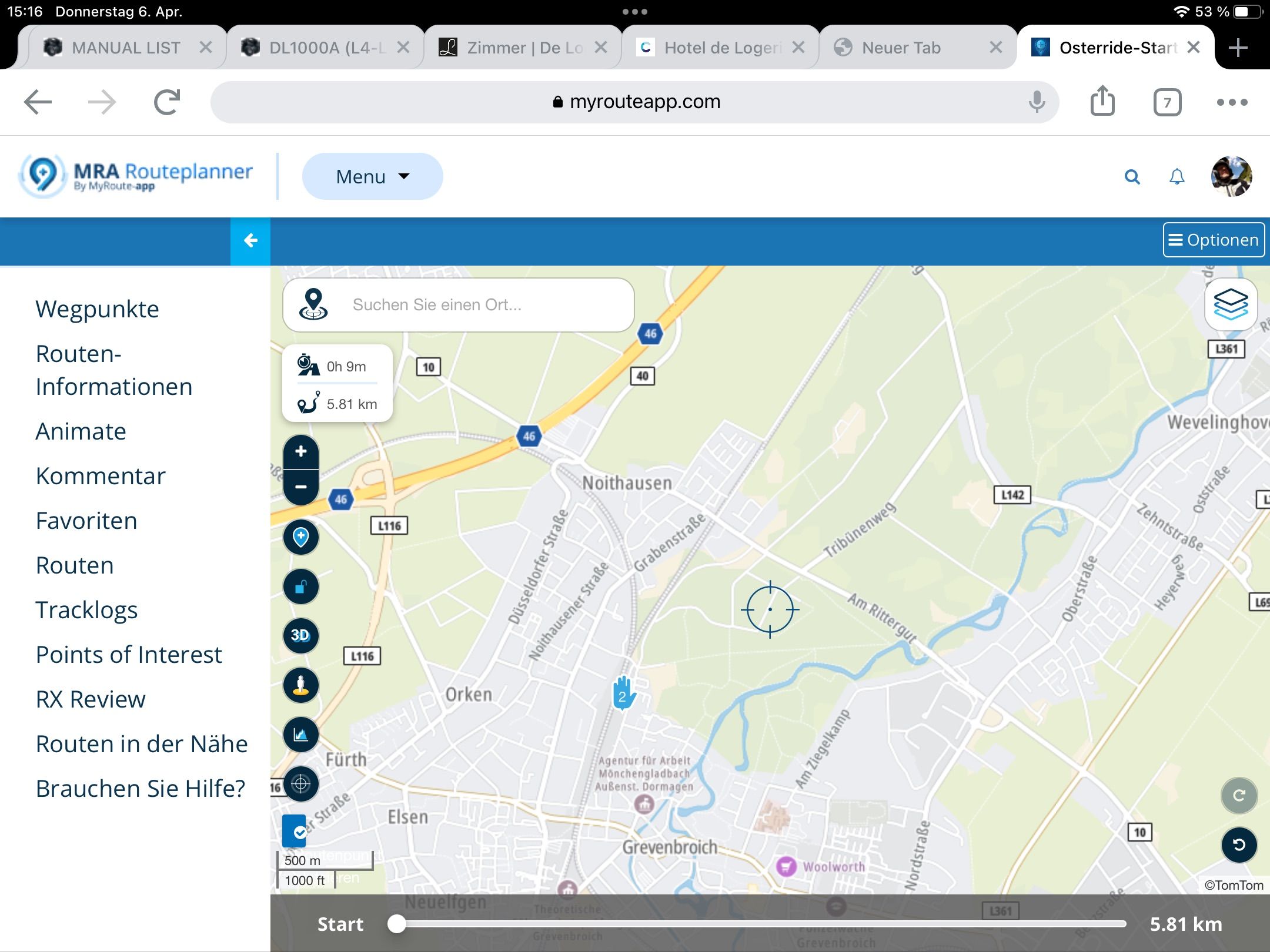
    Neither with the Safari browser, nor with Chrome or Firefox. All three are working in Desktop mode, but the pencil has not the function like a mouse to set INTERIM POINTS (waypoint between others). With a mouse it is working.

    Firefox
    657EABD9-EA47-4DDE-940B-15CC6920D7A1.JPG

    Chrome
    9D08AEFB-FC4E-4C9D-B285-B7850BDA9F65.JPG

    Safari
    5D473288-59D2-45F7-9C11-7AB21DA84DCC.JPG

    Hardware
    iPhone 12 pro (iOS 26.2.1)
    iPad (7.Gen.) 18.7.3
    Oukitel RT3 Pro (Andr. 14)
    Wireless CarPlay mit (Elebest C650)
    Wired CarPlay (SEAT Arona - 2021)
    MRA Workshops in Deutsch sind hier zu finden

    Reinhard-32 Lynchy67 2 Replies Last reply
    0
    • Jörgen Jörgen

      Hi, why is it not possible to use Pencil on iPad with MRA?
      Neither with the Safari browser, nor with Chrome or Firefox. All three are working in Desktop mode, but the pencil has not the function like a mouse to set INTERIM POINTS (waypoint between others). With a mouse it is working.

      Firefox
      657EABD9-EA47-4DDE-940B-15CC6920D7A1.JPG

      Chrome
      9D08AEFB-FC4E-4C9D-B285-B7850BDA9F65.JPG

      Safari
      5D473288-59D2-45F7-9C11-7AB21DA84DCC.JPG

      Reinhard-32 Offline
      Reinhard-32 Offline
      Reinhard-32
      wrote on last edited by
      #2

      @Jörgen For me it works fine. iPad 11 Pro and Apple pencil 2.

      Kindly regards
      Reinhard

      Montana 700i and Mac

      Lynchy67 1 Reply Last reply
      0
      • Jörgen Jörgen

        Hi, why is it not possible to use Pencil on iPad with MRA?
        Neither with the Safari browser, nor with Chrome or Firefox. All three are working in Desktop mode, but the pencil has not the function like a mouse to set INTERIM POINTS (waypoint between others). With a mouse it is working.

        Firefox
        657EABD9-EA47-4DDE-940B-15CC6920D7A1.JPG

        Chrome
        9D08AEFB-FC4E-4C9D-B285-B7850BDA9F65.JPG

        Safari
        5D473288-59D2-45F7-9C11-7AB21DA84DCC.JPG

        Lynchy67 Offline
        Lynchy67 Offline
        Lynchy67
        Valued contributor
        wrote on last edited by
        #3

        @Jörgen

        Just for clarity sake your screenshots are not actually showing the full Desktop view as you do not have the menus visible.
        It should look like my example below.

        I agree however that it does not work with the Apple Pencil.
        The Touch Pad however works great for inserting waypoints.
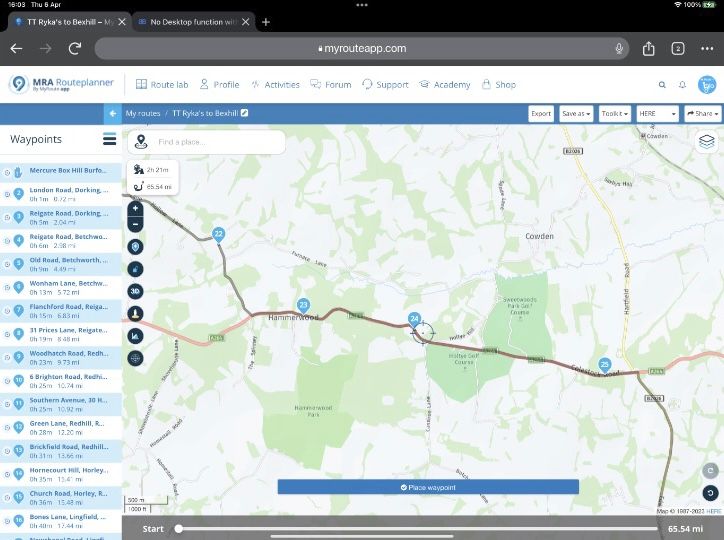
        11A07D8C-3FB7-45EE-AB37-D8605E1B408C.jpeg

        You don’t stop riding when you get old, you get old when you stop riding.

        Reinhard-32 1 Reply Last reply
        0
        • Reinhard-32 Reinhard-32

          @Jörgen For me it works fine. iPad 11 Pro and Apple pencil 2.

          Lynchy67 Offline
          Lynchy67 Offline
          Lynchy67
          Valued contributor
          wrote on last edited by
          #4

          @Reinhard-32

          What settings are you using for the Apple Pencil?

          You don’t stop riding when you get old, you get old when you stop riding.

          1 Reply Last reply
          0
          • Lynchy67 Lynchy67

            @Jörgen

            Just for clarity sake your screenshots are not actually showing the full Desktop view as you do not have the menus visible.
            It should look like my example below.

            I agree however that it does not work with the Apple Pencil.
            The Touch Pad however works great for inserting waypoints.

            11A07D8C-3FB7-45EE-AB37-D8605E1B408C.jpeg

            Reinhard-32 Offline
            Reinhard-32 Offline
            Reinhard-32
            wrote on last edited by Reinhard-32
            #5

            @Lynchy67 I have to clarify my answer from above. When I creating waypoints I use the crosshair cursor and tap the place a waypoint button below. But for the manipulation of waypoints or for placing additional waypoints within a route then I use my Pencil.

            Kindly regards
            Reinhard

            Montana 700i and Mac

            Lynchy67 1 Reply Last reply
            0
            • Reinhard-32 Reinhard-32

              @Lynchy67 I have to clarify my answer from above. When I creating waypoints I use the crosshair cursor and tap the place a waypoint button below. But for the manipulation of waypoints or for placing additional waypoints within a route then I use my Pencil.

              Lynchy67 Offline
              Lynchy67 Offline
              Lynchy67
              Valued contributor
              wrote on last edited by
              #6

              @Reinhard-32

              Ah ok.
              I’ll stick with the Trackpad method.

              You don’t stop riding when you get old, you get old when you stop riding.

              1 Reply Last reply
              0
              • Jörgen Offline
                Jörgen Offline
                Jörgen
                Valued contributor
                wrote on last edited by
                #7

                Ok, Will check my Pen settings.

                Regarding menus, you're right it should look different (like on yours or my Windows PC) but there is no change if I switch between desktop and mobile view.

                I want to have like on Windows PC, if you click in between waypoints on the route you get the black dot with + sign.

                Reinhard, do you have this? And what settings?

                Hardware
                iPhone 12 pro (iOS 26.2.1)
                iPad (7.Gen.) 18.7.3
                Oukitel RT3 Pro (Andr. 14)
                Wireless CarPlay mit (Elebest C650)
                Wired CarPlay (SEAT Arona - 2021)
                MRA Workshops in Deutsch sind hier zu finden

                Lynchy67 1 Reply Last reply
                0
                • Jörgen Jörgen

                  Ok, Will check my Pen settings.

                  Regarding menus, you're right it should look different (like on yours or my Windows PC) but there is no change if I switch between desktop and mobile view.

                  I want to have like on Windows PC, if you click in between waypoints on the route you get the black dot with + sign.

                  Reinhard, do you have this? And what settings?

                  Lynchy67 Offline
                  Lynchy67 Offline
                  Lynchy67
                  Valued contributor
                  wrote on last edited by
                  #8

                  @Jörgen

                  You need to use the actual top level browser zoom settings for the Desktop View to become available.

                  You don’t stop riding when you get old, you get old when you stop riding.

                  Jörgen 1 Reply Last reply
                  0
                  • Lynchy67 Lynchy67

                    @Jörgen

                    You need to use the actual top level browser zoom settings for the Desktop View to become available.

                    Jörgen Offline
                    Jörgen Offline
                    Jörgen
                    Valued contributor
                    wrote on last edited by
                    #9

                    @Lynchy67 said in No Desktop function with Apple Pencil on iPad?:

                    the actual top level browser zoom settings

                    What is this? And where?

                    Hardware
                    iPhone 12 pro (iOS 26.2.1)
                    iPad (7.Gen.) 18.7.3
                    Oukitel RT3 Pro (Andr. 14)
                    Wireless CarPlay mit (Elebest C650)
                    Wired CarPlay (SEAT Arona - 2021)
                    MRA Workshops in Deutsch sind hier zu finden

                    Lynchy67 Steve Lynch 2 Replies Last reply
                    0
                    • Jörgen Jörgen

                      @Lynchy67 said in No Desktop function with Apple Pencil on iPad?:

                      the actual top level browser zoom settings

                      What is this? And where?

                      Lynchy67 Offline
                      Lynchy67 Offline
                      Lynchy67
                      Valued contributor
                      wrote on last edited by
                      #10

                      @Jörgen

                      Unfortunately, I set this up many years ago and after many updates, I do not see these top level browser settings available any more.

                      You don’t stop riding when you get old, you get old when you stop riding.

                      1 Reply Last reply
                      0
                      • Dae 0 Offline
                        Dae 0 Offline
                        Dae 0
                        wrote on last edited by
                        #11

                        I personally find the browser zoom level at which the menus disappear and become “page menu “ quite frustrating.

                        My wife has the newest MacBook Air and with the default zoom the menus disappear. If she zooms out (makes things smaller) the menus appear but the text is really small. I think with the size of the screen on the MacBook the page menu really shouldn’t appear.

                        To add to the frustration, as you move your cursor down the options in the pages menu -> toolkit menu the various submenus auto expand and move the thing you were looking for 🤣

                        1 Reply Last reply
                        0
                        • Jörgen Jörgen

                          @Lynchy67 said in No Desktop function with Apple Pencil on iPad?:

                          the actual top level browser zoom settings

                          What is this? And where?

                          Steve Lynch Offline
                          Steve Lynch Offline
                          Steve Lynch
                          Valued contributor
                          wrote on last edited by Steve Lynch
                          #12

                          @Jörgen
                          These are the settings on the PC that used to be available for the iPad also.
                          Had to switch to my iOS account as my Android account was not allowing the jpeg even though it was under 2mb

                          Browser Zoom Settings.jpg

                          You don’t stop riding when you get old, you get old when you stop riding.

                          biryanicarry 1 Reply Last reply
                          0
                          • Steve Lynch Steve Lynch

                            @Jörgen
                            These are the settings on the PC that used to be available for the iPad also.
                            Had to switch to my iOS account as my Android account was not allowing the jpeg even though it was under 2mb

                            Browser Zoom Settings.jpg

                            biryanicarry Offline
                            biryanicarry Offline
                            biryanicarry
                            wrote on last edited by
                            #13

                            @Steve-Lynch said in No Desktop function with Apple Pencil on iPad?:

                            @Jörgen geometry dash unblocked

                            These are the settings on the PC that used to be available for the iPad also.
                            Had to switch to my iOS account as my Android account was not allowing the jpeg even though it was under 2mb

                            Browser Zoom Settings.jpg

                            your opinion is not bad

                            1 Reply Last reply
                            0

                            Hello! It looks like you're interested in this conversation, but you don't have an account yet.

                            Getting fed up of having to scroll through the same posts each visit? When you register for an account, you'll always come back to exactly where you were before, and choose to be notified of new replies (either via email, or push notification). You'll also be able to save bookmarks and upvote posts to show your appreciation to other community members.

                            With your input, this post could be even better 💗

                            Register Login
                            Reply
                            • Reply as topic
                            Log in to reply
                            • Oldest to Newest
                            • Newest to Oldest
                            • Most Votes


                            ACTIVE USERS
                            Jörgen
                            Jörgen
                            Reinhard-32
                            Reinhard-32
                            Dae 0
                            Dae 0
                            Lynchy67
                            Lynchy67
                            Steve Lynch
                            Steve Lynch
                            biryanicarry
                            biryanicarry
                            POPULAR TOPICS
                            • Carpuride scherm vast
                              De Ploey Georges
                              De Ploey Georges
                              3
                              28
                              1.2k

                            • How can I change the verbal navigation directions from male to female?
                              Brian McG
                              Brian McG
                              0
                              5
                              29

                            • Apple Carplay - navigatie instructies zichtbaar, maar kaart niet??
                              Nick Carthew
                              Nick Carthew
                              0
                              3
                              16

                            • Camperroutes
                              De Ploey Georges
                              De Ploey Georges
                              0
                              4
                              164

                            • GPX Versions 1.1 vs 1.2 for Garmin Visually Explained
                              Mzokk
                              Mzokk
                              7
                              174
                              14.0k

                            • Not a great route choice
                              Marinus van Deudekom
                              Marinus van Deudekom
                              0
                              2
                              32

                            • App probleem scenic route niet mogelijk
                              Philip Verbeek
                              Philip Verbeek
                              0
                              3
                              81

                            • (Android Auto) Zoom/Steuerung blendet aus und lässt sich nicht per Lenkerschalter reaktivieren.
                              0
                              1
                              5

                            MY GROUPS
                            • Login

                            • Login or register to search.
                            • First post
                              Last post
                            0
                            • Categories
                            • Recent
                            • Popular
                            • Support
                            • MyRoute-app