LAN004 - Route Import filetypes
-

Hi,
I tried to import a route, and see all normal file types, plus “.mra”.
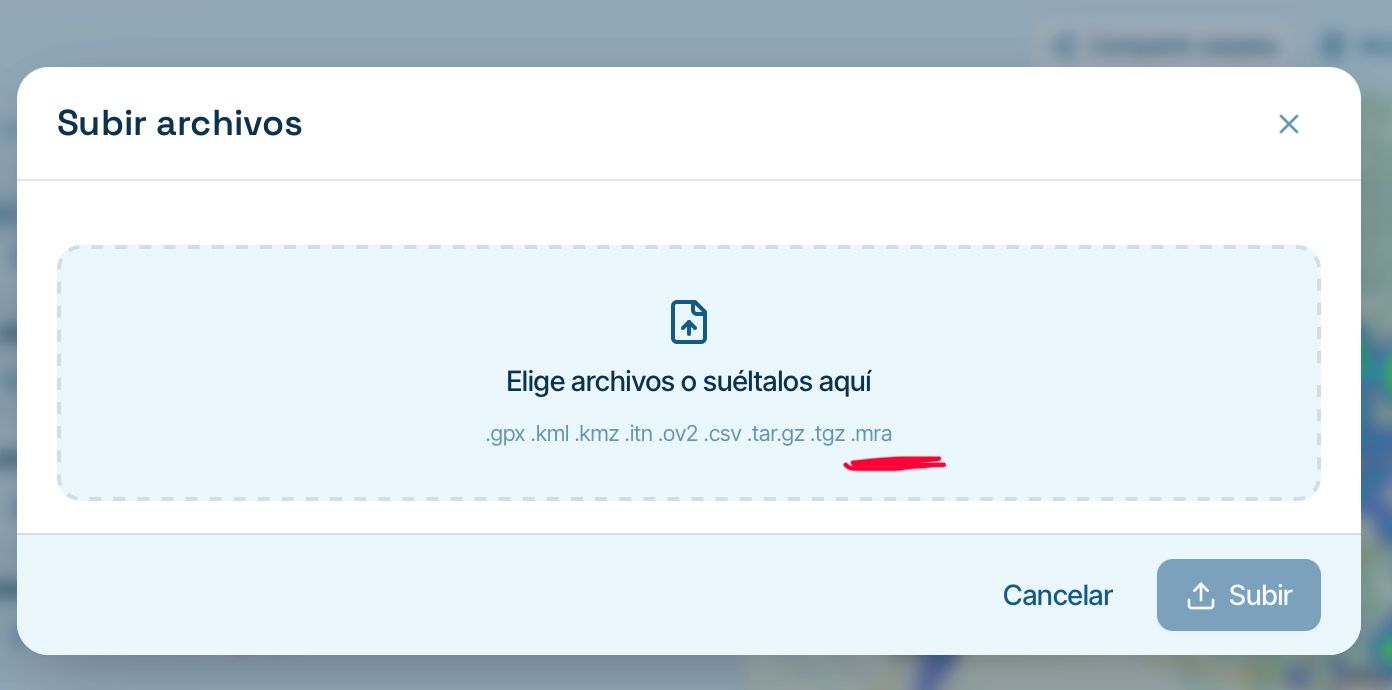
Thinking format is the same that export as “MyRoute-App (.mra, full route)”, I tried to export and import.
Export as MyRoute-app generates a .json;
Import does not recognize neither .json nor .mra file types.
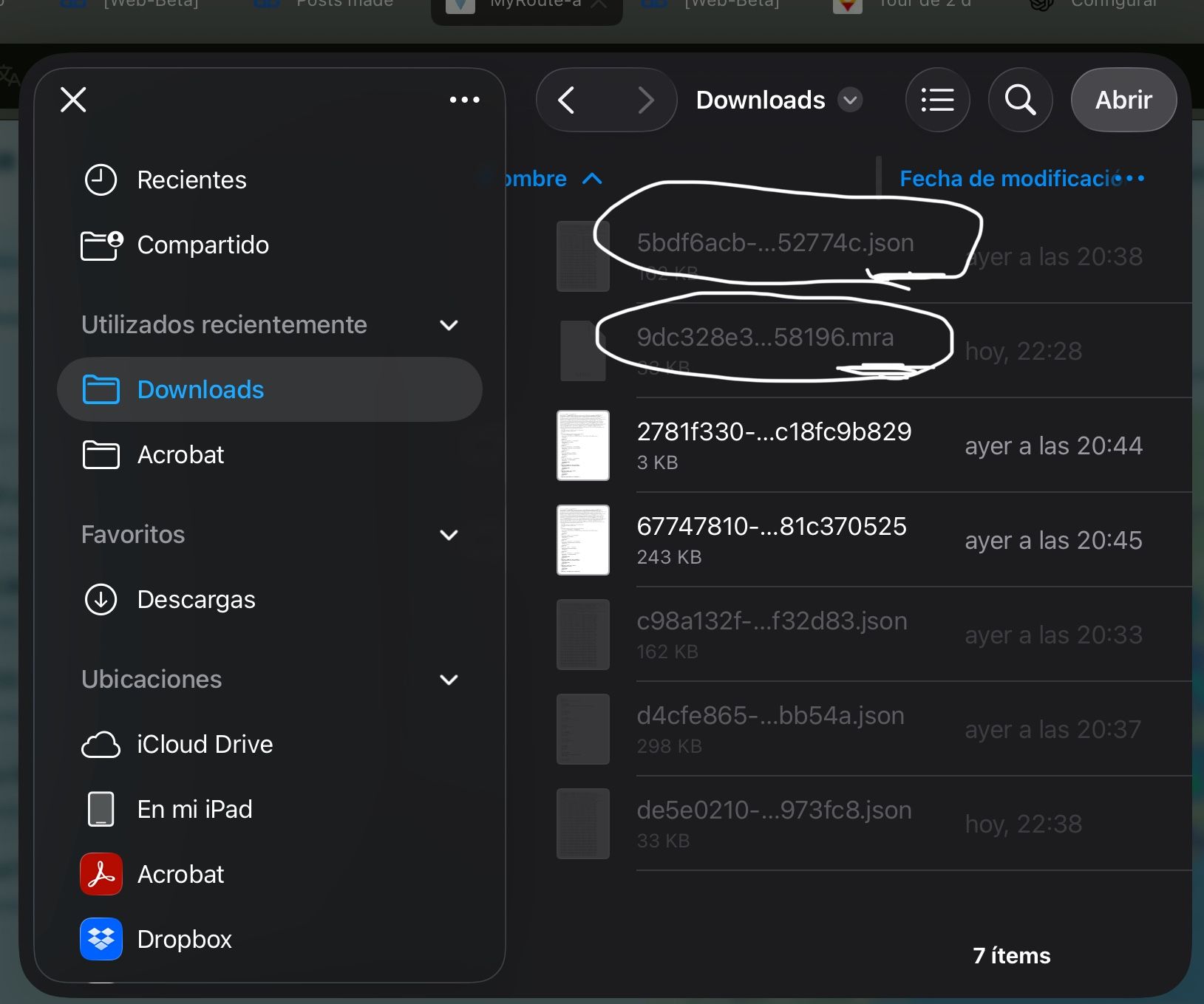
Only the two GPX I have are detected.
Missed something?
Regards
Lluis Arasanz
- BMW F750GS
MotoMediaLink HW Interface for BMW's WonderWheel device - Samsung A14 with Beta MyRoute-App (primary bike use)
Tasker and MMLink SW for Android App Control - iPhone 14 with Beta MyRoute-App (personal and primary CP use)
- BMW F750GS
-
Hi,
I tried to import a route, and see all normal file types, plus “.mra”.
Thinking format is the same that export as “MyRoute-App (.mra, full route)”, I tried to export and import.
Export as MyRoute-app generates a .json;
Import does not recognize neither .json nor .mra file types.
Only the two GPX I have are detected.
Missed something?
Regards

@Lluis-Arasanz The .mra format is specifically designed for people who want to back up their library themselves. It allows you to export all the details you have recorded in your routes. You can export all your routes in one go. MRA packages them into a ZIP file, including your folder structure.
-
@Lluis-Arasanz The .mra format is specifically designed for people who want to back up their library themselves. It allows you to export all the details you have recorded in your routes. You can export all your routes in one go. MRA packages them into a ZIP file, including your folder structure.

@Rob-Verhoeff Obviously,yes, but what purpose does backing up files into a proprietary format other than gpx, serve when those files themselves cannot be read back by the platform they have been exported from.

This must be one of those minor thingies Corjan solves in a jiffy...

-
@Lluis-Arasanz The .mra format is specifically designed for people who want to back up their library themselves. It allows you to export all the details you have recorded in your routes. You can export all your routes in one go. MRA packages them into a ZIP file, including your folder structure.
I suppose you mean this export format, don’t you?
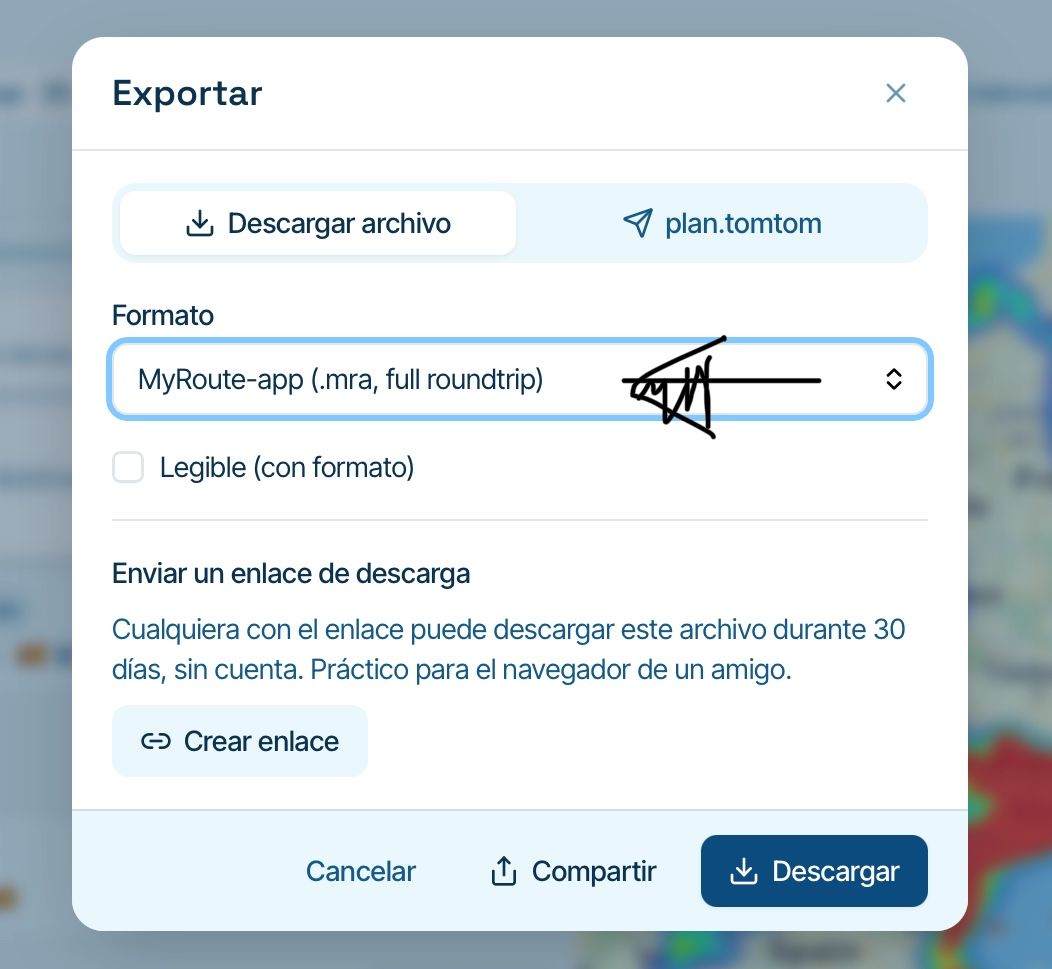
This generates a .json file, not an .mra
Import does not recognize neither.mra nor .json
If I’m wrong, please, how I must save a route to .mra file to backup?
Regards
-

This is definitely an iPad thing.
Will fix later. -
Yes, is detected on iPad
Thanks Corjan!
-
-
I suppose you mean this export format, don’t you?
This generates a .json file, not an .mra
Import does not recognize neither.mra nor .json
If I’m wrong, please, how I must save a route to .mra file to backup?
Regards
@Lluis-Arasanz as I don’t have a tablet it works fine on the desktop. The only thing not working is sharing the url with a friend and then start the shared route with that url.
-
I think it's fixed for iPad
I’ll check in a while
-
@Lluis-Arasanz as I don’t have a tablet it works fine on the desktop. The only thing not working is sharing the url with a friend and then start the shared route with that url.
@Rob-Verhoeff i’ll try to check from my side
-
I think it's fixed for iPad
-
@Lluis-Arasanz as I don’t have a tablet it works fine on the desktop. The only thing not working is sharing the url with a friend and then start the shared route with that url.
@Rob-Verhoeff
@corjan-meijerinkIf I share a route, by telegram for example, I sent a GPX.
If I open in android, it has associated MyRoute-app as application to run, then open MyRoute automàtica L y And i can start to navigate
On IOS, when I Click GPX, text editor is opene by default and from here, i must export to MyRoute.(Same behavior in iPad with V5 ans iPhone with V6)
After that second export, i can navigate as usual.
Pehaps is normal behavior for IOS devices...
Regards
-
At this point the app indeed cannot use the file.
Trying to get it in
Hello! It looks like you're interested in this conversation, but you don't have an account yet.
Getting fed up of having to scroll through the same posts each visit? When you register for an account, you'll always come back to exactly where you were before, and choose to be notified of new replies (either via email, or push notification). You'll also be able to save bookmarks and upvote posts to show your appreciation to other community members.
With your input, this post could be even better 💗
Register Login-
 022119
-
 118148
-
 015111
-
01190
-
0932
-
2873
-
-1866
-
 0777
0777