Android TTS question
-

Hello, all!
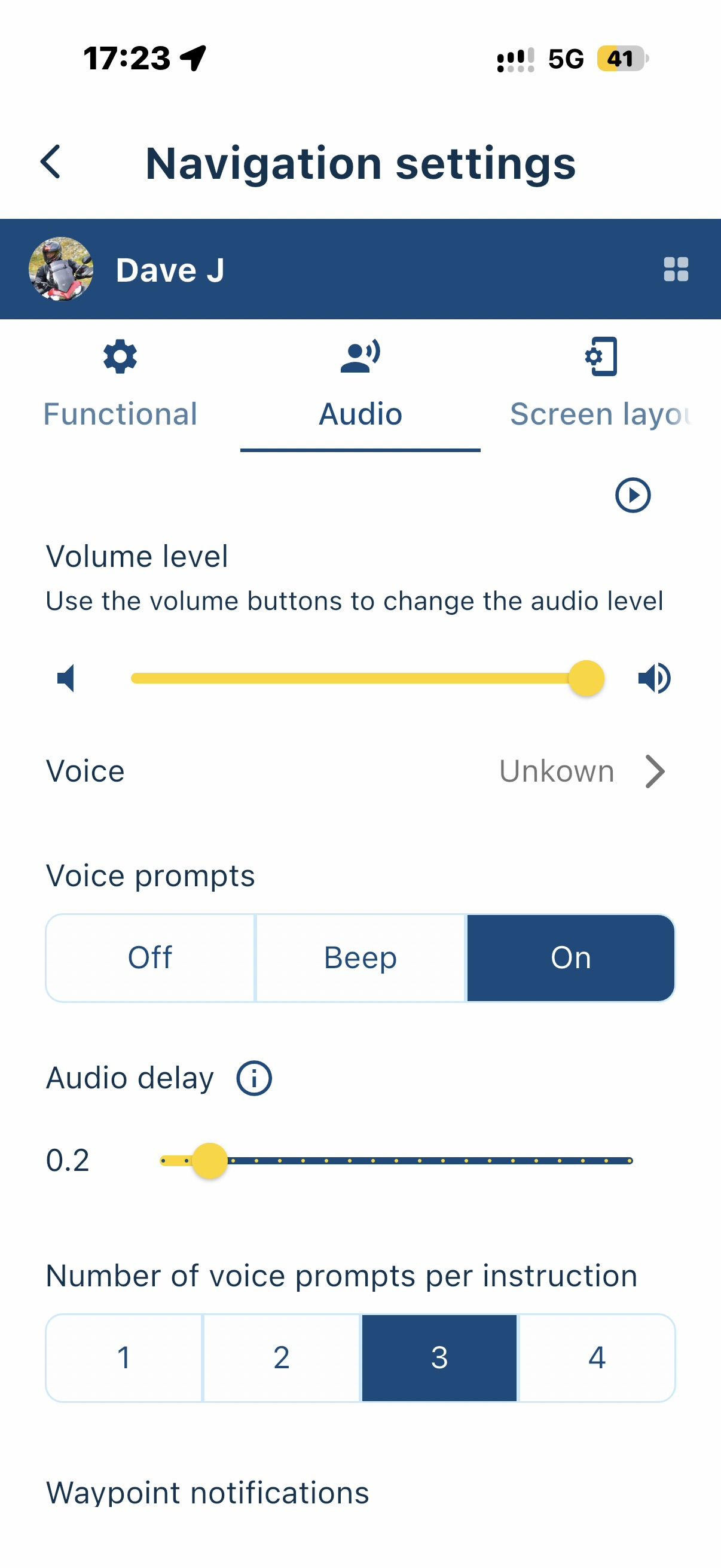
I remember that the Navigation / Audio setting used to offer me 2 TTS versions Google and Samsung.
Now there is only one: "com.google.android.tts".
I looked up the solution and performed the suggested steps and in my phone settings:- Open the Settings app on your phone.
- Scroll down and tap on Accessibility.
- Tap on TalkBack.Tap on Settings (or gear icon)
- Select Text-to-speech.
- Look for Preferred engine or tap the side panel option next to the current engine.
- Select Samsung Text-to-speech engine instead of Google.
** * Now I have the Samsung text-to-speech engine selected.*
Yet, when I go to the settings in the App Functional / Naigation / Audio, I only see the
"com.google.android.tts".
Any thoughts on how to bring the Samsung TTS back into the App?
Thank you!
Positive emotions are worth every penny ;)
-
Hello, all!
I remember that the Navigation / Audio setting used to offer me 2 TTS versions Google and Samsung.
Now there is only one: "com.google.android.tts".
I looked up the solution and performed the suggested steps and in my phone settings:- Open the Settings app on your phone.
- Scroll down and tap on Accessibility.
- Tap on TalkBack.Tap on Settings (or gear icon)
- Select Text-to-speech.
- Look for Preferred engine or tap the side panel option next to the current engine.
- Select Samsung Text-to-speech engine instead of Google.
** * Now I have the Samsung text-to-speech engine selected.*
Yet, when I go to the settings in the App Functional / Naigation / Audio, I only see the
"com.google.android.tts".
Any thoughts on how to bring the Samsung TTS back into the App?
Thank you!

@LennyO I remember the same thing
Just checked and found that it's same for me
When I select the voices they seem the same for me -

Different angle on this issue. Is this a MRA problem or a Samsung problem?
I have a Pixel 6a. So no Samsung TTS. I do not like the Google TTS. Because of that i bought Acapella TTS engine. This second engine is still available in MRA.(I use MRA Next only on Android Auto. Every comment, suggestion, etc will be based on my usage with Android Auto)
-
Different angle on this issue. Is this a MRA problem or a Samsung problem?
I have a Pixel 6a. So no Samsung TTS. I do not like the Google TTS. Because of that i bought Acapella TTS engine. This second engine is still available in MRA.
@M.-Schrijver think I just found the answer:
"Third-party navigation apps like MyRoute-app (MRA) Next on newer Samsung devices running Android 15/16 (One UI 7/8) can no longer access Samsung’s Text-to-Speech engine directly due to system-level API changes made by Samsung".I just realized that the last time I saw the Samsung TTS was on my older Galaxy S22.
That's the end of it
Hello! It looks like you're interested in this conversation, but you don't have an account yet.
Getting fed up of having to scroll through the same posts each visit? When you register for an account, you'll always come back to exactly where you were before, and choose to be notified of new replies (either via email, or push notification). You'll also be able to save bookmarks and upvote posts to show your appreciation to other community members.
With your input, this post could be even better 💗
Register Login-
01331
-
0751
-
 0628
0628
-
09211
-
 0512
0512
-
 0419
0419
-
 1530
1530
-
 0319
0319