Google maps and Streetview
-

Same behavior on Firefox Browser on Linux RedHat 8.
So... is Route Laboratory related, not browser or O.S.Regards!
-
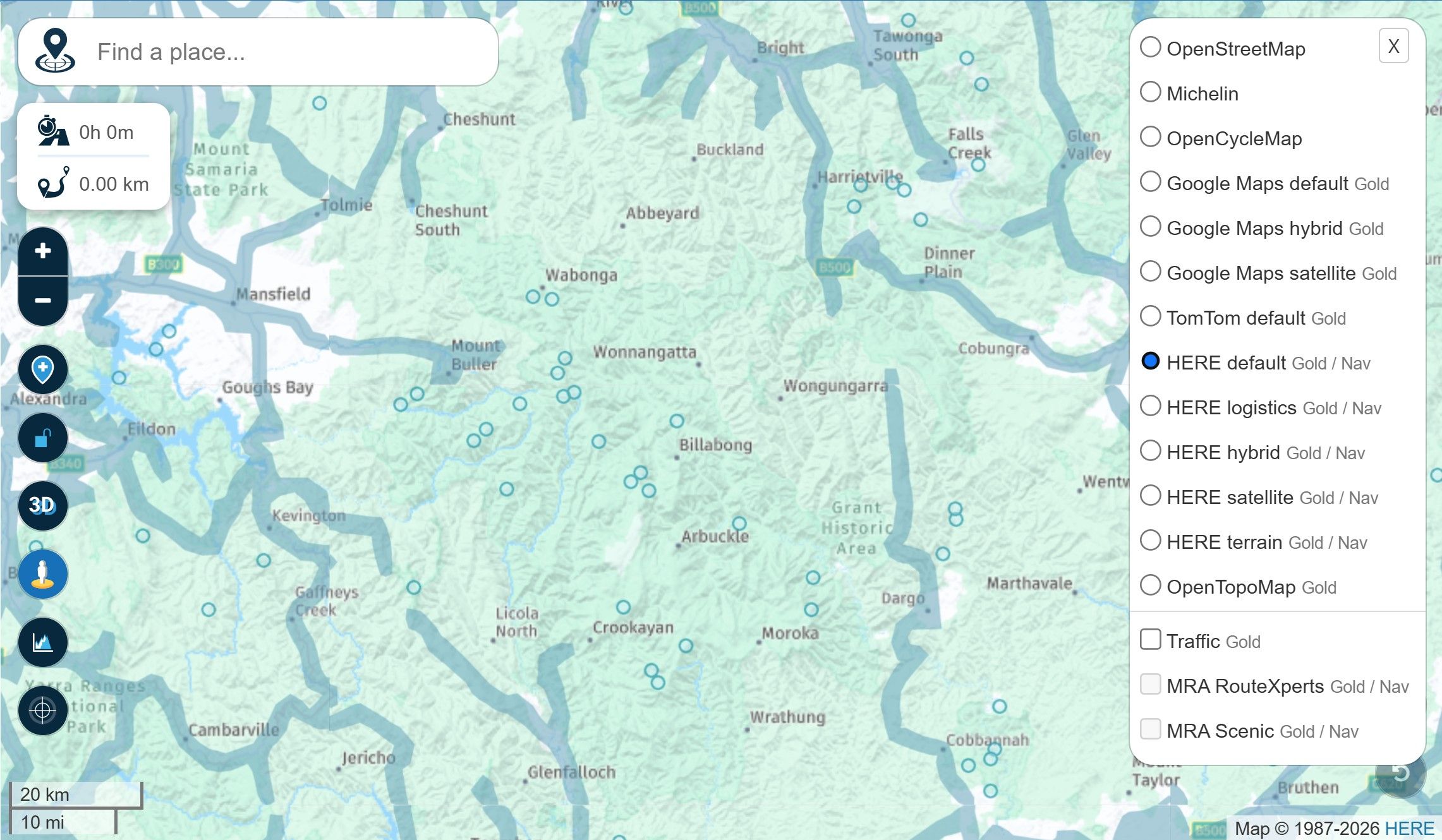
I've just run into an issue where the behaviour of Streetview and Google Maps is inconsistent. Here's what happens:
- Start with say HERE maps as the overlay.
- Click on the Streetview icon on the map to highlight Streetview streets. All good so far.
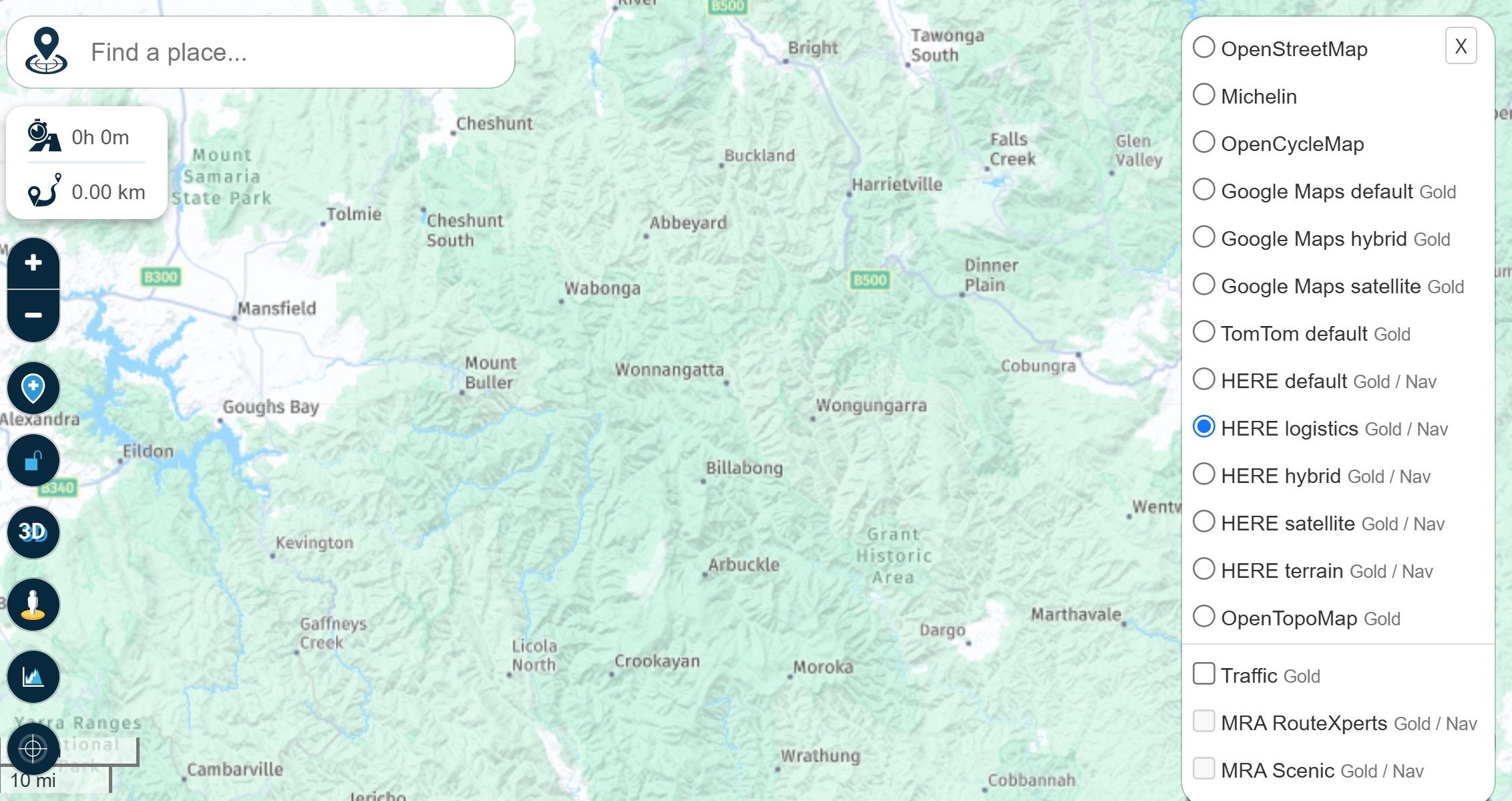
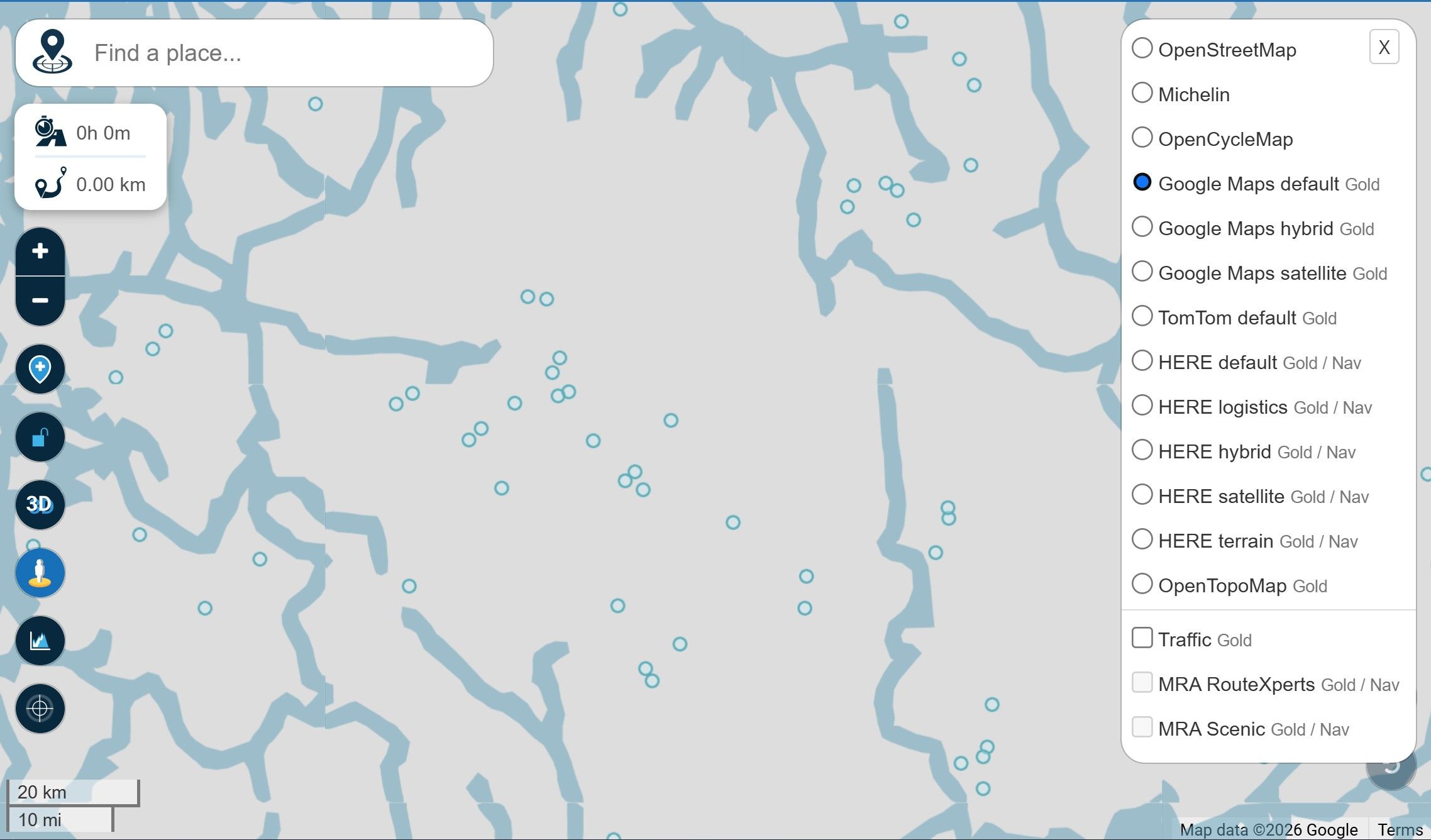
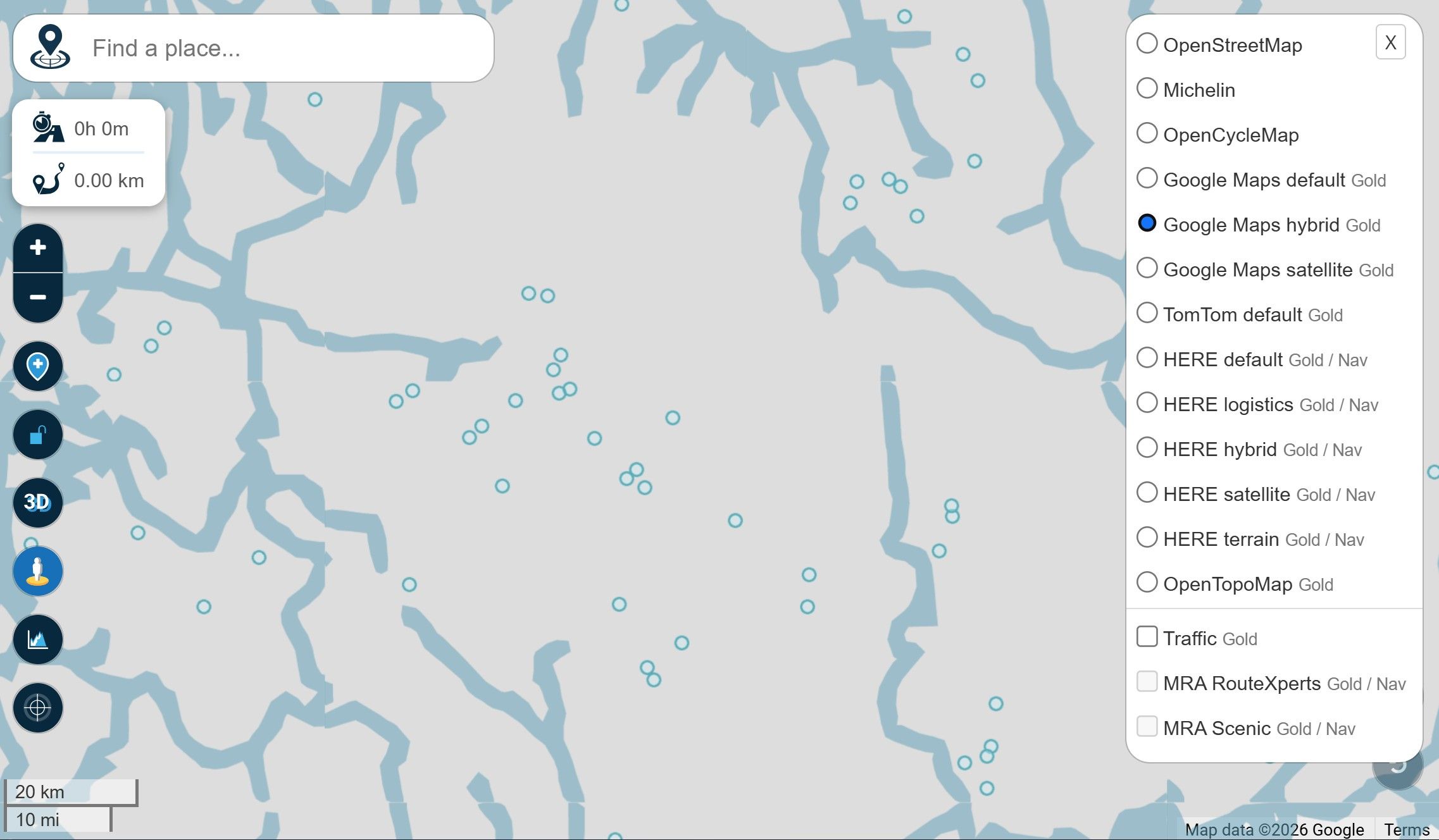
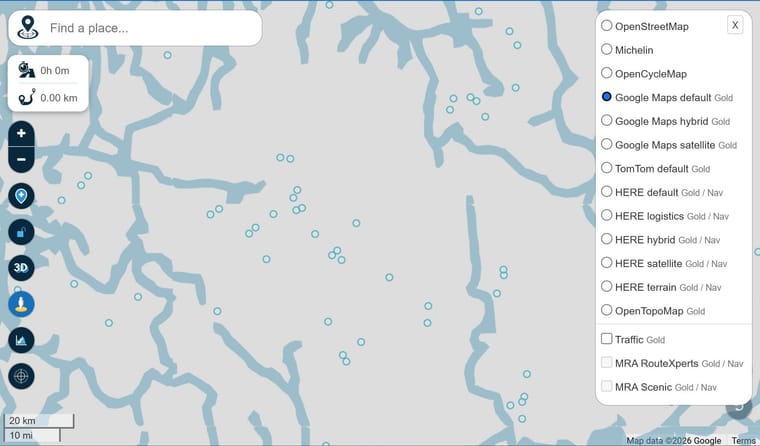
- Change the map overlay to any of the Google maps and the Streetview streets are still visible but no map data is rendered. Change to any other map overlay other than Google and the behaviour is as expected.
For reference, I'm using fully up to date Windows 11 and the Brave browser. Behaviour is the same with Edge browser.
Some screenshots:
-
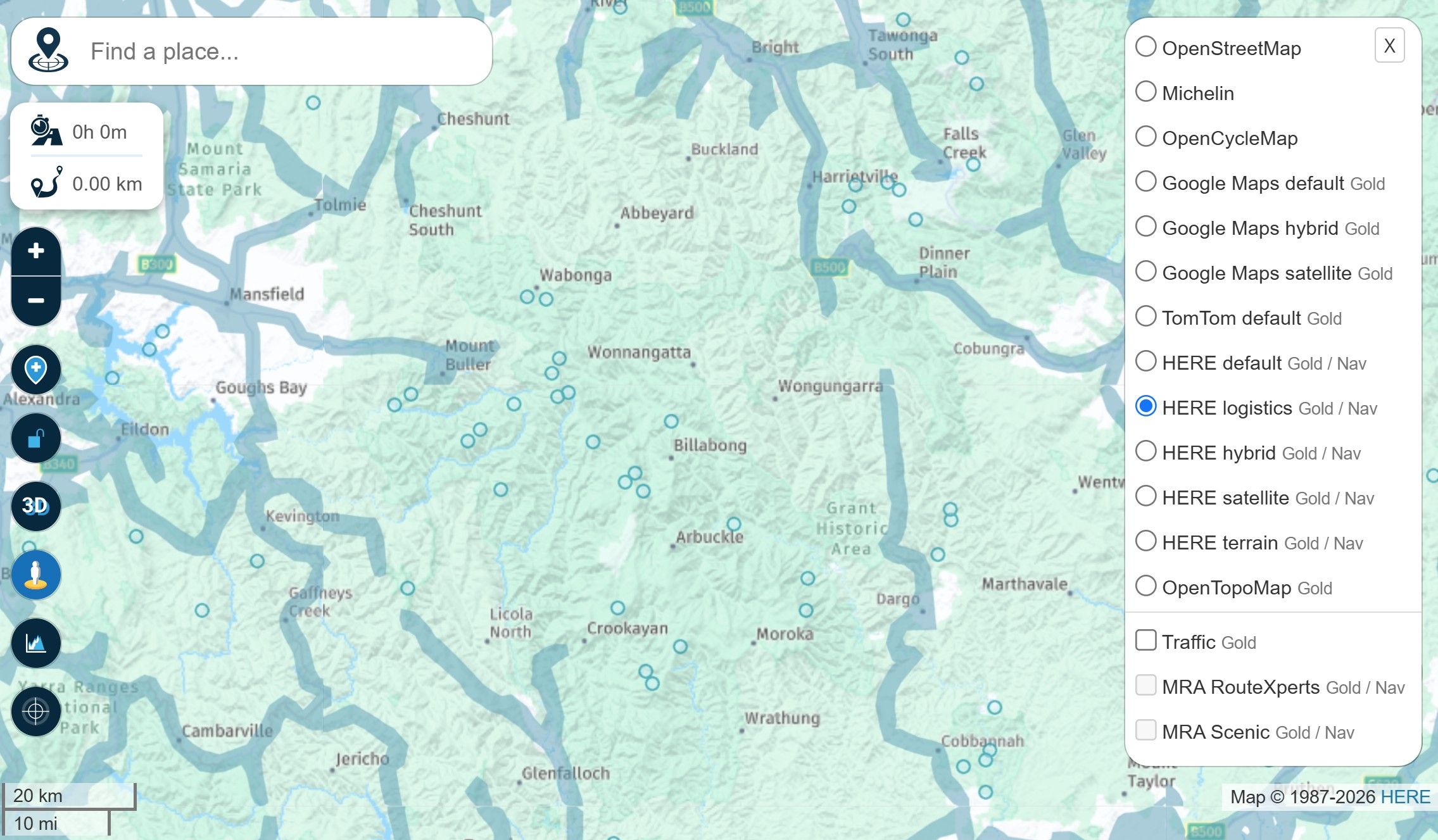
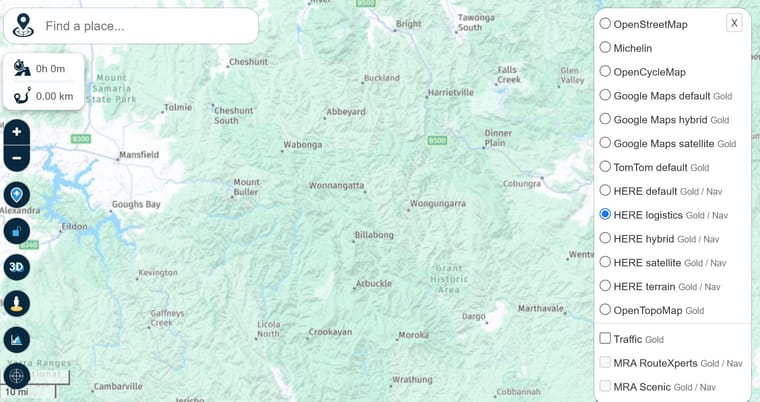
Starting point. HERE maps no Streetview
-
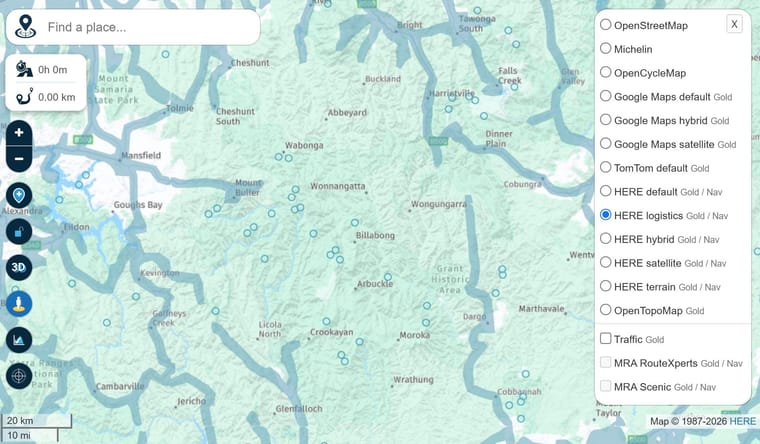
Turn on Streetview. All good so far.
-
Switch to Google Maps. No map data displayed.
-
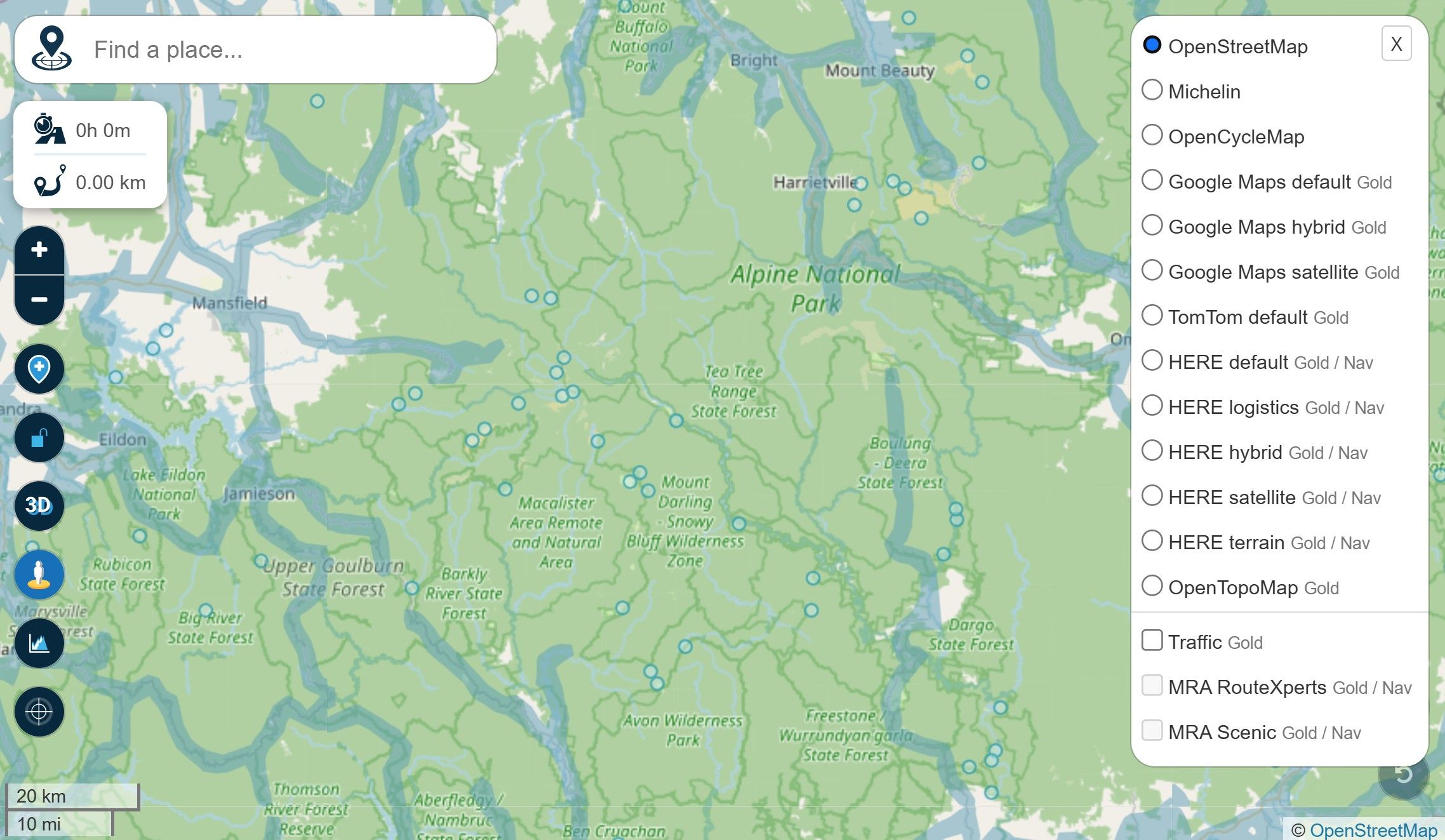
Switch to OpenStreetMap. All good.
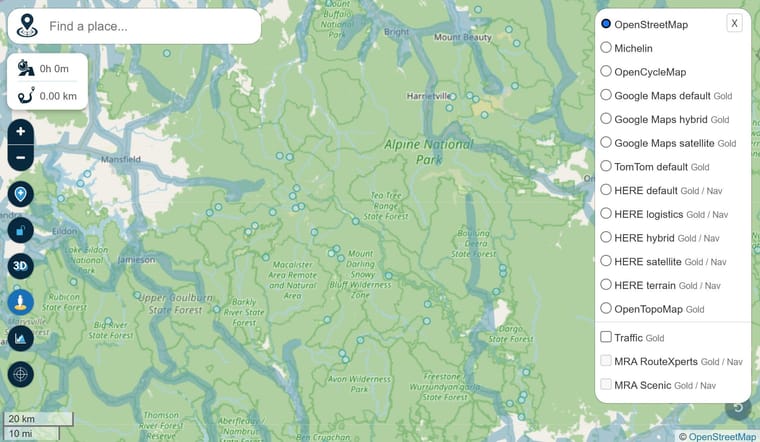
-
Switch to another Google map. No map data displayed.
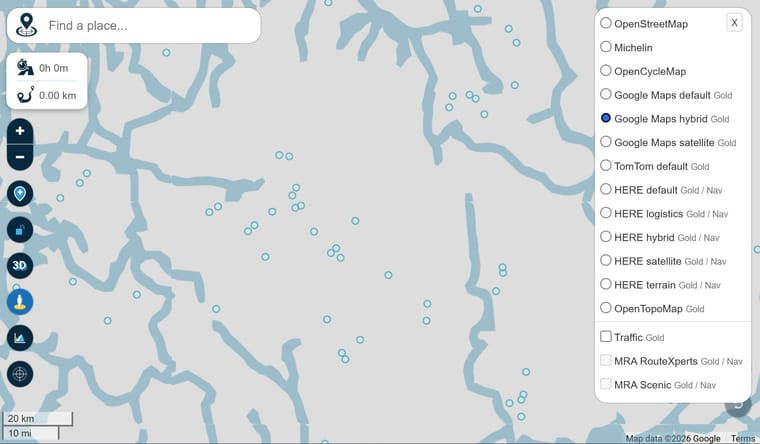
-
Switch back to HERE. All good again.
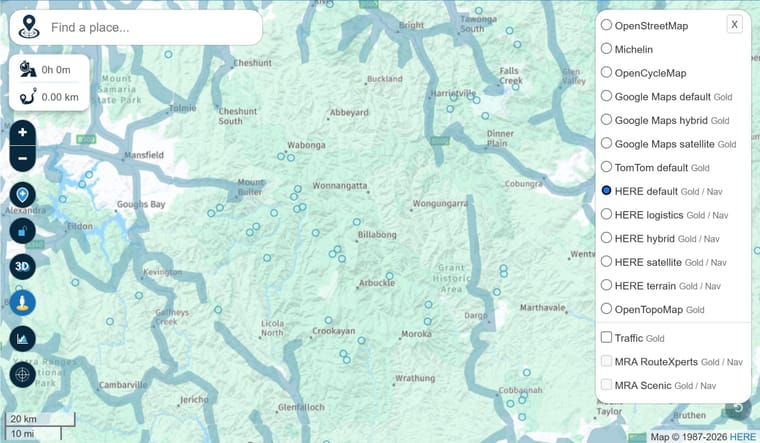
The issue is really easy to work around but I don't imagine that this behaviour is by design.

@Stevedo-6-0 The maps that you are changing are the overlay maps. What planning map do you have set? I don't see any of these issues when using any of the planning maps. My screenshot shows the HERE planning map and the Google overlay map with Street View selected. I'm using Windows 11 on the Chrome browser.
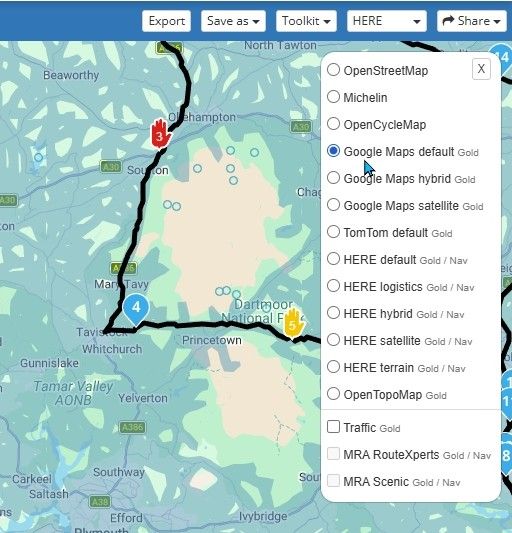
However, I do see a similar issue when using the FireFox browser. The data from the Google overlay map does not load when switching from another overlay map to a Google overlay when Street View is on. If I select a Google overlay map and then turn on Street View all is as it should be.
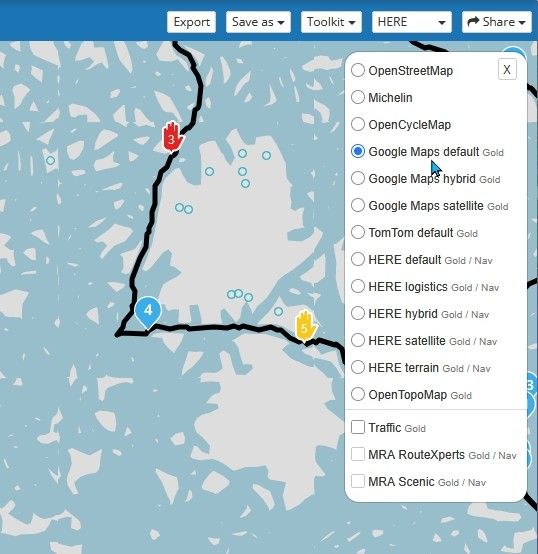
-

In my example I use HERE planning map as I always do.
And in the same setup as @nick-carthew has I see the issue when switching between map layers upon coming back to any Google overlay. -

I’ve just noticed something else. I’m using the planner in Firefox.
When I’m viewing a route created in Here and displayed using the Here overlay map, Streetview works perfectly. If I then switch to the Google overlay (without Streetview), I simply get the map with the route! If I then switch to Streetview, the blue lines appear as they should and I can open the Streetview image. But if I switch Streetview off and then back on again, the blue lines disappear and I can no longer open Streetview.
The only thing that happens when I click the Streetview button is that the bar at the bottom of the screen for playing back the route appears and disappears again with the next click.
Only once I’ve opened a different overlay map first and then gone back to the Google map can I use the Street View option again – but only once.
This only happens with the Google overlay maps. -
@Stevedo-6-0 The maps that you are changing are the overlay maps. What planning map do you have set? I don't see any of these issues when using any of the planning maps. My screenshot shows the HERE planning map and the Google overlay map with Street View selected. I'm using Windows 11 on the Chrome browser.
However, I do see a similar issue when using the FireFox browser. The data from the Google overlay map does not load when switching from another overlay map to a Google overlay when Street View is on. If I select a Google overlay map and then turn on Street View all is as it should be.

@Stevedo-6-0 The maps that you are changing are the overlay maps. What planning map do you have set? I don't see any of these issues when using any of the planning maps. My screenshot shows the HERE planning map and the Google overlay map with Street View selected. I'm using Windows 11 on the Chrome browser.
However, I do see a similar issue when using the FireFox browser. The data from the Google overlay map does not load when switching from another overlay map to a Google overlay when Street View is on. If I select a Google overlay map and then turn on Street View all is as it should be.
I'm using HERE maps as my default as always.
Edit: For clarity, I mean the "base" planning map as shown below

To quote @nick-carthew "If I select a Google overlay map and then turn on Street View all is as it should be." Yes, I said it was an easy workaround. Surely though, this behaviour is not as intended?
-
I've raised a support ticket for this.
-
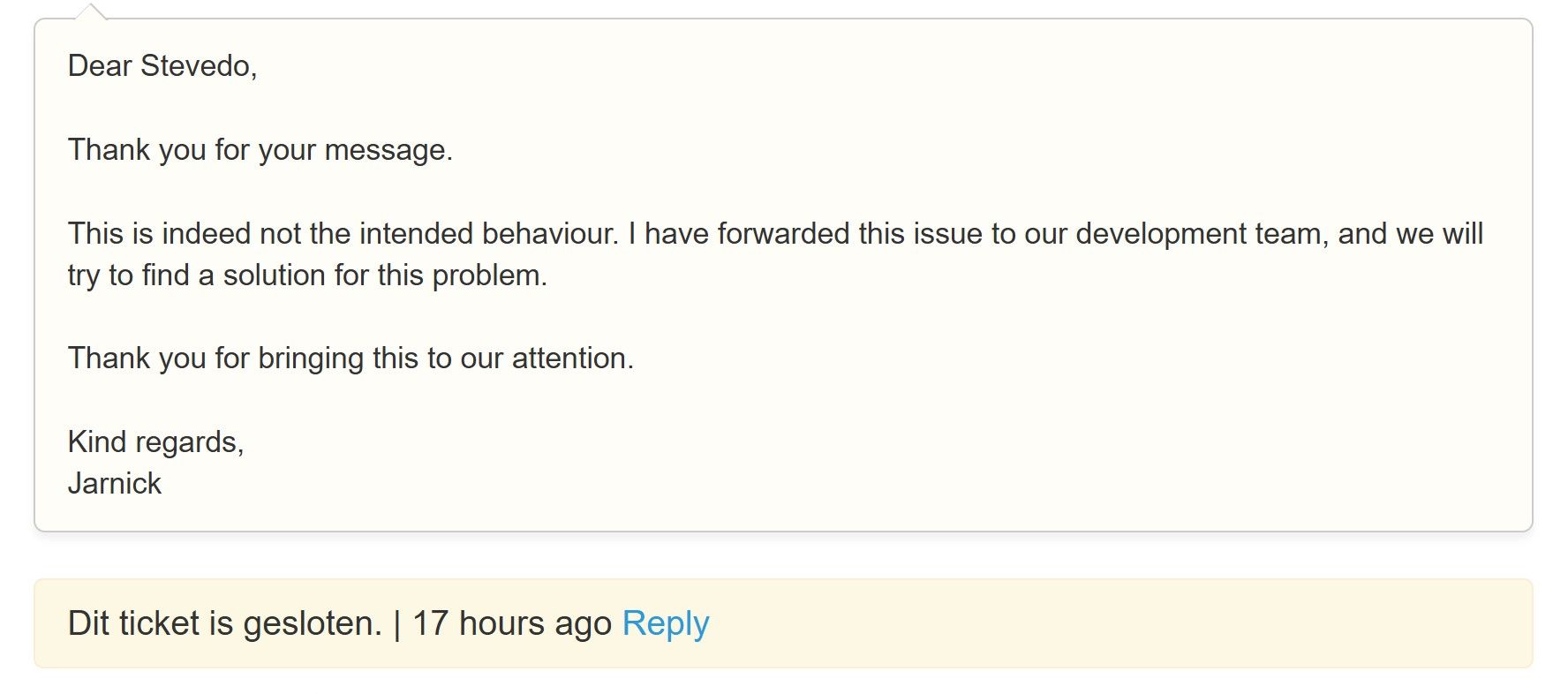
Had a response today to my ticket.
"
Dear Stevedo,Thank you for your message.
This is indeed not the intended behaviour. I have forwarded this issue to our development team, and we will try to find a solution for this problem.
Thank you for bringing this to our attention.
Kind regards,
Jarnick
" -
Me too! I received a similar response as well. I’m sure it will be sorted out.
-
Well, this morning I thought I'd check to see if there was any update to the support ticket I raised. I was surprised to see that the ticket has been closed. I have not received any communication i.e. email to indicate that the status of my ticket had changed. There was no accompanying feedback, just an update in status to say closed.
As far as I can see, the problem still exists.

Does this issue still exist for others that also reported it in this thread?
PS I've tried both the Brave browser and Microsoft Edge running on Windows 11.
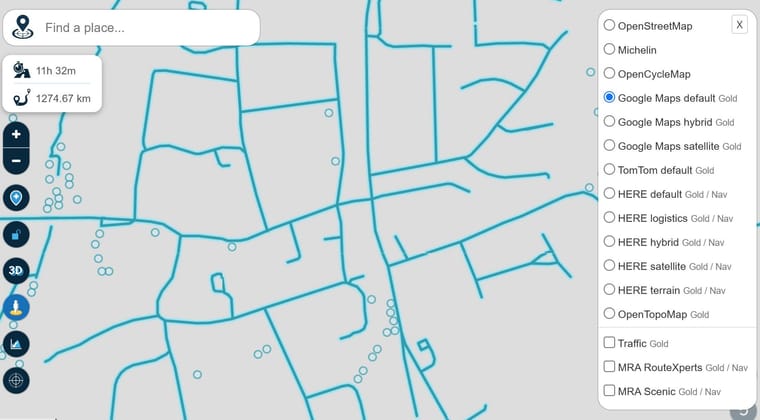
-
Well, this morning I thought I'd check to see if there was any update to the support ticket I raised. I was surprised to see that the ticket has been closed. I have not received any communication i.e. email to indicate that the status of my ticket had changed. There was no accompanying feedback, just an update in status to say closed.
As far as I can see, the problem still exists.
Does this issue still exist for others that also reported it in this thread?
PS I've tried both the Brave browser and Microsoft Edge running on Windows 11.

@Stevedo-6-0 Firefox Win 11
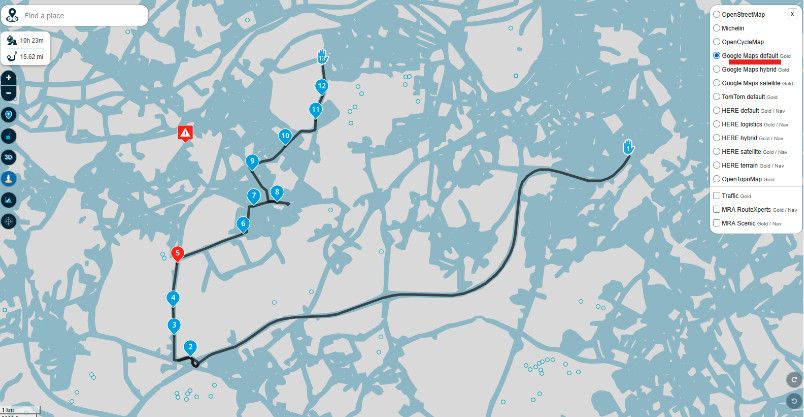
BlackView BV7100, Android 12
Navigate "Routes as Tracks" in Offline mode with Offline Maps
No Wifi, no internet, no interruptions, works well -
@Stevedo-6-0 Firefox Win 11
@Stevedo-6-0 Firefox Win 11
Thanks, Brian. Good to know it's not just me seeing this issue.
-
LOL - having yesterday provided some frank feedback regarding the status, and ongoing issue, of my "closed" support ticket, this morning I find that the status of the ticket is now "Wordt verwerkt" (being processed).
I still didn't receive an update regarding the status of my ticket. I would expect to receive an automated email at least highlighting the fact that the status of the ticket had changed. Really poor IMHO.
-

For me its working without any issues on Windows 11 and Chrome Browser ...
Best regards,
Adrian📱Samsung S24 Ultra with MyRoute-APP (GOLD Lifetime)
🏍️Honda NC750X (2021) with AA/CarPlay by CHIGEE Aio-5
🚙Renault Duster with onboard AA/CarPlay Unit -
For me its working without any issues on Windows 11 and Chrome Browser ...
For me its working without any issues on Windows 11 and Chrome Browser ...
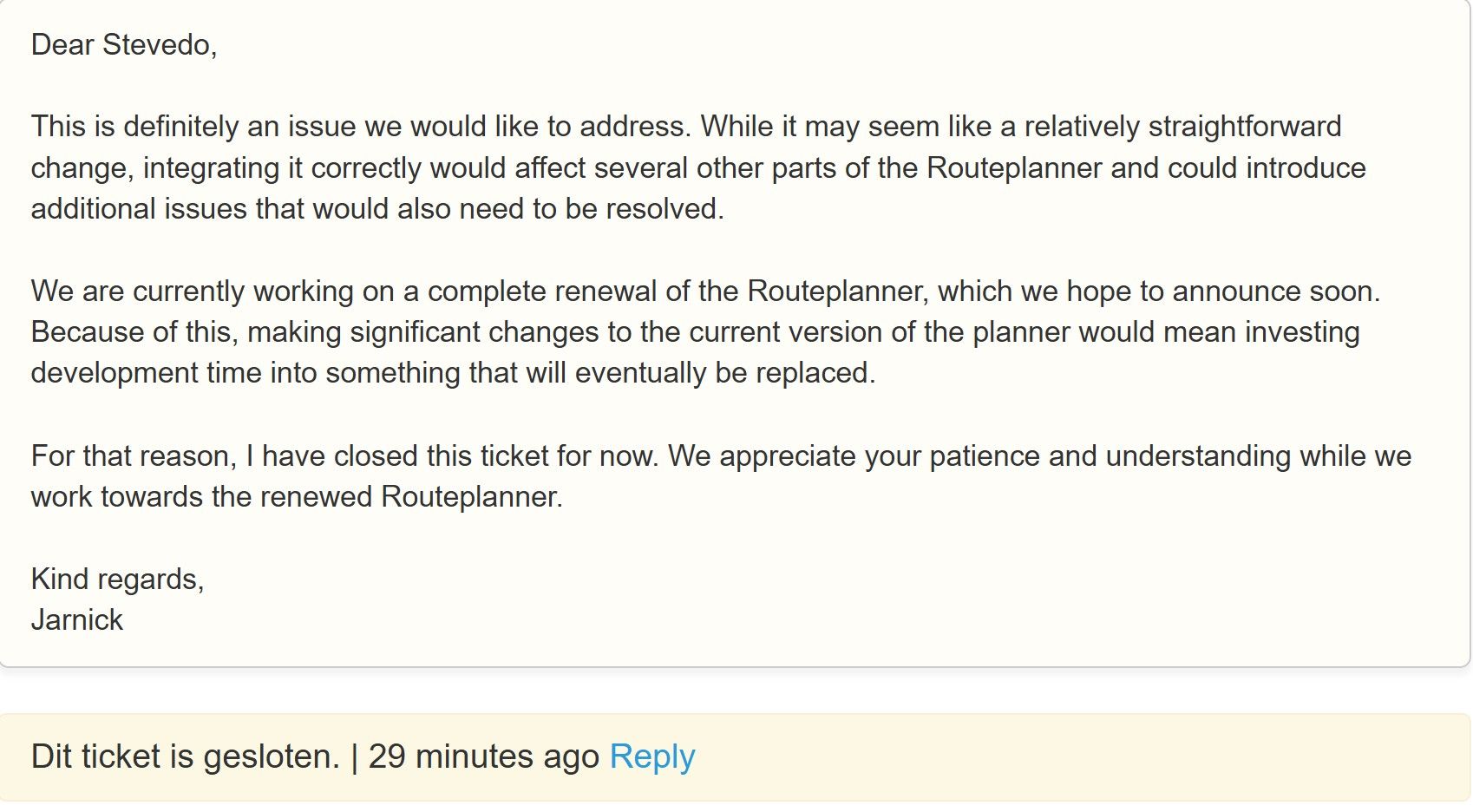
The issue still exists and was acknowledged by the MRA team this morning in an email to me at 07:37 (UK time) as still existing. They have said that due to the planner being re-written they will not fix this issue and have closed the support ticket again.
To replicate the problem: 1. Go to the planner and select any map overlay other than any Google map. 2. Turn on StreetView. 3. Now select any Google map overlay.
-
This is the current status from my MRA support ticket.
-

Morning, all Overlays with OSM, Here and TomTom works with Street View for me.
(Windows 11 with Chrome)Hardware
iPhone 12 pro (iOS 26.2.1)
iPad (7.Gen.) 18.7.3
Oukitel RT3 Pro (Andr. 14)
Wireless CarPlay mit (Elebest C650)
Wired CarPlay (SEAT Arona - 2021)
MRA Workshops in Deutsch sind hier zu finden -

Same problem for me too but on iPad, if I activate the street view, everything is blurry and sometimes it freezes, I have to change the map overlay once or twice to improve the situation, otherwise I can't scroll the map on the Planner
-
Morning, all Overlays with OSM, Here and TomTom works with Street View for me.
(Windows 11 with Chrome)
-
For me its working without any issues on Windows 11 and Chrome Browser ...
The issue still exists and was acknowledged by the MRA team this morning in an email to me at 07:37 (UK time) as still existing. They have said that due to the planner being re-written they will not fix this issue and have closed the support ticket again.
To replicate the problem: 1. Go to the planner and select any map overlay other than any Google map. 2. Turn on StreetView. 3. Now select any Google map overlay.
To replicate the problem: 1. Go to the planner and select any map overlay other than any Google map. 2. Turn on StreetView. 3. Now select any Google map overlay.
As I said, there is no problem for me !
Check the video below.
https://drive.google.com/file/d/1eEY3v67T8IWQSZ4XaDH6NUOoi1DSg5If/view?usp=drive_link

Hello! It looks like you're interested in this conversation, but you don't have an account yet.
Getting fed up of having to scroll through the same posts each visit? When you register for an account, you'll always come back to exactly where you were before, and choose to be notified of new replies (either via email, or push notification). You'll also be able to save bookmarks and upvote posts to show your appreciation to other community members.
With your input, this post could be even better 💗
Register Login-
01847
-
 07138
07138
-
 06130
06130
-
 01042
01042
-
 1327343
-
058
-
0521
-
0519