Inconsistent terminology to get to the same screen
-

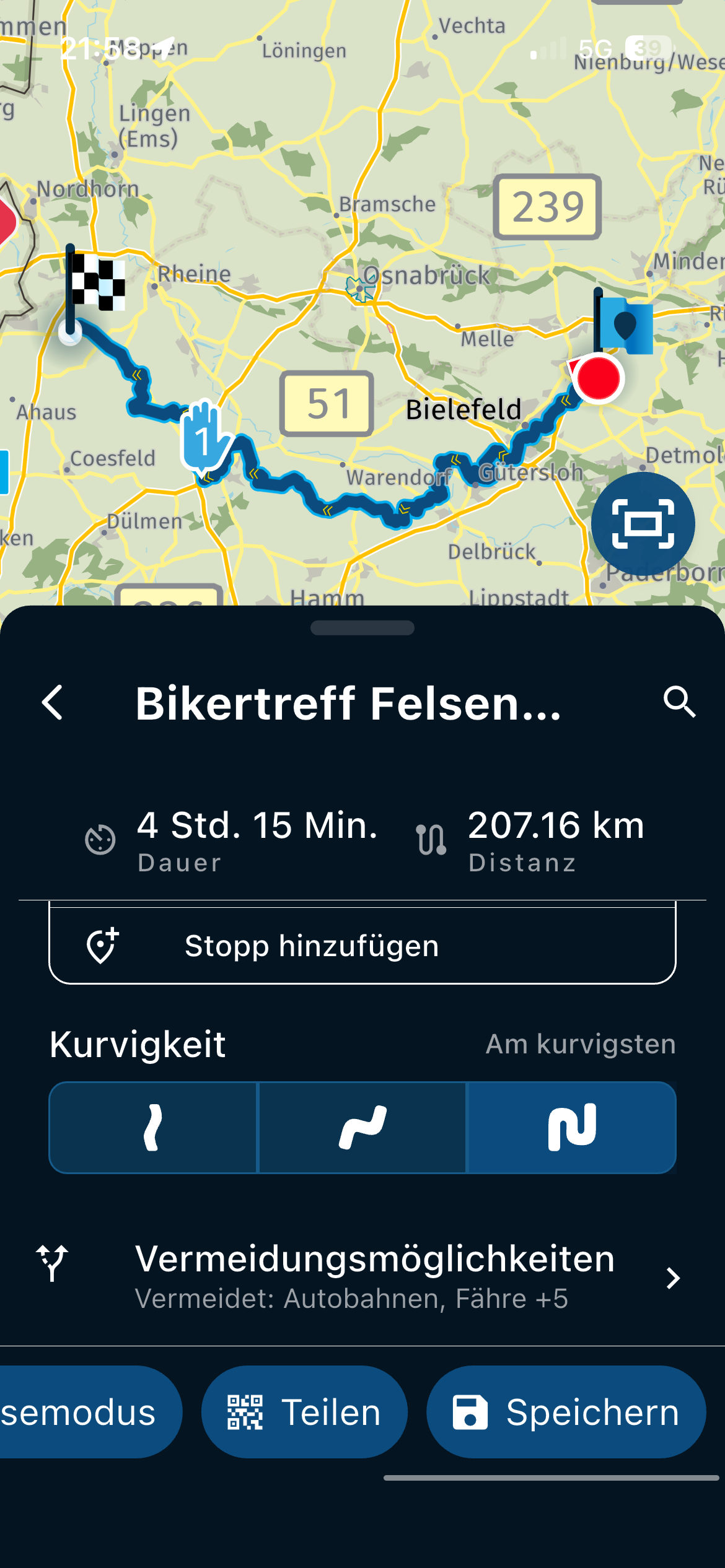
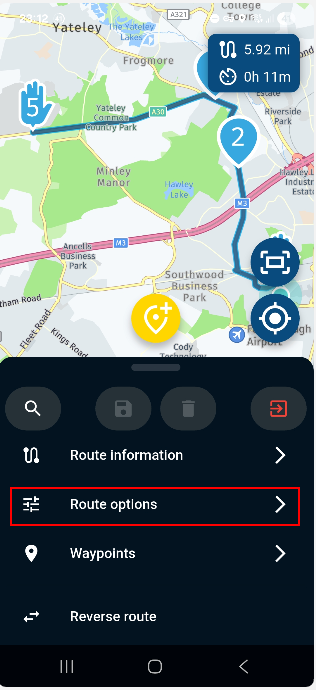
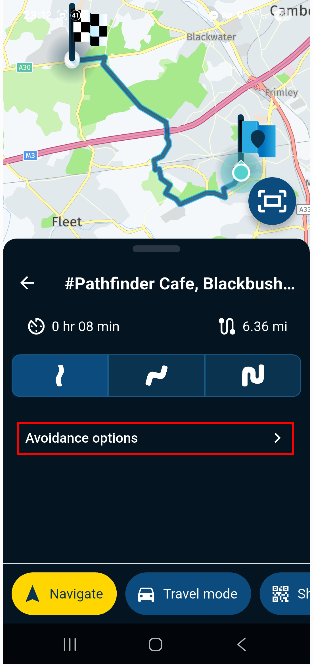
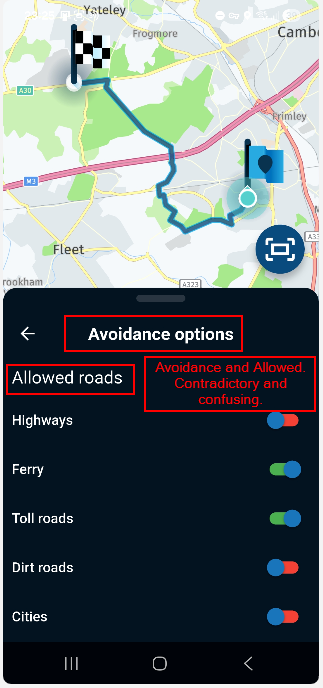
When I use a saved route I see the term 'Route Options'. However, if I pick a destination from my Favourites and create a route to that, I see the term 'Avoidance Options'. Both of these terms lead to the same set of options so I think the terminology should be the same. I think it should be 'Route Options' in both cases otherwise you get a screen that is titled 'Avoidance options' followed by an 'Allowed roads' list.
Regards
Andy -
When I use a saved route I see the term 'Route Options'. However, if I pick a destination from my Favourites and create a route to that, I see the term 'Avoidance Options'. Both of these terms lead to the same set of options so I think the terminology should be the same. I think it should be 'Route Options' in both cases otherwise you get a screen that is titled 'Avoidance options' followed by an 'Allowed roads' list.
Regards
Andy
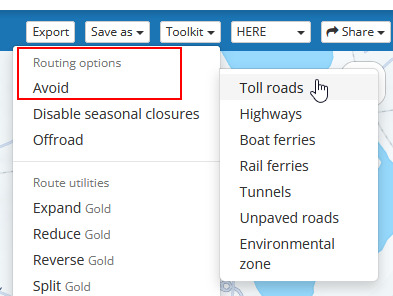
I should add that all the Toolkit menus on the website use 'Avoid' with a list of items to select (turn on). Perhaps the app should use 'Route options' and then 'Avoid' instead of 'Allowed roads'. This would mean reversing the meaning of the red/green selectors in this case but the overall use would be the same between the website and app.
Regards
Andy -
When I use a saved route I see the term 'Route Options'. However, if I pick a destination from my Favourites and create a route to that, I see the term 'Avoidance Options'. Both of these terms lead to the same set of options so I think the terminology should be the same. I think it should be 'Route Options' in both cases otherwise you get a screen that is titled 'Avoidance options' followed by an 'Allowed roads' list.
Regards
Andy
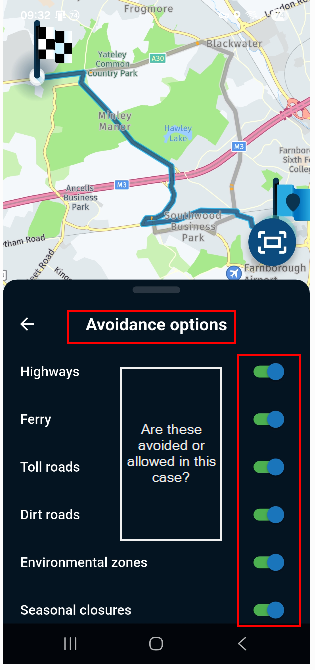
I found yet another variation in the app! Steps to reproduce are:
- Open the app
- Search for and select a favourite location
- Select Navigate
- Select 'Avoidance options'
The next screen is titled 'Avoidance options' but there is no 'Allowed roads' sub-heading like the example above making it seem as through the different road type selectors work the opposite way.
Regards
Andy -

I've made some adjustment in the next update (as no critical issues discovered yet, no expected release date):
- Planner aligned with rest of the app regarding avoidance settings
- Moved planner route optimisation to main menu (that's why it was called "Route options" in the first place as it could contain one other setting that isn't an avoid options)
- Added the "Allowed roads" header to all places to indicate you select what is allowed
- Kept the menu item to be called "avoidance options" as that's clear to all
That said: green is always the allowed option and red is forbidden (hence avoided)
Hello! It looks like you're interested in this conversation, but you don't have an account yet.
Getting fed up of having to scroll through the same posts each visit? When you register for an account, you'll always come back to exactly where you were before, and choose to be notified of new replies (either via email, or push notification). You'll also be able to save bookmarks and upvote posts to show your appreciation to other community members.
With your input, this post could be even better 💗
Register Login-
 18251.7k
-
1124186
-
 07109
07109
-
 0634
0634
-
 0626
0626
-
 56448
56448
-
0540
-
0441