Cannot change map view
-

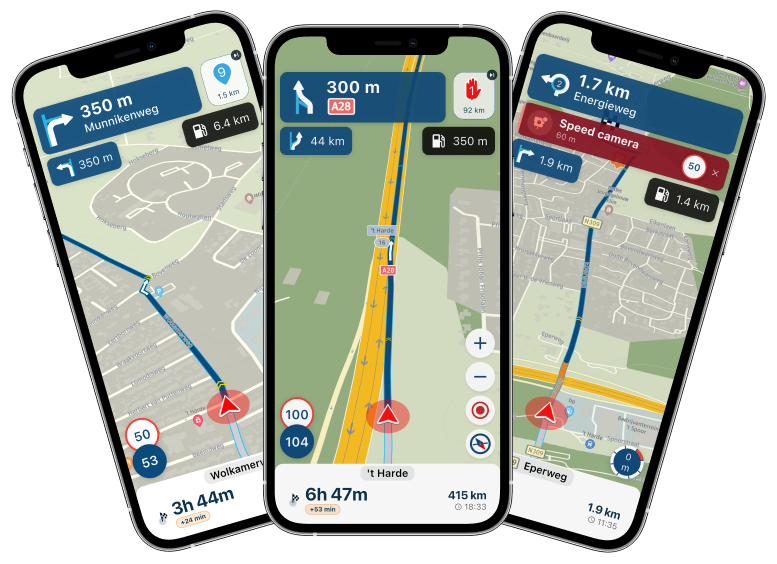
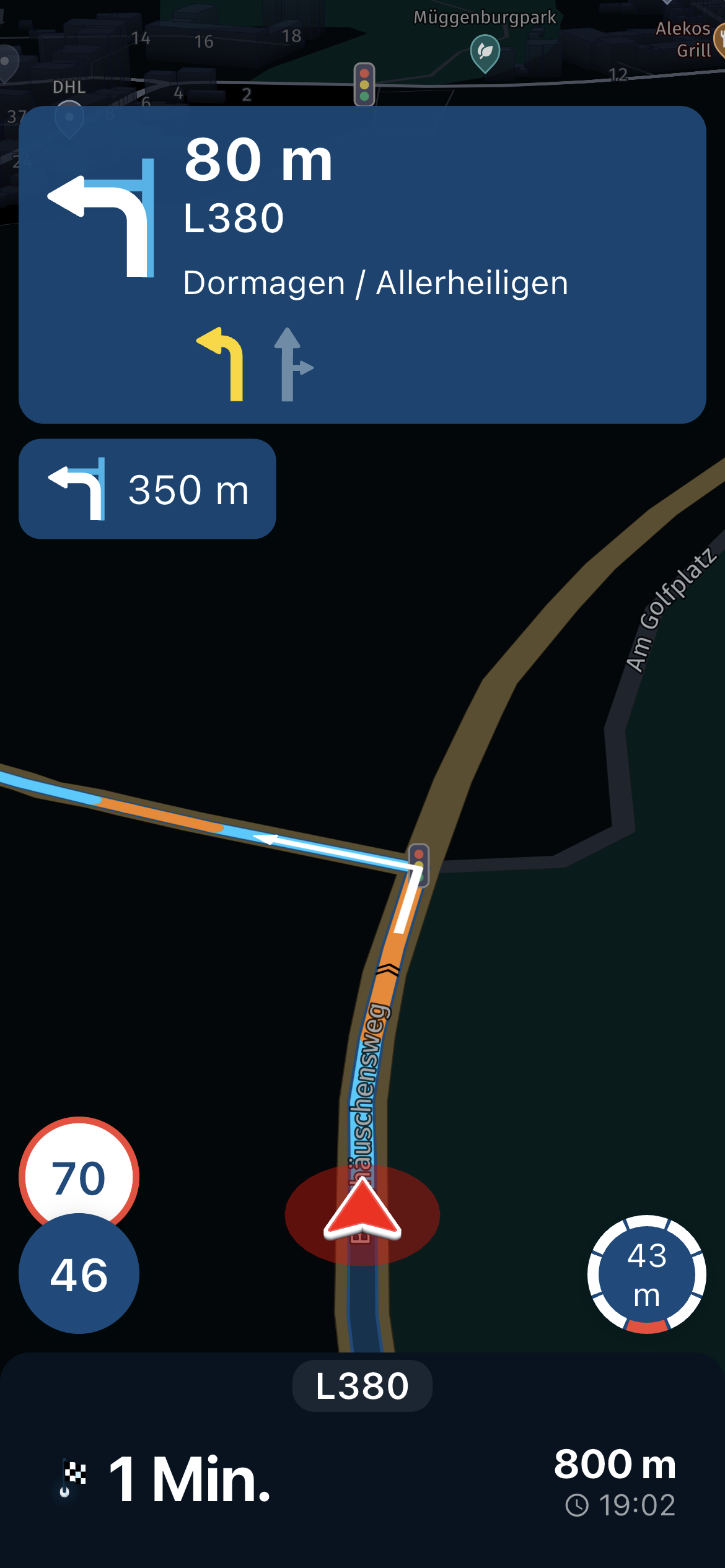
I have just returned from a 2500 mile trip and no matter what I did, or changed, the navigation view was always directly overhead and at a zoom level that was too close. I kept having to pinch the map to zoom out to see the upcoming junctions.
I wanted an overhead angled / perspective view, with the camera slightly behind the pointer, looking forward in to the distance… as you normally have on a sat nav! I am sure MRA used to have this?
I am running MRA 4.4.1 on iOS 18.5 on iPhone 16 Pro.
For me, the settings are confusing in the app. I am sure there used to be three options for map views - overhead, angled and one other. I cannot find these now.
In Settings > Screen Layout, there is nothing.
In Settings > Map Layer, there are two sliders, Default Zoom Correction and Tilt Correction. I think these should change the view, but they do nothing for me.
I am happy to be educated on this, but for me nothing I did changed the navigation view. Is this a bug in 4.4.1?
Cheers,
TomPorsche 911 and VW Transporter T6.1 running CarPlay.
iPhone 17 Pro running Waze and MRA.
MRA Routeplanner on web via Mac -
I have just returned from a 2500 mile trip and no matter what I did, or changed, the navigation view was always directly overhead and at a zoom level that was too close. I kept having to pinch the map to zoom out to see the upcoming junctions.
I wanted an overhead angled / perspective view, with the camera slightly behind the pointer, looking forward in to the distance… as you normally have on a sat nav! I am sure MRA used to have this?
I am running MRA 4.4.1 on iOS 18.5 on iPhone 16 Pro.
For me, the settings are confusing in the app. I am sure there used to be three options for map views - overhead, angled and one other. I cannot find these now.
In Settings > Screen Layout, there is nothing.
In Settings > Map Layer, there are two sliders, Default Zoom Correction and Tilt Correction. I think these should change the view, but they do nothing for me.
I am happy to be educated on this, but for me nothing I did changed the navigation view. Is this a bug in 4.4.1?
Cheers,
Tom
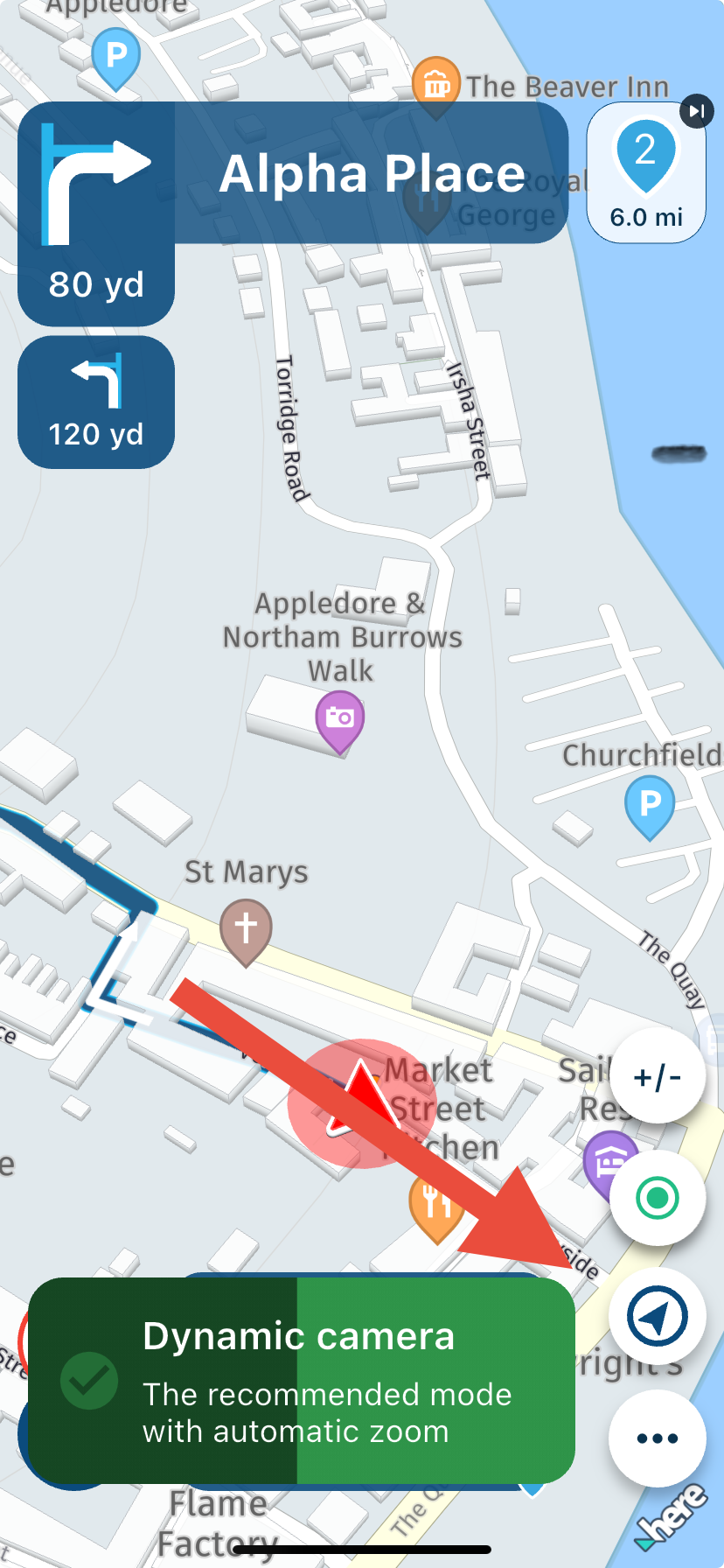
@Tom-Grzelinski Tap the compass icon. A message will appear as you scroll through the 3 different camera views.
-
Thanks Nick. Obviously, this was not obvious to me! Seeing a compass usually means to re-orientate the view to face North.
I wish I’d logged on and asked this during the trip.
As always, thank you

-

I, on the other hand, noticed a different thing on the iPhone 16, if you put the Michelin map everything seems more zoomed in and I don't understand why...
Hello! It looks like you're interested in this conversation, but you don't have an account yet.
Getting fed up of having to scroll through the same posts each visit? When you register for an account, you'll always come back to exactly where you were before, and choose to be notified of new replies (either via email, or push notification). You'll also be able to save bookmarks and upvote posts to show your appreciation to other community members.
With your input, this post could be even better 💗
Register Login-
 18251.7k
-
 1124186
-
 07109
07109
-
 0634
0634
-
 0626
0626
-
 56447
56447
-
 0540
0540
-
0440