Saving Route To PC and Copying To Garmin
-

A simple question - the solution may not be within MRA but someone might be able to help me.
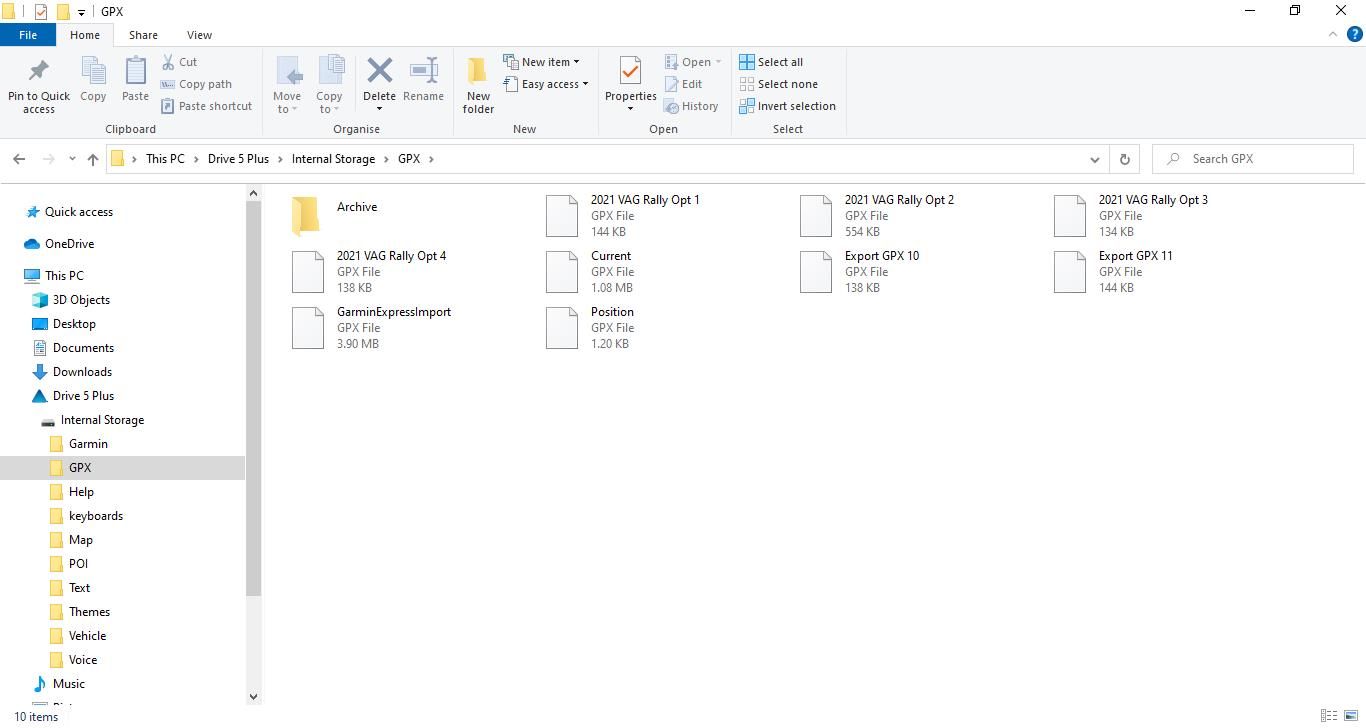
I like to save my routes on my PC in folders which relate to their function - Rally, car, bike, home etc.When I connect my Garmin to the PC via the data cable and cut & paste the routes into the Garmin's GPX folder the routes aren't recognised by the 'Trip Planner' as they were on my old Garmin Nuvi 2xx7. You can see the six routes on the screen dump of the GPX folder but only 2 routes are visible in the trip planner application (route Export GPX 1.0 has been split by the system)
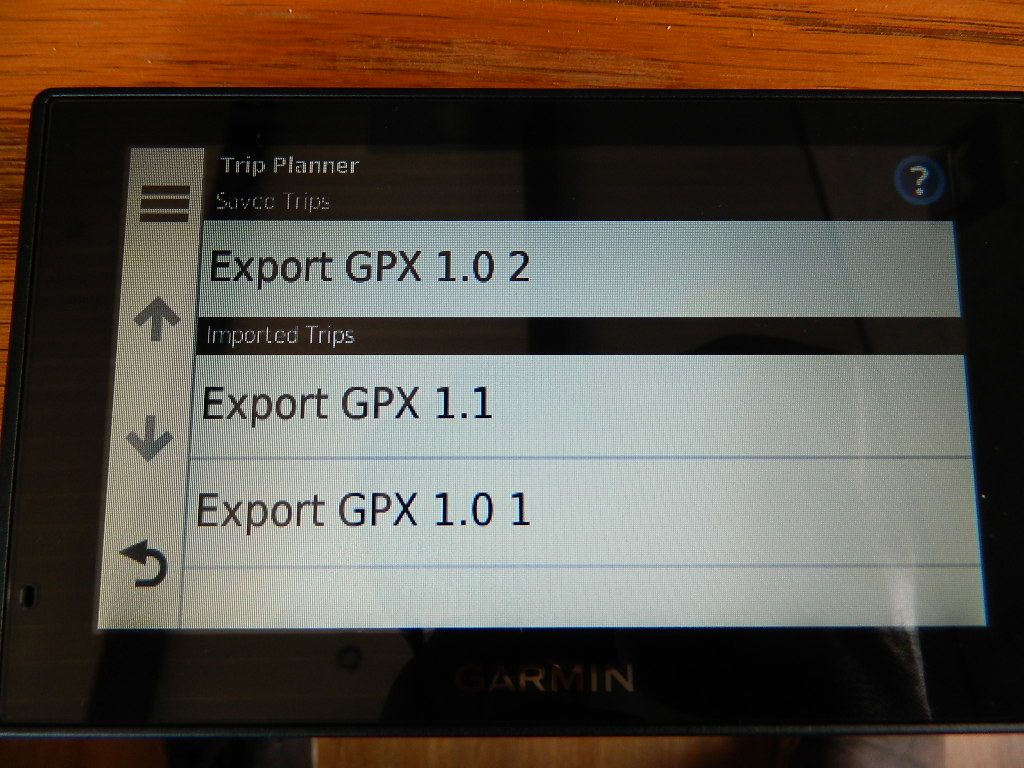 . I've tried all the different formats of the GPX files available.
-
@Matt-Flaming
Not the XT as that’s what I use.
The XT Garmin Logo is on the short edge bottom left.If you post the actual Garmin model I’m sure someone will help.
You don’t stop riding when you get old, you get old when you stop riding.
-
@Matt-Flaming
Not the XT as that’s what I use.
The XT Garmin Logo is on the short edge bottom left.If you post the actual Garmin model I’m sure someone will help.
@Steve-Lynch Given the drive label in the PC screen shot, it's a Garmin Drive 5 Plus. Unfortunately, that leaves me none the wiser!

-
Sorry forgot the Garmin model but it is a Drive 5 as PAD 0 surmised.
Hello! It looks like you're interested in this conversation, but you don't have an account yet.
Getting fed up of having to scroll through the same posts each visit? When you register for an account, you'll always come back to exactly where you were before, and choose to be notified of new replies (either via email, or push notification). You'll also be able to save bookmarks and upvote posts to show your appreciation to other community members.
With your input, this post could be even better 💗
Register Login-
 2674
2674
-
 0570
0570
-
4456
-
 03112
03112
-
 010607
-
 013403
-
2246
-
 0269
0269