Skip to content
  • Categories
  • Recent
  • Popular
  • Support
  • MyRoute-app
Collapse
Brand Logo

MRA Community Forum

  1. Home
  2. General Discussion
  3. Saving Route To PC and Copying To Garmin

Saving Route To PC and Copying To Garmin

Scheduled Pinned Locked Moved General Discussion
4 Posts 4 Posters 900 Views 1 Watching
  • Oldest to Newest
  • Newest to Oldest
  • Most Votes
Reply
  • Reply as topic
Log in to reply
This topic has been deleted. Only users with topic management privileges can see it.
  • Neil Goodall
    Neil Goodall
    Neil Goodall
    wrote on last edited by
    #1

    A simple question - the solution may not be within MRA but someone might be able to help me.
    I like to save my routes on my PC in folders which relate to their function - Rally, car, bike, home etc.

    When I connect my Garmin to the PC via the data cable and cut & paste the routes into the Garmin's GPX folder the routes aren't recognised by the 'Trip Planner' as they were on my old Garmin Nuvi 2xx7. You can see the six routes on the screen dump of the GPX folder but only 2 routes are visible in the trip planner application (route Export GPX 1.0 has been split by the system)
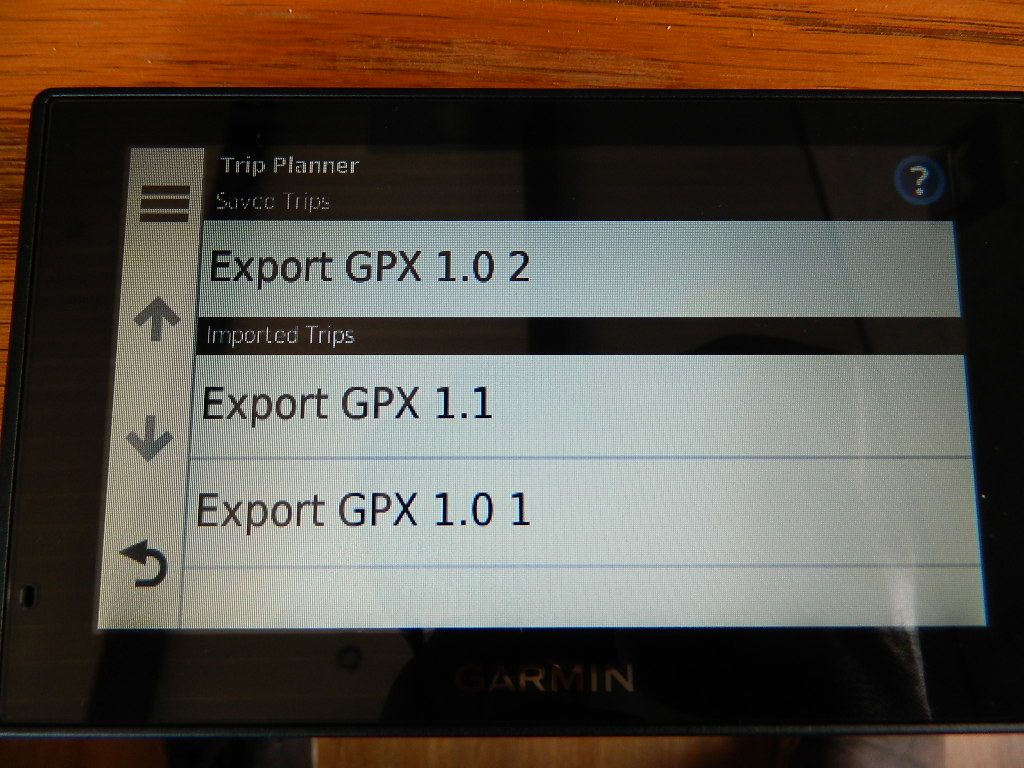
    DSCN6531.JPG . I've tried all the different formats of the GPX files available.
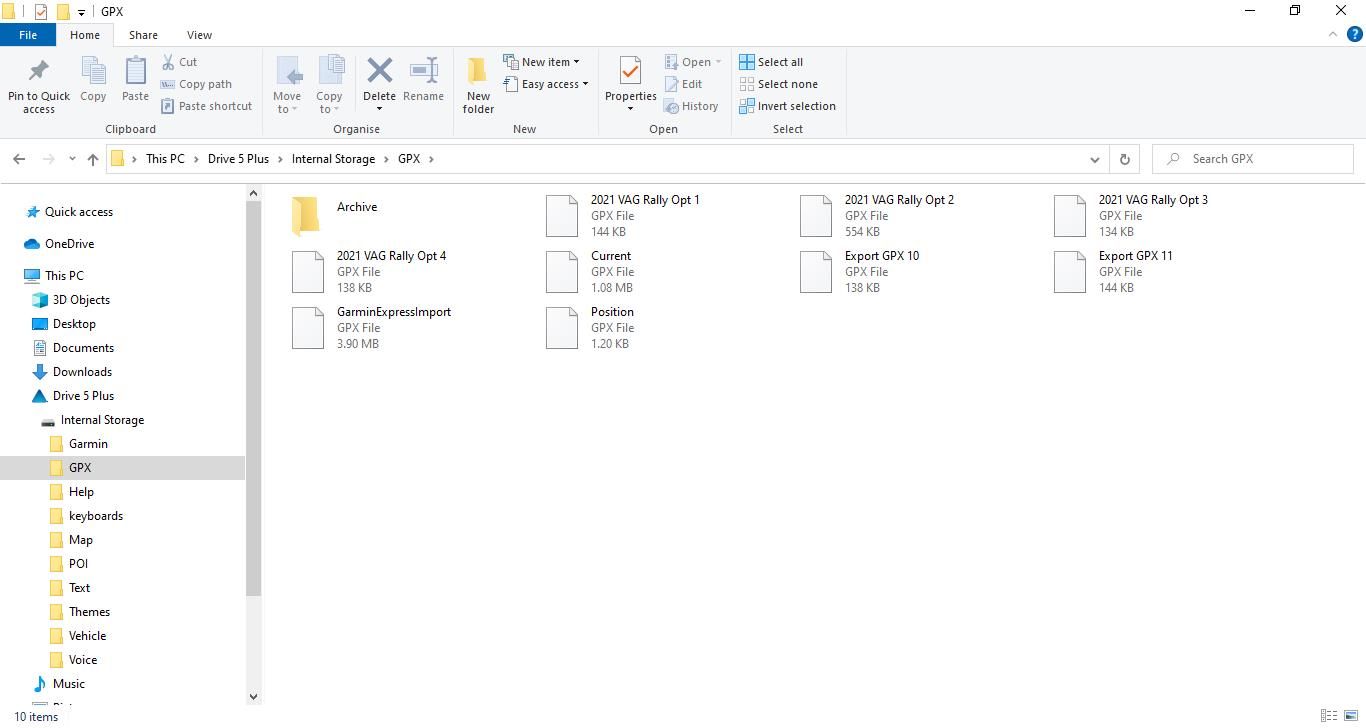
    Garmin GPX folder.jpg

    1 Reply Last reply
    0
    • Steve Lynch
      Steve Lynch
      Steve Lynch
      Valued contributor
      wrote on last edited by
      #2

      @Matt-Flaming

      Not the XT as that’s what I use.
      The XT Garmin Logo is on the short edge bottom left.

      @Neil-Goodall

      If you post the actual Garmin model I’m sure someone will help.

      You don’t stop riding when you get old, you get old when you stop riding.

      PAD 0 1 Reply Last reply
      0
      • Steve Lynch Steve Lynch

        @Matt-Flaming

        Not the XT as that’s what I use.
        The XT Garmin Logo is on the short edge bottom left.

        @Neil-Goodall

        If you post the actual Garmin model I’m sure someone will help.

        PAD 0
        PAD 0
        PAD 0
        wrote on last edited by
        #3

        @Steve-Lynch Given the drive label in the PC screen shot, it's a Garmin Drive 5 Plus. Unfortunately, that leaves me none the wiser!🙂

        1 Reply Last reply
        0
        • Neil Goodall
          Neil Goodall
          Neil Goodall
          wrote on last edited by
          #4

          Sorry forgot the Garmin model but it is a Drive 5 as PAD 0 surmised.

          1 Reply Last reply
          0

          Hello! It looks like you're interested in this conversation, but you don't have an account yet.

          Getting fed up of having to scroll through the same posts each visit? When you register for an account, you'll always come back to exactly where you were before, and choose to be notified of new replies (either via email, or push notification). You'll also be able to save bookmarks and upvote posts to show your appreciation to other community members.

          With your input, this post could be even better 💗

          Register Login
          Reply
          • Reply as topic
          Log in to reply
          • Oldest to Newest
          • Newest to Oldest
          • Most Votes


          ACTIVE USERS
          Steve Lynch
          Steve Lynch
          PAD 0
          PAD 0
          Neil Goodall
          Neil Goodall
          POPULAR TOPICS
          • Hello everyone
            Brian McG
            Brian McG
            2
            6
            64

          • Route changed?
            Rob Verhoeff
            Rob Verhoeff
            0
            5
            66

          • Hoe lang moet je abo hebbes voor toegang??
            Rob Veerman
            Rob Veerman
            4
            4
            50

          • Via punt overslaanwerkt niet
            HABVEN aka MrMRA
            HABVEN aka MrMRA
            0
            10
            602

          • Auto skipping in next version (6)
            Lluis Arasanz
            Lluis Arasanz
            0
            3
            99

          • How to import gpx - via Route or Route-Track?
            Marinus van Deudekom
            Marinus van Deudekom
            0
            10
            300

          • Offline Mode function
            Jörgen
            Jörgen
            1
            6
            39

          • No tracklog on Android phone
            Reinhard Grossmann h 0
            Reinhard Grossmann h 0
            0
            13
            400

          MY GROUPS
          • Login

          • Login or register to search.
          • First post
            Last post
          0
          • Categories
          • Recent
          • Popular
          • Support
          • MyRoute-app