MRA CarPlay mit Remotek One
-

I purchased the Remotek and it does everything it is supposed to do for me on the iPhone. However, I do not see the results of the control reflected in CarPlay. Reading the comments above, that should be possible. What am I doing wrong, or am I missing a setting?
-
Tipp: am Remotek One
- in der Remotek One mal umstellen zwischen Android und iOS, einfach mal auf iOS stellen und testen
Tipp: am Handy
-
bei mir ist im iOS die Tastatursteuerung auf Aus gestellt damit geht es sehr gut, vielleicht gibt es sowas auch bei Android
-
bei mir mit iPhone Xr mit iOS 18.4.1
Einstellungen:
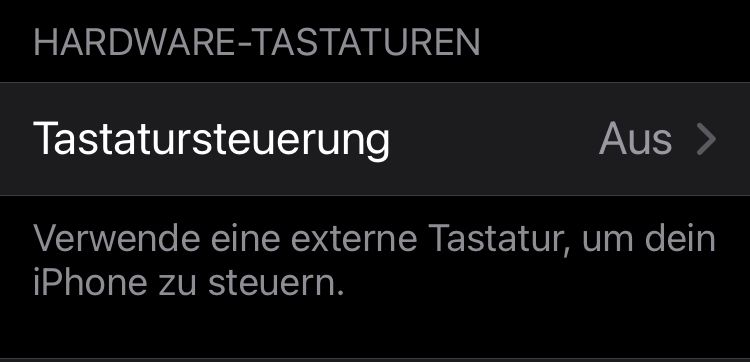
Bei der Tastatursteuerung Ein stürzt bei mir die MRA immer mal ab. Mit der Einstellung der Tastatursteuerung Aus gehts bei mir jetzt immer sehr gut. War auch ein längerer Test über die vielen Einstellungen der Geräte.
@Hubert-Thoring said in MRA CarPlay mit Remotek One:
bei mir ist im iOS die Tastatursteuerung auf Aus gestellt damit geht es sehr gut, vielleicht gibt es sowas auch bei Android
@Hubert-Thoring How do you do that?
-
I purchased the Remotek and it does everything it is supposed to do for me on the iPhone. However, I do not see the results of the control reflected in CarPlay. Reading the comments above, that should be possible. What am I doing wrong, or am I missing a setting?

@Huibertus, only when phone is active wit MRA app in focus.
-
I do have the same experience. Remotek One activites are not completely shown on a CarPlay device.
-

Bluetooth controllers are, from MRA perspective, never promoted to control CarPlay / Android Auto because that’s not the intended behavior.
They are for your phone and the app.
Controller CarPlay / Android Auto is a whole different area. -
@Hubert-Thoring said in MRA CarPlay mit Remotek One:
bei mir ist im iOS die Tastatursteuerung auf Aus gestellt damit geht es sehr gut, vielleicht gibt es sowas auch bei Android
@Hubert-Thoring How do you do that?
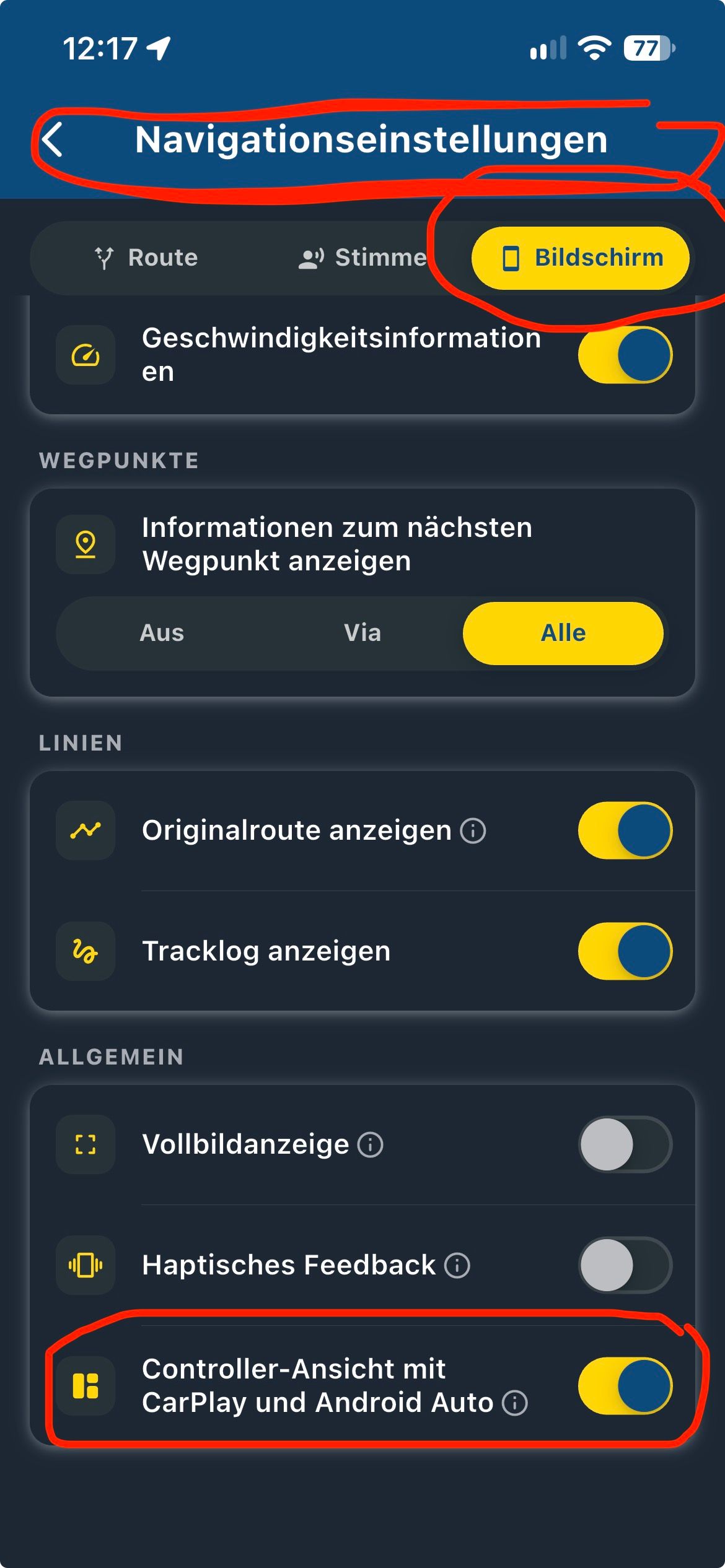
@Huibertus : That was before the V4.3.6, since then the keyboard control is also set to "On" under iOS ..!
Before V4.3.6, the on caused a crash when leaving the navigation, which is now done.
-
Read what you should do under iOS to the arrow keys, and then the iOS instruction and your Remotek One version :Link zu Remote Web
-
Hello everyone,
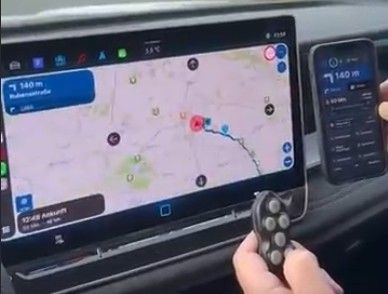
The following test is simply intended to show that you can still control a CarPlay display specifically for navigation using the Remotek One. The goal here is to demonstrate that functions like zooming (+/-) and skipping waypoints can be operated directly, as these are the most important features.Although this test was conducted in a car, it should work exactly the same way with a CarPlay display on a motorcycle which is precisely the point here.
- MyRouteApp V6.0.0 (532)
- Remotek One V2.1.0
Zooming in/out and skipping waypoints works very well.
Here is an example video from inside a car; it should work just as well on a motorcycle equipped with a CarPlay display.
Hello! It looks like you're interested in this conversation, but you don't have an account yet.
Getting fed up of having to scroll through the same posts each visit? When you register for an account, you'll always come back to exactly where you were before, and choose to be notified of new replies (either via email, or push notification). You'll also be able to save bookmarks and upvote posts to show your appreciation to other community members.
With your input, this post could be even better 💗
Register Login


-
 0549
-
0434
-
0649
-
0439
-
0448
-
 97168
-
0331
-
1335