Skip to content
  • Categories
  • Recent
  • Popular
  • Support
  • MyRoute-app
Collapse
Brand Logo

MRA Community Forum

  1. Home
  2. MyRoute-app Routeplanner
  3. [Web] Suggestions and Discussion
  4. Favorites always visible on map

Favorites always visible on map
Scheduled Pinned Locked Moved [Web] Suggestions and Discussion
17 Posts 5 Posters 1.2k Views 3 Watching
  • Oldest to Newest
  • Newest to Oldest
  • Most Votes
Reply
  • Reply as topic
Log in to reply
This topic has been deleted. Only users with topic management privileges can see it.
  • a white mouse on the motorbike
    a white mouse on the motorbike
    a white mouse on the motorbike
    Valued contributor
    wrote on last edited by
    #3

    What is possible, is to save them all as POI's in a GPX file. And then import them as POI-file.
    Just a temporary work around!

    met een R1250RT met TFT en BMW Connected Ride App (die dus nog steeds niet voldoet!) ; M.R.A. in combinatie met de Carpuride W702 (voor Android op de Motor!), de Garmin Zumo XT als backup en een Samsung Galaxy S24

    1 Reply Last reply
    0
    • Pim van Dongen
      Pim van Dongen
      Pim van Dongen
      wrote on last edited by
      #4

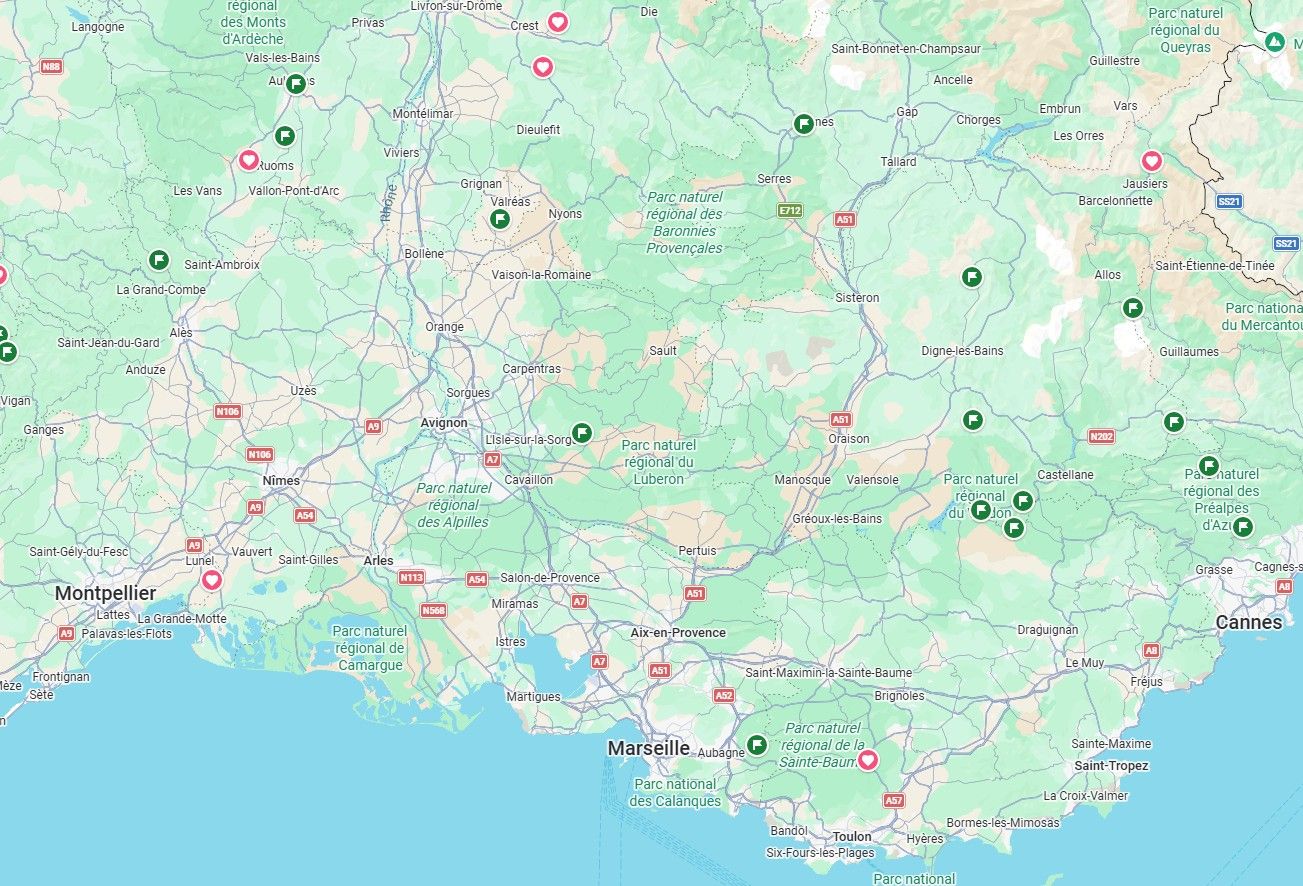
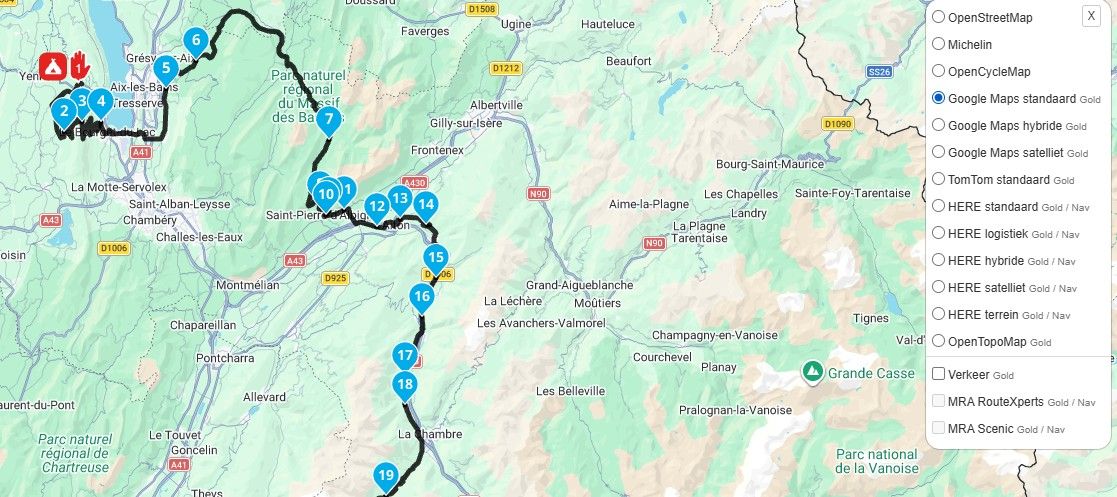
      well my favorites change by day because I keep on chasing old castles, viewpoints, campsites and crazy roads on google maps where I save them on...

      a white mouse on the motorbike 1 Reply Last reply
      0
      • Leike Lodiers
        Leike Lodiers
        Leike Lodiers
        wrote on last edited by Leike Lodiers
        #5

        With the MRA next app you can make them visible on you're phone maps . Click on favorites and set to favorites always visible.

        R1250GS. Started with a Zumo 550, BMW nav IV, Carpe-iter and now Chigee met MRA app.

        1 Reply Last reply
        0
        • Pim van Dongen
          Pim van Dongen
          Pim van Dongen
          wrote on last edited by
          #6

          but i want to have them always visible when making routes on my pc

          1 Reply Last reply
          0
          • Pim van Dongen Pim van Dongen

            well my favorites change by day because I keep on chasing old castles, viewpoints, campsites and crazy roads on google maps where I save them on...

            a white mouse on the motorbike
            a white mouse on the motorbike
            a white mouse on the motorbike
            Valued contributor
            wrote on last edited by
            #7

            @Pim-van-Dongen said:

            well my favorites change by day because I keep on chasing old castles, viewpoints, campsites and crazy roads on google maps

            In that case, I’d make them ‘Points of Interest’ rather than ‘favourites’

            met een R1250RT met TFT en BMW Connected Ride App (die dus nog steeds niet voldoet!) ; M.R.A. in combinatie met de Carpuride W702 (voor Android op de Motor!), de Garmin Zumo XT als backup en een Samsung Galaxy S24

            1 Reply Last reply
            1
            • Pim van Dongen
              Pim van Dongen
              Pim van Dongen
              wrote on last edited by
              #8

              But then they are also not always on every map and in each new route I start. Some places / campsites I often come back so it's easy to have them always visible omn the map.

              Nick Carthew 1 Reply Last reply
              0
              • Pim van Dongen Pim van Dongen

                But then they are also not always on every map and in each new route I start. Some places / campsites I often come back so it's easy to have them always visible omn the map.

                Nick Carthew
                Nick Carthew
                Nick Carthew
                RouteXpert
                wrote on last edited by
                #9

                @Pim-van-Dongen

                If you select the profile icon for your POI list they will be visible in all of your routes and on your navigation app.
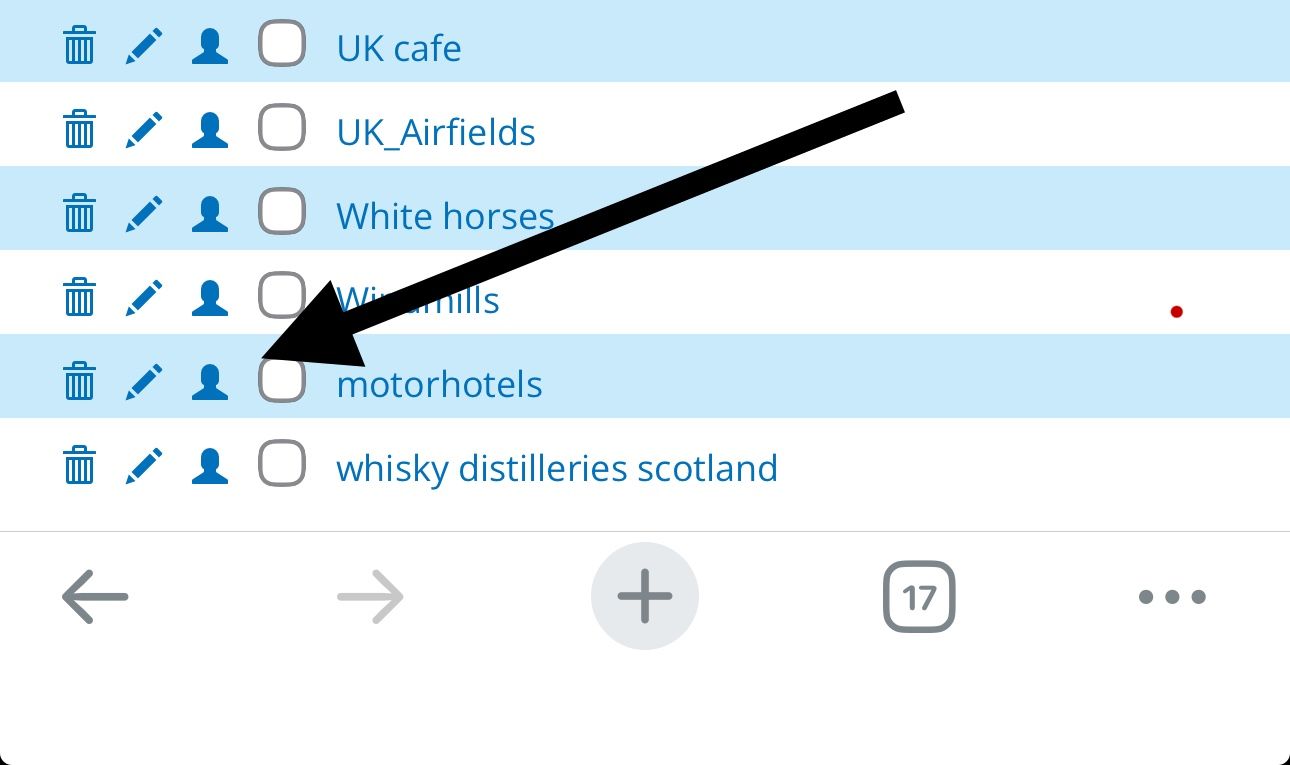
                67c5a498-9550-4355-b511-705f09f119db-image.jpeg

                Always willing to help if I can.
                Triumph Tiger 1200 XRT called Tina.
                MRA Navigation Next and SilverFox BJ8

                1 Reply Last reply
                1
                • Pim van Dongen
                  Pim van Dongen
                  Pim van Dongen
                  wrote on last edited by
                  #10

                  Then they are stil in 1 route and not in all my route files

                  Nick Carthew 2 Replies Last reply
                  0
                  • Pim van Dongen Pim van Dongen

                    Then they are stil in 1 route and not in all my route files

                    Nick Carthew
                    Nick Carthew
                    Nick Carthew
                    RouteXpert
                    wrote on last edited by
                    #11

                    @Pim-van-Dongen Selecting the profile icon makes that category of POIs from your POI library visible in ALL routes including when using the navigation app.

                    Make your favourites into POIs and then upload them to your POI library to achieve this.

                    Always willing to help if I can.
                    Triumph Tiger 1200 XRT called Tina.
                    MRA Navigation Next and SilverFox BJ8

                    1 Reply Last reply
                    0
                    • Pim van Dongen Pim van Dongen

                      Then they are stil in 1 route and not in all my route files

                      Nick Carthew
                      Nick Carthew
                      Nick Carthew
                      RouteXpert
                      wrote on last edited by
                      #12

                      @Pim-van-Dongen Open a new route and give it the name favourites. Now select your first favourite, now open the POI section and select the manage tab. Click Add and then click on the map where your favourite location is to add a POI at that location.
                      Do this for all of your favourites, when you have finished click Save as and choose .csv (POI) as the option. This saves your POIs to your computer. Now go to the Library tab of the POI section and select Add, this opens an upload box where you can then choose the .csv (POI) file from your computer.

                      Always willing to help if I can.
                      Triumph Tiger 1200 XRT called Tina.
                      MRA Navigation Next and SilverFox BJ8

                      1 Reply Last reply
                      0
                      • Pim van Dongen
                        Pim van Dongen
                        Pim van Dongen
                        wrote on last edited by
                        #13

                        so I have to make a specific route (without a rout but with all the waypoints) download that file as a csv and upload that one again... each time for al routes... each time I start a new route... that's not a good workflow... I just want my favourites just to be visible, also on older routes I re-use and not having to upload a csv file each time I add a new poi

                        Nick Carthew 1 Reply Last reply
                        0
                        • Pim van Dongen Pim van Dongen

                          so I have to make a specific route (without a rout but with all the waypoints) download that file as a csv and upload that one again... each time for al routes... each time I start a new route... that's not a good workflow... I just want my favourites just to be visible, also on older routes I re-use and not having to upload a csv file each time I add a new poi

                          Nick Carthew
                          Nick Carthew
                          Nick Carthew
                          RouteXpert
                          wrote on last edited by
                          #14

                          @Pim-van-Dongen said:

                          so I have to make a specific route (without a rout but with all the waypoints)

                          No, that is not what I said. I said open a new route and add POIs at your favourite locations.

                          download that file as a csv and upload that one again... each time for al routes...

                          Again, this is not what I said, the process of adding POIs at your favourite locations and then saving the .csv file is so that you can upload the file to your POI library. This is a one off operation, once the .csv file is uploaded to your POI library you can then select it for individual routes or by ticking the profile icon your new POI (favourites) will be visible in all routes.

                          I can't be any clearer than that!

                          Always willing to help if I can.
                          Triumph Tiger 1200 XRT called Tina.
                          MRA Navigation Next and SilverFox BJ8

                          1 Reply Last reply
                          0
                          • Pim van Dongen
                            Pim van Dongen
                            Pim van Dongen
                            wrote on last edited by
                            #15

                            So but when I add a new fav location (which almost weekly happens) I again have to download a csv file and upload that file again to the poi library... what happens with the location which are allready there will they be doubled?
                            Isn't there an easy way so you can online edit that POI library

                            Nick Carthew 1 Reply Last reply
                            0
                            • Pim van Dongen Pim van Dongen

                              So but when I add a new fav location (which almost weekly happens) I again have to download a csv file and upload that file again to the poi library... what happens with the location which are allready there will they be doubled?
                              Isn't there an easy way so you can online edit that POI library

                              Nick Carthew
                              Nick Carthew
                              Nick Carthew
                              RouteXpert
                              wrote on last edited by
                              #16

                              @Pim-van-Dongen Unfortunately, at this moment in time this is your only option. If you save the route that you created a titled Favourites you can add new POIs to it and update your library file. If there was an easier way to do it I would have explained it to you. Favourites in MRA are like bookmarks, a quick way to find a favourite location. Hopefully, we will be able to organise and put favourites into folders soon but that is not possible now.

                              Always willing to help if I can.
                              Triumph Tiger 1200 XRT called Tina.
                              MRA Navigation Next and SilverFox BJ8

                              1 Reply Last reply
                              0
                              • Pim van Dongen
                                Pim van Dongen
                                Pim van Dongen
                                wrote on last edited by
                                #17

                                I also heard (viavia...) that MRA is working on its POI manager... so I just wait...

                                1 Reply Last reply
                                0

                                Hello! It looks like you're interested in this conversation, but you don't have an account yet.

                                Getting fed up of having to scroll through the same posts each visit? When you register for an account, you'll always come back to exactly where you were before, and choose to be notified of new replies (either via email, or push notification). You'll also be able to save bookmarks and upvote posts to show your appreciation to other community members.

                                With your input, this post could be even better 💗

                                Register Login
                                Reply
                                • Reply as topic
                                Log in to reply
                                • Oldest to Newest
                                • Newest to Oldest
                                • Most Votes


                                ACTIVE USERS
                                Rob Verhoeff
                                Rob Verhoeff
                                Nick Carthew
                                Nick Carthew
                                a white mouse on the motorbike
                                a white mouse on the motorbike
                                Leike Lodiers
                                Leike Lodiers
                                Pim van Dongen
                                Pim van Dongen
                                POPULAR TOPICS
                                • Live tracking
                                  CD130
                                  CD130
                                  12
                                  8
                                  93

                                • screen
                                  Rob Verhoeff
                                  Rob Verhoeff
                                  0
                                  8
                                  50

                                • still no (Beta) Update 6.0.0 -514
                                  Marinus van Deudekom
                                  Marinus van Deudekom
                                  0
                                  13
                                  206

                                • Where are the deleted routes?
                                  Corjan Meijerink
                                  Corjan Meijerink
                                  0
                                  7
                                  32

                                • Vraagje over deze route en complimenten voor de nieuwe versie. 👍
                                  PeterKerkhof
                                  PeterKerkhof
                                  0
                                  6
                                  31

                                • Overlapping routes
                                  Lluis Arasanz
                                  Lluis Arasanz
                                  1
                                  6
                                  30

                                • Navigation Next - wie is waar tijdens de dagrit ?
                                  Corjan Meijerink
                                  Corjan Meijerink
                                  1
                                  6
                                  101

                                • Using MyRoute-app Navigation Next module in Apple CarPlay on Goldwing Question
                                  Sam Kramer
                                  Sam Kramer
                                  0
                                  8
                                  344

                                MY GROUPS
                                • Login

                                • Login or register to search.
                                • First post
                                  Last post
                                0
                                • Categories
                                • Recent
                                • Popular
                                • Support
                                • MyRoute-app