POI naming/text display
-

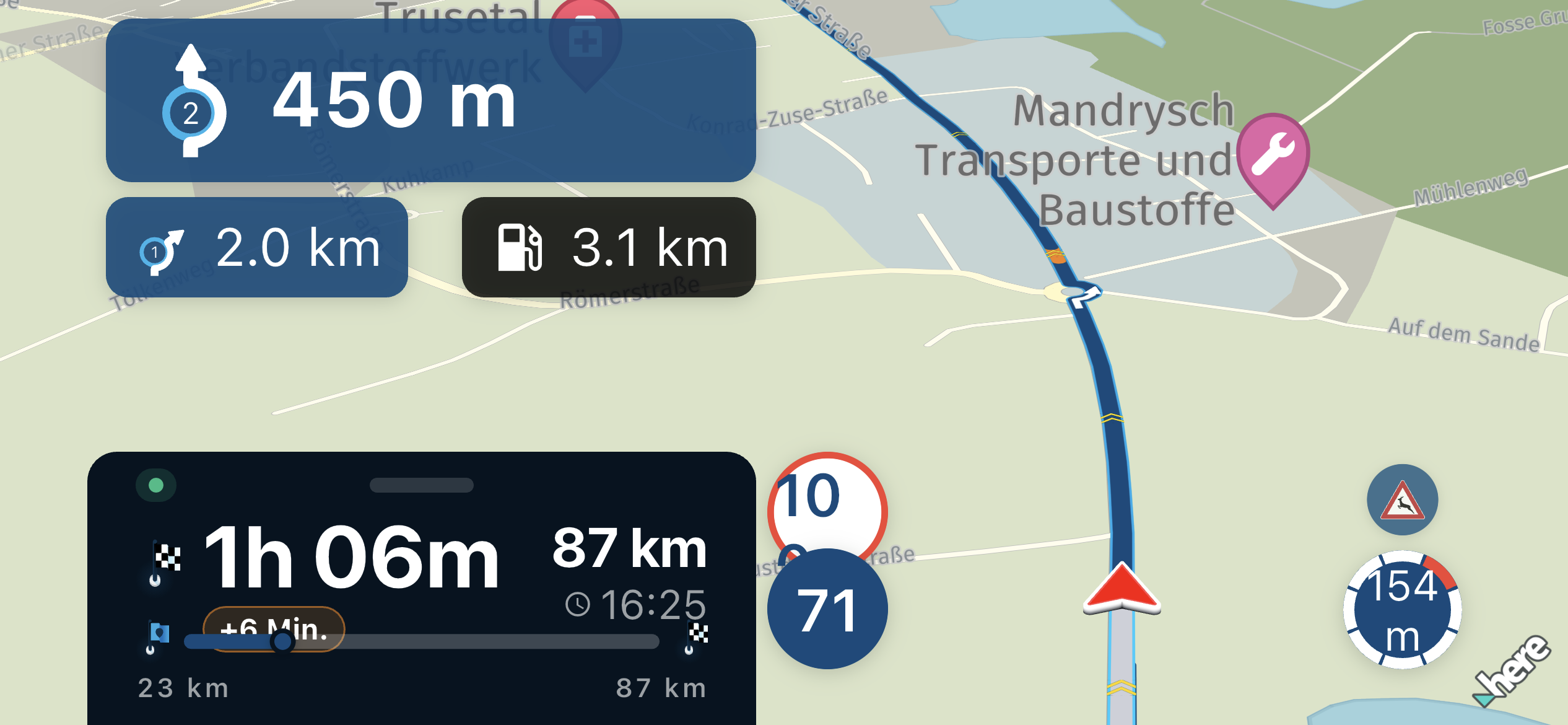
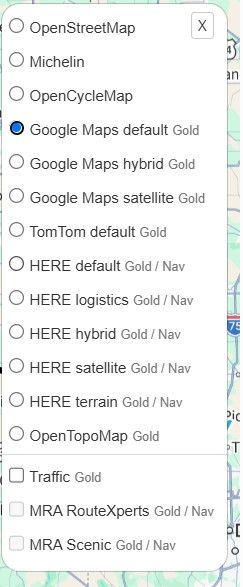
Since the app received the update with the new POI functionality, I tried yesterday to create a route using some of my stored POIs. However, the problem is that while you can see a lot of POIs on the map, you cannot see their names or click on a specific POI to view its information.
I think it would be great if the POI name could be displayed below the POI icon, or if you could tap on a POI to view its details. This would make route planning much easier when using the stored POI database (The same should be with saved favorite places).
Thanks!
-

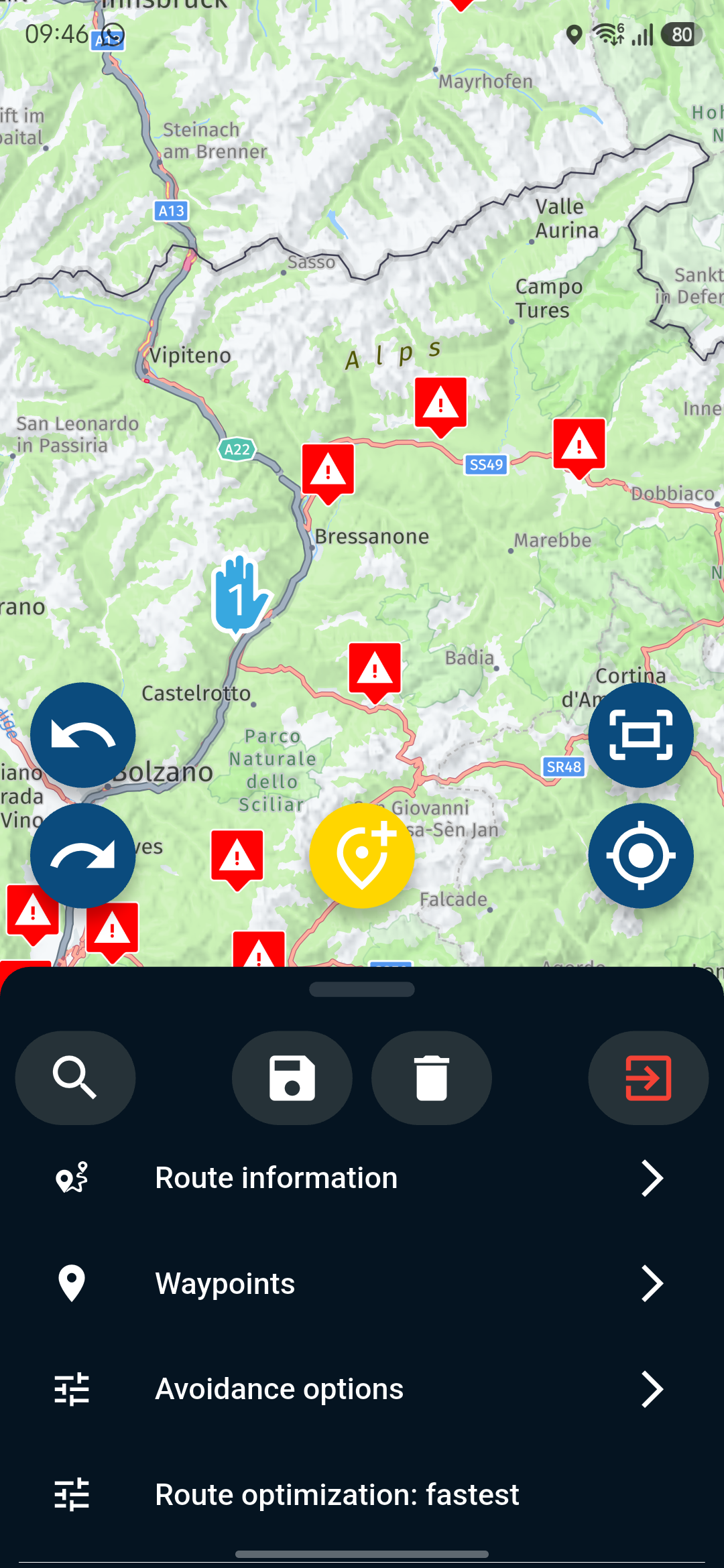
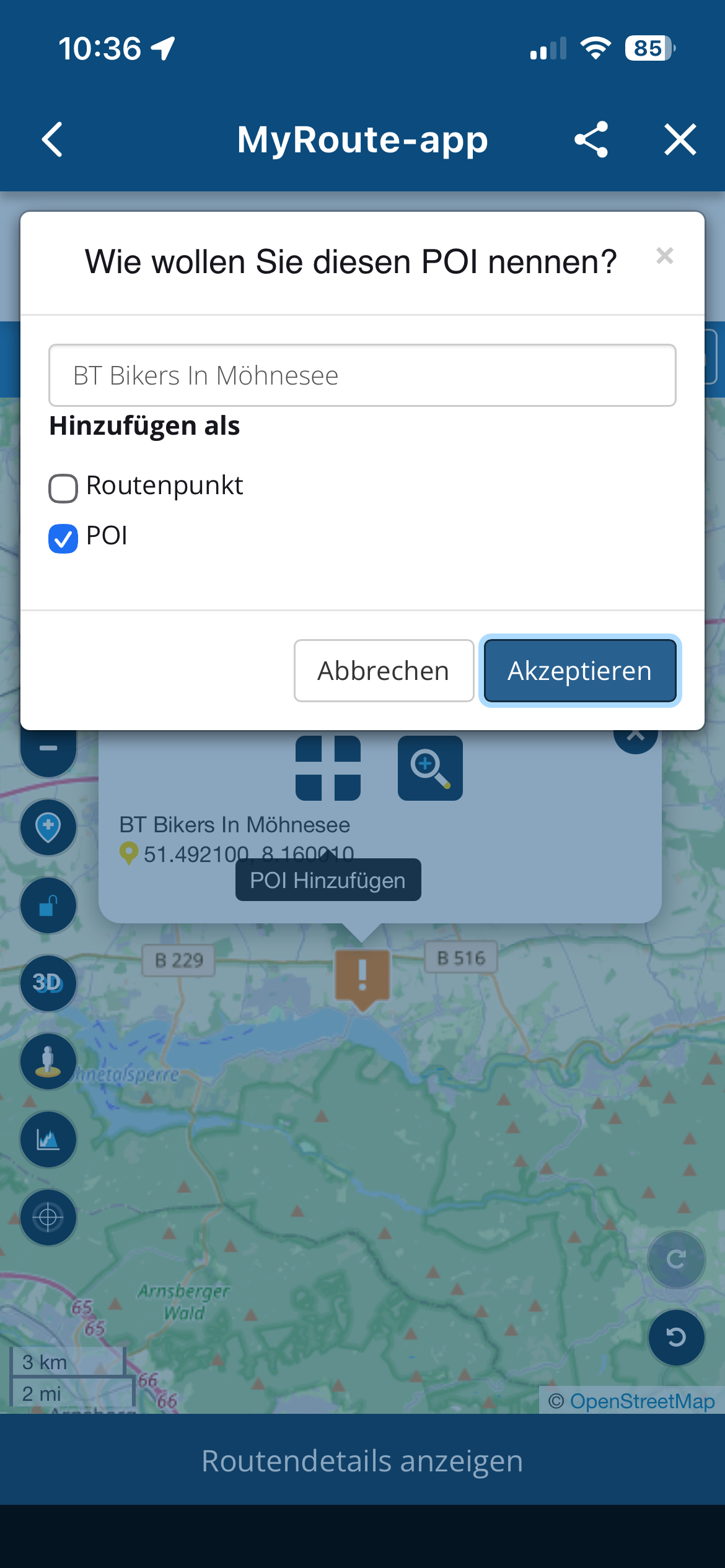
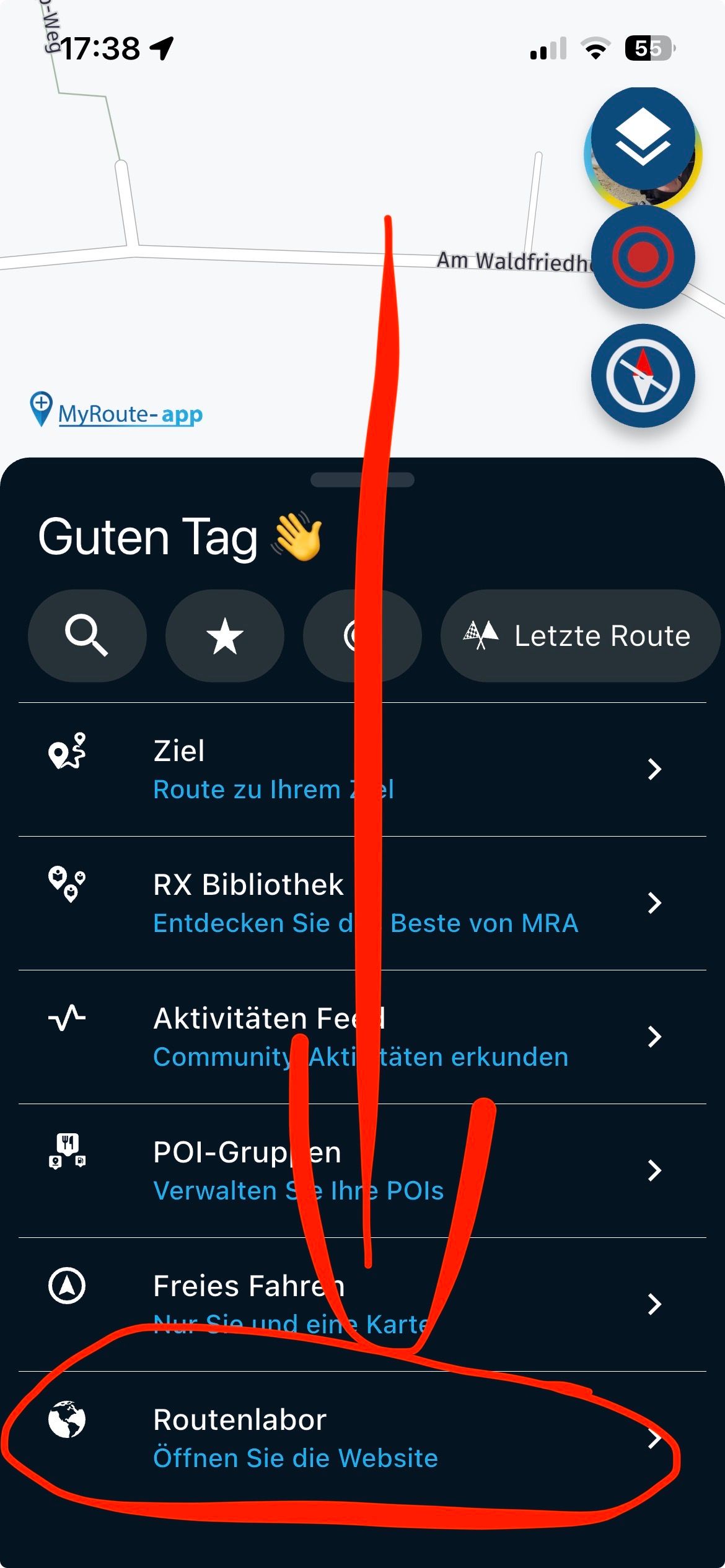
For this you can better switch to the route lab, there it works very well, I also do that on the iPad or iPhone.
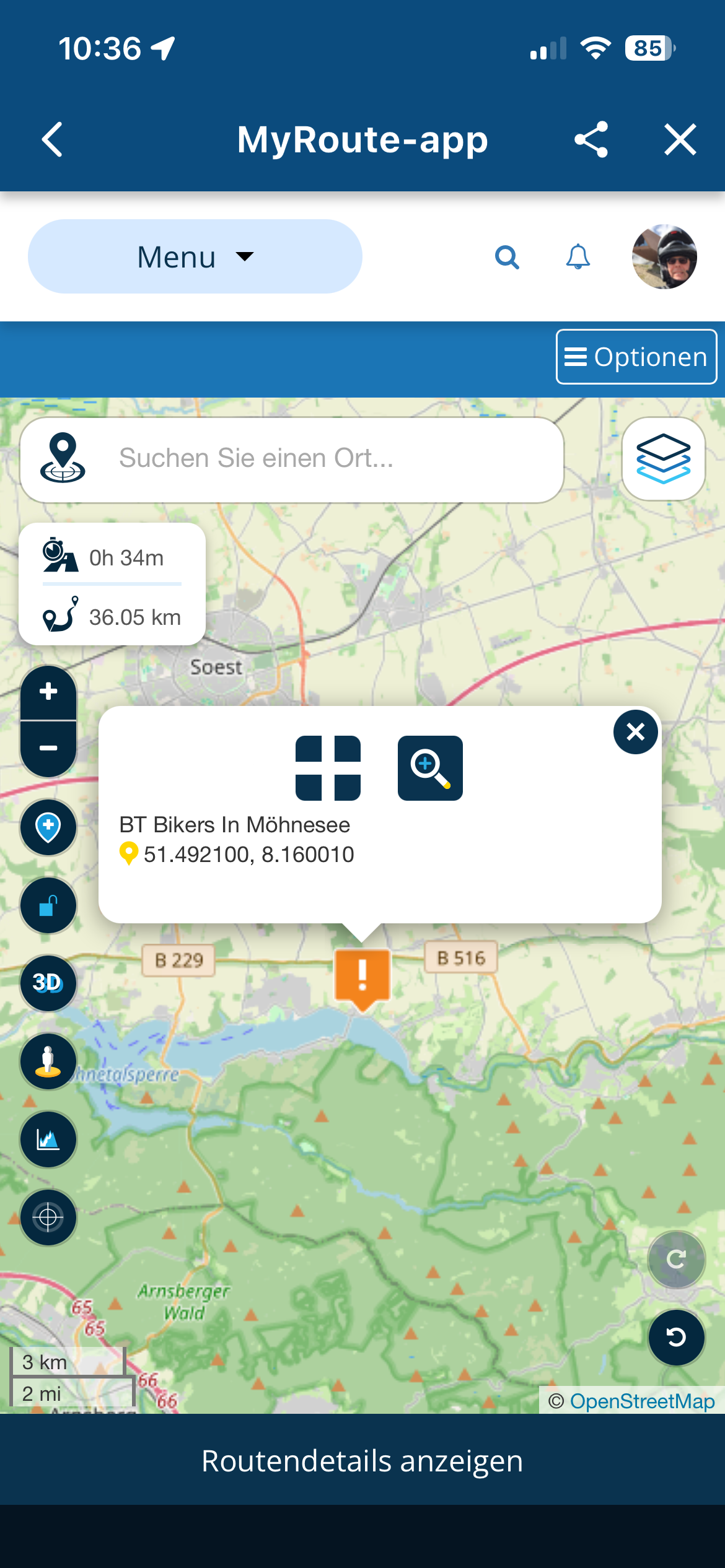
The POI text can be displayed and the POI can also be inserted into the route.
The click on the cross opens the menu, but the click always puts the POI at the end of the route. After that, you can easily move the WP / SP in the WP list to the right place.
Tip:
It is easier to set your own WP/SP at the POI, which also works well if you want to insert something somewhere in the route. Click on the route then comes the + and a SP, which then pull to the right place...
—-//
Dazu kannst Du besser ins Routenlabor wechseln, dort geht das sehr gut, das mache ich auch am iPad oder iPhone.
Da lässt sich der POI Text anzeigen und der POI auch in die Route einfügen.
Der Klick auf das Kreuz öffnet das Menü, der Klick setzt den POI allerdings immer ans Ende der Route. Danach kann man den WP / SP in der WP Liste aber auch leicht an die richtige Stelle verschieben.
Tipp:
Einfacher ist es am POI einen eigenen WP/SP setzen, das geht auch gut wenn man irgendwo in der Route noch was einfügen möchte. Klick auf die Route dann kommt das + und ein SP, den dann an die richtige Stelle ziehen…
VG Hubert
Beta Test "Next App" dazu die Hardware .
iPad 9. Gen iOS 26.7/ iPhone 16e iOS 26.7/ Navi iPhone Xr iOS 18.7.10 / PC mit MS Win11 /❗️MyRoute-App im Cradel und Remotek-One❗️ Info zu MRA & Remotek One -
Since the app received the update with the new POI functionality, I tried yesterday to create a route using some of my stored POIs. However, the problem is that while you can see a lot of POIs on the map, you cannot see their names or click on a specific POI to view its information.
I think it would be great if the POI name could be displayed below the POI icon, or if you could tap on a POI to view its details. This would make route planning much easier when using the stored POI database (The same should be with saved favorite places).
Thanks!

100% agree!
And an option to add a POI to the route (as a POI) so we can use “Export gpx 1.1 (Track, POI)” right out of the App without having to switch to RouteLab.
-
For this you can better switch to the route lab, there it works very well, I also do that on the iPad or iPhone.
The POI text can be displayed and the POI can also be inserted into the route.
The click on the cross opens the menu, but the click always puts the POI at the end of the route. After that, you can easily move the WP / SP in the WP list to the right place.
Tip:
It is easier to set your own WP/SP at the POI, which also works well if you want to insert something somewhere in the route. Click on the route then comes the + and a SP, which then pull to the right place...
—-//
Dazu kannst Du besser ins Routenlabor wechseln, dort geht das sehr gut, das mache ich auch am iPad oder iPhone.
Da lässt sich der POI Text anzeigen und der POI auch in die Route einfügen.
Der Klick auf das Kreuz öffnet das Menü, der Klick setzt den POI allerdings immer ans Ende der Route. Danach kann man den WP / SP in der WP Liste aber auch leicht an die richtige Stelle verschieben.
Tipp:
Einfacher ist es am POI einen eigenen WP/SP setzen, das geht auch gut wenn man irgendwo in der Route noch was einfügen möchte. Klick auf die Route dann kommt das + und ein SP, den dann an die richtige Stelle ziehen…
The POI text can be displayed and the POI can also be inserted into the route
It would be nice to have this function in the App Planner also !
Best regards,
Adrian📱Samsung S24 Ultra with MyRoute-APP (GOLD Lifetime)
🏍️Honda NC750X (2021) with AA/CarPlay by CHIGEE Aio-5
🚙Renault Duster with onboard AA/CarPlay Unit -
The POI text can be displayed and the POI can also be inserted into the route
It would be nice to have this function in the App Planner also !

@Adrian-Avram yes it would, but it isn't

-
Could still come

-
@Adrian-Avram yes it would, but it isn't
@Adrian-Avram yes it would, but it isn't
@marinus-van-deudekom but it could be

Depends on @corjan-meijerink if he thinks this can be implemented. -
For this you can better switch to the route lab, there it works very well, I also do that on the iPad or iPhone.
The POI text can be displayed and the POI can also be inserted into the route.
The click on the cross opens the menu, but the click always puts the POI at the end of the route. After that, you can easily move the WP / SP in the WP list to the right place.
Tip:
It is easier to set your own WP/SP at the POI, which also works well if you want to insert something somewhere in the route. Click on the route then comes the + and a SP, which then pull to the right place...
—-//
Dazu kannst Du besser ins Routenlabor wechseln, dort geht das sehr gut, das mache ich auch am iPad oder iPhone.
Da lässt sich der POI Text anzeigen und der POI auch in die Route einfügen.
Der Klick auf das Kreuz öffnet das Menü, der Klick setzt den POI allerdings immer ans Ende der Route. Danach kann man den WP / SP in der WP Liste aber auch leicht an die richtige Stelle verschieben.
Tipp:
Einfacher ist es am POI einen eigenen WP/SP setzen, das geht auch gut wenn man irgendwo in der Route noch was einfügen möchte. Klick auf die Route dann kommt das + und ein SP, den dann an die richtige Stelle ziehen…

Hi,
I'm not that experienced with MRA and I also would find it interesting to have a pop text when arriving at the POI, therefore I have this question :
What do you mean with "switch to the route lab" ?
Can you navigate by the route lab and then see the text appearing ?I know the Routeyou app has this functionality.
-
Since in the menu at the bottom, ... s photo
VG Hubert
Beta Test "Next App" dazu die Hardware .
iPad 9. Gen iOS 26.7/ iPhone 16e iOS 26.7/ Navi iPhone Xr iOS 18.7.10 / PC mit MS Win11 /❗️MyRoute-App im Cradel und Remotek-One❗️ Info zu MRA & Remotek One -
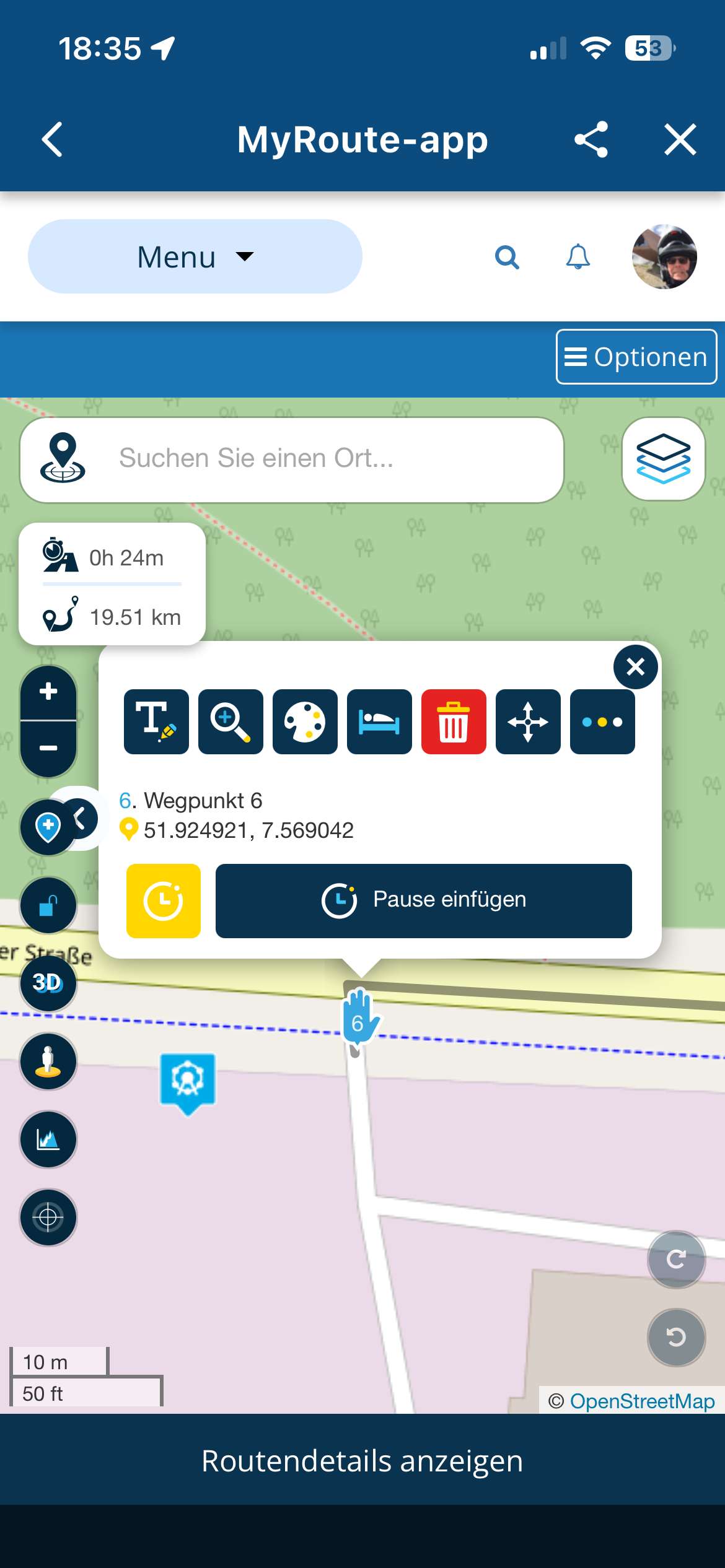
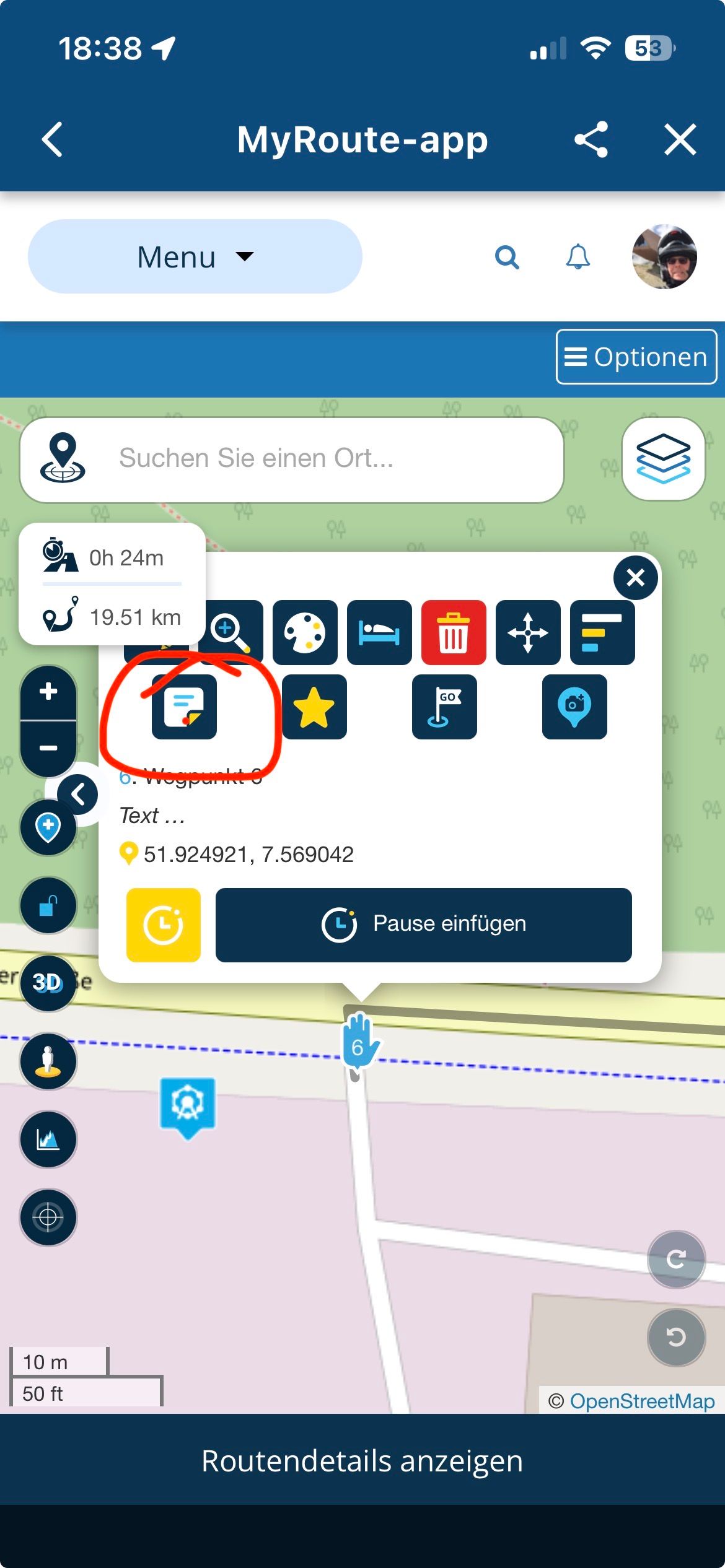
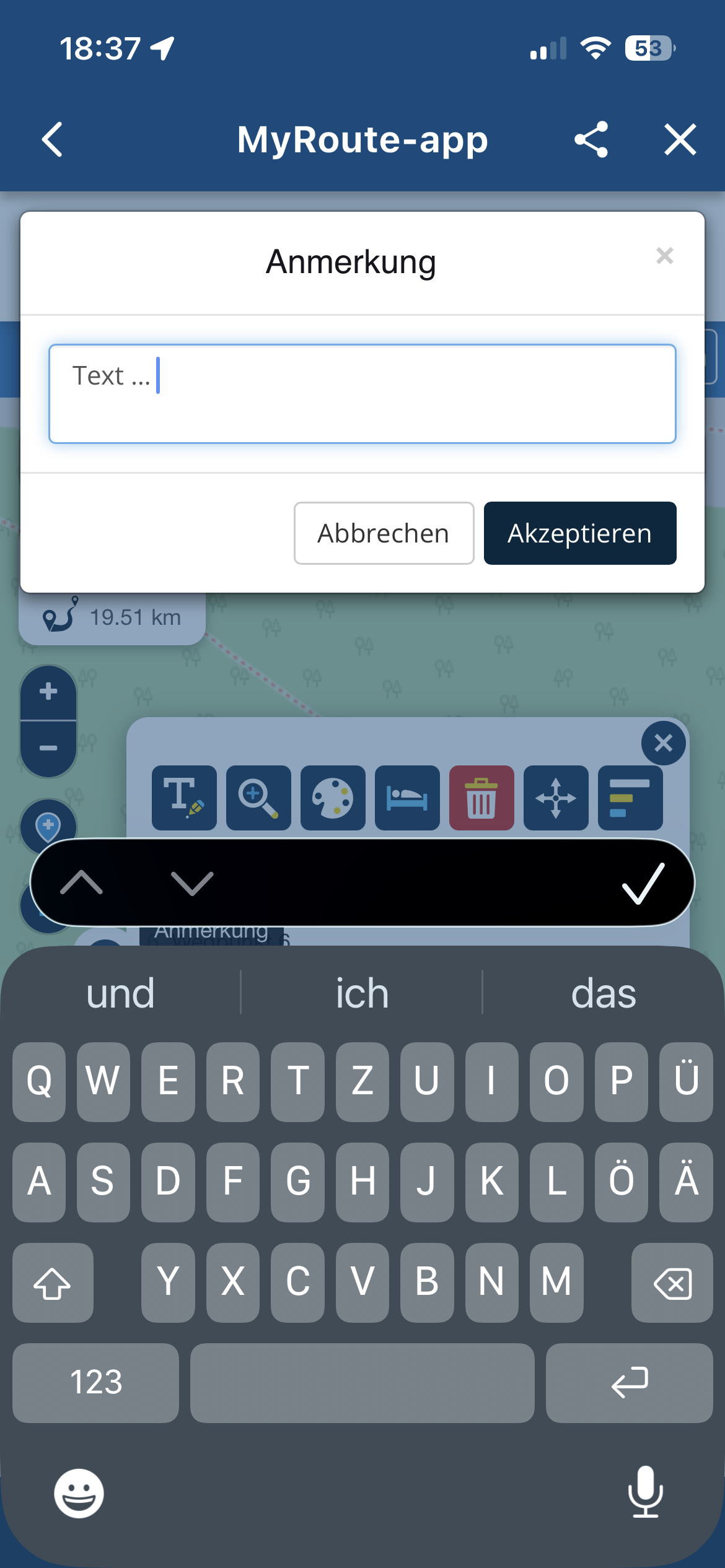
Place a WP near the POI and insert the text there in the WP,...
-
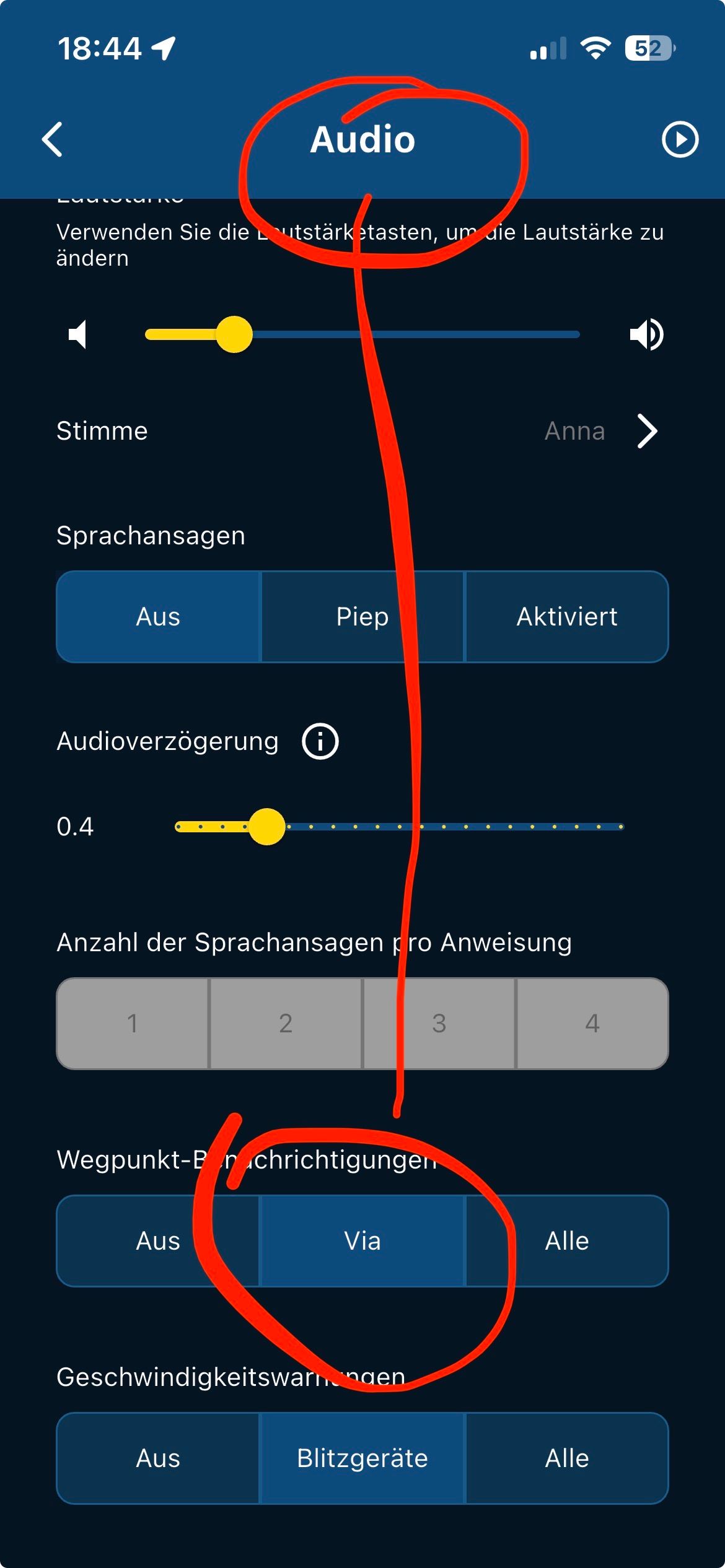
In the App Navi settings in the account under navigation settings, set it so that Via points "the hand symbol" is read aloud.
-

The information you can associate with POI's is very limited and limiting with only having Longitude Latitude and a brief description. It would ne nice if it had a notes field like waypoints. It would also be good if you could set proximity alerts for POI's that you might want to visit during a casual ride. For this reason I use basecamp and my Zumo XT for poi handling even though I use MRA for navigation. On my XT I have proximity alerted POI's for picnic sites and toilets. I also have POI's for WW2/cold war defence heritage and neolithic portal tombs in Northern Ireland/Ireland. These POI's have a description of the sites that show on the XT if I select them and chose to visit. This functionality is currently missing from MRA.
-

I agree. And for example, Garmin is doing a great job in operating POI: they display a lot of delivered data, like Name, Address, Phone, Category, Coordinates.
So it looks like official POI lists contains more data then MRA displays.
And in case, there are no detailed data in the list, MRA displays only the name "POI". Therefore, would be good if MRA offers a field for freetext (like in Routepoints). -
Since in the menu at the bottom, ... s photo
Since in the menu at the bottom, ... s photo
From all your screenshots, I can see that you are using RouteLab (which is online) from the mobile app. However, please keep in mind that if you are in an area without an internet connection, you won’t be able to use the RouteLab to change your routes !!
Unfortunately, the solution you are showing in your answers doesn’t solve the issue I’m trying to address.
-
That's how it works offline...
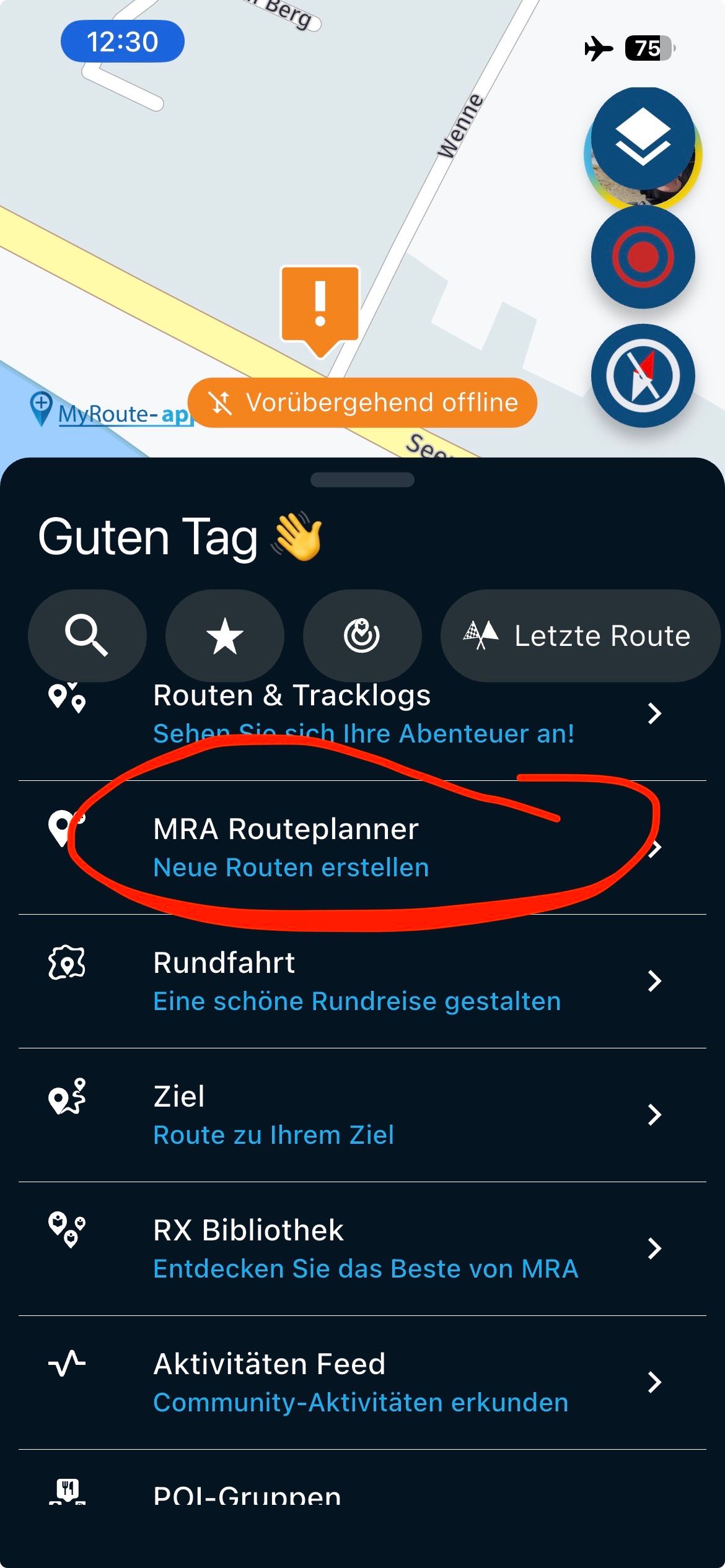
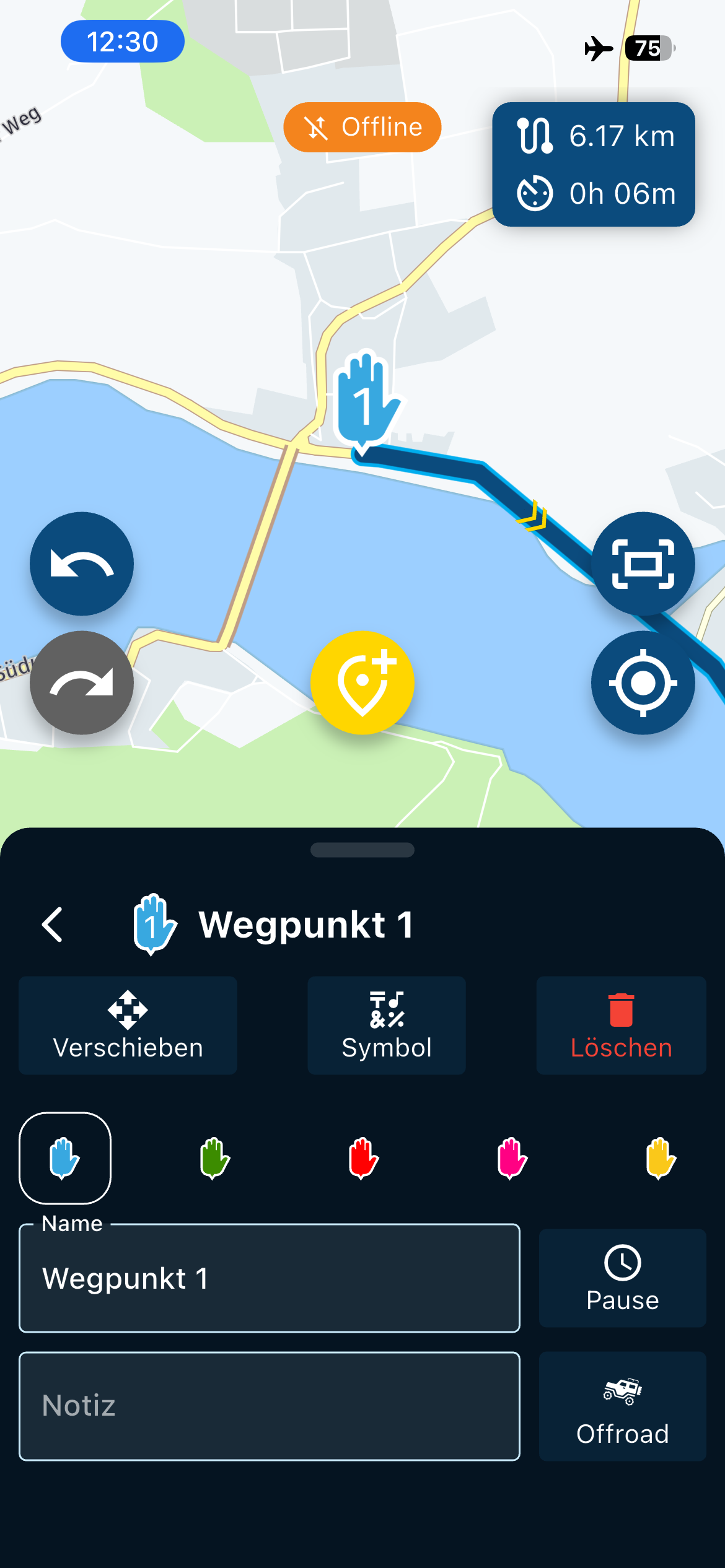
VG

VG Hubert
Beta Test "Next App" dazu die Hardware .
iPad 9. Gen iOS 26.7/ iPhone 16e iOS 26.7/ Navi iPhone Xr iOS 18.7.10 / PC mit MS Win11 /❗️MyRoute-App im Cradel und Remotek-One❗️ Info zu MRA & Remotek One -
That's how it works offline...
VG
That's how it works offline...
I never said route planning doesn’t work offline!
I said that the RouteLab option (which is actually the web planner on mobile) doesn’t work offline, not the MRA Route Planner!
And I think you’re still missing the main point, which is the “POI naming/text display” issue.
Hello! It looks like you're interested in this conversation, but you don't have an account yet.
Getting fed up of having to scroll through the same posts each visit? When you register for an account, you'll always come back to exactly where you were before, and choose to be notified of new replies (either via email, or push notification). You'll also be able to save bookmarks and upvote posts to show your appreciation to other community members.
With your input, this post could be even better 💗
Register Login-
 852637
-
443529
-
0425
-
 67510
67510
-
 1227255
-
05149
-
 13120
13120
-
0322