What exactly am I looking at?
-

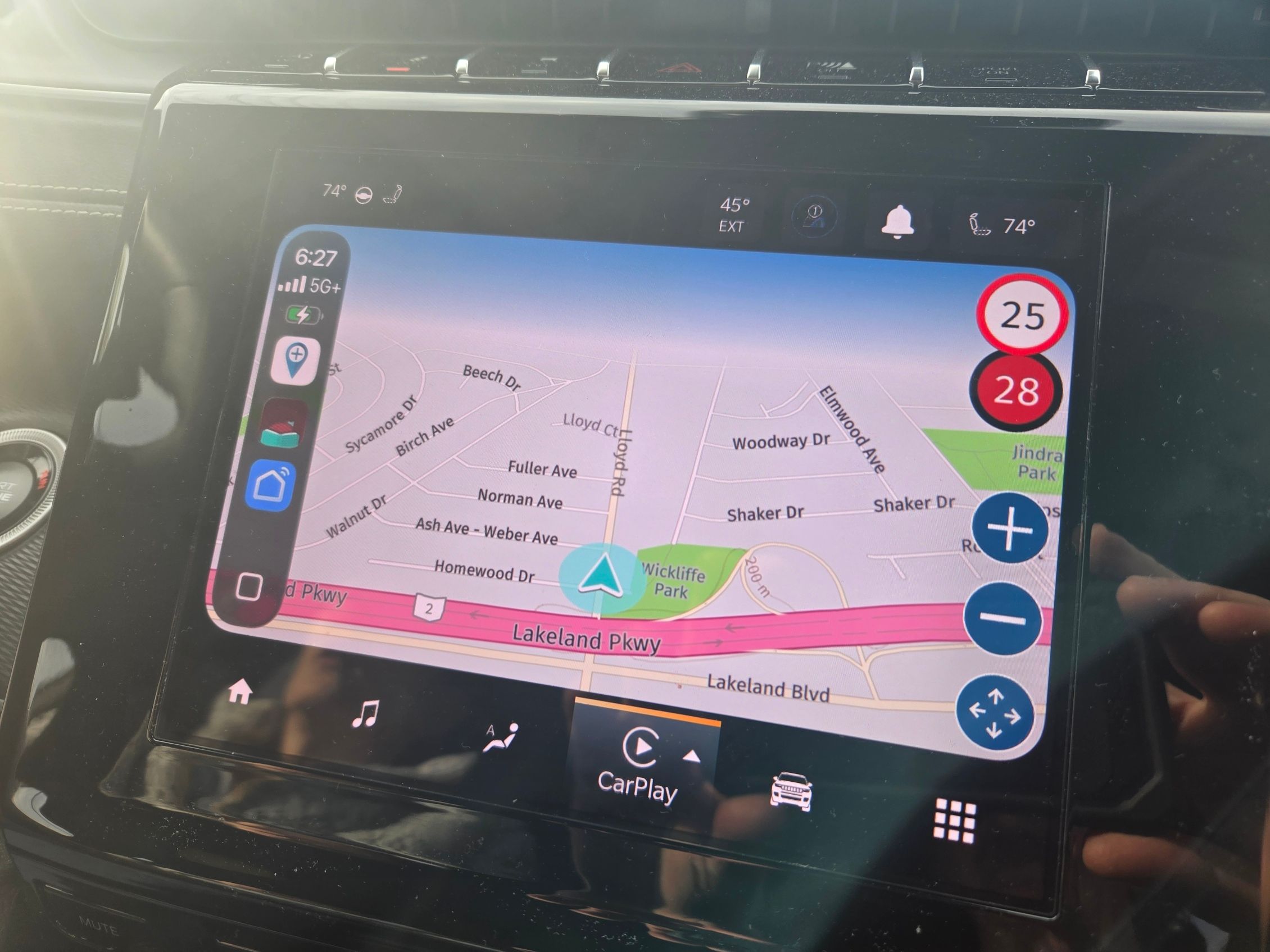
We recently had to get new phones, I am an Android guy, she is an Apple girl! She now has an iPhone 17. Last night we went to dinner in her Jeep and I wanted to make sure the MRA app was installed correctly on her new phone and working. I put it on the screen of the Jeep and at the bottom right corner of the screen there was a "up-down-left-right" key pad. Is this something new? Is this an IPhone only thing? My Android does not have this. Also check out the screen, seems to be a cut off line on the top causing a 3/4 only screen. MRA has never done this before. Not sure if its a setting in the Jeep or something else. Thanks for the reply's....
-
 Corjan Meijerink moved this topic from [Web] Problems, Bugs and other Issues on
-
HMMMMMMM!!!

@D-Griffin Yes, AndroidAuto and CarPlay do have some differences, look at the manual for Navigation in the Support pages
The blue you see is the sky, this is caused by the tilt correction setting. Tap the map styles icon on screen and select Map layer to adjust Tilt correction.
-
And the arrow icon bottom right is because this CP screen does not support dragging the map in combination with our app. Hence you can tap that button to open the "pan" interface

In the Android Auto version you are using yourself you simply drag the map with your fingers.
The blue is indeed the sky as @Nick-Carthew said. We guess the correct value based on your screen resolution but that is not always exactly right. Therefore we have a "tilt correction" setting.
Hello! It looks like you're interested in this conversation, but you don't have an account yet.
Getting fed up of having to scroll through the same posts each visit? When you register for an account, you'll always come back to exactly where you were before, and choose to be notified of new replies (either via email, or push notification). You'll also be able to save bookmarks and upvote posts to show your appreciation to other community members.
With your input, this post could be even better 💗
Register Login-
 0520
0520
-
 2481
2481
-
 0522
0522
-
 0311
0311
-
0312
-
 0746
0746
-
126
-
036