
Weird navigation MRA to Garmin Zumo XT
-

Hello everybody. I am a gold MRA user and I use MRA to create routes in HERE maps and transfer them to my Garmin Zumo XT (using Garmin Drive and gpx 1.1 R/T/P).
I noticed a weird behavior lately and I cannot understand what is going on. I first tried the Zumo XT forum, but couldn't get any real explanation there...Just to clarify, I have my Zumo XT updated all the time and I created the route in MRA freshly in the morning and drive the route few hours later on the same day.
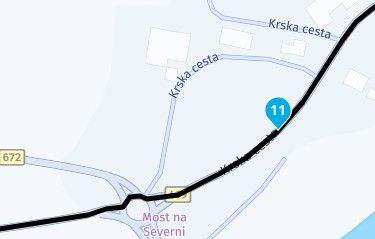
This is how one part of the map looks on MRA - and this is exacly as I want it:
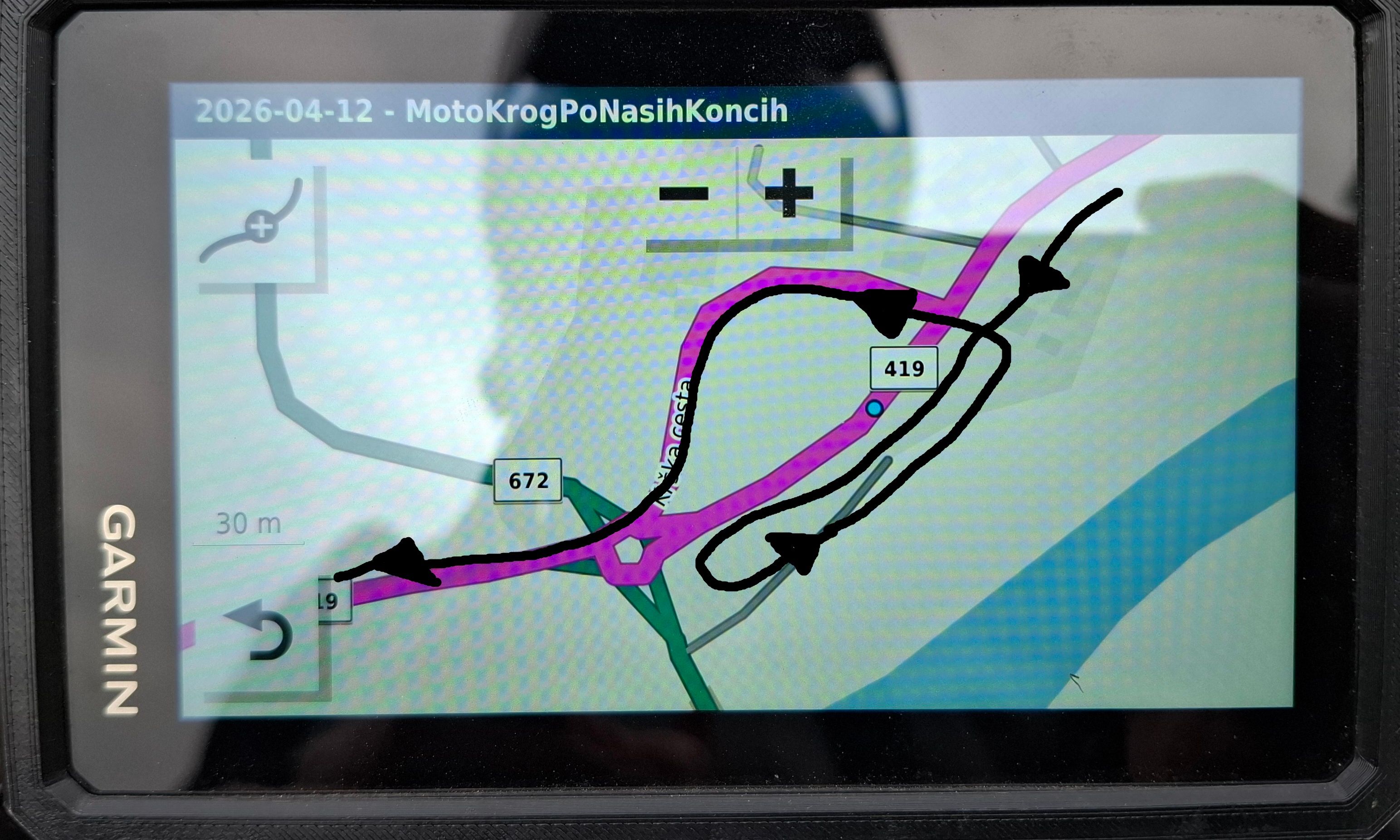
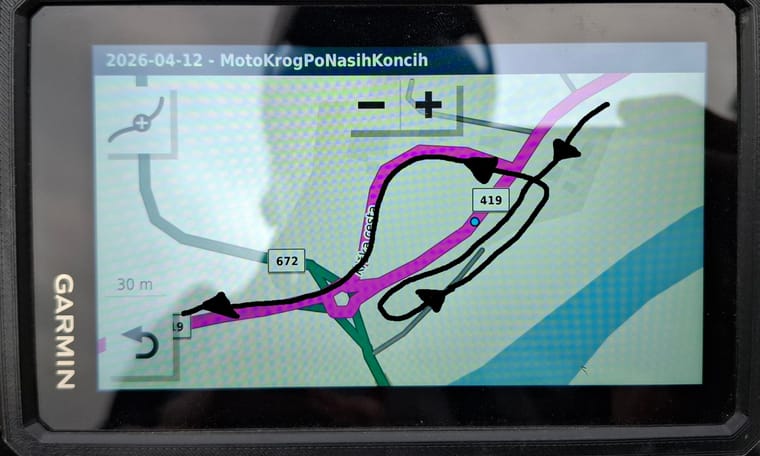
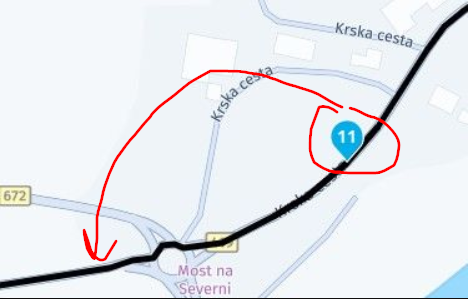
This is how it looks in Zumo XT maps and the black arrows shows how XT wanted to navigate me through this section:
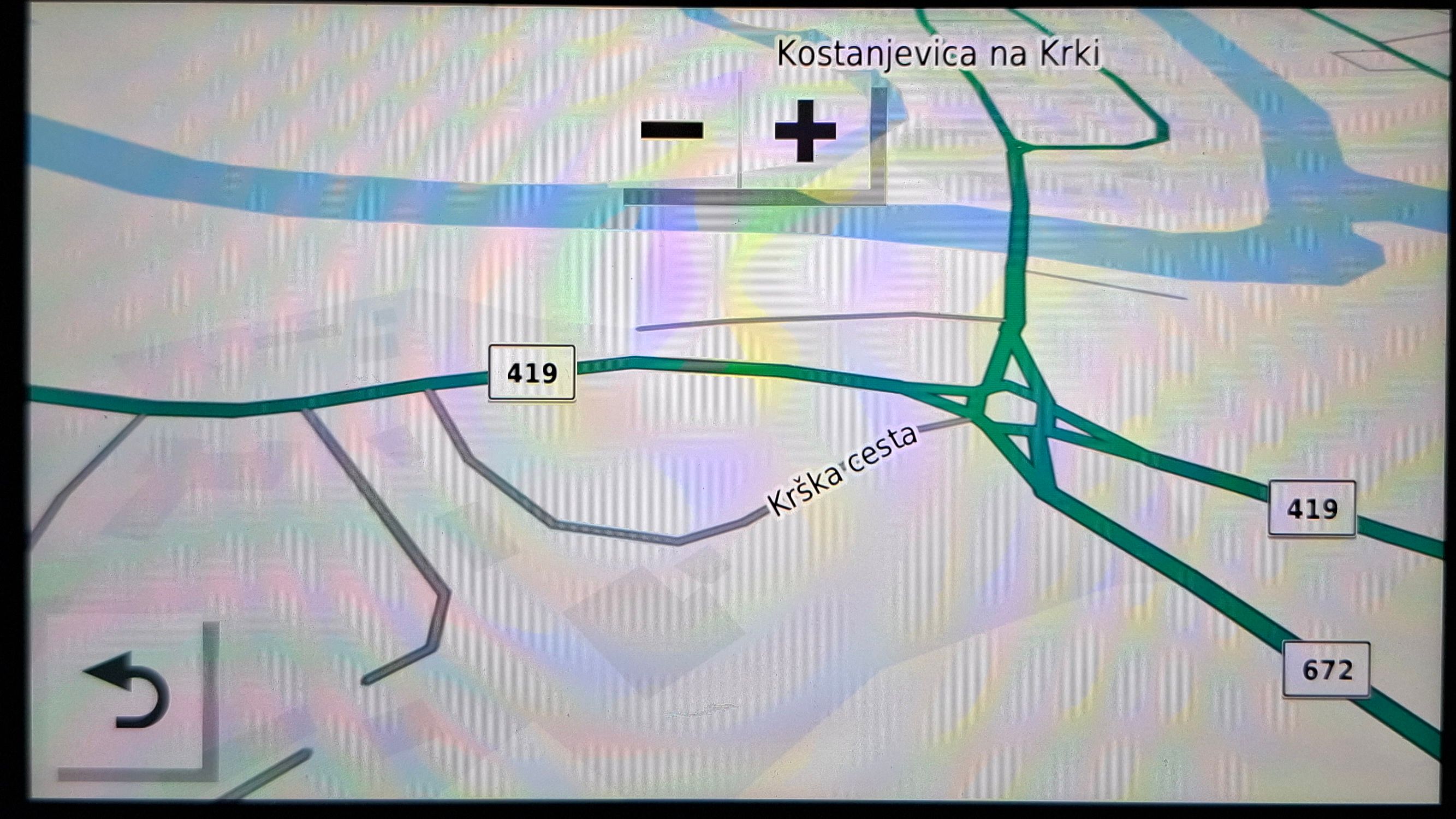
What is weird though, this is the original map on my Zumo XT of this section, when I don't have navigation active (it has everything connected and it shows that Zumo XT knows which road is the main one):
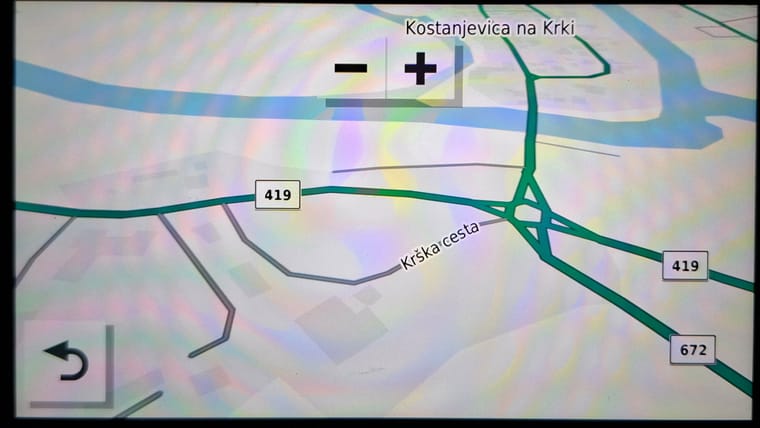
On the Zumo XT forum some suggested that I placed the shaping point in the wrong lane on the road, but from what I see this road doesn't have multiple lanes (not on MRA and not on Zumo XT)...
I also checked my avoidance settings, but nothing helped there. Also MRA has the "shortest route" and Zumo XT also has "shortest route" selected.
Any ideas on what I am doing wrong?
It is not really a deal breaker, but it is really annoying and I get at least one of these on every trip...I thank you for your replies.
-

It looks like your Zumo thinks a right turn is not allowed. It could be a map error on the Garmin map.
I am just an enthusiastic MRA user, and hope you will be one too!
Most motorcycle problems are caused by the nut that connects the handlebar to the saddle.
Check out RideSleepRepeat.eu, a biker community for sharing stays across Europe
-
It looks like your Zumo thinks a right turn is not allowed. It could be a map error on the Garmin map.
@Con-Hennekens said in Weird navigation MRA to Garmin Zumo XT:
It looks like your Zumo thinks a right turn is not allowed. It could be a map error on the Garmin map.
Thanks for your comment, but I got these kind of glitches quite a lot lately... not sure if there are so many map errors all of the sudden.
I also thought that HERE maps in MRA are the same maps as Garmin's Zumo XT maps. Like same-same. So if there would be a map error then I should also see it on HERE maps in MRA, right? -

@Con-Hennekens @Boštjan-Kreutz
Garmin XT (which i also have) uses the NTU maps which is basically the HERE map with a few adjustments done by Garmin that turnes the HERE map into the NTU map.@Boštjan-Kreutz
The suggestion made by that person on the Garmin XT forum makes only sence if the 2 lanes are splitted by a central reservation. If the two lanes simply lie side by side without a separation such as a central reservation than it does make no sense.Also, the route is determined by the way the routingpoints/waypoints/shapingpoints are placed. Routes made in MRA always goed from 1 to 2 to 3 to 4 to ..... (you get the idea).
Just to clarify this:
Have you ever updated your Garmin XT device? Garmin provides updates on a regular base.What your device is showing looks like some glitch to me. Check if you can update your device. In 99,9% of all cases updating the XT solves most problems.
Just 1 hint from me which i always do, i always places routingpoints/waypoints/shapingpoints after roundabouts. Just to be sure that my XT is following the road as planned.
-
@Boštjan-Kreutz
It is recommended for XT users to turn off Automatic recalculation
Most will have this turned on but i have notices (and read on other forums) that turning it off also avoids "crazy stuff". -
@Con-Hennekens said in Weird navigation MRA to Garmin Zumo XT:
It looks like your Zumo thinks a right turn is not allowed. It could be a map error on the Garmin map.
Thanks for your comment, but I got these kind of glitches quite a lot lately... not sure if there are so many map errors all of the sudden.
I also thought that HERE maps in MRA are the same maps as Garmin's Zumo XT maps. Like same-same. So if there would be a map error then I should also see it on HERE maps in MRA, right?
@Boštjan-Kreutz there may be slight differences in the maps from MRA & that you get from Garmin,
the 2 companies update the maps at different intervals,
but I do not think the map is the problem here,First I used a simple route with 2 points either side of the roundabout, just the start green flag & the finish chequered flag, the simple route on my Zumo XT was good & the simulated path taken was correct
I then added a middle point before the roundabout in a similar location as shown in your picture
My XT gave a crazy route similar to yours
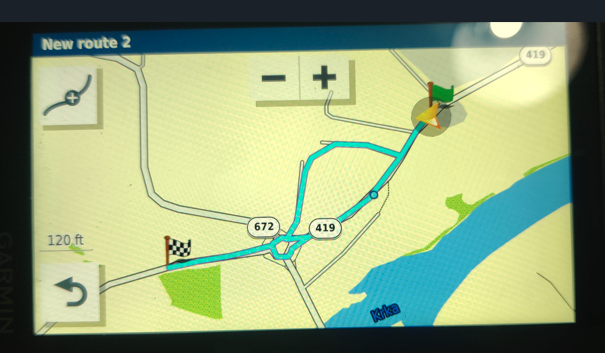
For the last test I just moved the middle point to the north side of the road & the route works correctly
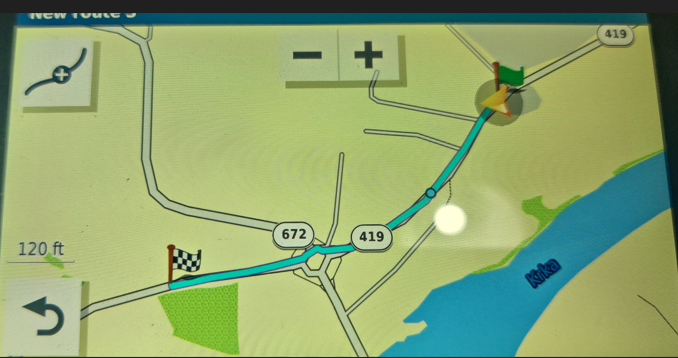
For me this is just another crazy case of the Zumo XT doing stupid routing & why people keep repeating that you have to place the points exactly on the road.
This case proves even when the points look correct the XT will still get it wrong, it looks like it is trying to get to the little side road to the south towards the riverMRA navigation is a lot more, a lot lot more tolerant of point placement
Because of crazy stuff like this it is why I gave up on the Zumo & why it now sits in the bottom of a drawer
As I have said many times, IMO the XT is a piece of $&!7(recalculate on/off makes no difference in this case)
-
@Con-Hennekens @Boštjan-Kreutz
Garmin XT (which i also have) uses the NTU maps which is basically the HERE map with a few adjustments done by Garmin that turnes the HERE map into the NTU map.@Boštjan-Kreutz
The suggestion made by that person on the Garmin XT forum makes only sence if the 2 lanes are splitted by a central reservation. If the two lanes simply lie side by side without a separation such as a central reservation than it does make no sense.Also, the route is determined by the way the routingpoints/waypoints/shapingpoints are placed. Routes made in MRA always goed from 1 to 2 to 3 to 4 to ..... (you get the idea).
Just to clarify this:
Have you ever updated your Garmin XT device? Garmin provides updates on a regular base.What your device is showing looks like some glitch to me. Check if you can update your device. In 99,9% of all cases updating the XT solves most problems.
Just 1 hint from me which i always do, i always places routingpoints/waypoints/shapingpoints after roundabouts. Just to be sure that my XT is following the road as planned.
@Nomko-Nomden said in Weird navigation MRA to Garmin Zumo XT:
Garmin XT (which i also have) uses the NTU maps which is basically the HERE map with a few adjustments done by Garmin that turnes the HERE map into the NTU map.
Yes of course, but they are not on the same version.
-
Hello everybody. I am a gold MRA user and I use MRA to create routes in HERE maps and transfer them to my Garmin Zumo XT (using Garmin Drive and gpx 1.1 R/T/P).
I noticed a weird behavior lately and I cannot understand what is going on. I first tried the Zumo XT forum, but couldn't get any real explanation there...Just to clarify, I have my Zumo XT updated all the time and I created the route in MRA freshly in the morning and drive the route few hours later on the same day.
This is how one part of the map looks on MRA - and this is exacly as I want it:
This is how it looks in Zumo XT maps and the black arrows shows how XT wanted to navigate me through this section:
What is weird though, this is the original map on my Zumo XT of this section, when I don't have navigation active (it has everything connected and it shows that Zumo XT knows which road is the main one):
On the Zumo XT forum some suggested that I placed the shaping point in the wrong lane on the road, but from what I see this road doesn't have multiple lanes (not on MRA and not on Zumo XT)...
I also checked my avoidance settings, but nothing helped there. Also MRA has the "shortest route" and Zumo XT also has "shortest route" selected.
Any ideas on what I am doing wrong?
It is not really a deal breaker, but it is really annoying and I get at least one of these on every trip...I thank you for your replies.

@Boštjan-Kreutz that's one of the reasons, I put the Garmin device in the ash tray. Since I use MRA-Navigation, I'm happy.
o.k. may that's not a solution you did expect - but I'm sorry, I don't have a better one. -
Thank you for all your answers and suggestions.
@Nomko-Nomden
Yes, I do update my Garmin XT regulary (the firmware and the maps). Thank you for the suggestion about placing the point after the rounadbout. Some folk on the XT forum also suggested this so there is something true about it. I will do my best to remember this when drawing the next route and see if I will have better luck.
(but also note that on that same trip I had another similar glitch which does not involve a roundabout; I just didn't have time this morning to create a screen shot from the XT)Also I think I have a recalculation turn on, I have to check. I also don't quite understand how does device reacts when I turn this off, I have to read about it some more. Because I do want the XT to reroute me if I do some unplanned turn because of the sightseeing, road block, or whatever reason. That is why I also use shapping points (not only via) to easily skip them during route if need be.
@Brian-McG
Thanks for taking your time to do this test, I really appreciate it.
It would solve all my problems if I would see this odd behavior when planning on MRA. Then I would play with positioning the points. But in reality, when I am happy with route in MRA, I just send it to XT, and don't look at it anymore (until riding). I just trust the process, that everything should be ok.@Guzzist
I understand and I also find Zumo XT not ideal. Perhaps I will one day change to these new Andorid devices and go with MRA Next navigation, but for now I must live with my XT. In general it works 100%… 50% of the time
-
Thank you for all your answers and suggestions.
@Nomko-Nomden
Yes, I do update my Garmin XT regulary (the firmware and the maps). Thank you for the suggestion about placing the point after the rounadbout. Some folk on the XT forum also suggested this so there is something true about it. I will do my best to remember this when drawing the next route and see if I will have better luck.
(but also note that on that same trip I had another similar glitch which does not involve a roundabout; I just didn't have time this morning to create a screen shot from the XT)Also I think I have a recalculation turn on, I have to check. I also don't quite understand how does device reacts when I turn this off, I have to read about it some more. Because I do want the XT to reroute me if I do some unplanned turn because of the sightseeing, road block, or whatever reason. That is why I also use shapping points (not only via) to easily skip them during route if need be.
@Brian-McG
Thanks for taking your time to do this test, I really appreciate it.
It would solve all my problems if I would see this odd behavior when planning on MRA. Then I would play with positioning the points. But in reality, when I am happy with route in MRA, I just send it to XT, and don't look at it anymore (until riding). I just trust the process, that everything should be ok.@Guzzist
I understand and I also find Zumo XT not ideal. Perhaps I will one day change to these new Andorid devices and go with MRA Next navigation, but for now I must live with my XT. In general it works 100%… 50% of the time
@Boštjan-Kreutz said in Weird navigation MRA to Garmin Zumo XT:
Also I think I have a recalculation turn on, I have to check. I also don't quite understand how does device reacts when I turn this off, I have to read about it some more. Because I do want the XT to reroute me if I do some unplanned turn because of the sightseeing, road block, or whatever reason. That is why I also use shapping points (not only via) to easily skip them during route if need be.
I understand your doubt about the recaclulation turning off.
But the main reason to do this which is also suggested on other forums is that, if you have a route and you want to follow that route from A to B as it is ploted and as it is intended, you turn it off to avoid any deviations/reroutes/etc.
I get the point that you want to be able to take an unexpected turn somewhere to the left or to the right. But kep in mind that your device might direct you back to a waypoint that you skipped.
-

I've tested this route on my XT and it works fine with no glitches.
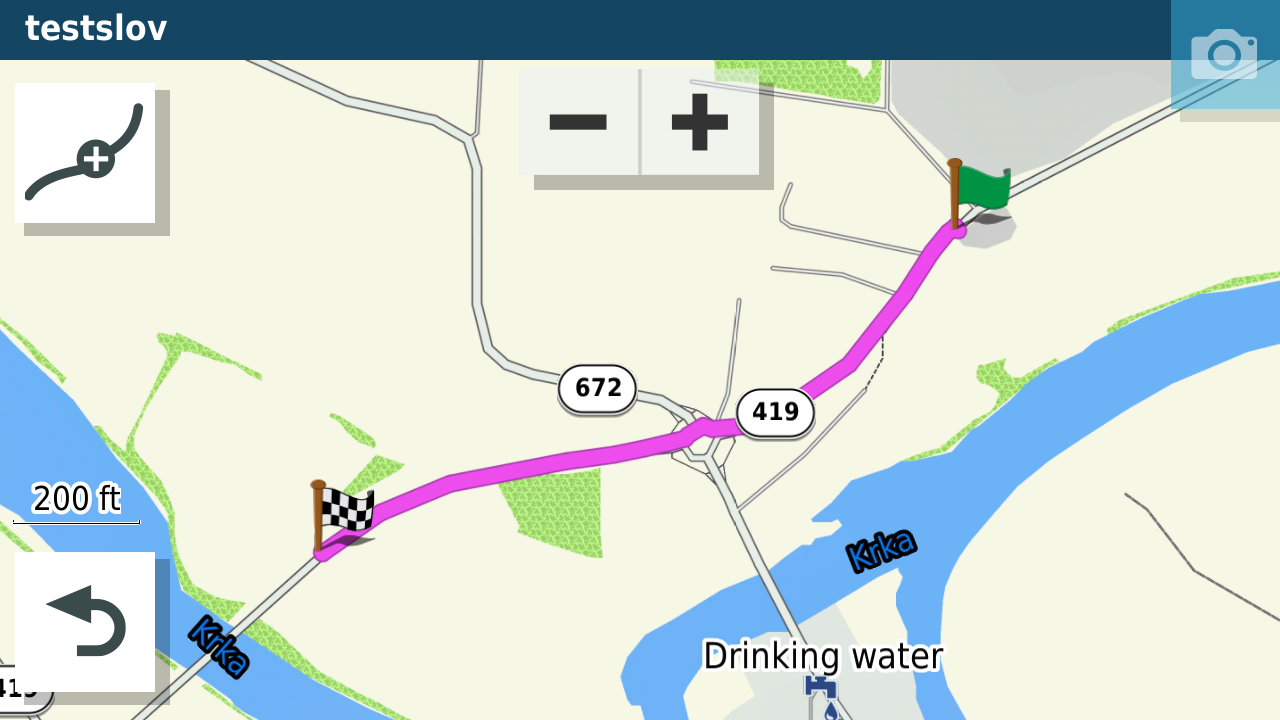
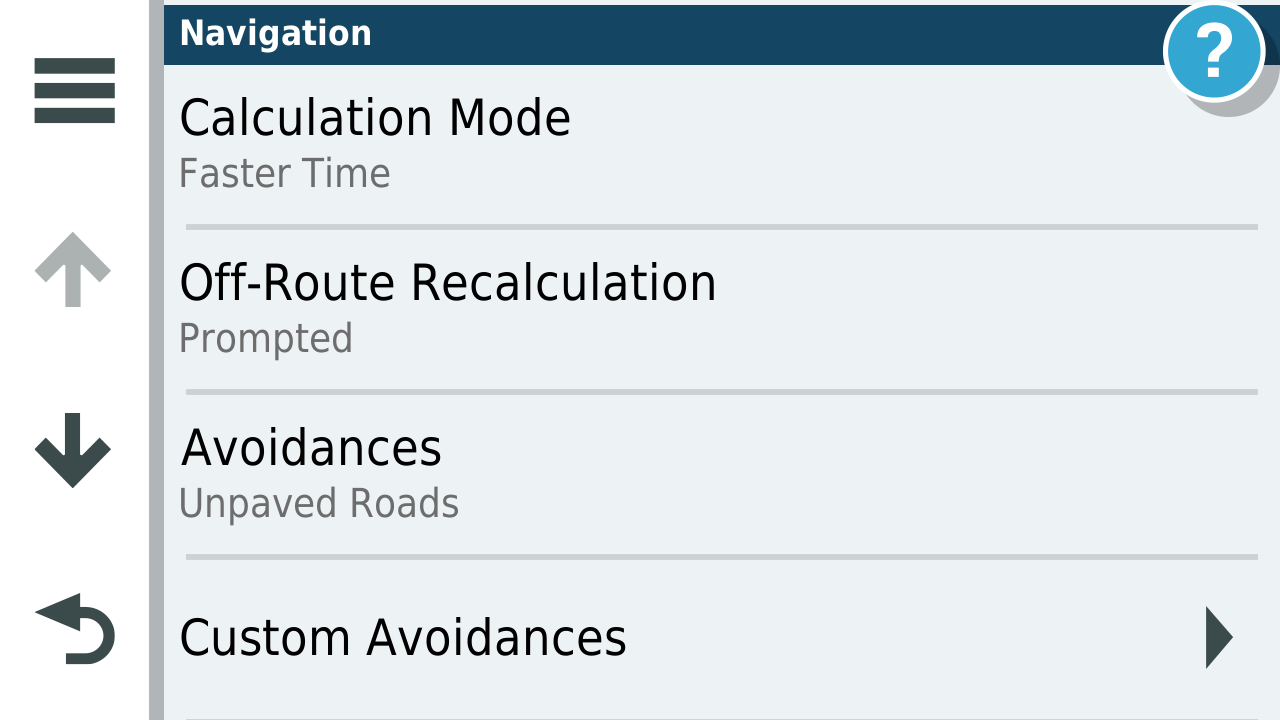
My calculation mode is faster time.
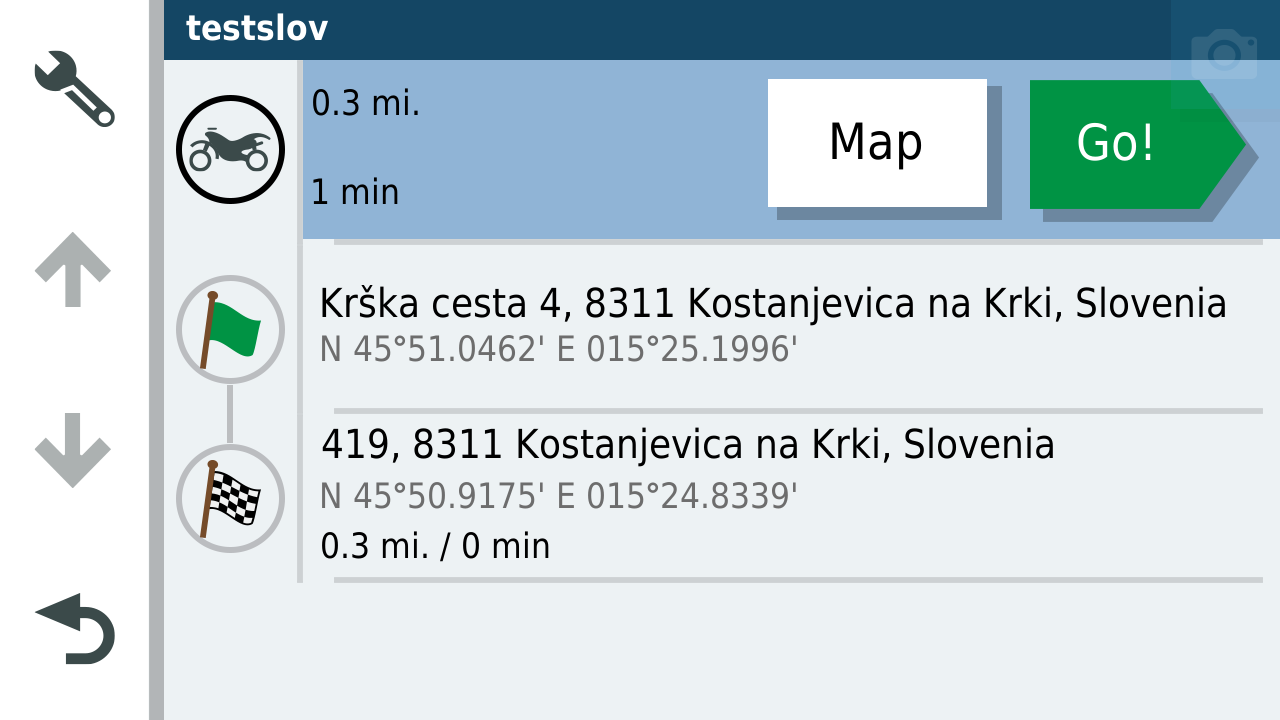
When you open the route to navigate it looks like this.
If you set nav preferences to Garmin Adventurous Routing you get the little mountain box
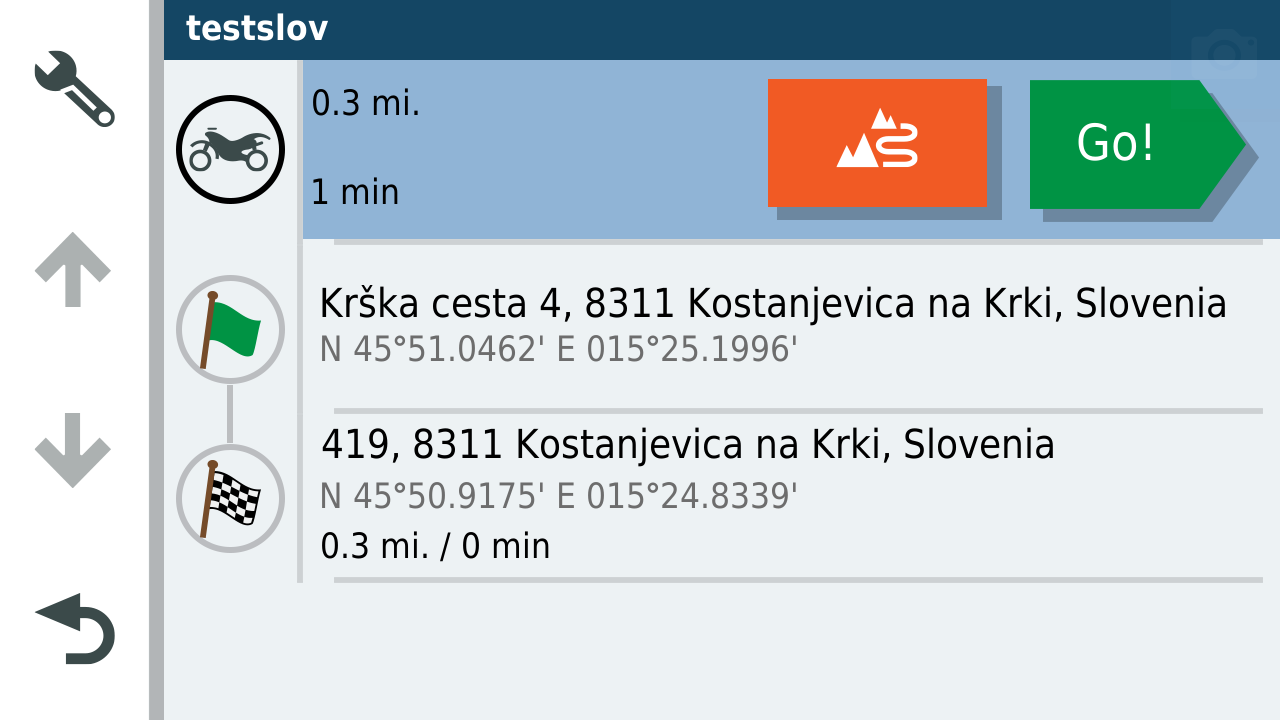
When you press this before hitting go you can use the slider to make the route more wiggly.
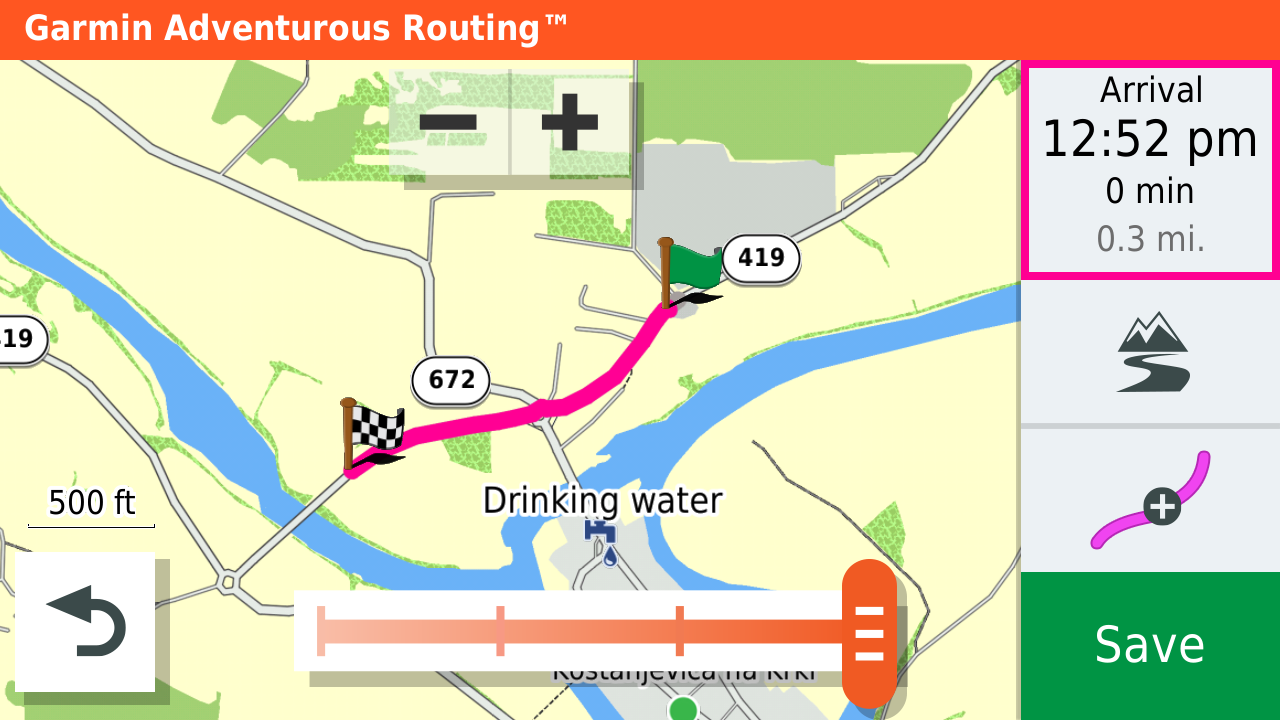
I don't use it as it can bring you round housing estates and city streets and I prefer to put enough shaping points in to pin the route to the roads I want to be on. Could this have created your issue?
These days I use MRA for navigation and my Garmin for tracks and proximity alerted POI's. But if I do use it for navigation I run a track of the route to see where they diverge. Yellow track in this case beneath the magenta line.
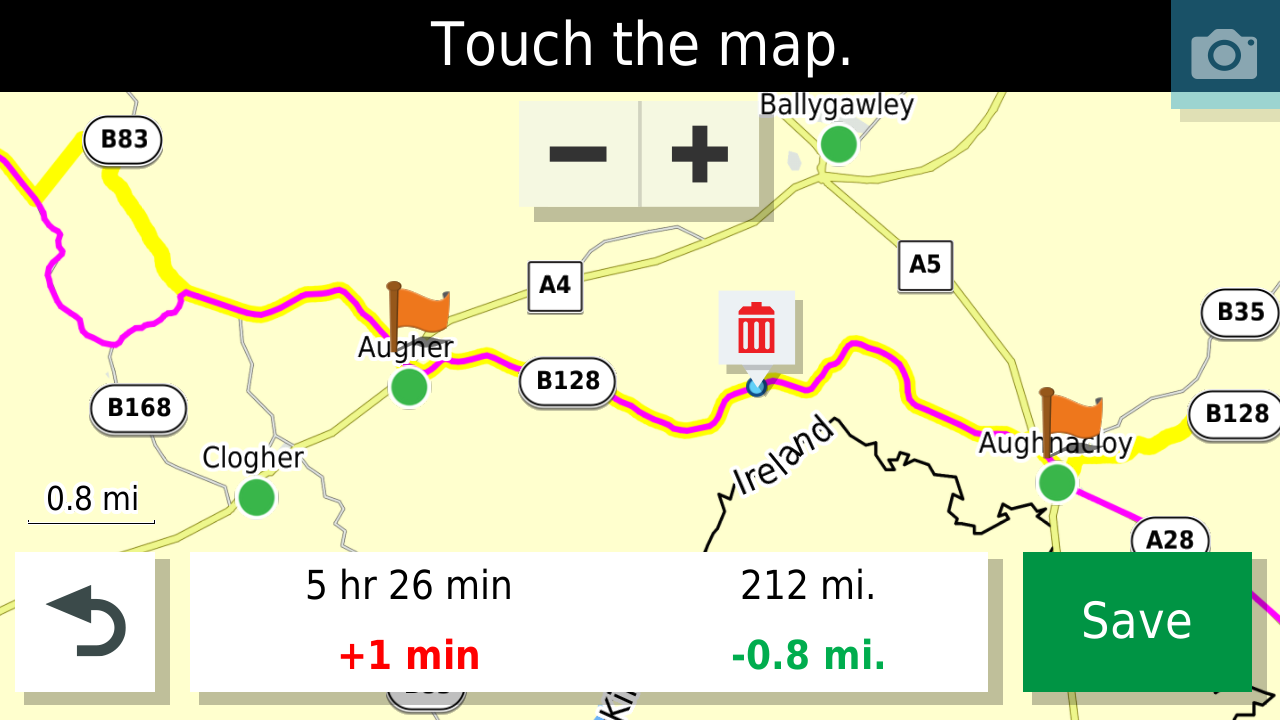
-
Thank you @Mzokk for taking you time to test. I am wondering if you would put another point in the middle of the route, where the sign 419 is on your image, would you get the same problem as me?
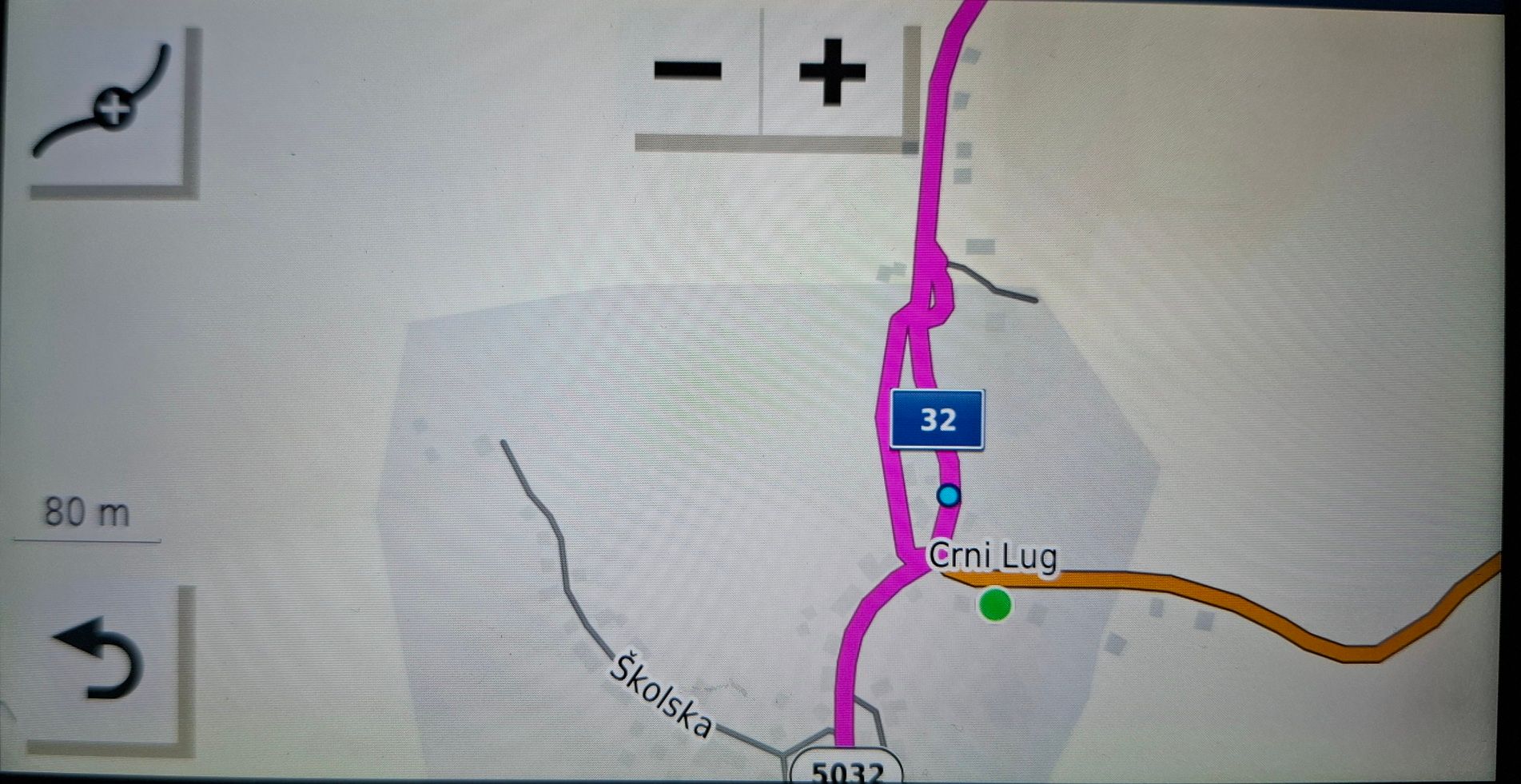
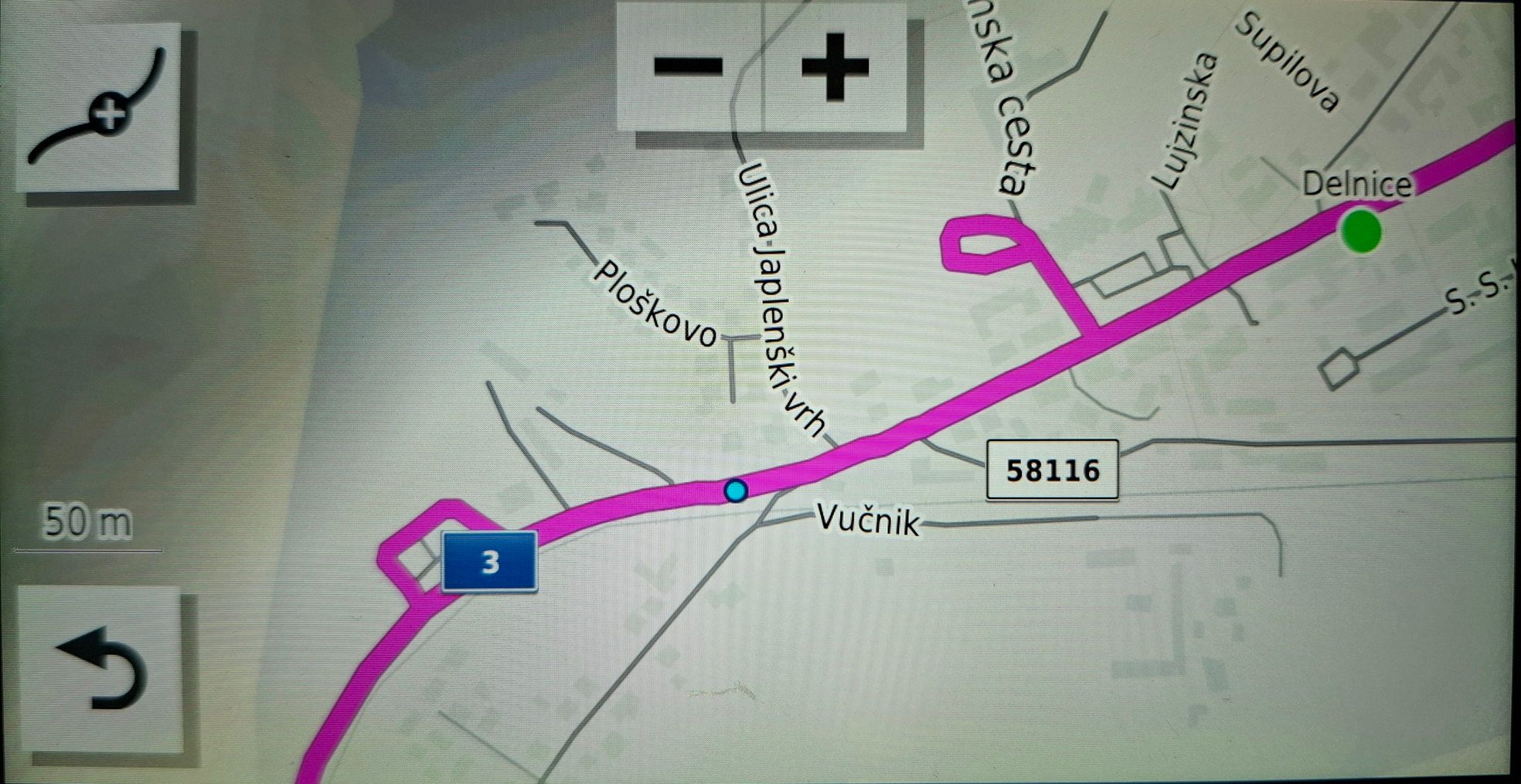
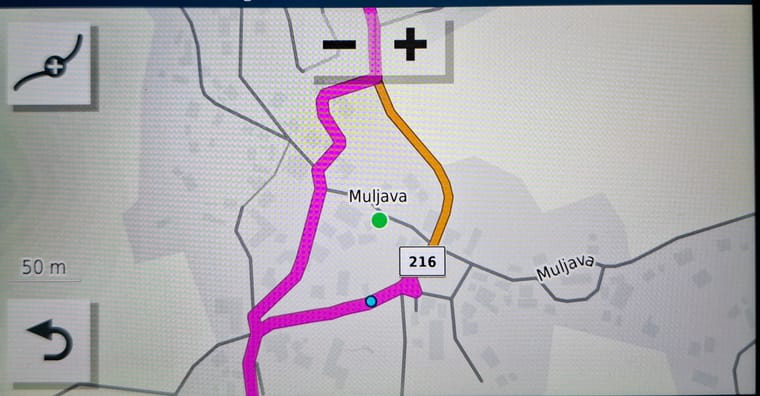
I am aware of the Adventurouse routing option, but I also didn't find the use of it. The idea is great and it is also one of the marketing reasons why I bought the Zumo XT, but in reality - as you said - it rarely discover new twisty roads in my area. In reality it actual drives me through the private/estate roads and city traffic.Anyhow, I dig up some more of the other similar cases I got - all these are just from the last two rides
And non of these has a roundabout or two lanes road.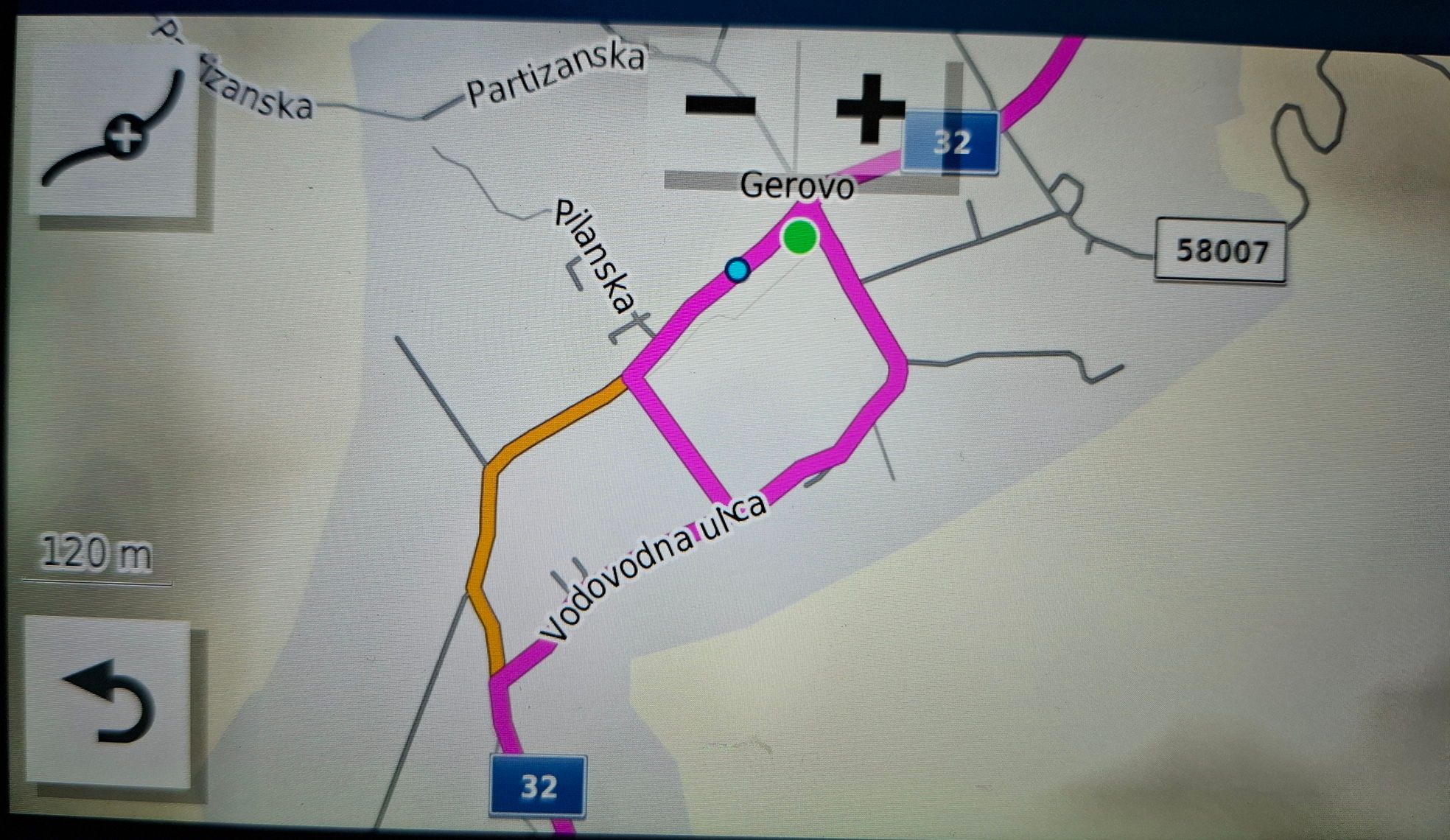
-
For some reason, this happened to me too last weekend. I have a xt wirh a route made in myroute app. Exported with gpx 1.1, for a route of 350km. Expanded with 100 points (all soft and checked). When i open the route in rhe xt, it is as planned, but only after a few km's it suddenly changes the complete route to about 550km's. It gives similar behaviour as you describe. Sometimes it even directs me in a linear direction,like i'm a plane. It happened with a round-trip, so from A to A. I had another trip made from A to B the same way, didn't have any problems there. Made with the same settings and same export mode. Ended up following the route as a track, but that is far from ideal, as there is no guidance then in the xt. There must be something happening in the xt, because BEFORE i start to navigate it is all ok. Settings are as MRA suggested (faster time, re-calculate on). Doesn't matter if i change any if those, still keeps happening. Hope someone can help with this....
-
This happened to me too last weekend. Never had problems untill now.
I made a route with MRA from A to B, exported it with GPX 1.1, calculation "faster time", re-calculation on, no problems.
Made another route the same day from A to A (roundtrip) with the same settings. When i start this route, after a few minutes of driving, it changes the route from 350 km's to about 450 km's.
All points (soft and checked) go crazy (i have 100 points expanded). Doesn't matter what i change in the XT, it still goes crazy.
At every point, it turns around, makes a weird curve, or even goes from point to point in a birds-view (like i am in a plane). Changed the route in MRA, so the start and end are far from eachother, doesn't make a difference.
All i could do, is follow the track, but that is far from ideal, as it doesn't show turn by turn navigation.
This has never happened to me before, so it must be something in the XT i guess.
I have everyting updated.
I made another route for my girlfriend at the same time in another area (she has an XT too) with the same settings and also from A to A (roundtrip) and she didn't have any problems. Wish i could show some screenshots, but sadly not possible as i am home now.
Hope someone can help us with this. -
This happened to me too last weekend. Never had problems untill now.
I made a route with MRA from A to B, exported it with GPX 1.1, calculation "faster time", re-calculation on, no problems.
Made another route the same day from A to A (roundtrip) with the same settings. When i start this route, after a few minutes of driving, it changes the route from 350 km's to about 450 km's.
All points (soft and checked) go crazy (i have 100 points expanded). Doesn't matter what i change in the XT, it still goes crazy.
At every point, it turns around, makes a weird curve, or even goes from point to point in a birds-view (like i am in a plane). Changed the route in MRA, so the start and end are far from eachother, doesn't make a difference.
All i could do, is follow the track, but that is far from ideal, as it doesn't show turn by turn navigation.
This has never happened to me before, so it must be something in the XT i guess.
I have everyting updated.
I made another route for my girlfriend at the same time in another area (she has an XT too) with the same settings and also from A to A (roundtrip) and she didn't have any problems. Wish i could show some screenshots, but sadly not possible as i am home now.
Hope someone can help us with this.
@Fredrossi sounds like either the XT never recognised you passed the start point & was then trying to reroute you back to it or a standard case of the garmin xt getting into a RUT, check the garmin xt forum to find out more about RUT's
if you continue to leave recalculate ON then you will see a lot of this crazy behaviour -
Thanks for the reply and link, but i don't think it's a RUT. The gps is showing the route as planned, but when i pass the first point, it changes the complete route : every point is still there, but it gives some bizar routing at every point, and then goes to the next point, where is does that again. So the route goes from 350 to 450 km's.
It doesn't let me go back to a previous point, like it would for a hard waypoint, it just goes crazy on every point and then goes further on the correct route.
If i stop the route and start again halfway, it does the same thing.
It doesn't send me back to the beginning either.
I have been working with Garmin since the gps 12 and the streetpilot III. This is a first for me to discover such weird things.
Recalculation ON is what MRA suggests, and worked perfect before, so what happened here i don't know, setting it to OFF might work, but that looks like a workaround to me, not a solution.
Even stranger that the XT of my girlfriend didn't have this issue. In about 2 weeks we have a roundtrip, about 170 km's, will see what happens there.
For now, i just don't know how to reproduce or resolve it. -
I am just wondering if this is an update thing, since I didn't notice this kind of behavior last year. All tough I don't have such an extreme problem as @Fredrossi.
@Fredrossi does your girlfriend update hers Zumo regulary or perhaps not?
-
I am just wondering if this is an update thing, since I didn't notice this kind of behavior last year. All tough I don't have such an extreme problem as @Fredrossi.
@Fredrossi does your girlfriend update hers Zumo regulary or perhaps not?
Hello! It looks like you're interested in this conversation, but you don't have an account yet.
Getting fed up of having to scroll through the same posts each visit? When you register for an account, you'll always come back to exactly where you were before, and choose to be notified of new replies (either via email, or push notification). You'll also be able to save bookmarks and upvote posts to show your appreciation to other community members.
With your input, this post could be even better 💗
Register Login-
 5962.6k
-
9942.6k
-
 023798
-
 0593
0593
-
 05126
05126
-
0465
-
 05175
05175
-
03113

