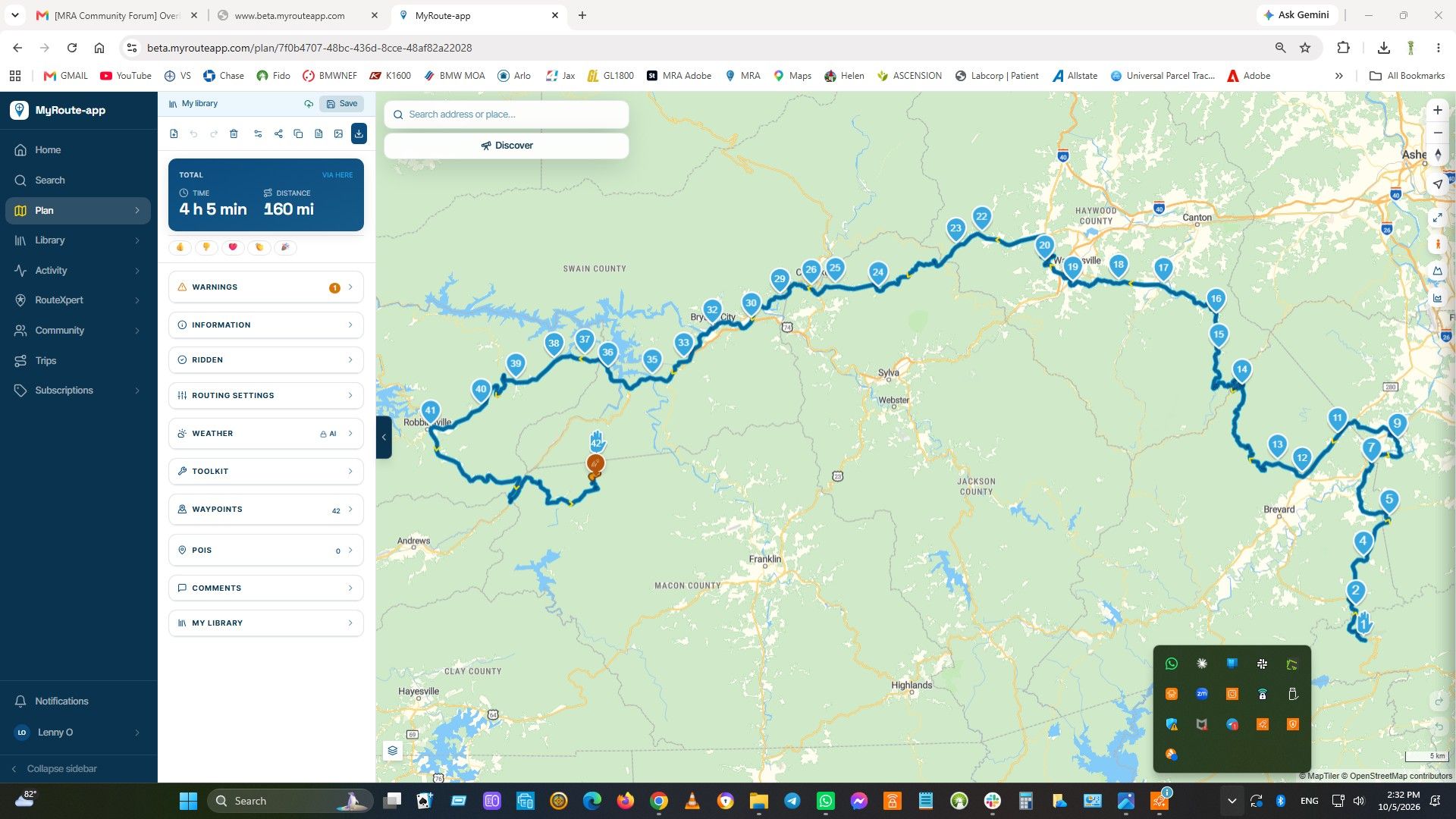
Updated beta! 5.0.3 (449)
-
Sorry, I have to ask again because I don't understand the reason

Why are the device - "Log out" also deleted all synchronized routes in this affected device .
VG


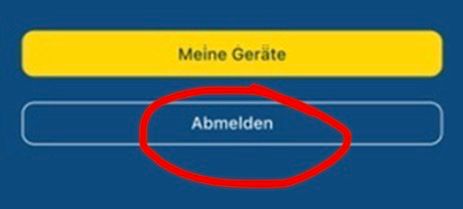
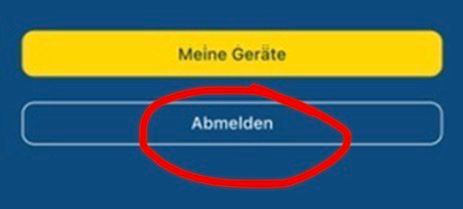
@Hubert-Thoring because that button is actually “abmelden” as it says

We were referring to the red icon to unlist a device.
-

449 in available in the Google store
-
@Hubert-Thoring because that button is actually “abmelden” as it says
We were referring to the red icon to unlist a device.

@Corjan-Meijerink said in Updated beta! 5.0.3 (449):
@Hubert-Thoring because that button is actually “abmelden” as it says
We were referring to the red icon to unlist a device.
@Corjan-Meijerink , I knew that, ...

But my question was about what exactly happens when "loging out" in the background in relation to the MRA app installation on the mobile phone?
This means that when "logging out" all synchronized routes are deleted, and what else, all offline maps etc. are also deleted so that the app becomes neutral and is only synchronized again with the account the next time you log in to the device.
It remains unclear at the moment what exactly is deleted when "unsubscribing" and what is not, because the offline cards are probably not deleted during this deregistration.
VG Hubert
Beta Test "Next App" dazu die Hardware .
iPad 9. Gen iOS 26.7.1/ iPhone 16e iOS 26.7.1/ Navi iPhone Xr iOS 18.7.10 / PC mit MS Win11 /❗️MyRoute-App im Cradel und Remotek-One❗️ Info zu MRA & Remotek One -
@Corjan-Meijerink said in Updated beta! 5.0.3 (449):
@Hubert-Thoring because that button is actually “abmelden” as it says
We were referring to the red icon to unlist a device.
@Corjan-Meijerink , I knew that, ...
But my question was about what exactly happens when "loging out" in the background in relation to the MRA app installation on the mobile phone?
This means that when "logging out" all synchronized routes are deleted, and what else, all offline maps etc. are also deleted so that the app becomes neutral and is only synchronized again with the account the next time you log in to the device.
It remains unclear at the moment what exactly is deleted when "unsubscribing" and what is not, because the offline cards are probably not deleted during this deregistration.
@Hubert-Thoring only local cached data related to your account are removed when logging off. Which is no issue at all because it’s in the cloud anyway
Let’s not treat logging off as a weird new feature because it’s there since day one in the app

-
 This post is deleted!
 -
still one question. all is only online. i use a offline phone and tablet for navigation and i have always a backup phone also without sim. i do understand it correct that switching between is only online. not on all places where i stay has internet by wifi or 4g on my real phone. if i would have to switch i need to find internet to switch to other to make it active.
-
Yesterday dus à test drive with version 449. 2 things
1 the position marker is a bit behind, approximative. 20 meters
2 the spinning of the map while Cummings to a complete stop has improved but is still there. Not in all situations but sometimes, when omving SouthA suggestion for the future
A had both my AA device and Phone visible. If I arrive bear a speedcamera and my speed is aboie the max, the warming on my phone turns red but the one on AA stays Blue. It’s a super handy feature and I would like it to be available on AA as wellHonda Goldwing GL1500,
Honda Silverwing GL 650
DMD2 T865X 8 inch Android tablet using MRA next for navigation
Garmin XT sold
Samsung S24FE mounted on a Quadlock and using Android Auto in my car -
Yesterday dus à test drive with version 449. 2 things
1 the position marker is a bit behind, approximative. 20 meters
2 the spinning of the map while Cummings to a complete stop has improved but is still there. Not in all situations but sometimes, when omving SouthA suggestion for the future
A had both my AA device and Phone visible. If I arrive bear a speedcamera and my speed is aboie the max, the warming on my phone turns red but the one on AA stays Blue. It’s a super handy feature and I would like it to be available on AA as well
@Marinus-van-Deudekom I think you drank too many beers last night

-
still one question. all is only online. i use a offline phone and tablet for navigation and i have always a backup phone also without sim. i do understand it correct that switching between is only online. not on all places where i stay has internet by wifi or 4g on my real phone. if i would have to switch i need to find internet to switch to other to make it active.

@Bouke-Ent, If you do not log off, nothing will be lost. If you need to unlist a device, you do that from the device you are going to use, after pressing My Devices.
-

Thanks @Corjan-Meijerink, works great!
Hello! It looks like you're interested in this conversation, but you don't have an account yet.
Getting fed up of having to scroll through the same posts each visit? When you register for an account, you'll always come back to exactly where you were before, and choose to be notified of new replies (either via email, or push notification). You'll also be able to save bookmarks and upvote posts to show your appreciation to other community members.
With your input, this post could be even better 💗
Register Login



-
0513
-
058
-
08204
-
0416
-
0418
-
 1846
1846
-
 0489
0489
-
 0313
0313