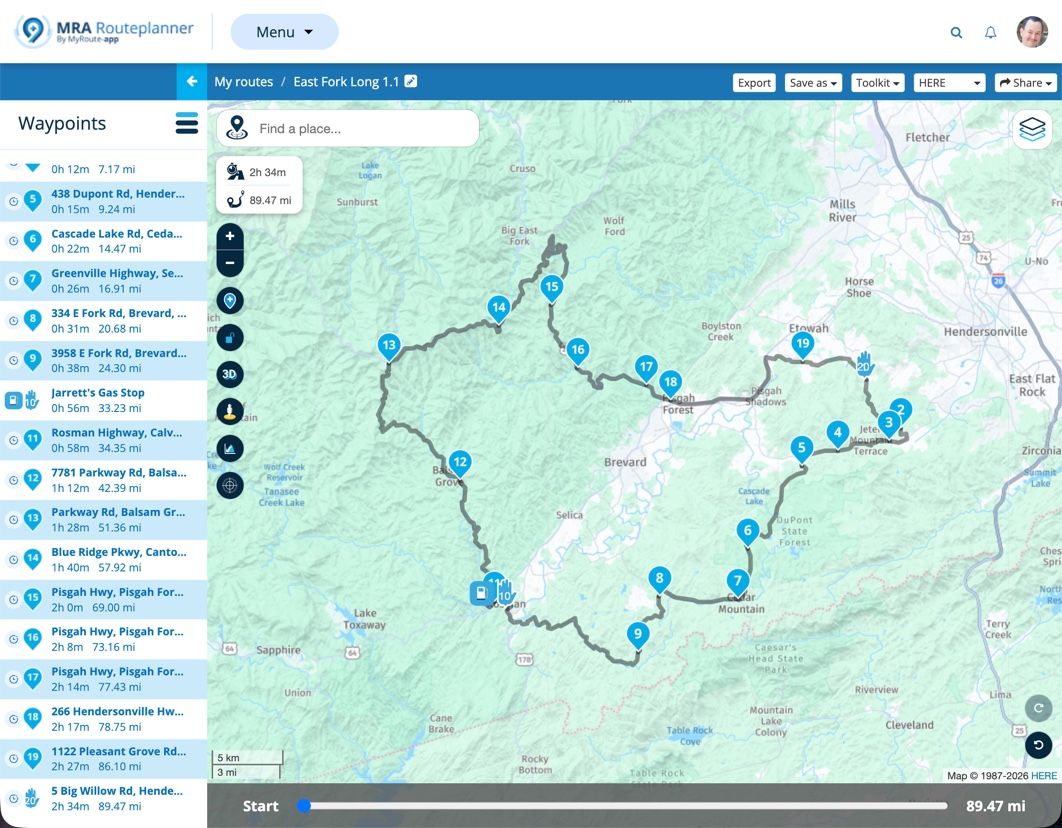
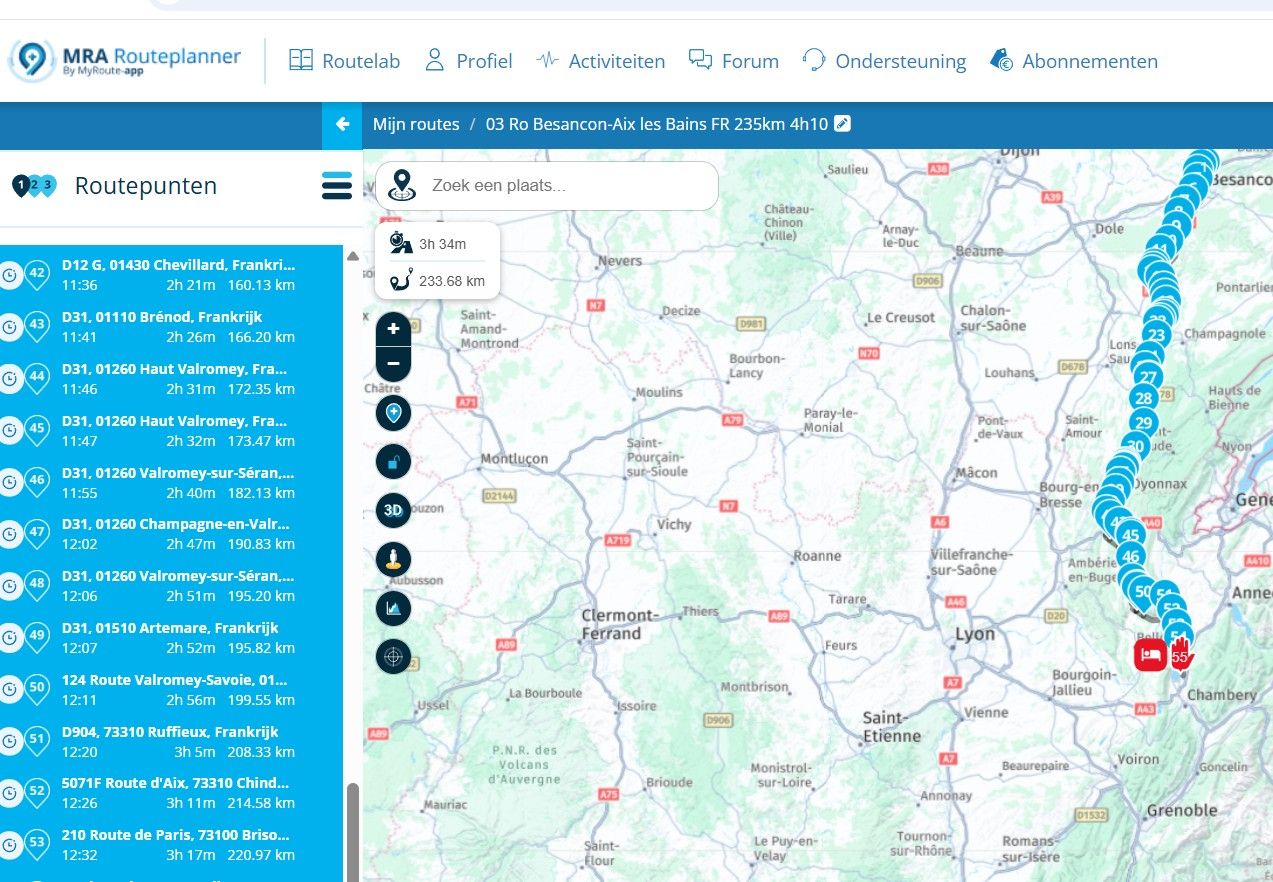
Waypoint names.
-
Hi @Simon-q
The issue with waypoint names is as @Marinus van Deudekom says, it is a Garmin thing
the XT specifically renames points in a seemingly completely random way, it even can change the location by small amounts each time you rename the point !I don't believe it is to do with the position of the points but more to do with the Garmin/Here database for the road names not matching or somehow conflicting with your name of the point.
The Garmin tries helpfully to "correct" what it thinks is an error but is in fact deleting/corrupting hours of your workThe only way round it I know of is to check the points after they are loaded to the Garmin & rename the ones that have changed back to the name you original chose.
Transfering via Basecamp or such does not help, the names are changed as they are loaded onto the device -
if you have used route algorithm HERE and your way points are really exactly on the roads, may try to use for export gpx 1.0
-
Sorry for the late addition... I have an older Garmin nuvi. I am researching whether to replace it with the newer Zumo XT2 and keep using my MyRoute-app generated routes, or switch to a rugged phone running the MRA app. I started the 2 week trial period for the app and did some testing today...
I liked that the app shows via and shape markers and their associated colors! However, what I did not like was that there were no waypoint names displayed, just the name of the next road to turn on. The route worked perfectly, but I often rename my waypoints to GAS, LUNCH, OVLK (scenic overlook), and other useful names.
I use HERE to create my routes and export them as gpx 1.1 format. I mostly use shape points and very few via points. My old nuvi displays my waypoint name as I approach it - does anyone know if the XT2 does that as well?
I've read up on many threads regarding RUT behavior; gpx 1.1 versus 1.2; Android Auto versus running the app directly on Android phone; etc. If I go the phone/app path, I don't need it to do other things - just display my MRA created route without screwing up my waypoints! However, I also want to see my customized waypoint names. Is there some setting I'm missing to make the MRA app do this? Any other feedback/suggestions? Thanks!
-
Sorry for the late addition... I have an older Garmin nuvi. I am researching whether to replace it with the newer Zumo XT2 and keep using my MyRoute-app generated routes, or switch to a rugged phone running the MRA app. I started the 2 week trial period for the app and did some testing today...
I liked that the app shows via and shape markers and their associated colors! However, what I did not like was that there were no waypoint names displayed, just the name of the next road to turn on. The route worked perfectly, but I often rename my waypoints to GAS, LUNCH, OVLK (scenic overlook), and other useful names.
I use HERE to create my routes and export them as gpx 1.1 format. I mostly use shape points and very few via points. My old nuvi displays my waypoint name as I approach it - does anyone know if the XT2 does that as well?
I've read up on many threads regarding RUT behavior; gpx 1.1 versus 1.2; Android Auto versus running the app directly on Android phone; etc. If I go the phone/app path, I don't need it to do other things - just display my MRA created route without screwing up my waypoints! However, I also want to see my customized waypoint names. Is there some setting I'm missing to make the MRA app do this? Any other feedback/suggestions? Thanks!
@Al-Cohen I ditched my Garmin XT exactly due to the RUT problem that has been present in all garmin models for years, if you don't turn off the garmin recalculate function you will end up in a RUT loop at some point & it just completely ruins a day/trip
I opted for a large dedicated rugged android running MRA directly, it works very well
Due to the large battery there is no need to wire it to the bike, no charging/cabling issues & the best benefit is that when you plan your routes in MRA your routes are immediately available in the navigation app no need to worry about transfer the route or what format to use, the route is just there synced to your navigation device& yes MRA does allow you to see the customized waypoint names but only stupidly 750m before you reach it as you can see from this thread
-
Sorry for the late addition... I have an older Garmin nuvi. I am researching whether to replace it with the newer Zumo XT2 and keep using my MyRoute-app generated routes, or switch to a rugged phone running the MRA app. I started the 2 week trial period for the app and did some testing today...
I liked that the app shows via and shape markers and their associated colors! However, what I did not like was that there were no waypoint names displayed, just the name of the next road to turn on. The route worked perfectly, but I often rename my waypoints to GAS, LUNCH, OVLK (scenic overlook), and other useful names.
I use HERE to create my routes and export them as gpx 1.1 format. I mostly use shape points and very few via points. My old nuvi displays my waypoint name as I approach it - does anyone know if the XT2 does that as well?
I've read up on many threads regarding RUT behavior; gpx 1.1 versus 1.2; Android Auto versus running the app directly on Android phone; etc. If I go the phone/app path, I don't need it to do other things - just display my MRA created route without screwing up my waypoints! However, I also want to see my customized waypoint names. Is there some setting I'm missing to make the MRA app do this? Any other feedback/suggestions? Thanks!
@Al-Cohen If you use MRA Navigation Next you need to turn on waypoint information to see the name and any notes that you have written displayed on screen.
Go to Navigation settings > Screen layout > Waypoints and then choose to show Eiter via points or all waypoints.If you now go to Audio you can choose to have names and notes read aloud to you.
-
Thanks guys. I had all Screen layout settings turned on, but Waypoint was set to Via so I changed it to All. During my 5 mile test yesterday I did not notice any Via names displayed, but I will try again and pay closer attention when I get within 750m.
Yesterdays test included 3 devices while driving my Kia Soul -- MRA Nav Next on my Samsung S24 phone, MRA displayed with Android Auto in the automobile, and my Gramin nuvi. I had previously turned off voice prompts, but have enabled that too for all waypoint notifications during the next test.
I will test again with just my phone and AA in the car. I'm pretty certain I only saw actual waypoint names displayed in the nuvi, but we'll see. It definately is nice to have my route synched automatically and not have to worry about exporting/importing them.
Last point -- regarding RUT behavior... I purposely skipped a Via point and continued on the route. It seemed as though the app was continually trying to direct me back to the Via points, even after I had gone through other Shape and Via points. In the Functional settings, the info box for "Skip waypoints automatically" states that viapoints are never skipped -- how then is this different from Garmin RUT behavior?
-
To clarify the last paragraph - is seemed like the app continually tried to route me back to the skipped Via point, even after going past other Shape and Via points on the route. So how is this different than Garmin RUT behavior? (This behavior is why I almost never use Via points in my routes.)
-
Thanks guys. I had all Screen layout settings turned on, but Waypoint was set to Via so I changed it to All. During my 5 mile test yesterday I did not notice any Via names displayed, but I will try again and pay closer attention when I get within 750m.
Yesterdays test included 3 devices while driving my Kia Soul -- MRA Nav Next on my Samsung S24 phone, MRA displayed with Android Auto in the automobile, and my Gramin nuvi. I had previously turned off voice prompts, but have enabled that too for all waypoint notifications during the next test.
I will test again with just my phone and AA in the car. I'm pretty certain I only saw actual waypoint names displayed in the nuvi, but we'll see. It definately is nice to have my route synched automatically and not have to worry about exporting/importing them.
Last point -- regarding RUT behavior... I purposely skipped a Via point and continued on the route. It seemed as though the app was continually trying to direct me back to the Via points, even after I had gone through other Shape and Via points. In the Functional settings, the info box for "Skip waypoints automatically" states that viapoints are never skipped -- how then is this different from Garmin RUT behavior?
@Al-Cohen I think maybe you misunderstand the nature of the Garmin RUT problem,
when a Garmin devices gets into a RUT it is not specifically to do with Via points,
when a Garmin Ruts the system is trying to route to 2 different points at the same time & it is impossible for the user to correct by skipping points, the only way to recover is restart the route/device.With MRA a Via point will never be "automatically" skipped unless you actually pass/drive through it
So if you deviate off the route & pass a Via point you have to manually skip it by clicking the point icon in the top right or selecting a point further along the route after the Via point to continue on the pathSometimes with MRA when you think you have skipped a point but the system may be busy & not register your manual skip input, so it looks like it is trying to take you back, you just have to re-skip the point
-
I understand now. And a quick test did show the waypoint name, plus the audio. And I was able to skip a waypoint. So, I think all my issues/concerns are addressed! I'm no longer afraid to use Via points

Thanks again for the quick feedback. No Garmin XT2 for me - now I just have to decide on the right phone and mount

Hello! It looks like you're interested in this conversation, but you don't have an account yet.
Getting fed up of having to scroll through the same posts each visit? When you register for an account, you'll always come back to exactly where you were before, and choose to be notified of new replies (either via email, or push notification). You'll also be able to save bookmarks and upvote posts to show your appreciation to other community members.
With your input, this post could be even better 💗
Register Login-
 3281.2k
-
 0530
0530
-
 0322
0322
-
04166
-
 717414.0k
-
 012330
-
 0235
0235
-
 0382
0382