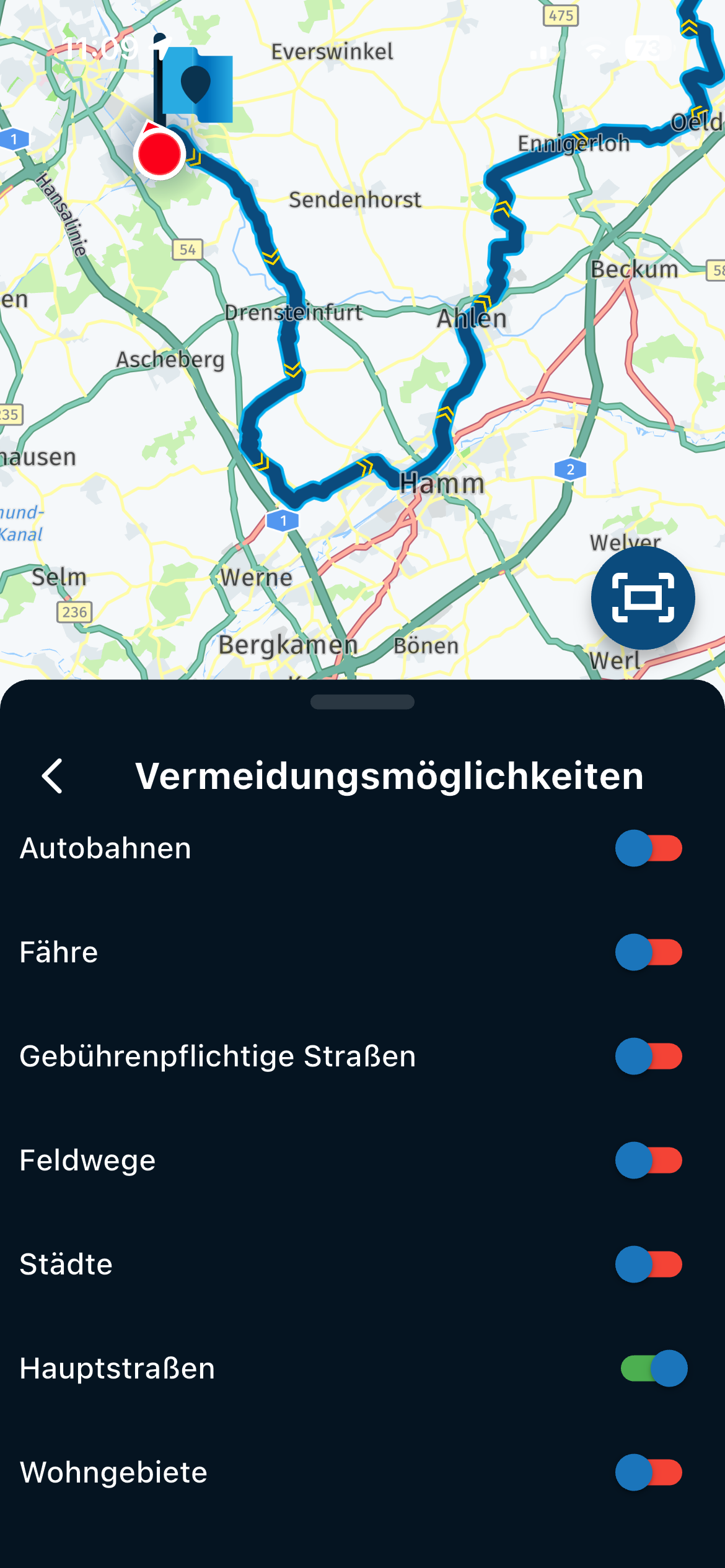
Bluetooth device key mappings work but also change map view.
-

Hi
Using Android
I'm trying to use a cheap bluetooth controller to remotley zoom in and out, I use a key mapper app to map buttons from the device to specfic actions, it was working but since I last updated the OS it's not working as expected.
The Zoom does work when I press the remote but it also changes the view to Top Down, I press the + button on the remote, the map zooms in and then it changes to Top Down view, zoom out (minus) works fine.!
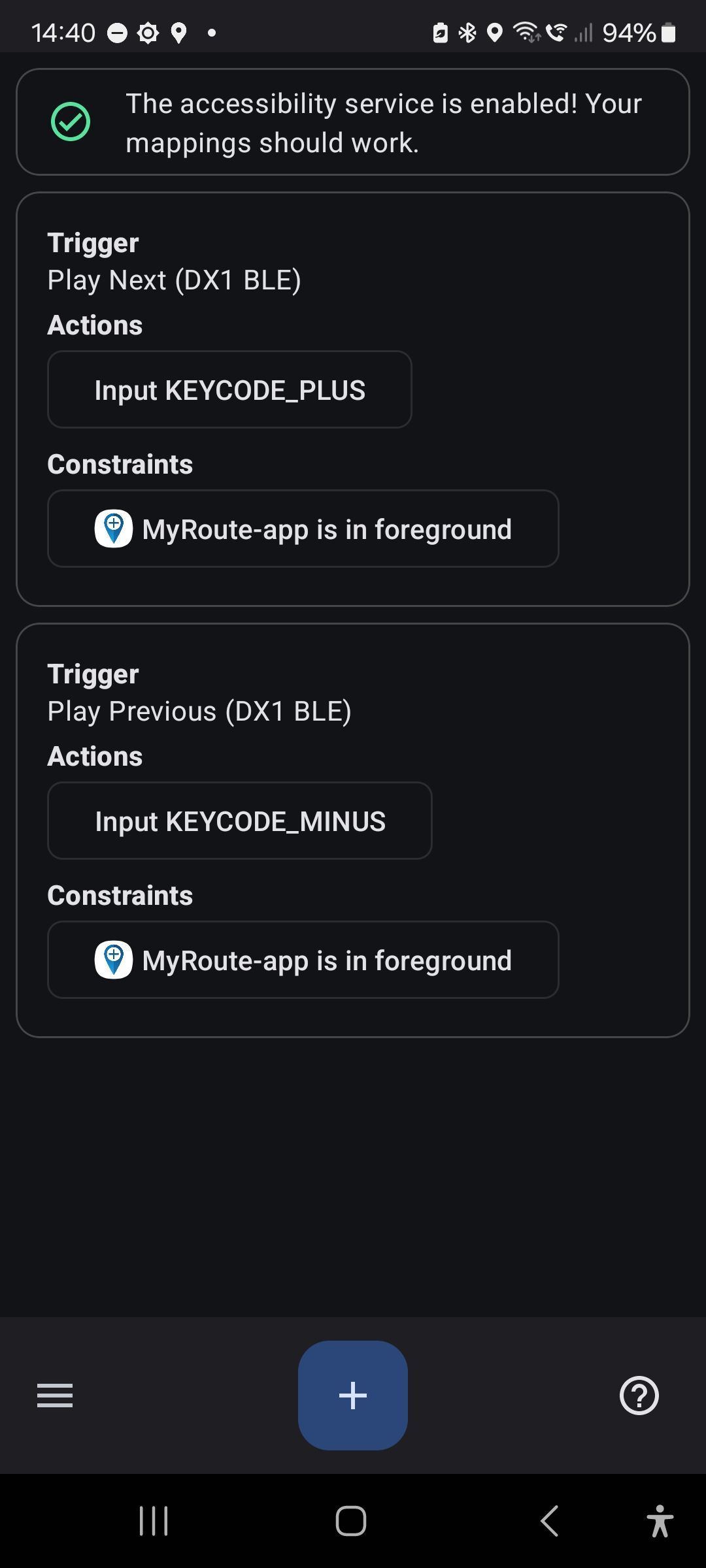
This shows the key mappings, I have also tried = instead of + but same result.
Any ideas?
Thanks
Screenshot_20250215_144056_Key Mapper.jpg -
Hi
Using Android
I'm trying to use a cheap bluetooth controller to remotley zoom in and out, I use a key mapper app to map buttons from the device to specfic actions, it was working but since I last updated the OS it's not working as expected.
The Zoom does work when I press the remote but it also changes the view to Top Down, I press the + button on the remote, the map zooms in and then it changes to Top Down view, zoom out (minus) works fine.!
This shows the key mappings, I have also tried = instead of + but same result.
Any ideas?
Thanks
Screenshot_20250215_144056_Key Mapper.jpg
@Rob-Kelley please, which key mapper App are you using?
Nothing is impossible ;-)
In past: GARMIN Zumo 210->GARMIN Zumo 395->GARMIN XT=> now: DMD T865-X + MyRoute-App, LocusMaps, OsmAnd.
In past: GARMIN MapSource ->GARMIN BaseCamp->Tyre->Kurviger->Calimoto=> now: MRA-Routplanner. -
@Rob-Kelley please, which key mapper App are you using?
@Guzzist it’s just called ‘Key Mapper’ https://play.google.com/store/apps/details?id=io.github.sds100.keymapper&pcampaignid=web_share
-
Hi
Using Android
I'm trying to use a cheap bluetooth controller to remotley zoom in and out, I use a key mapper app to map buttons from the device to specfic actions, it was working but since I last updated the OS it's not working as expected.
The Zoom does work when I press the remote but it also changes the view to Top Down, I press the + button on the remote, the map zooms in and then it changes to Top Down view, zoom out (minus) works fine.!
This shows the key mappings, I have also tried = instead of + but same result.
Any ideas?
Thanks
Screenshot_20250215_144056_Key Mapper.jpg
@Rob-Kelley @Corjan-Meijerink
Hy Rob, Corjan has changed something with automated zoom last time. I'm in contact with him, to get setting preferences also for remote controller "Remote 2" from DMD - because many others and I'm are using it. He promised to work on.In meantime, I use "WunderLINQ" as preference in input settings. But this isn't working correct - but is the best option currently.
By your message, I was motivated to check MyRoute-App (Vers. 4.3.6.-382) at my device (T865-X from DMD) again. The result is similar to your observation:
-
Map in Top down:
zoom in (+) works correct
zoom out (-) works correct -
Map in North up:
zoom in (+) works, but changes map orientation to top down
zoom out (-) no action! -
Map in Dynamic style:
zoom in (+) works, but changes map orientation to top down
zoom out (-) no action!
My preferences during navigation in map layer for zoom is: off!
I can understand - for users which don't use remote controller - some automation for zoom is welcome and benefitcial. But by using a remote controller, it's much much more secure and user friendly to do zoom manually by remote! For this, the option to set zooming "off" in the preferences is made for - in my opinion. But it doesn't work as expexted.
May Corjan is co reading here - or we should risea ticket...
Nothing is impossible ;-)
In past: GARMIN Zumo 210->GARMIN Zumo 395->GARMIN XT=> now: DMD T865-X + MyRoute-App, LocusMaps, OsmAnd.
In past: GARMIN MapSource ->GARMIN BaseCamp->Tyre->Kurviger->Calimoto=> now: MRA-Routplanner. -
-
@Rob-Kelley @Corjan-Meijerink
Hy Rob, Corjan has changed something with automated zoom last time. I'm in contact with him, to get setting preferences also for remote controller "Remote 2" from DMD - because many others and I'm are using it. He promised to work on.In meantime, I use "WunderLINQ" as preference in input settings. But this isn't working correct - but is the best option currently.
By your message, I was motivated to check MyRoute-App (Vers. 4.3.6.-382) at my device (T865-X from DMD) again. The result is similar to your observation:
-
Map in Top down:
zoom in (+) works correct
zoom out (-) works correct -
Map in North up:
zoom in (+) works, but changes map orientation to top down
zoom out (-) no action! -
Map in Dynamic style:
zoom in (+) works, but changes map orientation to top down
zoom out (-) no action!
My preferences during navigation in map layer for zoom is: off!
I can understand - for users which don't use remote controller - some automation for zoom is welcome and benefitcial. But by using a remote controller, it's much much more secure and user friendly to do zoom manually by remote! For this, the option to set zooming "off" in the preferences is made for - in my opinion. But it doesn't work as expexted.
May Corjan is co reading here - or we should risea ticket...
@Guzzist said in Bluetooth device key mappings work but also change map view.:
@Rob-Kelley @Corjan-Meijerink
Hy Rob, Corjan has changed something with automated zoom last time. I'm in contact with him, to get setting preferences also for remote controller "Remote 2" from DMD - because many others and I'm are using it. He promised to work on.In meantime, I use "WunderLINQ" as preference in input settings. But this isn't working correct - but is the best option currently.
By your message, I was motivated to check MyRoute-App (Vers. 4.3.6.-382) at my device (T865-X from DMD) again. The result is similar to your observation:
-
Map in Top down:
zoom in (+) works correct
zoom out (-) works correct -
Map in North up:
zoom in (+) works, but changes map orientation to top down
zoom out (-) no action! -
Map in Dynamic style:
zoom in (+) works, but changes map orientation to top down
zoom out (-) no action!
My preferences during navigation in map layer for zoom is: off!
I can understand - for users which don't use remote controller - some automation for zoom is welcome and benefitcial. But by using a remote controller, it's much much more secure and user friendly to do zoom manually by remote! For this, the option to set zooming "off" in the preferences is made for - in my opinion. But it doesn't work as expexted.
May Corjan is co reading here - or we should risea ticket...
thanks for testing this and yep that's my experience as well, hopefully a fix will be soon.
GSA1250
HD Street Glide
HD Sport Glide
XT500 x 2 -
-
@Guzzist said in Bluetooth device key mappings work but also change map view.:
@Rob-Kelley @Corjan-Meijerink
Hy Rob, Corjan has changed something with automated zoom last time. I'm in contact with him, to get setting preferences also for remote controller "Remote 2" from DMD - because many others and I'm are using it. He promised to work on.In meantime, I use "WunderLINQ" as preference in input settings. But this isn't working correct - but is the best option currently.
By your message, I was motivated to check MyRoute-App (Vers. 4.3.6.-382) at my device (T865-X from DMD) again. The result is similar to your observation:
-
Map in Top down:
zoom in (+) works correct
zoom out (-) works correct -
Map in North up:
zoom in (+) works, but changes map orientation to top down
zoom out (-) no action! -
Map in Dynamic style:
zoom in (+) works, but changes map orientation to top down
zoom out (-) no action!
My preferences during navigation in map layer for zoom is: off!
I can understand - for users which don't use remote controller - some automation for zoom is welcome and benefitcial. But by using a remote controller, it's much much more secure and user friendly to do zoom manually by remote! For this, the option to set zooming "off" in the preferences is made for - in my opinion. But it doesn't work as expexted.
May Corjan is co reading here - or we should risea ticket...
thanks for testing this and yep that's my experience as well, hopefully a fix will be soon.
@Rob-Kelley I've just created a support ticket.
-
-

Full control over zoom level with a bluetooth controller is only possible with the top-down mode.
-
Full control over zoom level with a bluetooth controller is only possible with the top-down mode.
@Corjan-Meijerink oh, any plans to change this so it can be done in dynamic mode?
GSA1250
HD Street Glide
HD Sport Glide
XT500 x 2 -
@Corjan-Meijerink oh, any plans to change this so it can be done in dynamic mode?
@Rob-Kelley no, cause then it isn't dynamic anymore

-
@Rob-Kelley no, cause then it isn't dynamic anymore
@Corjan-Meijerink I get what you mean but I don’t agree.
My Zumo, in dynamic mode, allows me to zoom in and out and will then go back to dynamic view after a short period. -
@Rob-Kelley no, cause then it isn't dynamic anymore

It would be great if zoom in and out use the same view as Dynamic (aka 3D view). also as TomTom do.
Really it can't be deployed?
Best Regards!!!!
-
@Rob-Kelley no, cause then it isn't dynamic anymore

@Corjan-Meijerink, you could perhaps consider the + and - zoom buttons to correlate to the App's system setting that defines the standard zoom correction, if used in dynamic mode. More dynamic than that it will never be
Sad to see downvotes to you honest reply though...
But you have enough votes to compensate
I am just an enthusiastic MRA user, and hope you will be one too!
Most motorcycle problems are caused by the nut that connects the handlebar to the saddle.
Check out RideSleepRepeat.eu, a biker community for sharing stays across Europe
-
@Corjan-Meijerink, you could perhaps consider the + and - zoom buttons to correlate to the App's system setting that defines the standard zoom correction, if used in dynamic mode. More dynamic than that it will never be
Sad to see downvotes to you honest reply though...
But you have enough votes to compensate
@Con-Hennekens I agree, it could be an elegant solution for this problem without changing the internal algorithms in dynamic mode. The question is whether it can be changed effectively without breaking the ride.
Hello! It looks like you're interested in this conversation, but you don't have an account yet.
Getting fed up of having to scroll through the same posts each visit? When you register for an account, you'll always come back to exactly where you were before, and choose to be notified of new replies (either via email, or push notification). You'll also be able to save bookmarks and upvote posts to show your appreciation to other community members.
With your input, this post could be even better 💗
Register Login-
 1122156
-
 0618
0618
-
 0563
0563
-
0529
-
18161.6k
-
 0419
0419
-
0878
-
0577