Skip to content
  • Categories
  • Recent
  • Popular
  • Support
  • MyRoute-app
Collapse
Brand Logo

MRA Community Forum

  1. Home
  2. MyRoute-app Routeplanner
  3. [Web] Suggestions and Discussion
  4. Best map to use with Garmin vi

Best map to use with Garmin vi

Scheduled Pinned Locked Moved [Web] Suggestions and Discussion
11 Posts 6 Posters 2.7k Views 2 Watching
  • Oldest to Newest
  • Newest to Oldest
  • Most Votes
Reply
  • Reply as topic
Log in to reply
This topic has been deleted. Only users with topic management privileges can see it.
  • richard 3v Offline
    richard 3v Offline
    richard 3v
    wrote on last edited by
    #2

    Use the "Here" mapping, and make sure to add plenty of shaping points (teardrops)

    Rob Kelley 1 Reply Last reply
    0
    • richard 3v richard 3v

      Use the "Here" mapping, and make sure to add plenty of shaping points (teardrops)

      Rob Kelley Offline
      Rob Kelley Offline
      Rob Kelley
      wrote on last edited by
      #3

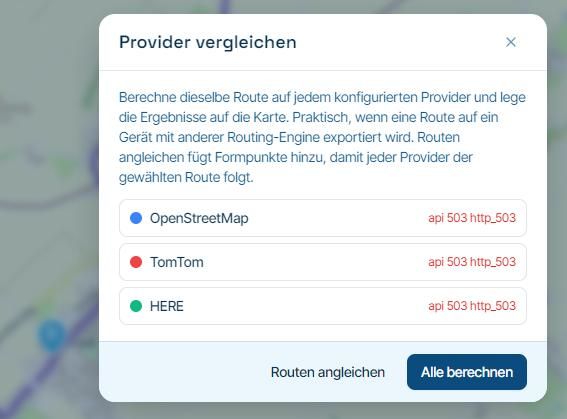
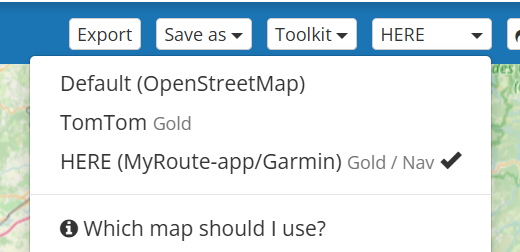
      @richard-3v As mentioned, use Here mapping, the Map menu does mention which map to use with Garmin and TomTom devices:
      167e2386-5649-4cc0-be8a-766725ecd195-image.png

      GSA1250
      HD Street Glide
      HD Sport Glide
      XT500 x 2

      1 Reply Last reply
      0
      • ka4564 Offline
        ka4564 Offline
        ka4564
        wrote on last edited by
        #4

        Thank you both.
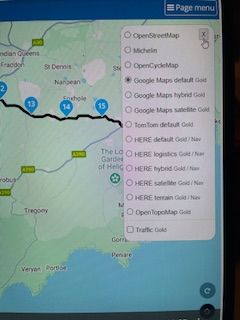
        I've been using google maps, so i guess that's why the route is slightly changing when transferring to the Garmin. although @Rob-Kelley i don't seem to have the - Here (MyRoute-app/Garmin) Gold/Nav. I am a good member i see the options as per the attached pic.
        IMG_2105.jpg

        Dave J 0 Nick Carthew 2 Replies Last reply
        0
        • ka4564 ka4564

          Thank you both.
          I've been using google maps, so i guess that's why the route is slightly changing when transferring to the Garmin. although @Rob-Kelley i don't seem to have the - Here (MyRoute-app/Garmin) Gold/Nav. I am a good member i see the options as per the attached pic.

          IMG_2105.jpg

          Dave J 0 Offline
          Dave J 0 Offline
          Dave J 0
          Valued contributor
          wrote on last edited by
          #5

          @ka4564 Select ‘Page Menu’ shown in your screenshot and you will see the options that @Rob-Kelley refers. The Google maps selection in the list you show are just overlay maps ayou can select for view use and do not affect the route calculation.

          Kind Regards. Help where I can.
          Ducati Multistrada V4 Rally
          iPhone 15 Pro
          CHIGEE AIO-6 LTE
          Google Pixel 6 Pro - mounted on SP Connect Plus
          Ex Garmin XT2 and XT1 as well as Ex TomTom Rider User

          1 Reply Last reply
          1
          • ka4564 ka4564

            Thank you both.
            I've been using google maps, so i guess that's why the route is slightly changing when transferring to the Garmin. although @Rob-Kelley i don't seem to have the - Here (MyRoute-app/Garmin) Gold/Nav. I am a good member i see the options as per the attached pic.

            IMG_2105.jpg

            Nick Carthew Online
            Nick Carthew Online
            Nick Carthew
            RouteXpert
            wrote on last edited by
            #6

            @ka4564 You will find the 3 planning maps OpenStreetMap, TomTom and HERE when you click the Page menu button.
            The Google map is one of the Overlay maps.
            Overlay maps have no effect on route calculations, think of overlay maps as clear sheets with additional information that you lay over the top of the planning maps.

            Always willing to help if I can.
            Triumph Tiger 1200 XRT called Tina.
            MRA Navigation Next and SilverFox BJ8

            1 Reply Last reply
            1
            • ka4564 Offline
              ka4564 Offline
              ka4564
              wrote on last edited by
              #7

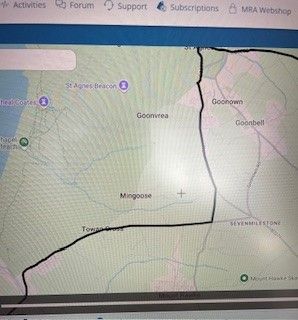
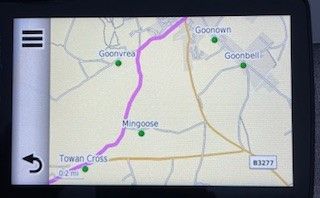
              Thank you all for your help! I’ve finally figured it out and now understand how overlays work too. It seems I’ve been using the 'Here' map all along, which is ideal for Garmin. However, the two maps below highlight the issue I was asking about.

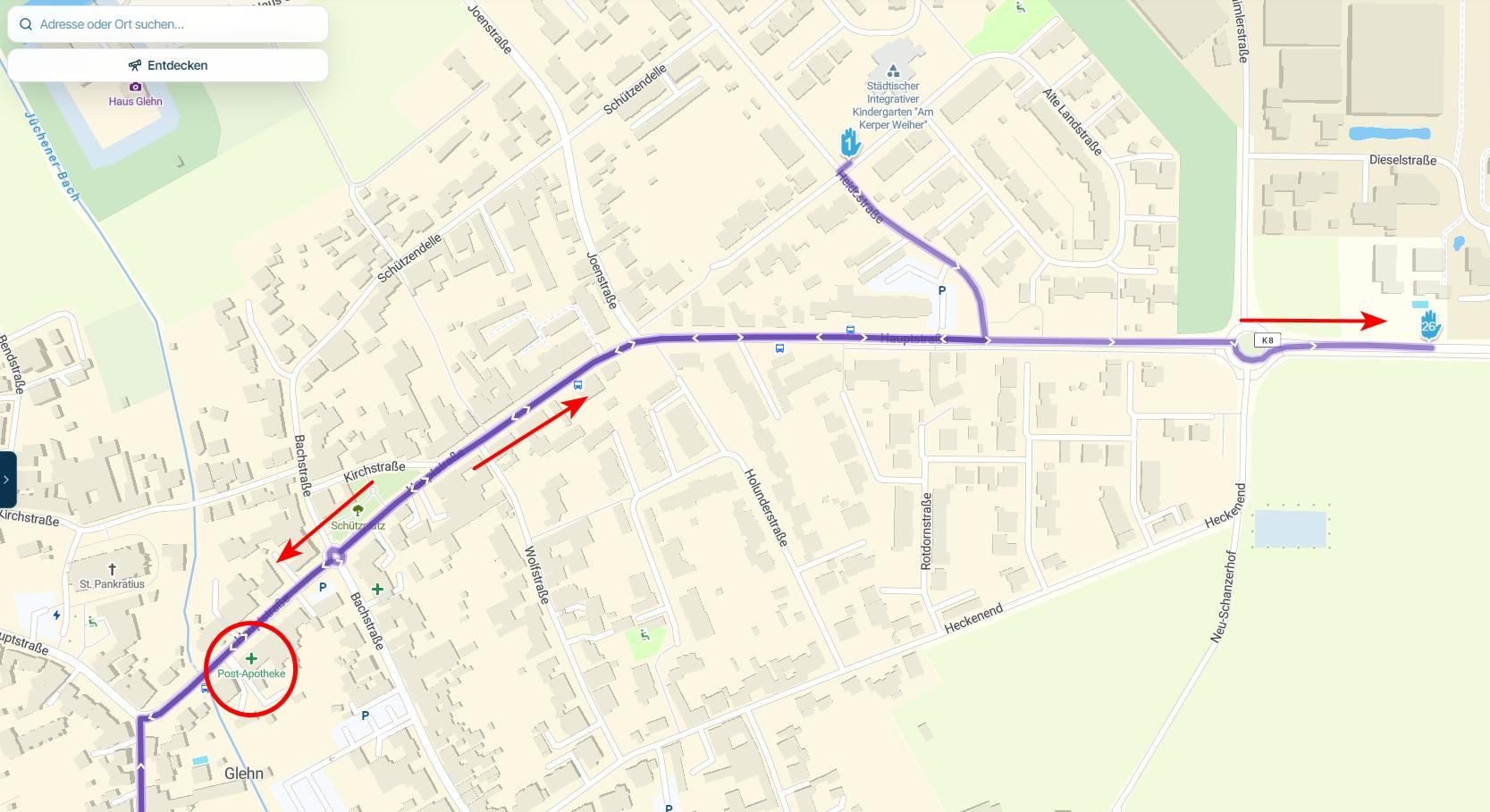
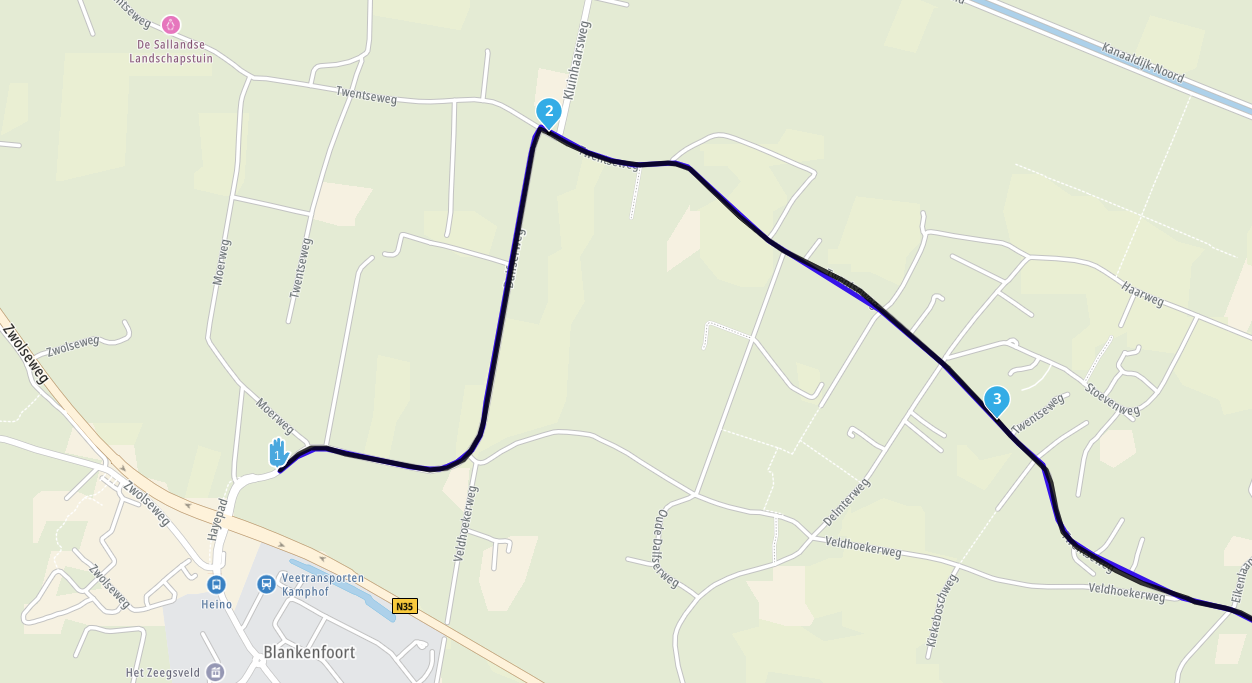
              The first picture shows the route I created on my PC using MRA and the 'Here' map for Garmin.
              The second picture shows my Garmin map and the deviation it has taken - this I guess was done on transfer?
              I actually ignored the deviation and continued on the original route, there was no reason for the Garmin to take me down the route shown?
              MRA route.jpg
              Garmin.jpg

              Nick Carthew Dave J 0 2 Replies Last reply
              0
              • ka4564 ka4564

                Thank you all for your help! I’ve finally figured it out and now understand how overlays work too. It seems I’ve been using the 'Here' map all along, which is ideal for Garmin. However, the two maps below highlight the issue I was asking about.

                The first picture shows the route I created on my PC using MRA and the 'Here' map for Garmin.
                The second picture shows my Garmin map and the deviation it has taken - this I guess was done on transfer?
                I actually ignored the deviation and continued on the original route, there was no reason for the Garmin to take me down the route shown?
                MRA route.jpg
                Garmin.jpg

                Nick Carthew Online
                Nick Carthew Online
                Nick Carthew
                RouteXpert
                wrote on last edited by
                #8

                @ka4564 Add some more shaping points, do not allow the Garmin to have a choice of routes to take.

                Always willing to help if I can.
                Triumph Tiger 1200 XRT called Tina.
                MRA Navigation Next and SilverFox BJ8

                nomko 1 Reply Last reply
                0
                • Nick Carthew Nick Carthew

                  @ka4564 Add some more shaping points, do not allow the Garmin to have a choice of routes to take.

                  nomko Offline
                  nomko Offline
                  nomko
                  Banned
                  wrote on last edited by
                  #9

                  @ka4564 and make sure to turn off recalculation (or recalculate route) on your Garmin device. this also ensures that your Garmin device will not recalculate your route and change the route.

                  1 Reply Last reply
                  0
                  • ka4564 ka4564

                    Thank you all for your help! I’ve finally figured it out and now understand how overlays work too. It seems I’ve been using the 'Here' map all along, which is ideal for Garmin. However, the two maps below highlight the issue I was asking about.

                    The first picture shows the route I created on my PC using MRA and the 'Here' map for Garmin.
                    The second picture shows my Garmin map and the deviation it has taken - this I guess was done on transfer?
                    I actually ignored the deviation and continued on the original route, there was no reason for the Garmin to take me down the route shown?
                    MRA route.jpg
                    Garmin.jpg

                    Dave J 0 Offline
                    Dave J 0 Offline
                    Dave J 0
                    Valued contributor
                    wrote on last edited by
                    #10

                    @ka4564 As the others have said, add more shaping points and turn off recalculation. I also used to have the track showing in the background just in case the Garmin decides to take you elsewhere!

                    Make sure you turn on the traffic layer as well when planning as that may also generate detours if a road is closed for a period.

                    Kind Regards. Help where I can.
                    Ducati Multistrada V4 Rally
                    iPhone 15 Pro
                    CHIGEE AIO-6 LTE
                    Google Pixel 6 Pro - mounted on SP Connect Plus
                    Ex Garmin XT2 and XT1 as well as Ex TomTom Rider User

                    1 Reply Last reply
                    0
                    • ka4564 Offline
                      ka4564 Offline
                      ka4564
                      wrote on last edited by
                      #11

                      Thank you all - much appreciated, you've been very helpful

                      1 Reply Last reply
                      1

                      Hello! It looks like you're interested in this conversation, but you don't have an account yet.

                      Getting fed up of having to scroll through the same posts each visit? When you register for an account, you'll always come back to exactly where you were before, and choose to be notified of new replies (either via email, or push notification). You'll also be able to save bookmarks and upvote posts to show your appreciation to other community members.

                      With your input, this post could be even better 💗

                      Register Login
                      Reply
                      • Reply as topic
                      Log in to reply
                      • Oldest to Newest
                      • Newest to Oldest
                      • Most Votes


                      ACTIVE USERS
                      Nick Carthew
                      Nick Carthew
                      nomko
                      nomko
                      Rob Kelley
                      Rob Kelley
                      Dave J 0
                      Dave J 0
                      richard 3v
                      richard 3v
                      ka4564
                      ka4564
                      POPULAR TOPICS
                      • Is there a way to put a Home button in the program
                        Travellexxie
                        Travellexxie
                        0
                        8
                        108

                      • routepunten overslaan gebeurd niet zoals verwacht
                        g.bolijn 1 0
                        g.bolijn 1 0
                        1
                        23
                        678

                      • Route doesn’t recalculate to my destination
                        Stevedo 6 0
                        Stevedo 6 0
                        0
                        8
                        293

                      • Google maps and Streetview
                        Stevedo 6 0
                        Stevedo 6 0
                        1
                        13
                        620

                      • Is there a way to re-order the routes in your routes folder?
                        superg
                        superg
                        0
                        3
                        61

                      • MRA 5.2.2 (489) Route time is calculated incorrectly /// Strecken Zeit wird falsch berechnet
                        Nick Carthew
                        Nick Carthew
                        0
                        4
                        32

                      • Opening Route Direct from Android Auto Screen
                        LennyO
                        LennyO
                        0
                        7
                        285

                      • MRA In the BMW - Cradel vertically and horizontally /// MRA im BMW - Cradel senkrecht und waagerecht nutzen
                        Hubert Thoring
                        Hubert Thoring
                        0
                        2
                        52

                      MY GROUPS
                      • Login

                      • Login or register to search.
                      • First post
                        Last post
                      0
                      • Categories
                      • Recent
                      • Popular
                      • Support
                      • MyRoute-app