
Truck route calculation differences between Web and Next! App
-

I work as a truck driving instructor in Germany. I use MRA to plan my training routes and unfortunately there are actually some serious problems with how the routes for trucks are calculated in the web version.
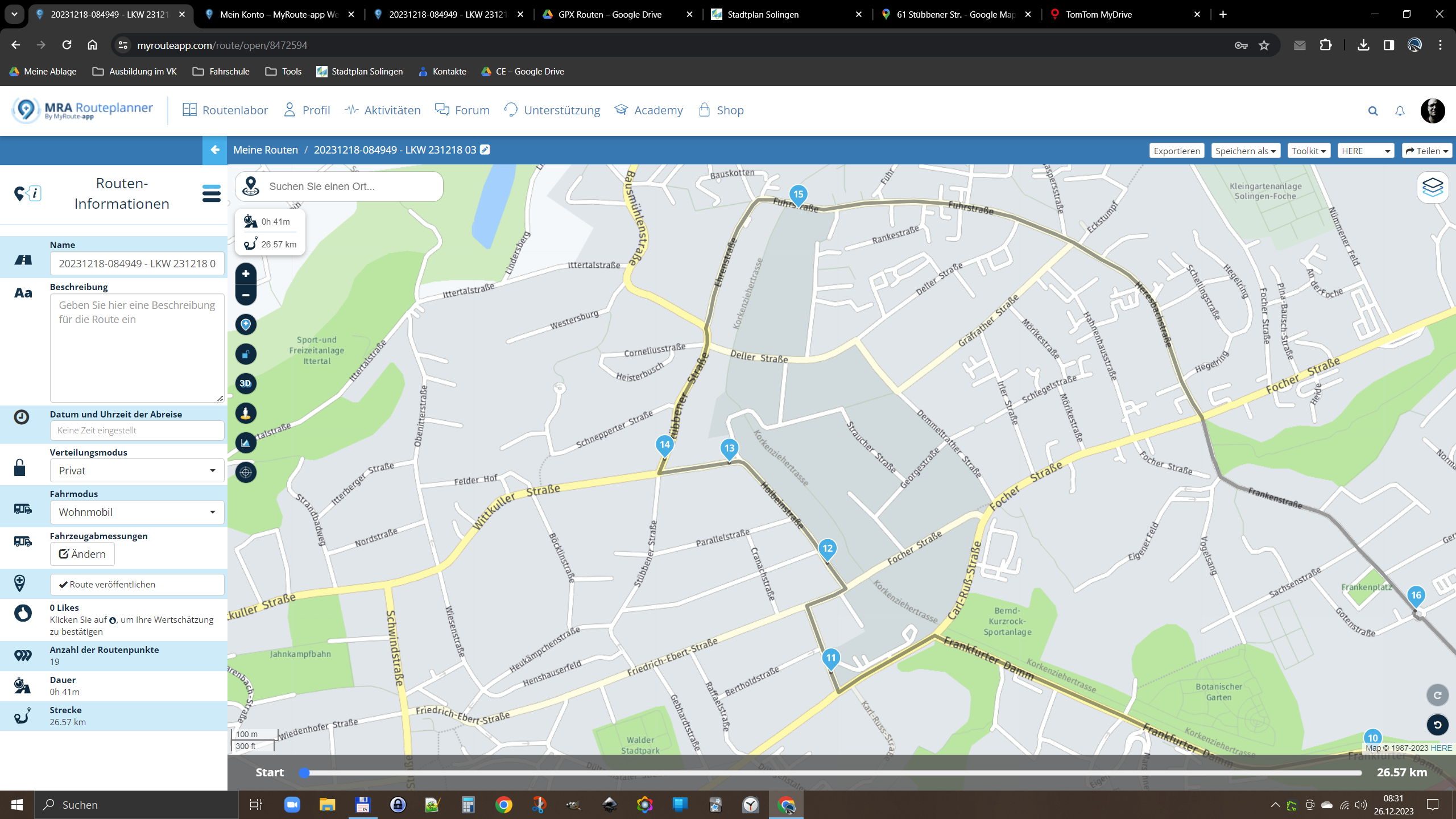
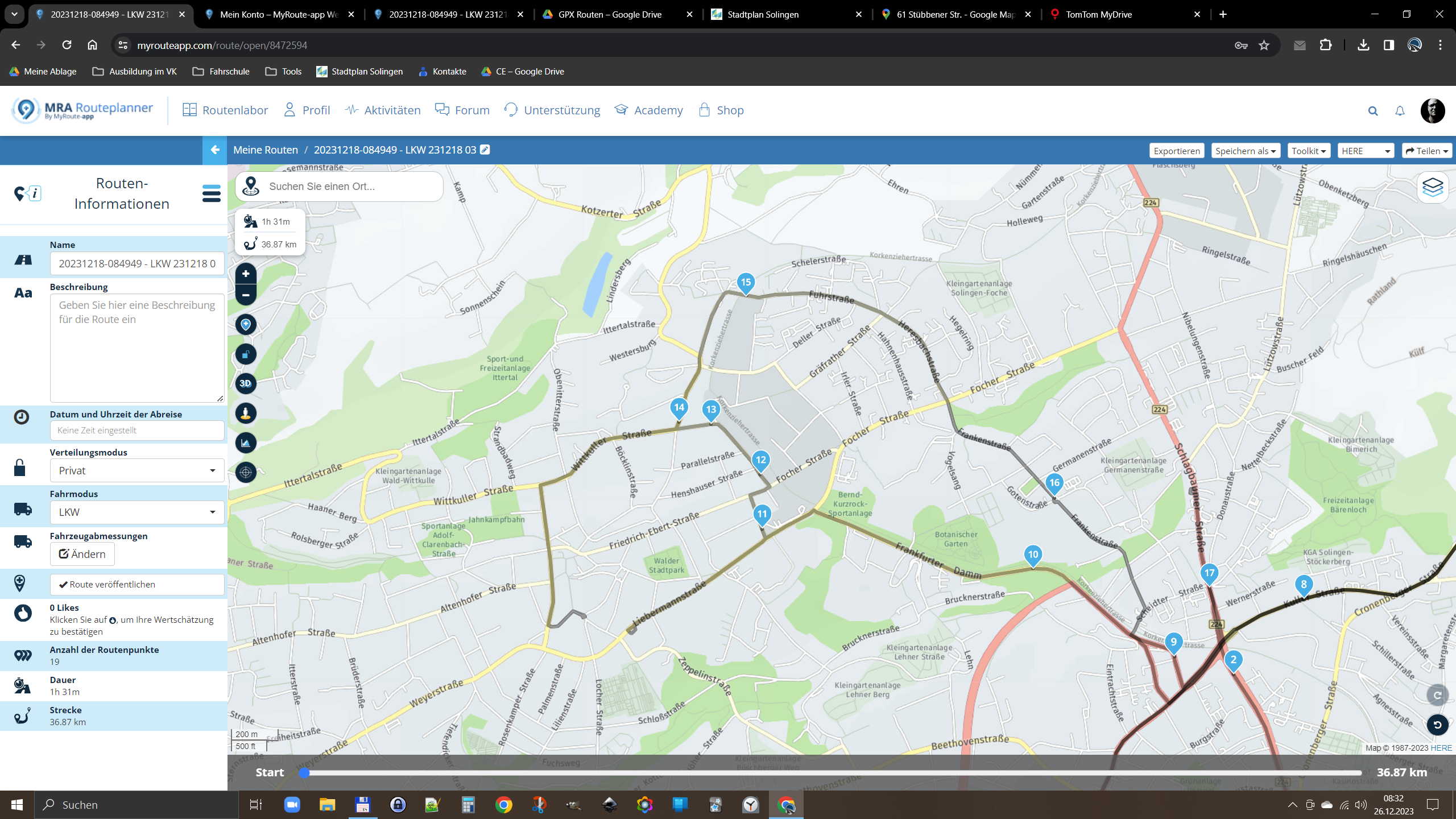
Whenever I set the route type (web version) to truck, unnecessary detours are calculated:
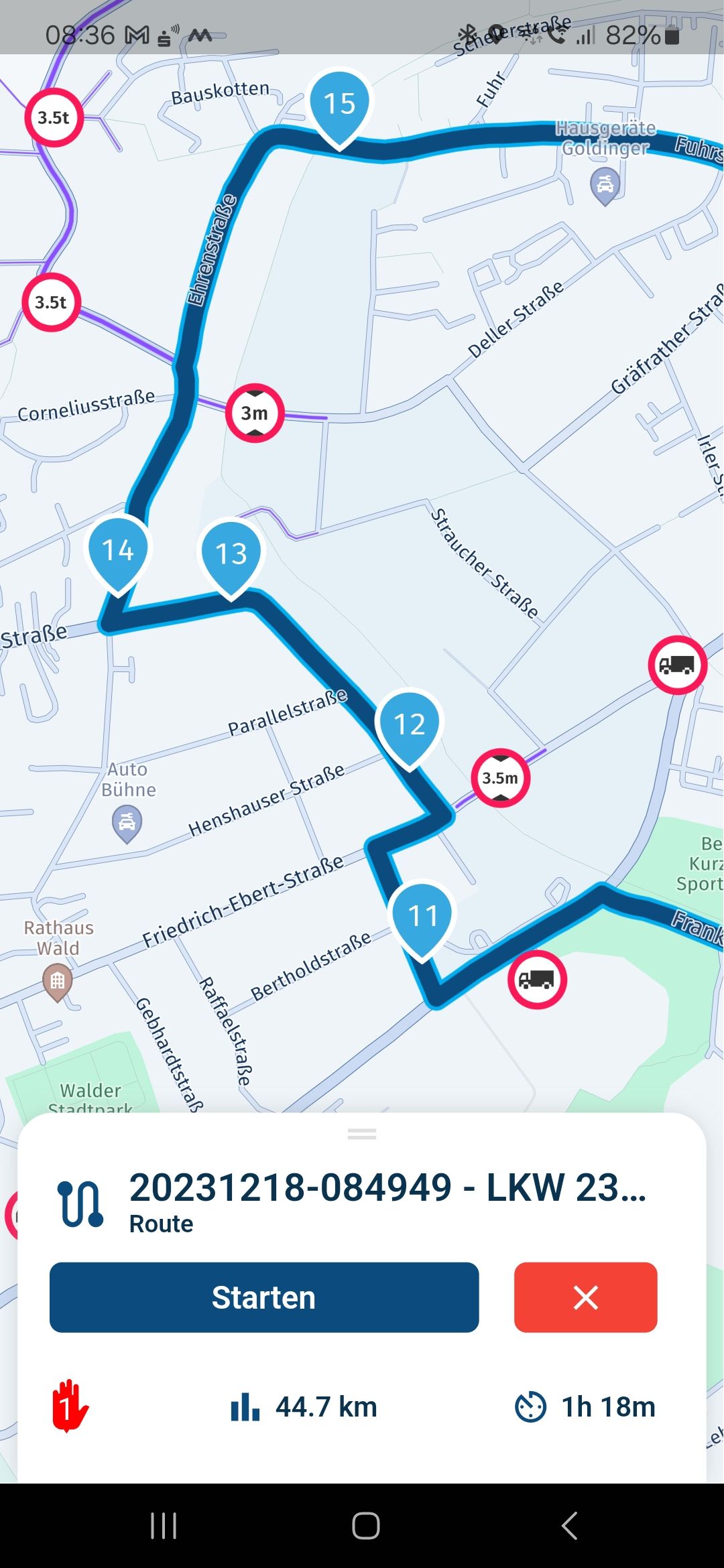
The Next! App is calculating the same route fine.
Even if I set the web version to the vehicle type "Motorhome", everything is fine.
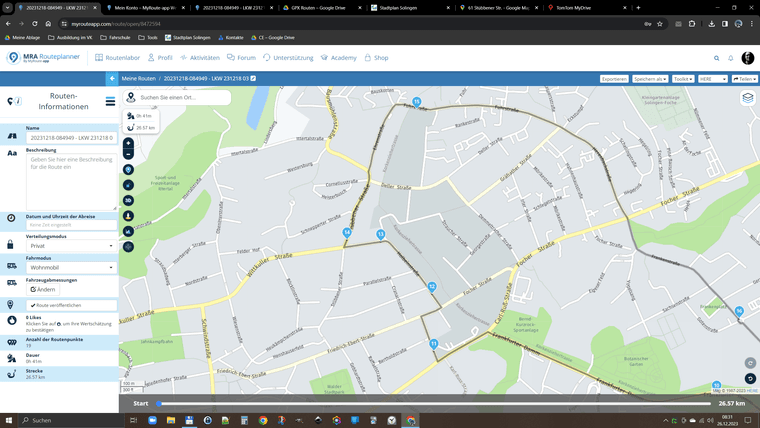
And before you ask: Yes, the route can be traveled with a truck including a trailer. I recorded the route in advance with a GPX logger. The calculating error inside of the web version always occurs when the vehicle type is set to “truck”, regardless of whether a trailer is specified in the vehicle data or not.
This is not at all useful or reliable. I strongly request that this issue will be resolved soon!
-
I work as a truck driving instructor in Germany. I use MRA to plan my training routes and unfortunately there are actually some serious problems with how the routes for trucks are calculated in the web version.
Whenever I set the route type (web version) to truck, unnecessary detours are calculated:
The Next! App is calculating the same route fine.
Even if I set the web version to the vehicle type "Motorhome", everything is fine.
And before you ask: Yes, the route can be traveled with a truck including a trailer. I recorded the route in advance with a GPX logger. The calculating error inside of the web version always occurs when the vehicle type is set to “truck”, regardless of whether a trailer is specified in the vehicle data or not.
This is not at all useful or reliable. I strongly request that this issue will be resolved soon!

Can you share the url from the route? Make sure it is set to public
Garmin Zumo XT3/XT2/XT/BMW Connected Ride Navigator/Tourstart/ MyRouteapp (The App)/...
Een dag niet gelachen is een dag niet geleefd / Een route is net zo goed als deze uitgezet is. -
Can you share the url from the route? Make sure it is set to public
-
I work as a truck driving instructor in Germany. I use MRA to plan my training routes and unfortunately there are actually some serious problems with how the routes for trucks are calculated in the web version.
Whenever I set the route type (web version) to truck, unnecessary detours are calculated:
The Next! App is calculating the same route fine.
Even if I set the web version to the vehicle type "Motorhome", everything is fine.
And before you ask: Yes, the route can be traveled with a truck including a trailer. I recorded the route in advance with a GPX logger. The calculating error inside of the web version always occurs when the vehicle type is set to “truck”, regardless of whether a trailer is specified in the vehicle data or not.
This is not at all useful or reliable. I strongly request that this issue will be resolved soon!

@Kai-Schmitz The issue has been fixed!

Behavior in app and web should be identical now.I see that the route you shared has been deleted unfortunately but I am quite confident that everything should work as expected.
Thanks for sharing

-
@Kai-Schmitz The issue has been fixed!
Behavior in app and web should be identical now.I see that the route you shared has been deleted unfortunately but I am quite confident that everything should work as expected.
Thanks for sharing
@Corjan-Meijerink many thank's for the Fix!
Hello! It looks like you're interested in this conversation, but you don't have an account yet.
Getting fed up of having to scroll through the same posts each visit? When you register for an account, you'll always come back to exactly where you were before, and choose to be notified of new replies (either via email, or push notification). You'll also be able to save bookmarks and upvote posts to show your appreciation to other community members.
With your input, this post could be even better 💗
Register Login-
 0572
0572
-
51014.1k
-
 1459
1459
-
 0365
0365
-
 026951
-
 08257
08257
-
9964.1k
-
 07246
07246

