Some issues and questions
-

Morning,
I used MRA NAV. Next yesterday in the Car.
iPhone X, iOS 15.6.1, Seat Arona.
MRA NAV. Next was not accessible via Car Play.
So I used it on the Phone screen. The route was calculated and I could drive it.
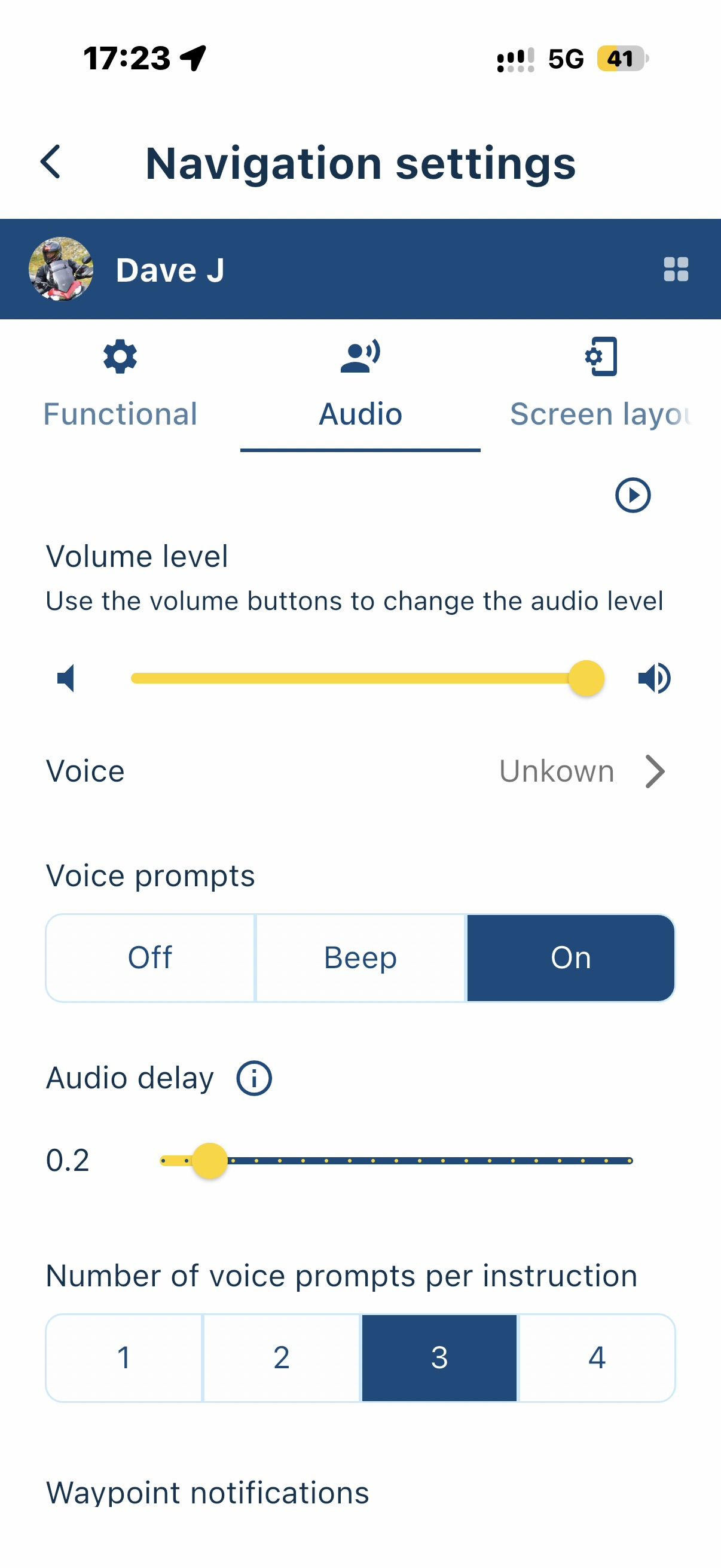
But I had no voice instruction,
no additional information (like speed etc.) on screen
and the location arrow was beside the street I drove. (see pic)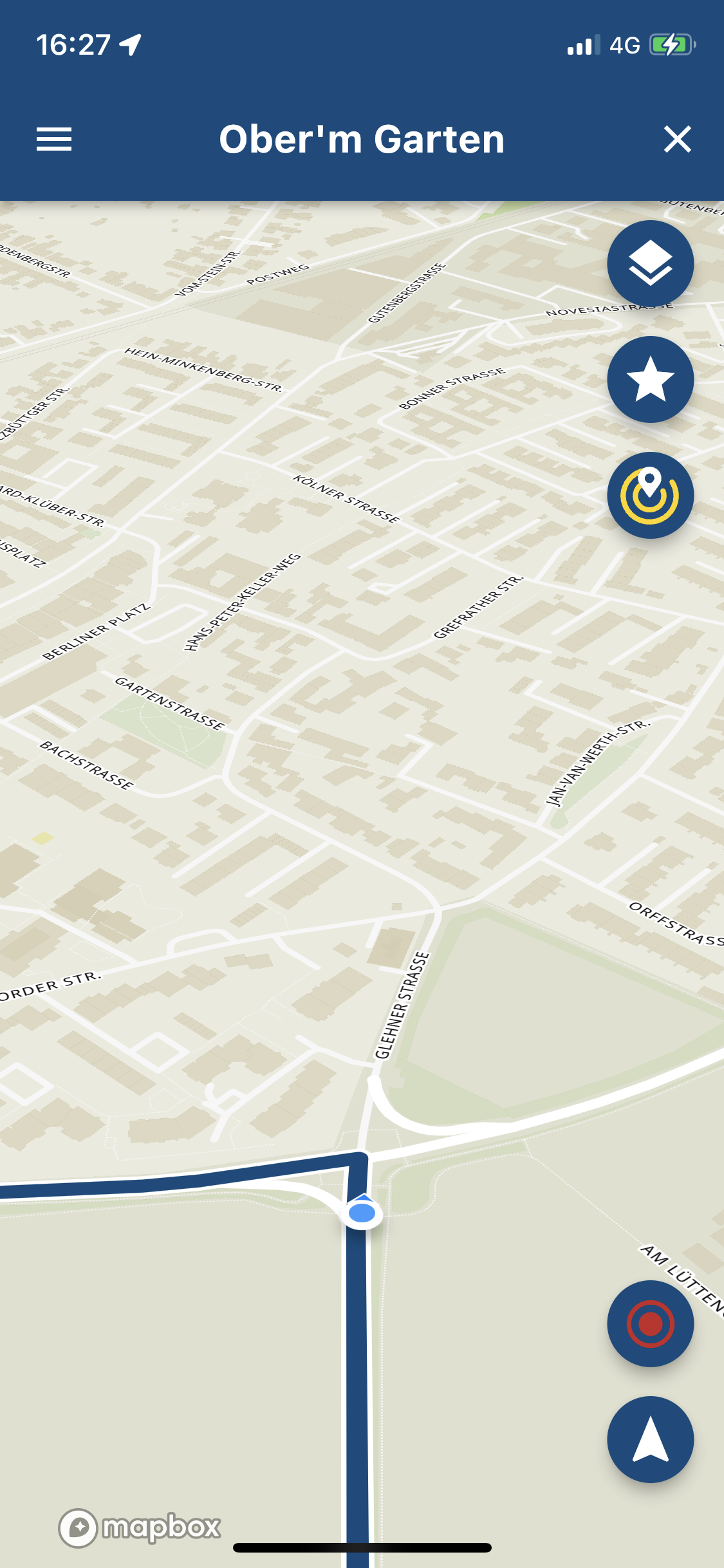
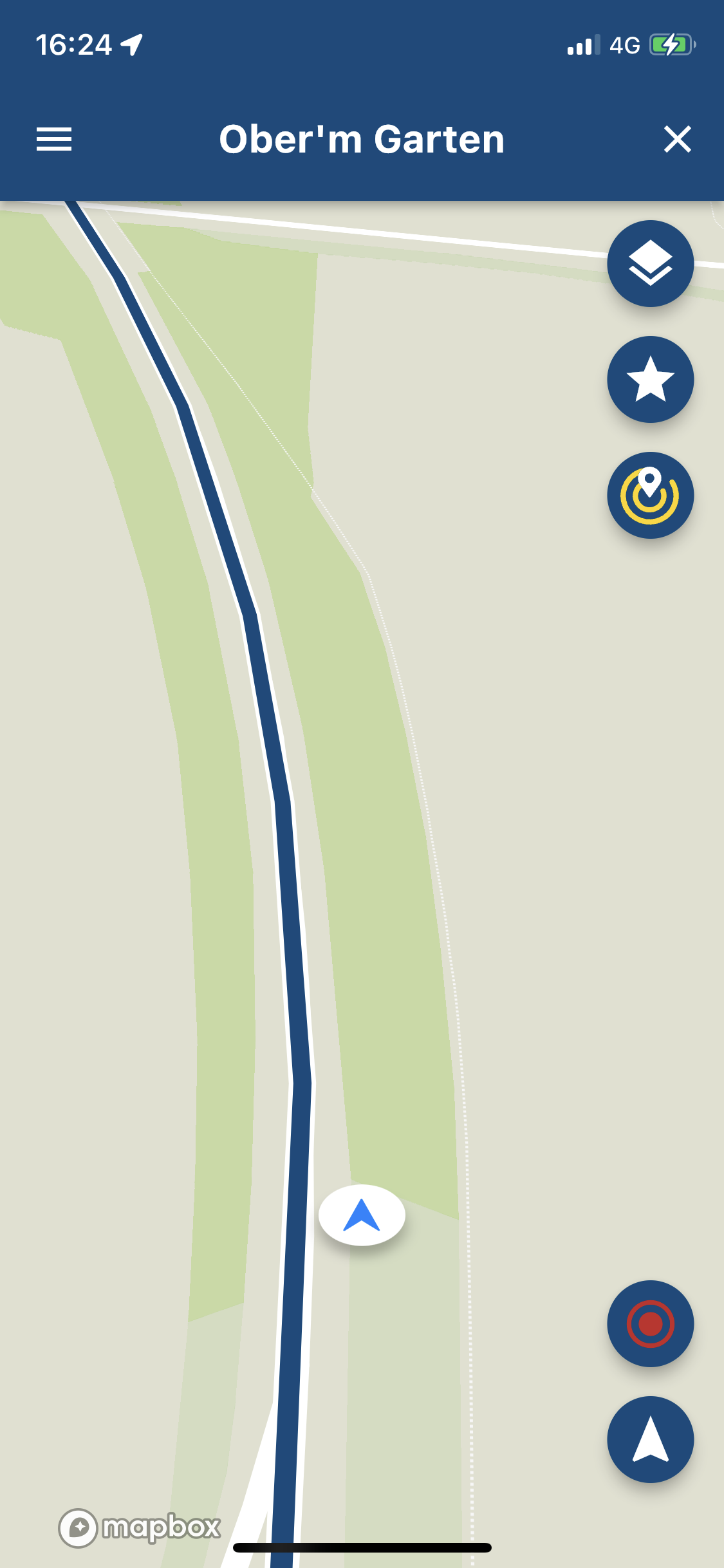
Also the zoom level is far to smal for me (iphone X diagonal 14.5cm).
I can not read any street name. (the attached pictures are bigger)
To understand may be resize to 14.5cm.Hardware
iPhone 12 pro (iOS 26.2.1)
iPad (7.Gen.) 18.7.3
Oukitel RT3 Pro (Andr. 14)
Wireless CarPlay mit (Elebest C650)
Wired CarPlay (SEAT Arona - 2021)
MRA Workshops in Deutsch sind hier zu finden -
Morning,
I used MRA NAV. Next yesterday in the Car.
iPhone X, iOS 15.6.1, Seat Arona.
MRA NAV. Next was not accessible via Car Play.
So I used it on the Phone screen. The route was calculated and I could drive it.
But I had no voice instruction,
no additional information (like speed etc.) on screen
and the location arrow was beside the street I drove. (see pic)Also the zoom level is far to smal for me (iphone X diagonal 14.5cm).
I can not read any street name. (the attached pictures are bigger)
To understand may be resize to 14.5cm.
@Jörgen Thanks for your reply.
Navigation Next is still being developed for CarPlay. This is therefore indeed not accessible yet.
Regarding your screenshots, you are navigating using the Mobile app and not with the Navigation module. When opening a route, select the most right button in the row containing 4 buttons. This one contains a white Navigation arrow icon.
-

Hi Jörgen, it appears that you're not using MRA Navigation Next. You're using the default 'follow the line' mode.
When searching for a location, instead of generating a route, select the tap-bar to switch to Navigation Mode. As @Corjan-Meijerink pointed out in a different thread, we've opted to keep the current Mobile route generator in there as well.
-
Ok, understand. User Error!

-
@Timo-Martosatiman-MRA said in Some issues and questions:
When searching for a location, instead of generating a route, select the tap-bar to switch to Navigation Mode
@Timo-Martosatiman-MRA
Sorry I do not understand "When searching for a location, instead of generating a route, select the tap-bar to switch to Navigation Mode"I can´t get it to work.
When I search for a location with the lupe and found it.
What is to do next to get the right navigation mode? -
@Jörgen Thanks for your reply.
Navigation Next is still being developed for CarPlay. This is therefore indeed not accessible yet.
Regarding your screenshots, you are navigating using the Mobile app and not with the Navigation module. When opening a route, select the most right button in the row containing 4 buttons. This one contains a white Navigation arrow icon.
@Jörgen Please see below. This applies for opening a route.
@Corjan-Meijerink said in Some issues and questions:
When opening a route, select the most right button in the row containing 4 buttons. This one contains a white Navigation arrow icon
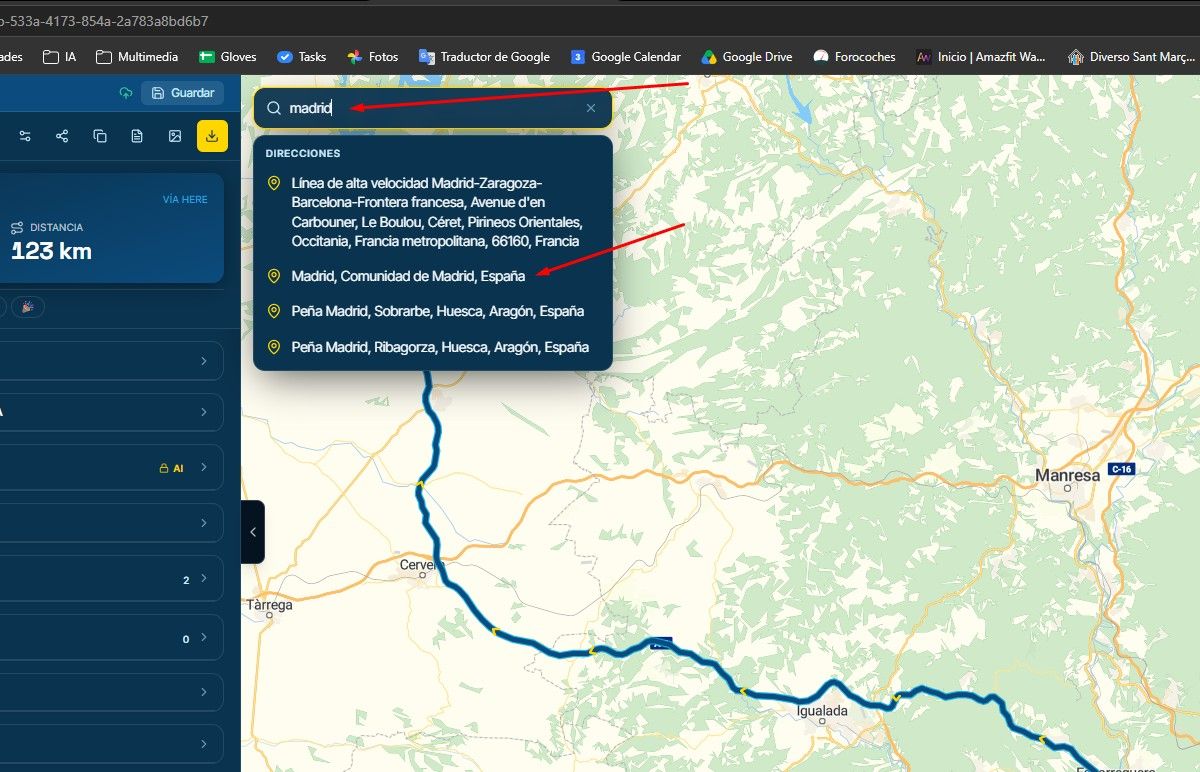
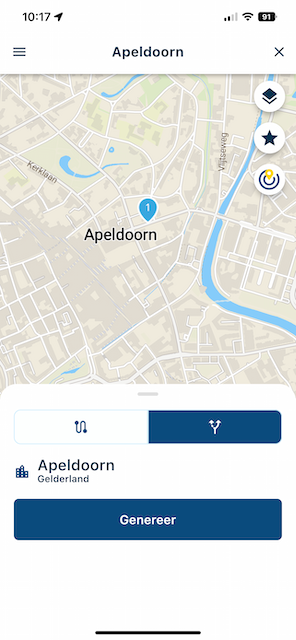
When creating / finding a route, using the search functionality (magnifying glass, top right), you can use the original Mobile generator or start Navigation Next. Select the right tab and click on generate, see the attached image.
-
Ok, that worked now.
But I noticed other issues.
- The iPhone goes in sleep mode (or what is it called) with and without power connection during navigation.
- There is one strange German word (that not exist) every time before a meter indication is made in the voice command. e.g., ( nach xxxx 300 Meter) I do not understand this word.*
- The Car Radio sound is interrupted during each voice command and will not come back.
- I will try to record this. Is it possible to make a record on iPhone with sound?
Hardware
iPhone 12 pro (iOS 26.2.1)
iPad (7.Gen.) 18.7.3
Oukitel RT3 Pro (Andr. 14)
Wireless CarPlay mit (Elebest C650)
Wired CarPlay (SEAT Arona - 2021)
MRA Workshops in Deutsch sind hier zu finden -
Ok, that worked now.
But I noticed other issues.
- The iPhone goes in sleep mode (or what is it called) with and without power connection during navigation.
- There is one strange German word (that not exist) every time before a meter indication is made in the voice command. e.g., ( nach xxxx 300 Meter) I do not understand this word.*
- The Car Radio sound is interrupted during each voice command and will not come back.
- I will try to record this. Is it possible to make a record on iPhone with sound?
@Jörgen Happy to hear that it worked! Issues 1/3 have been reported before too

Regarding number 3, does this also happen with Spotify / Apple Music? Or just radio? Is audio playing over bluetooth or with CarPlay?
I’ll take a look at 2. The instructions are directly provided by HERE without any interference by us. If you do hear what they say, please let me know

-
@Corjan-Meijerink said in Some issues and questions:
Regarding number 3, does this also happen with Spotify / Apple Music? Or just radio? Is audio playing over bluetooth or with CarPlay?
I’ll take a look at 2. The instructions are directly provided by HERE without any interference by us. If you do hear what they say, please let me knowOh, late work.
I do not use Spotify / Apple Music only DAB Radio. The old MRA Naivgation App had the same problem. I thing it was discussed already. Even when a speed alarm came, the radio sound goes off. Then need to touch the Radio button to get sound back. Voice commands are coming via USB connected iPhone (Car play)I will try to record this wording.
Hardware
iPhone 12 pro (iOS 26.2.1)
iPad (7.Gen.) 18.7.3
Oukitel RT3 Pro (Andr. 14)
Wireless CarPlay mit (Elebest C650)
Wired CarPlay (SEAT Arona - 2021)
MRA Workshops in Deutsch sind hier zu finden -
In addition, I think there should be a clear indication if I am in the planing mode or in navigation mode.
Without your hint, I did not find or know how to start navigation.Hardware
iPhone 12 pro (iOS 26.2.1)
iPad (7.Gen.) 18.7.3
Oukitel RT3 Pro (Andr. 14)
Wireless CarPlay mit (Elebest C650)
Wired CarPlay (SEAT Arona - 2021)
MRA Workshops in Deutsch sind hier zu finden -
In addition, I think there should be a clear indication if I am in the planing mode or in navigation mode.
Without your hint, I did not find or know how to start navigation.
@Jörgen Yes, that will be improved
-
@Corjan-Meijerink said in Some issues and questions:
Regarding number 3, does this also happen with Spotify / Apple Music? Or just radio? Is audio playing over bluetooth or with CarPlay?
I’ll take a look at 2. The instructions are directly provided by HERE without any interference by us. If you do hear what they say, please let me knowOh, late work.
I do not use Spotify / Apple Music only DAB Radio. The old MRA Naivgation App had the same problem. I thing it was discussed already. Even when a speed alarm came, the radio sound goes off. Then need to touch the Radio button to get sound back. Voice commands are coming via USB connected iPhone (Car play)I will try to record this wording.
@Jörgen Thanks for letting me know, I think the issue is related to radio in that case. If you at any point do use another music player, do let me know if the issue also occurs.
I wasn't able to test this as my car doesn't allow Radio & phone audio at the same time. The issue has been reported by others and will be investigated!
-
MyRoute-app community moved this topic from [Beta] The MyRoute-app on
Hello! It looks like you're interested in this conversation, but you don't have an account yet.
Getting fed up of having to scroll through the same posts each visit? When you register for an account, you'll always come back to exactly where you were before, and choose to be notified of new replies (either via email, or push notification). You'll also be able to save bookmarks and upvote posts to show your appreciation to other community members.
With your input, this post could be even better 💗
Register Login-
 01331
01331
-
 08137
08137
-
 09248
09248
-
 0531
0531
-
 038
038
-
0318
-
 0330
0330
-
029