Skip to content

[App] Android Auto & CarPlay

263 Topics 2.0k Posts
  • Fuel en-route

    5
    3 Votes
    5 Posts
    2k Views
    richard 3v
    I was simply hoping for the next fuel station to be displayed on Android Auto / Car Play the same as it already does on the phone. As I said, I know that you can look on POI's but this gives ALL fuel stations nearby, some of which may be behind you. Other than that it's a case of taking the phone out of wherever you place it whils't riding and adding it that way.
  • Android Car Play

    Moved
    2
    0 Votes
    2 Posts
    849 Views
    UwB
    @Massimo-Campanardi Nope, Galaxy S23 alles ok!
  • Share to car dashboard

    Moved
    2
    0 Votes
    2 Posts
    766 Views
    Nick Carthew
    @Tim-Turner Yes. MRA Navigation Next is fully compatible with AndroidAuto and Apple CarPlay.
  • Is MRA Next & CarPlay working like it should now?

    16
    0 Votes
    16 Posts
    5k Views
    Marinus van Deudekom
    @Jan-50 hoi Jan Dan moet er wat anders aan de hand zijn dus ik zou zeggen maak een service ticket aan zodat onze techneuten er een blik op kunnen werpen. Heel vervelend voor je, vooral omdat het bij anderen zonder enig probleem gaat
  • MRA notifying me of something?

    8
    1 Votes
    8 Posts
    2k Views
    Corjan Meijerink
    @Ton-Machielsen Thanks for letting me know
  • Chigee AIO5

    12
    0 Votes
    12 Posts
    7k Views
    Ton Machielsen
    I’m using MRA with a MTC-10 on Apple CarPlay and I noticed that compared to OsmAnd which I used before, MRA drains the phones at least twice as fast. All works fine, I just need to keep the phone on the charger while using it with MRA.
  • Mra doesn't work anymore on android auto

    7
    1
    0 Votes
    7 Posts
    2k Views
    PieterH_GS
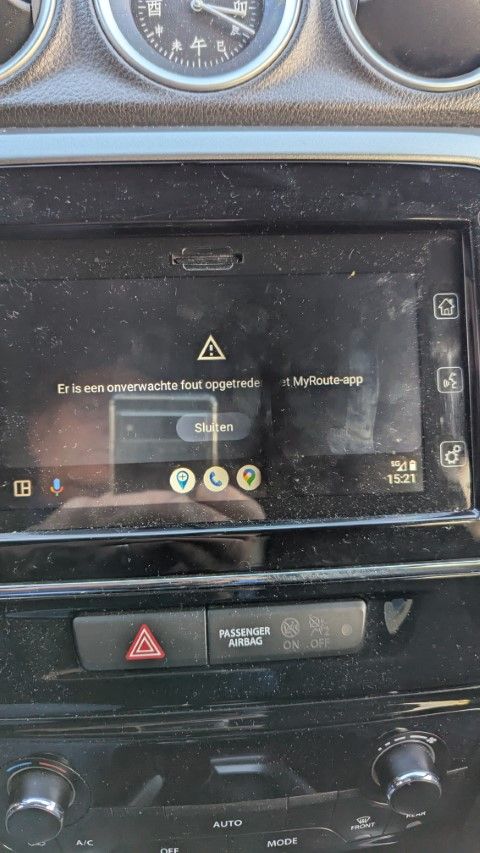
    @Corjan-Meijerink Thank you for the quick response, everything works fine again. Happy Holidays Greetings Pieter
  • carplay zoom level

    1
    1 Votes
    1 Posts
    513 Views
    No one has replied
  • CarPlay and Waypoint List

    Moved
    3
    2 Votes
    3 Posts
    2k Views
    Dave J 0
    Still miss not being able to see a waypoint list on CarPlay but I thought I might make a a couple of suggestions: Greyed Out Icons. Would be really handy if passed or skipped waypoint icons could be coloured grey so that you can easily see which ones have been passed when navigating a route with overlapping segments. Really useful to see the grey icons when looking at an overview of the route; helpful in the app also. Skip Waypoint Icon. Instead of skipping an individual waypoint and receiving a conformation pop up, a screen showing the waypoint list with colour coded and greyed out information (like the app waypoint list) would be really helpful. I know this is probably a very low priority given what @Corjan-Meijerink has said previously but this inability to see easily which waypoint I am heading for on overlapping routes in CarPlay is a slight annoyance. Having the greyed out icons as a first step would be really helpful. Understand that there are limitations as to what can be done in CarPlay.
  • Android Auto voice over

    1
    0 Votes
    1 Posts
    476 Views
    No one has replied
  • Android auto map scale.

    2
    0 Votes
    2 Posts
    886 Views
    Gerard van Kemenade
    @Brian-Martin via uw gsm instellen
  • Zoom knoppen bij Androïd auto

    Moved
    1
    0 Votes
    1 Posts
    509 Views
    No one has replied
  • MRA - Android Auto: what problems are there?

    4
    0 Votes
    4 Posts
    2k Views
    Makro
    I have AA in my car. All apps using AA, only have a subset of their features available in AA. In my opinion, it's too few options. If I scroll through a list in AA, be it a long list of songs in Spotify or my contacts list, after a few seconds AA blocks further scrolling, and forces me to wait a number of seconds, for my safety. This is really annoying, and in itself a good reason not to use AA. Sometimes it's my wife scrolling while I drive, other times I scroll while stopped at a red light, or crusing on the highway on cruise control. The cruise control is dynamic, and activates the brakes as needed, if I should somehow not notice traffic slowing down. This safety feature is so annoying, I sometimes pick up the phone, and scroll through whatever list it is I need. So, no AA on my bike for me. I use a tablet with no feature limitations.

  • AA just isn't usable

    8
    4 Votes
    8 Posts
    3k Views
    Corjan Meijerink
    Yes, since the last updates it really has become much more usable!
  • Android Auto best practice/checklist and where to find AA development plan

    1
    0 Votes
    1 Posts
    643 Views
    No one has replied
  • The main route is moved too far to the left

    1
    3
    0 Votes
    1 Posts
    555 Views
    No one has replied
  • Chigee + iOS 17.7 on iPhone SE3 - zoom problem

    chigee aio-5 zoom problem
    7
    0 Votes
    7 Posts
    3k Views
    BeTouring_BG
    @Corjan-Meijerink Yes, it's already done! Thank you!
  • Apple carplay

    3
    0 Votes
    3 Posts
    1k Views
    Corjan Meijerink
    @Hans-7o bekend probleem! Komt door de top-down camera modus. Selecteer de dynamische camera of noord-boven en het probleem is weg. Je wisselt dit door op je telefoon op het kompas te klikken of in CarPlay de camera modus te wijzigen In update 4.3.3 (komende week) is het verholpen!
  • Automatic tracking in CarPlay

    3
    0 Votes
    3 Posts
    1k Views
    Walter Edmunds
    @Rob-Verhoeff Thanks, that's what I thought. Maybe MyRoute-app should have a setting independent of CarPlay to record a tracklog automatically or not when "just riding". I'm new to MyRoute-app, still playing around...
  • Zoom +/- Carplay

    3
    0 Votes
    3 Posts
    1k Views
    ANDREA 4e
    @Corjan-Meijerink dopo aver percorso diversi chilometri e fatto diverse prove, ho trovato che mettendo la modalità della fotocamera su dinamica lo zoom, seppur in modo automatico quindi senza poterlo regolare a proprio piacimento, qualcosa faceva. Il problema è che dopo alcuni chilometri percorsi con la modalità della fotocamera su dinamica, la posizione del marcatore sulla mappa ha iniziato ad essere sfalsata rispetto alla posizione reale dovendo cambiare tipo di visualizzazione per ripristinare la posizione corretta. Spero che l'aggiornamento con la risoluzione di questo bug arrivi presto, altrimenti ritengo che MRA Navigation Next sia inutilizzabile con il CarPlay
ACTIVE USERS POPULAR TOPICS MY GROUPS