New group for MyRoute-app users on DMD2 systems
-
Hello everyone!
I recently created a group on DMD2 for users of MyRoute-app on DMD2 systems. This group is designed to be a space where we can share our experiences, ask questions, and help each other get the most out of MyRoute-app in combination with DMD2 hardware.
You can join the group here: https://www.drivemodedashboard.com/groups/myroute-app/
Looking forward to seeing you there!
-
Hello everyone!
I recently created a group on DMD2 for users of MyRoute-app on DMD2 systems. This group is designed to be a space where we can share our experiences, ask questions, and help each other get the most out of MyRoute-app in combination with DMD2 hardware.
You can join the group here: https://www.drivemodedashboard.com/groups/myroute-app/
Looking forward to seeing you there!
@Bart-De-Medts
That’s a good idea - l’m in! -
Hello everyone!
I recently created a group on DMD2 for users of MyRoute-app on DMD2 systems. This group is designed to be a space where we can share our experiences, ask questions, and help each other get the most out of MyRoute-app in combination with DMD2 hardware.
You can join the group here: https://www.drivemodedashboard.com/groups/myroute-app/
Looking forward to seeing you there!
@Bart-De-Medts Well I just ordered a T665, so I'll see you there once I get it set up and sorted

-
Hello everyone!
I recently created a group on DMD2 for users of MyRoute-app on DMD2 systems. This group is designed to be a space where we can share our experiences, ask questions, and help each other get the most out of MyRoute-app in combination with DMD2 hardware.
You can join the group here: https://www.drivemodedashboard.com/groups/myroute-app/
Looking forward to seeing you there!
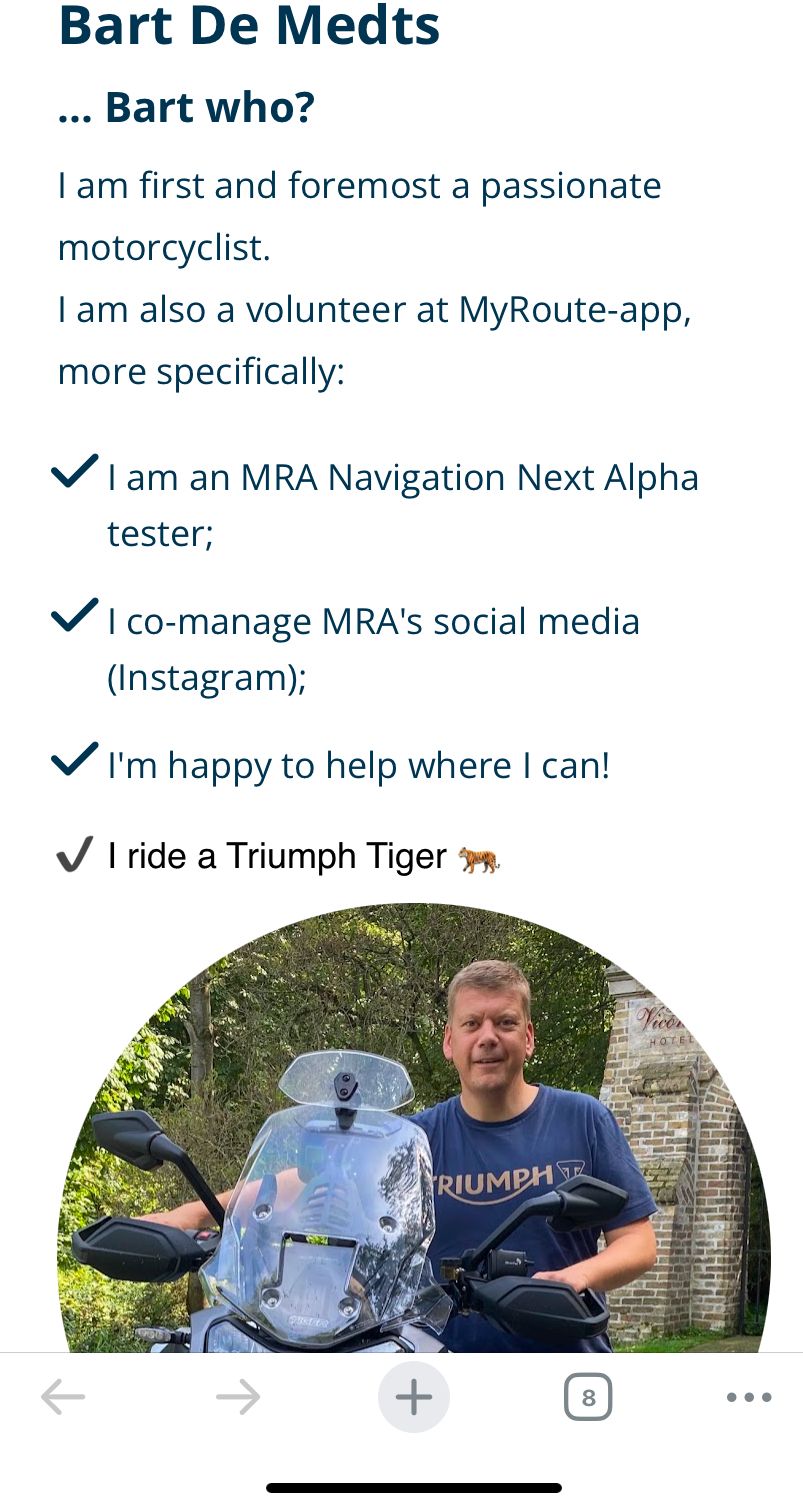
@Bart-De-Medts You forgot something at the end of your blog:
-
@Bart-De-Medts You forgot something at the end of your blog:
@Nick-Carthew yeah! You’re right 🥲
-
Could someone please update the link for the group?
If you think everything is under control you are driving to slow!
-
Could someone please update the link for the group?
@silberfuchs67 said in New group for MyRoute-app users on DMD2 systems:
Could someone please update the link for the group?
...I belive, the mentioned group is no longer existent, because the DMD-Forum became obsolete. They are now using a discord server for discussions. May this channel is relevant:
https://discord.com/channels/1009485004268654683/1460233394033266731 -
Thanks, I will joyn the channel to be updated.
-
@Bart-De-Medts You forgot something at the end of your blog:
This post is deleted! -
Hello everyone!
I recently created a group on DMD2 for users of MyRoute-app on DMD2 systems. This group is designed to be a space where we can share our experiences, ask questions, and help each other get the most out of MyRoute-app in combination with DMD2 hardware.
You can join the group here: https://www.drivemodedashboard.com/groups/myroute-app/
Looking forward to seeing you there!
This post is deleted! -
There's currently an interesting discussion on the Discord Channel regarding the usage of MRA created gps-files with DMD2.
-
I'm curious what that DMD2 system actually means. I haven't had any experience with it yet.
@Huibertus, It's a native Android running phone or tablet (both options) that runs an app created by DMD, but also runs any regular Android app. So like a phone, but designed for harsh conditions and with included active handlebar mount.
-
I'm curious what that DMD2 system actually means. I haven't had any experience with it yet.
@Huibertus ...as @Con-Hennekens wrote: the manufacturer DMD (Drive Mode Dashboard) produces rugged hardware (6" and 8") for use at offroad conditions. And they produces a navigation app with own maps. This maps shows all offroad paths in colour codes, to indicate difficulty of this pathes. So it's extremely helpfully for offroad riding and navigation by tracks.
Device can be expanded by cable or uncalled remote controller on handlebar.
Additionally, that devices can display typical roadbooks for rallyes. And if the 8" device covers the onboard-instruments, DMD device has an ODBC connector and can mirror onboard values.Also if the DMD2 app can be used onroads and for route navigation, I would like to say: the most benefit is for offroad.
-
I would be prefer using the new 7“ hardware with MRA and a suitable controller. As fair as I tested it works also fine with Remotek
-
Just to mention Silverfox controller. They are very good quality and the support is superb.
-
Just to mention Silverfox controller. They are very good quality and the support is superb.
@Thomas-Neumeyer Just one question from my side...
Which Silvefox controller do you use?Do you have iOS or Android?
In case you are using Android, I would like ask you another question....
BMW R 1250 GS
MRA Navigation & SilverFox C1 Controller
DMD-NOR7E 7"
SPC Universal mount
Motorola Edge 40 "offline"
Sena SLR 3
Sena 50 R -
@Thomas-Neumeyer Just one question from my side...
Which Silvefox controller do you use?Do you have iOS or Android?
In case you are using Android, I would like ask you another question....
@Peter-Zehentreiter said in New group for MyRoute-app users on DMD2 systems:
@Thomas-Neumeyer Just one question from my side...
Which Silvefox controller do you use?...before you buy a Silverfox, please consider if you are driving only onroad, or also offroad. To operate the Nav device by controller, on bumpy roads (offroad) it's difficult to do it without mistakes by the 4-way mini joystick. Especially quick zoom in an out.
Because the remote controllers are not cheap, I recommend a test in a shop or an exhibition, if you can reach all joysticks and buttons with our fingers on handlebar comfortably...

Nothing is impossible ;-)
In past: GARMIN Zumo 210->GARMIN Zumo 395->GARMIN XT=> now: DMD T865-X + MyRoute-App, LocusMaps, OsmAnd.
In past: GARMIN MapSource ->GARMIN BaseCamp->Tyre->Kurviger->Calimoto=> now: MRA-Routplanner. -
@Peter-Zehentreiter said in New group for MyRoute-app users on DMD2 systems:
@Thomas-Neumeyer Just one question from my side...
Which Silvefox controller do you use?...before you buy a Silverfox, please consider if you are driving only onroad, or also offroad. To operate the Nav device by controller, on bumpy roads (offroad) it's difficult to do it without mistakes by the 4-way mini joystick. Especially quick zoom in an out.
Because the remote controllers are not cheap, I recommend a test in a shop or an exhibition, if you can reach all joysticks and buttons with our fingers on handlebar comfortably...
@Guzzist Thanks for your comment...
I already have one (C1) and used it throughout the entire 2025 season (on the road).There's just one thing that bothers me!
The controller worked perfectly at first.
But since the option to set or change the language was implemented in the MRA app, I can no longer zoom in with the setting “German language or German cell phone, everything in German.”
However, as soon as I switch to English in the MRA app, the controller works perfectly...
When I use an older phone, e.g., Android 12 (where the language cannot yet be set in the MRA app), it works perfectly in German.
Personally, I believe the error lies with MRA, but unfortunately, no one has been able to find the annoying error yet.
That's why I keep asking other people for clues as to why this error occurs.
BMW R 1250 GS
MRA Navigation & SilverFox C1 Controller
DMD-NOR7E 7"
SPC Universal mount
Motorola Edge 40 "offline"
Sena SLR 3
Sena 50 R -
@Guzzist Thanks for your comment...
I already have one (C1) and used it throughout the entire 2025 season (on the road).There's just one thing that bothers me!
The controller worked perfectly at first.
But since the option to set or change the language was implemented in the MRA app, I can no longer zoom in with the setting “German language or German cell phone, everything in German.”
However, as soon as I switch to English in the MRA app, the controller works perfectly...
When I use an older phone, e.g., Android 12 (where the language cannot yet be set in the MRA app), it works perfectly in German.
Personally, I believe the error lies with MRA, but unfortunately, no one has been able to find the annoying error yet.
That's why I keep asking other people for clues as to why this error occurs.
@Peter-Zehentreiter have you got the latest update from SilverFox for your remote. Bevatte they have made some changes. Dit me since then it works perfect




Hello! It looks like you're interested in this conversation, but you don't have an account yet.
Getting fed up of having to scroll through the same posts each visit? When you register for an account, you'll always come back to exactly where you were before, and choose to be notified of new replies (either via email, or push notification). You'll also be able to save bookmarks and upvote posts to show your appreciation to other community members.
With your input, this post could be even better 💗
Register Login-
 38126
38126
-
 17446
17446
-
 116467
-
05109
-
 0144.7k
-
 0247
0247
-
-
25202