Skip to content
  • Categories
  • Recent
  • Popular
  • Support
  • MyRoute-app
Collapse
Brand Logo

MRA Community Forum

  1. Home
  2. [Beta] The MyRoute-app
  3. [Beta] Problems, Bugs and other Issues
  4. Not following planned route

Not following planned route

Scheduled Pinned Locked Moved [Beta] Problems, Bugs and other Issues
7 Posts 3 Posters 125 Views 1 Watching
  • Oldest to Newest
  • Newest to Oldest
  • Most Votes
Reply
  • Reply as topic
Log in to reply
This topic has been deleted. Only users with topic management privileges can see it.
  • Stephen Howard Offline
    Stephen Howard Offline
    Stephen Howard
    wrote on last edited by
    #1

    A route was created and then when opening it I got a warning message with a choice of Route or Track and an explanation of the problems associated with them!

    After choosing Route it then didn’t navigate to the created route! Surely this is the most basic requirement and the whole purpose of using this instead of normal sat nav. I got better results with the Track option it then lost the Waypoints. Please can this be corrected (without buying someone else that I didn’t know I needed)

    Nick Carthew 1 Reply Last reply
    0
    • Stephen Howard Stephen Howard

      A route was created and then when opening it I got a warning message with a choice of Route or Track and an explanation of the problems associated with them!

      After choosing Route it then didn’t navigate to the created route! Surely this is the most basic requirement and the whole purpose of using this instead of normal sat nav. I got better results with the Track option it then lost the Waypoints. Please can this be corrected (without buying someone else that I didn’t know I needed)

      Nick Carthew Offline
      Nick Carthew Offline
      Nick Carthew
      RouteXpert
      wrote on last edited by
      #2

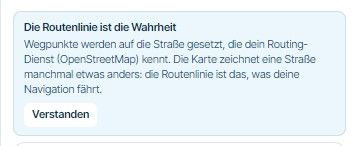
      @Stephen-Howard I suspect that you had planned the route on the OpenStreetMap instead of the HERE map and you would have seen this pop-up:
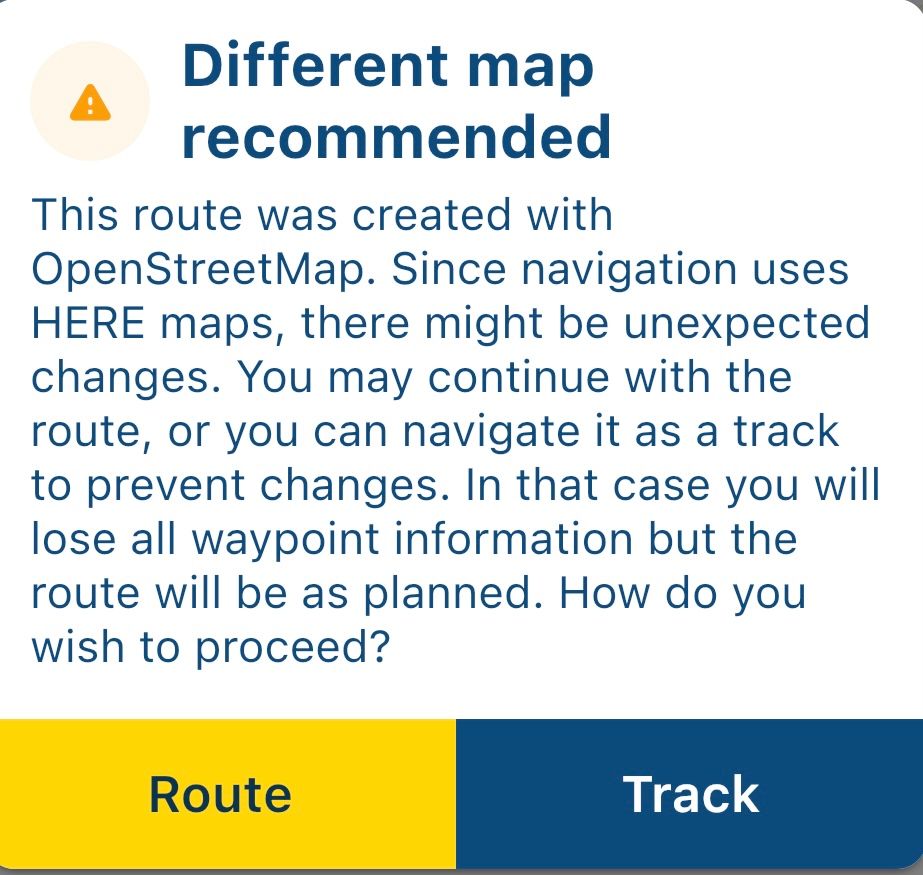
      IMG_2351.jpeg

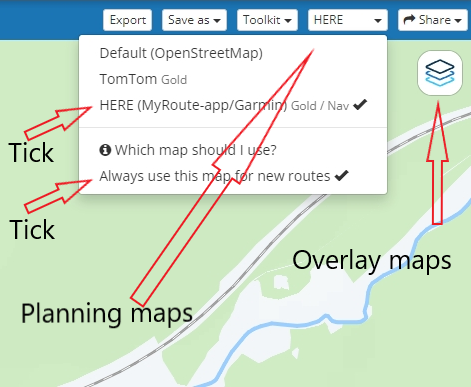
      You need to use the HERE planning map for use with the navigation app.
      Select the HERE map and then click: Always use this map for new routes
      The overlay maps are exactly that, an overlay of the selected planning map. Using an overlay will have no effect on the route.
      IMG_2350.png

      Always willing to help if I can.
      Triumph Tiger 1200 XRT called Tina.
      MRA Navigation Next and SilverFox BJ8

      Stephen Howard 2 Replies Last reply
      0
      • Nick Carthew Nick Carthew

        @Stephen-Howard I suspect that you had planned the route on the OpenStreetMap instead of the HERE map and you would have seen this pop-up:

        IMG_2351.jpeg

        You need to use the HERE planning map for use with the navigation app.
        Select the HERE map and then click: Always use this map for new routes
        The overlay maps are exactly that, an overlay of the selected planning map. Using an overlay will have no effect on the route.

        IMG_2350.png

        Stephen Howard Offline
        Stephen Howard Offline
        Stephen Howard
        wrote on last edited by
        #3

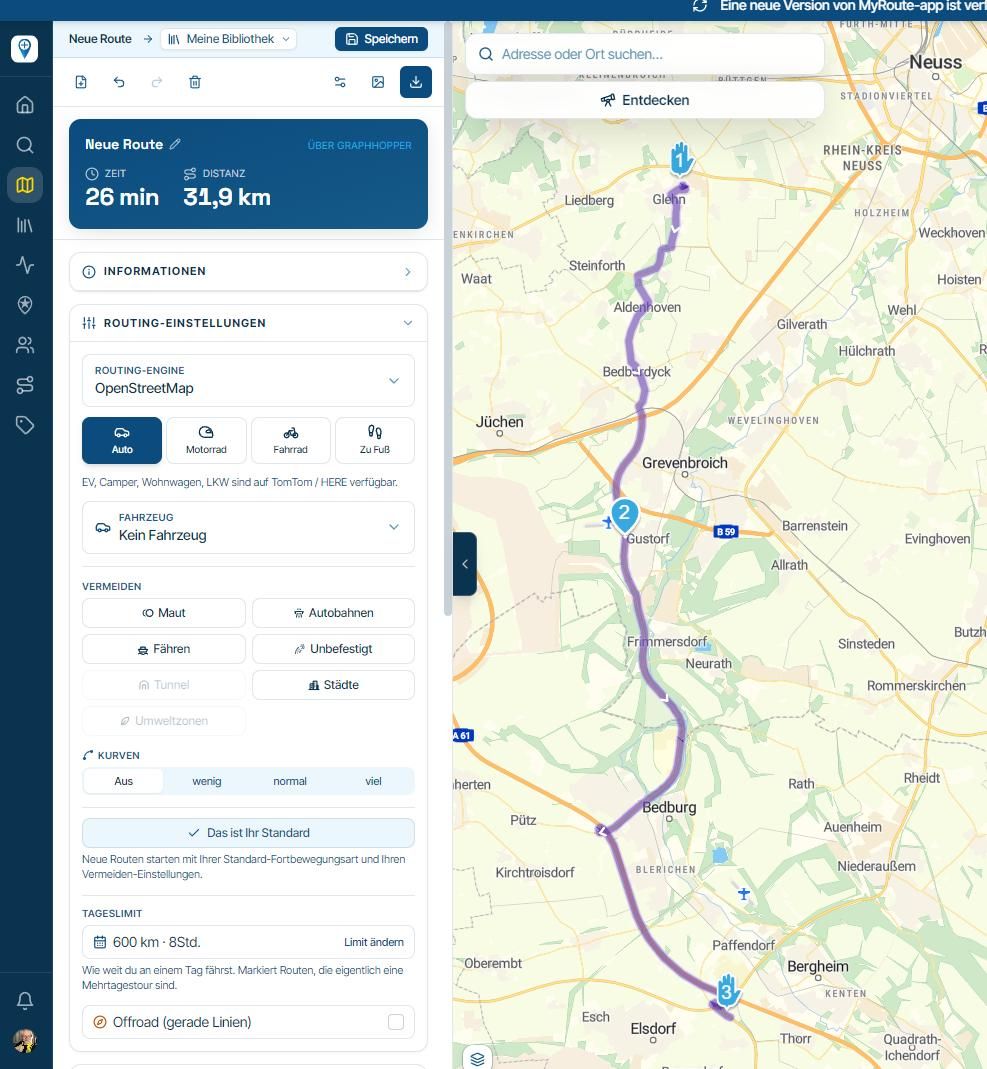
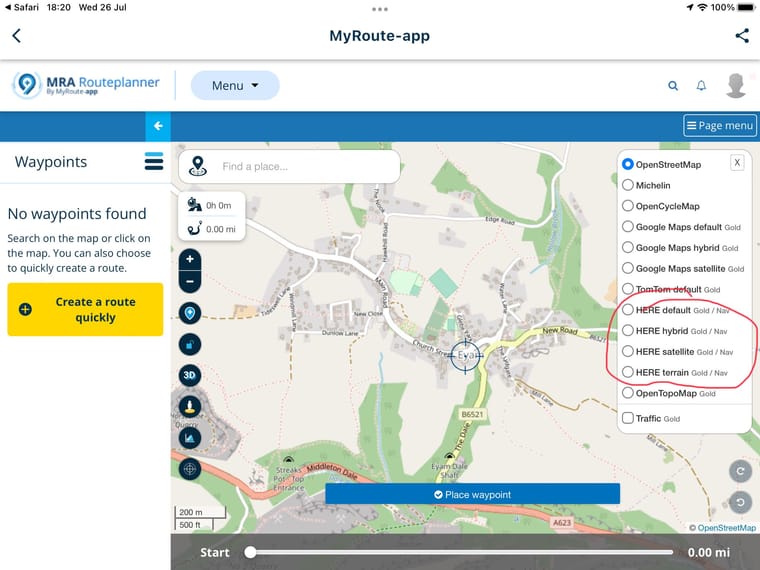
        @Nick-Carthew Thank you Nick. My screen looks slightly different in that it doesn’t have the top options bar. Maybe that comes with Gold if you use that?
        Below is my screen which says HERE is a Gold option. I have the Next nav but not Gold for route creation.
        E860AA06-5D93-4BAC-8B15-2951EF1A3866.jpeg

        Rob Verhoeff Nick Carthew 2 Replies Last reply
        0
        • Nick Carthew Nick Carthew

          @Stephen-Howard I suspect that you had planned the route on the OpenStreetMap instead of the HERE map and you would have seen this pop-up:

          IMG_2351.jpeg

          You need to use the HERE planning map for use with the navigation app.
          Select the HERE map and then click: Always use this map for new routes
          The overlay maps are exactly that, an overlay of the selected planning map. Using an overlay will have no effect on the route.

          IMG_2350.png

          Stephen Howard Offline
          Stephen Howard Offline
          Stephen Howard
          wrote on last edited by
          #4

          @Nick-Carthew
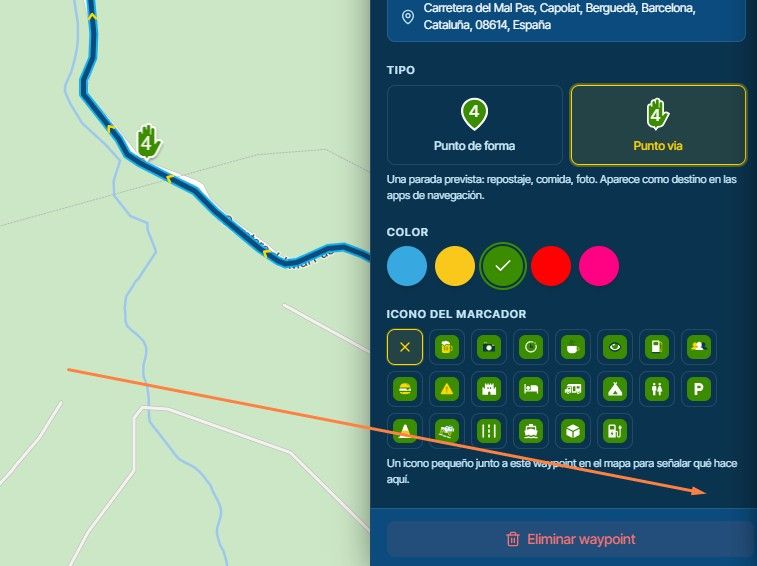
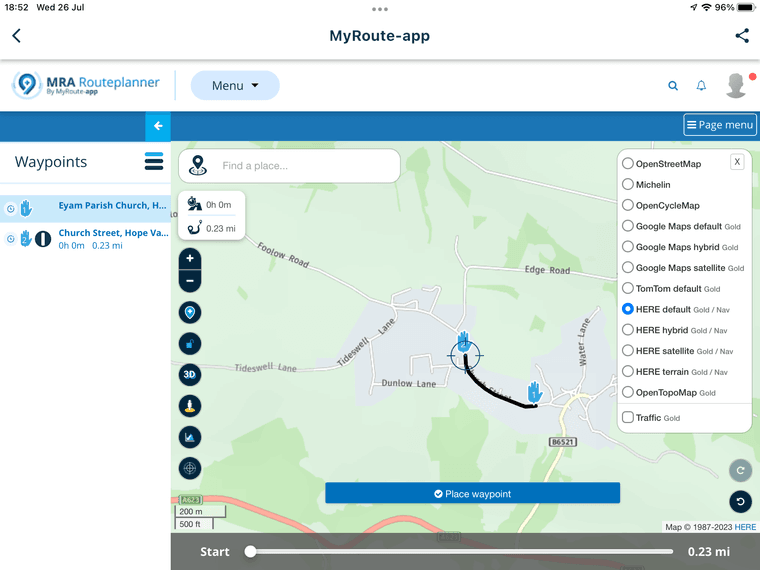
          Also, I can select HERE to create the route and there are no warnings or messages to say it is not using HERE but is using OpenStreetMap.
          To work properly I think a user needs to pay subscriptions for both the navigation and Gold. This isn’t explained at all.B2FCFD30-2838-400D-A248-09B405F8E760.png
          1 Reply Last reply
          0
          • Stephen Howard Stephen Howard

            @Nick-Carthew Thank you Nick. My screen looks slightly different in that it doesn’t have the top options bar. Maybe that comes with Gold if you use that?
            Below is my screen which says HERE is a Gold option. I have the Next nav but not Gold for route creation.

            E860AA06-5D93-4BAC-8B15-2951EF1A3866.jpeg

            Rob Verhoeff Offline
            Rob Verhoeff Offline
            Rob Verhoeff
            Alpha tester
            wrote on last edited by
            #5

            @Stephen-Howard said in Not following planned route:

            My screen looks slightly different in that it doesn’t have the top options bar.

            That's due to the zoom setting of your browser. Try setting it to 90%, and then you'll see Nick's menu appear on your screen too.

            🏍️ BMW K1600GT-P (2013) | Nolan N100-5 with Sena 30K
            📱 iOS on iPhone 13 & 16 (mounted on Quadlock or AliExpress extention on BMW-cradle)
            🚙 Apple CarPlay in VW T-Roc
            💻 Routelab on MacBook Air & iMac (Tahoe & Ventura)

            1 Reply Last reply
            0
            • Stephen Howard Stephen Howard

              @Nick-Carthew Thank you Nick. My screen looks slightly different in that it doesn’t have the top options bar. Maybe that comes with Gold if you use that?
              Below is my screen which says HERE is a Gold option. I have the Next nav but not Gold for route creation.
              E860AA06-5D93-4BAC-8B15-2951EF1A3866.jpeg

              Nick Carthew Offline
              Nick Carthew Offline
              Nick Carthew
              RouteXpert
              wrote on last edited by Nick Carthew
              #6

              @Stephen-Howard said in Not following planned route:

              @Nick-Carthew Thank you Nick. My screen looks slightly different in that it doesn’t have the top options bar. Maybe that comes with Gold if you use that?
              Below is my screen which says HERE is a Gold option. I have the Next nav but not Gold for route creation.
              E860AA06-5D93-4BAC-8B15-2951EF1A3866.jpeg

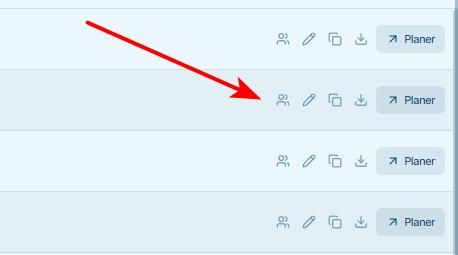
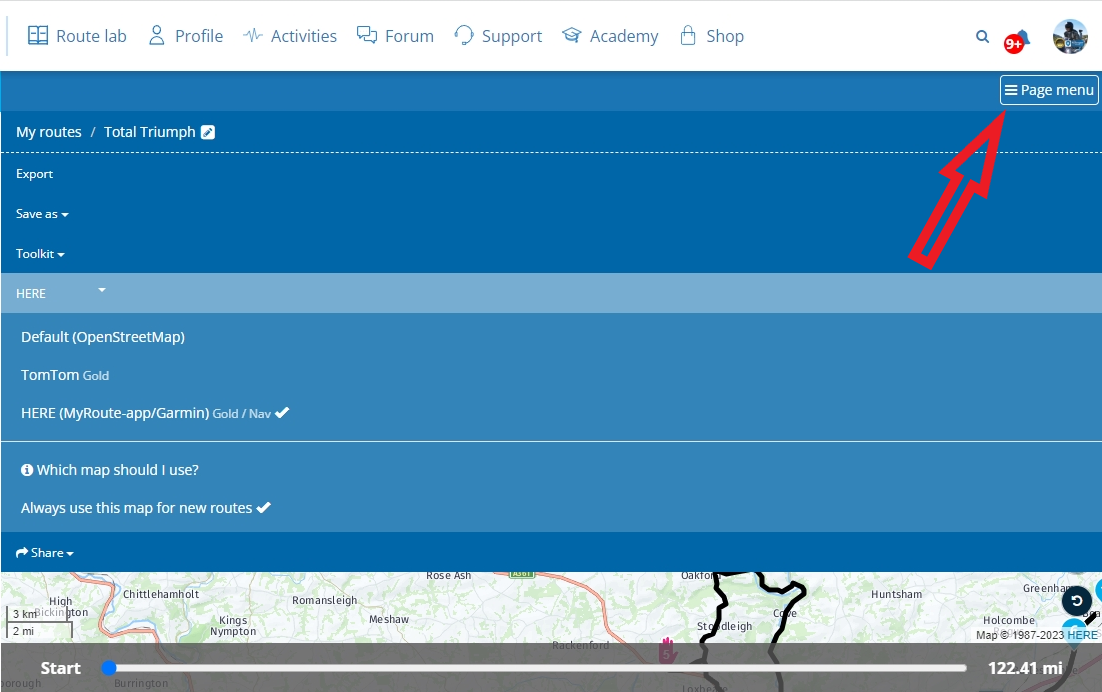
              The maps that you have circled are overlay maps and if you look closely you will see that they are available for Gold and Nav accounts. You need to choose the HERE planning map not an overlay map.

              @Rob-Verhoeff has explained in his reply to you why you do not see the options that I see on my screen. They are however available for you if you click Page menu
              d3d1e6f1-e9b9-440f-987e-72e005c04c60-image.png

              Always willing to help if I can.
              Triumph Tiger 1200 XRT called Tina.
              MRA Navigation Next and SilverFox BJ8

              1 Reply Last reply
              0
              • Stephen Howard Offline
                Stephen Howard Offline
                Stephen Howard
                wrote on last edited by
                #7

                Thank you both Nick and Rob. I hadn’t understood about the Overlay and Planning maps. I have set the Planning map to HERE format and will give it a try but it looks good.
                I am a bit surprised it isn’t set as the default instead of OpenStreetMaps as that is what the nav system uses.

                1 Reply Last reply
                0

                Hello! It looks like you're interested in this conversation, but you don't have an account yet.

                Getting fed up of having to scroll through the same posts each visit? When you register for an account, you'll always come back to exactly where you were before, and choose to be notified of new replies (either via email, or push notification). You'll also be able to save bookmarks and upvote posts to show your appreciation to other community members.

                With your input, this post could be even better 💗

                Register Login
                Reply
                • Reply as topic
                Log in to reply
                • Oldest to Newest
                • Newest to Oldest
                • Most Votes


                ACTIVE USERS
                Nick Carthew
                Nick Carthew
                Rob Verhoeff
                Rob Verhoeff
                Stephen Howard
                Stephen Howard
                POPULAR TOPICS
                • It was not possible to find a correct route to Wheels Through Time
                  Nick Carthew
                  Nick Carthew
                  0
                  16
                  247

                • Is there a way to put a Home button in the program
                  RetiredWingMan
                  RetiredWingMan
                  0
                  5
                  50

                • MRA 5.2.2 (489) Route time is calculated incorrectly /// Strecken Zeit wird falsch berechnet
                  Nick Carthew
                  Nick Carthew
                  0
                  4
                  29

                • Is there a way to re-order the routes in your routes folder?
                  superg
                  superg
                  0
                  3
                  48

                • Route doesn’t recalculate to my destination
                  Peter Zehentreiter
                  Peter Zehentreiter
                  0
                  7
                  238

                • routepunten overslaan gebeurd niet zoals verwacht
                  Bruno 7
                  Bruno 7
                  1
                  21
                  632

                • MRA In the BMW - Cradel vertically and horizontally /// MRA im BMW - Cradel senkrecht und waagerecht nutzen
                  Hubert Thoring
                  Hubert Thoring
                  0
                  2
                  37

                • Opening Route Direct from Android Auto Screen
                  Marinus van Deudekom
                  Marinus van Deudekom
                  0
                  6
                  262

                MY GROUPS
                • Login

                • Login or register to search.
                • First post
                  Last post
                0
                • Categories
                • Recent
                • Popular
                • Support
                • MyRoute-app