Android - Waypoint Menu Close
-

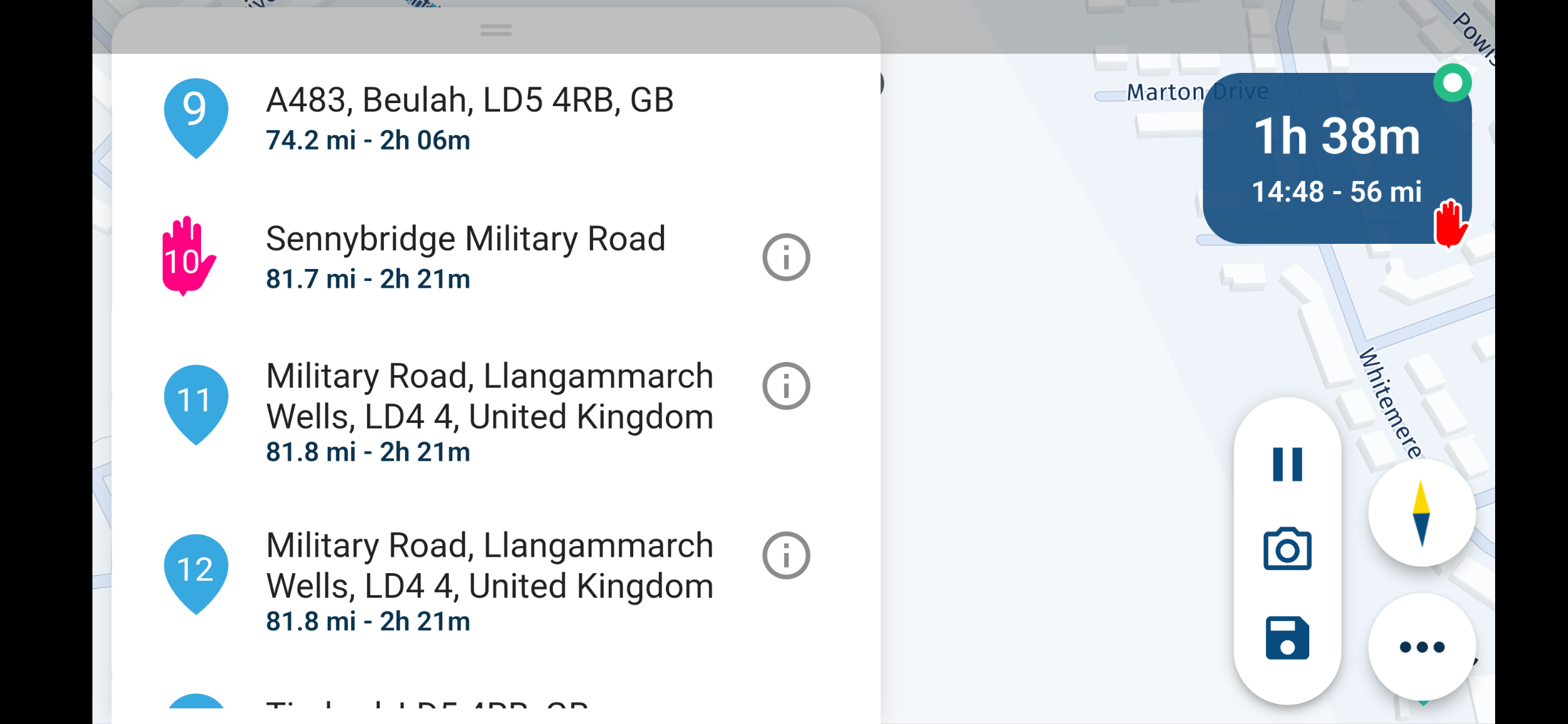
Brilliant change (Build 3.2.10 - 158) with being able to close the settings menu with a tap on the map. However, the waypoint' menu opened through the settings menu still appears to require me to scroll to the top of the waypoint list before I can swipe down.
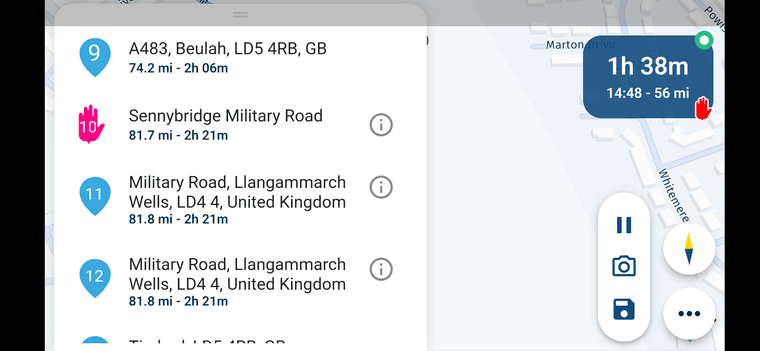
If I select an 'i' on a waypoint however, then the pop up information can be closed with a tap outside the item field.
Great if the waypoint list could also be closed by the same tap outside the waypoint list on the map as with the other menus.
Kind Regards. Help where I can.
Ducati Multistrada V4 Rally
iPhone 18 Pro
CHIGEE AIO-6 LTE
Google Pixel 6 Pro - mounted on SP Connect Plus
Ex Garmin XT2 and XT1 as well as Ex TomTom Rider User -
Brilliant change (Build 3.2.10 - 158) with being able to close the settings menu with a tap on the map. However, the waypoint' menu opened through the settings menu still appears to require me to scroll to the top of the waypoint list before I can swipe down.
If I select an 'i' on a waypoint however, then the pop up information can be closed with a tap outside the item field.
Great if the waypoint list could also be closed by the same tap outside the waypoint list on the map as with the other menus.

@Dave-J-0 yes, that’s completely by design! We expect you to use the map while having the waypoint list open.
Dragging around the area, tapping on markers etc.
It would be quite inconvenient if the menu would then close by an accidental tap. -
@Dave-J-0 yes, that’s completely by design! We expect you to use the map while having the waypoint list open.
Dragging around the area, tapping on markers etc.
It would be quite inconvenient if the menu would then close by an accidental tap.
@Corjan-Meijerink thank you Corjan - I get that now. just wondering if a bigger handle/bar could be put at the top of the waypoint menu so that I could tap to 'go to the top' and then swipe down to close. If I have a lot of waypoints, it can be quite a lot of scrolling to go back to the top to then close the menu. Just a thought

Kind Regards. Help where I can.
Ducati Multistrada V4 Rally
iPhone 18 Pro
CHIGEE AIO-6 LTE
Google Pixel 6 Pro - mounted on SP Connect Plus
Ex Garmin XT2 and XT1 as well as Ex TomTom Rider User -
@Corjan-Meijerink thank you Corjan - I get that now. just wondering if a bigger handle/bar could be put at the top of the waypoint menu so that I could tap to 'go to the top' and then swipe down to close. If I have a lot of waypoints, it can be quite a lot of scrolling to go back to the top to then close the menu. Just a thought
@Dave-J-0 thanks for sharing that

Hello! It looks like you're interested in this conversation, but you don't have an account yet.
Getting fed up of having to scroll through the same posts each visit? When you register for an account, you'll always come back to exactly where you were before, and choose to be notified of new replies (either via email, or push notification). You'll also be able to save bookmarks and upvote posts to show your appreciation to other community members.
With your input, this post could be even better 💗
Register Login-
 01536
01536
-
0924
-
 911210.5k
-
 0712
0712
-
 0726
0726
-
1520
-
1424
-
0413