Skip to content
  • Categories
  • Recent
  • Popular
  • Support
  • MyRoute-app
Collapse
Brand Logo

MRA Community Forum

  1. Home
  2. General Discussion
  3. 3.1 Mobile app sending bin files to Garmin drive

3.1 Mobile app sending bin files to Garmin drive

Scheduled Pinned Locked Moved General Discussion
4 Posts 3 Posters 1.2k Views
  • Oldest to Newest
  • Newest to Oldest
  • Most Votes
Reply
  • Reply as topic
Log in to reply
This topic has been deleted. Only users with topic management privileges can see it.
  • Paul Scottundefined Offline
    Paul Scottundefined Offline
    Paul Scott
    wrote on last edited by
    #1

    Is it just me? Could it be something else?

    Made a route in my PC today. Went out to garage to go out on bike, opened mra 3.1 on phone, found the freshly sync'ed route and saved as v1.1. Phone (android) offered the apps to open the file and I selected Garmin Drive. It did its thin and said sent but there was nothing on my Garmin XT. Repeated it and noticed the file being passed was a BIN file instead of GPX.
    Any ideas?
    Steve Lynchundefined 1 Reply Last reply
    0
    • Paul Scottundefined Paul Scott

      Is it just me? Could it be something else?

      Made a route in my PC today. Went out to garage to go out on bike, opened mra 3.1 on phone, found the freshly sync'ed route and saved as v1.1. Phone (android) offered the apps to open the file and I selected Garmin Drive. It did its thin and said sent but there was nothing on my Garmin XT. Repeated it and noticed the file being passed was a BIN file instead of GPX.
      Any ideas?

      Steve Lynchundefined Offline
      Steve Lynchundefined Offline
      Steve Lynch
      Valued contributor
      wrote on last edited by Steve Lynch
      #2

      @paul-scott

      I was able to recreate your issue with the “new.bin” file being sent to Garmin Drive on Android.
      However I suspect that when you did it you used the Routelab method, this seems to cause the BIN file issue.
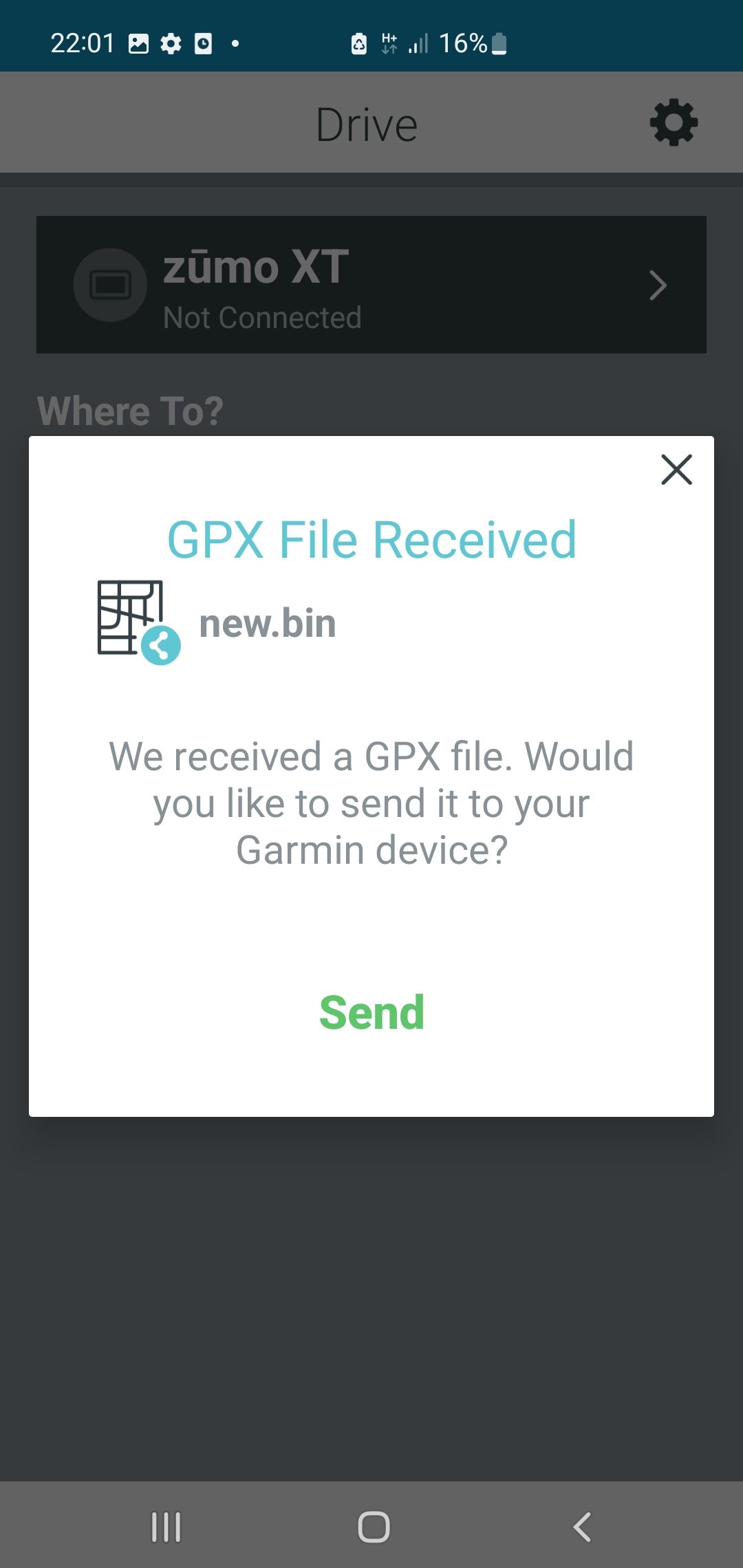
      Screenshot_20220625-220123_Drive.jpg

      Doing it the way I outline below will generate the correct GPX File.
      Do not open the Routelab!!

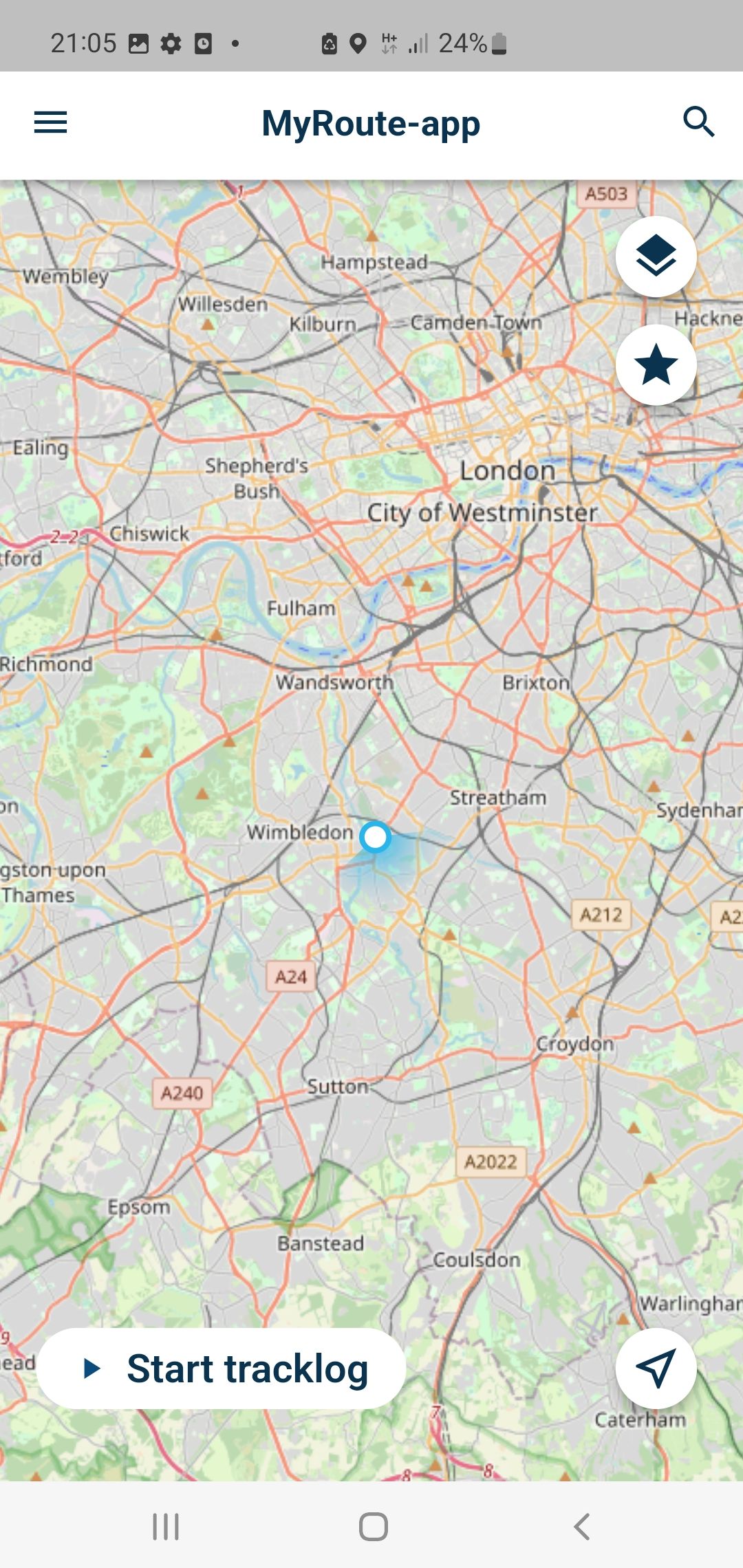
      1. On the start page for for MyRoute-AppMobile Click the Hamburger Icon top left.
        Screenshot_20220625-210540.jpg

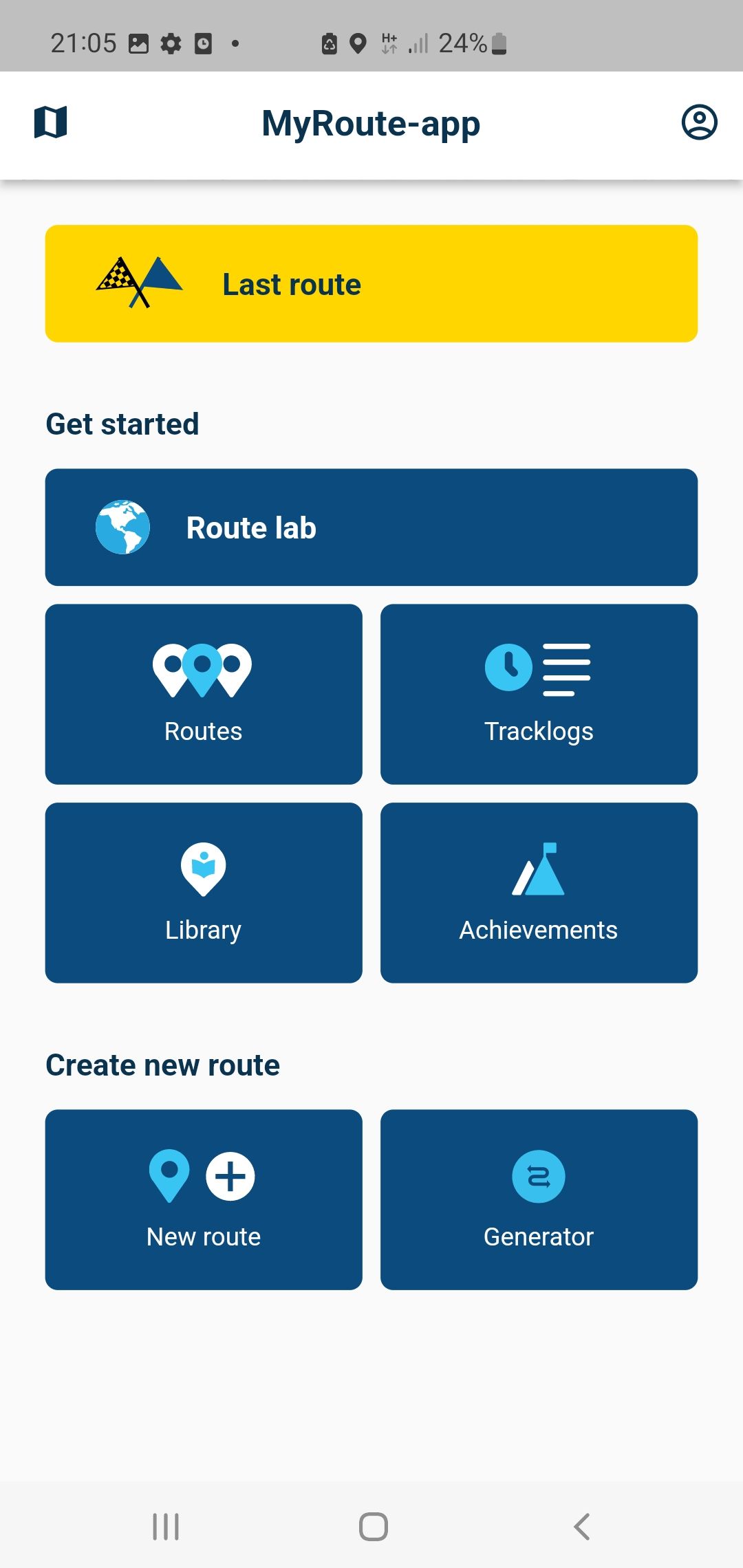
      2. Click “Routes” and open the route you you want to send to the XT.
        Screenshot_20220625-210553.jpg

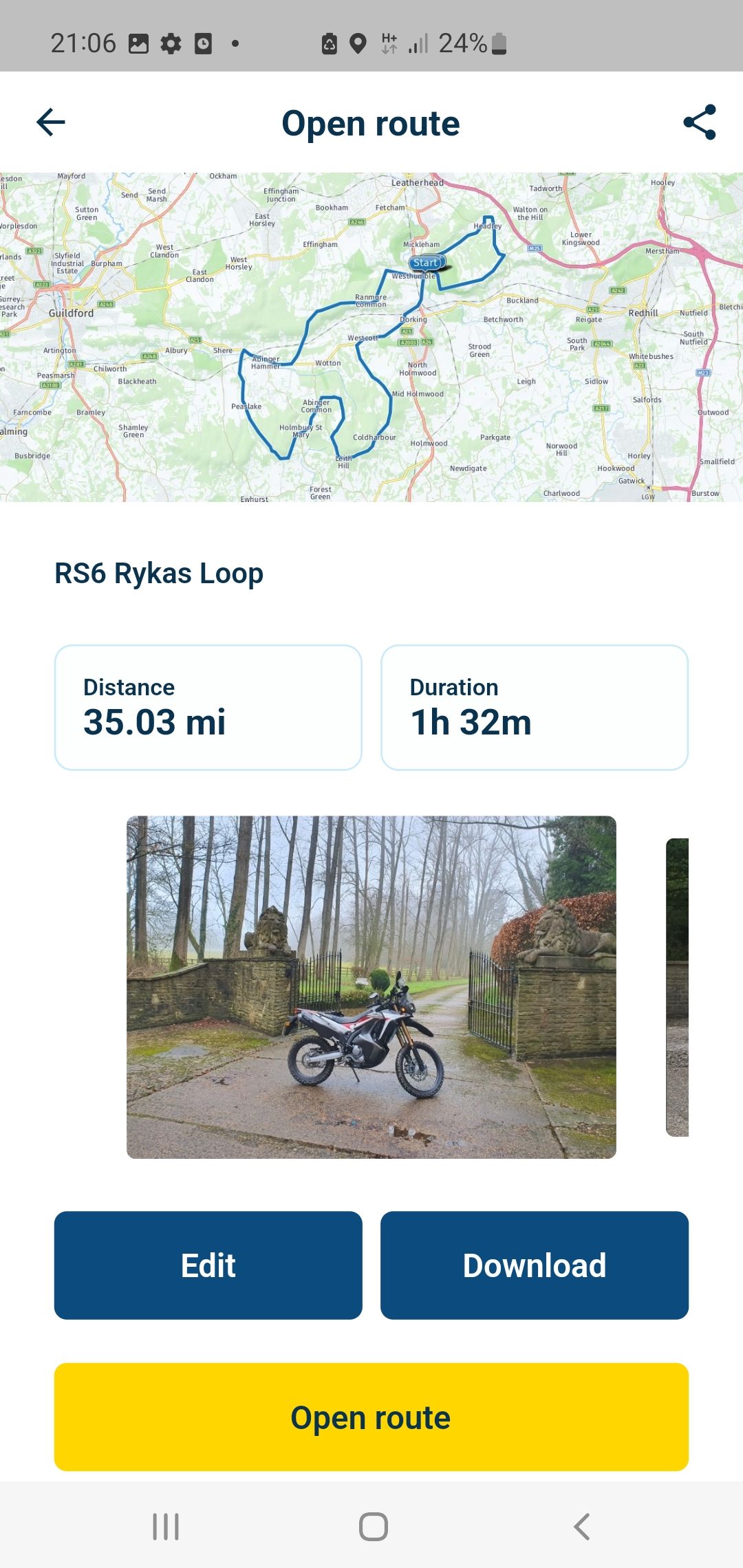
      3 Click the “Download” Button and select GPX 1.1
      You will see a “File has been saved” Pop Up, click the pop up.
      Strangely this Pop Up is not captured in a screenshot!
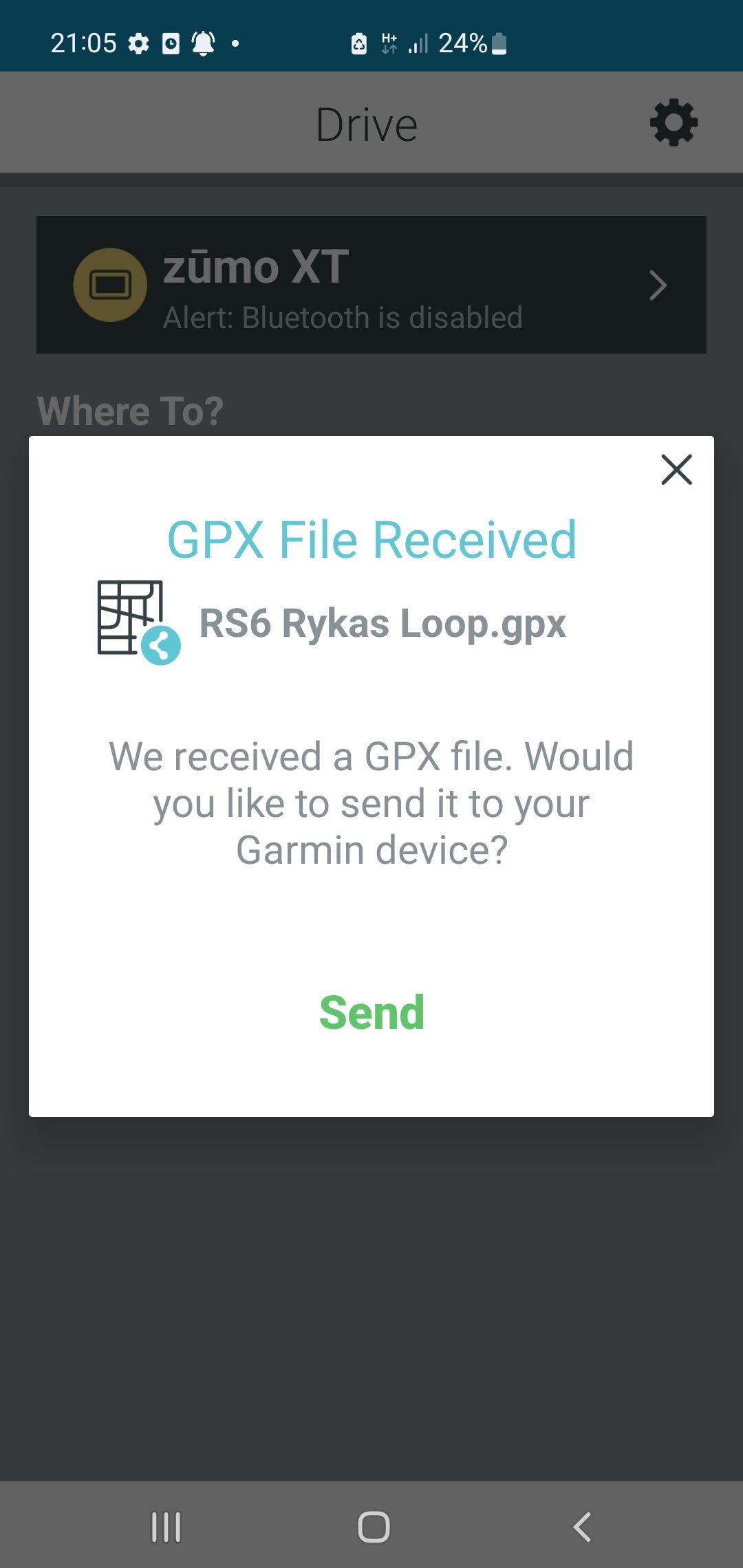
      Screenshot_20220625-210635.jpg

      Screenshot_20220625-210512_Drive.jpg

      For me this opens Garmin Drive and send the Route to the XT and saves the route in the Trip Planner on the XT.

      You don’t stop riding when you get old, you get old when you stop riding.

      Paul Scottundefined 1 Reply Last reply
      0
      • Steve Lynchundefined Steve Lynch

        @paul-scott

        I was able to recreate your issue with the “new.bin” file being sent to Garmin Drive on Android.
        However I suspect that when you did it you used the Routelab method, this seems to cause the BIN file issue.
        Screenshot_20220625-220123_Drive.jpg

        Doing it the way I outline below will generate the correct GPX File.
        Do not open the Routelab!!

        1. On the start page for for MyRoute-AppMobile Click the Hamburger Icon top left.
          Screenshot_20220625-210540.jpg

        2. Click “Routes” and open the route you you want to send to the XT.
          Screenshot_20220625-210553.jpg

        3 Click the “Download” Button and select GPX 1.1
        You will see a “File has been saved” Pop Up, click the pop up.
        Strangely this Pop Up is not captured in a screenshot!

        Screenshot_20220625-210635.jpg

        Screenshot_20220625-210512_Drive.jpg

        For me this opens Garmin Drive and send the Route to the XT and saves the route in the Trip Planner on the XT.

        Paul Scottundefined Offline
        Paul Scottundefined Offline
        Paul Scott
        wrote on last edited by
        #3

        @steve-lynch Thanks. I've just reverted to what I did when the MRA app changed (v3).

        I just have a shortcut on my mobile screen which opens the we page in Route lab. Saving them from there works fine.

        1 Reply Last reply
        0
        • Corjan Meijerinkundefined Offline
          Corjan Meijerinkundefined Offline
          Corjan Meijerink
          Developer
          wrote on last edited by
          #4

          Rather old topic but I just wanted to let you know that this is indeed fixed in the update released today!

          https://forum.myrouteapp.com/topic/2575/new-mra-mobile-update-3-2-1

          1 Reply Last reply
          1

          Hello! It looks like you're interested in this conversation, but you don't have an account yet.

          Getting fed up of having to scroll through the same posts each visit? When you register for an account, you'll always come back to exactly where you were before, and choose to be notified of new replies (either via email, or push notification). You'll also be able to save bookmarks and upvote posts to show your appreciation to other community members.

          With your input, this post could be even better 💗

          Register Login
          Reply
          • Reply as topic
          Log in to reply
          • Oldest to Newest
          • Newest to Oldest
          • Most Votes


          ACTIVE USERS
          Corjan Meijerinkundefined
          Corjan Meijerink
          Paul Scottundefined
          Paul Scott
          Steve Lynchundefined
          Steve Lynch
          POPULAR TOPICS
          • INNOVV 2 CarPlay system for BMW
            BMWBiker58undefined
            BMWBiker58
            0
            6
            151

          • New beta! 5.1 (457)
            Guzzistundefined
            Guzzist
            14
            65
            548

          • MRA V5.1.0 (458)- Karte nach Anruf verschwunden
            Hubert Thoringundefined
            Hubert Thoring
            0
            4
            29

          • Route Lab - remove scenic tour box
            Guzzistundefined
            Guzzist
            0
            3
            61

          • Using Folders
            Jörgenundefined
            Jörgen
            0
            3
            20

          • Hulp gevraagd bij instellingen
            Guzzistundefined
            Guzzist
            0
            3
            134

          • MRA V5.1.0 (458) Routenlabor Login jedes mal
            Corjan Meijerinkundefined
            Corjan Meijerink
            0
            2
            7

          • running myRoute-app on a carpuride
            Nick Carthewundefined
            Nick Carthew
            0
            6
            185

          MY GROUPS
          • Login

          • Login or register to search.
          • First post
            Last post
          0
          • Categories
          • Recent
          • Popular
          • Support
          • MyRoute-app