Skip to content
  • Categories
  • Recent
  • Popular
  • Support
  • MyRoute-app
Collapse
Brand Logo

MRA Community Forum

  1. Home
  2. General Discussion
  3. Sygic works with GPX import again

Sygic works with GPX import again

Scheduled Pinned Locked Moved General Discussion
11 Posts 7 Posters 9.0k Views 3 Watching
  • Oldest to Newest
  • Newest to Oldest
  • Most Votes
Reply
  • Reply as topic
Log in to reply
This topic has been deleted. Only users with topic management privileges can see it.
  • Reinhard-32 Do not disturb
    Reinhard-32 Do not disturb
    Reinhard-32
    wrote on last edited by Reinhard-32
    #1

    Re: Sygic Connectivity Issue
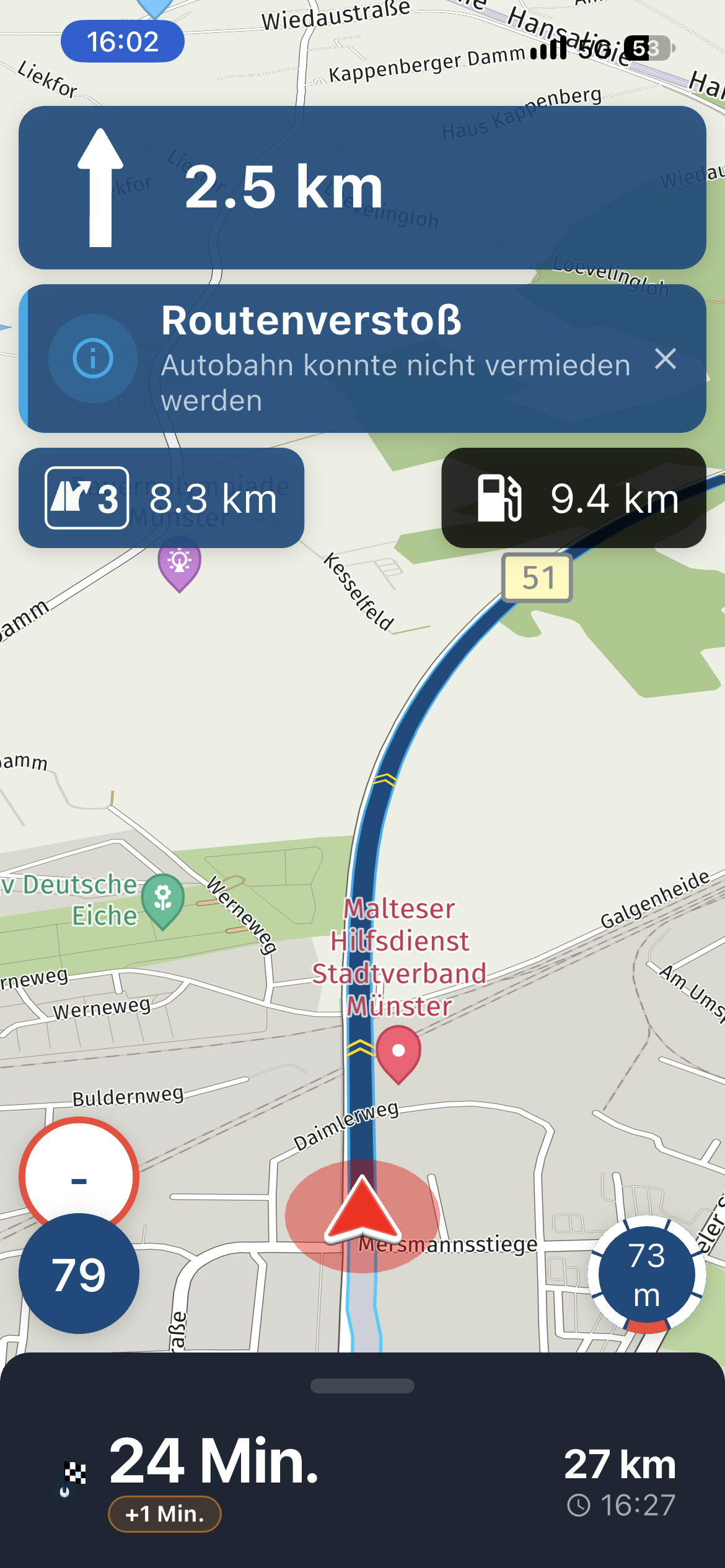
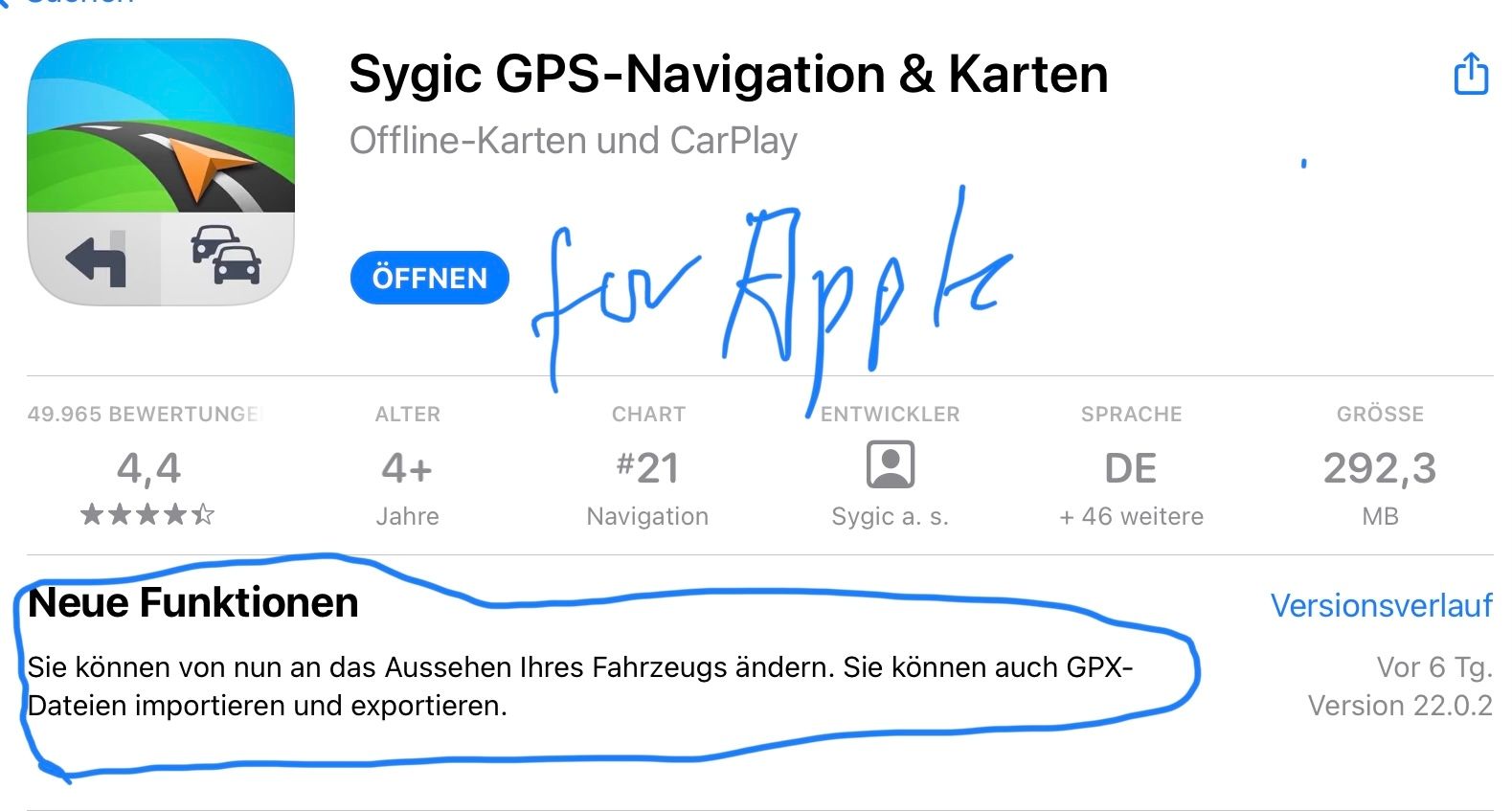
    With the last update sygic added the option for route import in the gpx format. On my IPad I exported a route in gpx 1.1 format and shared the route to sygic.
    BE66431B-F308-4DD8-8BB1-911CC65C7C40.jpeg

    Kindly regards
    Reinhard

    Montana 700i and Mac

    Hans van de Ven MR.MRA 1 Reply Last reply
    1
    • Herko ter Horst Herko ter Horst referenced this topic on
    • Reinhard-32 Reinhard-32

      Re: Sygic Connectivity Issue
      With the last update sygic added the option for route import in the gpx format. On my IPad I exported a route in gpx 1.1 format and shared the route to sygic.

      BE66431B-F308-4DD8-8BB1-911CC65C7C40.jpeg

      Hans van de Ven MR.MRA Offline
      Hans van de Ven MR.MRA Offline
      Hans van de Ven MR.MRA
      Valued contributor
      wrote on last edited by
      #2

      @reinhard-32

      Thanks @Reinhard-32

      Garmin Zumo XT3/XT2/XT/BMW Connected Ride Navigator/Tourstart/ MyRouteapp (The App)/...
      Een dag niet gelachen is een dag niet geleefd / Een route is net zo goed als deze uitgezet is.

      1 Reply Last reply
      0
      • Patrick Bijnsdorp Offline
        Patrick Bijnsdorp Offline
        Patrick Bijnsdorp
        wrote on last edited by
        #3

        How did you import the file into Sygic if you don’t mind me asking.

        Reinhard-32 1 Reply Last reply
        0
        • Patrick Bijnsdorp Patrick Bijnsdorp

          How did you import the file into Sygic if you don’t mind me asking.

          Reinhard-32 Do not disturb
          Reinhard-32 Do not disturb
          Reinhard-32
          wrote on last edited by Reinhard-32
          #4

          @patrick-bijnsdorp

          Steps at my IPhone / I PAD

          1. Within MRA safe your route as gpx 1.1 file on your phone.
          2. Navigate with your file manager to this file in the download folder on your phone.
          3. Klick the file and send/share it to sygic.
          4. Sygic will start and shows the route.

          Kindly regards
          Reinhard

          Montana 700i and Mac

          Con Hennekens Patrick Bijnsdorp Herko ter Horst Mopetenpit 4 Replies Last reply
          0
          • Reinhard-32 Reinhard-32

            @patrick-bijnsdorp

            Steps at my IPhone / I PAD

            1. Within MRA safe your route as gpx 1.1 file on your phone.
            2. Navigate with your file manager to this file in the download folder on your phone.
            3. Klick the file and send/share it to sygic.
            4. Sygic will start and shows the route.
            Con Hennekens Offline
            Con Hennekens Offline
            Con Hennekens
            Alpha tester
            wrote on last edited by
            #5

            I was ready to say it works for Android also. But it doesn't. No matter in what format I save the gpx, after opening it Sygic it calculates the fastest way from startpoint to endoint, and no shaping points are visible.

            I am just an enthusiastic MRA user, and hope you will be one too!

            Most motorcycle problems are caused by the nut that connects the handlebar to the saddle.

            Check out RideSleepRepeat.eu, a biker community for sharing stays across Europe

            1 Reply Last reply
            0
            • Reinhard-32 Reinhard-32

              @patrick-bijnsdorp

              Steps at my IPhone / I PAD

              1. Within MRA safe your route as gpx 1.1 file on your phone.
              2. Navigate with your file manager to this file in the download folder on your phone.
              3. Klick the file and send/share it to sygic.
              4. Sygic will start and shows the route.
              Patrick Bijnsdorp Offline
              Patrick Bijnsdorp Offline
              Patrick Bijnsdorp
              wrote on last edited by
              #6

              @reinhard-32 thnx! It does work really easy.

              1 Reply Last reply
              0
              • Reinhard-32 Reinhard-32

                @patrick-bijnsdorp

                Steps at my IPhone / I PAD

                1. Within MRA safe your route as gpx 1.1 file on your phone.
                2. Navigate with your file manager to this file in the download folder on your phone.
                3. Klick the file and send/share it to sygic.
                4. Sygic will start and shows the route.
                Herko ter Horst Offline
                Herko ter Horst Offline
                Herko ter Horst
                wrote on last edited by Herko ter Horst
                #7

                @reinhard-32 said in Sygic works with GPX import again:

                @patrick-bijnsdorp

                Steps at my IPhone / I PAD

                1. Within MRA safe your route as gpx 1.1 file on your phone.
                2. Navigate with your file manager to this file in the download folder on your phone.
                3. Klick the file and send/share it to sygic.
                4. Sygic will start and shows the route.

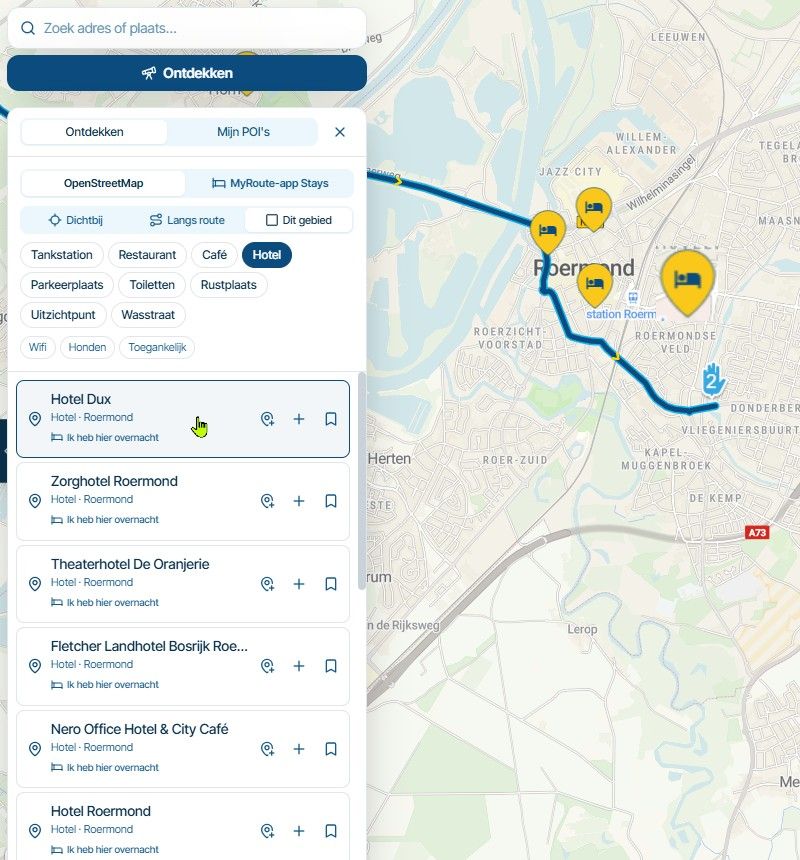
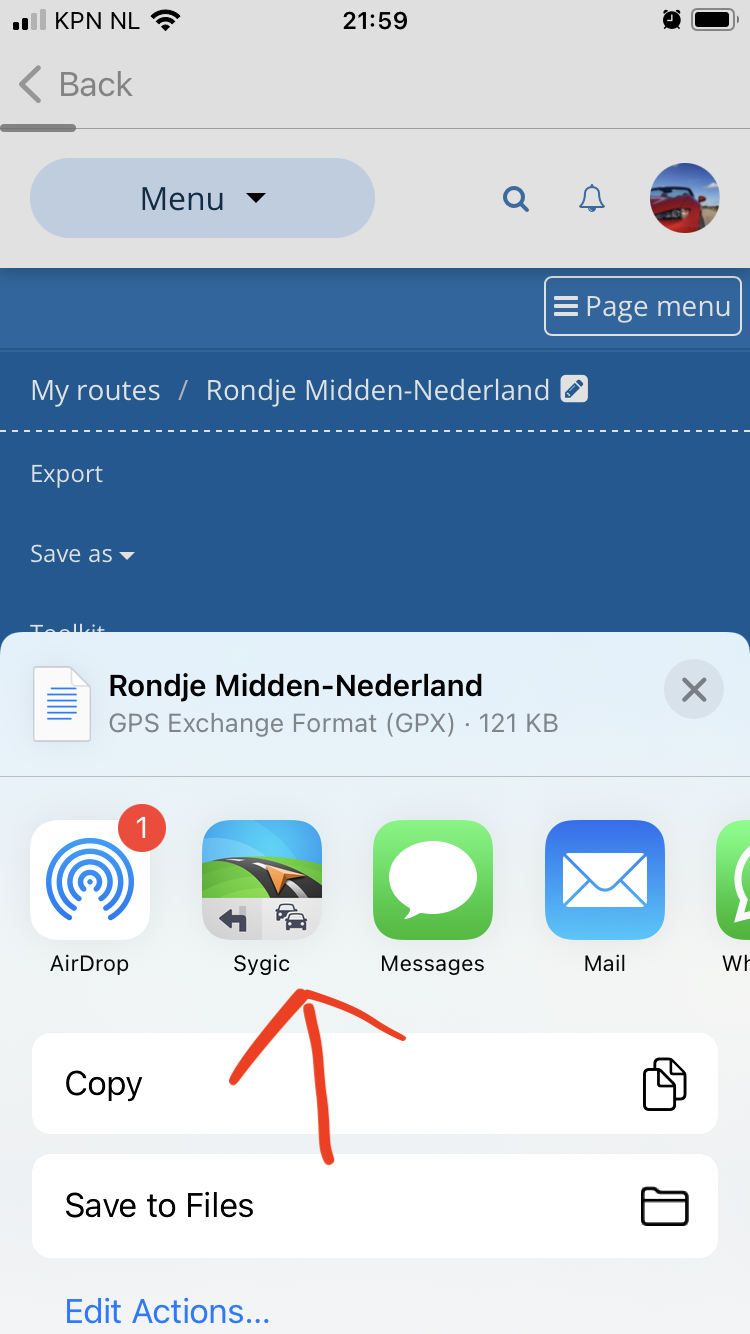
                Step 2 and 3 are not needed. When saving the route as GPX 1.1, you can select Sygic directly, instead of saving to a file/download folder.
                IMG_1469.PNG

                1 Reply Last reply
                0
                • Reinhard-32 Reinhard-32

                  @patrick-bijnsdorp

                  Steps at my IPhone / I PAD

                  1. Within MRA safe your route as gpx 1.1 file on your phone.
                  2. Navigate with your file manager to this file in the download folder on your phone.
                  3. Klick the file and send/share it to sygic.
                  4. Sygic will start and shows the route.
                  Mopetenpit Offline
                  Mopetenpit Offline
                  Mopetenpit
                  wrote on last edited by
                  #8

                  @reinhard-32
                  When I do the import on my iPhone (current version), I only get the start and end points on Sygic - i.e. one track. Can I also "have" the route points? Or is the premium version necessary for this?

                  Peter

                  Reinhard-32 1 Reply Last reply
                  0
                  • Mopetenpit Mopetenpit

                    @reinhard-32
                    When I do the import on my iPhone (current version), I only get the start and end points on Sygic - i.e. one track. Can I also "have" the route points? Or is the premium version necessary for this?

                    Peter

                    Reinhard-32 Do not disturb
                    Reinhard-32 Do not disturb
                    Reinhard-32
                    wrote on last edited by Reinhard-32
                    #9

                    @mopetenpit The same here. I have made a test. I send a Roundtrip with at least 40 waypoints in different gpx formats from MRA to Sygic. As a result the routes in Sygic was completely visible but contained only 2 waypoints, the first and the last waypoint and nothing between. When you export this route from Sygic and import this in MRA I found a little route between the first an the last point.
                    I use Sygic for testing and not on a regular basis.

                    Kindly regards
                    Reinhard

                    Montana 700i and Mac

                    Mopetenpit 1 Reply Last reply
                    0
                    • Reinhard-32 Reinhard-32

                      @mopetenpit The same here. I have made a test. I send a Roundtrip with at least 40 waypoints in different gpx formats from MRA to Sygic. As a result the routes in Sygic was completely visible but contained only 2 waypoints, the first and the last waypoint and nothing between. When you export this route from Sygic and import this in MRA I found a little route between the first an the last point.
                      I use Sygic for testing and not on a regular basis.

                      Mopetenpit Offline
                      Mopetenpit Offline
                      Mopetenpit
                      wrote on last edited by
                      #10

                      @reinhard-32
                      Danke!

                      1 Reply Last reply
                      0
                      • Massimo q Offline
                        Massimo q Offline
                        Massimo q
                        wrote on last edited by
                        #11

                        I too have tried in every way to import a route created with MRA into Sygic. The GPX 1.1 file opened in Sygic contains only the starting and ending point, without waypoints, and is completely useless. The only way to create a route and import it into Sygic now seems to be using the web application maps.sygic.com. If there is no solution I think I will delete Sygic from my iPhone 12

                        1 Reply Last reply
                        0

                        Hello! It looks like you're interested in this conversation, but you don't have an account yet.

                        Getting fed up of having to scroll through the same posts each visit? When you register for an account, you'll always come back to exactly where you were before, and choose to be notified of new replies (either via email, or push notification). You'll also be able to save bookmarks and upvote posts to show your appreciation to other community members.

                        With your input, this post could be even better 💗

                        Register Login
                        Reply
                        • Reply as topic
                        Log in to reply
                        • Oldest to Newest
                        • Newest to Oldest
                        • Most Votes


                        ACTIVE USERS
                        Reinhard-32
                        Reinhard-32
                        Con Hennekens
                        Con Hennekens
                        Hans van de Ven MR.MRA
                        Hans van de Ven MR.MRA
                        Mopetenpit
                        Mopetenpit
                        Herko ter Horst
                        Herko ter Horst
                        Massimo q
                        Massimo q
                        Patrick Bijnsdorp
                        Patrick Bijnsdorp
                        POPULAR TOPICS
                        • The compas direction on the elevation circle is wrong
                          Nick Carthew
                          Nick Carthew
                          0
                          47
                          1.6k

                        • GPX Versions 1.1 vs 1.2 for Garmin Visually Explained
                          John S Parry
                          John S Parry
                          7
                          186
                          15.8k

                        • HERE maps updates
                          Marinus van Deudekom
                          Marinus van Deudekom
                          2
                          15
                          576

                        • bundel purchase
                          Travellexxie
                          Travellexxie
                          0
                          3
                          85

                        • MRA V5.2.1 (488) Kompass fest einstellbar auf „Dynamische Kamera“
                          Jörgen
                          Jörgen
                          0
                          2
                          15

                        • Complimenten
                          Corjan Meijerink
                          Corjan Meijerink
                          4
                          2
                          28

                        • Wegwerkzaamheden / Road works
                          veghelvan 0
                          veghelvan 0
                          0
                          7
                          167

                        • Modify a scenic route in the Navigation Naxt app
                          Peter Zehentreiter
                          Peter Zehentreiter
                          3
                          12
                          560

                        MY GROUPS
                        • Login

                        • Login or register to search.
                        • First post
                          Last post
                        0
                        • Categories
                        • Recent
                        • Popular
                        • Support
                        • MyRoute-app