Add moment
-
Hi,
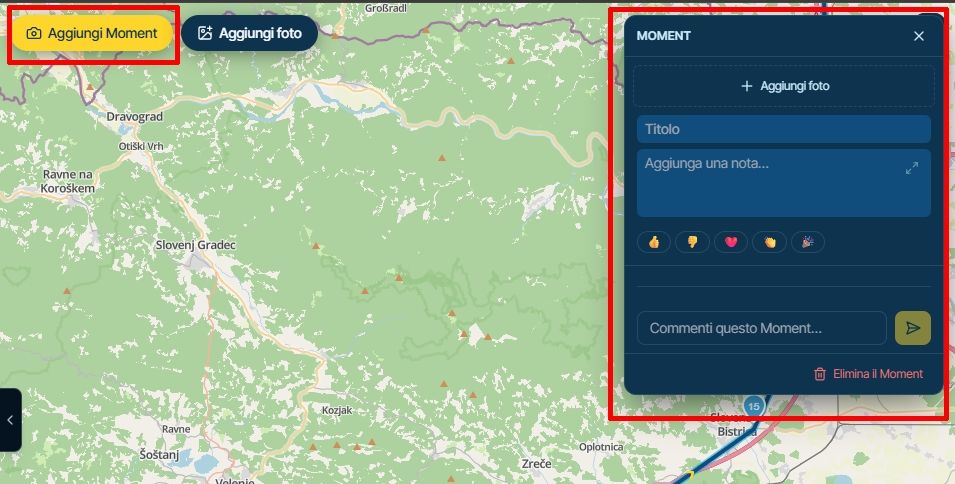
I have read the description in the manual, but I haven't fully understood what this function does and how it differs from the "add photo".
Could someone please help me understand?P.S. “Moment” is not an Italian term, is this intentional, or is the translation missing?
Thanks
-

Good question. Both buttons end up with the same thing: a Moment, a point on your tracklog that can hold a title, a note and photos, and that friends can react to and comment on.
The difference is how you make it:
- Aggiungi Moment: you click the button, then click a spot on the map. A Moment appears exactly there and you fill it in yourself (title, note, photos). Use it for a place you want to mark, with or without photos: a nice view, a coffee stop, a road closure.
- Aggiungi foto: you pick one or more photos from your computer and each photo becomes its own Moment, placed by itself where it was taken (from the photo's GPS location or, without one, from the time it was taken compared with your tracklog). Use it to add a batch of photos after the ride without placing them one by one.
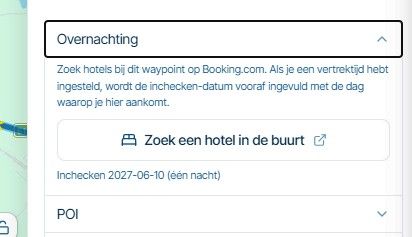
So in your screenshot, the panel on the right is the Moment you just made with "Aggiungi Moment": it is still empty, and "Aggiungi foto" inside it adds photos to that one Moment.
-
Ok, thanks for the explanation
-
Corjan Meijerink locked this topic
Hello! It looks like you're interested in this conversation, but you don't have an account yet.
Getting fed up of having to scroll through the same posts each visit? When you register for an account, you'll always come back to exactly where you were before, and choose to be notified of new replies (either via email, or push notification). You'll also be able to save bookmarks and upvote posts to show your appreciation to other community members.
With your input, this post could be even better 💗
Register Login-
 08176
-
 17146
-
 1753
-
05115
-
 0593
-
 0421
-
04113
-
 0328