POI Removal Method from the Routing Menu
-

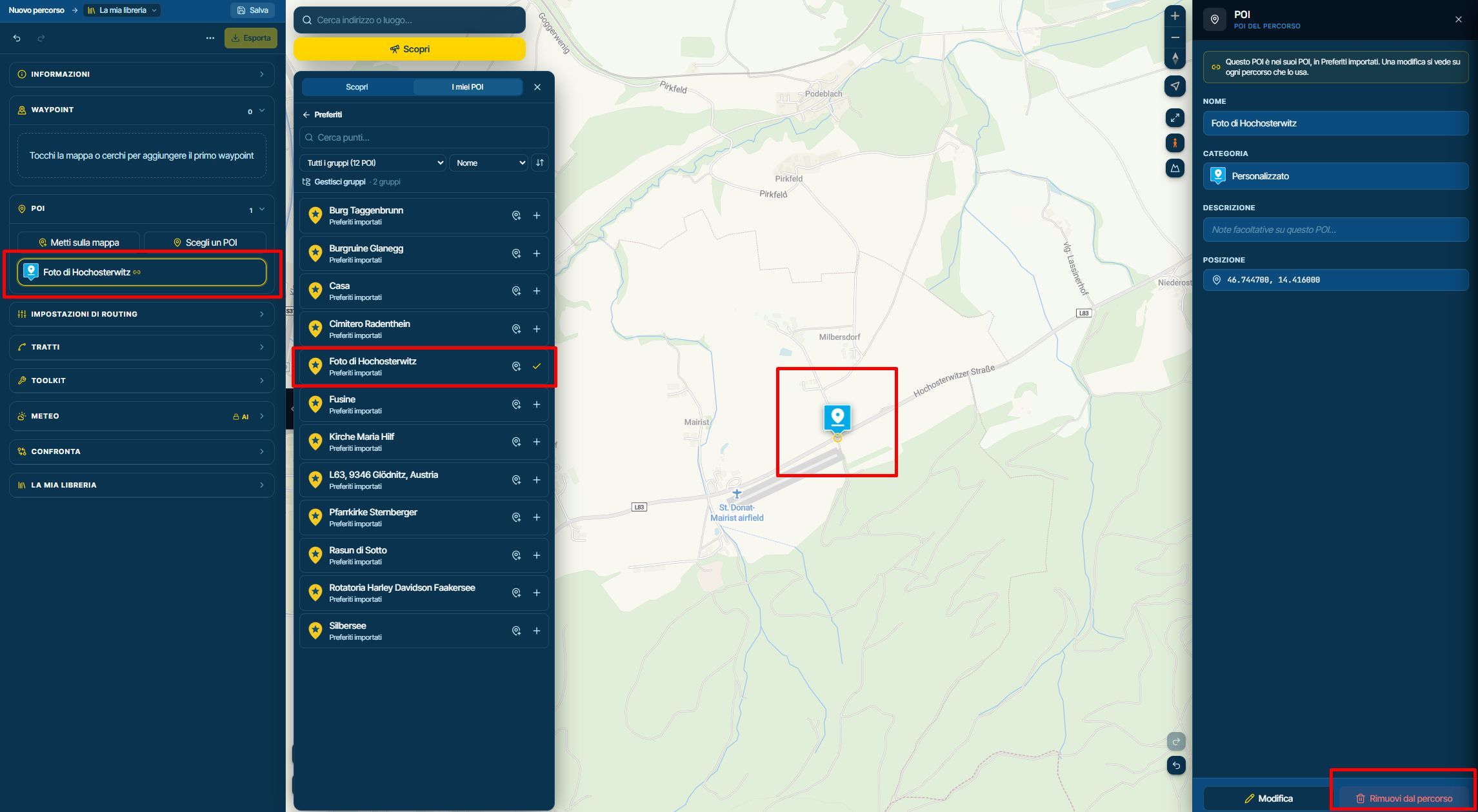
If I add a POI to the map and later want to remove it, the only method I have found is to click the "Remove from Route" button located at the bottom-right of the POI menu on the right side of the screen.
However, I could not find a way to remove the same POI directly from the routing menu on the left side of the screen.
As is already possible with waypoints, would it be possible to remove POIs directly from the routing menu simply by selecting them and pressing the Delete key on the keyboard?
This would make route editing more intuitive and provide a consistent user experience between waypoints and POIs.
Thanks a lot
-

To remove a POI from a route, without deleting it entirely, click on the POI and then click "Remove from route" at the bottom right of the POI dialog. Do not click edit unless you want to delete the POI entirely.
-
Thank you for the feedback.
Using the Delete key on the keyboard, from the routing menu on the left, shouldn't it be possible to remove it from the route without deleting it from the POI list?
Hello! It looks like you're interested in this conversation, but you don't have an account yet.
Getting fed up of having to scroll through the same posts each visit? When you register for an account, you'll always come back to exactly where you were before, and choose to be notified of new replies (either via email, or push notification). You'll also be able to save bookmarks and upvote posts to show your appreciation to other community members.
With your input, this post could be even better 💗
Register Login-
 01698
-
 012212
-
 111179
-
2362.3k
-
015520
-
 0644
-
 3689
-
 07113