Skip to content
  • Categories
  • Recent
  • Popular
  • Support
  • MyRoute-app
Collapse
Brand Logo

MRA Community Forum

  1. Home
  2. MRA Routeplanner Next Beta
  3. [Web-Beta] Suggestions and Discussions
  4. RouteXpert display on the map

RouteXpert display on the map

Scheduled Pinned Locked Moved [Web-Beta] Suggestions and Discussions
11 Posts 4 Posters 99 Views 2 Watching
  • Oldest to Newest
  • Newest to Oldest
  • Most Votes
Reply
  • Reply as topic
Log in to reply
This topic has been deleted. Only users with topic management privileges can see it.
  • Corrado Miniati
    Corrado Miniati
    Corrado Miniati
    wrote last edited by
    #1

    Hello,
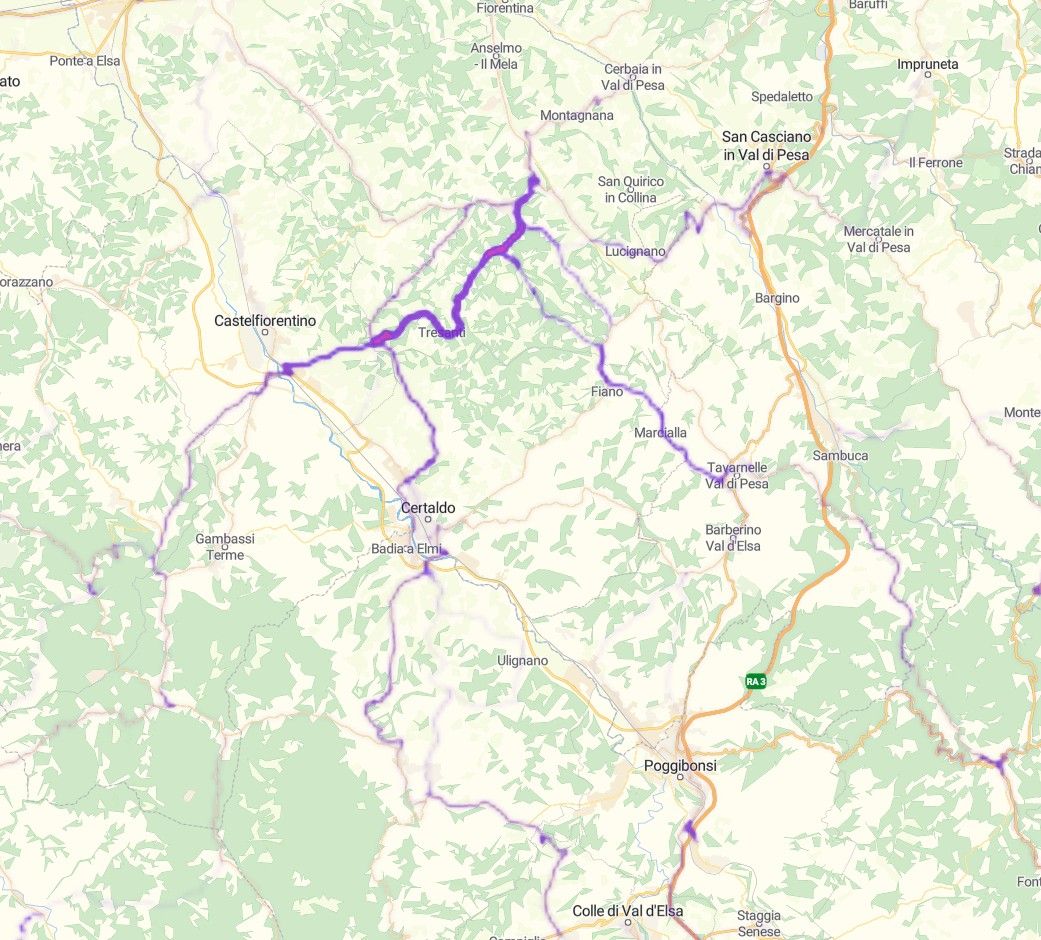
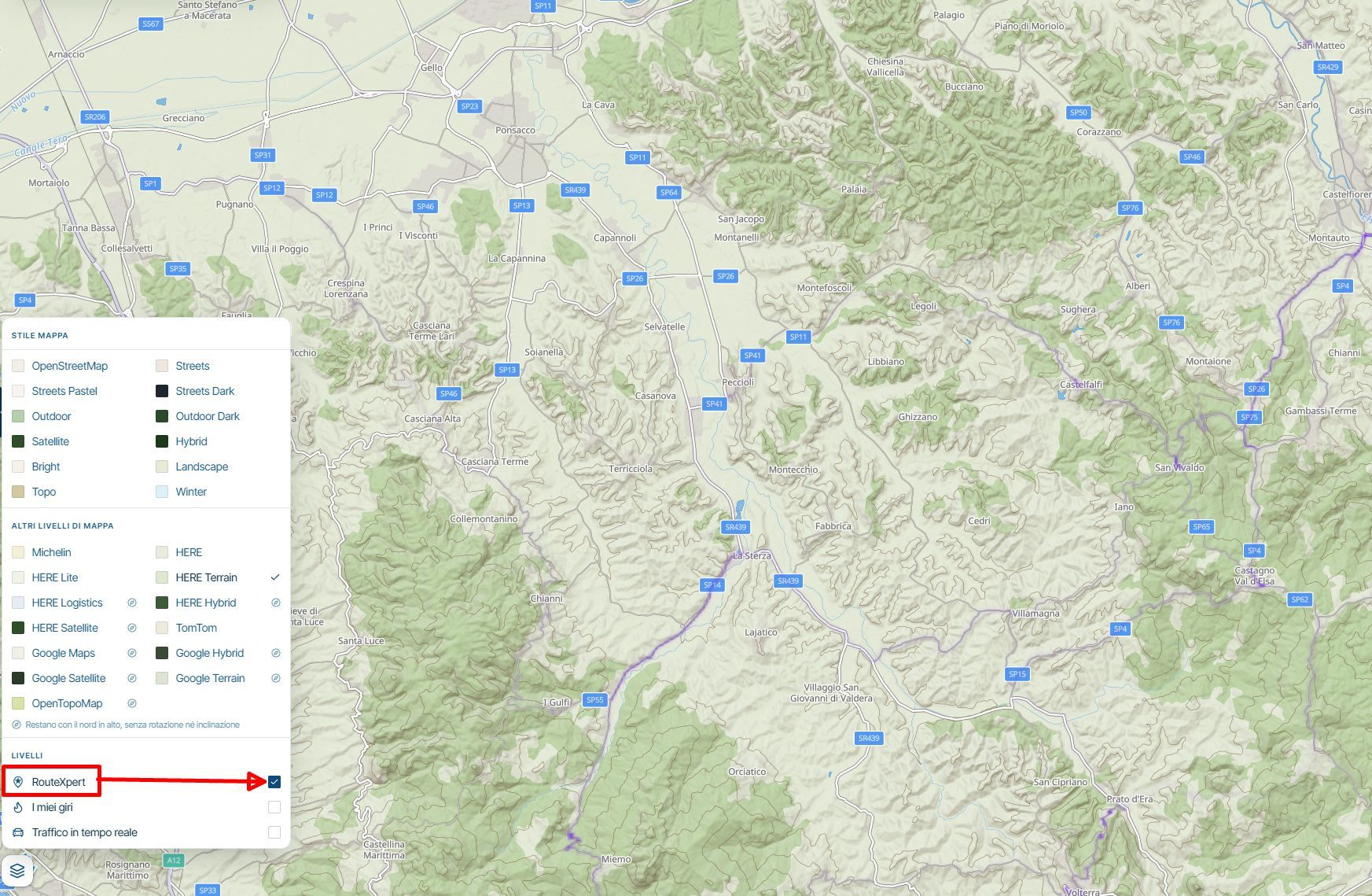
    When I select the option in the planner to display RouteXpert routes on the map, they appear as faint purple lines—sometimes more intense, and at other times much less visible.
    Is this the correct way for them to be displayed?
    What do the varying intensities of the purple lines signify?

    Thanks a lot

    image.jpeg

    1 Reply Last reply
    0
    • MotoCon
      MotoCon
      MotoCon
      Alpha tester
      wrote last edited by MotoCon
      #2

      That's a heat map. The more intense the colour, the more a route goes there. What is the relation to the routeXpert route? I suspect you are looking at a selected folder with routes, not a single route?

      I am just an enthusiastic MRA user, and hope you will be one too!

      Most motorcycle problems are caused by the nut that connects the handlebar to the saddle.

      Check out RideSleepRepeat.eu, a biker community for sharing stays across Europe

      Corrado Miniati 1 Reply Last reply
      0
      • MotoCon MotoCon

        That's a heat map. The more intense the colour, the more a route goes there. What is the relation to the routeXpert route? I suspect you are looking at a selected folder with routes, not a single route?

        Corrado Miniati
        Corrado Miniati
        Corrado Miniati
        wrote last edited by
        #3

        @MotoCon
        Hello, and thanks for the feedback.
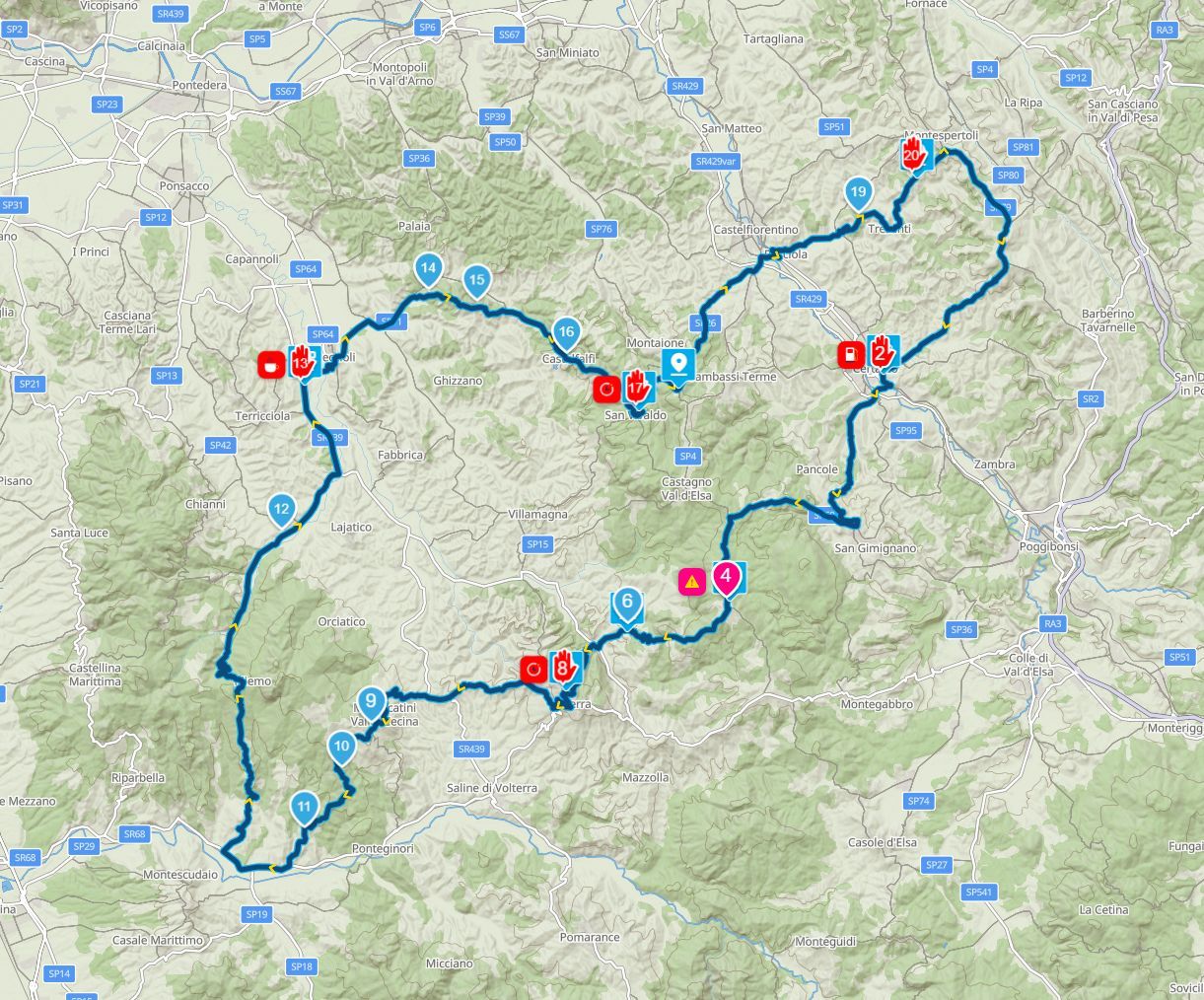
        Let me try to explain more clearly, in the RouteXpert folder within the planner, I found this route, which was shared by a team member:
        RouteXpert.jpg

        However, when I open the planner and view that same area on the map, if I enable the RouteXpert option in the map layers I only see the heat map (in purple) but the route shared by the team member does not appear.
        What am I doing wrong?
        Si RouteXpert.jpg

        MotoCon 1 Reply Last reply
        0
        • Corrado Miniati Corrado Miniati

          @MotoCon
          Hello, and thanks for the feedback.
          Let me try to explain more clearly, in the RouteXpert folder within the planner, I found this route, which was shared by a team member:

          RouteXpert.jpg

          However, when I open the planner and view that same area on the map, if I enable the RouteXpert option in the map layers I only see the heat map (in purple) but the route shared by the team member does not appear.
          What am I doing wrong?

          Si RouteXpert.jpg

          MotoCon
          MotoCon
          MotoCon
          Alpha tester
          wrote last edited by
          #4

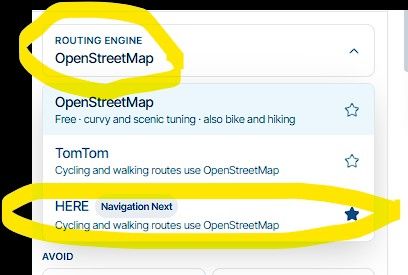
          @Corrado-Miniati-0, Alright, so the color of the map overlay is almost equal to the route line itself...
          Try these settings in the editor settings (3-dot menu next to the export button).
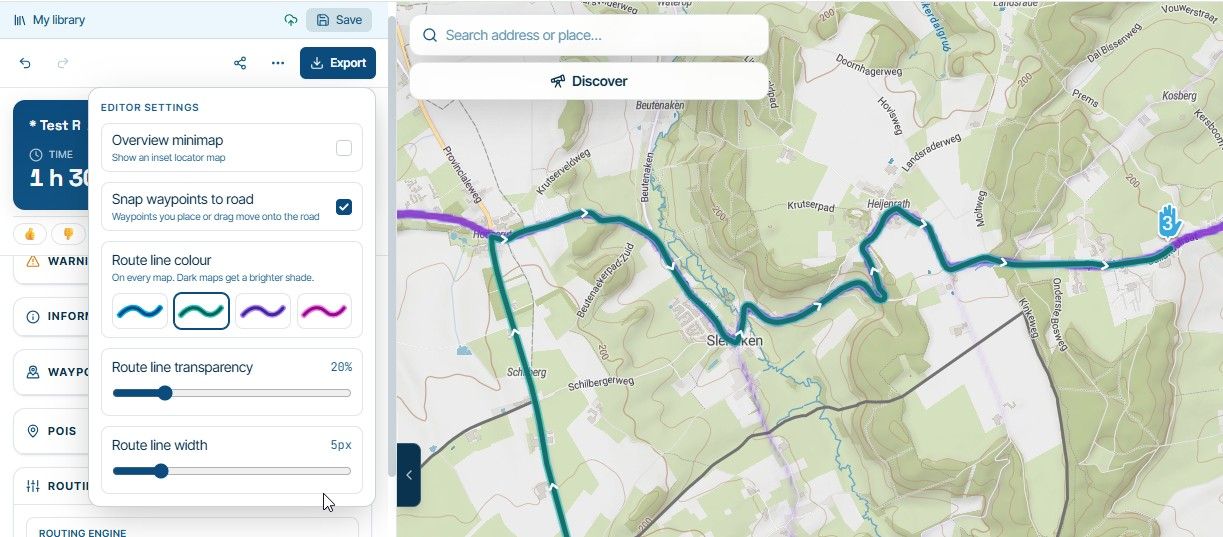
          image.jpeg

          I am just an enthusiastic MRA user, and hope you will be one too!

          Most motorcycle problems are caused by the nut that connects the handlebar to the saddle.

          Check out RideSleepRepeat.eu, a biker community for sharing stays across Europe

          1 Reply Last reply
          0
          • Corrado Miniati
            Corrado Miniati
            Corrado Miniati
            wrote last edited by
            #5

            I tried making changes, but nothing happens.
            When RouteXpert is enabled in the map layers, the routes do not appear.

            Nick Carthew 1 Reply Last reply
            0
            • Corrado Miniati Corrado Miniati

              I tried making changes, but nothing happens.
              When RouteXpert is enabled in the map layers, the routes do not appear.

              Nick Carthew
              Nick Carthew
              Nick Carthew
              RouteXpert
              wrote last edited by
              #6

              @Corrado-Miniati-0 Can you share the link to the RouteXpert route please.

              Always willing to help if I can.
              Triumph Tiger 1200 XRT called Tina.
              MRA Navigation Next and SilverFox BJ8

              1 Reply Last reply
              0
              • Corrado Miniati
                Corrado Miniati
                Corrado Miniati
                wrote last edited by
                #7

                Sure:

                https://beta.myrouteapp.com/plan/30b105ab-e995-4761-85ae-513e9a623dab

                However, I don't see any RouteXpert routes on the map, even when selecting the corresponding option in the map layers.

                Thanks a lot

                1 Reply Last reply
                0
                • Corjan Meijerink
                  Corjan Meijerink
                  Corjan Meijerink
                  Developer
                  wrote last edited by
                  #8

                  It’s built as rough indication of where they are. Not exactly one on one.

                  Corrado Miniati 1 Reply Last reply
                  0
                  • Corjan Meijerink Corjan Meijerink

                    It’s built as rough indication of where they are. Not exactly one on one.

                    Corrado Miniati
                    Corrado Miniati
                    Corrado Miniati
                    wrote last edited by Corrado Miniati
                    #9

                    @Corjan-Meijerink
                    Hi Corjan, thanks for the feedback.
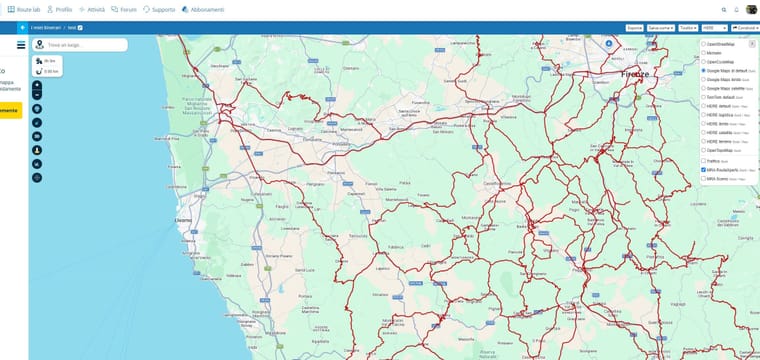
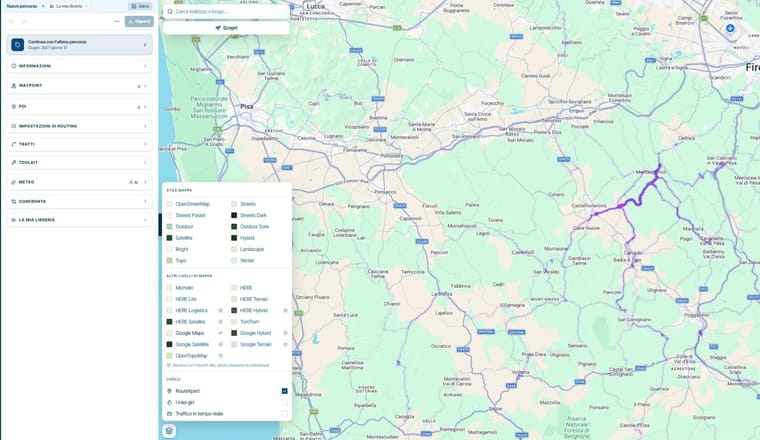
                    However, compared to the previous version of the planner, there is a significant difference in how RouteXpert routes are displayed, even with the same layers selected.
                    Below, you can see screenshots from the old and new planner; previously, the routes were clearly visible, but in the new planner, they are unrecognizable at least, I can’t make them out.
                    old MRA.jpg
                    New MRA.jpg

                    1 Reply Last reply
                    1
                    • Corjan Meijerink
                      Corjan Meijerink
                      Corjan Meijerink
                      Developer
                      wrote last edited by
                      #10

                      I'll make some improvements to match the old!

                      1 Reply Last reply
                      2
                      • Corrado Miniati
                        Corrado Miniati
                        Corrado Miniati
                        wrote last edited by
                        #11

                        Great, thanks Corjan

                        1 Reply Last reply
                        0

                        Hello! It looks like you're interested in this conversation, but you don't have an account yet.

                        Getting fed up of having to scroll through the same posts each visit? When you register for an account, you'll always come back to exactly where you were before, and choose to be notified of new replies (either via email, or push notification). You'll also be able to save bookmarks and upvote posts to show your appreciation to other community members.

                        With your input, this post could be even better 💗

                        Register Login
                        Reply
                        • Reply as topic
                        Log in to reply
                        • Oldest to Newest
                        • Newest to Oldest
                        • Most Votes


                        ACTIVE USERS
                        Corjan Meijerink
                        Corjan Meijerink
                        MotoCon
                        MotoCon
                        Corrado Miniati
                        Corrado Miniati
                        Nick Carthew
                        Nick Carthew
                        POPULAR TOPICS
                        • Current city/village name instead of the street name
                          Guzzist
                          Guzzist
                          0
                          14
                          65

                        • Routes not syncing to the mobile app
                          Corjan Meijerink
                          Corjan Meijerink
                          0
                          13
                          39

                        • ETA icon not displayed in Android Auto
                          Corjan Meijerink
                          Corjan Meijerink
                          0
                          13
                          108

                        • 1 post all Bugs & suggestions
                          Corjan Meijerink
                          Corjan Meijerink
                          1
                          12
                          103

                        • waar vind ik de bestaande POI'S
                          Hubert Thoring
                          Hubert Thoring
                          0
                          9
                          20

                        • Still showing Open Street Map
                          Corjan Meijerink
                          Corjan Meijerink
                          0
                          8
                          41

                        • Overnight reviews - motorcycle security
                          Rob Verhoeff
                          Rob Verhoeff
                          0
                          9
                          88

                        • Opstarten app in Android.
                          Beemerfrankie
                          Beemerfrankie
                          0
                          7
                          18

                        MY GROUPS
                        • Login

                        • Login or register to search.
                        • First post
                          Last post
                        0
                        • Categories
                        • Recent
                        • Popular
                        • Support
                        • MyRoute-app