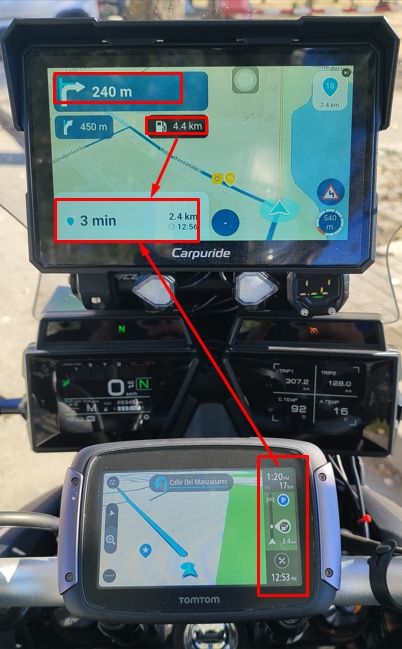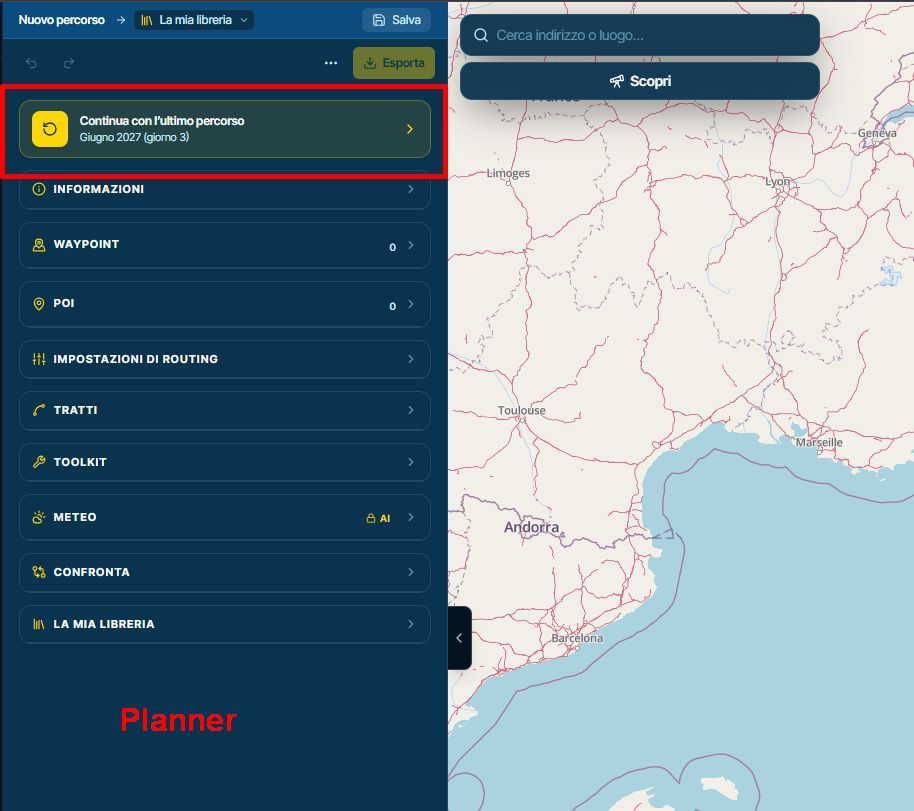
How to export GPX files to Zumo XT without recalculation
-
Thanks for the replies, sorry but I’ll address both posts in one… first I never said I use MRA navigation, I plan in MRA and use DMD and I’ve had zero problems… zero!!! I’d be interested to know why you’re so against it though? Learning curve? What learning curve? Garmins are easy so please don’t assume that I’ve not tried persevering with them, the problem is they don't do what you want them to do unless you let it plan from AtoB, as I said these questions have been getting asked for years… just simply go on any nav/bike forum and its the same thread over and over, but hey if Garmin works for you then great…

Next, cloud who said anything about cloud? I always used the MRA connector, then I tried saving to drive to see if that would help and whatever route I took to get the file on the Garmin the route would be changed, in the preview everything looked great until you hit go and then you’d have no idea until an issue arises on the ride… and yes I’ve used all those different settings. Why after all that money you’d be happy with having to lay a track over a route is beyond me…
I’ve been at a junction in Spain with four mates all following a planned gpx route, all on Garmins and all four people were getting different directions… no thank you, I’ll stick with MRA to plan DMD to navigate. Just MHO gents.
I wish my German was as good as your English!!!
What’s happened with the XT3 then? And this just reinforces my point without even knowing what the issue is …
 Someone from Garmin R&D needs sacking!!!

@Andy-Beviere dmd uses OSM for the map materiaal. Garmin ofcourse Here
Honda Goldwing GL1500,
Honda Silverwing GL 650
DMD2 T865X 8 inch Android tablet using MRA next for navigation
Garmin XT sold
Samsung S24FE mounted on a Quadlock and using Android Auto in my car -
@Andy-Beviere dmd uses OSM for the map materiaal. Garmin ofcourse Here

@Andy-Beviere dmd uses OSM for the map materiaal. Garmin ofcourse Here
whats your point???
-
@Andy-Beviere With all due respect, I suggest you learn how to use the Garmin to the best of its abilities. Yes, there is a learning curve, I suggest zumoforums.co.uk. I struggled with my Garmin devices, like you, for a number of years. Today, I have no issues because I understand how to get the most out of it.
I have Gold and lifetime licenses here for MRA online planner and MRA Navigation app. I thoroughly recommend the planner but rarely use the navigation app and discourage others from using it too (let's see if V6.0 improves things). Garmin is a much better navigation device than MRA on a phone IMHO.
-
@HABVEN-aka-MrMRA with the greatest of respect that is utter rubbish which is why so many people have been asking the same question for years… and it is literally years now, I can’t believe people are still parting with in excess of £500 for a device and as for that Tread app…
I have had pretty much every sat nav going on my motorcycle journey (forgive the pun) and its only DMD that doesn’t mess with the ‘planned route’ this is an important distinction to make, I’m talking about sitting down and planning a cracking ride for example in Spain not using the device to go from AtoB… I plan on here and export to DMD and not once have I had an issue, plan on here and export to the Zumo XT2 and nothing but issues, I could go and on with other examples... couple below for you.
Example: Last year we were having a cracking ride in the Saint Mere Eglis area of France, using Zumo XT2’s next thing we know we’re on a motorway for an hour and a half as the route had been changed, we should’ve been following the ‘planned’ coast road. Later in the year I had the same issues on a trip with my wife.
Regards,
Andy.
PS You are free to think whatever you like.
I have also never encountered any issues with the routes I create and send to a Garmin Zumo 660, 395, 590, XT, XT2, XT3, TomTom, or BMW CRN. That said, the fact remains that a route still has to be calculated.
I did have issues when using a Carpe Iter tablet—which, incidentally, didn't stay on my motorcycle for very long. I’m not familiar with DMD; after my experience with the Carpe Iter, I’ve come to the conclusion that a dedicated navigation device works best—after all, that’s what they’re designed for. A tablet or smartphone is, at best, just a makeshift solution. -
@BertM Apologies, you are correct. Looks like I can no longer edit my error

-
@BertM Apologies, you are correct. Looks like I can no longer edit my error
@BertM Apologies, you are correct. Looks like I can no longer edit my error
No Apologies needed, just wanted to point out to the right forum.
-
I just understand how people can say they have zero problems with Garmins when all the guys I ride with have binned them and these aren’t stupid people… they’re quite tech savvy…

 ️
-
PS You are free to think whatever you like.
I have also never encountered any issues with the routes I create and send to a Garmin Zumo 660, 395, 590, XT, XT2, XT3, TomTom, or BMW CRN. That said, the fact remains that a route still has to be calculated.
I did have issues when using a Carpe Iter tablet—which, incidentally, didn't stay on my motorcycle for very long. I’m not familiar with DMD; after my experience with the Carpe Iter, I’ve come to the conclusion that a dedicated navigation device works best—after all, that’s what they’re designed for. A tablet or smartphone is, at best, just a makeshift solution.
@HABVEN-aka-MrMRA That’s why I use a dedicated sat nav…?

-
These topics bashing the Garmin XT series devices will never stop. The units take some dedicated effort to understand, and frankly most riders don’t want to put in the effort. If it doesn’t work like Google right out of the box, there must be something wrong with it. In a world of simple phone app alternatives the motivation simply isn’t there to dig in. And that’s OK because phone apps are all that most riders need,
Regardless, MRA Routeplanner is the best available routing SW on the market. Garmin GPS devices have the most total core capabilities of any navigation options on the market. If you truly know how to use each, they 100% work well together. It’s not debatable.
I wish more who come on here would approach this from the standpoint of “what am I doing wrong?”. It would be a much more productive exchange.
-

Even those of us who have used Garmin devices for years and understand the associated software (up to the Garmin XT1) Will bash Garmin for good reason.
Good
The Hardware.....robust water dust and heat proof. My Oldest Garmin device is 22 and still works.
The Desktop software Mapsource and later Basecamp are fine pieces of software and I still use Basecamp for handling tracks and POI's as this is an area in MRA that still needs work.Bad
The XT1 and I believe the 2 and 3 have a bug with "imported" routes which causes repeated U turns if a via point is missed (even if skipped). This can be mitigated by making all routes "Saved" but its something to be aware of.
Somewhere after the Zumo 390 and 590 GPS units Garmin changed the Routing algorithm of the devices so that with the devices set using the same parameters "Faster Time" no longer meant the fastest time between two way points irrespective of road type but meant "Faster Roads" creating additional complication when designing routes for a Garmin XT1 for example as Basecamp routes were not longer WYSIWYG with the GPS unit.
For the XT1 "explore" does not add value to the experience of using the unit if you connect it. Its a poor piece of software IMO. In many ways MRA is what explore should have been.
Garmin's recent software has in general been buggy. The otherwise excellent "Drive" app was broken for Android users recently when they added functionality unrelated to the Zumo XT
If you are using the unit outside its area for example using a Europe unit in the US or visa versa you can load Garmin's expensive "Here" maps or you have to Garminise Open Street Maps to get coverage.
I've moved to navigation using the MRA navigation app. Mainly because my Africa twin has built in AA/CP and I can manipulate the software using my bar buttons which is safer and more convenient than prodding the XT screen (I now I should stop!)
What I have found is that working this way via android auto is more flexible. I use My Route app navigation for routes. OSMand for tracks and Google maps for fast A-B navigation and using voice commands to find coffee and lunch stops. I still have my XT mounted as a backup with my routes and tracks "Saved" on it. I have the Track displayed on it and any Custom or proximity alerted POI's I might want to use loaded.
-
@HABVEN-aka-MrMRA not 50 viapoints?


@Travellexxie 50 points is not applied to XT!
Garmin zūmo XT (Original) Limits
• Via Points Limit: 29 intermediate via points max (31 total via points including Start and End). Going over this forces an automatic route split.
• Shaping Points Limit: Up to 125 unannounced shaping points allowed between each via point.
• Total Combined Capacity: Because of the 125-shaping-point gap allowance between each of the 31 total via points, a single intact route file can mathematically hold up to ~3,750 points total, successfully ignoring the confusing "50-point cap" written in some of Garmin's general documentation.
BUT
DO NOT use a total if too many points in total as this slows down the XT‘s calculation.Garmin zūmo XT2 & XT3 Limits
The newer generations completely dropped the restriction of a "points between vias" architecture in favor of a massive flat pool:
• Via Points Limit: A flat maximum of 100 via points total per route.
• Shaping Points Limit: A flat maximum of 1,000 shaping points total per route.
• Total Combined Capacity: The routing engine allows up to 1,100 total combined routing points on a single calculated trip.Why did Garmin reduce the total capacity of points from XT to XT 2 and XT3?
While it looks like a downgrade on paper, Garmin changed this to fix a massive performance flaw.
On the original zūmo XT, if you actually tried to load a complex route containing thousands of points, the device's processor would choke. It would take several minutes to calculate, lag heavily when you went off-route, or completely crash mid-ride. The "125 points between vias" rule was a legacy structural setting in Garmin's code, but the hardware couldn't smoothly run a single route packed to that limit.
By switching the XT2 and XT3 to a strict 1,100 total point ceiling, Garmin ensured the routing engine always has enough computational headroom to calculate instantly, render complex maps smoothly, and recalculate on the fly without lagging.


Hello! It looks like you're interested in this conversation, but you don't have an account yet.
Getting fed up of having to scroll through the same posts each visit? When you register for an account, you'll always come back to exactly where you were before, and choose to be notified of new replies (either via email, or push notification). You'll also be able to save bookmarks and upvote posts to show your appreciation to other community members.
With your input, this post could be even better 💗
Register Login


-
 116101
-
01379
-
 0852
-
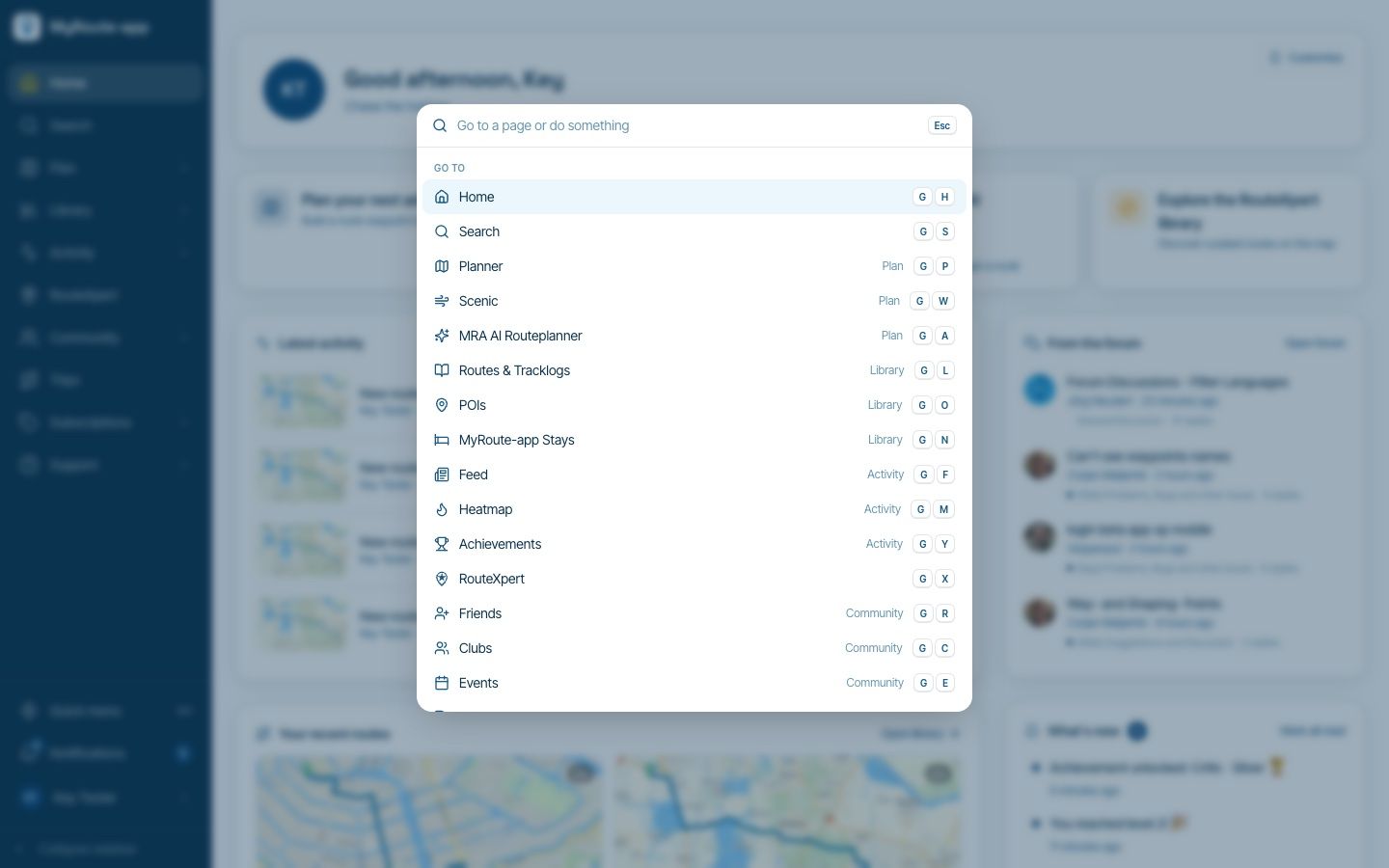
Website update - Keyboard shortcuts, route status, every Discover category and more of your feedback
 913199
-
 07179
-
 310250
-
1772
-
 1181.7k