Upgrading from Zumo XT to XT2
-
@Marinus-van-Deudekom you should really gain some routemaking skills. I have never ever had one problem, with the routes I made either wit Basecamp nor with MRA. Therefore, my XT stays on my bike. Unbeatable: XT with MRA 1.2. In the camper and cabrio I work with the MRA-app on a tablet.

@Travellexxie I've send you a PB
-
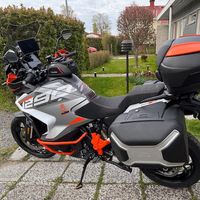
Hello all, quite interesting discussion here. I gave up with Android devices and navigation and changed to XT3. So far very happy for my use. I plan routes with the MRA route planner and use GPX 1.2. So far no issues with changes of the planned route. Garmin is just sitting above the dash and it's there. No hazzle with offline or online maps. No overheating of the phone if using CarPlay and no battery drain of the iPhone. I had several issues during my last rides with outdoor phones and tablets and found MY, maybe a bit old school, solution. The screen of the XT3 is great and serves my requirements. However MRA-App is a great software but a Garmin is a navigation system and a phone is a phone :).
-
Hello all, quite interesting discussion here. I gave up with Android devices and navigation and changed to XT3. So far very happy for my use. I plan routes with the MRA route planner and use GPX 1.2. So far no issues with changes of the planned route. Garmin is just sitting above the dash and it's there. No hazzle with offline or online maps. No overheating of the phone if using CarPlay and no battery drain of the iPhone. I had several issues during my last rides with outdoor phones and tablets and found MY, maybe a bit old school, solution. The screen of the XT3 is great and serves my requirements. However MRA-App is a great software but a Garmin is a navigation system and a phone is a phone :).
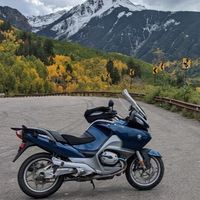
@Thomas-Neumeyer It sounds like your situation is much like mine. I started using MRA after buying the Garmin, and like you, I appreciate the fit of the XT in the motorcycle instrument space. I did carry a tablet one one extended trip for the sole purpose of creating or modifying routes using MRA, but I found it slow and cumbersome. On later trips I carried a laptop. The tablet now lives in the kitchen as a recipe server, I've owned three or four and never found them particularly convenient.
One Garmin feature that I appreciate is weather radar, using the Drive app. The traffic notifications are useful as well. The phone stays tucked in the tankbag. Can you comment on those features in the XT3? I'm assuming the Tread app has similar features to Drive.
I'm curious, how do you transfer the GPX files, hardwired connection or phone app?
-
@Thomas-Neumeyer It sounds like your situation is much like mine. I started using MRA after buying the Garmin, and like you, I appreciate the fit of the XT in the motorcycle instrument space. I did carry a tablet one one extended trip for the sole purpose of creating or modifying routes using MRA, but I found it slow and cumbersome. On later trips I carried a laptop. The tablet now lives in the kitchen as a recipe server, I've owned three or four and never found them particularly convenient.
One Garmin feature that I appreciate is weather radar, using the Drive app. The traffic notifications are useful as well. The phone stays tucked in the tankbag. Can you comment on those features in the XT3? I'm assuming the Tread app has similar features to Drive.
I'm curious, how do you transfer the GPX files, hardwired connection or phone app?

One Garmin feature that I appreciate is weather radar, using the Drive app. The traffic notifications are useful as well. The phone stays tucked in the tankbag. Can you comment on those features in the XT3? I'm assuming the Tread app has similar features to Drive.
I too would like to hear from @thomas-neumeyer regarding his XT3 perspectives. I love mine, and it's always good to read other perspectives.
When I initially configured my XT unit years ago, I only used the Drive app briefly. I loved the ability to use the app to transfer routes, but I had BT conflict problems using other Drive functions. I'm going to attribute that to user error (me
 ) with the setup I had using multiple Cardo/Sena connections. At the time, weather and traffic didn't have much value to me, so I deleted the app. Basecamp file transfer was good enough.
The XT3 uses the Tread app, which covers what the Drive app provides to the XT. My first thought was not to install Tread at all, given all the horror stories of destroyed/altered routes. But I found that you can install Tread without enabling external storage (i.e. Explore) and still get full weather/traffic/music/phone functionality. As you would expect, Tread is a more refined than Drive given that its 6-years newer. It works very well. I especially like the traffic alerts which have saved me more than once from getting stuck up ahead.
The downside of not enabling Explore is that you're on your own transferring routes into the XT3. I use Window File Explorer to copy the GPX into the XT3. It's a simple drag-and-drop process. You're already in MRA Routeplanner on the computer anyway. Plugging the XT3 into a USB port to be seen as a file system is not rocket science, and the process is quick to perform. I copy into a Garmin/GPX folder on an inserted SD card within the XT3. It's a different subject, but there are advantages to using a card vs. XT3 internal storage for route storage.
Some users seem to get away with using Tread/Explore and not report problems, and that's great. It's just something I don't want to get caught up in.
-
Hello, I am using Tread but I do not sync the routes. I just connect it to the PC and transfer the GPX to the SD card. Weather radar works and traffic information. All good. And the route planner on the Garmin is not too bad either. When I plan my trips/routes I use the planner of MyRoute on the computer. Save it and drive. I anyway spend time to generate the routes and after they are ready they will be pushed to the XT3. I do not let the Tread app sync because there can be surprises but I do not need to do this often. And in case I have no option to transfer data I use the Garmin route planner.
-

Hello all. I'm new here and I'm following this thread with great interest.
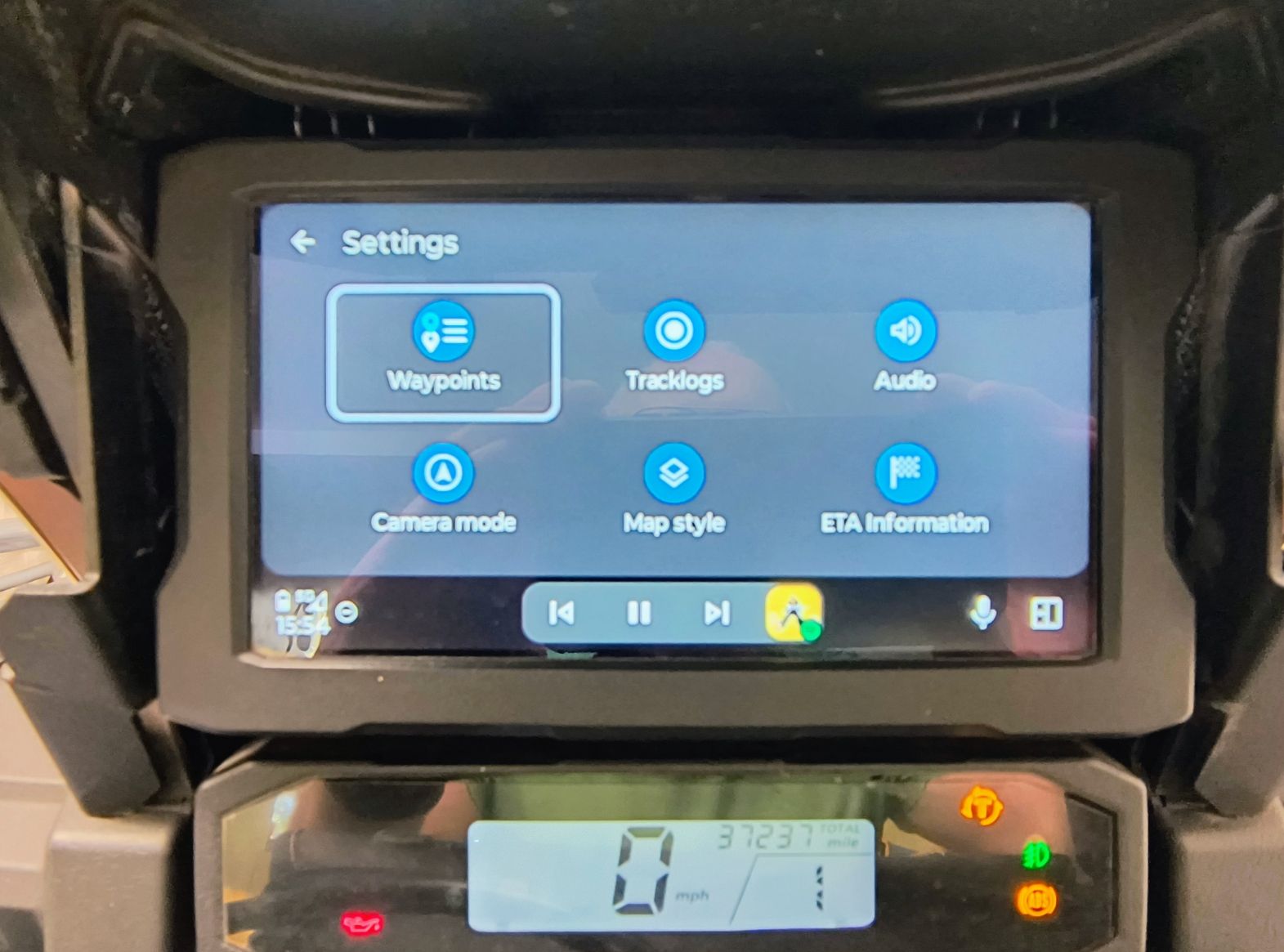
A little background - I have been using Garmin devices on boats, cars and motorcycles for decades. I've been using Basecamp, and Mapsource before it, for route planning since its inception. As outdated and antiquated as it is, I'm very comfortable and rather proficient with it. Until a week or so ago, I was quite happy working this way and uploading my routes to my Zumo XT. Unfortunately, the Zumo died two weeks ago and I find myself in a country that neither sells nor repairs Garmin Zumo products.Now I am searching for an alternative and MRA was at the top of the list. Over the years I have used various phones with Google maps and had all the attendant problems, the most recent being on a rental bike last week where my Pixel overheated. Ruling out mounting a phone on the bars, I have purchased a generic Chinese Android Auto display for the bike. While waiting for a connector to arrive to install it, I have been trying out MRA Navigate using AA in my car. Creating routes in MRA, or even importing my Basecamp GPX files, works fine. The big problem I encountered today, which was a big problem years ago when tried using Google Maps, is that the AA UI is a functional subset of the phone app. In particular I could not find a way to skip a waypoint while on the road in a multi-point trip without stopping and going back to the phone app. This is a non-starter for me, since I do lots of multi-day, multi-point trips and have one coming up here in a couple of weeks. Am I missing something or is this feature simply lacking, or perhaps different implementations of AA expose different functionality? This is a rather urgent question for me, since as I said I have a big bike trip coming up in a few weeks and on-bike navigation will be essential.
Any advice or suggestions would be most appreciated. Thanks in advance.
-
the skip waypoint apears when you hit the 3 strips down right
-
The 3 dots appear on the lower, right corner on the phone app, but it does not appear on the Android Auto screen. From the phone screen I can get to the menu with the skip next waypoint, just not from the AA display.
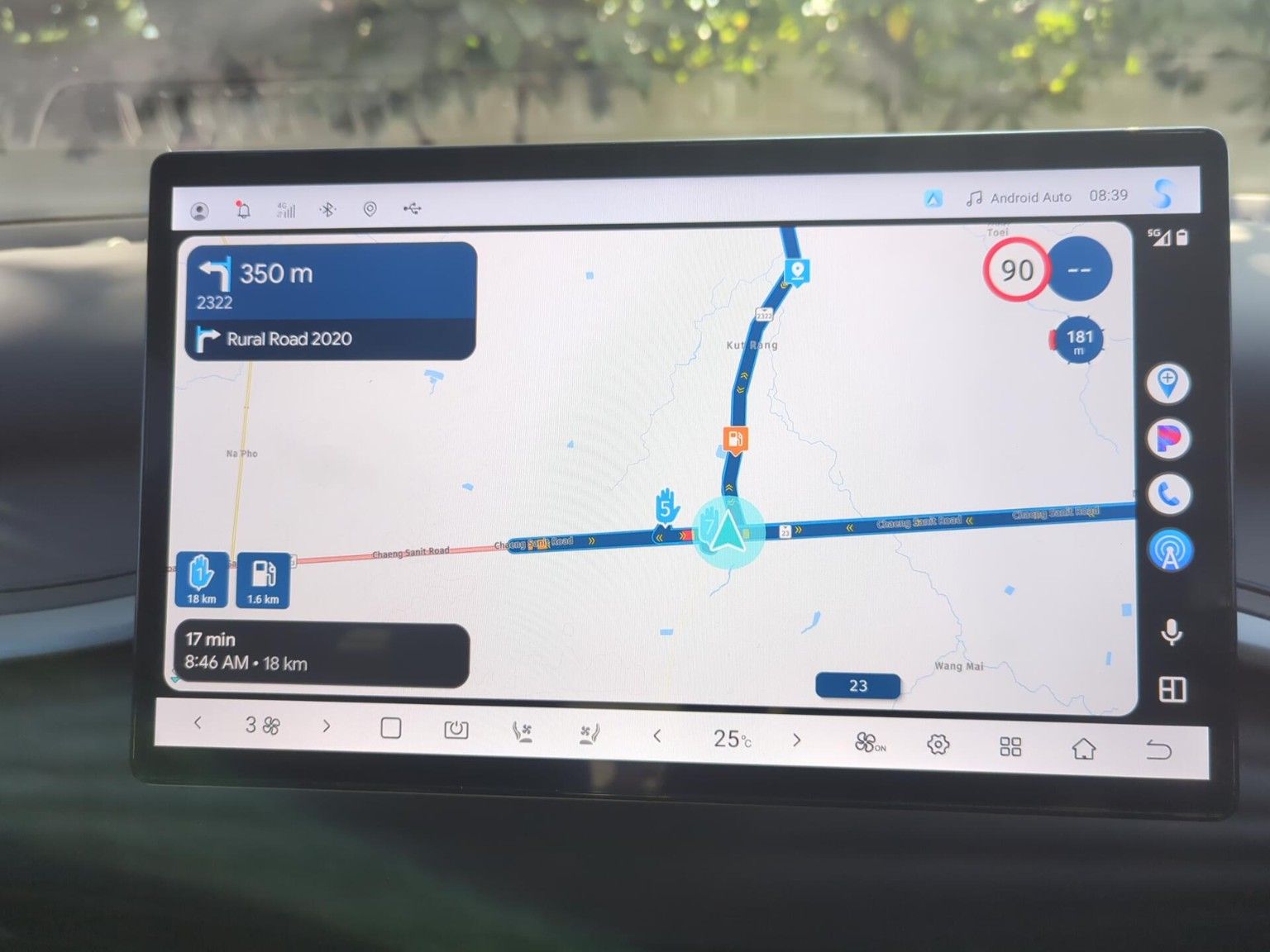
@Glenn.B als je een route actief hebt, Klik dan op het scherm en dan zie je onderaan rechts
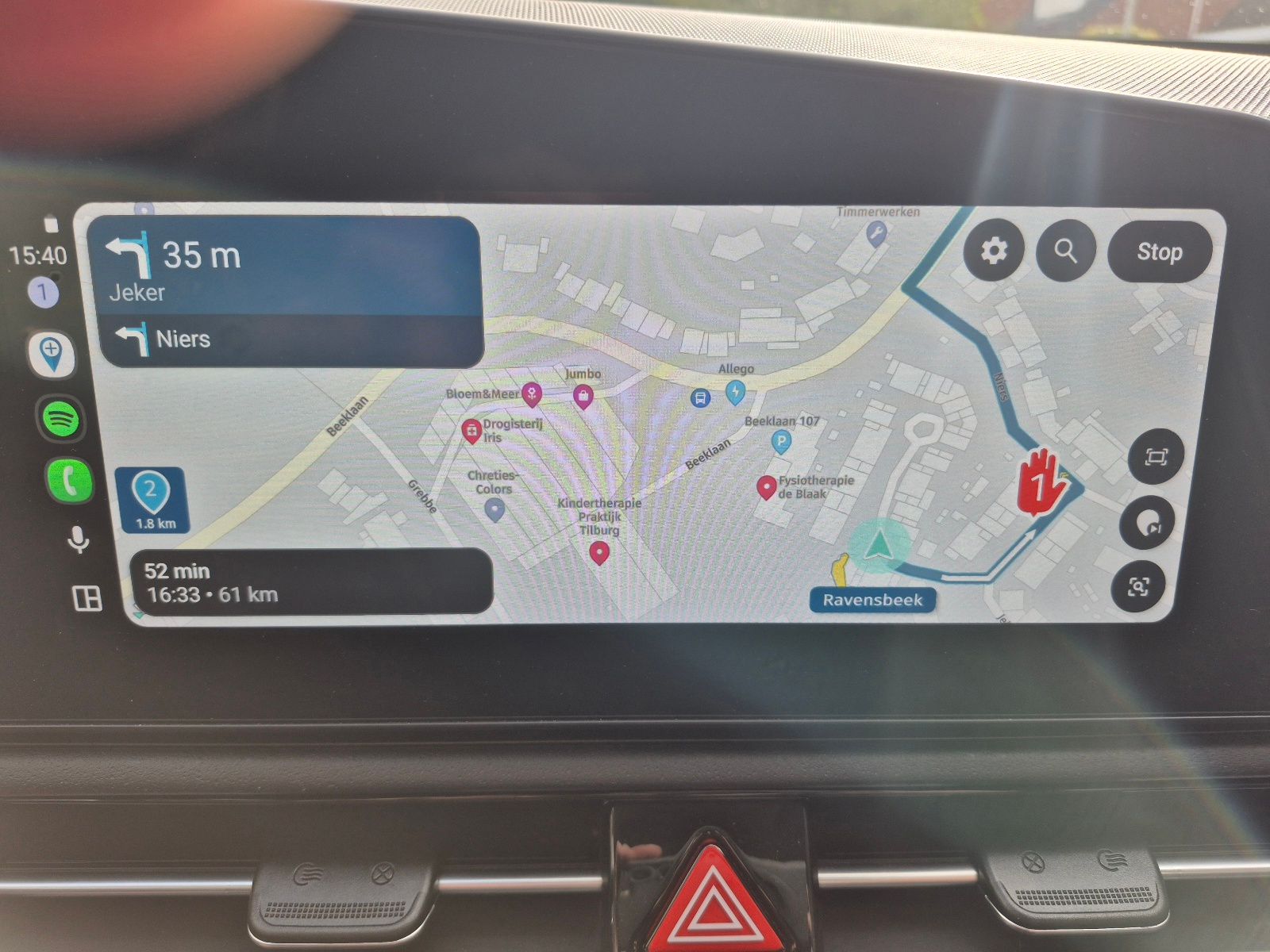
Klik dan op het route punt symbool en dan verschijnt links boven
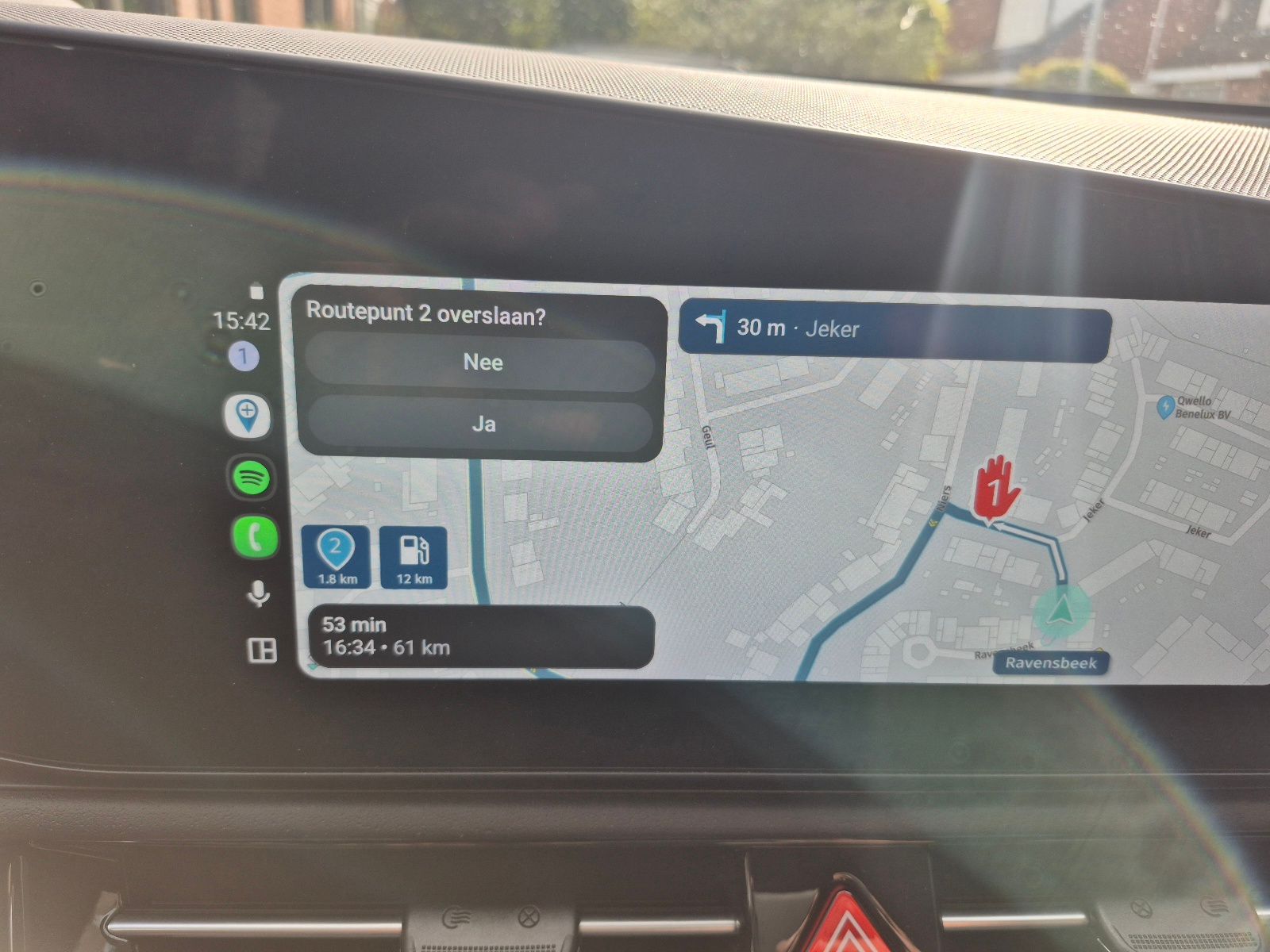
Have fun -
I've been using a Garmin Zumo XT for several years with MRA. Generally I've had good luck. Recently my XT has been giving me problems, inventing bizarre routing from the MRA route, and failing to connect reliably using either the Drive app on my Pixel phone or USB cable to my Win11 computer. I'm frustrated, and considering replacing the XT.
I'm curious how the XT2 performs with MRA. If users have specific feedback I'd love to hear about it.
Thanks in advance!
Buy an XT3, It is much faster then the XT2 and works Well with MRA routes and you can keep your phone in your pocket
-
@Glenn.B als je een route actief hebt, Klik dan op het scherm en dan zie je onderaan rechts
Klik dan op het route punt symbool en dan verschijnt links boven
Have fun
Sorry the wrong langues
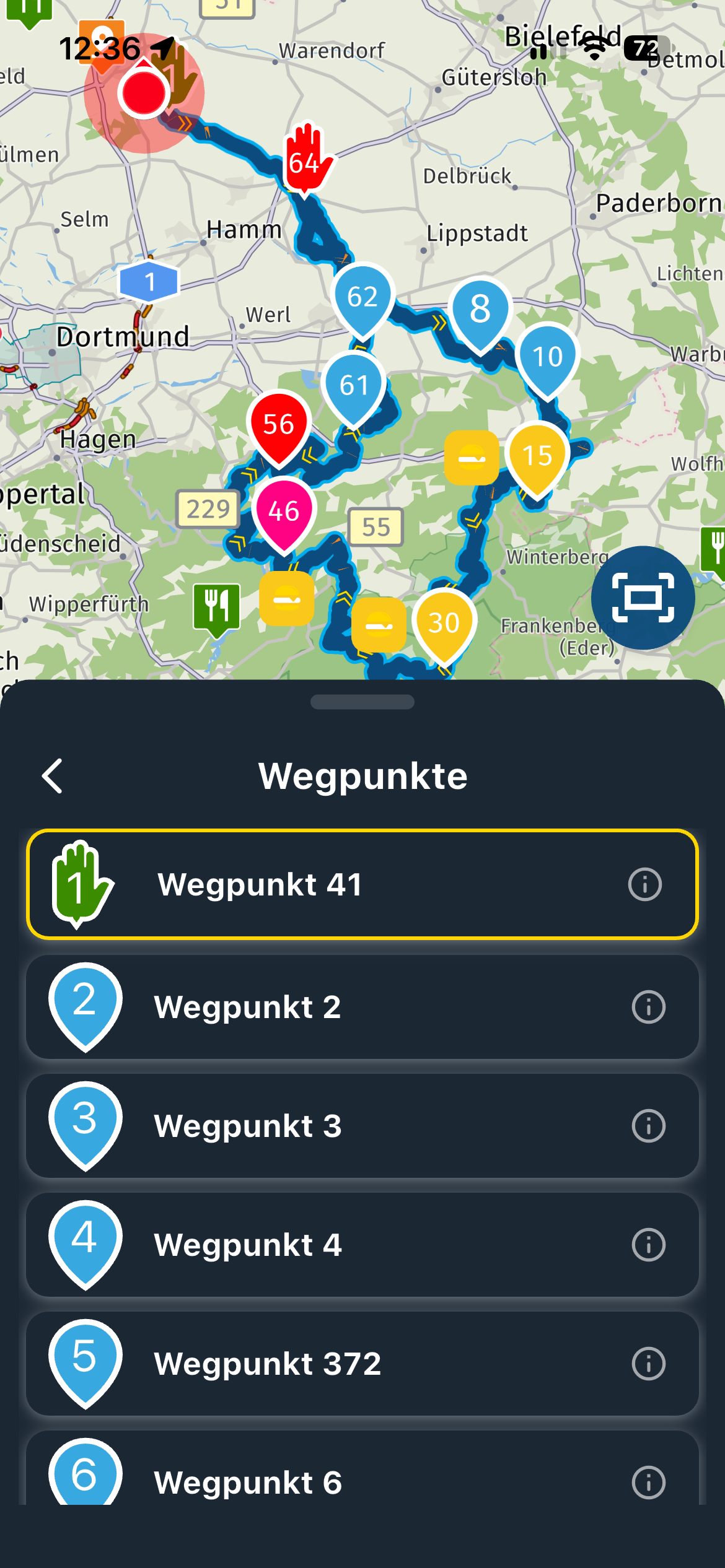
First picture, tap somewhere on the screen and you'll see on the bottom right
Second picture
Click on the waypoint symbool and then you'll see in the top left corner -
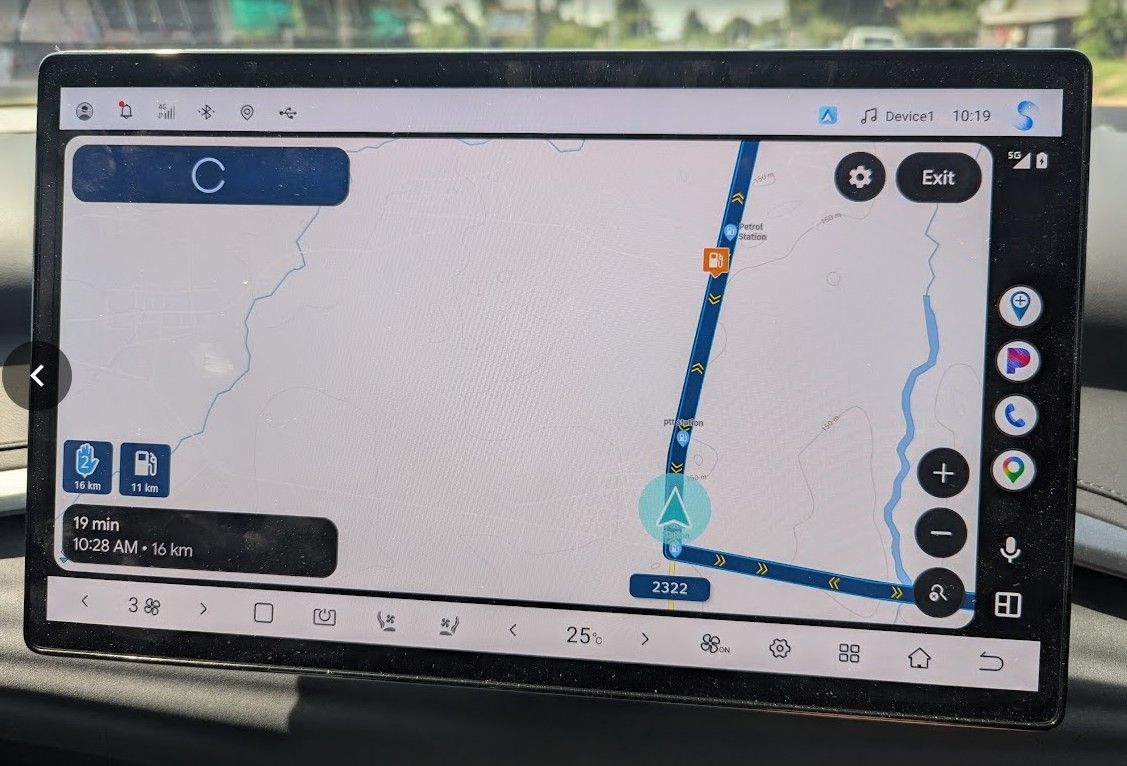
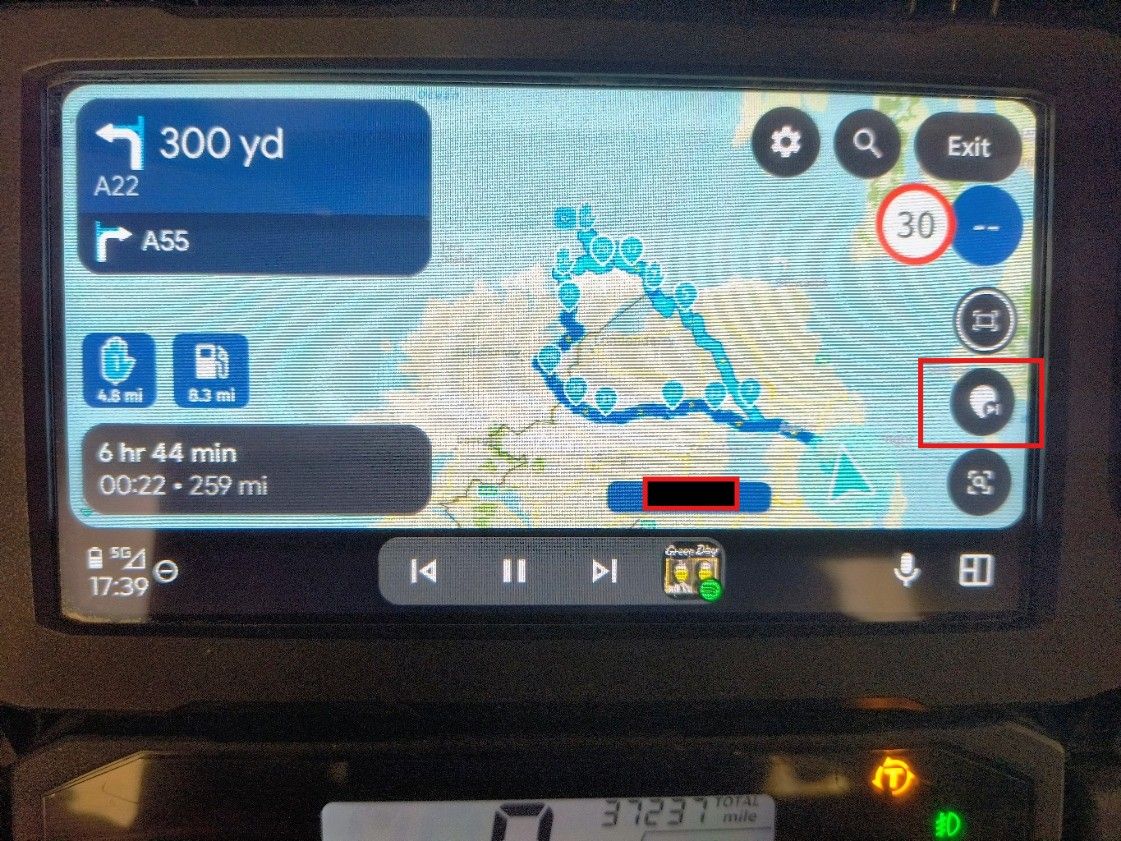
I tried this again today. Clicking on the screen, I did in fact get the additional menu with the "skip waypoint" icon and that worked correctly. However, it did not always work. Sometimes when a click the screen I get additional menu items, but not the "skip waypoint" item. It seemed that the "skip waypoint" item only appeared when I got close the the waypoint which would be skipped. Here is the alternate screen I get when I don't get that item.
-
I tried this again today. Clicking on the screen, I did in fact get the additional menu with the "skip waypoint" icon and that worked correctly. However, it did not always work. Sometimes when a click the screen I get additional menu items, but not the "skip waypoint" item. It seemed that the "skip waypoint" item only appeared when I got close the the waypoint which would be skipped. Here is the alternate screen I get when I don't get that item.

@Glenn.B, are you showing a route with only 2 route points by any chance?
There is not much to skip to if it is. -
After six weeks, I still love my Garmin. It does what I expect. Can't be happier at the moment. Planning with MRA and enjoy riding with XT3. Unfortunately season is soon over in Finland. Regards
-
Buy an XT3, It is much faster then the XT2 and works Well with MRA routes and you can keep your phone in your pocket
Buy an XT3, It is much faster then the XT2 and works Well with MRA routes and you can keep your phone in your pocket
Upgrading to an XT2 or XT3 is one of the options I am considering. Unfortunately, I am in a country that doesn't sell or repair Garmin Zumo products. It would be possible to order one from the US or Europe, but it would take a long time to get here and the price after shipping and import taxes would likely double the cost.


Hello! It looks like you're interested in this conversation, but you don't have an account yet.
Getting fed up of having to scroll through the same posts each visit? When you register for an account, you'll always come back to exactly where you were before, and choose to be notified of new replies (either via email, or push notification). You'll also be able to save bookmarks and upvote posts to show your appreciation to other community members.
With your input, this post could be even better 💗
Register Login
-
 011818
-
 0418
0418
-
09117
-
 03103
03103
-
0317
-
 0292
0292
-
 05242
05242
-