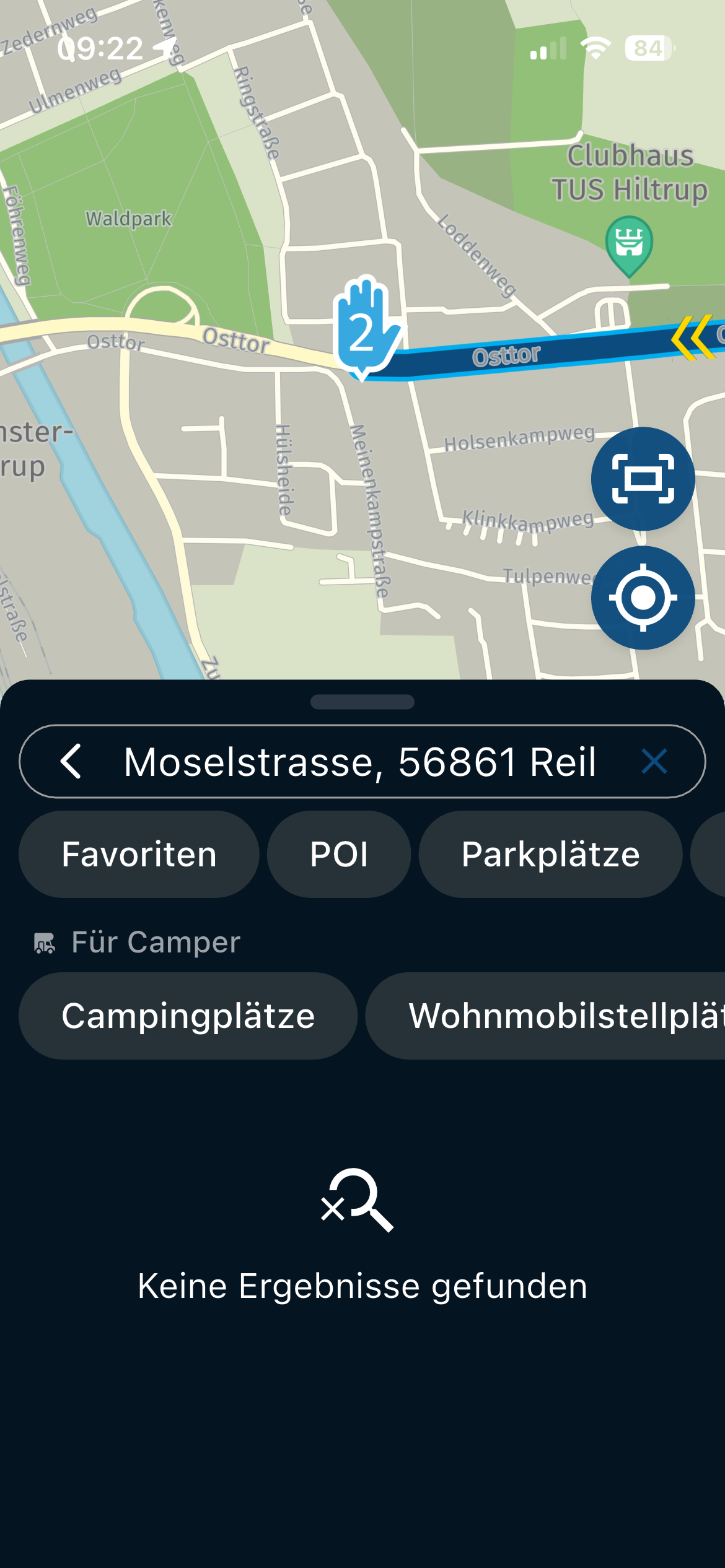
Map Routing on Web wont continue along road, starts to backtrack.
-

Greetings. I am in the process of creating a route through the Badlands South Dakota. Using my laptop. Starting from Wall to the Pinnacles entrance and heading east. I get to the Prairie Land Overlook and it brings me through the overlook instead of the main road but then won't let me continue east bound.
I have changed the route to other formats (Openstreet, Opencycle, TomTom, Google and Here) and they all do the same. I normally use HERE Default (Gold).
I tried opening a new route and redoing it with the same results.
I have changed the VIA and shaping points with no change.
Made sure I was putting the point on the road and as close to the side of the direction I want to head.
I looked at Google Maps and do not see any construction that would prevent me from going in that direction.
You can only slide the 9th point so far before it sends you in a different direction.
Let me know if you need more information.https://www.myrouteapp.com/en/social/route/12407249?mode=share
-
Greetings. I am in the process of creating a route through the Badlands South Dakota. Using my laptop. Starting from Wall to the Pinnacles entrance and heading east. I get to the Prairie Land Overlook and it brings me through the overlook instead of the main road but then won't let me continue east bound.
I have changed the route to other formats (Openstreet, Opencycle, TomTom, Google and Here) and they all do the same. I normally use HERE Default (Gold).
I tried opening a new route and redoing it with the same results.
I have changed the VIA and shaping points with no change.
Made sure I was putting the point on the road and as close to the side of the direction I want to head.
I looked at Google Maps and do not see any construction that would prevent me from going in that direction.
You can only slide the 9th point so far before it sends you in a different direction.
Let me know if you need more information.https://www.myrouteapp.com/en/social/route/12407249?mode=share

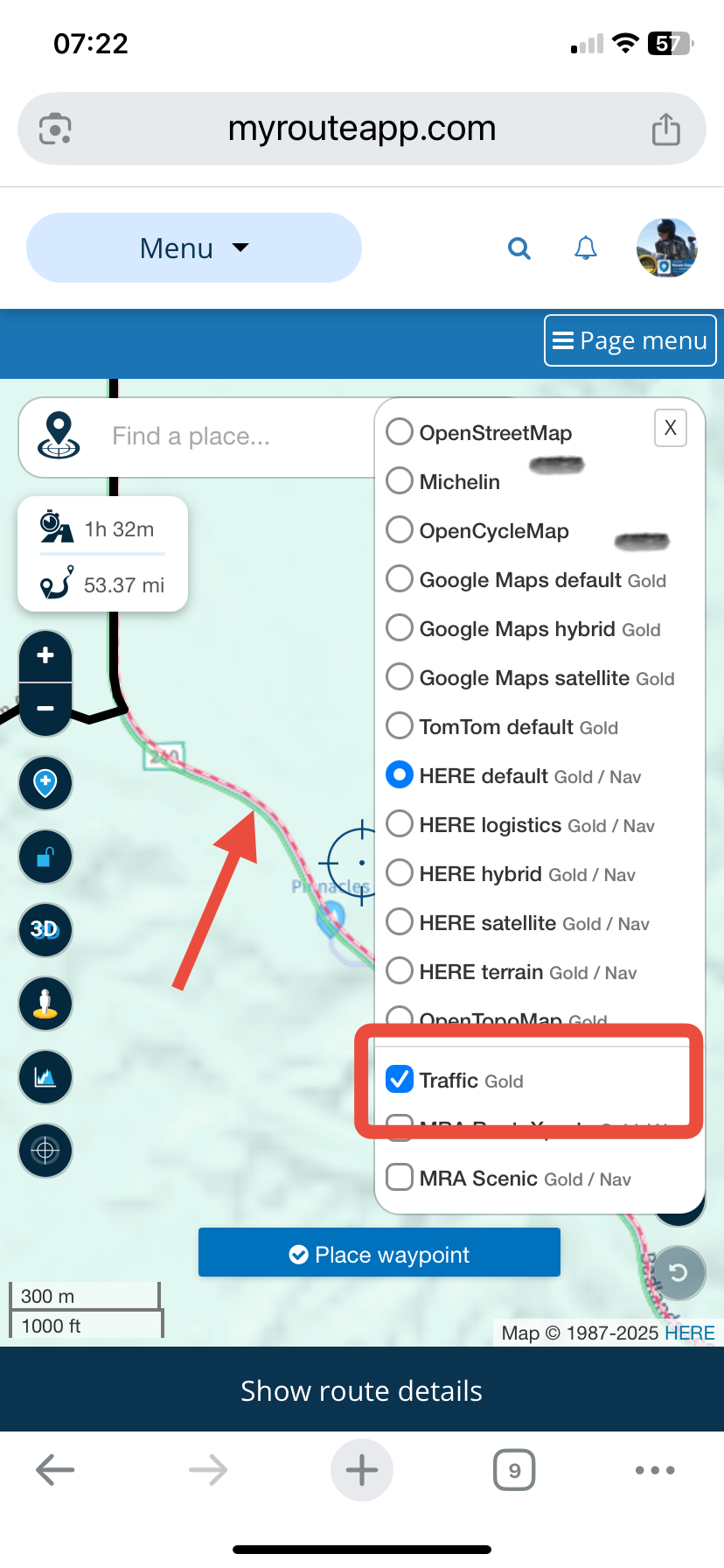
@Jeff-Molldrem By using the traffic overlay map I can see that the HERE planning map has marked the Badlands Loop Scenic Highway as being closed (red/white line). If you turn on Disable Seasonal Closures in the toolkit you can continue planning your route.
-
Greetings. I am in the process of creating a route through the Badlands South Dakota. Using my laptop. Starting from Wall to the Pinnacles entrance and heading east. I get to the Prairie Land Overlook and it brings me through the overlook instead of the main road but then won't let me continue east bound.
I have changed the route to other formats (Openstreet, Opencycle, TomTom, Google and Here) and they all do the same. I normally use HERE Default (Gold).
I tried opening a new route and redoing it with the same results.
I have changed the VIA and shaping points with no change.
Made sure I was putting the point on the road and as close to the side of the direction I want to head.
I looked at Google Maps and do not see any construction that would prevent me from going in that direction.
You can only slide the 9th point so far before it sends you in a different direction.
Let me know if you need more information.https://www.myrouteapp.com/en/social/route/12407249?mode=share

@Jeff-Molldrem your main issue is as @Nick-Carthew says the Here routing is being prevented by the Here map data showing the road as closed/under construction
However I think you may be have a small missunderstanding of how the routing is calculated within MRA
I have changed the route to other formats (Openstreet, Opencycle, TomTom, Google and Here) and they all do the same. I normally use HERE Default (Gold).
Changing the "format" as you have described is what people refer to as changing the "map overlay"
The "map overlay" is just a pretty picture of where the roads are, the "map overlay" has no effect on the route that the system calculatesIf you want to compare the different routing algorithms from Here, TomTom or Openstreetmap you need to change the routing calculator
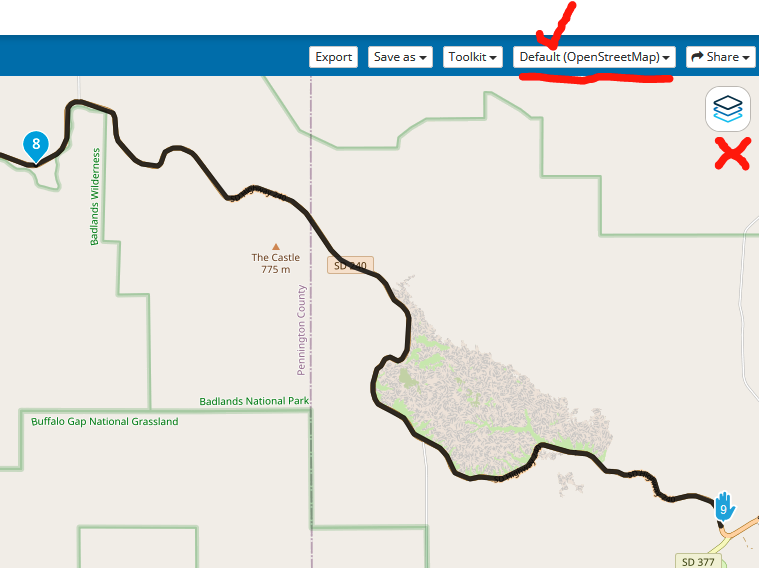
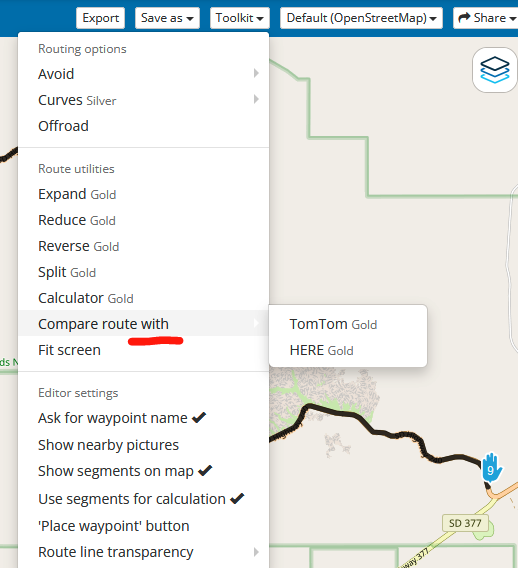
as you can see when the routing calculator is set to OpenStreetMap it routes through the Badlands with no problems, its the same for TomTomYou could also use the Toolkit "Compare" function to show the different paths each routing algorithm will take
-
Thanks for the response. I will have to Keep that Display traffic option in mind. I usually look at google maps or the state road construction project websites as I am making routes. I did click it but it wasn't showing anything even when I zoomed in. I just tried it again and it took a little for the info to appear but as I was scrolling around the map more and more of the road was showing under construction/closed.
Hello! It looks like you're interested in this conversation, but you don't have an account yet.
Getting fed up of having to scroll through the same posts each visit? When you register for an account, you'll always come back to exactly where you were before, and choose to be notified of new replies (either via email, or push notification). You'll also be able to save bookmarks and upvote posts to show your appreciation to other community members.
With your input, this post could be even better 💗
Register Login-
 9902.0k
-
 5791.8k
-
 019683
-
 0595
0595
-
0379
-
 1332382
-
284010.4k
-
 1233
1233