Duplicate waypoint doesn't quite duplicate
-
Minor issue:
When a waypoint is duplicated, not all attributes are copied.Example:
On this map there is a via point with red plus hotel icon, at Store Kongensgade 75B which has been named "Apartment" and note added. I click on waypoint 7 and press Duplicate waypoint.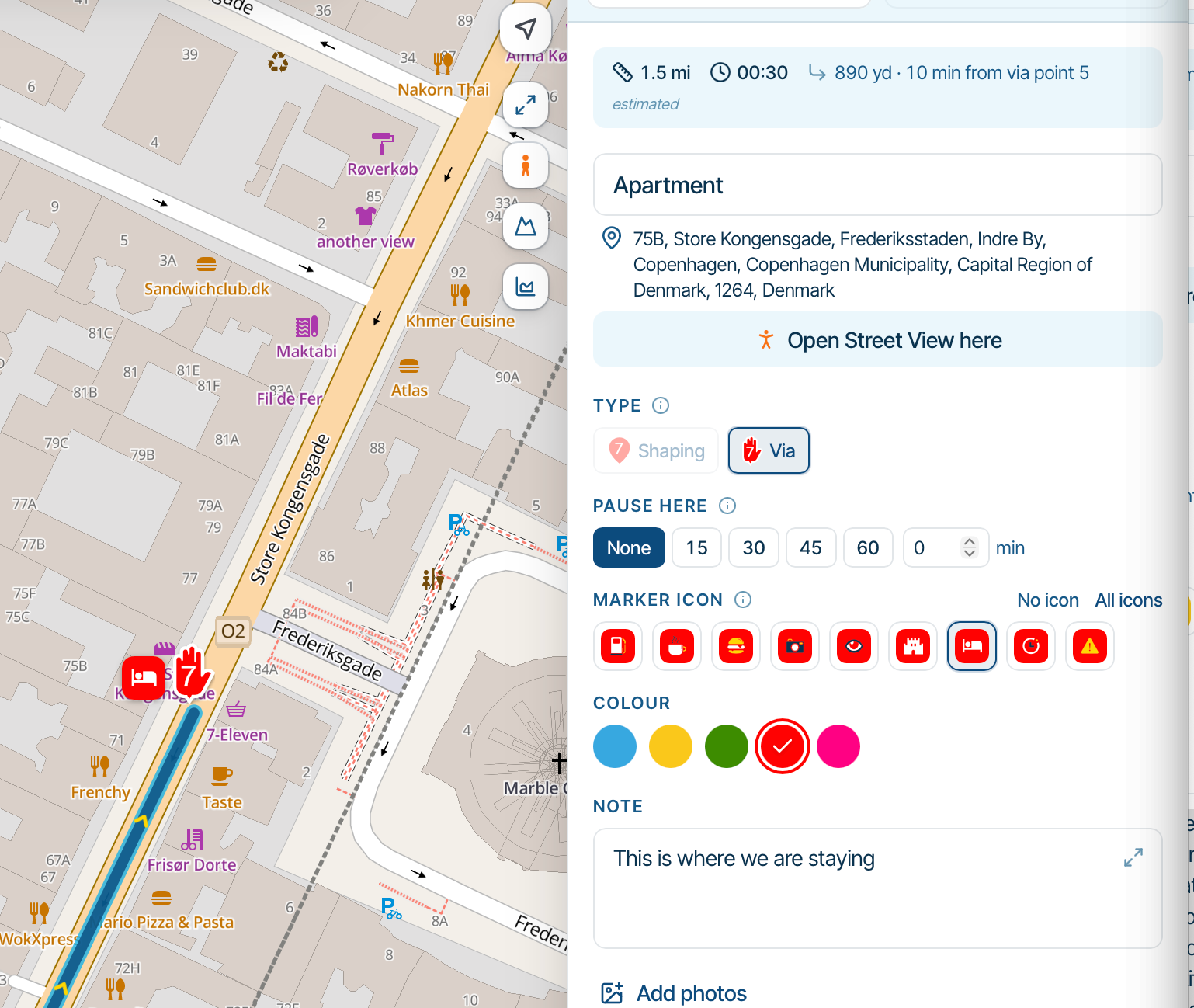
Result:
A new waypoint is inserted, offset slightly, at Store Kongensgade 74. It has the same colour and icon. However it has been created as a shaping point and has lost the name and note.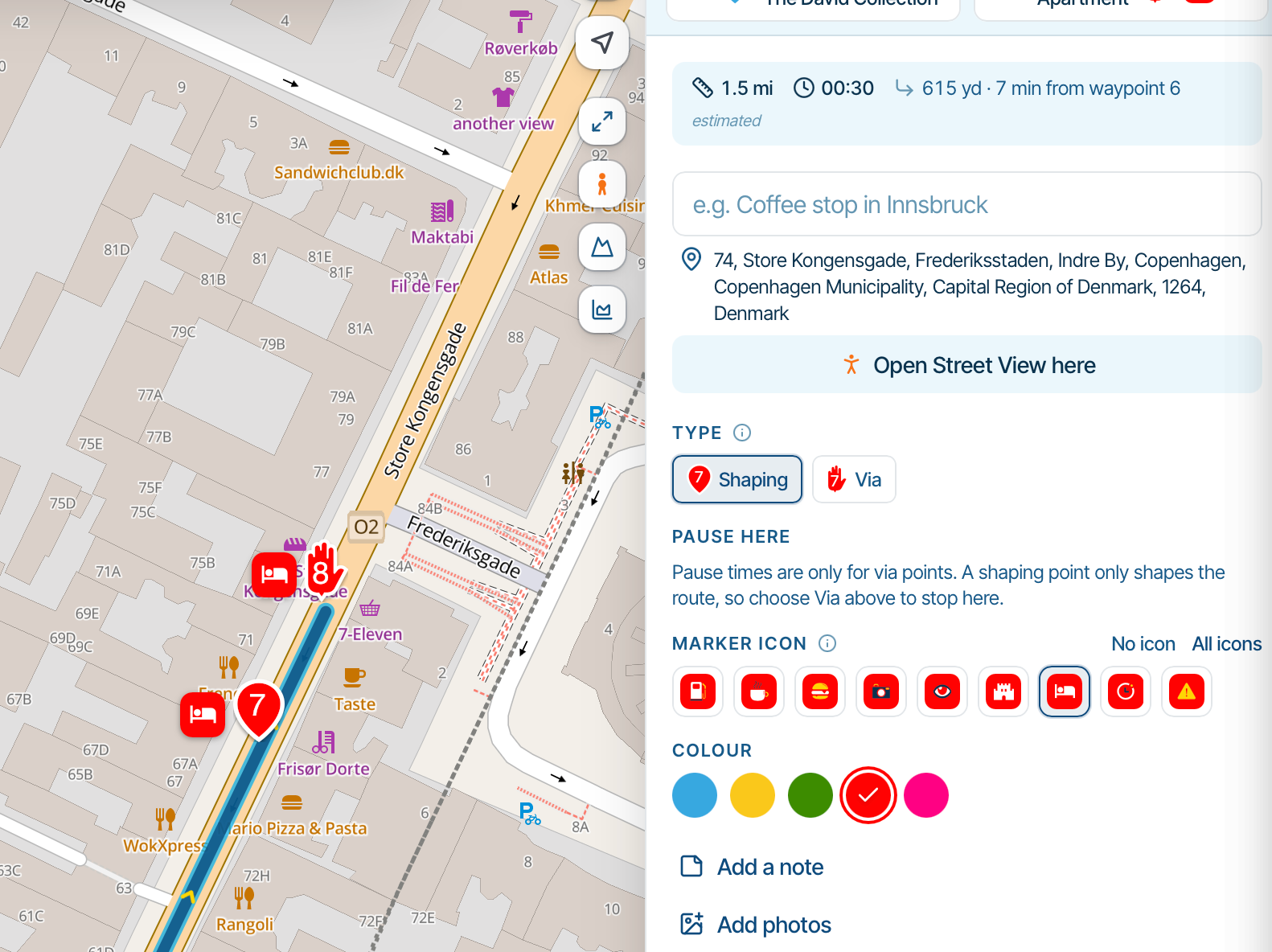
Expected result:
When I ask for a via point to be duplicated, I expect every attribute to be duplicated - including name and note.(It is also not in the same position as the one it is copied from. I can see why you are offsetting it, but that is not always intuitive. The most common situation when we duplicate a waypoint is to add the start point back into the route - eg on a figure-8 walk around a town with lunch back at the apartment, or a circular drive - and in this case we want everything duplicated including the location. But it's probably visually cleaner to offset it.)
I think it's cleanest and more intuitive to duplicate all the attributes other than location in any case.
Hello! It looks like you're interested in this conversation, but you don't have an account yet.
Getting fed up of having to scroll through the same posts each visit? When you register for an account, you'll always come back to exactly where you were before, and choose to be notified of new replies (either via email, or push notification). You'll also be able to save bookmarks and upvote posts to show your appreciation to other community members.
With your input, this post could be even better 💗
Register Login-
 011238
-
 0644
-
 07216
-
 0423
-
 0323
-
 01379
-
 013375
-
0233