A to B Navigation with Extra Stop.
-

Hi,
Would like to be able to do A to B navigation and add a extra point to shape route, a shaping point not a via point.
Example:
MRA does not give as may option as Apple maps. In the below screen shots for example, the black outlined route is in reality the best route.
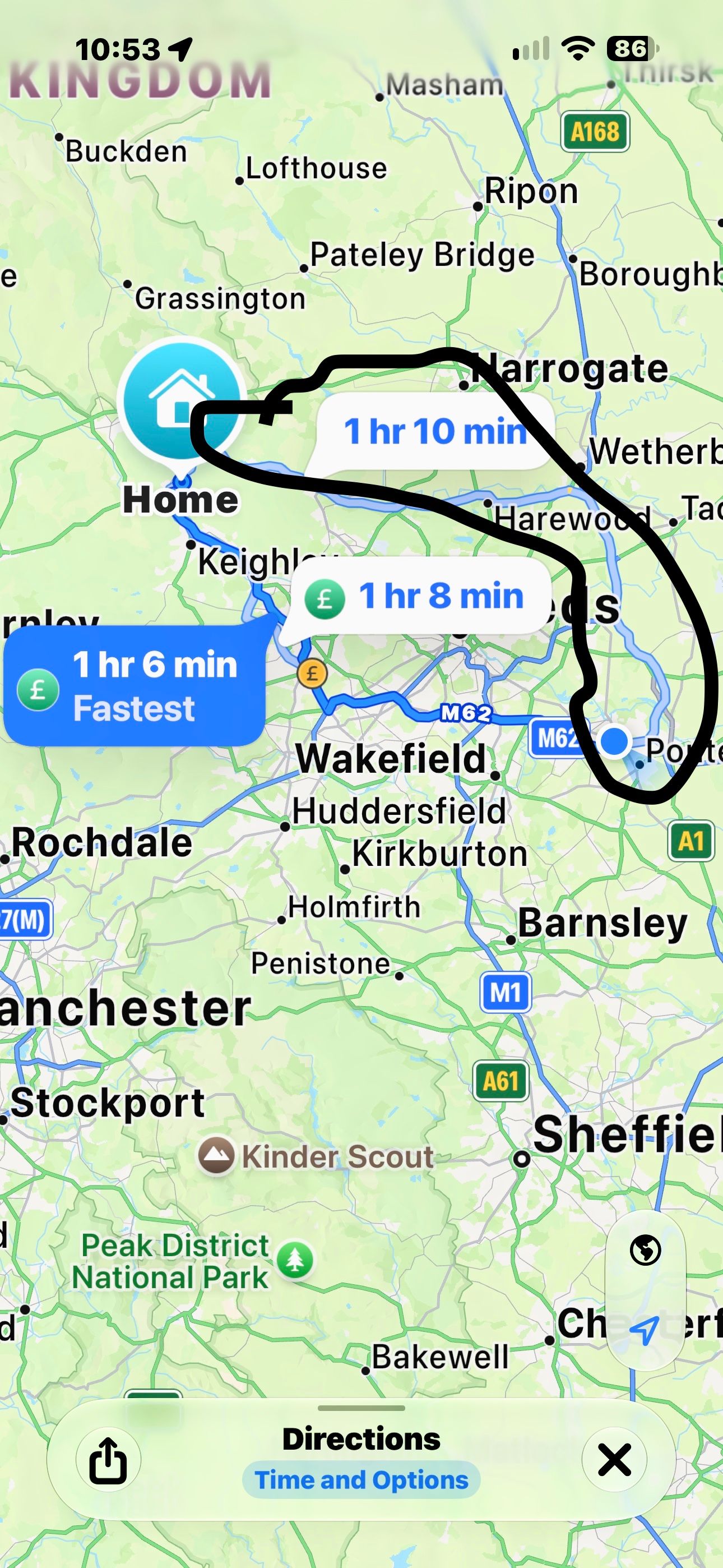
MRA does not show it, tried longest, shortest etc.
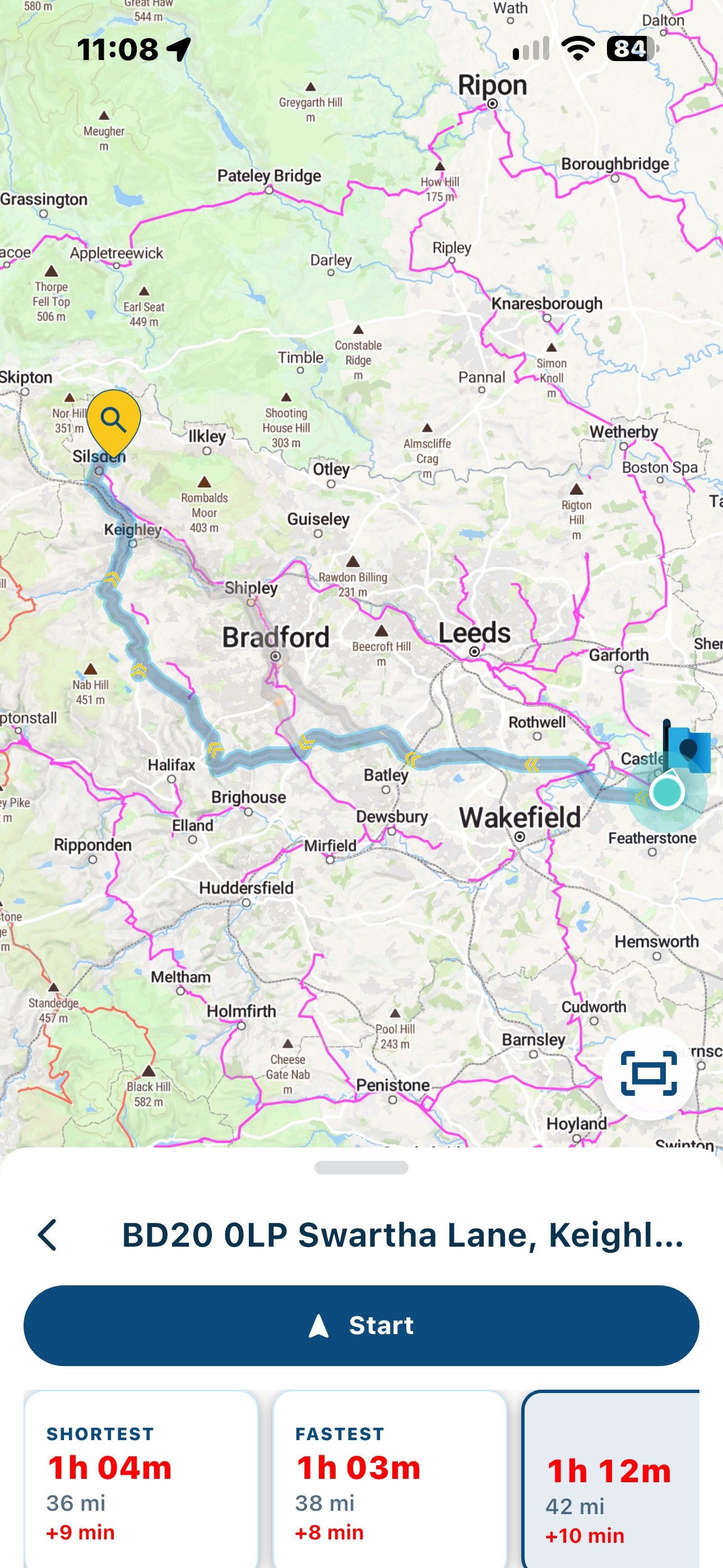
When you add a extra stop/go via is added MRA uses a via point :
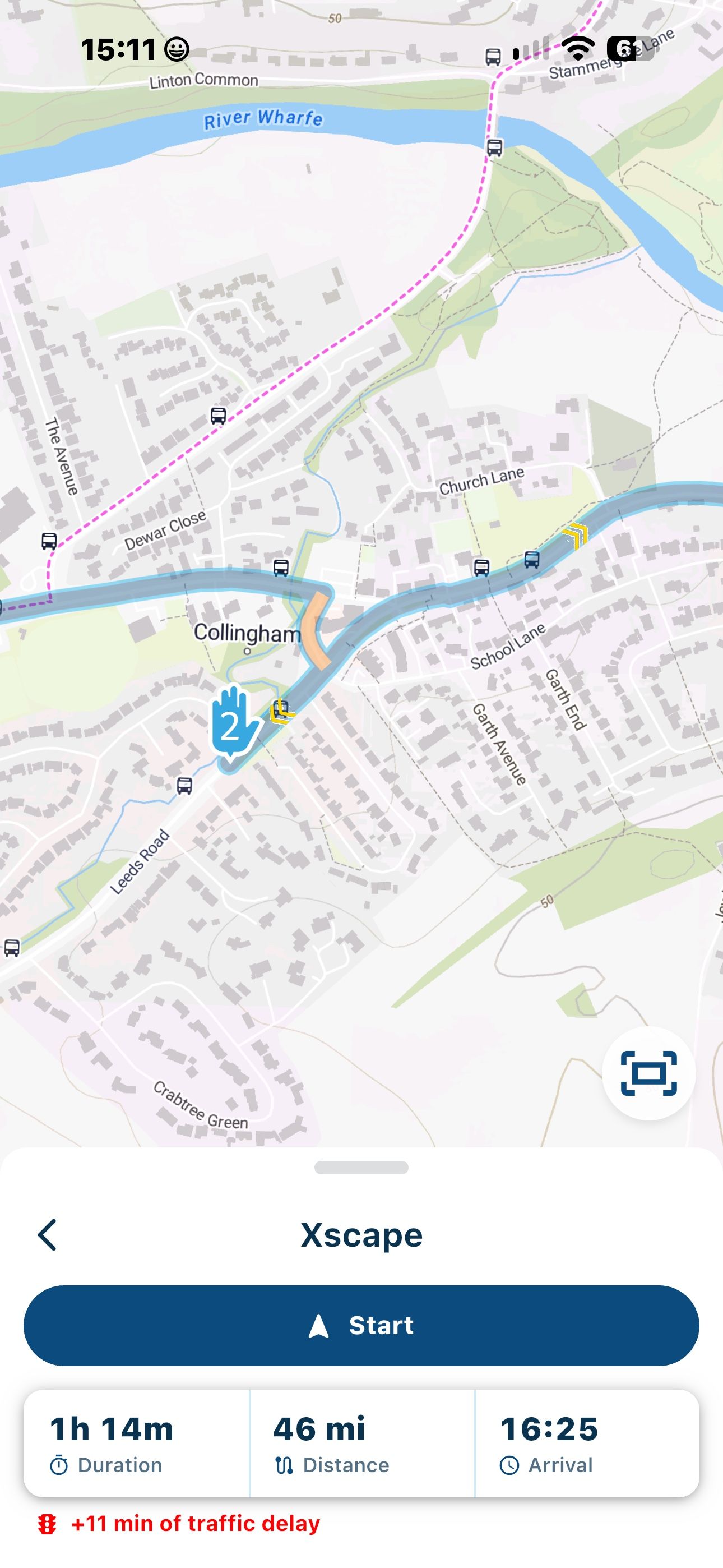
Suggestions :
-
MRA to allow/show wider choice of routes for A to B navigation.
-
Add the extra stop as a Shaping point not a via point, so that it can easily be missed and the route recalculated. automatically. As the via point in this example if off route.
-
Allows drag and drop of waypoints in the app so in A to B navigation the route can be plotted/shaped more easily.
Hope this make sense?
Best Wishes
Andy
-
Hello! It looks like you're interested in this conversation, but you don't have an account yet.
Getting fed up of having to scroll through the same posts each visit? When you register for an account, you'll always come back to exactly where you were before, and choose to be notified of new replies (either via email, or push notification). You'll also be able to save bookmarks and upvote posts to show your appreciation to other community members.
With your input, this post could be even better 💗
Register Login-
 0880
-
 0846
-
 0783
-
 06129
-
0496
-
0549
-
0439
-
 0435