Skip to content
  • Categories
  • Recent
  • Popular
  • Support
  • MyRoute-app
Collapse
Brand Logo

MRA Community Forum

  1. Home
  2. MRA Routeplanner Next Beta
  3. [Web-Beta] Problems, Bugs and other Issues
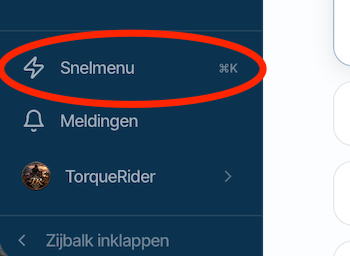
  4. Snelmenu / Quick menu

Snelmenu / Quick menu
Scheduled Pinned Locked Moved [Web-Beta] Problems, Bugs and other Issues
13 Posts 7 Posters 139 Views 4 Watching
  • Oldest to Newest
  • Newest to Oldest
  • Most Votes
Reply
  • Reply as topic
Log in to reply
This topic has been deleted. Only users with topic management privileges can see it.
  • Marcel Versluis Marcel Versluis

    Vanaf ieder scherm kun je dit activeren door de letter G in te typen, vanuit daar kun je razendsnel naar een ander Programma item.

    You can activate this from any screen by typing the letter G; from there, you can quickly navigate to another program item.

    TorqueRider
    TorqueRider
    TorqueRider
    wrote last edited by
    #3

    @Marcel-Versluis
    Het typen van de letter G brengt je naar een beknopt menu.
    Gebruik je Command-k dan heb je het volledige menu.
    (Waarbij Command-k de Mac versie is. De windows combi ken ik niet Misschien kun jij die noemen?)

    Typing the letter G takes you to a concise menu.
    Using Command-K gives you the full menu.
    (Note that Command-K is the Mac version; I am not familiar with the Windows equivalent.)

    1 Reply Last reply
    0
    • M. Schrijver
      M. Schrijver
      M. Schrijver
      Valued contributor
      wrote last edited by M. Schrijver
      #4

      Toen ik de titel zag, dacht ik. Ik ben dus niet de enige.
      Er zitten enorm veel mogelijkheden en functies in de planner. Ik denk iedereen maar een bepaald deel van deze functies regelmatig gebruikt.

      Ik zat aan Quick access Toolbar te denken. Waar je zelf jouw veel gebruikte functies in kan stoppen. Lekker snel bij de hand zonder die menu's door te hoeven wroeten.

      (I use MRA Next only on Android Auto. Every comment, suggestion, etc will be based on my usage with Android Auto)

      1 Reply Last reply
      0
      • superg
        superg
        superg
        wrote last edited by
        #5

        In windows you can use ctrl-K

        1 Reply Last reply
        0
        • Jörgen
          Jörgen
          Jörgen
          Valued contributor
          wrote last edited by
          #6

          Hi,
          in the quick menu under ctrl + k you can click on any comand and you get there. But this does not work for Esc (to return you need the keyboard).
          Not a big issue, but it should work here as well.
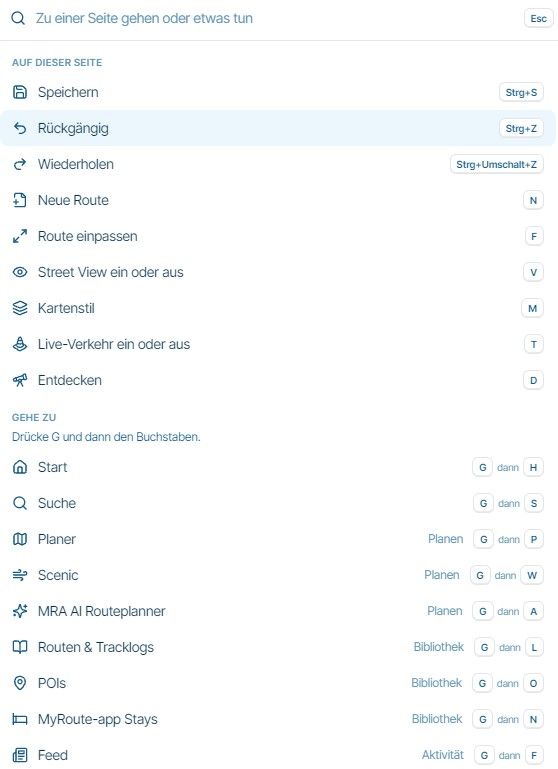
          image.jpeg

          Hardware
          iPhone 12 pro (iOS 26.2.1)
          iPad (7.Gen.) 18.7.3
          Oukitel RT3 Pro (Andr. 14)
          Wireless CarPlay mit (Elebest C650)
          Wired CarPlay (SEAT Arona - 2021)
          MRA Workshops in Deutsch sind hier zu finden

          1 Reply Last reply
          2
          • superg
            superg
            superg
            wrote last edited by
            #7

            Or you just click with the mouse outsite of the quick menu.

            Jörgen 1 Reply Last reply
            0
            • superg superg

              Or you just click with the mouse outsite of the quick menu.

              Jörgen
              Jörgen
              Jörgen
              Valued contributor
              wrote last edited by
              #8

              @superg sagte:

              Or you just click with the mouse outsite of the quick menu.

              Yes, an option. 👍

              Hardware
              iPhone 12 pro (iOS 26.2.1)
              iPad (7.Gen.) 18.7.3
              Oukitel RT3 Pro (Andr. 14)
              Wireless CarPlay mit (Elebest C650)
              Wired CarPlay (SEAT Arona - 2021)
              MRA Workshops in Deutsch sind hier zu finden

              1 Reply Last reply
              0
              • M. Schrijver
                M. Schrijver
                M. Schrijver
                Valued contributor
                wrote last edited by
                #9

                Still a lot of options I regular don't use

                (I use MRA Next only on Android Auto. Every comment, suggestion, etc will be based on my usage with Android Auto)

                1 Reply Last reply
                0
                • a white mouse on the motorbike
                  a white mouse on the motorbike
                  a white mouse on the motorbike
                  Valued contributor
                  wrote last edited by
                  #10

                  Just tested, I found out that now it is working!
                  I think CorJan has already made a fix.

                  met een R1250RT met TFT en BMW Connected Ride App (die dus nog steeds niet voldoet!) ; M.R.A. in combinatie met de Carpuride W702 (voor Android op de Motor!), de Garmin Zumo XT als backup en een Samsung Galaxy S24

                  1 Reply Last reply
                  0
                  • Rob Verhoeff
                    Rob Verhoeff
                    Rob Verhoeff
                    Alpha tester
                    wrote last edited by
                    #11

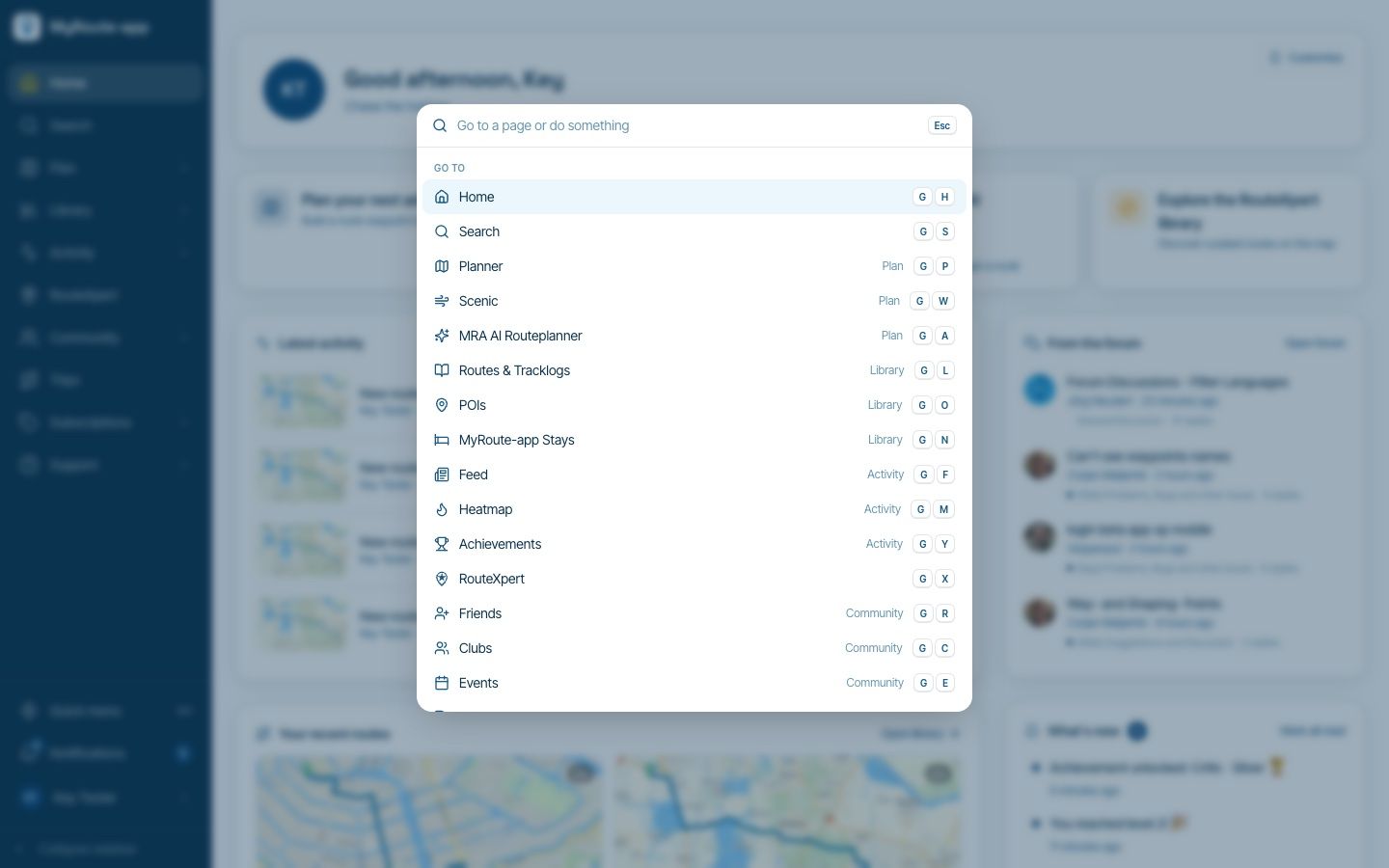
                    Am I missing something here, or does this really not make any sense? You open the quick menu using Ctrl-K, presumably because you prefer using keyboard shortcuts, and then you wonder why you can't close that little window with your mouse? Seriously, sometimes I just can't wrap my head around comments like this. No offence intended, of course! 😉

                    On a different note, I do have a question about the introductory text: "Go to a page or do something." I just went and got myself a beer. Is that what is meant here, or am I missing the point? Asking for a friend... 🍺

                    🏍️ BMW K1600GT-P (2013) | Nolan N100-5 with Sena 30K
                    📱 iOS on iPhone 13 & 16 (mounted on Quadlock or AliExpress extention on BMW-cradle)
                    🚙 Apple CarPlay in VW T-Roc
                    💻 Routelab on MacBook Air & iMac (Golden Gate & Ventura)

                    TorqueRider 1 Reply Last reply
                    0
                    • Rob Verhoeff Rob Verhoeff

                      Am I missing something here, or does this really not make any sense? You open the quick menu using Ctrl-K, presumably because you prefer using keyboard shortcuts, and then you wonder why you can't close that little window with your mouse? Seriously, sometimes I just can't wrap my head around comments like this. No offence intended, of course! 😉

                      On a different note, I do have a question about the introductory text: "Go to a page or do something." I just went and got myself a beer. Is that what is meant here, or am I missing the point? Asking for a friend... 🍺

                      TorqueRider
                      TorqueRider
                      TorqueRider
                      wrote last edited by
                      #12

                      @Rob-Verhoeff said:

                      about the introductory text: "Go to a page or do something."

                      Since you refer to this as "introductory text," I assume you mean that quote is mine.
                      However, I’m getting on in years, and I don’t quite follow your remark.

                      Rob Verhoeff 1 Reply Last reply
                      0
                      • TorqueRider TorqueRider

                        @Rob-Verhoeff said:

                        about the introductory text: "Go to a page or do something."

                        Since you refer to this as "introductory text," I assume you mean that quote is mine.
                        However, I’m getting on in years, and I don’t quite follow your remark.

                        Rob Verhoeff
                        Rob Verhoeff
                        Rob Verhoeff
                        Alpha tester
                        wrote last edited by
                        #13

                        @TorqueRider It's not about you. This text appears above the search page for everyone.

                        🏍️ BMW K1600GT-P (2013) | Nolan N100-5 with Sena 30K
                        📱 iOS on iPhone 13 & 16 (mounted on Quadlock or AliExpress extention on BMW-cradle)
                        🚙 Apple CarPlay in VW T-Roc
                        💻 Routelab on MacBook Air & iMac (Golden Gate & Ventura)

                        1 Reply Last reply
                        0

                        Hello! It looks like you're interested in this conversation, but you don't have an account yet.

                        Getting fed up of having to scroll through the same posts each visit? When you register for an account, you'll always come back to exactly where you were before, and choose to be notified of new replies (either via email, or push notification). You'll also be able to save bookmarks and upvote posts to show your appreciation to other community members.

                        With your input, this post could be even better 💗

                        Register Login
                        Reply
                        • Reply as topic
                        Log in to reply
                        • Oldest to Newest
                        • Newest to Oldest
                        • Most Votes


                        ACTIVE USERS
                        M. Schrijver
                        M. Schrijver
                        TorqueRider
                        TorqueRider
                        Rob Verhoeff
                        Rob Verhoeff
                        Marcel Versluis
                        Marcel Versluis
                        Jörgen
                        Jörgen
                        a white mouse on the motorbike
                        a white mouse on the motorbike
                        superg
                        superg
                        POPULAR TOPICS
                        • Optie om contact persoen van de iPhone te kiezen
                          Guzzist
                          Guzzist
                          1
                          12
                          72

                        • Klassisches Konto Verknüpfung aufheben
                          Hubert Thoring
                          Hubert Thoring
                          0
                          9
                          68

                        • I’ve just tried V6. A few suggestions.
                          Giancarlo e
                          Giancarlo e
                          3
                          8
                          180

                        • Startpunt wijzigen
                          Ad V
                          Ad V
                          0
                          7
                          29

                        • Suggestion: Enhance and Clarify GPX Export
                          Guzzist
                          Guzzist
                          0
                          15
                          97

                        • Route exporteren uit beta
                          Rob Veerman
                          Rob Veerman
                          0
                          6
                          52

                        • Website update - Keyboard shortcuts, route status, every Discover category and more of your feedback
                          Edwin van Klink 6
                          Edwin van Klink 6
                          6
                          11
                          161

                        • PDF export: suggested additional options
                          Corjan Meijerink
                          Corjan Meijerink
                          1
                          5
                          51

                        MY GROUPS
                        • Login

                        • Login or register to search.
                        • First post
                          Last post
                        0
                        • Categories
                        • Recent
                        • Popular
                        • Support
                        • MyRoute-app