
Skip to content
  • Categories
  • Recent
  • Popular
  • Support
  • MyRoute-app
Collapse
Brand Logo

MRA Community Forum

  1. Home
  2. MRA Routeplanner Next Beta
  3. [Web-Beta] Problems, Bugs and other Issues
  4. Map layers

Map layers

Scheduled Pinned Locked Moved [Web-Beta] Problems, Bugs and other Issues
12 Posts 8 Posters 145 Views 4 Watching
  • Oldest to Newest
  • Newest to Oldest
  • Most Votes
Reply
  • Reply as topic
Log in to reply
This topic has been deleted. Only users with topic management privileges can see it.
  • Tad Turner
    Tad Turner
    Tad Turner
    wrote last edited by
    #1

    Where are the map Layers for Google and Here. those are the main ones, I use. Where are the POI such as Gas stations, Hotels, Viewpoints etc. also can't see road names under Blue line.

    David Rudgley 1 Reply Last reply
    4
    • Rob Bellingham
      Rob Bellingham
      Rob Bellingham
      wrote last edited by
      #2

      Agreed. I can't see any map alternatives

      1 Reply Last reply
      0
      • Tad Turner Tad Turner

        Where are the map Layers for Google and Here. those are the main ones, I use. Where are the POI such as Gas stations, Hotels, Viewpoints etc. also can't see road names under Blue line.

        David Rudgley
        David Rudgley
        David Rudgley
        wrote last edited by
        #3

        @Tad-Turner said:

        also can't see road names under Blue line.

        Transparency of route line can be adjusted here
        https://forum.myrouteapp.com/topic/12068/unable-to-view-road-name-number-due-to-blue-route-overlay?_=1793643240048

        MRA Gold Planner + App + Navigation Next user
        Android Pixel 10 Pro Fold
        TomTomGo as backup

        KTM 1290 Super Adventure S
        Quad Lock + Phone + Carpuride W702

        2026 Kawasaki Z900 RS
        Beeline Moto II

        1 Reply Last reply
        0
        • Guzzist
          Guzzist
          Guzzist
          Valued contributor
          wrote last edited by
          #4

          After migration, I have all my routes and tracklogs available in the NEXT version. I can open a route or a track - but there is no map visible! Also if I switch to another map style ( OSM, Topo, etc.) no map will be presented at all!

          Nothing is impossible ;-)
          In past: GARMIN Zumo 210->GARMIN Zumo 395->GARMIN XT=> now: DMD T865-X + MyRoute-App, LocusMaps, OsmAnd.
          In past: GARMIN MapSource ->GARMIN BaseCamp->Tyre->Kurviger->Calimoto=> now: MRA-Routplanner.

          Guzzist 1 Reply Last reply
          0
          • Hubert Thoring
            Hubert Thoring
            Hubert Thoring
            Valued contributor
            wrote last edited by Hubert Thoring
            #5

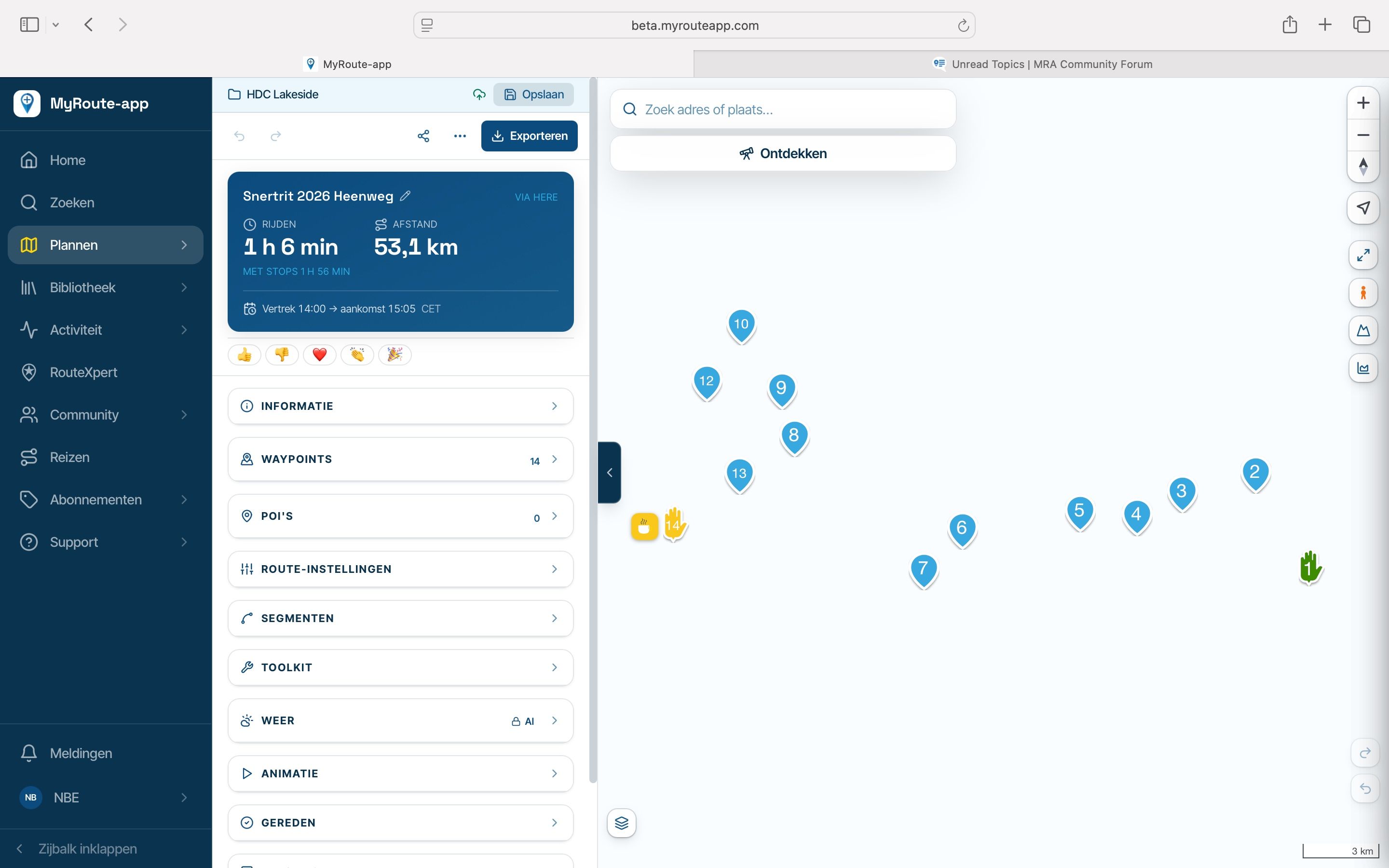
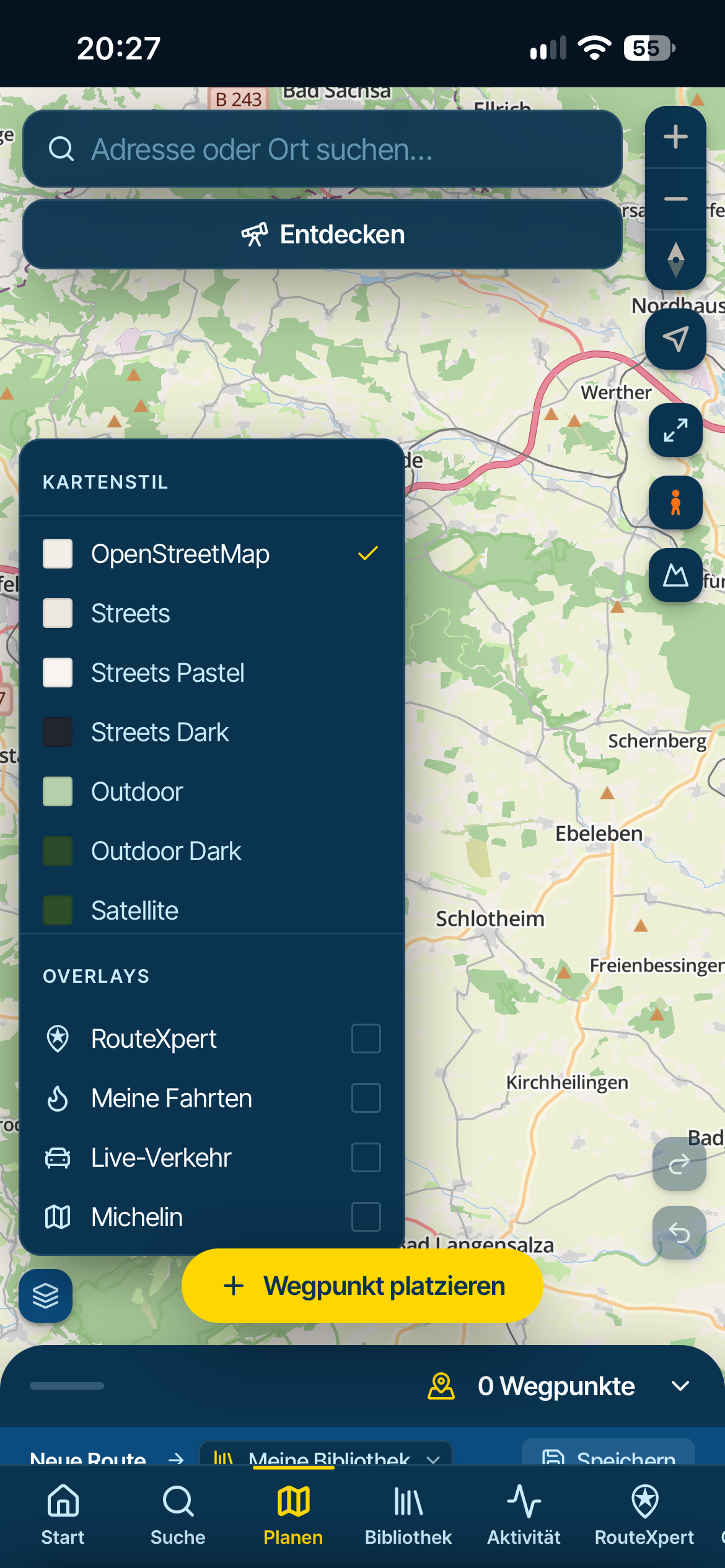
            On the map below on the left you can find maps or what do you mean?

            With me I always see the map whether on the mobile phone or PC in the WebPlaner ..
            IMG_2752.png

            VG Hubert
            Beta Test "Next App" dazu die Hardware .
            iPad 9. Gen iOS 27.2.0/ iPhone 16e iOS 27.2.0/ Navi iPhone Xr iOS 18.7.11 / PC mit MS Win11 /❗️MyRoute-App im Cradel und Remotek-One❗️ Info zu MRA & Remotek One

            1 Reply Last reply
            0
            • Guzzist Guzzist

              After migration, I have all my routes and tracklogs available in the NEXT version. I can open a route or a track - but there is no map visible! Also if I switch to another map style ( OSM, Topo, etc.) no map will be presented at all!

              Guzzist
              Guzzist
              Guzzist
              Valued contributor
              wrote last edited by
              #6

              Guzzist said:

              After migration, I have all my routes and tracklogs available in the NEXT version. I can open a route or a track - but there is no map visible! Also if I switch to another map style ( OSM, Topo, etc.) no map will be presented at all!

              Update: issue is with Browser "Firefox". Using Browser "Google Crome" everything works correct.

              Nothing is impossible ;-)
              In past: GARMIN Zumo 210->GARMIN Zumo 395->GARMIN XT=> now: DMD T865-X + MyRoute-App, LocusMaps, OsmAnd.
              In past: GARMIN MapSource ->GARMIN BaseCamp->Tyre->Kurviger->Calimoto=> now: MRA-Routplanner.

              Stanisław 1 Reply Last reply
              0
              • Peter Schiefer
                Peter Schiefer
                Peter Schiefer
                wrote last edited by
                #7
                This post is deleted!
                1 Reply Last reply
                0
                • Peter Schiefer
                  Peter Schiefer
                  Peter Schiefer
                  wrote last edited by
                  #8

                  Sorry der kleine Button unten links sollte besser in die Randleiste

                  1 Reply Last reply
                  0
                  • João Martins
                    João Martins
                    João Martins
                    wrote last edited by
                    #9

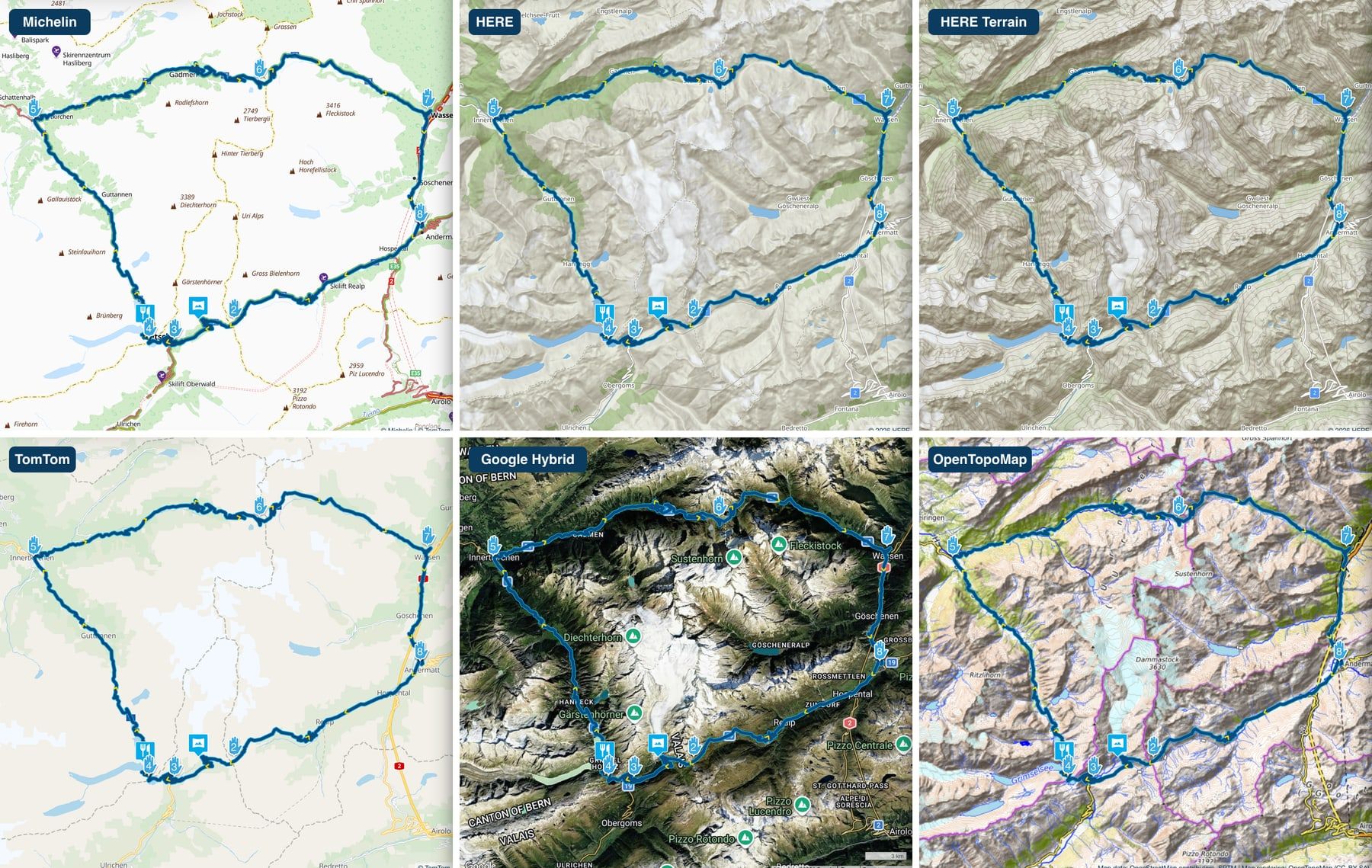
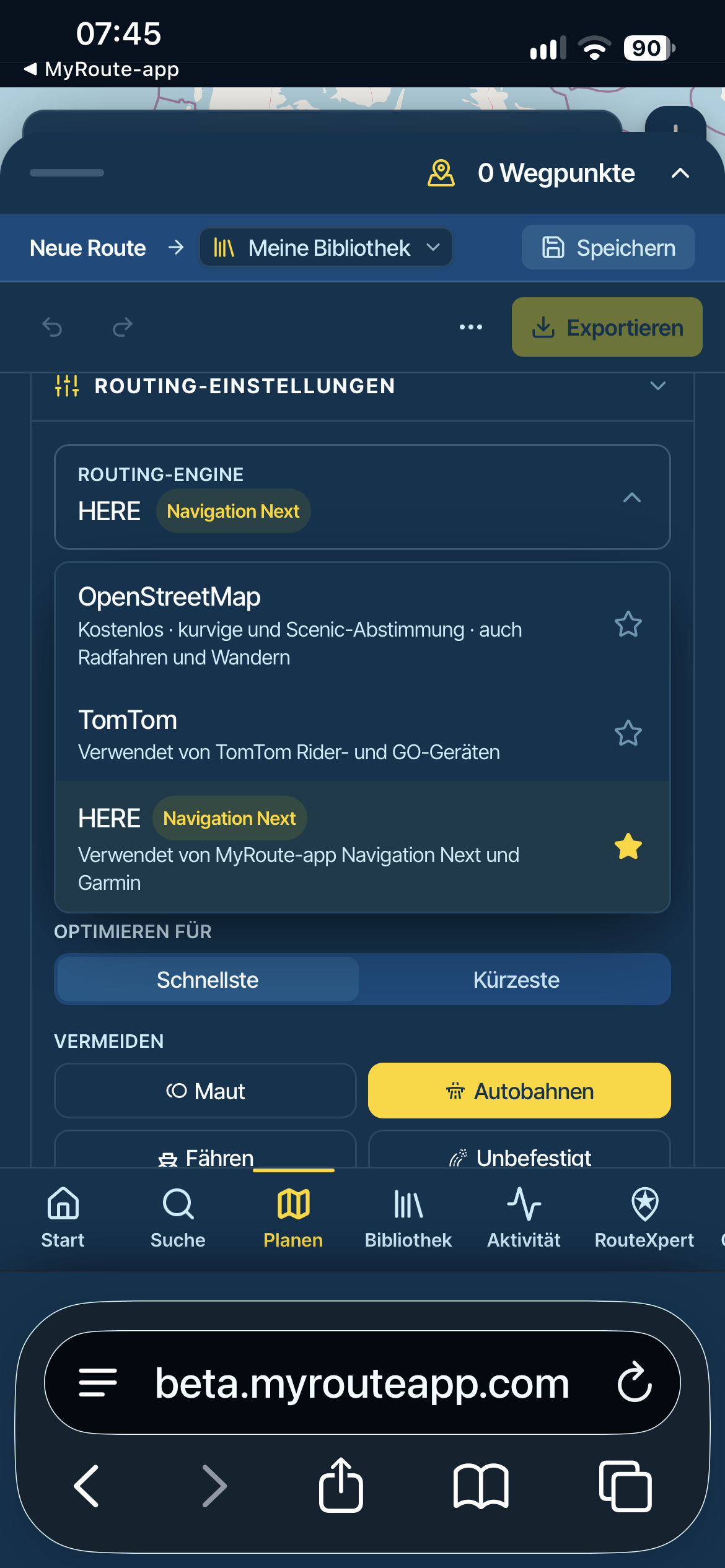
                    I need Google Maps and OpenTopoMap Layers, are they not available ?
                    How can I change the base map being used (Default, TomTom or HERE) ?

                    1 Reply Last reply
                    2
                    • Hubert Thoring
                      Hubert Thoring
                      Hubert Thoring
                      Valued contributor
                      wrote last edited by
                      #10

                      Check the routing settings in the planning
                      IMG_2753.png

                      VG Hubert
                      Beta Test "Next App" dazu die Hardware .
                      iPad 9. Gen iOS 27.2.0/ iPhone 16e iOS 27.2.0/ Navi iPhone Xr iOS 18.7.11 / PC mit MS Win11 /❗️MyRoute-App im Cradel und Remotek-One❗️ Info zu MRA & Remotek One

                      1 Reply Last reply
                      0
                      • Hubert Thoring
                        Hubert Thoring
                        Hubert Thoring
                        Valued contributor
                        wrote last edited by
                        #11

                        In the route planning you will find everything about the POI such as gas stations and more under Discover..
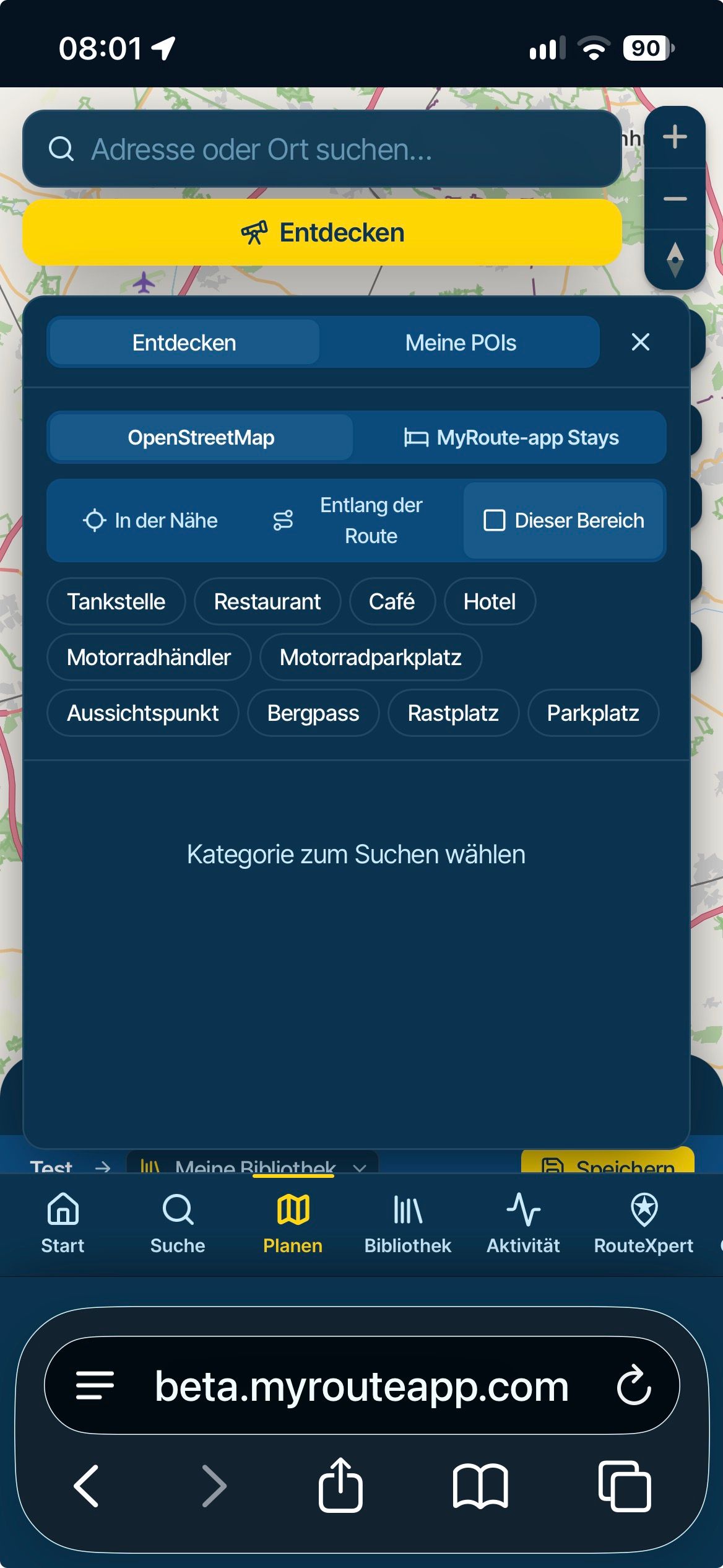
                        IMG_2754.jpeg

                        You can edit your own POIs under the tab / Library / POIs
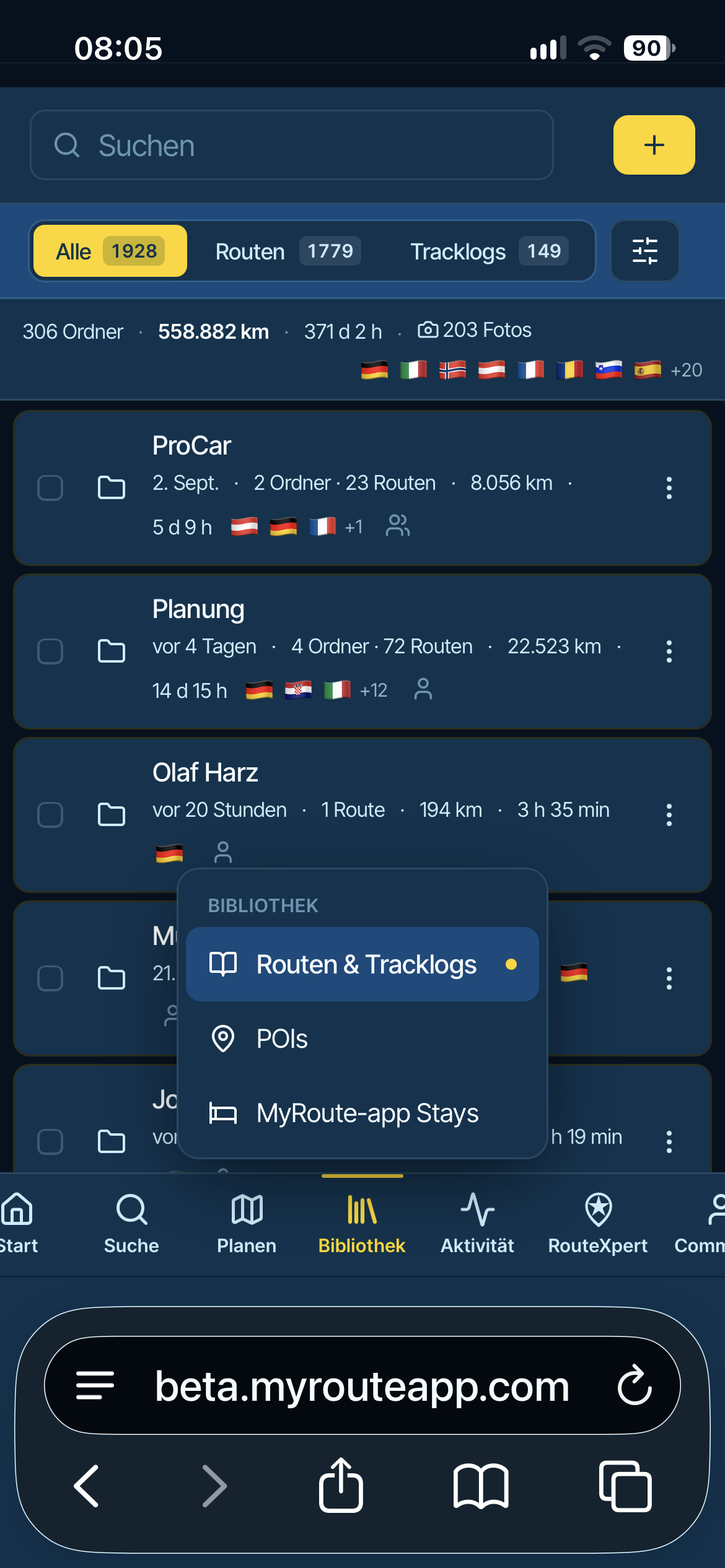
                        IMG_2755.png

                        VG Hubert
                        Beta Test "Next App" dazu die Hardware .
                        iPad 9. Gen iOS 27.2.0/ iPhone 16e iOS 27.2.0/ Navi iPhone Xr iOS 18.7.11 / PC mit MS Win11 /❗️MyRoute-App im Cradel und Remotek-One❗️ Info zu MRA & Remotek One

                        1 Reply Last reply
                        0
                        • Guzzist Guzzist

                          Guzzist said:

                          After migration, I have all my routes and tracklogs available in the NEXT version. I can open a route or a track - but there is no map visible! Also if I switch to another map style ( OSM, Topo, etc.) no map will be presented at all!

                          Update: issue is with Browser "Firefox". Using Browser "Google Crome" everything works correct.

                          Stanisław
                          Stanisław
                          Stanisław
                          Valued contributor
                          wrote last edited by Stanisław
                          #12

                          @Guzzist napisał:
                          Update: issue is with Browser "Firefox". Using Browser "Google Crome" everything works correct.

                          check NoScript add on, maps layers work correctly in FF as well.

                          --
                          Regards
                          Staszek

                          1 Reply Last reply
                          0

                          Hello! It looks like you're interested in this conversation, but you don't have an account yet.

                          Getting fed up of having to scroll through the same posts each visit? When you register for an account, you'll always come back to exactly where you were before, and choose to be notified of new replies (either via email, or push notification). You'll also be able to save bookmarks and upvote posts to show your appreciation to other community members.

                          With your input, this post could be even better 💗

                          Register Login
                          Reply
                          • Reply as topic
                          Log in to reply
                          • Oldest to Newest
                          • Newest to Oldest
                          • Most Votes


                          ACTIVE USERS
                          Guzzist
                          Guzzist
                          Hubert Thoring
                          Hubert Thoring
                          Stanisław
                          Stanisław
                          David Rudgley
                          David Rudgley
                          João Martins
                          João Martins
                          Peter Schiefer
                          Peter Schiefer
                          Rob Bellingham
                          Rob Bellingham
                          Tad Turner
                          Tad Turner
                          POPULAR TOPICS
                          • Kaart niet zichtbaar
                            Guzzist
                            Guzzist
                            0
                            34
                            202

                          • Website update - More maps, better Street View, embeds and a lot of your feedback
                            Lluís Casals
                            Lluís Casals
                            22
                            40
                            310

                          • Xpert overlay not clear
                            Corjan Meijerink
                            Corjan Meijerink
                            0
                            11
                            47

                          • Google maps
                            Ed Bos 0
                            Ed Bos 0
                            0
                            15
                            195

                          • RouteXpert display on the map
                            Corrado Miniati 0
                            Corrado Miniati 0
                            0
                            11
                            91

                          • Bij Street View activeren verdwijnt donkerblauwe routelijn
                            Corjan Meijerink
                            Corjan Meijerink
                            0
                            8
                            43

                          • Navigation Next op telefoon wel naar v6 maar Android 14 systeem op motor niet
                            Parantapa
                            Parantapa
                            0
                            15
                            124

                          • Different handling of "Segments"
                            Corrado Miniati 0
                            Corrado Miniati 0
                            1
                            8
                            60

                          MY GROUPS
                          • Login

                          • Login or register to search.
                          • First post
                            Last post
                          0
                          • Categories
                          • Recent
                          • Popular
                          • Support
                          • MyRoute-app