I can't see Road Closures
-

I ran into several road closures recently after careful route planning. I realized that MRA planner and the nav app are not showing me road closures. It does not show on my route or anywhere in the area where Google, Maps, and SCENIC do. It seems like I don't have something turned on. After searching support and the forum, I can't figure it out. here are the settings:
Traffic map layer is on. No avoidances are selected.
Using HERE. OSM layer but other map layers don't show it either.
Using Compare - all three routes go right through it. Google and SCENIC go around it.
I can't think of anything else.I'll try to share the route.
Lary
link text -
I ran into several road closures recently after careful route planning. I realized that MRA planner and the nav app are not showing me road closures. It does not show on my route or anywhere in the area where Google, Maps, and SCENIC do. It seems like I don't have something turned on. After searching support and the forum, I can't figure it out. here are the settings:
Traffic map layer is on. No avoidances are selected.
Using HERE. OSM layer but other map layers don't show it either.
Using Compare - all three routes go right through it. Google and SCENIC go around it.
I can't think of anything else.I'll try to share the route.
Lary
link text
@Lary Where on your route is there a closed road?
-
I ran into several road closures recently after careful route planning. I realized that MRA planner and the nav app are not showing me road closures. It does not show on my route or anywhere in the area where Google, Maps, and SCENIC do. It seems like I don't have something turned on. After searching support and the forum, I can't figure it out. here are the settings:
Traffic map layer is on. No avoidances are selected.
Using HERE. OSM layer but other map layers don't show it either.
Using Compare - all three routes go right through it. Google and SCENIC go around it.
I can't think of anything else.I'll try to share the route.
Lary
link text
@Lary The road closures you see depend on what the map provider (HERE) includes in its map data. If HERE doesn’t include a road closure in its map data, you won’t see it either when planning or navigating!
-

There for I always check my route in Plan.TomTOM. For this site is almost every time actual!
met een R1250RT met TFT
en BMW Connected Ride App(die dus nog steeds niet voldoet!) ; M.R.A. in combinatie met de Carpuride W702 (voor Android op de Motor!), de Garmin Zumo XT als backup en een Samsung Galaxy S24 -
There for I always check my route in Plan.TomTOM. For this site is almost every time actual!
@white.mouse.on.the.motorbikegmail.com
I can’t see any difference between MRA and plan.tomtom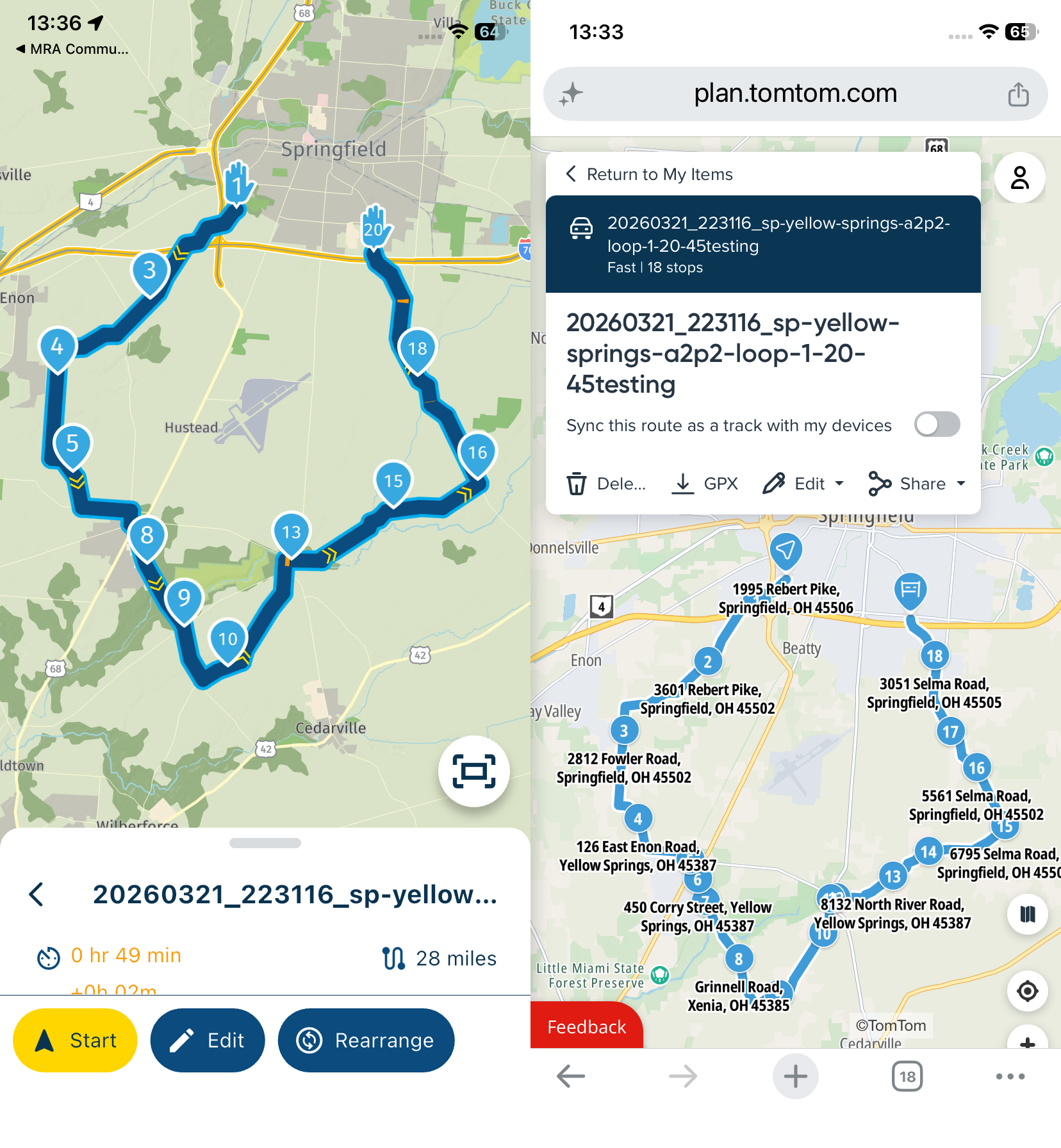
-
I forgot to mention that the closure is just before wave point 15.
To test the theory that HERE doesn't have this one on it's map but my settings are correct I tried another, high traffic area nearby. I compared MRA with GOOGLE and SCENIC and they all three show these delays and closures although somewhat different. I also switched between HERE, TOMTOM, and OSM. They all show the closures but only after turning traffic back on after the switch (would be nice to be able to set that as the default). Of course one must be zoomed enough to see them. SCENIC shows them all while still zoomed way out. It is also the only one that shows this back road closure. I believe it uses OSM so I thought MRA might see it with that map but not so.
So in conclusion, it does work for me if the event is important enough, I am zoomed in enough, and I remember to see if Traffic is still selected. Does MRA route around closures during planning? SCENIC does not.
It's a relief to have it working after spending several hours riding on back roads in West Virginia to find my way around closed bridges
Thank you for your help.
Lary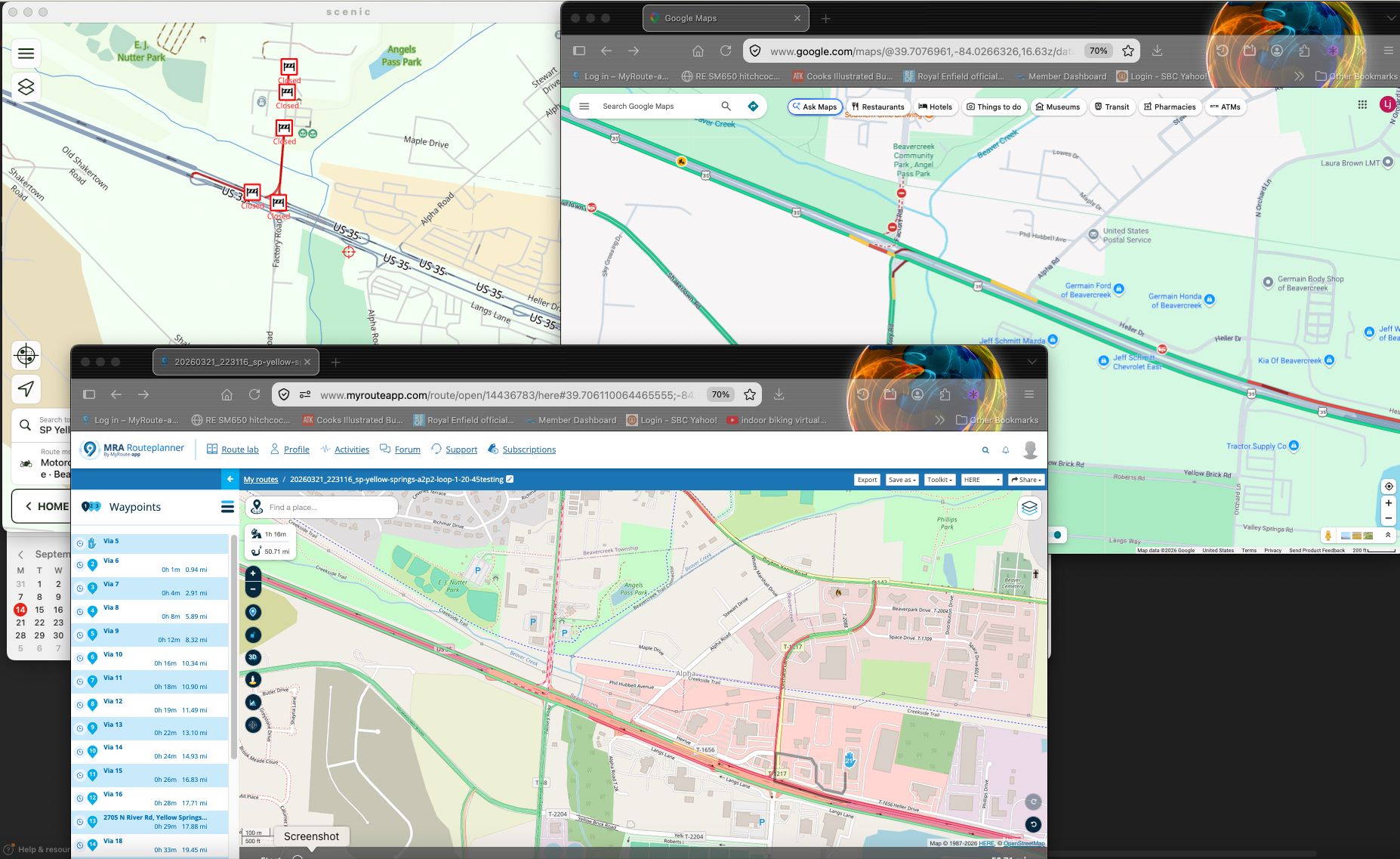
-
You have to zoom in, in Plan.TomTom to about 200 or 300 meter to see all the closures. Did you do so?
-
I have the same problem. Card style is Here, traffic overlay is on. On the web planner, no shows of street blocking or traffic. If i move a waypoint to the closed road, i don't see any effekt. (Can't upload the reoute. Get an error code, that i don't have enough previlegs)
-
The problem will possibly be that Here has not marked the road as Closed. It seems the Here map hasn’t been updated yet.
That is the reason I check the route in Pan.TomTom the day I'm riding or the day before as I mentioned above!
Hello! It looks like you're interested in this conversation, but you don't have an account yet.
Getting fed up of having to scroll through the same posts each visit? When you register for an account, you'll always come back to exactly where you were before, and choose to be notified of new replies (either via email, or push notification). You'll also be able to save bookmarks and upvote posts to show your appreciation to other community members.
With your input, this post could be even better 💗
Register Login-
 0518
0518
-
 0521
0521
-
 039
039
-
0312
-
0746
-
0311
-
034
-
1260