Skip to content
  • Categories
  • Recent
  • Popular
  • Support
  • MyRoute-app
Collapse
Brand Logo

MRA Community Forum

  1. Home
  2. The MyRoute-app
  3. [App] Suggestions and Discussion
  4. Track vs Route

Track vs Route

Scheduled Pinned Locked Moved [App] Suggestions and Discussion
10 Posts 6 Posters 398 Views 2 Watching
  • Oldest to Newest
  • Newest to Oldest
  • Most Votes
Reply
  • Reply as topic
Log in to reply
This topic has been deleted. Only users with topic management privileges can see it.
  • Roger Needham 0undefined Offline
    Roger Needham 0undefined Offline
    Roger Needham 0
    wrote last edited by
    #1

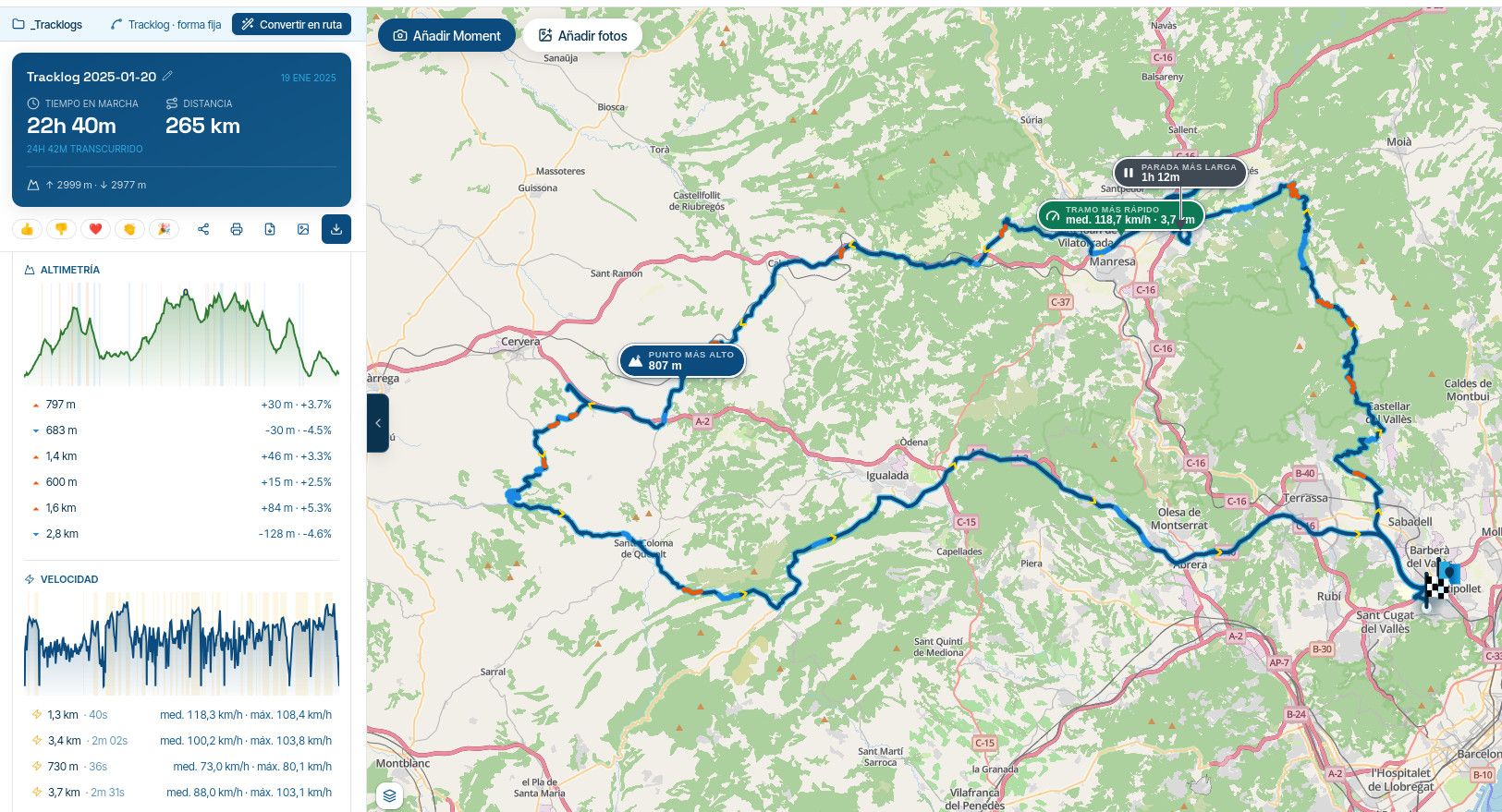
    A friend of mine is planning to switch to MRA. Please can someone answer his question ; “Is it possible to show both the track and route from a .gpx file at the same time?”

    His question got me thinking. Whenever I create a route, I just open it and navigate. Why do the two formats exist? If you’ve spent a while creating a detailed ‘must go this way’ route, what benefits does the simultaneous creation of a track provide?

    Mzokkundefined 1 Reply Last reply
    0
    • Carl Leeundefined Online
      Carl Leeundefined Online
      Carl Lee
      wrote last edited by
      #2

      What device will he be using to navigate? I can answer up if it’s a Garmin.

      Con Hennekensundefined 1 Reply Last reply
      0
      • Roger Needham 0undefined Roger Needham 0

        A friend of mine is planning to switch to MRA. Please can someone answer his question ; “Is it possible to show both the track and route from a .gpx file at the same time?”

        His question got me thinking. Whenever I create a route, I just open it and navigate. Why do the two formats exist? If you’ve spent a while creating a detailed ‘must go this way’ route, what benefits does the simultaneous creation of a track provide?

        Mzokkundefined Offline
        Mzokkundefined Offline
        Mzokk
        wrote last edited by
        #3

        @Roger-Needham-0

        @Roger-Needham-0 said:

        A friend of mine is planning to switch to MRA. Please can someone answer his question ; “Is it possible to show both the track and route from a .gpx file at the same time?”

        Yes, if he is using a Garmin Device up to the Zumo XT a track can be displayed by enabling it in the devices track manager. For the XT this can also be achieved by connecting to explore and managing "Collections" but I wouldn't recommend it. If using the MRA navigation when navigating the blue line becomes white indicating the intended route, if you go off route and are returning to the route you can see the white intended route on the map display as you approach it.

        4873[1].png

        1220b0a6-cec6-4d3e-8550-3b9182d45d68-image.jpeg

        @Roger-Needham-0 said:

        His question got me thinking. Whenever I create a route, I just open it and navigate. Why do the two formats exist? If you’ve spent a while creating a detailed ‘must go this way’ route, what benefits does the simultaneous creation of a track provide?

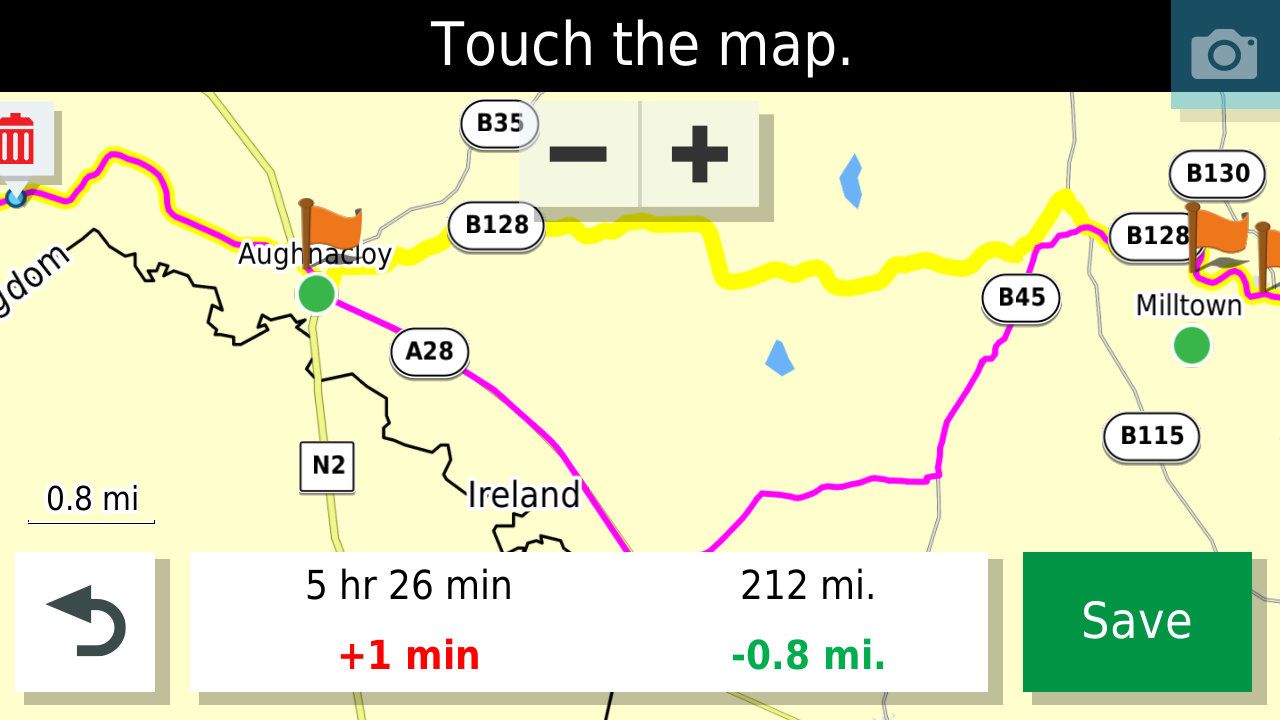
        A track never changes so if you are riding a route or downloading it into a device if gives a reference in case the device creates a different route than that intended.
        dbd63af4-8e9c-408a-a6bd-1ddff00c050d-231175.jpg

        In this example, the track is in Yellow and the calculated route by a Garmin XT has taken a different route than the road intended (the Magenta line) so to correct this an additional shaping point would be required on the yellow line.

        1 Reply Last reply
        0
        • Carl Leeundefined Carl Lee

          What device will he be using to navigate? I can answer up if it’s a Garmin.

          Con Hennekensundefined Offline
          Con Hennekensundefined Offline
          Con Hennekens
          Alpha tester
          wrote last edited by
          #4

          @Carl-Lee, since his friend is "trying to switch to MRA" and this is in the [App] category of the forum, I think it is a safe bet to assume he's using the MRA app 😉

          @roger-needham-0, yes that's possible. every route or track that you navigate automatically shows the original route/track beneath the route line as a whit line that you will see if you deviate from the route/track. So you do not need to do anything about that, just enable that "show original route" option in the settings.

          It will be different if you want to show another track beneath the route you are navigating. You can enable multiple routes or tracks to be visible on the map from within the route menu. Pick a route (or track) from the routes menu, tap the 3 dots menu en tap "Show on map". Now if you go back to the map view or start another route to navigate, the first route is shown on the map. You can do this with multiple routes, and even complete folders.

          Actually, since the introduction of this feature, the app is WAY more flexible in this than a Zumo 😉

          I am just an enthusiastic MRA user, and hope you will be one too!

          Most motorcycle problems are caused by the nut that connects the handlebar to the saddle.

          Check out RideSleepRepeat.eu, a biker community for sharing stays across Europe

          1 Reply Last reply
          2
          • Carl Leeundefined Online
            Carl Leeundefined Online
            Carl Lee
            wrote last edited by
            #5

            @con-hennekens ah, that's why you're an alpha 😁

            Con Hennekensundefined 1 Reply Last reply
            0
            • Carl Leeundefined Carl Lee

              @con-hennekens ah, that's why you're an alpha 😁

              Con Hennekensundefined Offline
              Con Hennekensundefined Offline
              Con Hennekens
              Alpha tester
              wrote last edited by
              #6

              @Carl-Lee, I am trying my best 😉

              I am just an enthusiastic MRA user, and hope you will be one too!

              Most motorcycle problems are caused by the nut that connects the handlebar to the saddle.

              Check out RideSleepRepeat.eu, a biker community for sharing stays across Europe

              1 Reply Last reply
              1
              • Roger Needham 0undefined Offline
                Roger Needham 0undefined Offline
                Roger Needham 0
                wrote last edited by
                #7

                Thx all, I accept I’m probably appearing rather dumb here, but this phrase threw me…” in case the device creates a different route than that intended.”

                If I have created a precise route using specific points on specific roads, why would the above happen?

                In reality I only go off that prescribed route, if there are for example, roadworks that force a detour.

                Above comments are in my own case where I use MRA to create routes and the MRA Navigation on the road.

                How can I select navigating by Track in order to always stick exactly to my chosen route?

                Marinus van Deudekomundefined Peter Zehentreiterundefined 2 Replies Last reply
                0
                • Roger Needham 0undefined Roger Needham 0

                  Thx all, I accept I’m probably appearing rather dumb here, but this phrase threw me…” in case the device creates a different route than that intended.”

                  If I have created a precise route using specific points on specific roads, why would the above happen?

                  In reality I only go off that prescribed route, if there are for example, roadworks that force a detour.

                  Above comments are in my own case where I use MRA to create routes and the MRA Navigation on the road.

                  How can I select navigating by Track in order to always stick exactly to my chosen route?

                  Marinus van Deudekomundefined Offline
                  Marinus van Deudekomundefined Offline
                  Marinus van Deudekom
                  RouteXpert
                  wrote last edited by
                  #8

                  @Roger-Needham-0 of your route is created correct and with enough shaping points that's exactly what MRA is going to do. In case you must you of that route caused by road works a white line will show you the intended route

                  Honda Goldwing GL1500,
                  Honda Silverwing GL 650
                  DMD2 T865X 8 inch Android tablet using MRA next for navigation
                  Garmin XT sold
                  Samsung S24FE mounted on a Quadlock and using Android Auto in my car

                  1 Reply Last reply
                  0
                  • Roger Needham 0undefined Roger Needham 0

                    Thx all, I accept I’m probably appearing rather dumb here, but this phrase threw me…” in case the device creates a different route than that intended.”

                    If I have created a precise route using specific points on specific roads, why would the above happen?

                    In reality I only go off that prescribed route, if there are for example, roadworks that force a detour.

                    Above comments are in my own case where I use MRA to create routes and the MRA Navigation on the road.

                    How can I select navigating by Track in order to always stick exactly to my chosen route?

                    Peter Zehentreiterundefined Offline
                    Peter Zehentreiterundefined Offline
                    Peter Zehentreiter
                    wrote last edited by
                    #9

                    @Roger-Needham-0 said:

                    How can I select navigating by Track in order to always stick exactly to my chosen route?

                    Open the app
                    Tap your profile picture in the top-right corner
                    Go to Navigation Settings
                    Select the first option, “Features”
                    Scroll all the way down... there you'll find the option “Navigate Route as Track”

                    Please note... Your planned route will be followed exactly, even if there are road closures ahead; you'll then have to manually navigate around the construction zone.

                    BMW R 1250 GS
                    MRA Navigation & SilverFox C1 Controller
                    DMD-NOR7E 7"
                    SPC Universal mount
                    Motorola Edge 40 "offline"
                    Sena SLR 3
                    Sena 50 R

                    1 Reply Last reply
                    0
                    • Roger Needham 0undefined Offline
                      Roger Needham 0undefined Offline
                      Roger Needham 0
                      wrote last edited by
                      #10

                      Gotcha…thanks Peter 👍
                      I know of a couple of local spots where MRA, Google etc ‘think’ there are roadworks. Either because there have been past roadworks now cleared away, or upcoming roadworks that have been announced, uploaded into planning software, but not yet physically introduced.

                      In those cases I’d be happy to do as you suggest 👍👍

                      1 Reply Last reply
                      0

                      Hello! It looks like you're interested in this conversation, but you don't have an account yet.

                      Getting fed up of having to scroll through the same posts each visit? When you register for an account, you'll always come back to exactly where you were before, and choose to be notified of new replies (either via email, or push notification). You'll also be able to save bookmarks and upvote posts to show your appreciation to other community members.

                      With your input, this post could be even better 💗

                      Register Login
                      Reply
                      • Reply as topic
                      Log in to reply
                      • Oldest to Newest
                      • Newest to Oldest
                      • Most Votes


                      ACTIVE USERS
                      Carl Leeundefined
                      Carl Lee
                      Mzokkundefined
                      Mzokk
                      Roger Needham 0undefined
                      Roger Needham 0
                      Peter Zehentreiterundefined
                      Peter Zehentreiter
                      Marinus van Deudekomundefined
                      Marinus van Deudekom
                      Con Hennekensundefined
                      Con Hennekens
                      POPULAR TOPICS
                      • GPX Versions 1.1 vs 1.2 for Garmin Visually Explained
                        Carl Leeundefined
                        Carl Lee
                        7
                        126
                        7.2k

                      • Karte dreht im Stand bei der Navigation dauernd
                        haweboundefined
                        hawebo
                        1
                        9
                        300

                      • Track vs Route
                        Roger Needham 0undefined
                        Roger Needham 0
                        0
                        10
                        398

                      • Auto skip many waypoints by itself while I was on route. [5.2.0 - 474]
                        stuart marrittundefined
                        stuart marritt
                        0
                        21
                        615

                      • Camperroutes
                        undefined
                        0
                        1
                        11

                      • Afstand en tijd tussen routepunten
                        undefined
                        0
                        1
                        5

                      • esiste un manuale in italiano ?
                        Rob Verhoeffundefined
                        Rob Verhoeff
                        0
                        2
                        68

                      • MyRoute-App does not work on Caretta
                        M. Schrijverundefined
                        M. Schrijver
                        0
                        9
                        1.3k

                      MY GROUPS
                      • Login

                      • Login or register to search.
                      • First post
                        Last post
                      0
                      • Categories
                      • Recent
                      • Popular
                      • Support
                      • MyRoute-app